lock CHEVROLET AVALANCHE 2005 1.G Repair Manual
[x] Cancel search | Manufacturer: CHEVROLET, Model Year: 2005, Model line: AVALANCHE, Model: CHEVROLET AVALANCHE 2005 1.GPages: 496, PDF Size: 3.25 MB
Page 175 of 496
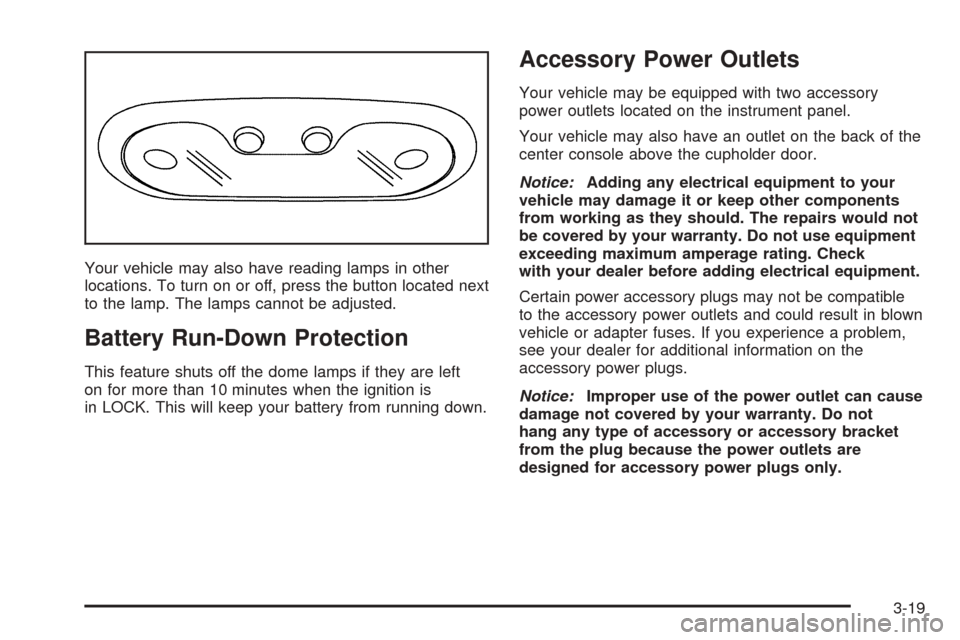
Your vehicle may also have reading lamps in other
locations. To turn on or off, press the button located next
to the lamp. The lamps cannot be adjusted.
Battery Run-Down Protection
This feature shuts off the dome lamps if they are left
on for more than 10 minutes when the ignition is
in LOCK. This will keep your battery from running down.
Accessory Power Outlets
Your vehicle may be equipped with two accessory
power outlets located on the instrument panel.
Your vehicle may also have an outlet on the back of the
center console above the cupholder door.
Notice:Adding any electrical equipment to your
vehicle may damage it or keep other components
from working as they should. The repairs would not
be covered by your warranty. Do not use equipment
exceeding maximum amperage rating. Check
with your dealer before adding electrical equipment.
Certain power accessory plugs may not be compatible
to the accessory power outlets and could result in blown
vehicle or adapter fuses. If you experience a problem,
see your dealer for additional information on the
accessory power plugs.
Notice:Improper use of the power outlet can cause
damage not covered by your warranty. Do not
hang any type of accessory or accessory bracket
from the plug because the power outlets are
designed for accessory power plugs only.
3-19
Page 176 of 496
Ashtrays and Cigarette Lighter
If your vehicle has this feature it is located in the center
console or on the instrument panel. Pull up on the
ashtray door to open it if it is in the console or pull the
door open it if it is on the instrument panel.
Notice:If you put papers, pins, or other ammable
items in the ashtray, hot cigarettes or other
smoking materials could ignite them and possibly
damage your vehicle. Never put ammable items in
the ashtray.
To remove the ashtray, pull it out from the console or
from the slide out door. To reinstall the ashtray,
slide it back to the original position.
To use the cigarette lighter, if equipped, push it in all
the way, and let go. When it’s ready, it will pop back out
by itself.
Notice:Holding a cigarette lighter in while it is
heating will not allow the lighter to back away from
the heating element when it is hot. Damage from
overheating may occur to the lighter or heating
element, or a fuse could be blown. Do not hold a
cigarette lighter in while it is heating.
Climate Controls
Dual Climate Control System
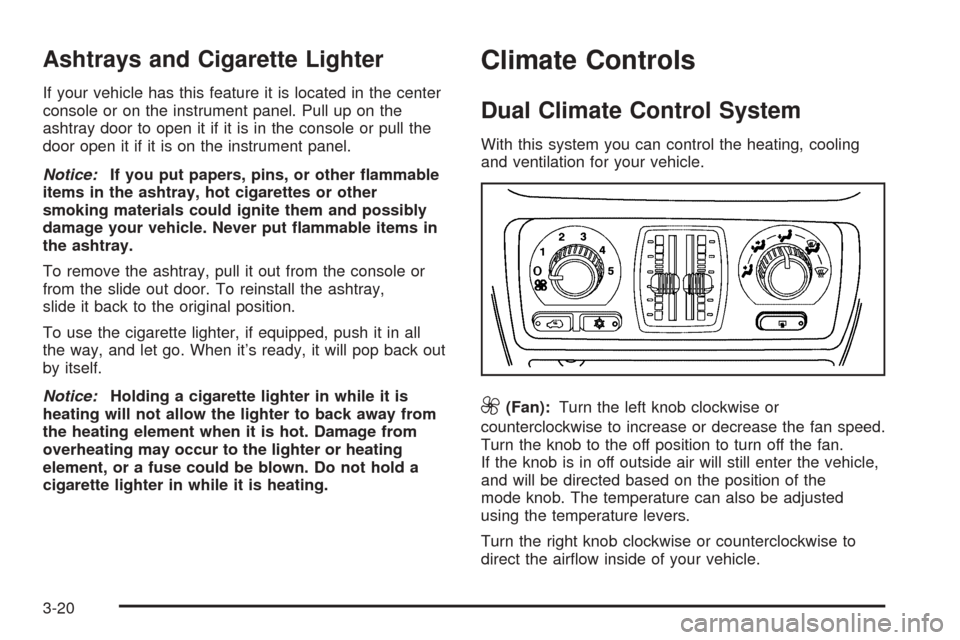
With this system you can control the heating, cooling
and ventilation for your vehicle.
9(Fan):Turn the left knob clockwise or
counterclockwise to increase or decrease the fan speed.
Turn the knob to the off position to turn off the fan.
If the knob is in off outside air will still enter the vehicle,
and will be directed based on the position of the
mode knob. The temperature can also be adjusted
using the temperature levers.
Turn the right knob clockwise or counterclockwise to
direct the airow inside of your vehicle.
3-20
Page 178 of 496
Defogging and Defrosting
There are two modes to choose from to clear fog or
frost from your windshield. Use the defog mode to clear
the windows of fog or moisture and warm the
passengers. Use the defrost mode to remove fog or
frost from the windshield more quickly.
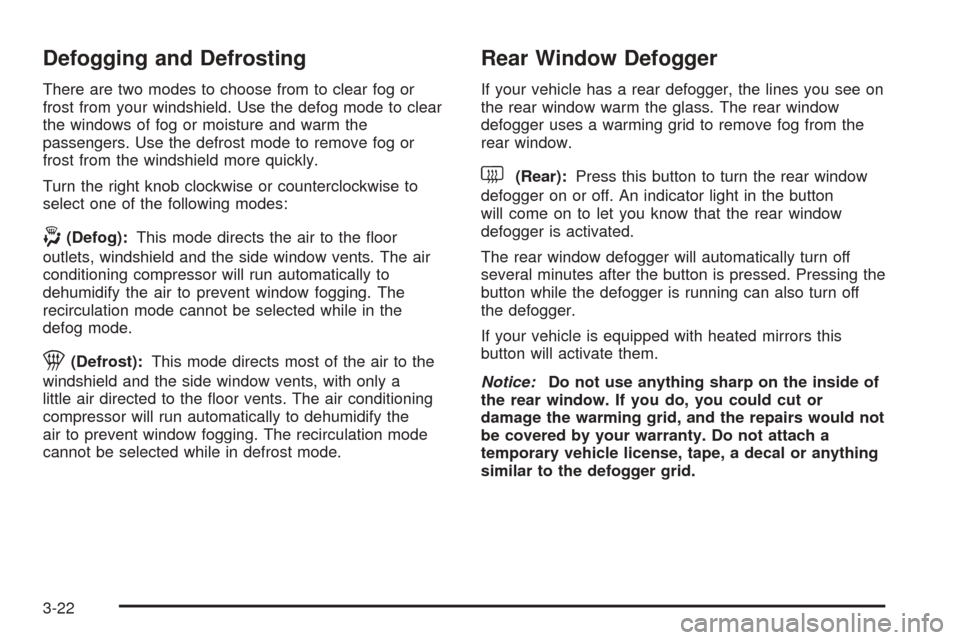
Turn the right knob clockwise or counterclockwise to
select one of the following modes:
-(Defog):This mode directs the air to the oor
outlets, windshield and the side window vents. The air
conditioning compressor will run automatically to
dehumidify the air to prevent window fogging. The
recirculation mode cannot be selected while in the
defog mode.
1(Defrost):This mode directs most of the air to the
windshield and the side window vents, with only a
little air directed to the oor vents. The air conditioning
compressor will run automatically to dehumidify the
air to prevent window fogging. The recirculation mode
cannot be selected while in defrost mode.
Rear Window Defogger
If your vehicle has a rear defogger, the lines you see on
the rear window warm the glass. The rear window
defogger uses a warming grid to remove fog from the
rear window.
<(Rear):Press this button to turn the rear window
defogger on or off. An indicator light in the button
will come on to let you know that the rear window
defogger is activated.
The rear window defogger will automatically turn off
several minutes after the button is pressed. Pressing the
button while the defogger is running can also turn off
the defogger.
If your vehicle is equipped with heated mirrors this
button will activate them.
Notice:Do not use anything sharp on the inside of
the rear window. If you do, you could cut or
damage the warming grid, and the repairs would not
be covered by your warranty. Do not attach a
temporary vehicle license, tape, a decal or anything
similar to the defogger grid.
3-22
Page 179 of 496
Dual Automatic Climate Control
System
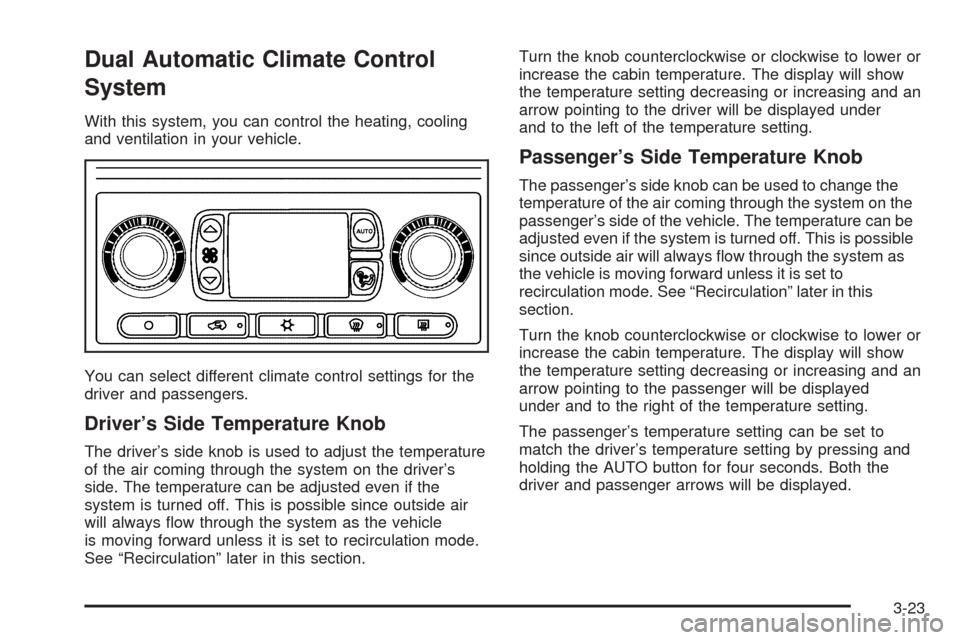
With this system, you can control the heating, cooling
and ventilation in your vehicle.
You can select different climate control settings for the
driver and passengers.
Driver’s Side Temperature Knob
The driver’s side knob is used to adjust the temperature
of the air coming through the system on the driver’s
side. The temperature can be adjusted even if the
system is turned off. This is possible since outside air
will always ow through the system as the vehicle
is moving forward unless it is set to recirculation mode.
See “Recirculation” later in this section.Turn the knob counterclockwise or clockwise to lower or
increase the cabin temperature. The display will show
the temperature setting decreasing or increasing and an
arrow pointing to the driver will be displayed under
and to the left of the temperature setting.
Passenger’s Side Temperature Knob
The passenger’s side knob can be used to change the
temperature of the air coming through the system on the
passenger’s side of the vehicle. The temperature can be
adjusted even if the system is turned off. This is possible
since outside air will always ow through the system as
the vehicle is moving forward unless it is set to
recirculation mode. See “Recirculation” later in this
section.
Turn the knob counterclockwise or clockwise to lower or
increase the cabin temperature. The display will show
the temperature setting decreasing or increasing and an
arrow pointing to the passenger will be displayed
under and to the right of the temperature setting.
The passenger’s temperature setting can be set to
match the driver’s temperature setting by pressing and
holding the AUTO button for four seconds. Both the
driver and passenger arrows will be displayed.
3-23
Page 192 of 496
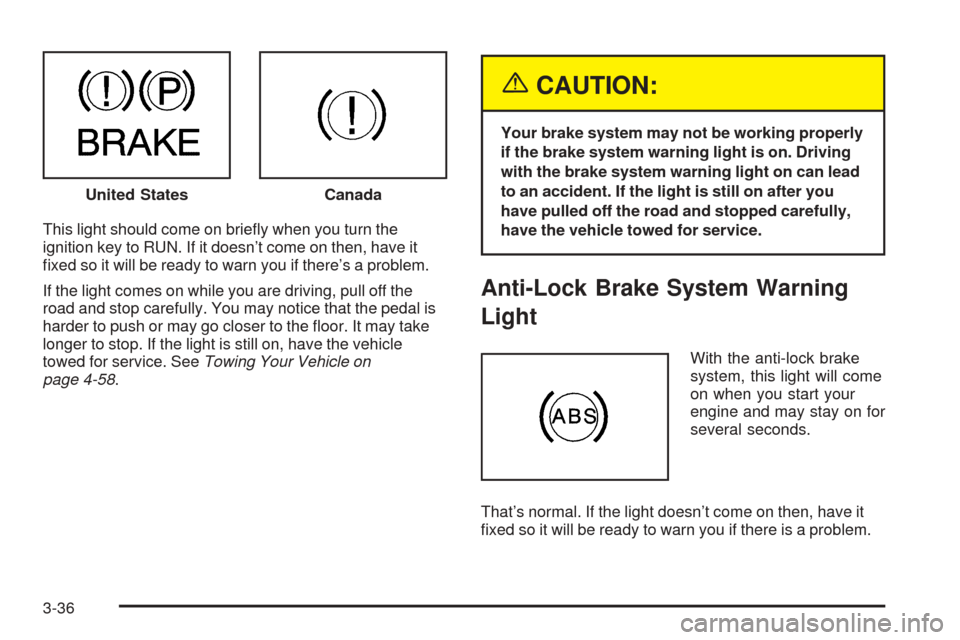
This light should come on briey when you turn the
ignition key to RUN. If it doesn’t come on then, have it
xed so it will be ready to warn you if there’s a problem.
If the light comes on while you are driving, pull off the
road and stop carefully. You may notice that the pedal is
harder to push or may go closer to the oor. It may take
longer to stop. If the light is still on, have the vehicle
towed for service. SeeTowing Your Vehicle on
page 4-58.
{CAUTION:
Your brake system may not be working properly
if the brake system warning light is on. Driving
with the brake system warning light on can lead
to an accident. If the light is still on after you
have pulled off the road and stopped carefully,
have the vehicle towed for service.
Anti-Lock Brake System Warning
Light
With the anti-lock brake
system, this light will come
on when you start your
engine and may stay on for
several seconds.
That’s normal. If the light doesn’t come on then, have it
xed so it will be ready to warn you if there is a problem. United States
Canada
3-36
Page 193 of 496
If the light stays on, or comes on when you’re driving,
your vehicle needs service. You will also hear a chime
sound when the light is on steady. If the regular brake
system warning light isn’t on, you still have brakes, but
you don’t have anti-lock brakes. If the regular brake
system warning light is also on you don’t have anti-lock
brakes and there’s a problem with your regular brakes.
In addition to both lights, you will also hear a chime sound
on the rst occurrence of a problem and each time the
vehicle is shut off and then restarted. SeeBrake System
Warning Light on page 3-35.
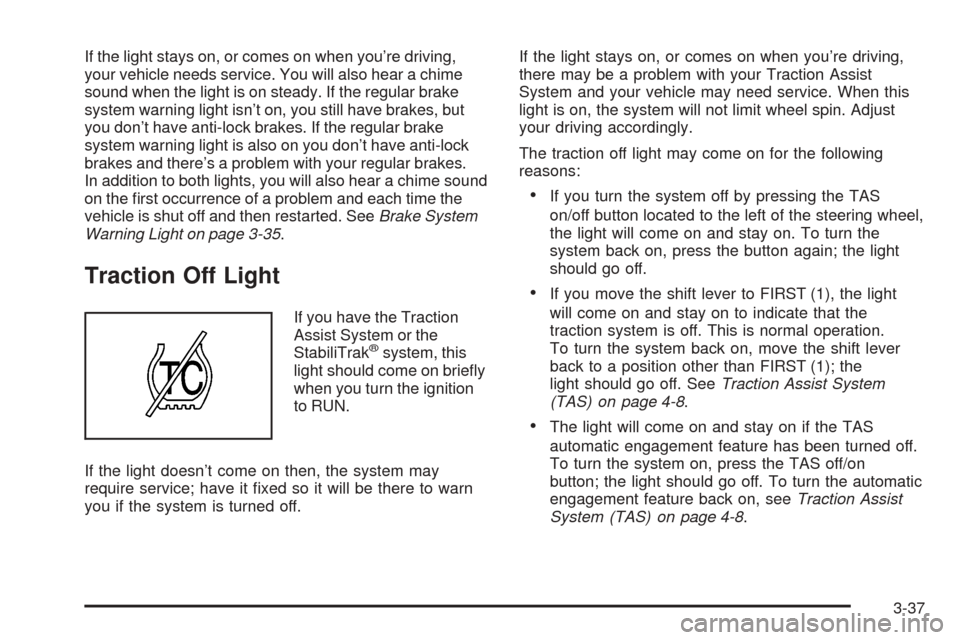
Traction Off Light
If you have the Traction
Assist System or the
StabiliTrak
®system, this
light should come on briey
when you turn the ignition
to RUN.
If the light doesn’t come on then, the system may
require service; have it xed so it will be there to warn
you if the system is turned off.If the light stays on, or comes on when you’re driving,
there may be a problem with your Traction Assist
System and your vehicle may need service. When this
light is on, the system will not limit wheel spin. Adjust
your driving accordingly.
The traction off light may come on for the following
reasons:
If you turn the system off by pressing the TAS
on/off button located to the left of the steering wheel,
the light will come on and stay on. To turn the
system back on, press the button again; the light
should go off.
If you move the shift lever to FIRST (1), the light
will come on and stay on to indicate that the
traction system is off. This is normal operation.
To turn the system back on, move the shift lever
back to a position other than FIRST (1); the
light should go off. SeeTraction Assist System
(TAS) on page 4-8.
The light will come on and stay on if the TAS
automatic engagement feature has been turned off.
To turn the system on, press the TAS off/on
button; the light should go off. To turn the automatic
engagement feature back on, seeTraction Assist
System (TAS) on page 4-8.
3-37
Page 194 of 496
If the Traction Assist System is affected by an
anti-lock brake system, TAS or engine-related
problem, the system will turn off and the light will
come on. Have your vehicle serviced.
If the vehicle is driven over an extremely rough road,
the system will turn off and the light will come on. The
light will go off a few seconds after the rough road
conditions go away or when the vehicle comes to a
complete stop. This is normal operation.
For more information on the traction off light and
StabiliTrak
®, seeStabiliTrak®System on page 4-10.
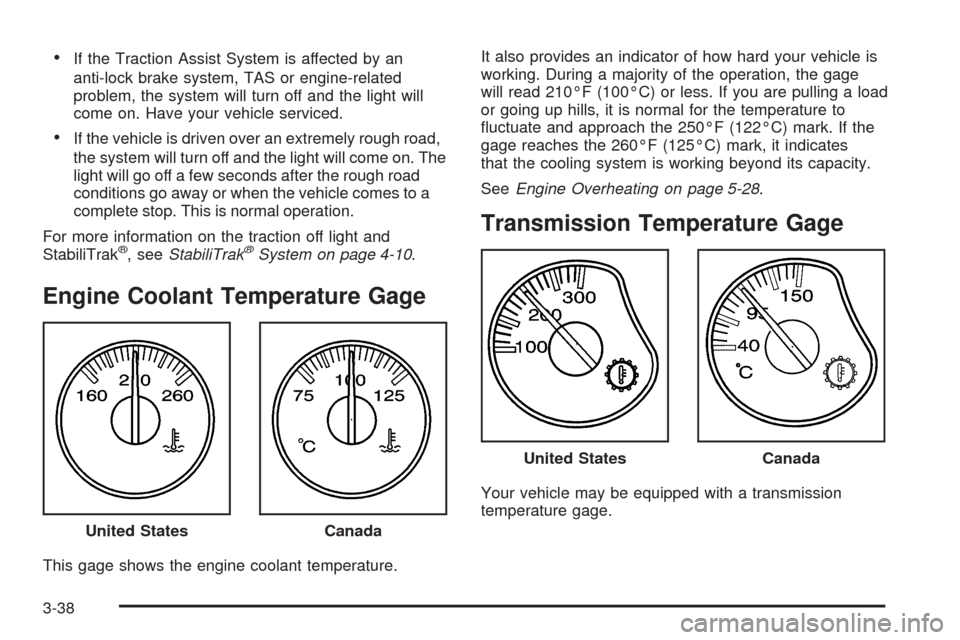
Engine Coolant Temperature Gage
This gage shows the engine coolant temperature.It also provides an indicator of how hard your vehicle is
working. During a majority of the operation, the gage
will read 210°F (100°C) or less. If you are pulling a load
or going up hills, it is normal for the temperature to
uctuate and approach the 250°F (122°C) mark. If the
gage reaches the 260°F (125°C) mark, it indicates
that the cooling system is working beyond its capacity.
SeeEngine Overheating on page 5-28.
Transmission Temperature Gage
Your vehicle may be equipped with a transmission
temperature gage.
United States
Canada
United StatesCanada
3-38
Page 199 of 496
{CAUTION:
Do not keep driving if the oil pressure is low. If
you do, your engine can become so hot that it
catches re. You or others could be burned.
Check your oil as soon as possible and have
your vehicle serviced.
Notice:Lack of proper engine oil maintenance may
damage the engine. The repairs would not be
covered by your warranty. Always follow the
maintenance schedule in this manual for changing
engine oil.
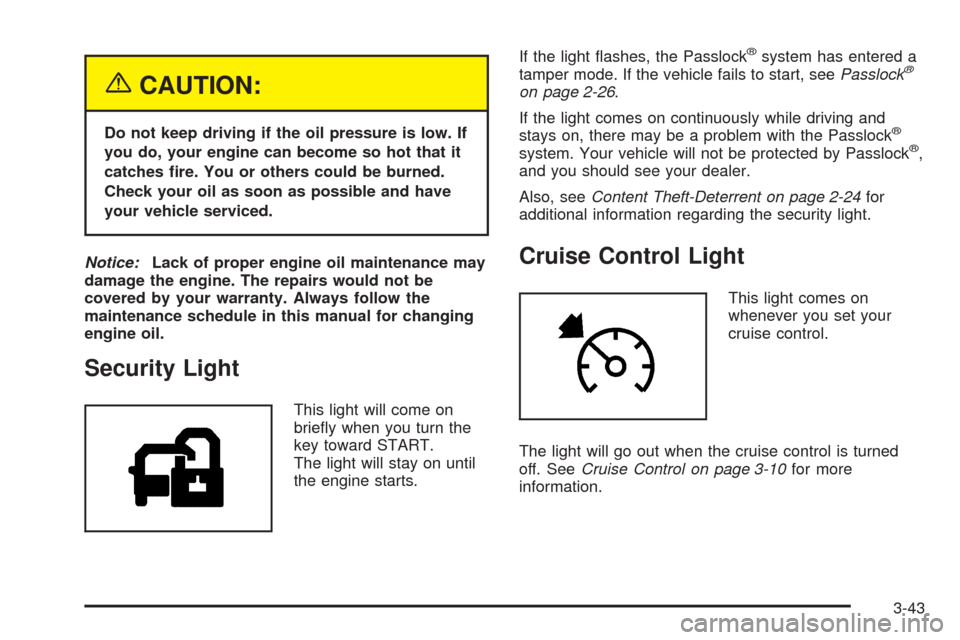
Security Light
This light will come on
briey when you turn the
key toward START.
The light will stay on until
the engine starts.If the light ashes, the Passlock
®system has entered a
tamper mode. If the vehicle fails to start, seePasslock®
on page 2-26.
If the light comes on continuously while driving and
stays on, there may be a problem with the Passlock
®
system. Your vehicle will not be protected by Passlock®,
and you should see your dealer.
Also, seeContent Theft-Deterrent on page 2-24for
additional information regarding the security light.
Cruise Control Light
This light comes on
whenever you set your
cruise control.
The light will go out when the cruise control is turned
off. SeeCruise Control on page 3-10for more
information.
3-43
Page 215 of 496

Lock Doors
Press the customization button until LOCK DOORS
appears in the display. To select your preference
for automatic locking, press the select button while
LOCK DOORS is displayed on the DIC. Pressing the
select button will scroll through the following choices:
LOCK DOORS: IN GEAR (default):The doors will lock
when the vehicle is shifted out of PARK (P).
LOCK DOORS: WITH SPEED:The doors will lock
when the vehicle speed is above 8 mph (13 km/h) for
three seconds.
Choose one of the available options and press the
customization button while it is displayed on the DIC to
select it and move on to the next feature. For more
information on automatic door locks, seeProgrammable
Automatic Door Locks on page 2-10.
Unlock Doors
Press the customization button until UNLOCK DOORS
appears in the display. To select your preference for
automatic unlocking, press the select button while
UNLOCK DOORS is displayed on the DIC. Pressing the
select button will scroll through the following choices:
UNLOCK DOORS: IN PARK (default):All of the doors
will unlock when the vehicle is shifted into PARK (P).UNLOCK DRIVER: IN PARK:The driver’s door will be
unlocked when the vehicle is shifted into PARK (P).
UNLOCK DOORS: KEY OUT:All of the doors
will unlock when the key is taken out of the ignition.
UNLOCK DOORS: MANUALLY:The doors will not be
unlocked automatically.
Choose one of the available options and press the
customization button while it is displayed on the DIC to
select it and move on to the next feature. For more
information on automatic door locks, seeProgrammable
Automatic Door Locks on page 2-10.
Door Lock Delay
If your DIC does not have this feature, you can still
program the delayed locking feature. SeeDelayed
Locking on page 2-9for more information.
When locking the doors with the power lock switch or
the remote keyless entry transmitter and a door or
the tailgate is open, the delayed locking feature
will delay locking the doors and tailgate until
ve seconds after the last door is closed.
3-59
Page 216 of 496
Press the customization button until DOOR LOCK
DELAY appears in the display. To select your
preference for delayed locking, press the select button
while DOOR LOCK DELAY is displayed on the DIC.
Pressing the select button will scroll through the
following choices:
DOOR LOCK DELAY: OFF (default):The doors will
lock immediately when pressing the power lock switch or
the lock button on the remote keyless entry transmitter.
DOOR LOCK DELAY: ON:The doors will not lock
until ve seconds after the last door or the tailgate is
closed. You will hear three chimes to signal that
the delayed locking feature is in use. You can
temporarily override delayed locking by pressing the
lock button on the door or the remote keyless entry
transmitter a second time.
Choose one of the available options and press the
customization button while it is displayed on the DIC to
select it and move on to the next feature.
This feature will not operate if the key is in the ignition.Lock Feedback
Press the customization button until LOCK FEEDBACK
appears in the display. To select your preference for
the feedback you receive when locking the vehicle with
the remote keyless entry transmitter, press the select
button while LOCK FEEDBACK is displayed on the DIC.
Pressing the select button will scroll through the
following choices:
LOCK FEEDBACK: BOTH (default):The parking
lamps will ash each time you press the button with the
lock symbol on the remote keyless entry transmitter
and the horn will chirp the second time you press the
lock button.
LOCK FEEDBACK: LAMPS:The parking lamps will
ash each time you press the button with the lock
symbol on the remote keyless entry transmitter.
LOCK FEEDBACK: HORN:The horn will chirp the
second time you press the button with the lock symbol
on the remote keyless entry transmitter.
LOCK FEEDBACK: OFF:There will be no feedback
when locking the vehicle.
Choose one of the available options and press the
customization button while it is displayed on the DIC to
select it and move on to the next feature.
3-60