window CHEVROLET AVALANCHE 2008 2.G Owner's Guide
[x] Cancel search | Manufacturer: CHEVROLET, Model Year: 2008, Model line: AVALANCHE, Model: CHEVROLET AVALANCHE 2008 2.GPages: 528, PDF Size: 3.05 MB
Page 207 of 528
Manual Operation
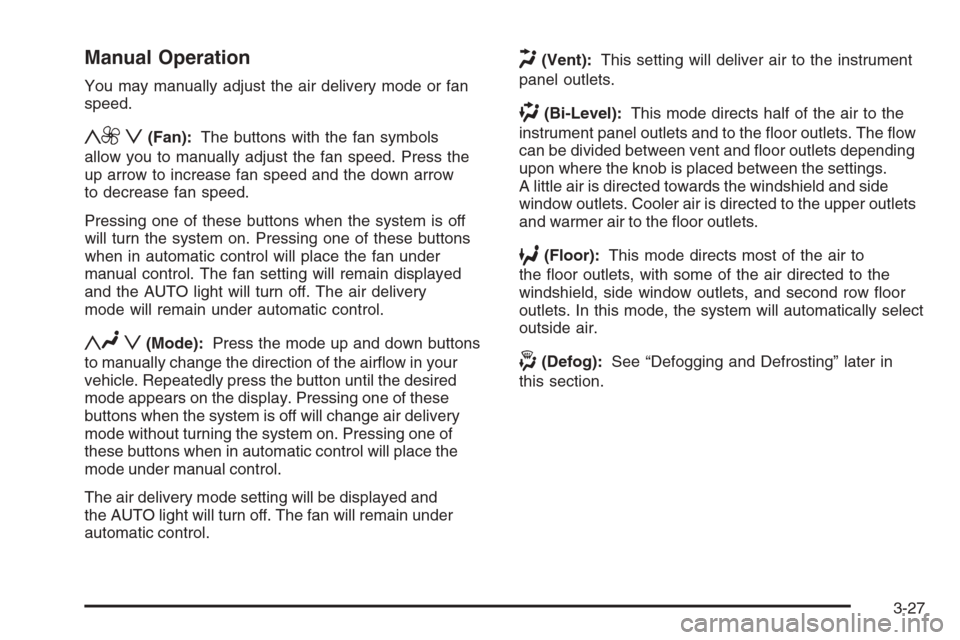
You may manually adjust the air delivery mode or fan
speed.
y9 z(Fan):The buttons with the fan symbols
allow you to manually adjust the fan speed. Press the
up arrow to increase fan speed and the down arrow
to decrease fan speed.
Pressing one of these buttons when the system is off
will turn the system on. Pressing one of these buttons
when in automatic control will place the fan under
manual control. The fan setting will remain displayed
and the AUTO light will turn off. The air delivery
mode will remain under automatic control.
yNz(Mode):Press the mode up and down buttons
to manually change the direction of the airow in your
vehicle. Repeatedly press the button until the desired
mode appears on the display. Pressing one of these
buttons when the system is off will change air delivery
mode without turning the system on. Pressing one of
these buttons when in automatic control will place the
mode under manual control.
The air delivery mode setting will be displayed and
the AUTO light will turn off. The fan will remain under
automatic control.
H(Vent):This setting will deliver air to the instrument
panel outlets.
)(Bi-Level):This mode directs half of the air to the
instrument panel outlets and to the oor outlets. The ow
can be divided between vent and oor outlets depending
upon where the knob is placed between the settings.
A little air is directed towards the windshield and side
window outlets. Cooler air is directed to the upper outlets
and warmer air to the oor outlets.
6(Floor):This mode directs most of the air to
the oor outlets, with some of the air directed to the
windshield, side window outlets, and second row oor
outlets. In this mode, the system will automatically select
outside air.
-(Defog):See “Defogging and Defrosting” later in
this section.
3-27
Page 208 of 528
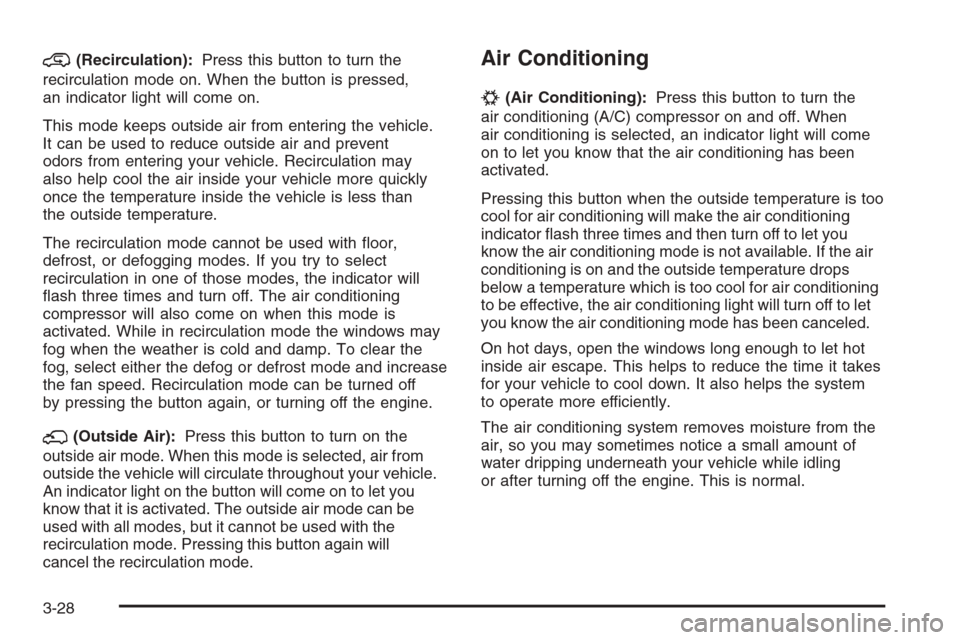
@(Recirculation):Press this button to turn the
recirculation mode on. When the button is pressed,
an indicator light will come on.
This mode keeps outside air from entering the vehicle.
It can be used to reduce outside air and prevent
odors from entering your vehicle. Recirculation may
also help cool the air inside your vehicle more quickly
once the temperature inside the vehicle is less than
the outside temperature.
The recirculation mode cannot be used with oor,
defrost, or defogging modes. If you try to select
recirculation in one of those modes, the indicator will
ash three times and turn off. The air conditioning
compressor will also come on when this mode is
activated. While in recirculation mode the windows may
fog when the weather is cold and damp. To clear the
fog, select either the defog or defrost mode and increase
the fan speed. Recirculation mode can be turned off
by pressing the button again, or turning off the engine.
;(Outside Air):Press this button to turn on the
outside air mode. When this mode is selected, air from
outside the vehicle will circulate throughout your vehicle.
An indicator light on the button will come on to let you
know that it is activated. The outside air mode can be
used with all modes, but it cannot be used with the
recirculation mode. Pressing this button again will
cancel the recirculation mode.
Air Conditioning
#
(Air Conditioning):Press this button to turn the
air conditioning (A/C) compressor on and off. When
air conditioning is selected, an indicator light will come
on to let you know that the air conditioning has been
activated.
Pressing this button when the outside temperature is too
cool for air conditioning will make the air conditioning
indicator ash three times and then turn off to let you
know the air conditioning mode is not available. If the air
conditioning is on and the outside temperature drops
below a temperature which is too cool for air conditioning
to be effective, the air conditioning light will turn off to let
you know the air conditioning mode has been canceled.
On hot days, open the windows long enough to let hot
inside air escape. This helps to reduce the time it takes
for your vehicle to cool down. It also helps the system
to operate more efficiently.
The air conditioning system removes moisture from the
air, so you may sometimes notice a small amount of
water dripping underneath your vehicle while idling
or after turning off the engine. This is normal.
3-28
Page 210 of 528
In order to prevent false temperature readings at
startup, the displayed temperature will not change until
the following occurs:
Vehicle speed is above 10 mph (16 kmh) for
5 minutes.
Vehicle speed is above 32 mph (51 kmh) for
2 and a half minutes.
The climate control system uses the information from
these sensors to maintain your comfort setting by
adjusting the outlet temperature, fan speed, and the air
delivery mode. The system may also supply cooler air to
the side of the vehicle facing the sun. The recirculation
mode will also be used as needed to maintain cool outlet
temperatures.
Defogging and Defrosting
Fog on the inside of the windows is a result of high
humidity (moisture) condensing on the cool window
glass. This can be minimized if the climate control
system is used properly. There are two modes to
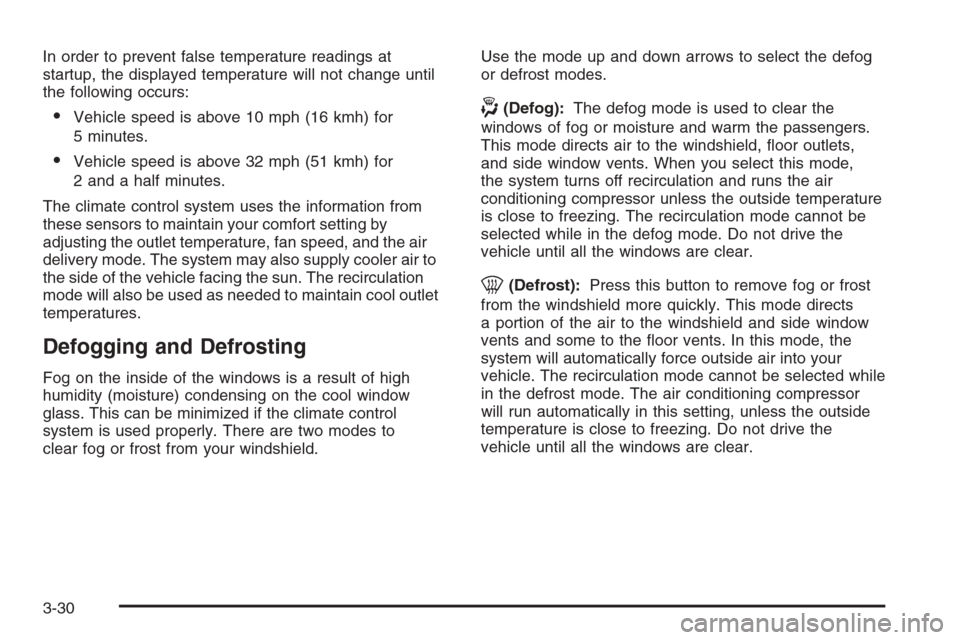
clear fog or frost from your windshield.Use the mode up and down arrows to select the defog
or defrost modes.
-(Defog):The defog mode is used to clear the
windows of fog or moisture and warm the passengers.
This mode directs air to the windshield, oor outlets,
and side window vents. When you select this mode,
the system turns off recirculation and runs the air
conditioning compressor unless the outside temperature
is close to freezing. The recirculation mode cannot be
selected while in the defog mode. Do not drive the
vehicle until all the windows are clear.
0(Defrost):Press this button to remove fog or frost
from the windshield more quickly. This mode directs
a portion of the air to the windshield and side window
vents and some to the oor vents. In this mode, the
system will automatically force outside air into your
vehicle. The recirculation mode cannot be selected while
in the defrost mode. The air conditioning compressor
will run automatically in this setting, unless the outside
temperature is close to freezing. Do not drive the
vehicle until all the windows are clear.
3-30
Page 211 of 528
Rear Window Defogger
The rear window defogger uses a warming grid to
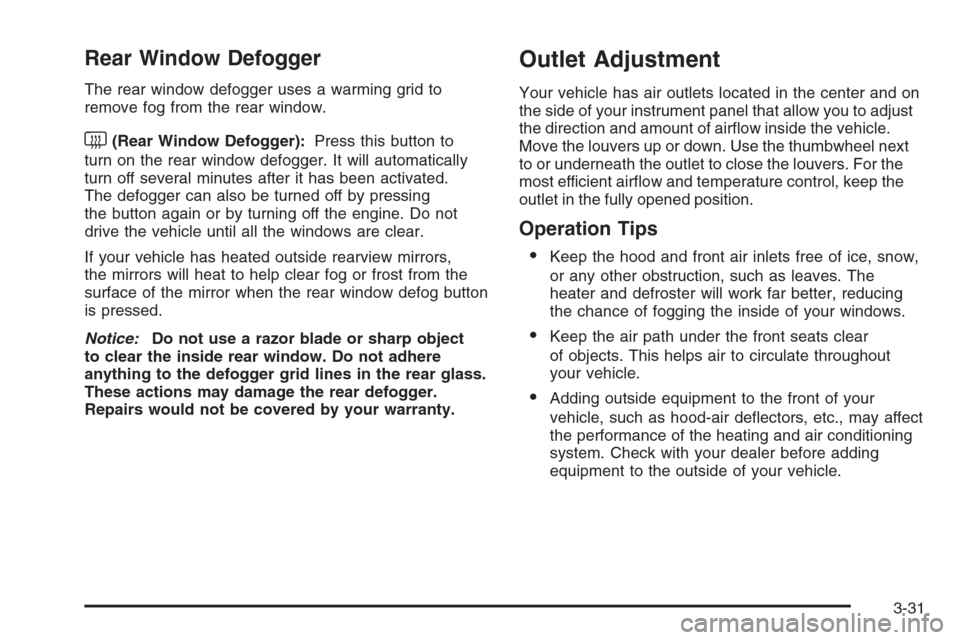
remove fog from the rear window.
<(Rear Window Defogger):Press this button to
turn on the rear window defogger. It will automatically
turn off several minutes after it has been activated.
The defogger can also be turned off by pressing
the button again or by turning off the engine. Do not
drive the vehicle until all the windows are clear.
If your vehicle has heated outside rearview mirrors,
the mirrors will heat to help clear fog or frost from the
surface of the mirror when the rear window defog button
is pressed.
Notice:Do not use a razor blade or sharp object
to clear the inside rear window. Do not adhere
anything to the defogger grid lines in the rear glass.
These actions may damage the rear defogger.
Repairs would not be covered by your warranty.
Outlet Adjustment
Your vehicle has air outlets located in the center and on
the side of your instrument panel that allow you to adjust
the direction and amount of airow inside the vehicle.
Move the louvers up or down. Use the thumbwheel next
to or underneath the outlet to close the louvers. For the
most efficient airow and temperature control, keep the
outlet in the fully opened position.
Operation Tips
Keep the hood and front air inlets free of ice, snow,
or any other obstruction, such as leaves. The
heater and defroster will work far better, reducing
the chance of fogging the inside of your windows.
Keep the air path under the front seats clear
of objects. This helps air to circulate throughout
your vehicle.
Adding outside equipment to the front of your
vehicle, such as hood-air deectors, etc., may affect
the performance of the heating and air conditioning
system. Check with your dealer before adding
equipment to the outside of your vehicle.
3-31
Page 291 of 528
Video Screen
The video screen is located in the overhead console.
To use the video screen, do the following:
1. Push the release button located on the overhead
console.
2. Move the screen to the desired position.
When the video screen is not in use, push it up into its
locked position.
If a DVD is playing and the screen is raised to its locked
position, the screen remains on, this is normal, and
the DVD continues to play through the previous audio
source. Use the remote control power button or eject the
disc to turn off the screen.
The overhead console contains the infrared transmitters
for the wireless headphones and the infrared receivers
for the remote control. They are located at the rear
of the console.
Notice:Avoid directly touching the video screen,
as damage may occur. See “Cleaning the Video
Screen” later in this section for more information.
Remote Control
To use the remote control, aim it at the transmitter
window at the rear of the overhead console and press
the desired button. Direct sunlight or very bright light
could affect the ability of the RSE transmitter to receive
signals from the remote control. If the remote control
does not seem to be working, the batteries might need
to be replaced. See “Battery Replacement” later in
this section. Objects blocking the line of sight could
also affect the function of the remote control.
If a CD or DVD is in the Radio DVD slot, the remote
control power button can be used to turn on the video
screen display and start the disc. The radio can also
turn on the video screen display. SeeRadio(s) (MP3)
on page 3-78for more information.
Notice:Storing the remote control in a hot area or
in direct sunlight can damage it, and the repairs
will not be covered by your warranty. Storage
in extreme cold can weaken the batteries. Keep
the remote control stored in a cool, dry place.
3-111
Page 294 of 528
\(Clear):Press this button within three seconds after
entering a numeric selection, to clear all numerical inputs.
}10 (Double Digit Entries):Press this button to
select chapter or track numbers greater than nine.
Press this button before entering the number.
If the remote control becomes lost or damaged, a new
universal remote control can be purchased. If this
happens, make sure the universal remote control
uses a code set of Toshiba
®.
Battery Replacement
To change the remote control batteries, do the following:
1. Slide the rear cover back on to the remote control.
2. Replace the two batteries in the compartment.
Make sure that they are installed correctly, using
the diagram on the inside of the battery
compartment.
3. Replace the battery cover.
If the remote control is to be stored for a long period of
time, remove the batteries and keep them in a cool,
dry place.
Problem Recommended Action
No power. The ignition might not be
turned ON/RUN or in
ACC/ACCESSORY.
The picture does not ll
the screen. There are
black borders on the
top and bottom or on
both sides or it looks
stretched out.Check the display mode
settings in the setup menu
by pressing the display
menu button on the remote
control.
In auxiliary mode, the
picture moves or scrolls.Check the auxiliary input
connections at both
devices.
The remote control does
not work.Check to make sure there
is no obstruction between
the remote control and
the transmitter window.
Check the batteries to
make sure they are not
dead or installed
incorrectly.
After stopping the player,
I push Play but sometimes
the DVD starts where I left
off and sometimes at the
beginning.If the stop button was
pressed one time, the DVD
player resumes playing
where the DVD was
stopped. If the stop button
was pressed two times the
DVD player begins to play
from the beginning of
the DVD.
3-114
Page 329 of 528
Other Rainy Weather Tips
Besides slowing down, other wet weather driving tips
include:
Allow extra following distance.
Pass with caution.
Keep windshield wiping equipment in good shape.
Keep the windshield washer uid reservoir lled.
Have good tires with proper tread depth. SeeTires
on page 5-56.
Before Leaving on a Long Trip
To prepare your vehicle for a long trip, consider having
it serviced by your dealer/retailer before departing.
Things to check on your own include:
Windshield Washer Fluid:Reservoir full? Windows
clean — inside and outside?
Wiper Blades:In good shape?
Fuel, Engine Oil, Other Fluids:All levels checked?
Lamps:Do they all work and are lenses clean?
Tires:Are treads good? Are tires inated to
recommended pressure?
Weather and Maps:Safe to travel? Have up-to-date
maps?
Highway Hypnosis
Always be alert and pay attention to your surroundings
while driving. If you become tired or sleepy, nd a
safe place to park your vehicle and rest.
Other driving tips include:
Keep the vehicle well ventilated.
Keep interior temperature cool.
Keep your eyes moving — scan the road ahead
and to the sides.
Check the rearview mirror and vehicle instruments
often.
4-29
Page 333 of 528
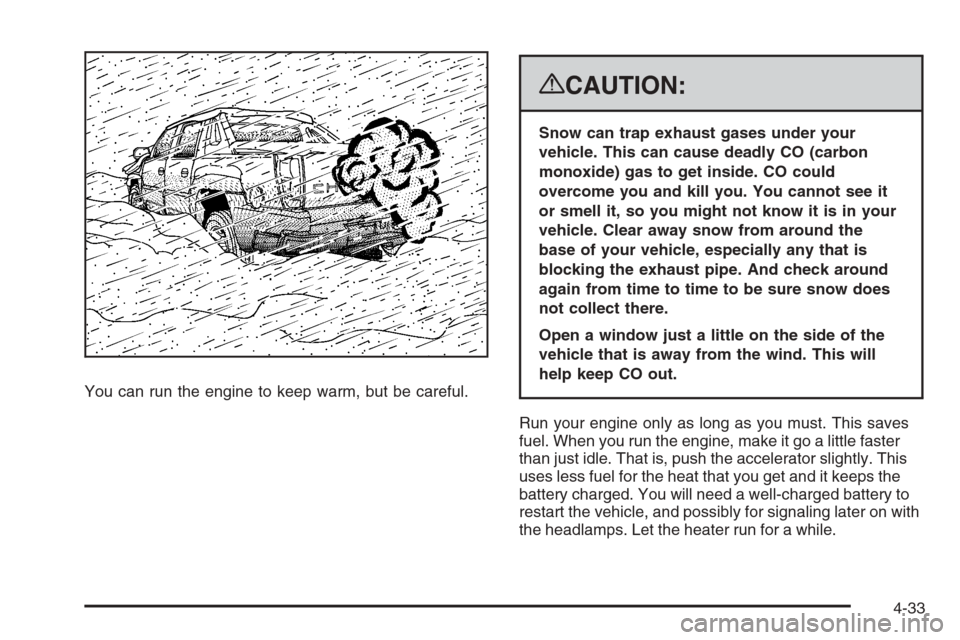
You can run the engine to keep warm, but be careful.
{CAUTION:
Snow can trap exhaust gases under your
vehicle. This can cause deadly CO (carbon
monoxide) gas to get inside. CO could
overcome you and kill you. You cannot see it
or smell it, so you might not know it is in your
vehicle. Clear away snow from around the
base of your vehicle, especially any that is
blocking the exhaust pipe. And check around
again from time to time to be sure snow does
not collect there.
Open a window just a little on the side of the
vehicle that is away from the wind. This will
help keep CO out.
Run your engine only as long as you must. This saves
fuel. When you run the engine, make it go a little faster
than just idle. That is, push the accelerator slightly. This
uses less fuel for the heat that you get and it keeps the
battery charged. You will need a well-charged battery to
restart the vehicle, and possibly for signaling later on with
the headlamps. Let the heater run for a while.
4-33
Page 334 of 528
Then, shut the engine off and close the window almost
all the way to preserve the heat. Start the engine again
and repeat this only when you feel really uncomfortable
from the cold. But do it as little as possible. Preserve the
fuel as long as you can. To help keep warm, you can get
out of the vehicle and do some fairly vigorous exercises
every half hour or so until help comes.
If Your Vehicle is Stuck in Sand,
Mud, Ice, or Snow
Slowly and cautiously spin the wheels to free your
vehicle when stuck in sand, mud, ice, or snow. See
Rocking Your Vehicle to Get It Out on page 4-34.
If your vehicle has a traction system, it can often help
to free a stuck vehicle. Refer to your vehicle’s traction
system in the Index. If the stuck condition is too
severe for the traction system to free the vehicle, turn
the traction system off and use the rocking method.
{CAUTION:
If you let your vehicle’s tires spin at high
speed, they can explode, and you or others
could be injured. The vehicle can overheat,
causing an engine compartment re or other
damage. Spin the wheels as little as possible
and avoid going above 35 mph (55 km/h) as
shown on the speedometer.
For information about using tire chains on your vehicle,
seeTire Chains on page 5-78.
Rocking Your Vehicle to Get It Out
First, turn the steering wheel left and right to clear the
area around the front wheels. For four-wheel-drive
vehicles, shift into Four-Wheel High. For vehicles with
StabiliTrak
®, turn the traction control part of the system
off. SeeStabiliTrak®System on page 4-6. Then shift back
and forth between REVERSE (R) and a forward gear,
spinning the wheels as little as possible. To prevent
transmission wear, wait until the wheels stop spinning
before shifting gears. Release the accelerator pedal
while you shift, and press lightly on the accelerator
pedal when the transmission is in gear.
4-34
Page 362 of 528
Tire Pressure Monitor System.........................5-65
Tire Pressure Monitor Operation.....................5-67
Tire Inspection and Rotation...........................5-70
When It Is Time for New Tires.......................5-71
Buying New Tires.........................................5-72
Different Size Tires and Wheels......................5-74
Uniform Tire Quality Grading..........................5-74
Wheel Alignment and Tire Balance..................5-76
Wheel Replacement......................................5-76
Tire Chains..................................................5-78
If a Tire Goes Flat........................................5-79
Changing a Flat Tire.....................................5-80
Removing the Spare Tire and Tools................5-81
Removing the Flat Tire and Installing the
Spare Tire................................................5-85
Secondary Latch System...............................5-91
Storing a Flat or Spare Tire and Tools............5-94
Spare Tire...................................................5-98
Appearance Care............................................5-99
Interior Cleaning...........................................5-99
Fabric/Carpet..............................................5-100
Leather......................................................5-101
Instrument Panel, Vinyl, and Other Plastic
Surfaces.................................................5-101
Care of Safety Belts....................................5-102Weatherstrips.............................................5-102
Washing Your Vehicle..................................5-102
Cleaning Exterior Lamps/Lenses....................5-103
Finish Care................................................5-103
Windshield and Wiper Blades.......................5-104
Aluminum or Chrome-Plated Wheels
and Trim................................................5-104
Tires.........................................................5-105
Sheet Metal Damage...................................5-105
Finish Damage...........................................5-105
Underbody Maintenance...............................5-105
Chemical Paint Spotting...............................5-106
Vehicle Care/Appearance Materials................5-106
Vehicle Identication.....................................5-107
Vehicle Identication Number (VIN)................5-107
Service Parts Identication Label...................5-107
Electrical System..........................................5-108
Add-On Electrical Equipment.........................5-108
Windshield Wiper Fuses...............................5-108
Power Windows and Other Power Options......5-108
Fuses and Circuit Breakers..........................5-108
Instrument Panel Fuse Block........................5-109
Center Instrument Panel Fuse Block..............5-110
Underhood Fuse Block................................5-111
Capacities and Specications........................5-115
Section 5 Service and Appearance Care
5-2