instrument cluster CHEVROLET AVALANCHE 2011 2.G Owners Manual
[x] Cancel search | Manufacturer: CHEVROLET, Model Year: 2011, Model line: AVALANCHE, Model: CHEVROLET AVALANCHE 2011 2.GPages: 528, PDF Size: 7.65 MB
Page 9 of 528

Black plate (3,1)Chevrolet Avalanche Owner Manual - 2011
In Brief 1-3
A.Air Vents on page 8‑10.
B. Turn and Lane‐Change Lever. See Turn and Lane-Change
Signals on page 6‑5.
Windshield Wiper/Washer on
page 5‑5.
C. Instrument Cluster on
page 5‑11.
D. Hazard Warning Flashers on
page 6‑5 (Out of View).
E. Shift Lever. See Automatic
Transmission on page 9‑39.
F. Tow/Haul Mode on page 9‑43
(If Equipped).
G. Driver Information Center (DIC) Buttons. See Driver Information
Center (DIC) on page 5‑28.
H. AM-FM Radio on page 7‑8.
I. Exterior Lamp Controls on
page 6‑1. J. Dome Lamp Override. See
Dome Lamps on page 6‑6.
Instrument Panel Illumination
Control on page 6‑6.
Fog Lamps on page 6‑5
(If Equipped).
K. Automatic Transfer Case Control (If Equipped). See
Four-Wheel Drive (Two Speed
Automatic Transfer Case) on
page 9‑44 orFour-Wheel Drive
(Single Speed Automatic
Transfer Case) on page 9‑50.
L. Data Link Connector (DLC) (Out of View). See Malfunction
Indicator Lamp on page 5‑20.
M. Cruise Control on page 9‑58.
N. Steering Wheel Adjustment on
page 5‑2.
O. Horn on page 5‑5.
P. Steering Wheel Controls on
page 5‑3. Q.
Climate Control Systems on
page 8‑1 (If Equipped).
Dual Automatic Climate Control
System on page 8‑4
(If Equipped).
R. Power Outlets on page 5‑9.
Cigarette Lighter (If Equipped).
See Cigarette Lighter on
page 5‑9.
S. StabiliTrak
®System on
page 9‑54.
Pedal Adjust Button
(If Equipped). See Adjustable
Throttle and Brake Pedal on
page 9‑30.
Ultrasonic Parking Assist on
page 9‑60 (If Equipped).
Power Assist Steps on
page 2‑16 (If Equipped).
T. Glove Box on page 4‑1.
Page 25 of 528
Black plate (19,1)Chevrolet Avalanche Owner Manual - 2011
In Brief 1-19
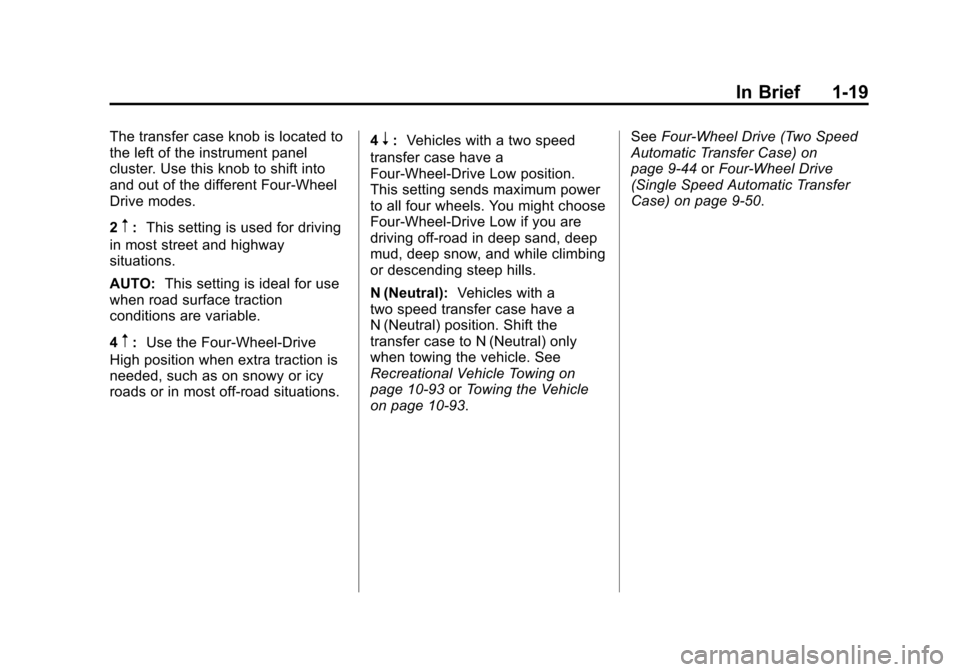
The transfer case knob is located to
the left of the instrument panel
cluster. Use this knob to shift into
and out of the different Four-Wheel
Drive modes.
2
m:This setting is used for driving
in most street and highway
situations.
AUTO: This setting is ideal for use
when road surface traction
conditions are variable.
4
m: Use the Four-Wheel-Drive
High position when extra traction is
needed, such as on snowy or icy
roads or in most off-road situations. 4
n:
Vehicles with a two speed
transfer case have a
Four-Wheel-Drive Low position.
This setting sends maximum power
to all four wheels. You might choose
Four-Wheel-Drive Low if you are
driving off-road in deep sand, deep
mud, deep snow, and while climbing
or descending steep hills.
N (Neutral): Vehicles with a
two speed transfer case have a
N (Neutral) position. Shift the
transfer case to N (Neutral) only
when towing the vehicle. See
Recreational Vehicle Towing on
page 10‑93 orTowing the Vehicle
on page 10‑93. See
Four-Wheel Drive (Two Speed
Automatic Transfer Case) on
page 9‑44 orFour-Wheel Drive
(Single Speed Automatic Transfer
Case) on page 9‑50.
Page 30 of 528
Black plate (24,1)Chevrolet Avalanche Owner Manual - 2011
1-24 In Brief
Driver Information
Center (DIC)
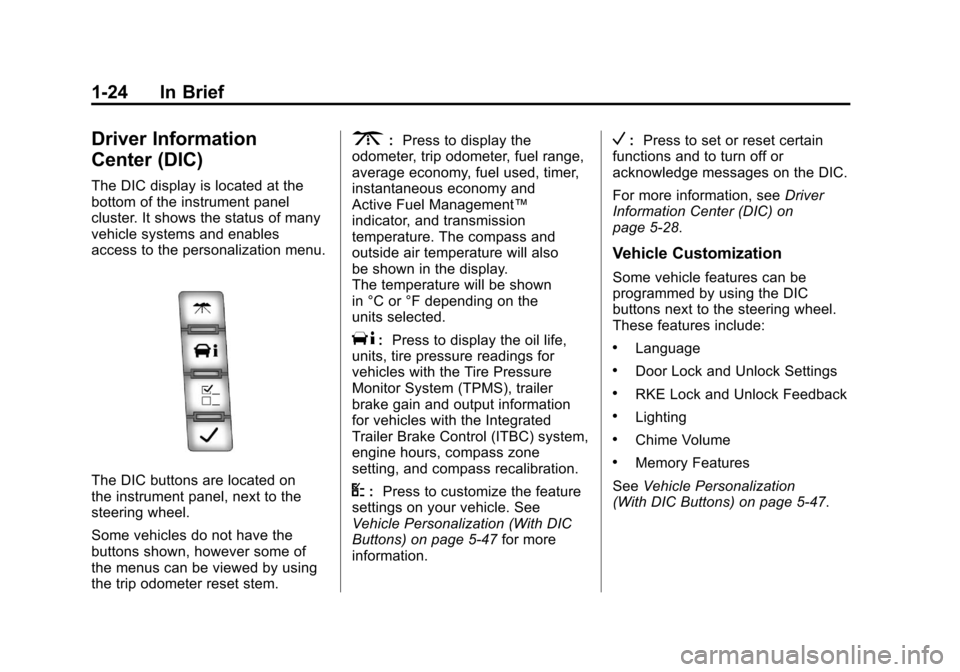
The DIC display is located at the
bottom of the instrument panel
cluster. It shows the status of many
vehicle systems and enables
access to the personalization menu.
The DIC buttons are located on
the instrument panel, next to the
steering wheel.
Some vehicles do not have the
buttons shown, however some of
the menus can be viewed by using
the trip odometer reset stem.
3:Press to display the
odometer, trip odometer, fuel range,
average economy, fuel used, timer,
instantaneous economy and
Active Fuel Management™
indicator, and transmission
temperature. The compass and
outside air temperature will also
be shown in the display.
The temperature will be shown
in °C or °F depending on the
units selected.
T: Press to display the oil life,
units, tire pressure readings for
vehicles with the Tire Pressure
Monitor System (TPMS), trailer
brake gain and output information
for vehicles with the Integrated
Trailer Brake Control (ITBC) system,
engine hours, compass zone
setting, and compass recalibration.
U: Press to customize the feature
settings on your vehicle. See
Vehicle Personalization (With DIC
Buttons) on page 5‑47 for more
information.
V: Press to set or reset certain
functions and to turn off or
acknowledge messages on the DIC.
For more information, see Driver
Information Center (DIC) on
page 5‑28.
Vehicle Customization
Some vehicle features can be
programmed by using the DIC
buttons next to the steering wheel.
These features include:
.Language
.Door Lock and Unlock Settings
.RKE Lock and Unlock Feedback
.Lighting
.Chime Volume
.Memory Features
See Vehicle Personalization
(With DIC Buttons) on page 5‑47.
Page 55 of 528
Black plate (19,1)Chevrolet Avalanche Owner Manual - 2011
Keys, Doors and Windows 2-19
Anyone using a trial-and-error
method to start the vehicle will be
discouraged because of the high
number of electrical key codes.
If the engine does not start and the
security light on the instrument
panel cluster comes on when trying
to start the vehicle, there may be a
problem with the theft-deterrent
system. Turn the ignition off and
try again.
If the engine still does not start, and
the key appears to be undamaged,
try another ignition key. At this time,
you may also want to check the
fuse. SeeFuses and Circuit
Breakers on page 10‑41. If the
engine still does not start with the
other key, the vehicle needs service.
If the vehicle does start, the first key
may be faulty. See your dealer who
can service the PASS-Key III+ to
have a new key made.
It is possible for the PASS-Key III+
decoder to learn the transponder
value of a new or replacement key. Up to 10 keys may be programmed
for the vehicle. The following
procedure is for programming
additional keys only. If all the
currently programmed keys are lost
or do not operate, you must see
your dealer or a locksmith who can
service PASS-Key III+ to have keys
made and programmed to the
system.
See your dealer or a locksmith who
can service PASS-Key III+ to get a
new key blank cut exactly as the
ignition key that operates the
system.
To program the new additional key:
1. Verify that the new key has a
1
stamped on it.
2. Insert the original, already programmed key in the ignition
and start the engine. If the
engine will not start, see your
dealer for service.
3. After the engine has started, turn the key to LOCK/OFF, and
remove the key. 4. Insert the new key to be
programmed and turn it to the
ON/RUN position within
five seconds of turning the
ignition to the LOCK/OFF
position in Step 3.
The security light will turn off
once the key has been
programmed.
5. Repeat Steps 1 through 4 if additional keys are to be
programmed.
If you lose or damage your
PASS-Key III+ key, see your dealer
or a locksmith who can service
PASS-Key III+ to have a new
key made.
Do not leave the key or device that
disarms or deactivates the
theft-deterrent system in the vehicle.
Page 94 of 528
Black plate (30,1)Chevrolet Avalanche Owner Manual - 2011
3-30 Seats and Restraints
{WARNING
Children who are up against,
or very close to, any airbag when
it inflates can be seriously injured
or killed. Airbags plus
lap-shoulder belts offer protection
for adults and older children, but
not for young children and infants.
Neither the vehicle's safety belt
system nor its airbag system is(Continued)
WARNING (Continued)
designed for them. Young
children and infants need the
protection that a child restraint
system can provide. Always
secure children properly in your
vehicle. To read how, see Older
Children on page 3‑46 orInfants
and Young Children on
page 3‑48.
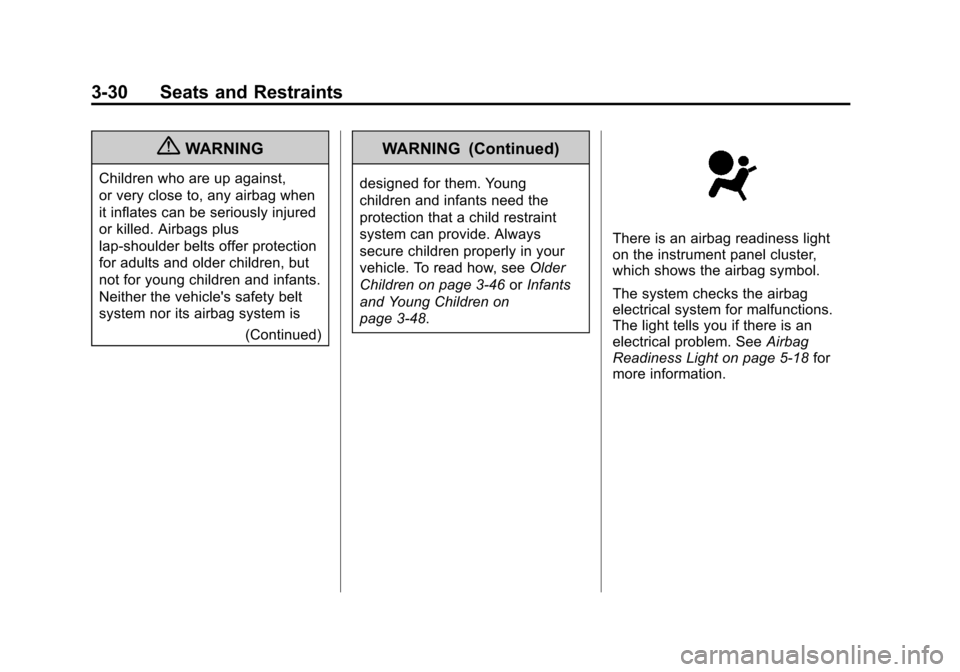
There is an airbag readiness light
on the instrument panel cluster,
which shows the airbag symbol.
The system checks the airbag
electrical system for malfunctions.
The light tells you if there is an
electrical problem. See Airbag
Readiness Light on page 5‑18 for
more information.
Page 147 of 528
Black plate (1,1)Chevrolet Avalanche Owner Manual - 2011
Instruments and Controls 5-1
Instruments and
Controls
Controls
Steering Wheel Adjustment . . . 5-2
Steering Wheel Controls . . . . . . 5-3
Horn . . . . . . . . . . . . . . . . . . . . . . . . . . 5-5
Windshield Wiper/Washer . . . . . 5-5
Compass . . . . . . . . . . . . . . . . . . . . . 5-6
Clock . . . . . . . . . . . . . . . . . . . . . . . . . 5-8
Power Outlets . . . . . . . . . . . . . . . . . 5-9
Cigarette Lighter . . . . . . . . . . . . . . 5-9
Ashtrays . . . . . . . . . . . . . . . . . . . . . 5-10
Warning Lights, Gauges, and
Indicators
Warning Lights, Gauges, andIndicators . . . . . . . . . . . . . . . . . . 5-10
Instrument Cluster . . . . . . . . . . . 5-11
Speedometer . . . . . . . . . . . . . . . . 5-12
Odometer . . . . . . . . . . . . . . . . . . . . 5-12
Trip Odometer . . . . . . . . . . . . . . . 5-12
Tachometer . . . . . . . . . . . . . . . . . . 5-12
Fuel Gauge . . . . . . . . . . . . . . . . . . 5-13 Engine Oil Pressure
Gauge . . . . . . . . . . . . . . . . . . . . . . 5-14
Engine Coolant Temperature Gauge . . . . . . . . . . . . . . . . . . . . . . 5-15
Voltmeter Gauge . . . . . . . . . . . . . 5-16
Safety Belt Reminders . . . . . . . 5-16
Airbag Readiness Light . . . . . . 5-18
Passenger Airbag Status
Indicator . . . . . . . . . . . . . . . . . . . . 5-18
Charging System Light . . . . . . 5-20
Malfunction Indicator Lamp . . . . . . . . . . . . . 5-20
Brake System Warning Light . . . . . . . . . . . . . . . . . . . . . . . 5-23
Antilock Brake System (ABS) Warning Light . . . . . . . . . . . . . . 5-24
Tow/Haul Mode Light . . . . . . . . 5-24
StabiliTrak
®Indicator Light . . . 5-24
Tire Pressure Light . . . . . . . . . . 5-25
Engine Oil Pressure Light . . . . 5-26
Low Fuel Warning Light . . . . . . 5-26
Security Light . . . . . . . . . . . . . . . . 5-26
High-Beam on Light . . . . . . . . . 5-27
Front Fog Lamp Light . . . . . . . . 5-27
Cruise Control Light . . . . . . . . . 5-27
Information Displays
Driver Information Center (DIC) . . . . . . . . . . . . . . . 5-28
Vehicle Messages
Vehicle Messages . . . . . . . . . . . 5-37
Battery Voltage and ChargingMessages . . . . . . . . . . . . . . . . . . 5-37
Brake System Messages . . . . 5-37
Door Ajar Messages . . . . . . . . . 5-38
Engine Cooling System Messages . . . . . . . . . . . . . . . . . . 5-39
Engine Oil Messages . . . . . . . . 5-40
Engine Power Messages . . . . 5-40
Fuel System Messages . . . . . . 5-41
Key and Lock Messages . . . . . 5-41
Lamp Messages . . . . . . . . . . . . . 5-41
Object Detection System Messages . . . . . . . . . . . . . . . . . . 5-41
Ride Control System Messages . . . . . . . . . . . . . . . . . . 5-42
Airbag System Messages . . . . 5-43
Anti-Theft Alarm System Messages . . . . . . . . . . . . . . . . . . 5-43
Tire Messages . . . . . . . . . . . . . . . 5-44
Transmission Messages . . . . . 5-45
Vehicle Reminder Messages . . . . . . . . . . . . . . . . . . 5-45
Washer Fluid Messages . . . . . 5-46
Page 157 of 528
Black plate (11,1)Chevrolet Avalanche Owner Manual - 2011
Instruments and Controls 5-11
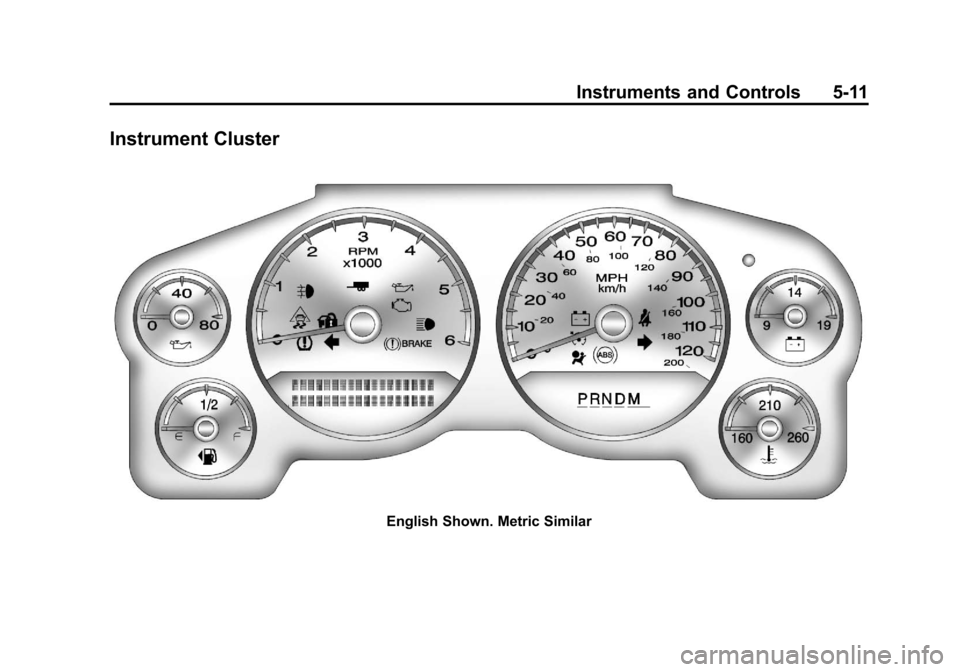
Instrument Cluster
English Shown. Metric Similar
Page 158 of 528
Black plate (12,1)Chevrolet Avalanche Owner Manual - 2011
5-12 Instruments and Controls
Speedometer
The speedometer shows the
vehicle's speed in both kilometers
per hour (km/h) and miles per
hour (mph).
Odometer
The odometer shows how far the
vehicle has been driven, in either
kilometers or miles.
Trip Odometer
The trip odometer can show how far
the vehicle has been driven since
the trip odometer was last set
to zero.
Press the reset button, located on
the instrument panel cluster next to
the trip odometer display, to toggle
between the trip odometer and the
regular odometer. Holding the reset
button for approximately one second
while the trip odometer is displayed
resets it.To display the odometer reading
with the ignition off, press the
reset button.
Tachometer
The tachometer displays the
engine speed in revolutions per
minute (rpm).
Page 174 of 528
Black plate (28,1)Chevrolet Avalanche Owner Manual - 2011
5-28 Instruments and Controls
Information Displays
Driver Information
Center (DIC)
Your vehicle has a Driver
Information Center (DIC).
The DIC displays information about
your vehicle. It also displays
warning messages if a system
problem is detected.
All messages will appear in the
DIC display located below the
tachometer in the instrument panel
cluster.
The DIC comes on when the ignition
is on. After a short delay, the DIC
will display the information that was
last displayed before the engine
was turned off.
Operation and Displays
The DIC has different displays
which can be accessed by pressing
the DIC buttons located on the
instrument panel, next to the
steering wheel. If the vehicle does
not have DIC buttons, the trip
odometer reset stem can be used to
access some of the menu items
The DIC displays trip, fuel, and
vehicle system information, and
warning messages if a system
problem is detected.
The DIC also allows some features
to be customized. SeeVehicle
Personalization (With DIC Buttons)
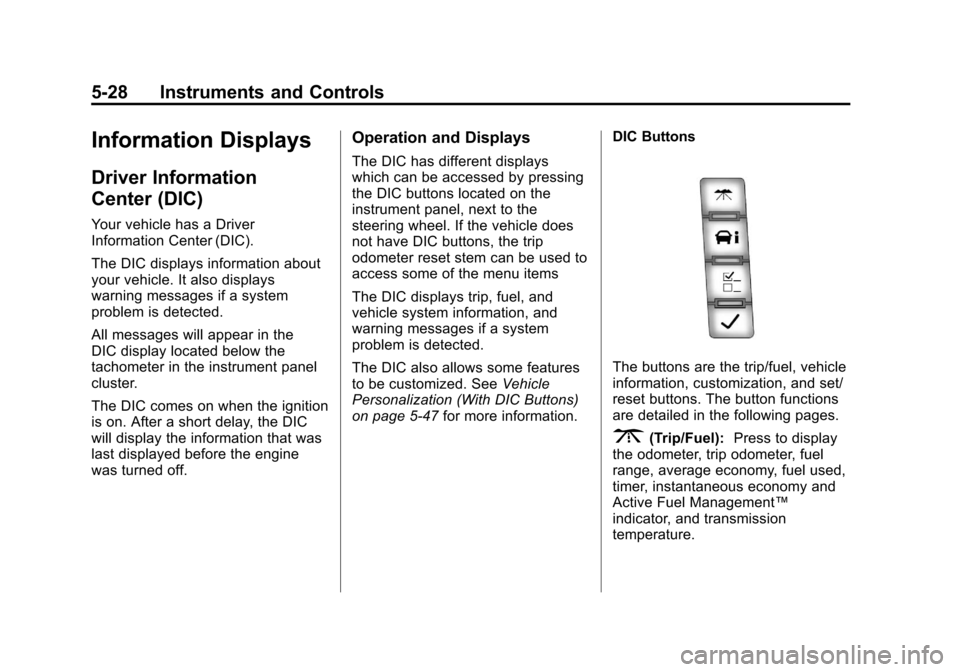
on page 5‑47 for more information. DIC Buttons
The buttons are the trip/fuel, vehicle
information, customization, and set/
reset buttons. The button functions
are detailed in the following pages.
3(Trip/Fuel):
Press to display
the odometer, trip odometer, fuel
range, average economy, fuel used,
timer, instantaneous economy and
Active Fuel Management™
indicator, and transmission
temperature.
Page 183 of 528
Black plate (37,1)Chevrolet Avalanche Owner Manual - 2011
Instruments and Controls 5-37
Vehicle Messages
Messages displayed on the DIC
indicate the status of the vehicle or
some action may be needed to
correct a condition. Multiple
messages may appear one after
another.
The messages that do not require
immediate action can be
acknowledged and cleared by
pressing
V(Set/Reset) or the trip
odometer reset stem.
The messages that require
immediate action cannot be cleared
until that action is performed.
All messages should be taken
seriously and clearing the message
does not correct the problem.
The following are the possible
messages and some information
about them.
Battery Voltage and
Charging Messages
BATTERY LOW START
VEHICLE
When the vehicle’ s battery is
severely discharged, this
message will display and
four chimes will sound. Start the
vehicle immediately. If the vehicle
is not started and the battery
continues to discharge, the climate
controls, heated seats, and audio
systems will shut off and the vehicle
may require a jump start. These
systems will function again after the
vehicle is started.
SERVICE BATTERY
CHARGING SYSTEM
On some vehicles, this message
displays if there is a problem
with the battery charging system.
Under certain conditions, the
charging system light may also turn
on in the instrument panel cluster. See
Charging System Light on
page 5‑20. Driving with this problem
could drain the battery. Turn off all
unnecessary accessories. Have the
electrical system checked as soon
as possible. See your dealer.
Brake System Messages
SERVICE BRAKE SYSTEM
This message displays along with
the brake system warning light if
there is a problem with the brake
system. See Brake System Warning
Light on page 5‑23. If this message
appears, stop as soon as possible
and turn off the vehicle. Restart the
vehicle and check for the message
on the DIC display. If the message
is still displayed or appears again
when you begin driving, the brake
system needs service as soon as
possible. See your dealer.