Over heat CHEVROLET AVALANCHE 2013 2.G User Guide
[x] Cancel search | Manufacturer: CHEVROLET, Model Year: 2013, Model line: AVALANCHE, Model: CHEVROLET AVALANCHE 2013 2.GPages: 494, PDF Size: 7.72 MB
Page 162 of 494
Black plate (36,1)Chevrolet Avalanche Owner Manual - 2013 - CRC - 8/27/12
5-36 Instruments and Controls
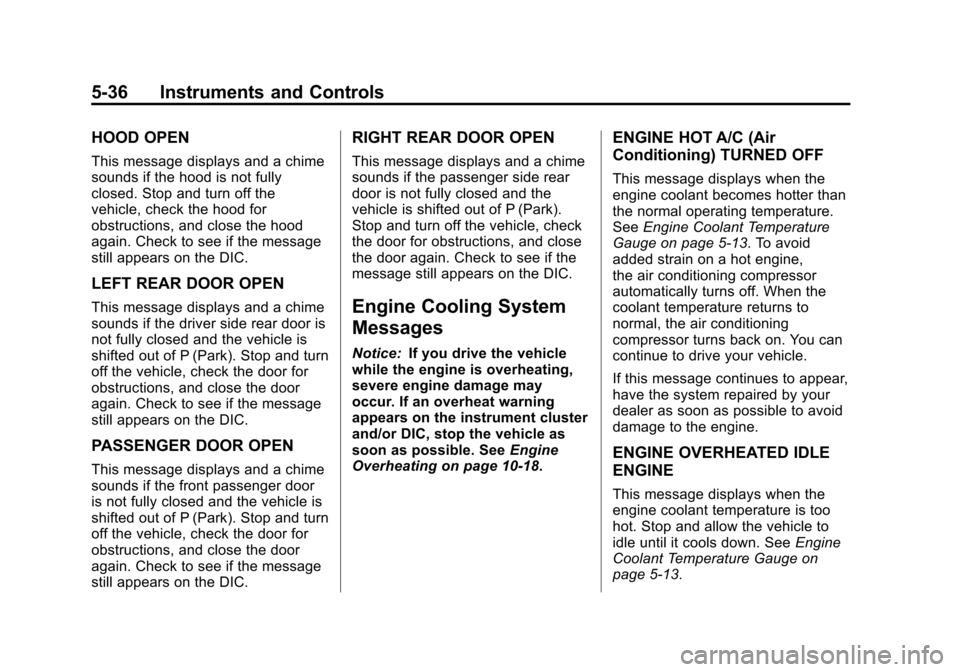
HOOD OPEN
This message displays and a chime
sounds if the hood is not fully
closed. Stop and turn off the
vehicle, check the hood for
obstructions, and close the hood
again. Check to see if the message
still appears on the DIC.
LEFT REAR DOOR OPEN
This message displays and a chime
sounds if the driver side rear door is
not fully closed and the vehicle is
shifted out of P (Park). Stop and turn
off the vehicle, check the door for
obstructions, and close the door
again. Check to see if the message
still appears on the DIC.
PASSENGER DOOR OPEN
This message displays and a chime
sounds if the front passenger door
is not fully closed and the vehicle is
shifted out of P (Park). Stop and turn
off the vehicle, check the door for
obstructions, and close the door
again. Check to see if the message
still appears on the DIC.
RIGHT REAR DOOR OPEN
This message displays and a chime
sounds if the passenger side rear
door is not fully closed and the
vehicle is shifted out of P (Park).
Stop and turn off the vehicle, check
the door for obstructions, and close
the door again. Check to see if the
message still appears on the DIC.
Engine Cooling System
Messages
Notice:If you drive the vehicle
while the engine is overheating,
severe engine damage may
occur. If an overheat warning
appears on the instrument cluster
and/or DIC, stop the vehicle as
soon as possible. See Engine
Overheating on page 10‑18.
ENGINE HOT A/C (Air
Conditioning) TURNED OFF
This message displays when the
engine coolant becomes hotter than
the normal operating temperature.
See Engine Coolant Temperature
Gauge on page 5‑13. To avoid
added strain on a hot engine,
the air conditioning compressor
automatically turns off. When the
coolant temperature returns to
normal, the air conditioning
compressor turns back on. You can
continue to drive your vehicle.
If this message continues to appear,
have the system repaired by your
dealer as soon as possible to avoid
damage to the engine.
ENGINE OVERHEATED IDLE
ENGINE
This message displays when the
engine coolant temperature is too
hot. Stop and allow the vehicle to
idle until it cools down. See Engine
Coolant Temperature Gauge on
page 5‑13.
Page 163 of 494
Black plate (37,1)Chevrolet Avalanche Owner Manual - 2013 - CRC - 8/27/12
Instruments and Controls 5-37
SeeOverheated Engine Protection
Operating Mode on page 10‑20 for
information on driving to a safe
place in an emergency.
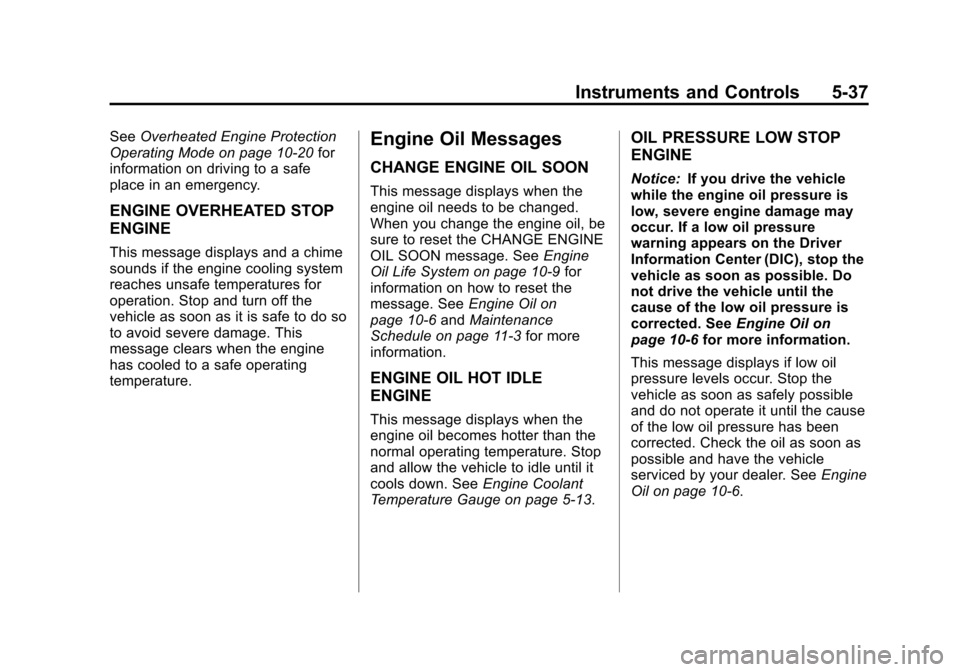
ENGINE OVERHEATED STOP
ENGINE
This message displays and a chime
sounds if the engine cooling system
reaches unsafe temperatures for
operation. Stop and turn off the
vehicle as soon as it is safe to do so
to avoid severe damage. This
message clears when the engine
has cooled to a safe operating
temperature.
Engine Oil Messages
CHANGE ENGINE OIL SOON
This message displays when the
engine oil needs to be changed.
When you change the engine oil, be
sure to reset the CHANGE ENGINE
OIL SOON message. See Engine
Oil Life System on page 10‑9 for
information on how to reset the
message. See Engine Oil on
page 10‑6 andMaintenance
Schedule on page 11‑3 for more
information.
ENGINE OIL HOT IDLE
ENGINE
This message displays when the
engine oil becomes hotter than the
normal operating temperature. Stop
and allow the vehicle to idle until it
cools down. See Engine Coolant
Temperature Gauge on page 5‑13.
OIL PRESSURE LOW STOP
ENGINE
Notice: If you drive the vehicle
while the engine oil pressure is
low, severe engine damage may
occur. If a low oil pressure
warning appears on the Driver
Information Center (DIC), stop the
vehicle as soon as possible. Do
not drive the vehicle until the
cause of the low oil pressure is
corrected. See Engine Oil on
page 10‑6 for more information.
This message displays if low oil
pressure levels occur. Stop the
vehicle as soon as safely possible
and do not operate it until the cause
of the low oil pressure has been
corrected. Check the oil as soon as
possible and have the vehicle
serviced by your dealer. See Engine
Oil on page 10‑6.
Page 164 of 494
Black plate (38,1)Chevrolet Avalanche Owner Manual - 2013 - CRC - 8/27/12
5-38 Instruments and Controls
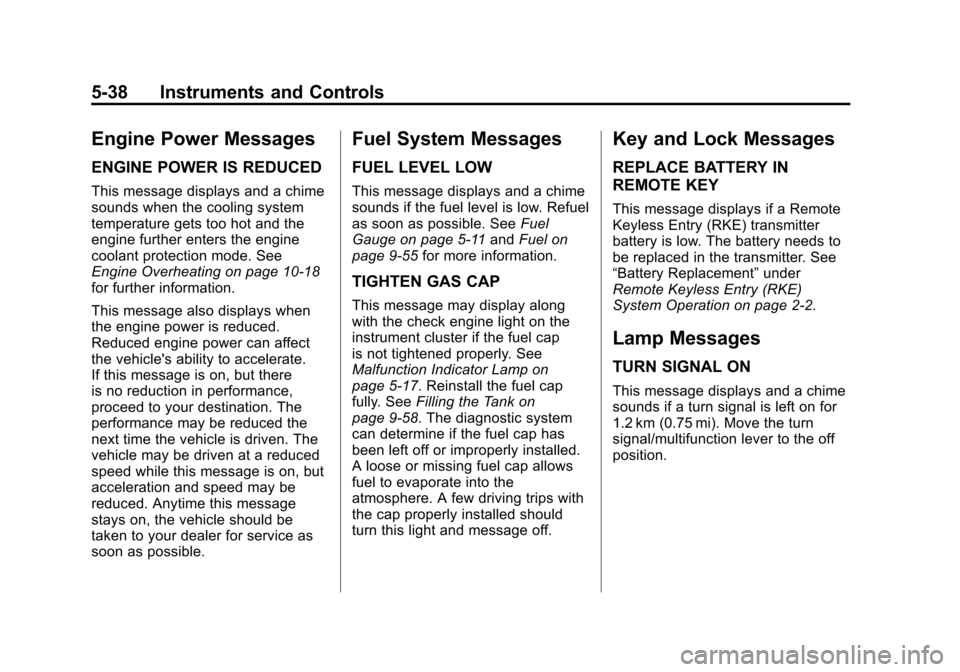
Engine Power Messages
ENGINE POWER IS REDUCED
This message displays and a chime
sounds when the cooling system
temperature gets too hot and the
engine further enters the engine
coolant protection mode. See
Engine Overheating on page 10‑18
for further information.
This message also displays when
the engine power is reduced.
Reduced engine power can affect
the vehicle's ability to accelerate.
If this message is on, but there
is no reduction in performance,
proceed to your destination. The
performance may be reduced the
next time the vehicle is driven. The
vehicle may be driven at a reduced
speed while this message is on, but
acceleration and speed may be
reduced. Anytime this message
stays on, the vehicle should be
taken to your dealer for service as
soon as possible.
Fuel System Messages
FUEL LEVEL LOW
This message displays and a chime
sounds if the fuel level is low. Refuel
as soon as possible. SeeFuel
Gauge on page 5‑11 andFuel on
page 9‑55 for more information.
TIGHTEN GAS CAP
This message may display along
with the check engine light on the
instrument cluster if the fuel cap
is not tightened properly. See
Malfunction Indicator Lamp on
page 5‑17. Reinstall the fuel cap
fully. SeeFilling the Tank on
page 9‑58. The diagnostic system
can determine if the fuel cap has
been left off or improperly installed.
A loose or missing fuel cap allows
fuel to evaporate into the
atmosphere. A few driving trips with
the cap properly installed should
turn this light and message off.
Key and Lock Messages
REPLACE BATTERY IN
REMOTE KEY
This message displays if a Remote
Keyless Entry (RKE) transmitter
battery is low. The battery needs to
be replaced in the transmitter. See
“Battery Replacement” under
Remote Keyless Entry (RKE)
System Operation on page 2‑2.
Lamp Messages
TURN SIGNAL ON
This message displays and a chime
sounds if a turn signal is left on for
1.2 km (0.75 mi). Move the turn
signal/multifunction lever to the off
position.
Page 166 of 494
Black plate (40,1)Chevrolet Avalanche Owner Manual - 2013 - CRC - 8/27/12
5-40 Instruments and Controls
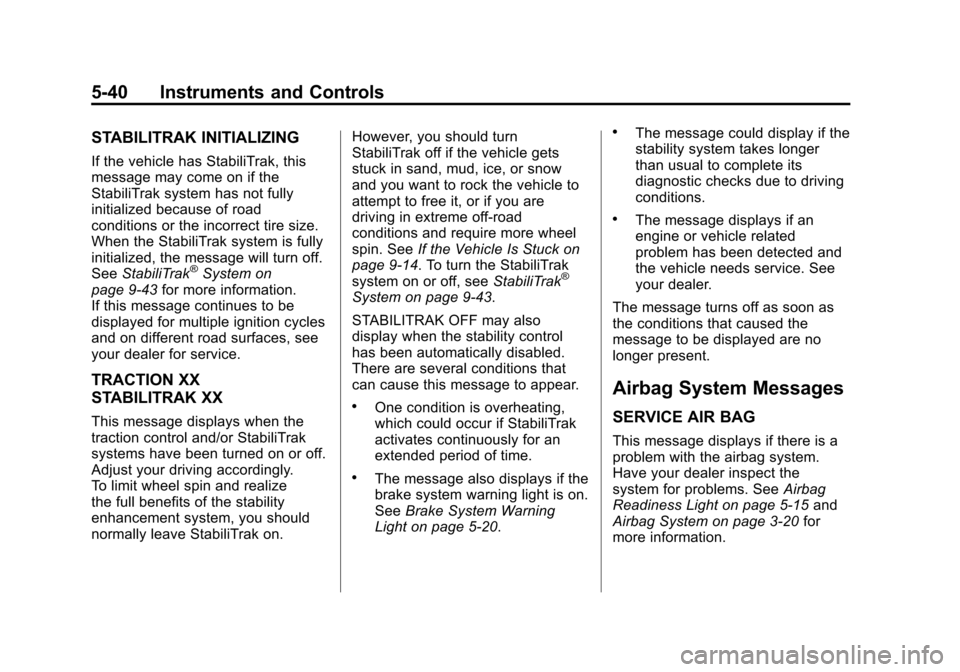
STABILITRAK INITIALIZING
If the vehicle has StabiliTrak, this
message may come on if the
StabiliTrak system has not fully
initialized because of road
conditions or the incorrect tire size.
When the StabiliTrak system is fully
initialized, the message will turn off.
SeeStabiliTrak
®System on
page 9‑43 for more information.
If this message continues to be
displayed for multiple ignition cycles
and on different road surfaces, see
your dealer for service.
TRACTION XX
STABILITRAK XX
This message displays when the
traction control and/or StabiliTrak
systems have been turned on or off.
Adjust your driving accordingly.
To limit wheel spin and realize
the full benefits of the stability
enhancement system, you should
normally leave StabiliTrak on. However, you should turn
StabiliTrak off if the vehicle gets
stuck in sand, mud, ice, or snow
and you want to rock the vehicle to
attempt to free it, or if you are
driving in extreme off-road
conditions and require more wheel
spin. See
If the Vehicle Is Stuck on
page 9‑14. To turn the StabiliTrak
system on or off, see StabiliTrak
®
System on page 9‑43.
STABILITRAK OFF may also
display when the stability control
has been automatically disabled.
There are several conditions that
can cause this message to appear.
.One condition is overheating,
which could occur if StabiliTrak
activates continuously for an
extended period of time.
.The message also displays if the
brake system warning light is on.
SeeBrake System Warning
Light on page 5‑20.
.The message could display if the
stability system takes longer
than usual to complete its
diagnostic checks due to driving
conditions.
.The message displays if an
engine or vehicle related
problem has been detected and
the vehicle needs service. See
your dealer.
The message turns off as soon as
the conditions that caused the
message to be displayed are no
longer present.
Airbag System Messages
SERVICE AIR BAG
This message displays if there is a
problem with the airbag system.
Have your dealer inspect the
system for problems. See Airbag
Readiness Light on page 5‑15 and
Airbag System on page 3‑20 for
more information.
Page 168 of 494
Black plate (42,1)Chevrolet Avalanche Owner Manual - 2013 - CRC - 8/27/12
5-42 Instruments and Controls
Transmission Messages
GRADE BRAKING DISABLED
This message displays when the
grade braking has been disabled
with the tow/haul mode button on
the end of the shift lever. SeeTow/
Haul Mode on page 9‑33, Automatic
Transmission on page 9‑29, and
Cruise Control on page 9‑47.
GRADE BRAKING ENABLED
This message displays when the
grade braking has been enabled
with the tow/haul mode button on
the end of the shift lever. See Tow/
Haul Mode on page 9‑33, Automatic
Transmission on page 9‑29, and
Cruise Control on page 9‑47.
GRADE BRAKING ON
This message displays when the
grade braking has been activated
while driving on downhill grades.
This message will only appear the
first time the feature is activated in
an ignition cycle. See Tow/Haul
Mode on page 9‑33, Automatic
Transmission on page 9‑29, and
Cruise Control on page 9‑47.
SERVICE 4 WHEEL DRIVE
If the vehicle has four-wheel
drive, this message may display
if a problem occurs with the
four-wheel-drive system. If this
message appears, stop as soon as
possible and turn off the vehicle.
Make sure the key is in the
LOCK/OFF position for at least
one minute and then restart the
vehicle and check for the message
on the DIC display. If the message
is still displayed or appears again
when you begin driving, the
four-wheel-drive system needs
service. See your dealer.
TRANSMISSION HOT IDLE
ENGINE
Notice: Do not drive the vehicle
while the transmission fluid is
overheating and the transmission
temperature warning is displayed
on the instrument cluster and/or
DIC, or the transmission can be
damaged. This could lead to
costly repairs that would not be
covered by the warranty.
This message displays and a chime
may sound if the transmission fluid
in the vehicle gets hot. Driving with
the transmission fluid temperature
high can cause damage to the
vehicle. Stop the vehicle and let it
idle to allow the transmission to
cool. This message clears and
the chime stops when the fluid
temperature reaches a safe level.
Page 192 of 494
Black plate (8,1)Chevrolet Avalanche Owner Manual - 2013 - CRC - 8/27/12
6-8 Lighting
Lighting Features
Entry/Exit Lighting
The vehicle has an illuminated
entry/exit feature.
The dome lamps come on if
the
EDOME OFF button is in the
extended position, when a door is
opened, or the key is removed from
the ignition.
Battery Load
Management
The vehicle has Electric Power
Management (EPM) that estimates
the battery's temperature and state
of charge. It then adjusts the voltage
for best performance and extended
life of the battery.
When the battery's state of charge
is low, the voltage is raised slightly
to quickly bring the charge back up.
When the state of charge is high,
the voltage is lowered slightly to
prevent overcharging. If the vehicle has a voltmeter gauge or a voltage
display on the Driver Information
Center (DIC), you may see the
voltage move up or down. This is
normal. If there is a problem, an
alert will be displayed.
The battery can be discharged at
idle if the electrical loads are very
high. This is true for all vehicles.
This is because the generator
(alternator) may not be spinning fast
enough at idle to produce all the
power that is needed for very high
electrical loads.
A high electrical load occurs when
several of the following are on, such
as: headlamps, high beams, fog
lamps, rear window defogger,
climate control fan at high speed,
heated seats, engine cooling fans,
trailer loads, and loads plugged into
accessory power outlets.
EPM works to prevent excessive
discharge of the battery. It does this
by balancing the generator's output
and the vehicle's electrical needs.
It can increase engine idle speed to
generate more power, whenever
needed. It can temporarily reduce
the power demands of some
accessories.
Normally, these actions occur in
steps or levels, without being
noticeable. In rare cases at the
highest levels of corrective action,
this action may be noticeable to the
driver. If so, a Driver Information
Center (DIC) message might be
displayed, such as BATTERY LOW
START VEHICLE. If this message
displays, it is recommended that the
driver reduce the electrical loads as
much as possible and restart the
vehicle. See
Battery Voltage and
Charging Messages on page 5‑34.
Battery Power Protection
This feature shuts off the dome
lamps if they are left on for more
than 10 minutes when the ignition is
in LOCK/OFF. This helps to prevent
the battery from running down.
Page 228 of 494
Black plate (36,1)Chevrolet Avalanche Owner Manual - 2013 - CRC - 8/27/12
7-36 Infotainment System
Rear Seat
Infotainment
Rear Seat Entertainment
(RSE) System
The vehicle may have an
Overhead DVD Rear Seat
Entertainment (RSE) system. The
RSE system works with the
vehicle's audio system. The DVD
player is part of the front radio. The
RSE system includes a radio with a
DVD player, a video display screen,
audio/video jacks, two wireless
headphones, and a remote control.
SeeCD/DVD Player on page 7‑20
for more information on the vehicle's
DVD system.
Before Driving
The RSE is designed for rear seat
passengers only. The driver cannot
safely view the video screen while
driving and should not try to do so. In severe or extreme weather
conditions, the RSE system might
not work until the temperature is
within the operating range. The
operating range for the RSE system
is above
−20°C (−4°F) or below
60°C (140°F). If the temperature of
the vehicle is outside this range,
heat or cool the vehicle until the
temperature is within the operating
range of the RSE system.
Parental Control
The RSE system may have a
Parental Control feature, depending
on which radio the vehicle has. To
start Parental Control, press and
hold the radio power button for more
than two seconds to stop all system
features such as: radio, video
screen, Rear Seat Audio (RSA),
DVD, and/or CD. While Parental
Control is on, a padlock icon
displays. The radio can be turned back on
with a single press of the power
button, but the RSE system will
remain under Parental Control.
To turn Parental Control off, press
and hold the radio power button for
more than two seconds. The RSE
returns from where it was previously
left and the padlock icon disappears
from the radio display.
Parental Control can also be turned
off by inserting or ejecting any disc,
pressing the play icon on the radio
DVD display menu, or changing an
ignition position.
Page 230 of 494
Black plate (38,1)Chevrolet Avalanche Owner Manual - 2013 - CRC - 8/27/12
7-38 Infotainment System
Notice:Do not store the
headphones in heat or direct
sunlight. This could damage the
headphones and repairs will not
be covered by the warranty.
Storage in extreme cold can
weaken the batteries. Keep the
headphones stored in a cool, dry
place.
If the foam ear pads attached to
the headphones become worn or
damaged, the pads can be replaced
separately from the headphone set.
To purchase replacement ear pads,
call 1-888-293-3332, then prompt
zero (0), or contact your dealer. Battery Replacement
To change the batteries on the
headphones:
1. Turn the screw to loosen the
battery door located on the left
side of the headphones. Slide
the battery door open.
2. Replace the two batteries in the compartment. Make sure that
they are installed correctly, using
the diagram on the inside of the
battery compartment.
3. Replace the battery door and tighten the door screw.
If the headphones are to be stored
for a long period of time, remove the
batteries and keep them in a cool,
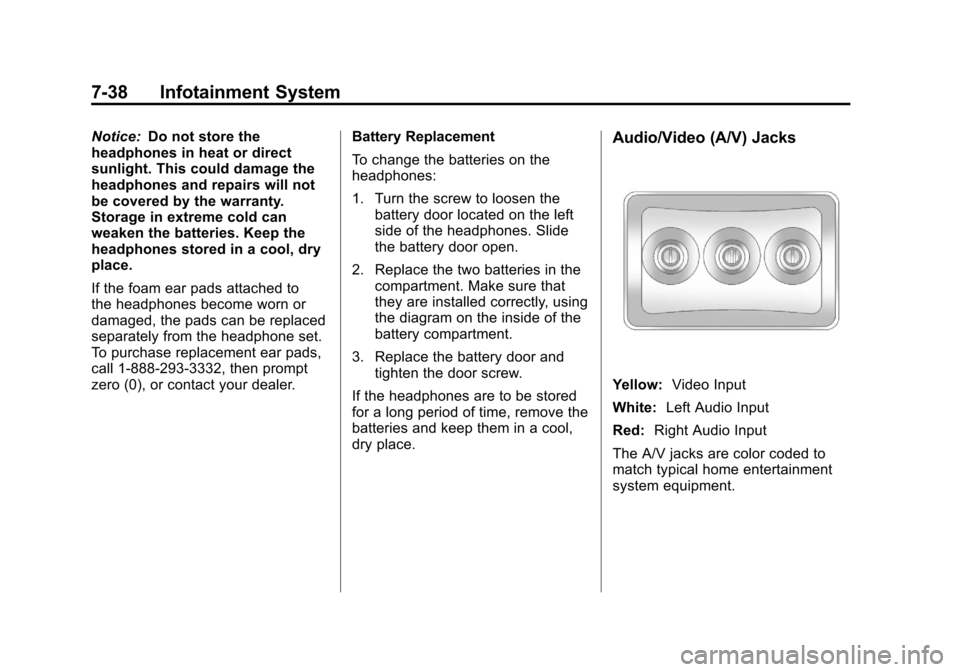
dry place.Audio/Video (A/V) Jacks
Yellow: Video Input
White: Left Audio Input
Red: Right Audio Input
The A/V jacks are color coded to
match typical home entertainment
system equipment.
Page 251 of 494
Black plate (3,1)Chevrolet Avalanche Owner Manual - 2013 - CRC - 8/27/12
Climate Controls 8-3
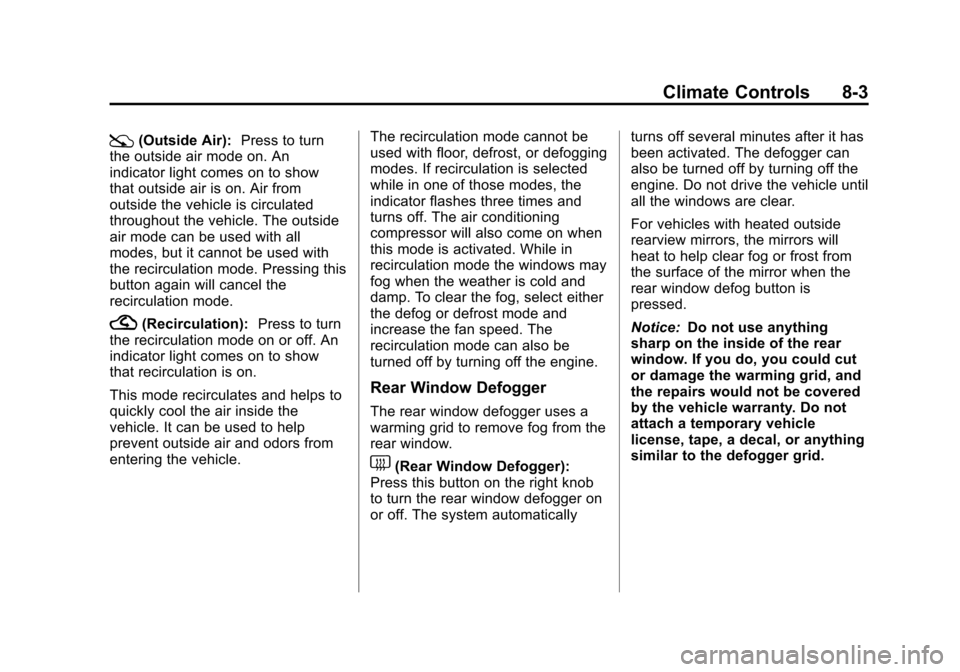
:(Outside Air):Press to turn
the outside air mode on. An
indicator light comes on to show
that outside air is on. Air from
outside the vehicle is circulated
throughout the vehicle. The outside
air mode can be used with all
modes, but it cannot be used with
the recirculation mode. Pressing this
button again will cancel the
recirculation mode.
?(Recirculation): Press to turn
the recirculation mode on or off. An
indicator light comes on to show
that recirculation is on.
This mode recirculates and helps to
quickly cool the air inside the
vehicle. It can be used to help
prevent outside air and odors from
entering the vehicle. The recirculation mode cannot be
used with floor, defrost, or defogging
modes. If recirculation is selected
while in one of those modes, the
indicator flashes three times and
turns off. The air conditioning
compressor will also come on when
this mode is activated. While in
recirculation mode the windows may
fog when the weather is cold and
damp. To clear the fog, select either
the defog or defrost mode and
increase the fan speed. The
recirculation mode can also be
turned off by turning off the engine.
Rear Window Defogger
The rear window defogger uses a
warming grid to remove fog from the
rear window.
1(Rear Window Defogger):
Press this button on the right knob
to turn the rear window defogger on
or off. The system automatically turns off several minutes after it has
been activated. The defogger can
also be turned off by turning off the
engine. Do not drive the vehicle until
all the windows are clear.
For vehicles with heated outside
rearview mirrors, the mirrors will
heat to help clear fog or frost from
the surface of the mirror when the
rear window defog button is
pressed.
Notice:
Do not use anything
sharp on the inside of the rear
window. If you do, you could cut
or damage the warming grid, and
the repairs would not be covered
by the vehicle warranty. Do not
attach a temporary vehicle
license, tape, a decal, or anything
similar to the defogger grid.
Page 254 of 494
Black plate (6,1)Chevrolet Avalanche Owner Manual - 2013 - CRC - 8/27/12
8-6 Climate Controls
2. Set the driver and passengertemperature.
To find your comfort setting, start
with a 23°C (74°F) temperature
setting and allow about
20 minutes for the system to
regulate. Use the driver or
passenger temperature buttons
to adjust the temperature setting
as necessary. If a temperature
setting of 15°C (60°F) is chosen,
the system remains at the
maximum cooling setting. If a
temperature setting of 32°C
(90°F) is chosen, the system
remains at the maximum heat
setting. Choosing either
maximum setting will not cause
the vehicle to heat or cool any
faster.
Do not cover the solar sensor
located on the top of the instrument
panel near the windshield. This
sensor regulates air temperature
based on sun load and also turns
on the headlamps. For more
information on the solar sensor, see
“Sensors” later in this section. To avoid blowing cold air in cold
weather, the system will delay
turning on the fan until warm air is
available. The length of delay
depends on the engine coolant
temperature. Pressing the fan
switch will override this delay and
change the fan to a selected speed.
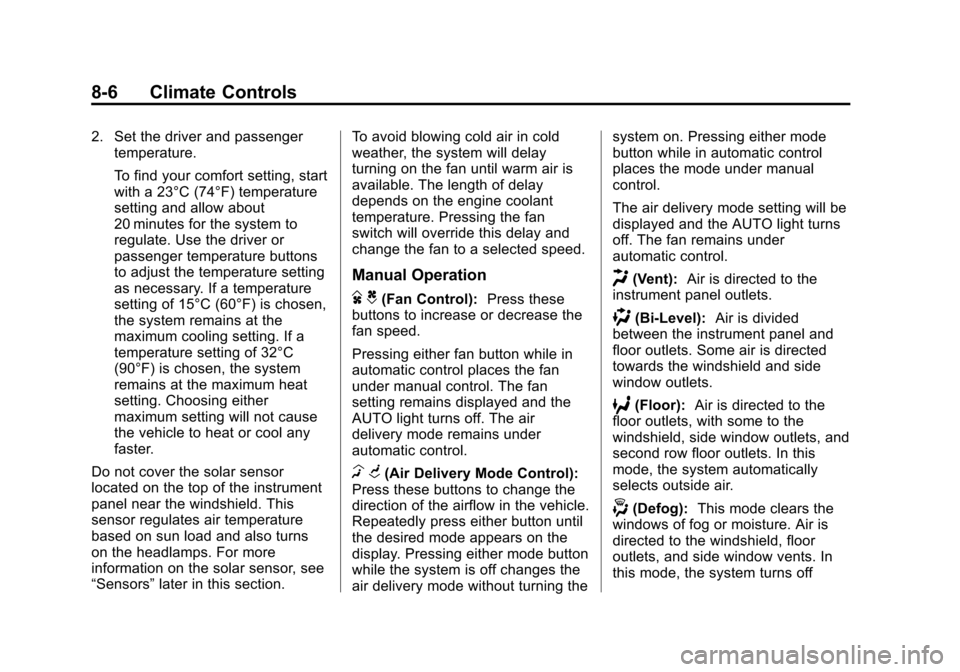
Manual Operation
D C(Fan Control):
Press these
buttons to increase or decrease the
fan speed.
Pressing either fan button while in
automatic control places the fan
under manual control. The fan
setting remains displayed and the
AUTO light turns off. The air
delivery mode remains under
automatic control.
H G(Air Delivery Mode Control):
Press these buttons to change the
direction of the airflow in the vehicle.
Repeatedly press either button until
the desired mode appears on the
display. Pressing either mode button
while the system is off changes the
air delivery mode without turning the system on. Pressing either mode
button while in automatic control
places the mode under manual
control.
The air delivery mode setting will be
displayed and the AUTO light turns
off. The fan remains under
automatic control.
H(Vent):
Air is directed to the
instrument panel outlets.
)(Bi-Level): Air is divided
between the instrument panel and
floor outlets. Some air is directed
towards the windshield and side
window outlets.
6(Floor): Air is directed to the
floor outlets, with some to the
windshield, side window outlets, and
second row floor outlets. In this
mode, the system automatically
selects outside air.
-(Defog): This mode clears the
windows of fog or moisture. Air is
directed to the windshield, floor
outlets, and side window vents. In
this mode, the system turns off