ECO mode CHEVROLET AVEO 2007 1.G User Guide
[x] Cancel search | Manufacturer: CHEVROLET, Model Year: 2007, Model line: AVEO, Model: CHEVROLET AVEO 2007 1.GPages: 436, PDF Size: 2.52 MB
Page 206 of 436
If the CD is not playing correctly, for any other
reason, try a known good CD.
If any error occurs repeatedly or if an error cannot
be corrected, contact your dealer/retailer. If the
radio displays an error message, write it down and
provide it to your dealer/retailer when reporting
the problem.
Using the Auxiliary Input Jack
AUX IN (Auxiliary Input):The radio system has
an auxiliary input jack located on the lower
right side of the faceplate. This is not an audio
output. Do not plug the headphone set into
the front auxiliary input jack. An external audio
device such as an iPod, laptop computer,
MP3 player, CD changer, or XM™ receiver, etc.
can be connected to the auxiliary input jack for use
as another source for audio listening.
The auxiliary input jack also accepts cell phone
connectors. Plug the cell phone connector into the
auxiliary input jack to hear a person speck on a
cell phone during a conversation through the
vehicle sound system.Drivers are encouraged to set up any auxiliary
device while the vehicle is in PARK (P). See
Defensive Driving on page 220for more
information on driver distraction.
To use a portable audio player, connect a 3.5 mm
(1/8 inch) cable to the radio’s front auxiliary
input jack. While a device is connected, turn the
portable audio player on and press the radio
CD/AUX button to hear audio from the device over
the vehicle speakers.
O(Power/Volume):Turn theOknob clockwise
or counterclockwise to increase or decrease the
volume of the portable player. Additional
adjustments on a portable device might be needed
to get the desired volume.
CD/AUX (CD/Auxiliary):Press this button once
to play a CD while a portable audio device is
playing. Press this button a second time for the
system to begin playing audio from the connected
portable audio player. Once in this mode,
“Auxinput” displays. If the auxiliary jack does not
detect the presence of an output jack, the auxiliary
mode does not display.
206
Page 210 of 436
All of the CD functions work the same while
playing an MP3/WMA, except for those listed here.
See “Playing a CD” earlier for more information.
SCROLL (MP3/WMA Mode Only):Press the
SOUND button for longer than two seconds. The
song title or other available information of a song
scrolls on/off. The offset is scroll on. The scroll
mode can be changed only when the SOUND
button is pressed for longer than two seconds.
DIR (Directory):Press this button to repeat the
tracks in the current directory. DIR displays.
Press this button again to repeat the tracks in all
of the directories. ALL displays.
Press this button again to turn off repeat play.
¦¥SEEK (Previous/Next Folder) (in
MP3/WMA Mode):Press the up
¦or down¥
SEEK arrow to change the folder. If CD-R does not
have any folder, “ROOT” flashes on the display
for a short time.
()TUNE (Previous/Next Track):Press the
up
(TUNE arrow to go to the next track.
The track number displays. Press the down
)
TUNE arrow to go to the start of the current track.
The player continues moving forward or backward
through the CD with each press of the up
(
or down)TUNE arrow.
INFO/DISP (Information/Display):Press this
button to display additional text information related
to the current MP3/WMA song. A choice of
additional information such as: Song Title, Album
Title, and Artist. Bit rate might also display.
When information is not available, No Info
(information) displays.
Press this button for longer than two seconds to
change display mode.
210
Page 214 of 436
All of the CD functions work the same while
playing an MP3/WMA, except for those listed here.
See “Playing a CD” earlier for more information.
SCROLL (MP3/WMA Mode Only):Press
the SOUND button for longer than two seconds.
The song title and other available information
of the song scrolls on/off. The offset is scroll on.
The scroll mode can be changed only when
the SOUND button is pressed for longer than
two seconds.
1 DIR (Directory):Press this button to repeat the
tracks in the current directory. DIR displays.
Press this button again to repeat the tracks in all
of the directories. ALL displays.
Press this button again to turn off repeat play.
¦¥SEEK (Previous/Next Folder) (in
MP3/WMA Mode):Press the up
¦or down¥
SEEK arrow to change the folder. If CD-R does not
have any folder, “ROOT” flashes on the display
for a short time.
()TUNE (Previous/Next Track):Press the
up
(TUNE arrow to go to the next track.
The track number displays. Press the down
)
TUNE arrow to go to the start of the current track.
The player continues moving forward or backward
through the CD with each press of the up or
down arrows.
INFO/DISP (Information/Display):Press this
button to display additional text information related
to the current MP3/WMA song. A choice of
additional information such as: Song Title, Album
Title, and Artist. Bit rate might also display.
When information is not available, No Info
(information) displays.
Press this button for longer than two seconds to
change display mode.
214
Page 215 of 436
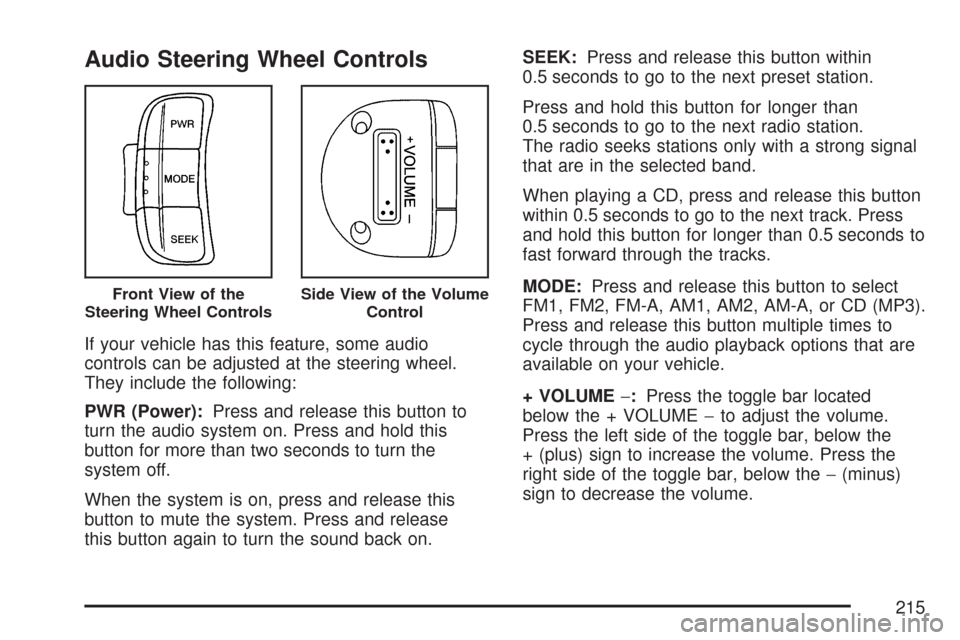
Audio Steering Wheel Controls
If your vehicle has this feature, some audio
controls can be adjusted at the steering wheel.
They include the following:
PWR (Power):Press and release this button to
turn the audio system on. Press and hold this
button for more than two seconds to turn the
system off.
When the system is on, press and release this
button to mute the system. Press and release
this button again to turn the sound back on.SEEK:Press and release this button within
0.5 seconds to go to the next preset station.
Press and hold this button for longer than
0.5 seconds to go to the next radio station.
The radio seeks stations only with a strong signal
that are in the selected band.
When playing a CD, press and release this button
within 0.5 seconds to go to the next track. Press
and hold this button for longer than 0.5 seconds to
fast forward through the tracks.
MODE:Press and release this button to select
FM1, FM2, FM-A, AM1, AM2, AM-A, or CD (MP3).
Press and release this button multiple times to
cycle through the audio playback options that are
available on your vehicle.
+ VOLUME−:Press the toggle bar located
below the + VOLUME−to adjust the volume.
Press the left side of the toggle bar, below the
+ (plus) sign to increase the volume. Press the
right side of the toggle bar, below the−(minus)
sign to decrease the volume.
Front View of the
Steering Wheel ControlsSide View of the Volume
Control
215
Page 225 of 436
Avoid needless heavy braking. Some people drive
in spurts — heavy acceleration followed by heavy
braking — rather than keeping pace with traffic.
This is a mistake. The brakes may not have time to
cool between hard stops. The brakes will wear out
much faster if you do a lot of heavy braking. If you
keep pace with the traffic and allow realistic
following distances, you will eliminate a lot of
unnecessary braking. That means better braking
and longer brake life.
If your vehicle’s engine ever stops while you are
driving, brake normally but do not pump the
brakes. If you do, the pedal may get harder to
push down. If the engine stops, you will still have
some power brake assist. But you will use it
when you brake. Once the power assist is used
up, it may take longer to stop and the brake pedal
will be harder to push.
Adding non-GM accessories can affect your
vehicle’s performance. SeeAccessories and
Modifications on page 264.Anti-Lock Brake System (ABS)
Your vehicle might have the Anti-Lock Brake
System (ABS), an advanced electronic braking
system that will help prevent a braking skid.
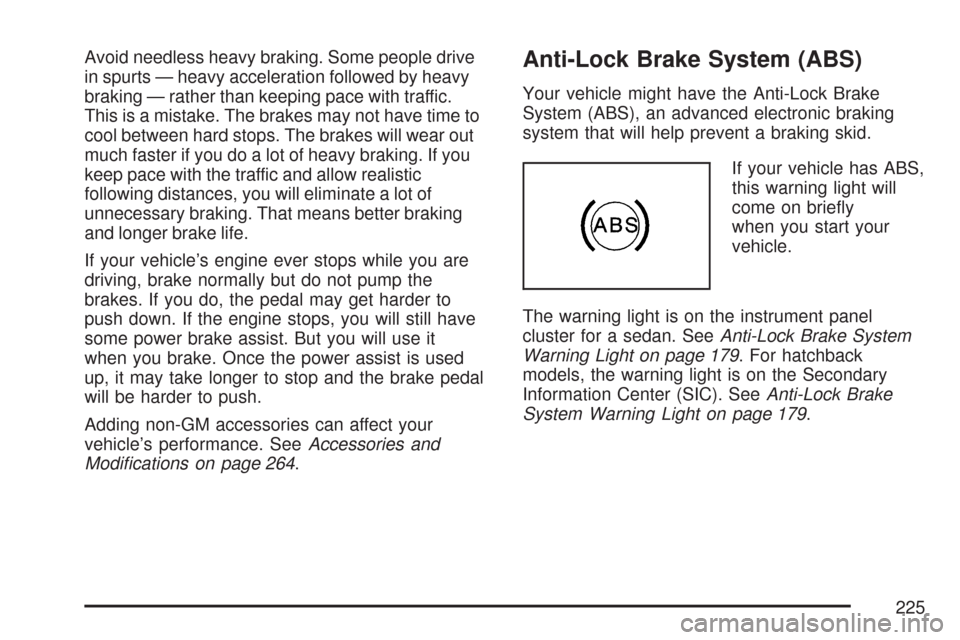
If your vehicle has ABS,
this warning light will
come on briefly
when you start your
vehicle.
The warning light is on the instrument panel
cluster for a sedan. SeeAnti-Lock Brake System
Warning Light on page 179. For hatchback
models, the warning light is on the Secondary
Information Center (SIC). SeeAnti-Lock Brake
System Warning Light on page 179.
225
Page 410 of 436
In many instances, mechanical failures are
covered under Chevrolet’s Bumper-to-Bumper
warranty, and the duration of the Base Warranty
Coverage for Canadian customers of the new
Vehicle Limited Warranty. However, any cost for
parts and labor for non-warranty repairs are
the responsibility of the driver.
For prompt and efficient assistance when calling,
please provide the following to the Roadside
Assistance Representative:
•Your name, home address, and home
telephone number.
•Telephone number of your location.
•Location of the vehicle.
•Model, year, color, and license plate number.
•Odometer reading, Vehicle Identification
Number (VIN), and delivery date of the vehicle.
•Description of the problem.While we hope you never have the occasion to
use our service, it is added security while traveling
for you and your family. Remember, we are
only a phone call away. U.S. customers call
Chevrolet Roadside Assistance:1-800-CHEV-USA
(1-800-243-8872), text telephone (TTY) users,
call1-888-889-2438, Canadian customers
call1-800-268-6800.
Chevrolet and General Motors of Canada Limited
reserve the right to limit services or reimbursement
to an owner or driver when, in their sole
discretion, the claims become excessive in
frequency or type of occurrence.
Roadside Assistance is not part of or included in
the coverage provided by the New Vehicle Limited
Warranty. Chevrolet and General Motors of
Canada Limited reserve the right to make any
changes or discontinue the Roadside Assistance
program at any time without notification.
410
Page 413 of 436
Additional Program Information
All program options, such as shuttle service, may
not be available at every dealer. Please contact
your dealer for specific information about
availability. All Courtesy Transportation
arrangements will be administered by appropriate
dealer personnel.
General Motors reserves the right to unilaterally
modify, change or discontinue Courtesy
Transportation at any time and to resolve all
questions of claim eligibility pursuant to the terms
and conditions described herein at its sole
discretion.
Vehicle Data Collection and Event
Data Recorders
Your vehicle, like other modern motor vehicles,
has a number of sophisticated computer
systems that monitor and control several
aspects of the vehicle’s performance. Your
vehicle uses on-board vehicle computers
to monitor emission control components to
optimize fuel economy, to monitor conditionsfor airbag deployment and, if the vehicle has
the Anti-lock Brake System (ABS), to provide
anti-lock braking and to help the driver control
the vehicle in difficult driving situations.
Some information may be stored during regular
operations to facilitate repair of detected
malfunctions; other information is stored only
in a crash event by computer systems, such
as those commonly called Event Data
Recorders (EDR).
In a crash event, computer systems, such as the
airbag Sensing and Diagnostic Module (SDM) in
your vehicle may record information about the
condition of the vehicle and how it was
operated, such as data related to engine speed,
brake application, throttle position, vehicle
speed, safety belt usage, airbag readiness,
airbag performance, and the severity of a
collision. This information has been used to
improve vehicle crash performance and may be
used to improve crash performance of future
vehicles and driving safety. Unlike the data
recorders on many airplanes, these on-board
systems do not record sounds, such as
conversation of vehicle occupants.
413
Page 430 of 436
Light (cont.)
Door Ajar........................................172, 185
Fog Lamp.......................................170, 185
Highbeam On.......................................... 171
Hold Mode......................................165, 180
Low Fuel Warning.................................... 173
Malfunction Indicator.......................166, 180
Oil Pressure....................................169, 184
Passenger Airbag Status Indicator............ 161
Safety Belt Reminder......................160, 175
Safety Belt Reminder Tone...................... 160
Lights
Exterior Lamps......................................... 144
Flash-to-Pass........................................... 138
High/Low Beam Changer......................... 138
On Reminder........................................... 145
Loading Your Vehicle................................... 249
Lockout Protection......................................... 97
Locks
Central Door Unlocking System................. 95
Door.......................................................... 94
Lockout Protection..................................... 97
Rear Door Security Locks.......................... 96
Long Trip/Highway Scheduled
Maintenance............................................ 384
Loss of Control........................................... 232
Low Fuel Warning Light............................... 173
Lumbar
Manual Controls.......................................... 9M
Maintenance, Normal Replacement Parts.... 369
Maintenance Schedule
At Each Fuel Fill...................................... 389
At Least Once a Month............................ 389
At Least Once a Year.............................. 390
At Least Twice a Year.............................. 389
Brake System Inspection.......................... 395
Engine Cooling System Inspection........... 395
Exhaust System Inspection...................... 394
Fuel System Inspection............................ 395
How This Section is Organized................ 373
Introduction.............................................. 372
Long Trip/Highway Scheduled
Maintenance......................................... 384
Maintenance Requirements...................... 372
Part A - Scheduled Maintenance
Services............................................... 374
Part B - Owner Checks and Services...... 389
Part C - Periodic Maintenance
Inspections........................................... 394
Part D - Recommended Fluids and
Lubricants............................................. 396
Part E - Maintenance Record................... 398
Selecting the Right Schedule................... 375
Short Trip/City Scheduled Maintenance..... 376
430