clock CHEVROLET AVEO 2008 1.G User Guide
[x] Cancel search | Manufacturer: CHEVROLET, Model Year: 2008, Model line: AVEO, Model: CHEVROLET AVEO 2008 1.GPages: 384, PDF Size: 6.67 MB
Page 137 of 384
Defogging and Defrosting
Fog on the inside of windows is a result of high humidity
or moisture condensing on the cool window glass. This
can be minimized if the climate control system is used
properly. There are two modes to clear fog or frost from
your windshield. Use the defog mode to clear the
windows of fog or moisture and warm the passengers.
Use the defrost mode to remove fog or frost from the
windshield more quickly.
For best results, clear all snow and ice from the
windshield before defrosting.
Select one of these available modes from the right knob.
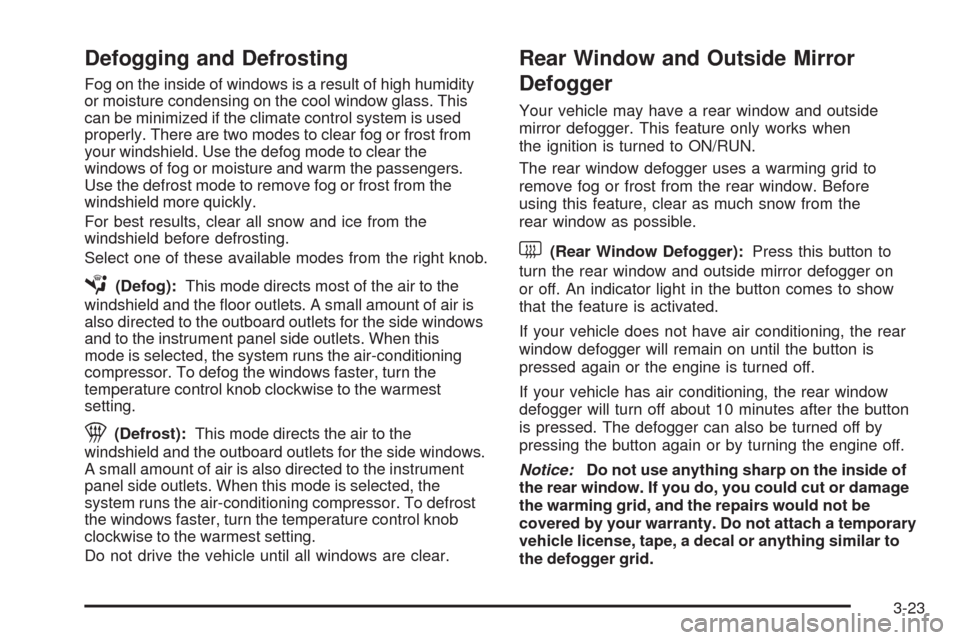
É(Defog):This mode directs most of the air to the
windshield and the floor outlets. A small amount of air is
also directed to the outboard outlets for the side windows
and to the instrument panel side outlets. When this
mode is selected, the system runs the air-conditioning
compressor. To defog the windows faster, turn the
temperature control knob clockwise to the warmest
setting.
1(Defrost):This mode directs the air to the
windshield and the outboard outlets for the side windows.
A small amount of air is also directed to the instrument
panel side outlets. When this mode is selected, the
system runs the air-conditioning compressor. To defrost
the windows faster, turn the temperature control knob
clockwise to the warmest setting.
Do not drive the vehicle until all windows are clear.
Rear Window and Outside Mirror
Defogger
Your vehicle may have a rear window and outside
mirror defogger. This feature only works when
the ignition is turned to ON/RUN.
The rear window defogger uses a warming grid to
remove fog or frost from the rear window. Before
using this feature, clear as much snow from the
rear window as possible.
<(Rear Window Defogger):Press this button to
turn the rear window and outside mirror defogger on
or off. An indicator light in the button comes to show
that the feature is activated.
If your vehicle does not have air conditioning, the rear
window defogger will remain on until the button is
pressed again or the engine is turned off.
If your vehicle has air conditioning, the rear window
defogger will turn off about 10 minutes after the button
is pressed. The defogger can also be turned off by
pressing the button again or by turning the engine off.
Notice:Do not use anything sharp on the inside of
the rear window. If you do, you could cut or damage
the warming grid, and the repairs would not be
covered by your warranty. Do not attach a temporary
vehicle license, tape, a decal or anything similar to
the defogger grid.
3-23
Page 145 of 384
{CAUTION:
If the airbag readiness light stays on after you
start your vehicle, it means the airbag system
may not be working properly. The airbags in
your vehicle may not inate in a crash, or they
could even inate without a crash. To help avoid
injury to yourself or others, have your vehicle
serviced right away if the airbag readiness light
stays on after you start your vehicle.
The airbag readiness light should flash for a few
seconds when the engine is started. If the light does not
come on then, have it fixed so it will be ready to warn
you if there is a problem.
Passenger Airbag Status Indicator
(Sedan)
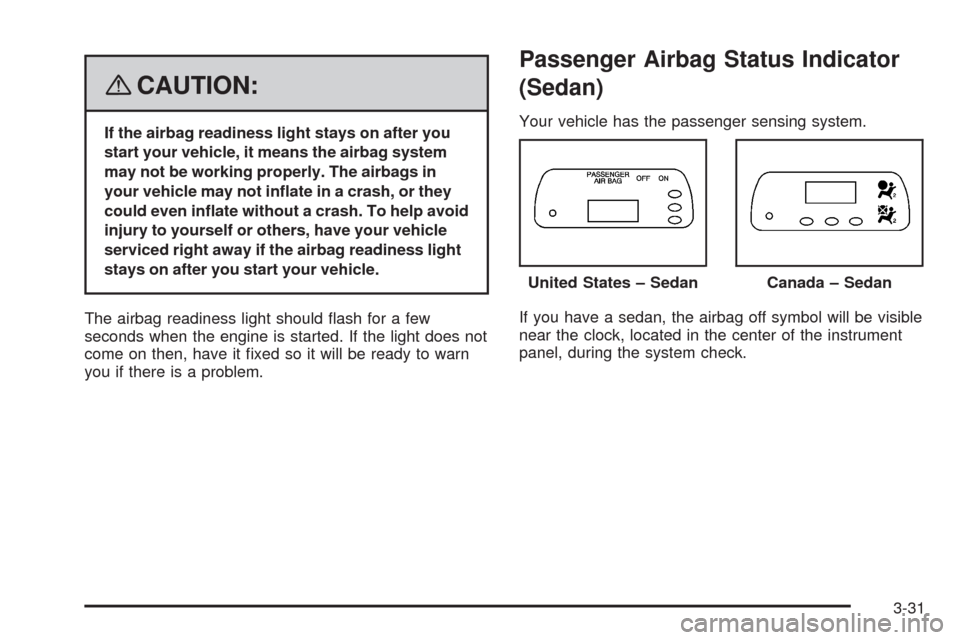
Your vehicle has the passenger sensing system.
If you have a sedan, the airbag off symbol will be visible
near the clock, located in the center of the instrument
panel, during the system check.United States – Sedan
Canada – Sedan
3-31
Page 157 of 384
Secondary Information Center (SIC)
Secondary Information Center (SIC) (Hatchback Only)
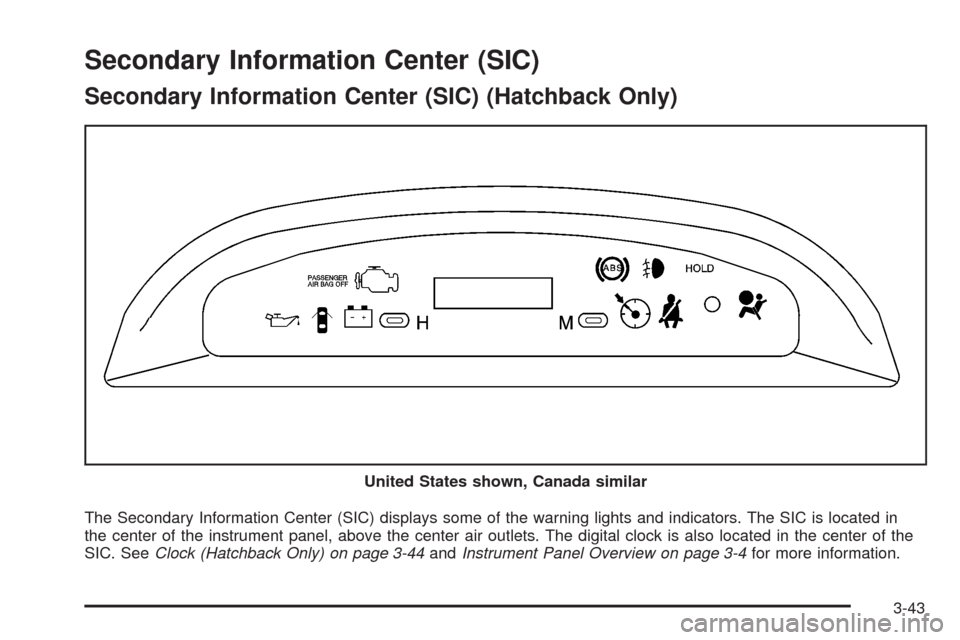
The Secondary Information Center (SIC) displays some of the warning lights and indicators. The SIC is located in
the center of the instrument panel, above the center air outlets. The digital clock is also located in the center of the
SIC. SeeClock (Hatchback Only) on page 3-44andInstrument Panel Overview on page 3-4for more information. United States shown, Canada similar
3-43
Page 158 of 384
Clock (Hatchback Only)
Your vehicle has a digital clock. The clock is located
in the secondary instrument cluster on the center of the
instrument panel, above the center air outlets. When
the ignition is turned to ACC/ACCESSORY or ON/RUN,
the time is displayed in the digital clock. There are
two adjusting buttons for the digital clock:
H (Hour):To go forward one hour, press the H button
once. To go forward more than one hour, press and
hold the button until the correct hour is reached.
M (Minute):To go forward one minute, press the
M button once. To go forward more than one minute,
press and hold the button until the correct minute
is reached.
After disconnecting the battery or replacing the fuse,
reset the clock.
Safety Belt Reminders
Safety Belt Reminder Light
The safety belt light will
come on and stay on until
the driver’s safety belt
is buckled.
This light will come on briefly when you turn on the
ignition as a check to show you it is working.
3-44
Page 170 of 384
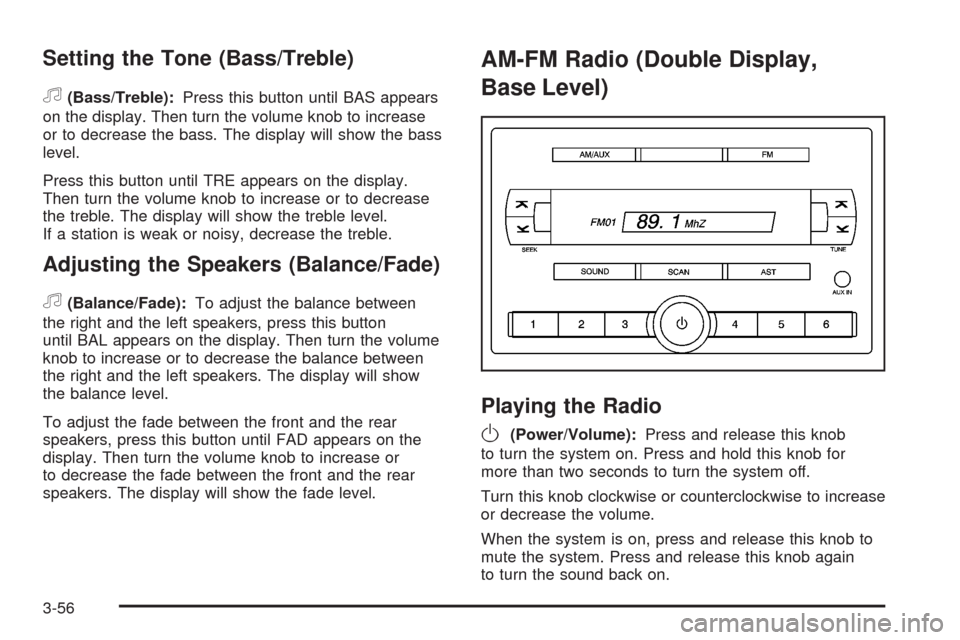
Setting the Tone (Bass/Treble)
f
(Bass/Treble):Press this button until BAS appears
on the display. Then turn the volume knob to increase
or to decrease the bass. The display will show the bass
level.
Press this button until TRE appears on the display.
Then turn the volume knob to increase or to decrease
the treble. The display will show the treble level.
If a station is weak or noisy, decrease the treble.
Adjusting the Speakers (Balance/Fade)
f
(Balance/Fade):To adjust the balance between
the right and the left speakers, press this button
until BAL appears on the display. Then turn the volume
knob to increase or to decrease the balance between
the right and the left speakers. The display will show
the balance level.
To adjust the fade between the front and the rear
speakers, press this button until FAD appears on the
display. Then turn the volume knob to increase or
to decrease the fade between the front and the rear
speakers. The display will show the fade level.
AM-FM Radio (Double Display,
Base Level)
Playing the Radio
O
(Power/Volume):Press and release this knob
to turn the system on. Press and hold this knob for
more than two seconds to turn the system off.
Turn this knob clockwise or counterclockwise to increase
or decrease the volume.
When the system is on, press and release this knob to
mute the system. Press and release this knob again
to turn the sound back on.
3-56
Page 173 of 384
Order of Sound Function
The order for displayed sound function is EQ OFF,
CLASSIC, DANCE, ROCK, JAZZ, POP, VOICE,
TECHNO, and EQ OFF.
Using the Auxiliary Input Jack
AUX IN (Auxiliary Input):Your radio system has an
auxiliary input jack located on the lower right side of the
faceplate. This is not an audio output; do not plug the
headphone set into the front auxiliary input jack. You can
however, connect an external audio device such as an
iPod, laptop computer, MP3 player, CD changer, or XM™
receiver, etc. to the auxiliary input jack for use as another
source for audio listening.
The auxiliary input jack will also accept cell phone
connectors. Plug the cell phone connector into the
auxiliary input jack to hear the other side of a cell phone’s
conversation through the vehicle sound system.Drivers are encouraged to set up any auxiliary device
while the vehicle is in park (P). SeeDefensive Driving on
page 4-2for more information on driver distraction.
To use a portable audio player, connect a 3.5 mm
(1/8 inch) cable to the radio’s front auxiliary input jack.
When a device is connected, turn the portable audio
player on. Press and hold the radio AM/AUX button for
more than two seconds or until audio from the device
begins to play over the car speakers.
O(Power/Volume):Turn this knob clockwise or
counterclockwise to increase or decrease the volume
of the portable player. You may need to do additional
volume adjustments from the portable device if the
volume is not loud or soft enough.
AM/AUX:Press this button to listen to the radio while
a portable audio device is playing. The portable audio
device will continue playing, so you may want to stop it
or turn it off.
3-59
Page 174 of 384
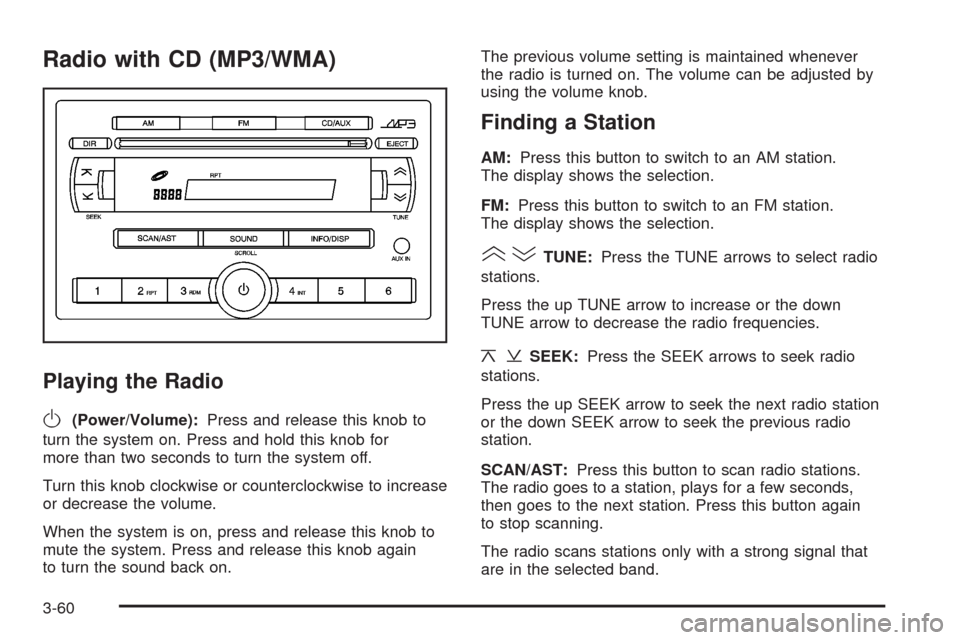
Radio with CD (MP3/WMA)
Playing the Radio
O
(Power/Volume):Press and release this knob to
turn the system on. Press and hold this knob for
more than two seconds to turn the system off.
Turn this knob clockwise or counterclockwise to increase
or decrease the volume.
When the system is on, press and release this knob to
mute the system. Press and release this knob again
to turn the sound back on.The previous volume setting is maintained whenever
the radio is turned on. The volume can be adjusted by
using the volume knob.
Finding a Station
AM:Press this button to switch to an AM station.
The display shows the selection.
FM:Press this button to switch to an FM station.
The display shows the selection.
()TUNE:Press the TUNE arrows to select radio
stations.
Press the up TUNE arrow to increase or the down
TUNE arrow to decrease the radio frequencies.
¦¥SEEK:Press the SEEK arrows to seek radio
stations.
Press the up SEEK arrow to seek the next radio station
or the down SEEK arrow to seek the previous radio
station.
SCAN/AST:Press this button to scan radio stations.
The radio goes to a station, plays for a few seconds,
then goes to the next station. Press this button again
to stop scanning.
The radio scans stations only with a strong signal that
are in the selected band.
3-60
Page 179 of 384
Using the Auxiliary Input Jack
The radio system has an auxiliary input jack located on
the lower right side of the faceplate. This is not an audio
output. Do not plug the headphone set into the front
auxiliary input jack. An external audio device such as
an iPod, laptop computer, MP3 player, CD changer,
or cassette tape player, etc. can be connected to the
auxiliary input jack for use as another source for audio
listening.
The auxiliary input jack also accepts cell phone
connectors. Plug the cell phone connector into the
auxiliary input jack to hear a person speaking on a cell
phone during conversation through the vehicle sound
system.
Drivers are encouraged to set up any auxiliary device
while the vehicle is in PARK (P). SeeDefensive Driving
on page 4-2for more information on driver distraction.To use a portable audio player, connect a 3.5 mm
(1/8 inch) cable to the radio’s front auxiliary input jack.
While a device is connected, turn the portable audio
player on and press the radio CD/AUX button to
hear audio from the device over the vehicle speakers.
CD/AUX (CD/Auxiliary):Press this button once to
play a CD while a portable audio device is playing.
Press this button a second time for the system to begin
playing audio from the connected portable audio player.
Once in this mode, Auxinput appears on the display. If the
auxiliary jack does not detect the presence of an output
jack, the auxiliary mode does not display.
O(Power/Volume):Turn theOknob clockwise or
counterclockwise to increase or decrease the volume
of the portable player. Additional adjustments on a
portable device might be needed to get the desired
volume.
3-65
Page 180 of 384
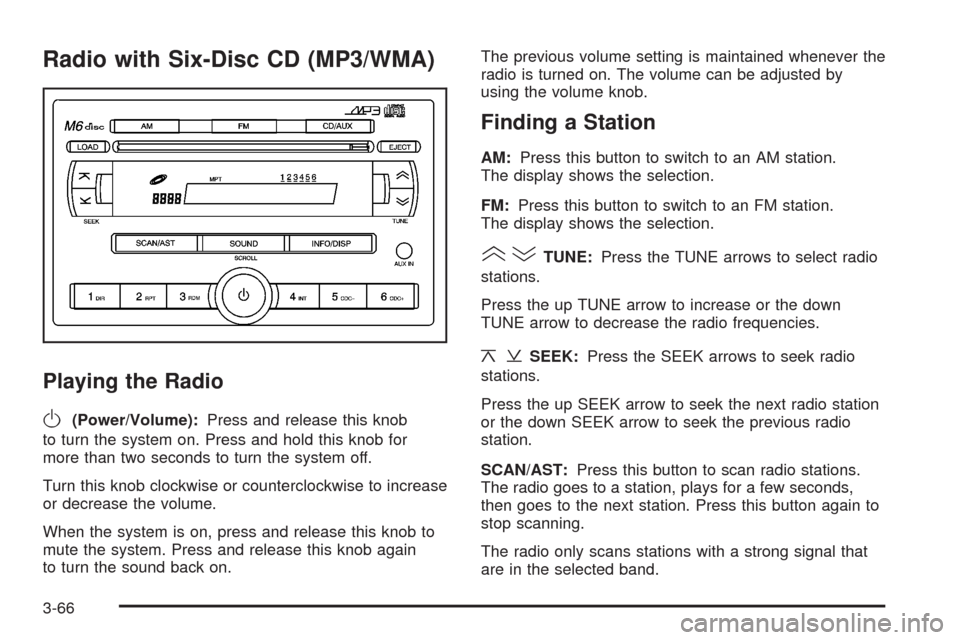
Radio with Six-Disc CD (MP3/WMA)
Playing the Radio
O
(Power/Volume):Press and release this knob
to turn the system on. Press and hold this knob for
more than two seconds to turn the system off.
Turn this knob clockwise or counterclockwise to increase
or decrease the volume.
When the system is on, press and release this knob to
mute the system. Press and release this knob again
to turn the sound back on.The previous volume setting is maintained whenever the
radio is turned on. The volume can be adjusted by
using the volume knob.
Finding a Station
AM:Press this button to switch to an AM station.
The display shows the selection.
FM:Press this button to switch to an FM station.
The display shows the selection.
()TUNE:Press the TUNE arrows to select radio
stations.
Press the up TUNE arrow to increase or the down
TUNE arrow to decrease the radio frequencies.
¦¥SEEK:Press the SEEK arrows to seek radio
stations.
Press the up SEEK arrow to seek the next radio station
or the down SEEK arrow to seek the previous radio
station.
SCAN/AST:Press this button to scan radio stations.
The radio goes to a station, plays for a few seconds,
then goes to the next station. Press this button again to
stop scanning.
The radio only scans stations with a strong signal that
are in the selected band.
3-66
Page 185 of 384
If any error occurs repeatedly or if an error cannot be
corrected, contact your dealer/retailer. If the radio
displays an error message, write it down and provide it
to your dealer/retailer when reporting the problem.
Using the Auxiliary Input Jack
AUX IN (Auxiliary Input):The radio system has an
auxiliary input jack located on the lower right side of
the faceplate. This is not an audio output. Do not plug
the headphone set into the front auxiliary input jack.
An external audio device such as an iPod, laptop
computer, MP3 player, CD changer, or XM™ receiver,
etc. can be connected to the auxiliary input jack for
use as another source for audio listening.
The auxiliary input jack also accepts cell phone
connectors. Plug the cell phone connector into the
auxiliary input jack to hear a person speck on a
cell phone during a conversation through the vehicle
sound system.Drivers are encouraged to set up any auxiliary device
while the vehicle is in PARK (P). SeeDefensive Driving
on page 4-2for more information on driver distraction.
To use a portable audio player, connect a 3.5 mm
(1/8 inch) cable to the radio’s front auxiliary input jack.
While a device is connected, turn the portable audio
player on and press the radio CD/AUX button to
hear audio from the device over the vehicle speakers.
O(Power/Volume):Turn this knob clockwise or
counterclockwise to increase or decrease the volume of
the portable player. Additional adjustments on a portable
device might be needed to get the desired volume.
CD/AUX (CD/Auxiliary):Press this button once to play
a CD while a portable audio device is playing. Press
this button a second time for the system to begin playing
audio from the connected portable audio player. Once
in this mode, Auxinput displays. If the auxiliary jack does
not detect the presence of an output jack, the auxiliary
mode does not display.
3-71