ECO mode CHEVROLET BLAZER 1993 Owners Manual
[x] Cancel search | Manufacturer: CHEVROLET, Model Year: 1993, Model line: BLAZER, Model: CHEVROLET BLAZER 1993Pages: 386, PDF Size: 20.7 MB
Page 19 of 386

Seats dk Safety Belts
To return the seatback to the upright position, just push the sea\
tback
rearward.
When
you return the seatback to its original position, pull it forward to make
sure the seatback is locked.
If the seatback isn't locked, it could move forward in a sudden stop
r crash. That could cause injury to the person sitting there. Always
press rearward
on the seatback to be sure it is locked.
Easy Entry Seat (Uti/ity Model Front and Wagon Model
Second Seat)
K2406
The right front bucket seat or the right side of the 40160 split bench seat,
available on the Utility model, has an easy entry feature. This makes
it easy
to get in and out
of the rear seat.
To operate the seat, push down on the rear of the lever at the rear edge of
the seat. When you do, the seatback will move fully forward and t\
he seat
bottom
will release. Just pull or push the seat forward until it stops.
To return the seat to its regular position, return the seatback to its upright
position, then
push the whole seat rearward until it latches.
1-6
Page 22 of 386
To return the seat to the passenger position, just lift up on the seatback and
push it rearward until it latches.
After returning the seat
to the passenger position, pull forward on the
seatback
to make sure it is locked in place.
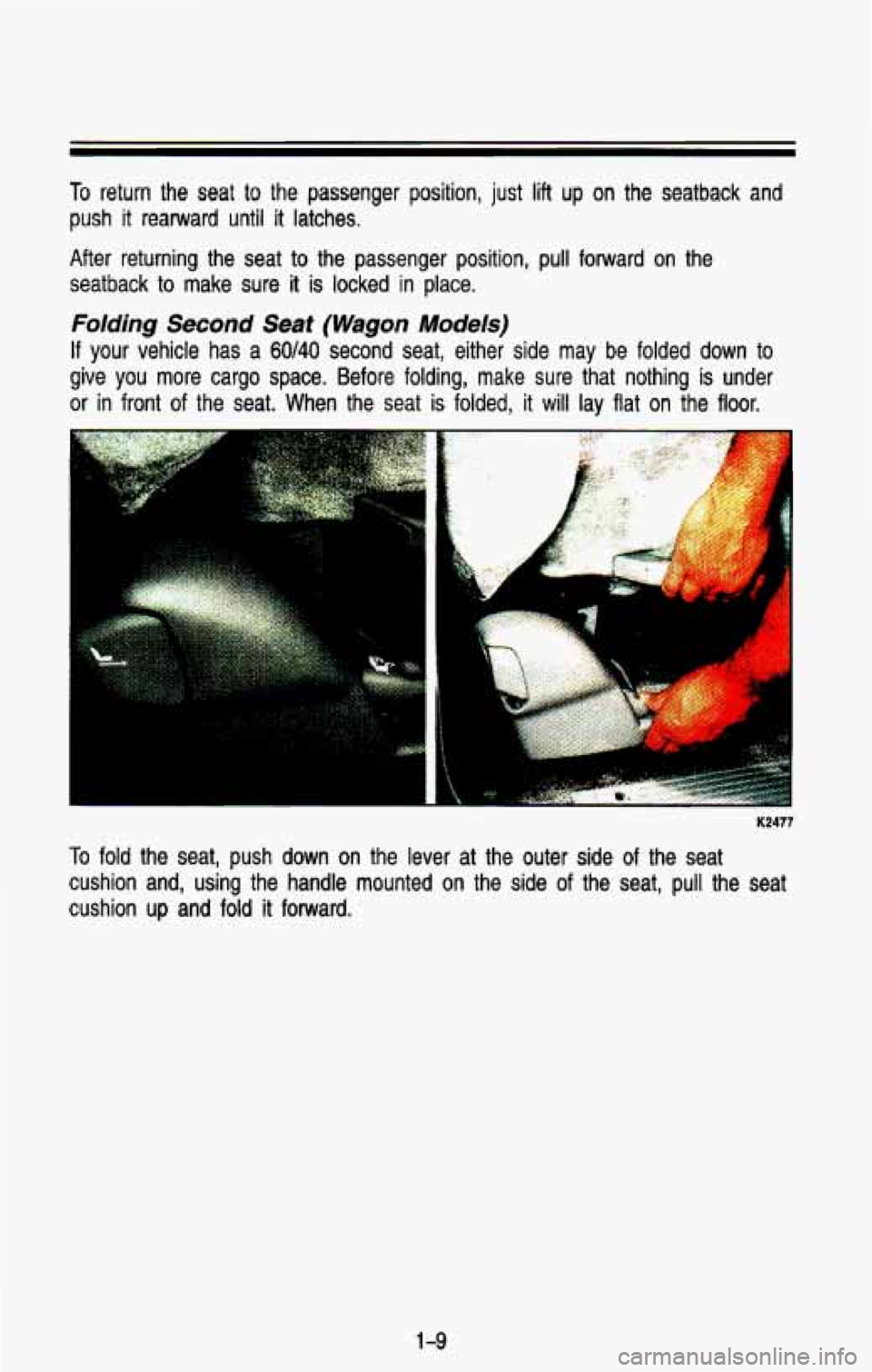
Folding Second Seat (Wagon Models)
If your vehicle has a 60140 second seat, either side may be folded down to
give you more cargo space. Before folding, make sure that noth\
ing is under
or in front of the seat. When the seat is folded, it will lay flat on the floor.
i
K2477
To fold the seat, push down on the lever at the outer side of the seat
cushion and, using the handle mounted on the side of the seat, pull the seat
cushion
up and fold it forward.
1 -9
Page 40 of 386

Right Front Passenger Position
K2426
The right front passenger’s safety belt works the same way \
as the driver’s safety belt.
See “Driver Position,” earlier in this section.
When the lap portion
of the belt is pulled out all the way, it will lock. If it
does, let it go back all the way and start again.
Center Passenger Position
(Except Wagon Models Second Seat)
If your vehicle has front and rear bench seats, someone can sit in the center
positions.
1-27
Page 41 of 386
- Seats & Safety Belts
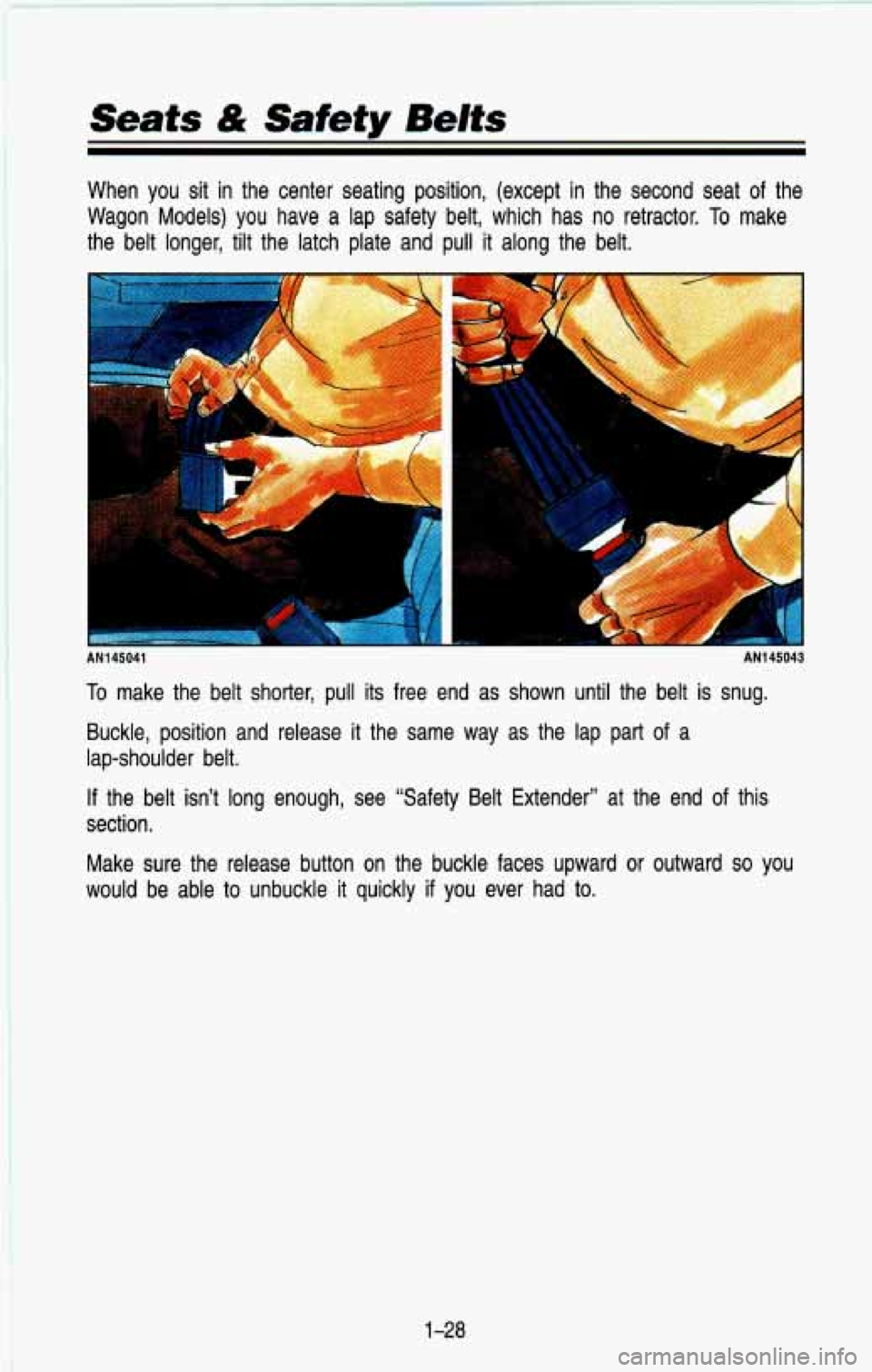
When you sit in the center seating position, (except in the second seat of the
Wagon Models) you have a lap safety belt, which has no retractor.
To make
the belt longer, tilt the latch plate and pull it along the \
belt.
I AN145041 AN145043
To make the belt shorter, pull its free end as shown until the belt is snug.
Buckle, position and release
it the same way as the lap part of a
lap-shoulder belt.
If the belt isn’t long enough, see “Safety Belt Extender’’\
at the end of this
section.
Make sure the release button on the buckle faces upward or ou\
tward
so you
would be able to unbuckle
it quickly if you ever had to.
1-28
Page 42 of 386
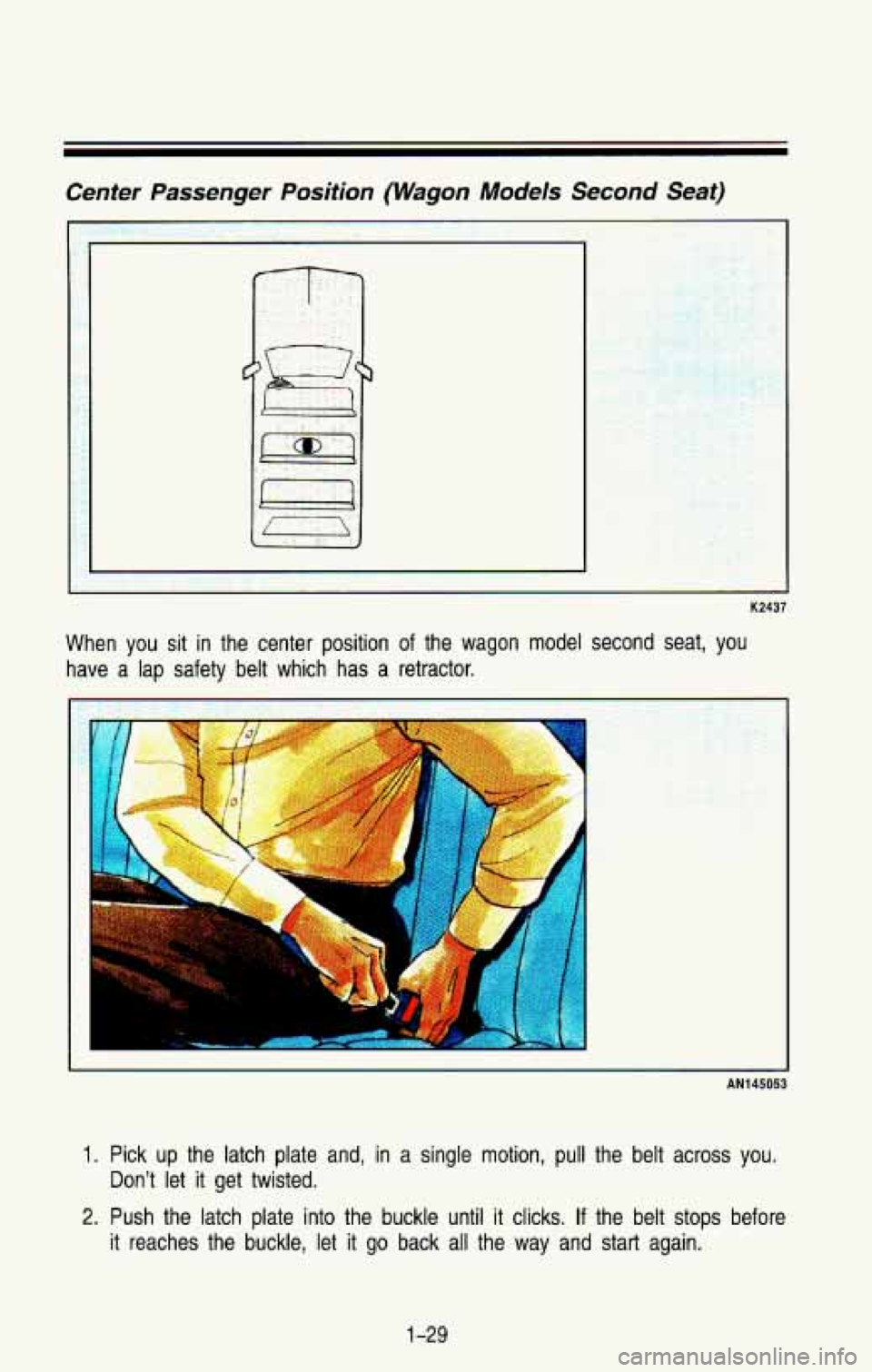
Center Passenger Position (Wagon Models Second Seat)
K2437
When you sit in the center position of the wagon model second seat, you
have a lap safety belt which has a retractor.
r
.. .. .
AN145053
I. Pick up the latch plate and, in a single motion, pull the belt across you.
2. Push the latch plate into the buckle until it clicks. If the belt stops before
Don’t let
it get twisted.
it reaches the buckle, let it go back all the way and start again.
1-29
Page 52 of 386
To remove the child restraint, just unbuckle the vehicle’s safety belt and let it
go back all the way. The safety belt will move freely again and be ready to
work for an adult
or larger child passenger.
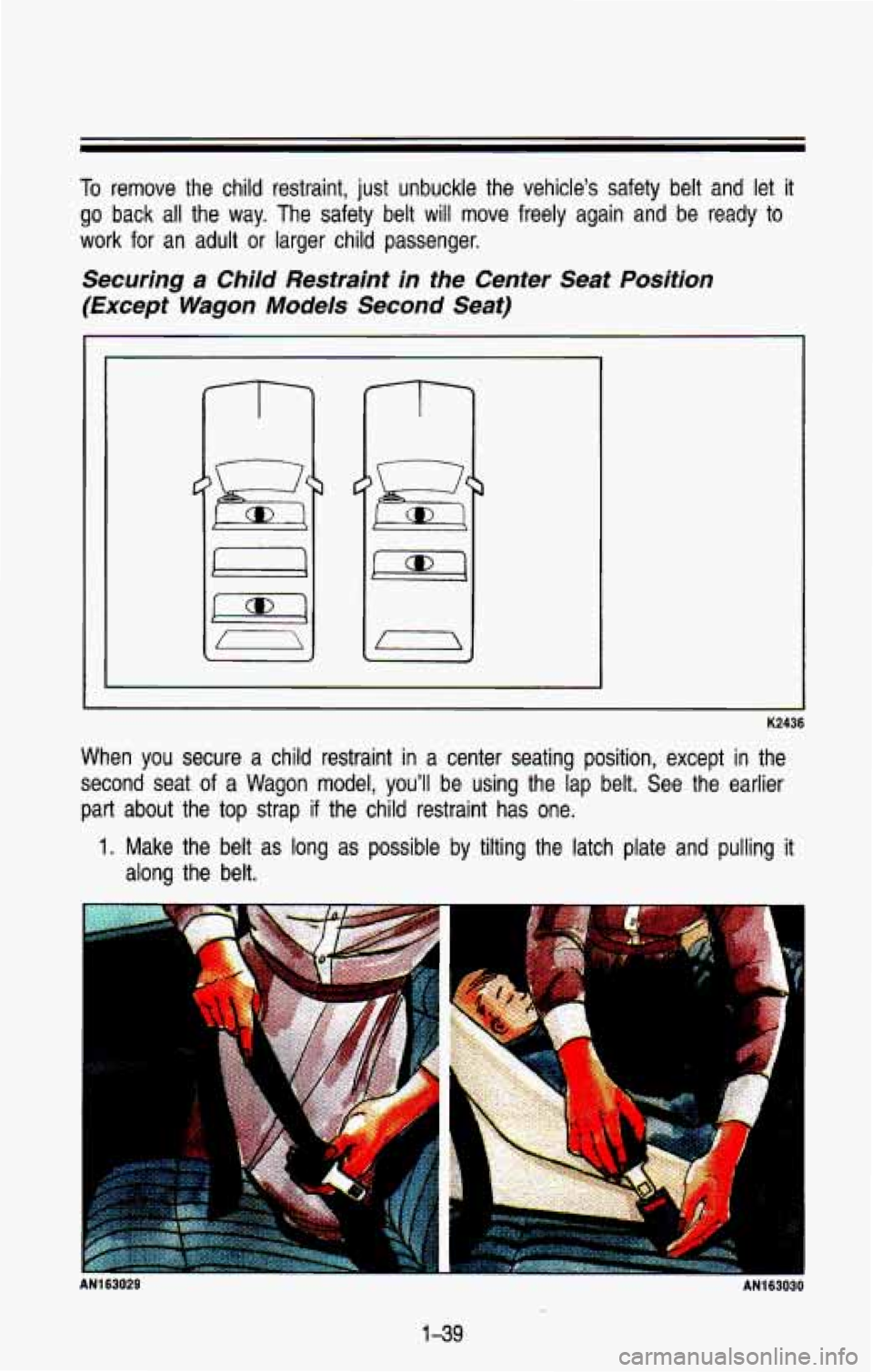
Securing a Child Restraint in the Center Seat Position
(Except Wagon Models Second Seat)
C
I
c
When you secure a child restraint in a center seating position, except in the
second seat
of a Wagon model, you’ll be using the lap belt. See the earlier
part about the top strap if the child restraint has one.
1. Make the belt as long as possible by tilting the latch plate and pulling it
along the belt.
AN163028 1
1-39
Page 53 of 386
Seats & Safety Belts
2. Put the restraint on the seat. Follow the instructions for the child
3. Secure the child in the child restraint as the instructions say.
4. Run the vehicle’s safety belt through or around the restraint. The child
restraint instructions will show you how.
5. Buckle the belt. Make sure the release button faces upward or \
outward,
so you’ll be able to unbuckle it quickly if you ever need to.
6. To tighten the belt, pull its free end while you push down on the child
restraint.
7. Push and pull the child restraint in different directions to be sure it is
secure.
If the child restraint isn’t secure, turn the latch plate over \
and
buckle
it again. Then see if it is secure. If it isn’t, secure the restraint in
a different place in the vehicle and contact the child restrai\
nt maker for
their advice. restraint.
To remove the child restraint, just unbuckle the vehicle’s safet\
y belt. It will
be
ready
to work for an adult or larger child passenger.
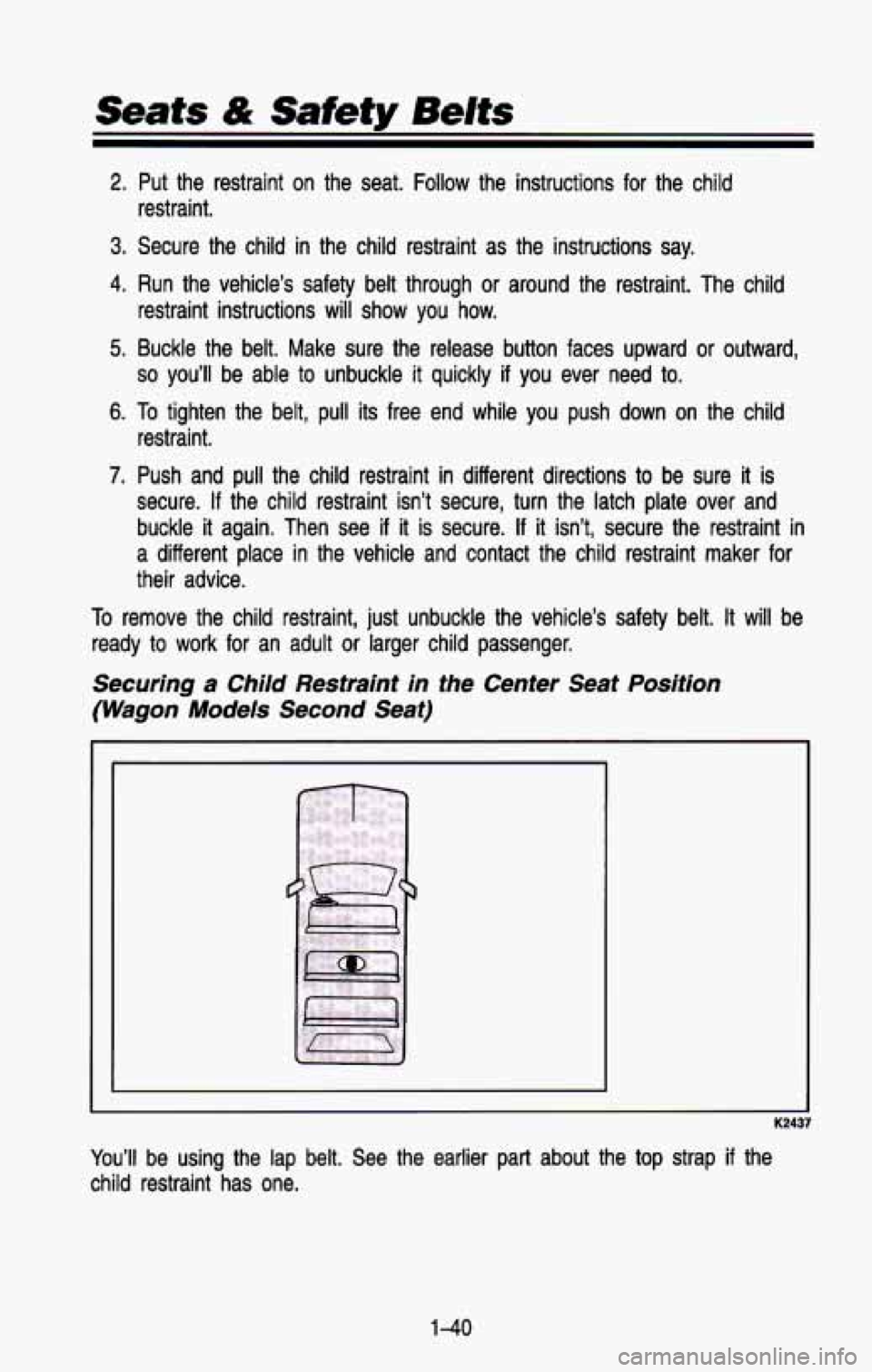
Securing a Child Restraint in fhe Center Seat Position
(Wagon Models Second Seat)
1
You’ll be using the lap belt. See the earlier part about the top st\
rap if the
child restraint has one.
1-40
Page 137 of 386
SHIFT Indicator Light
I
K2317
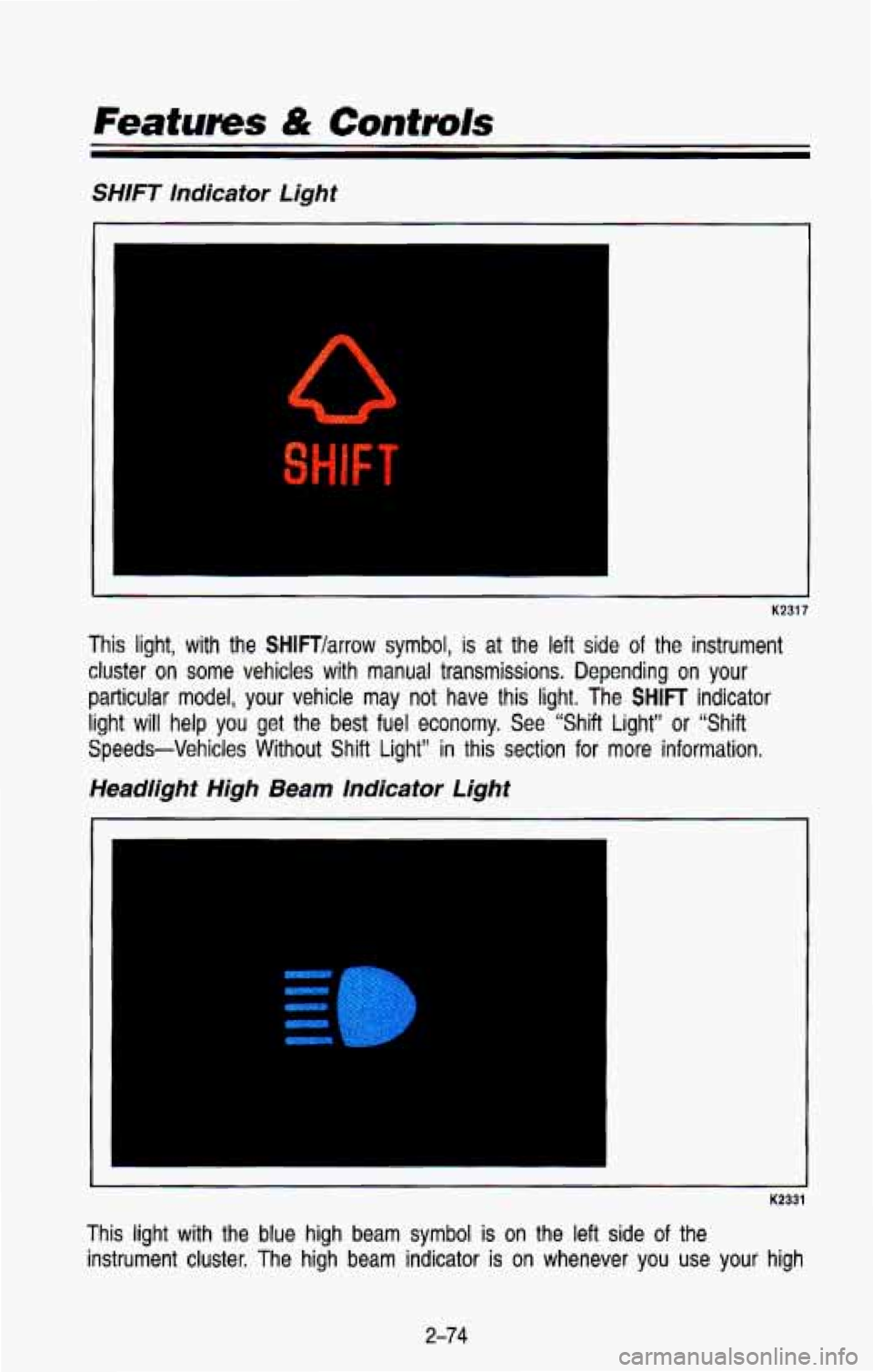
This light, with the SHlFTlarrow symbol, is at the left side of the instrument
cluster on some vehicles with manual transmissions. Depending on your
particular model, your vehicle may not have this light. The SHIFT indicator
light
will help you get the best fuel economy. See “Shift Light” or “Shift
Speeds-Vehicles Without Shift Light”
in this section for more information.
Headlight High Beam Indicator Light
I
K2331
This light with the blue high beam symbol is on the left side of the
instrument cluster. The
high beam indicator is on whenever you use your high
2-74
Page 153 of 386

If- your vehicle has either or both of these systems, you can inc\
rease and
decrease the air
flow at the rear vents.")
Rear Air Conditioning and Heating Systems (Wagon
Models)
If- your vehicle has either or both of these systems, you can inc\
rease and
decrease the air
flow at the rear vents. Depending on the system you have
and the setting selected,
you can send cooled or heated air to the rear of
the vehicle.
Rear Air Conditioning (Without Rear Heater)
Front Control Rear Control
K 2478
If your vehicle has rear air conditioning (without rear heater), \
the controls are
located above the front and second seats. The front and rear \
overhead
controls let you increase and decrease the air flow at the rear vents.
To operate the rear air conditioning system, the front air conditioning system \
must be on. With the front
air conditioning system off, the rear system
controls can be used
to circulate air in the rear of the vehicle.
To operate the rear system using the front control, just turn the knob to
blower position you want.
To use the rear control, first turn the front control knob
to REAR CNTL.
Then, the rear control can be used to increase and decrease the air flow.
3-8
Page 160 of 386
and bottom buttons adjusts the front and rear speaker volume, or fade. The
relative balance and fade adjustments are shown on the
VF display.
TUNE
Press the (t) to increase frequency and (-) to decrease frequency.
AMFM
Push to get AM or FM.
SEEK
Press the SEEK button to make the receiver seek, and stop at, the next
higher available station.
SCAN
Press the SCAN button to make the receiver scan, and momentarily pause
at, all available stations.
SCAN will appear in the VF display while the
receiver is in the scan mode. Press
SCAN again to cancel the scan mode
and hold the current station,
Pushbuttons
The six pushbuttons let you return to favorite stations. You can set the
pushbuttons for up to twelve favorite stations
(6 AM and 6 FM). To set the
pushbuttons, just:
Tune in the station you want.
Press the SET button. (SET appears in the VF display for a few
seconds.)
Within 5 seconds, push one of the six pushbuttons to store the station.
After that, whenever you press that button, the preset station \
will return.
Clock
To set the clock, just:
Press the SET button. The word SET will light up in the VF display.
Within 5 seconds, press and hold the SEEK button until the correct hour
appears on the display.
Then, press and hold the SCAN button until the correct minute appears
After you set the time, the word SET will remain in the VF display for a
on the display.
few seconds.
TREBLE
Push (t) to hear more treble.
Push
(-) to hear less treble.
3-1 5