key CHEVROLET BLAZER 1994 2.G User Guide
[x] Cancel search | Manufacturer: CHEVROLET, Model Year: 1994, Model line: BLAZER, Model: CHEVROLET BLAZER 1994 2.GPages: 348, PDF Size: 17.88 MB
Page 66 of 348
Downloaded from www.Manualslib.com manuals search engine Operation
When you press UNLOCK, the driver’s door will unlock automatically. If
you press UNLOCK again within five seconds, all doors will unlock. All
doors will lock when
DOOR is pressed.
The endgate glass will unlock when the truck symbol button
is pressed.
Vehicles with automatic transmissions must have the transmission
in “P”
(Park). Vehicles with manual transmission must have the parking brake
engaged.
Matching Transmitter(s) To Your Vehicle
Each key chain transmitter is coded to prevent another transmitter from
unlocking your vehicle.
If a transmitter is lost or stolen, a replacement can
be purchased through your dealer. Remember
to bring any remaining
transmitters with you when
you go to your dealer. When the dealer matches
the replacement transmitter to your vehicle, the remaining transmitters must
also be matched. Once the new transmitter is coded, the
lost transmitter will
not unlock your vehicle.
You can match a transmitter to as many different vehicles as you own,
provided they are equipped
with exactly the same model system. (General
Motors offers several different models
of these systems on their vehicles.)
Each vehicle can have only two transmitters matched to it.
See your dealer
to match transmitters to another vehicle.
Battery Replacement
Under normal use, the batteries in your key chain transmitter should last
about two years.
You can tell the batteries are weak
if the transmitter won’t work at the
normal range in any location. If
you have to get close to your vehicle before
the transmitter works, it’s probably time
to change the batteries.
2- 12
Page 68 of 348
Downloaded from www.Manualslib.com manuals search engine Theft
Vehicle theft is big business, especially in some cities. Although your
vehicle has a number of theft deterrent features, we know that nothing we
put on
it can make it impossible to steal. However, there are ways you can
help.
Key in the Ignition
If you walk away from your vehicle with the keys inside, it’s an easy target
for joy riders or professional thieves
- so don’t do it.
When you park your vehicle and open the driver’s door, you’ll hear a tone
reminding you to remove your key from the ignition and take
it with you.
Always
do this. Your steering wheel will be locked, and so will your
ignition. If you have an automatic transmission, taking your key out
also
locks your transmission. And remember to lock the doors.
Parking at Night
Park in a lighted spot, close all windows and lock your vehicle. Remember
to keep your valuables out of sight. Put them
in a storage area, or take them
with you.
Parking Lots
If you park in a lot where someone will be watching your vehicle, it’s best
to lock
it up and take your keys. But what if you have to leave your ignition
key? What
if you have to leave something valuable in your vehicle?
0 Put your valuables in a storage area, like your glove box.
Lock the glove box.
Lock all the doors except the driver’s.
Then take the door key with you.
2-14
Page 69 of 348
Downloaded from www.Manualslib.com manuals search engine New Vehicle “Break-In ’’
L
NOTICE:
Your modern vehicle doesn’t need an elaborate “break-in.” But
it will perform better in the long run if you follow these
guidelines:
0 Keep your speed at 55 mph (88 km/h) or less for the first 500
miles (SO4 km).
0 Don’t drive at any one speed - fast or slow - for the first
500 miles (804 km). Don’t make full-throttle starts.
Avoid making hard stops for the first 200 miles (322 km) or
so. During this time your new brake linings aren’t yet broken
in. Hard stops with new linings can mean premature wear and
earlier replacement. Follow this “breaking-in” guideline
every time you get new brake linings.
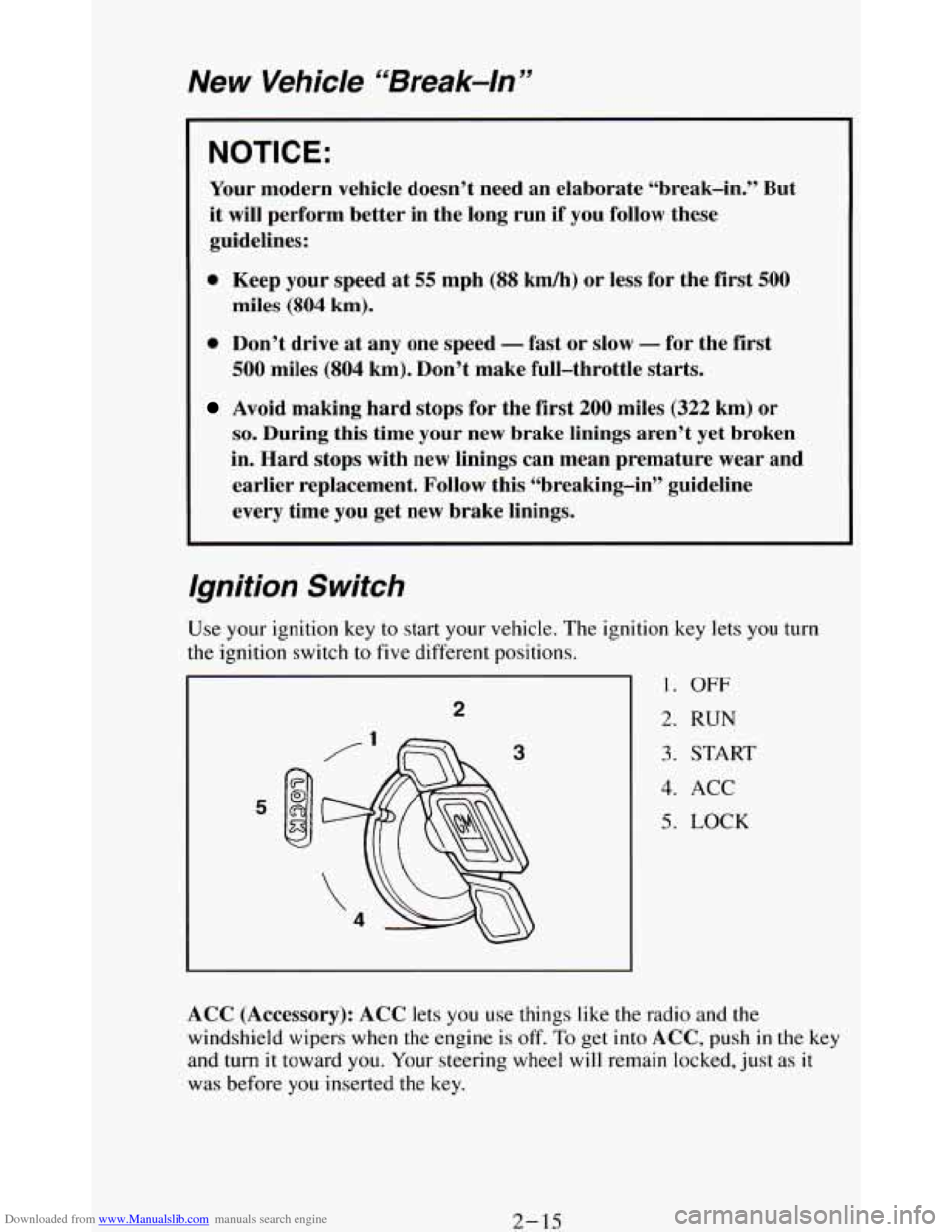
Ignition Switch
tion key lets you turn
1. OFF
2. RUN
3. START
4. ACC
5. LOCK
ACC (Accessory): ACC lets you use things like the radio and the
windshield wipers when the engine is off.
To get into ACC, push in the key
and turn
it toward you. Your steering wheel will remain locked, just as it
was before you inserted the key.
2- 15
Page 70 of 348
Downloaded from www.Manualslib.com manuals search engine NOTICE:
Prolonged operation of accessories in the ACC position could
drain your battery and prevent you from starting your vehicle.
LOCK: This position locks your ignition, steering wheel and transmission.
It’s a theft deterrent feature. You will only be able to remove your key when
the ignition is turned to LOCK.
OFF: This position lets you turn off the engine but still turn the steering
wheel. Use
OFF if you must have your vehicle in motion while the engine
is off (for example,
if your vehicle is being pushed).
RUN: This is the position for driving.
START This starts your engine.
NOTICE:
If your key seems stuck in “LOCK” and you can’t turn it, be
sure it is all the way in. If it is, then turn the steering wheel left
and right while you turn the key hard. But turn the key only
with your hand. Using
a tool to force it could break the key or
service.
the ignition switch. If none of this works, then your vehicle needs
2-16
Page 71 of 348
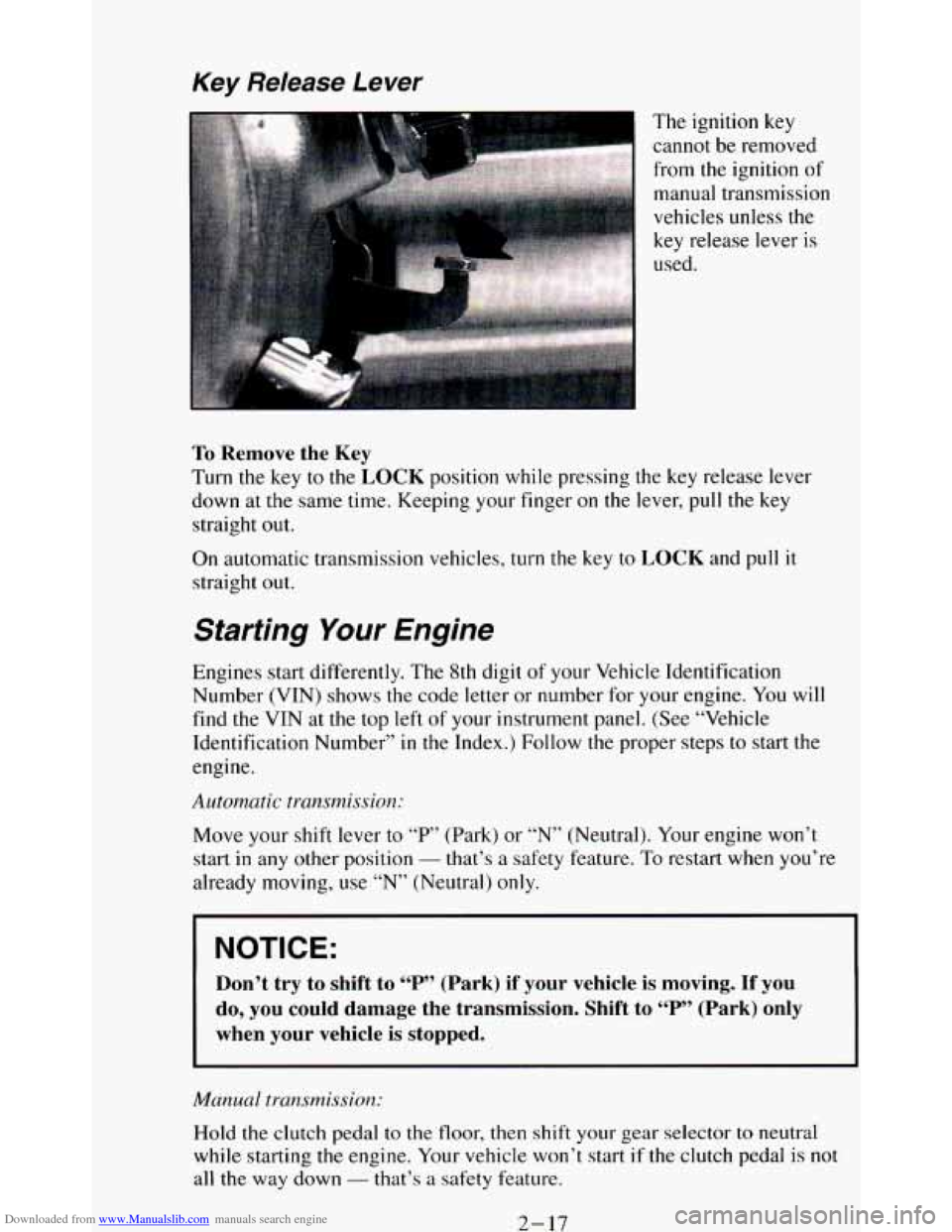
Downloaded from www.Manualslib.com manuals search engine Key Release Lever
I The ignition key
cannot be removed
from the ignition
of
manual transmission
vehicles unless the
key release lever
is
used.
To Remove the Key
Turn the key to the LOCK position while pressing the key release lever
down at the same time. Keeping your finger on the lever,
pull the key
straight
out.
On automatic transmission vehicles, turn the key to LOCK and pull it
straight out.
Starting Your Engine
Engines start differently. The 8th digit of your Vehicle Identification
Number (VIN) shows the code letter or number for your engine. You will
find the VIN at the top left of your instrument panel. (See “Vehicle
Identification Number” in the Index.) Follow the proper steps to start the
engine.
Automatic transmission:
Move your shift lever to “P” (Park) or “N” (Neutral). Your engine won’t
start
in any other position - that’s a safety feature. To restart when you’re
already moving, use “N” (Neutral)
only.
NOTICE:
Don’t try to shift to “P” (Park) if your vehicle is moving. If you
do, you could damage the transmission. Shift to “P” (Park) only
when your vehicle is stopped.
Manual transmission:
Hold the clutch pedal to the floor, then shift your gear selector to neutral
while starting
the engine. Your vehicle won’t start if the clutch pedal is not
all the way down - that’s a safety feature.
2-17
Page 72 of 348
Downloaded from www.Manualslib.com manuals search engine Tu start your 4.3 Liter engine:
1. Without pushing the accelerator pedal, turn your ignition key to “Start.”
When
the engine starts, let go of the key. The idle speed will go down
as your engine gets warm.
NOTICE:
Holding your key in “Start” for longer than 15 seconds at a time
will cause your battery to be drained much sooner. And the
excessive heat can damage your starter motor.
2. If it doesn’t start right away, hold your key in “Start.” If it doesn’t start
in three seconds, push the accelerator pedal about one-quarter of the
way down for
12 more seconds, or until it starts.
3. If your engine still won’t start (or starts but then stops), it could be
flooded with too much gasoline. Try this:
Wait
15 seconds to let the starter motor cool down. Then push your
accelerator pedal all the way to the floor. Hold it there. Then, hold the
key
in “Start” for no more than ten seconds. This clears the extra
gasoline from the engine.
If the engine still doesn’t start, wait another 15 seconds and do it all
again..
When
the engine starts, let go of the key and the accelerator pedal.
j ~ NOTICE:
, Your engine is designed to work with the electronics in your
vehicle. If you add electrical parts
or accessories, you could
change the
way the fuel injection system operates. Before adding
electrical equipment, check with your dealer. If you don’t, your
engine might not perform properly.
If you ever have to have your vehicle towed, see the part of this
manual that tells how
to do it without damaging your vehicle.
See “Towing Your Vehicle” in the Index.
2- 18
Page 81 of 348
Downloaded from www.Manualslib.com manuals search engine 3. If you have four-wheel drive with a manual transfer case shift lever, be
sure
the transfer case is in a drive gear - not in “N” (Neutral).
4. Move the ignition key to LOCK.
5. Remove the key and take it with you. If you can walk away from your
vehicle with the ignition
key in your hand, your vehicle is in “P”
(Park).
Leaving Your Vehicle With the Engine Running
(Automatic Transmission Models Only)
Torque Lock (Automatic Transmission)
If you are parking on a hill and you don’t shift your transmission into “P”
(Park) properly,
the weight of the vehicle may put too much force on the
parking pawl
in the transmission. You may find it difficult to pull the shift
lever
out of “P’ (Park). This is called “torque lock.” To prevent torque lock,
set the parking brake and then
shift into “P” (Park) properly before you
leave the driver’s seat. To find out how, see “Shifting Into ‘P’ (Park)” in the
Index.
When
you are ready to drive, move the shift lever out of “P” (Park)
BEFORE you release the parking brake.
If “torque
lock” does occur, you may need to have another vehicle push
yours a
little uphill to take some of the pressure from the transmission, so
you can pull the shift lever out of ‘Y’ (Park).
3 31
Page 112 of 348
Downloaded from www.Manualslib.com manuals search engine Storage Compartments
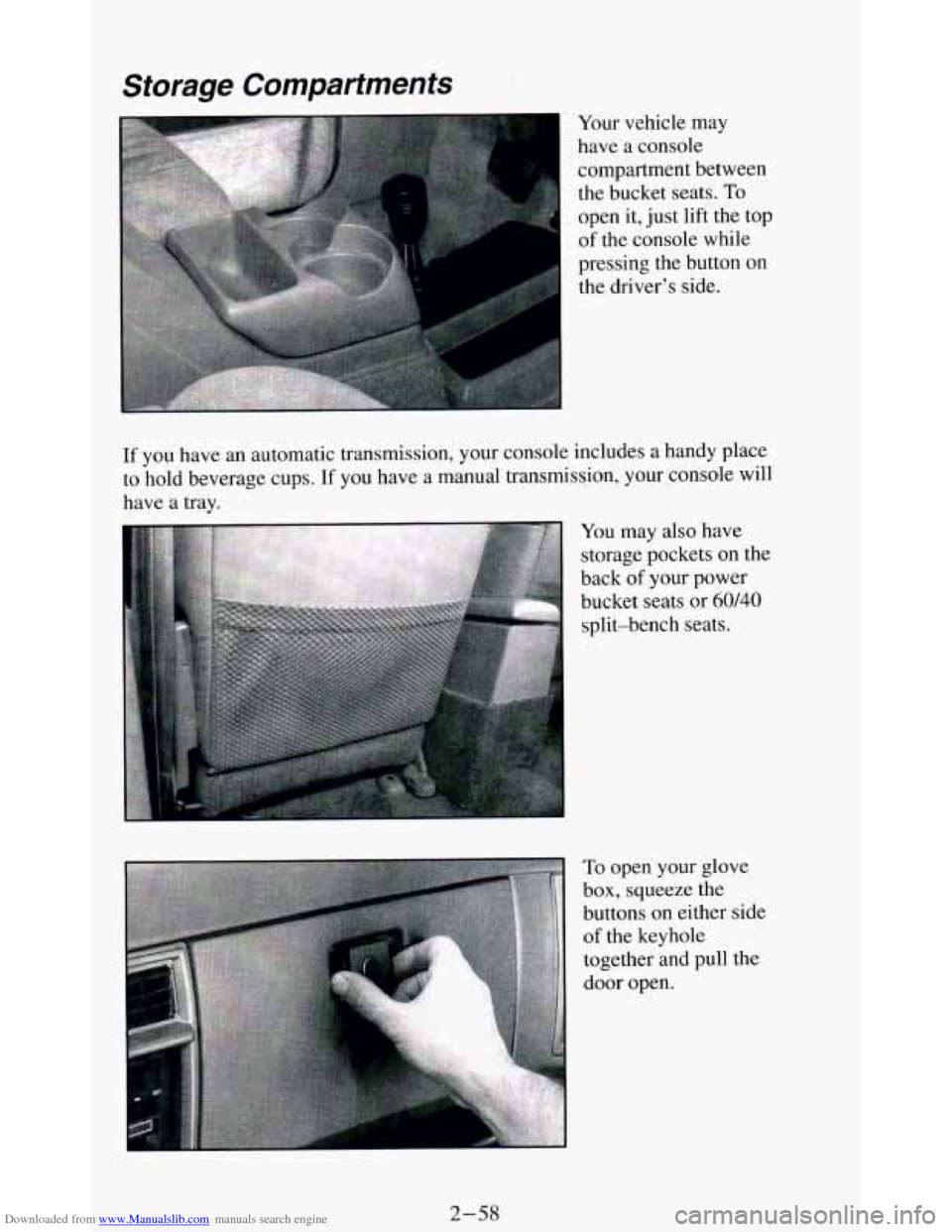
Your vehicle may
have a console
compartment between
the bucket seats.
To
open it, just lift the top
of the console while
pressing the button
on
the driver’s side.
If you have an automatic transmission, your console includes a handy place
to hold beverage cups.
If you have a manual transmission, your console will
have a tray.
You may also have
storage pockets on the
back
of your power
bucket seats or
60140
split-bench seats.
To open your glove
box, squeeze the
buttons
on either side
of the keyhole
together and pull the
door open.
2-58
Page 113 of 348
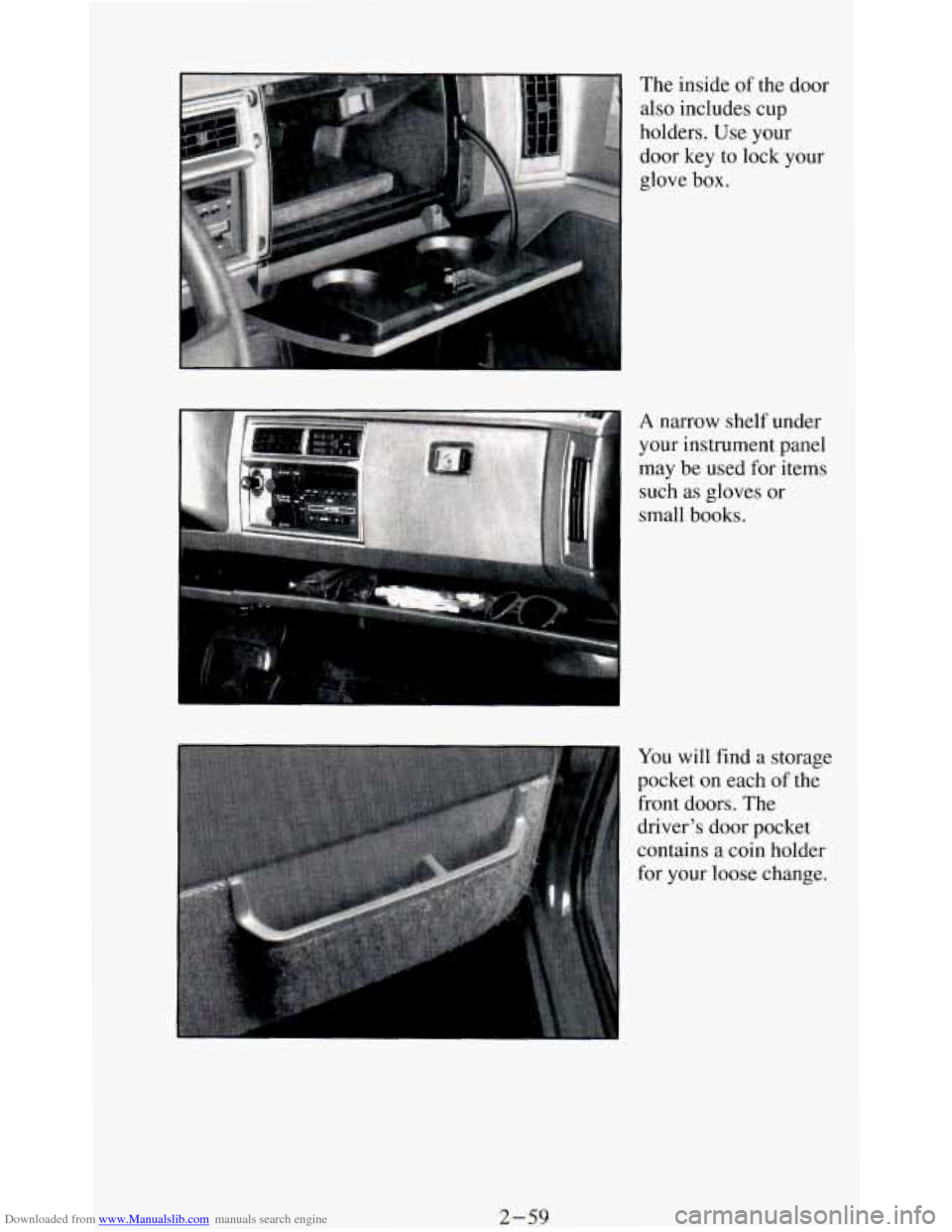
Downloaded from www.Manualslib.com manuals search engine The inside of the door
also includes cup
holders. Use your
door key to lock your
glove
box. I
A narrow shelf under
your instrument panel
may be
used for items
such
as gloves or
small books.
You will find a storage
pocket on each of the
front doors. The
driver's door pocket
contains a coin holder
for your loose change.
2-59
Page 121 of 348
Downloaded from www.Manualslib.com manuals search engine The trip odometer can tell you how far your vehicle has been driven since
you last set the trip odometer to zero.
Make sure the button is completely
depressed
to reset the trip odometer.
To set the trip odometer on the standard cluster to zero, fully depress the
button near the readout.
The trip odometer on
the digital cluster will appear in place of your regular
odometer when
you press down on the Trip button. To reset the trip
odometer
on the digital cluster, press down on the Reset button. To change
back
to the regular odometer, press down on the Trip button again.
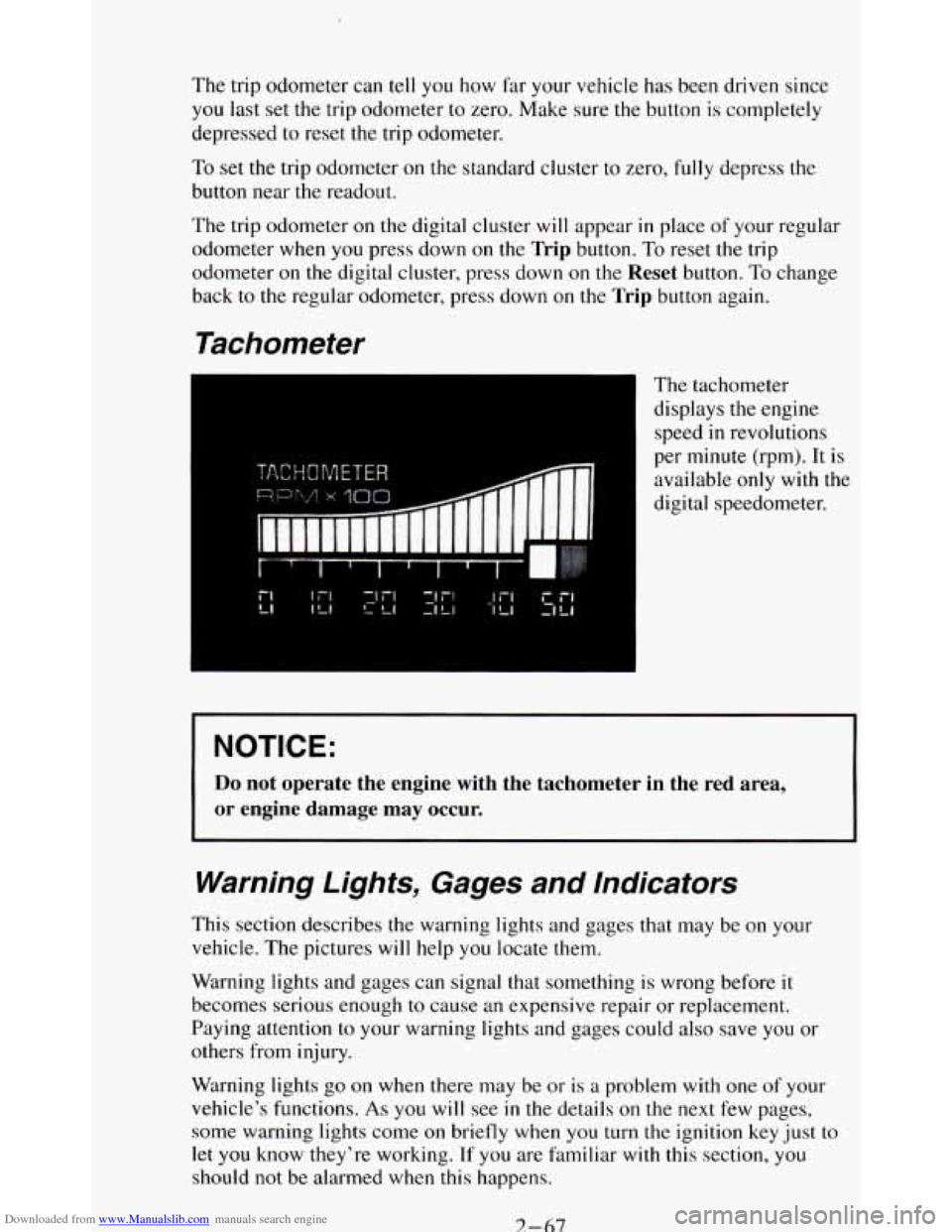
Tachometer
The tachometer
displays the engine
speed
in revolutions
per minute (rpm). It is
available
only with the
digital speedometer.
NOTICE:
Do not operate the engine with the tachometer in the red area,
or engine damage may occur.
Warning Lights, Gages and Indicators
This section describes the warning lights and gages that may be on your
vehicle. The pictures
will help you locate them.
Warning lights and gages can signal that something is wrong before it
becomes serious enough
to cause an expensive repair or replacement.
Paying attention
to your warning lights and gages could also save you or
others from injury.
Warning lights
go on when there may be or is a problem with one of your
vehicle’s functions.
As you will see in the details on the next few pages,
some warning lights come
on briefly when you turn the ignition key just to
let
you know they’re working. If you are familiar with this section, you
should not be alarmed when this happens.
7-67