ECU CHEVROLET BLAZER 1995 2.G User Guide
[x] Cancel search | Manufacturer: CHEVROLET, Model Year: 1995, Model line: BLAZER, Model: CHEVROLET BLAZER 1995 2.GPages: 380, PDF Size: 20.04 MB
Page 64 of 380
Downloaded from www.Manualslib.com manuals search engine Emergency Release for Opening Endgate
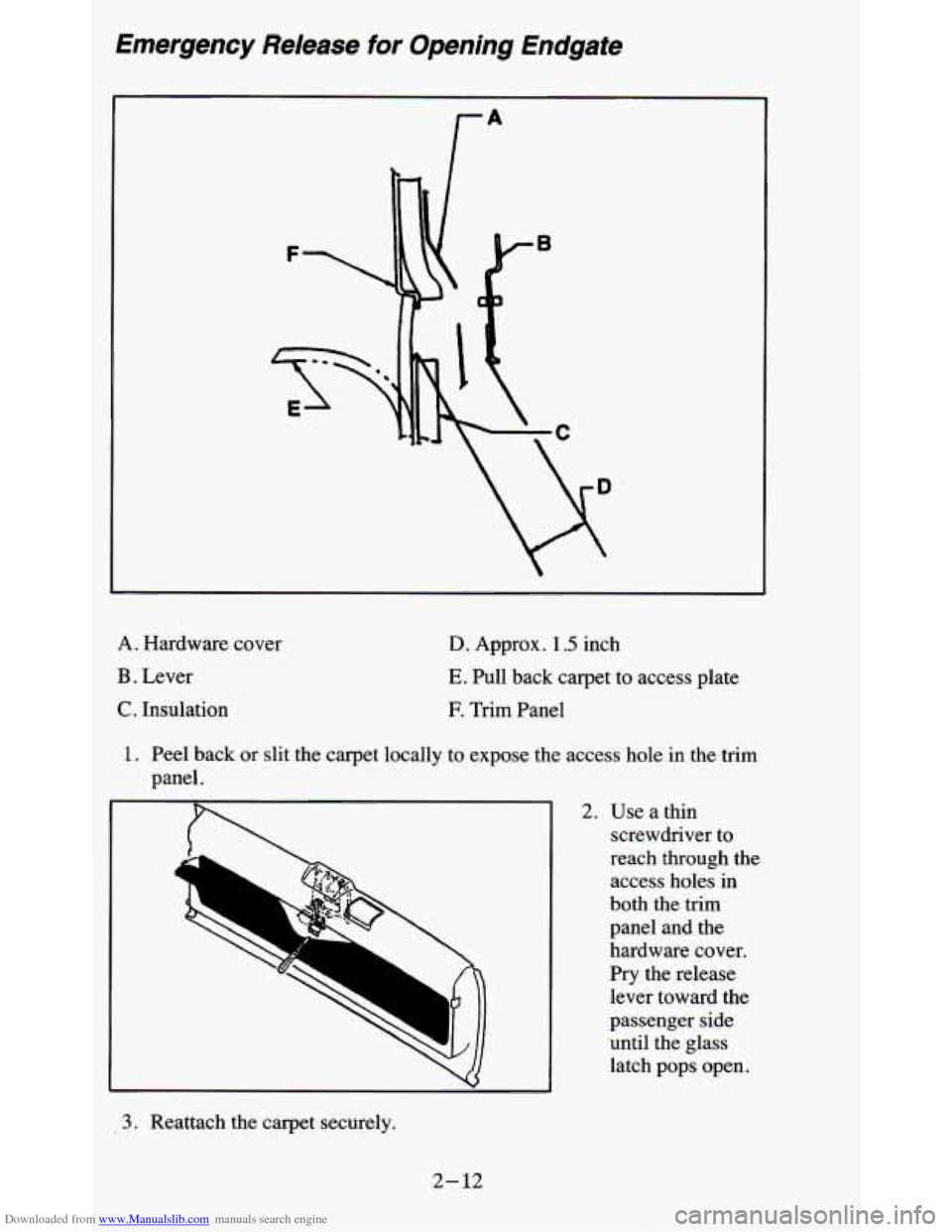
A. Hardware cover
B . Lever
C. Insulation
D. Approx. 1.5 inch
E. Pull back carpet to access plate
E Trim Panel
1. Peel back or slit the carpet locally to expose the access hole in the trim
panel.
2. Use a thin screwdriver to
reach through the access holes in
both the trim
panel and the
hardware cover.
Pry the release
lever toward the
passenger side
until the glass
latch pops open.
3. Reattach the carpet securely.
2-12
Page 116 of 380
Downloaded from www.Manualslib.com manuals search engine Cargo Cover Or Roll-Up Cargo Cover
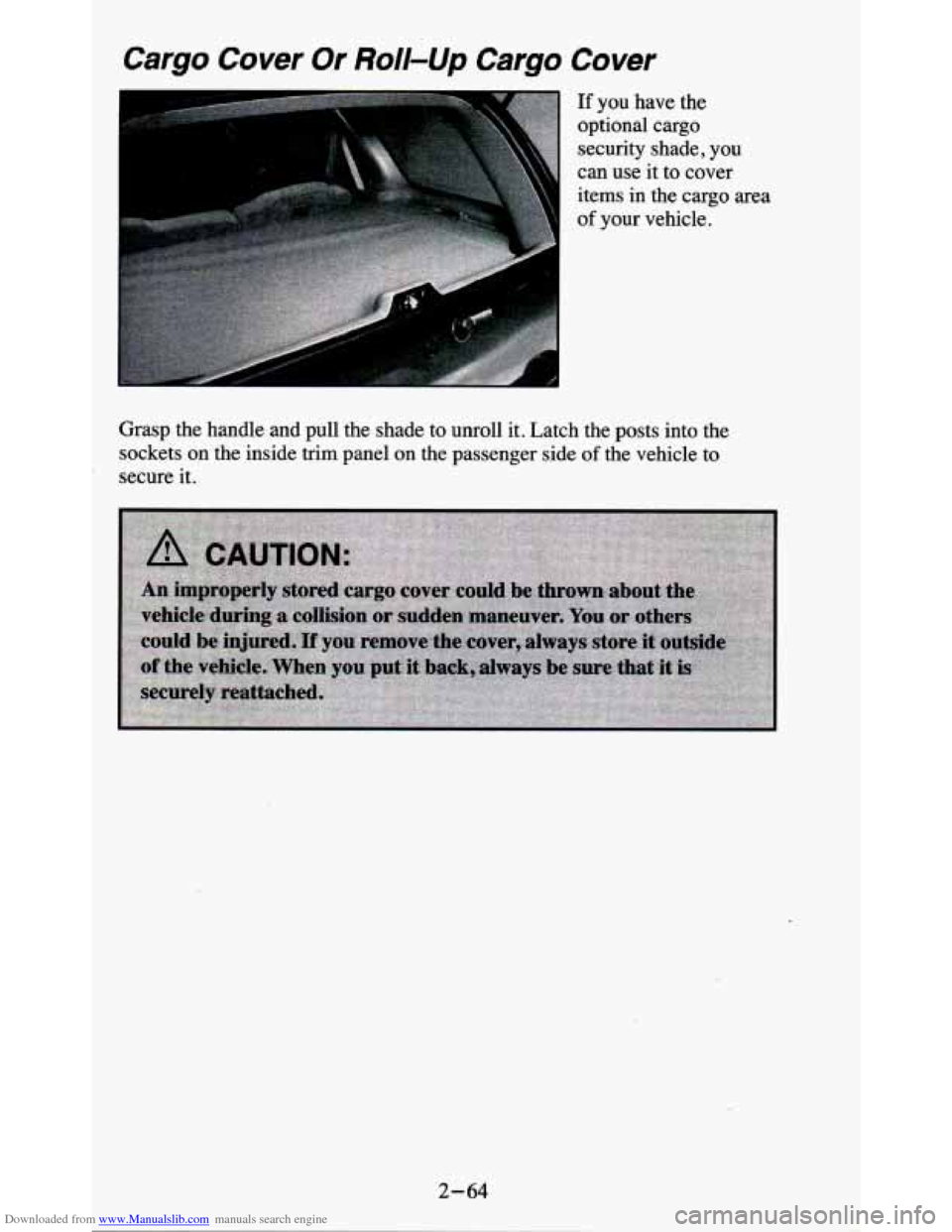
If you have the
optional cargo security shade,
you
can use it to cover
items in the cargo area
of your vehicle.
Grasp the handle and pull the shade
to unroll it. Latch the posts into the
sockets on the inside trim panel on the passenger side
of the vehicle to
secure it.
2-64
Page 131 of 380
Downloaded from www.Manualslib.com manuals search engine Voltmeter
14
49
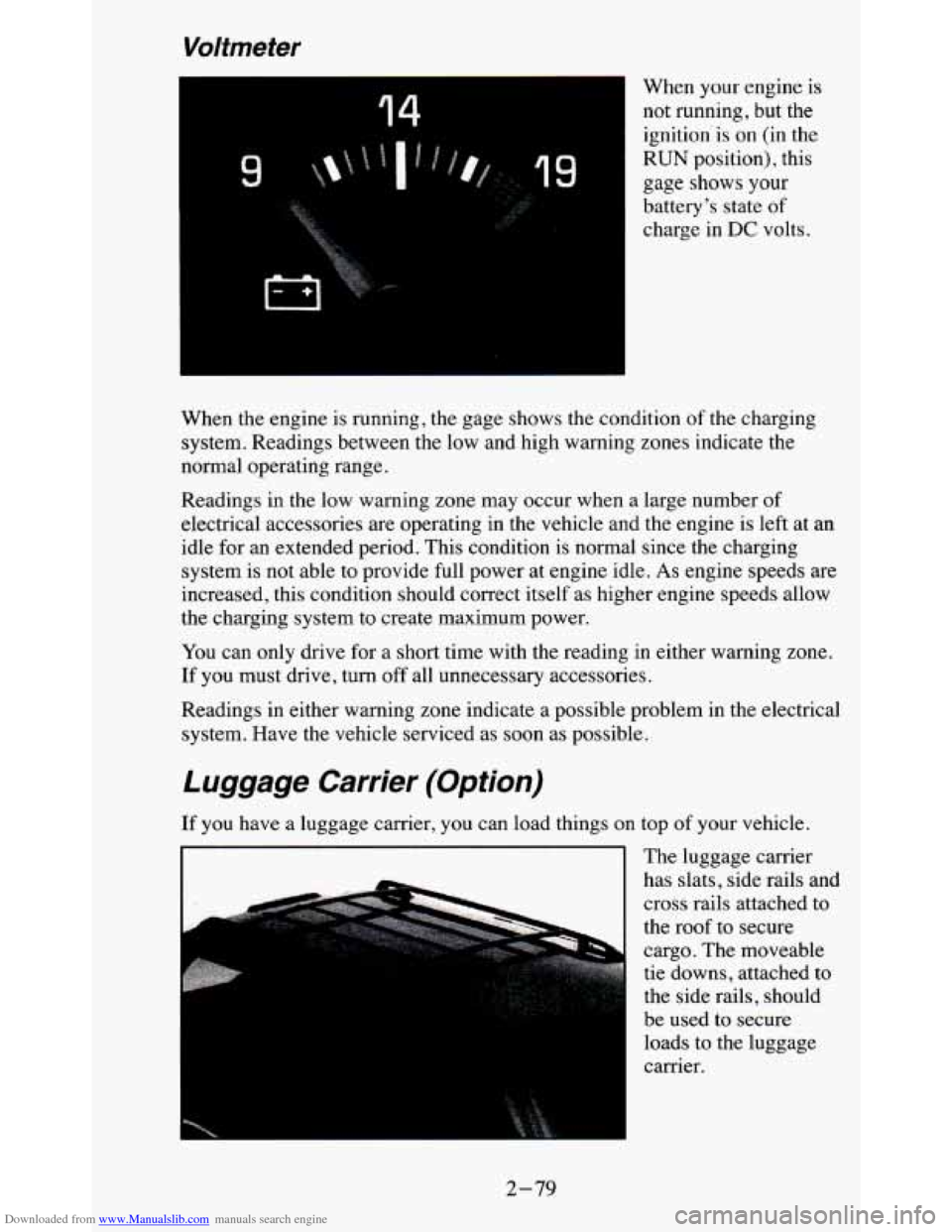
When your engine is
not running, but the ignition'is on (in the
RUN position), this
gage shows
your
battery's state of
charge in DC volts.
When the engine is running, the gage shows the condition of the charging
system. Readings between the low and high warning zones indicate the
normal operating range.
Readings in the low warning zone may occur when a large number of
electrical accessories are operating in the vehicle and the engine is left at an
idle for an extended period. This condition is normal since
the charging
system is not able to provide full power at engine idle.
As engine speeds are
increased, this condition should correct itself as higher engine speeds allow
the charging system to create maximum power.
You can only drive for
a short time with the reading in either warning zone.
If you must drive, turn
off all unnecessary accessories.
Readings in either warning zone indicate a possible problem in the electrical
system. Have the vehicle serviced as soon as possible.
Luggage Carrier (Option)
If you have a luggage carrier, you can load things on top of your vehicle.
The luggage carrier
has slats, side rails and
cross rails attached to
the roof to secure
cargo. The moveable
tie downs, attached to
the side rails, should
be used to secure loads to the luggage
carrier.
I I
2-79
Page 132 of 380
Downloaded from www.Manualslib.com manuals search engine Use GM accessory racks that are compatible with your luggage carrier for
transporting sports equipment. These are available through your
GM dealer.
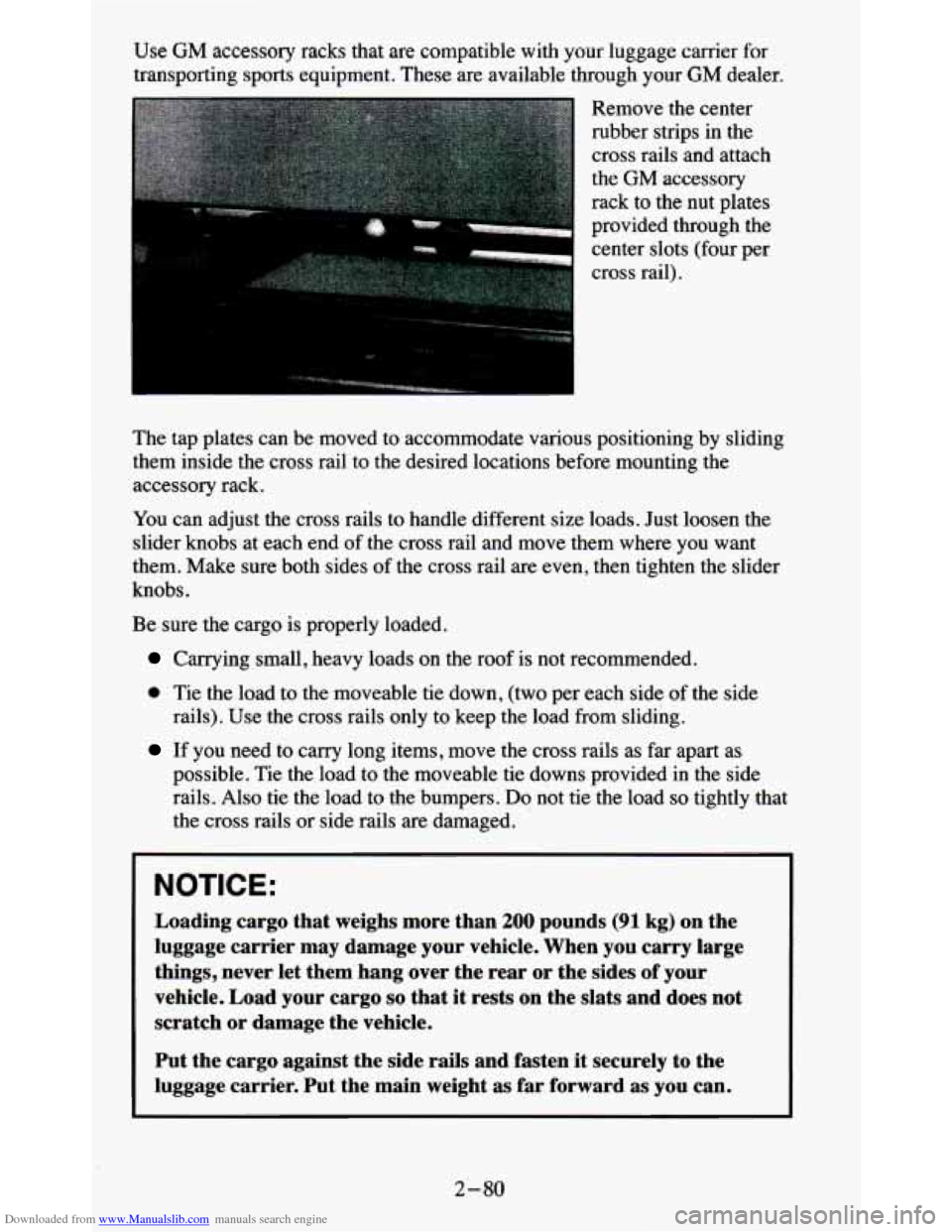
Remove the center
rubber strips
in the
cross rails and attach
the
GM accessory
rack to the nut plates
provided through the center slots (four per
cross rail).
The tap plates can be moved to accommodate various positioning by sliding
them inside the cross rail to the desired locations before mou\
nting the
accessory rack.
You can adjust the cross rails to handle different size loads. Just loosen the
slider knobs at each end of the cross rail and move them where you want
them. Make sure both sides of the cross rail are even, then tighten the slider
knobs.
Be sure the cargo is properly loaded.
Carrying small, heavy loads on the roof is not recommended.
0 Tie the load to the moveable tie down, (two per each side of the side
rails). Use the cross rails only to keep the load from sliding.
If you need to carry long items, move the cross rails as far apart as
possible. Tie the load to the moveable
tie downs provided in the side
rails. Also tie the load to the bumpers.
Do not tie the load so tightly that
the cross rails or side rails are damaged.
NOTICE:
Loading cargo that weighs more than 200 pounds (91 kg) on the
luggage carrier may damage your vehicle. When you carry large
things, never let them hang over the rear or the sides of your
vehicle. Load your cargo
so that it rests on the slats and does not
scratch
or damage the vehicle.
Put the cargo against the side rails and fasten it securely to the
luggage carrier. Put the main weight as far forward as you can.
2-80
Page 133 of 380
Downloaded from www.Manualslib.com manuals search engine Don’t exceed the maximum vehicle capacity when loading your vehicle. For
more information on vehicle capacity and loading,
see “Loading Your
Vehicle’’ in the Index.
To prevent damage or loss of cargo as you’re driving, check
now and then to
make sure the luggage carrier and cargo are still securely fastened.
Trailer Wiring Harness
Your vehicle will have a 5-wire and may have a 7-wire harness.
The light duty trailer wiring is a 5-wire harness assembly taped and bundled
at the left corner
of the vehicle. The harness has no connector, and you
should have
a qualified service person wire your harness for you.
The heavy duty trailer wiring is
a 7-wire harness assembly. It is stored
under the vehicle, along the passenger-side frame crossmember on
two-door vehicles and on the driver-side corner frame crossmember on
four-door vehicles. It has a 30-amp feed wire with an inline fuse located by
the junction block. See “Fuses and Circuit Breakers” in
the Index.
Both the 5-wire harness and the 7-wire harness have no connector and
should be wired by a qualified service person. Attach the harness to the
trailer, then tape or strap
it to your vehicle’s frame rail. Be sure you leave it
loose enough
so the wiring doesn’t bend or break, but not so loose that it
drags on the ground.
Store the harness
in its original place. Wrap the harness together and tie it
neatly
so it won’t be damaged.
2-81
Page 150 of 380
Downloaded from www.Manualslib.com manuals search engine Anti-Theft Feature
Delco LOC II@ is an Anti-Theft feature for the compact disc player. It can
be
used or ignored. If ignored, the system plays normally. If it is used, your
player won’t be usable
if it is ever stolen, because it won’t turn on.
The instructions below tell you how to enter a secret code into the system. If
your car loses battery power for any reason, you must unlock the system
with the secret code before the radio will turn
on.
To Lock The System:
1. Write down any 6 digit number and keep it in a safe place.
2. Turn the ignition to the ACC (Accessory) or RUN position.
3. Press the PWR knob to turn the radio off.
4. Press the 1 and 4 buttons together. Hold them down until “- - - ” shows
on the display.
You are now ready to enter your secret code. Don’t wait more than
15
seconds between steps.
5. Press SET and “000” will appear on the display.
6. Press the SEEK or 4 button to make the first number appear.
7. Press SCAN to make the next two numbers agree with your code.
8. Press BAND and “000” will appear again. Now you are ready to enter
9. Repeat steps 6 and 7 for the last three digits of your code.
the
last three digits of your code.
10. Press BAND and “rEF”’ will appear for 5 seconds and then “000” will
11. Repeat steps 6 through 10. This time “SEC” will appear - indicating
appear.
that the radio is
secure.
To Unlock The System After A Power Loss
When battery power is reapplied to a secured radio, the radio won’t turn on
and
“LOC” will appear,on the display.
Enter your secret code as follows. Pause
no more than 15 seconds between
steps.
1. Turn the ignition on. (Radio off.)
2. Press the SET button. The display will show “000”.
3. Enter the six digits of the code following steps 6-9 above. The display
will show the numbers as entered.
3-16
Page 151 of 380
Downloaded from www.Manualslib.com manuals search engine 4. Press the BAND knob and the time appears - indicating that the
disabling sequence was successful.
If the display indicates “SEC”, the
numbers did not match and the unit is still secured.
Disabling The Theft System
1. Press presets 1 and 4 for 5 seconds with ignition on and radio off. The
display will
show “SEC”, indicating the unit is in the secure mode.
2. Press the SET button. The display will show “000”.
3. Enter the first three digits of the code following steps 6 and 7 of the
preceding paragraphs (To Lock the System). The display will show the
numbers as entered.
4. Press the BAND knob. The radio will display “000”.
5. Enter the second three digits of the code. The display will show the
numbers as entered.
6. Press the BAND knob. If the display shows “- - - ”, the disabling
sequence was successful. The numbers matched the user-selected code
or the factory back-up code, and the unit is in the UNSECURED
mode. If the display shows “SEC”, the disabling sequence was
unsuccessful and the numbers did not match either of the codes and the
unit will remain in the SECURED mode.
Understanding Radio Reception
FM stereo will give you the best sound. But FM signals will reach only
about
10 to 40 miles (16 to 65 km). And, tall buildings or hills can interfere
with
FM signals, causing the sound to come and go.
The range for most AM stations is greater than for
FM, especially at night.
The longer range, however, can cause stations to interfere with each other.
AM can pick up noise from things like storms and power lines.
Try reducing
the treble
to reduce this noise if you ever get it.
AM Stereo means the Delco@ system can receive C-QUAM@stereo
broadcasts. Many AM stations around the count use C-QUAM@ to
produce stereo, though some do not. (C-QUAM
2 is a registered trademark
of Motorola, Inc.)
If your DelcoB system can get C-QUAM@, your
“STEREO” light will come on when you’re receiving it.
Be aware that hearing damage from loud noise is almost undetectable until
it is too late. Your hearing can adapt to higher volumes of sound. Sound that
seems normal can be loud and harmful to your hearing. Take precautions by
adjusting the volume control on your radio to a safe sound level before your
hearing adapts to it.
3-17
Page 167 of 380
Downloaded from www.Manualslib.com manuals search engine Loading Your Vehicle for Off-Road Driving
There are some important things to remember about how to load your
vehicle.
0 The heaviest things should be on the load floor and forward of your
rear axle. Put heavier items as far forward as you can.
doesn’t toss things around.
Be sure the load is secured properly, so driving on the off-road terrain
You’ll find other important information in this manual. See “Vehicle
Loading,’’ “Luggage Carrier” and “Tires” in the Index.
Traveling to Remote Areas
It makes sense to plan your trip, especially when going to a remote area.
Know the terrain and plan your route. You are much less likely to get bad
surprises. Get accurate maps of trails and terrain. Try to learn of any
blocked
or closed roads.
It’s also a good idea to travel with at least one other vehicle.
If something
happens to one
of them, the other can help quickly.
Does your vehicle have a winch?
If so, be sure to read the winch
instructions. In
a remote area, a winch can be handy if you get stuck. But
you’ll want to know how
to use it properly.
4- 13
Page 186 of 380
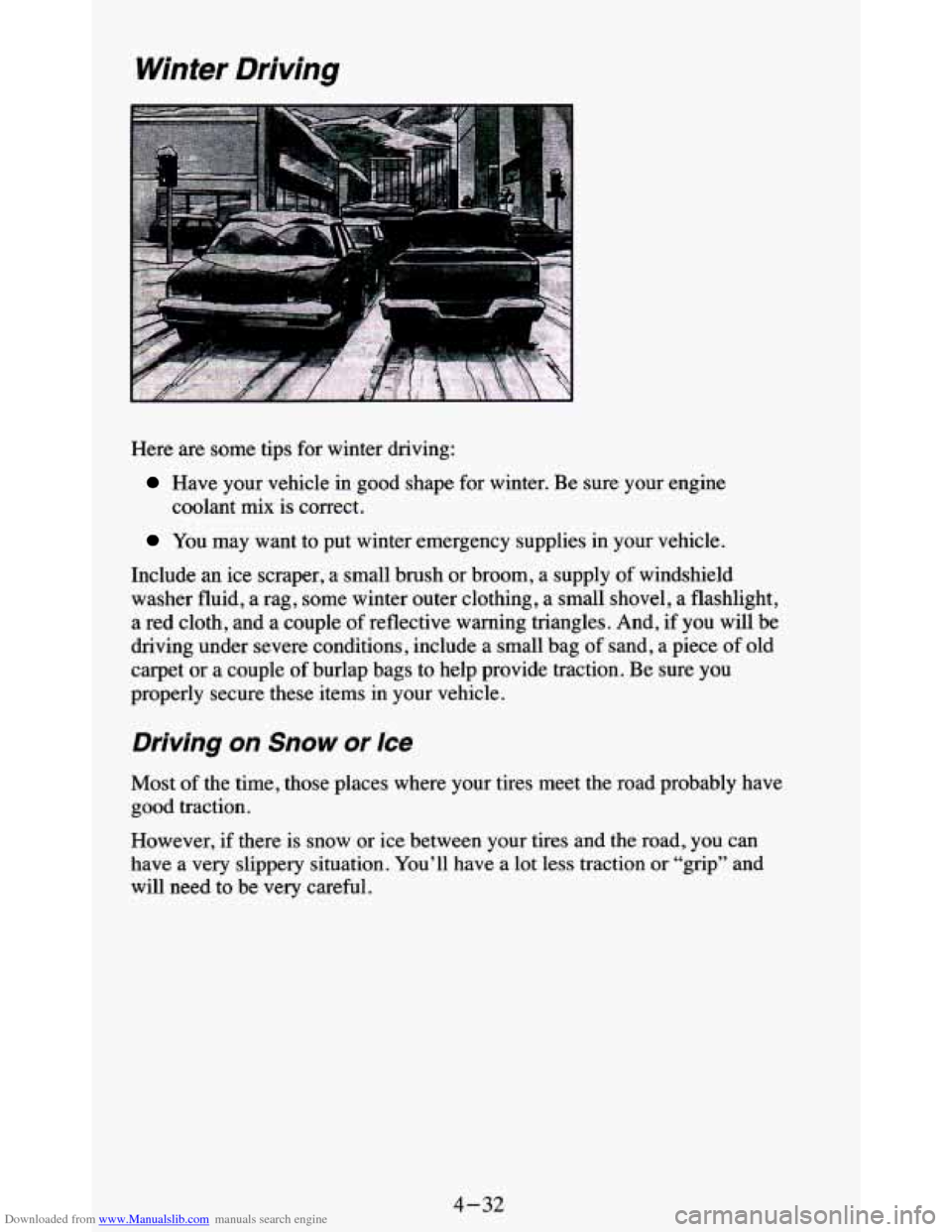
Downloaded from www.Manualslib.com manuals search engine Winter Driving
Here are some tips for winter driving:
Have your vehicle in good shape for winter. Be sure your engine
coolant mix is correct.
You may want to put winter emergency supplies in your vehicle.
Include an ice scraper, a small brush or broom, a supply of windshield
washer fluid, a rag, some winter outer clothing, a small shovel,
a flashlight,
a red cloth, and a couple of reflective warning triangles. And,
if you will be
driving under severe conditions, include a small bag
of sand, a piece of old
carpet or a couple
of burlap bags to help provide traction. Be sure you
properly secure these items in your vehicle.
Driving on Snow or Ice
Most of the time, those places where your tires meet the road probably have
good traction.
However, if there is snow or ice between your tires and the road,
you can
have a very slippery situation. You’ll have a lot less traction or “grip” and
will need to be very careful.
4-32
Page 198 of 380

Downloaded from www.Manualslib.com manuals search engine Driving with a Trailer
lowing a trailer requires a certain amount of experience. Before setting \
out
for the open road, you’ll want to get to know your rig. Acquaint yourself
with the feel of handling and braking with the added weight of the trailer. \
And always keep in mind that the vehicle you are driving is now a good
deal longer and not nearly as responsive as your vehicle is by itself.
Before you start, check the trailer hitch and platform (and attachments),
safety chains, electrical connector, lights, tires and mirror adjustment. If the
trailer has electric brakes, start your vehicle and trailer moving and then\
apply the trailer brake controller by hand to be sure the brakes are working.
This lets you check your electrical connection at the same time.
During your
trip, check occasionally to be sure that the load is secure, and
that the lights and any trailer brakes are still working.
Following Distance
Stay at least twice as far behind the vehicle ahead as you would when
driving your vehicle without
a trailer. This can help you avoid situations that
require heavy braking and sudden turns.
4-44