ECU CHEVROLET BLAZER 1996 2.G User Guide
[x] Cancel search | Manufacturer: CHEVROLET, Model Year: 1996, Model line: BLAZER, Model: CHEVROLET BLAZER 1996 2.GPages: 392, PDF Size: 20.35 MB
Page 67 of 392
Downloaded from www.Manualslib.com manuals search engine Remote Endgate Release
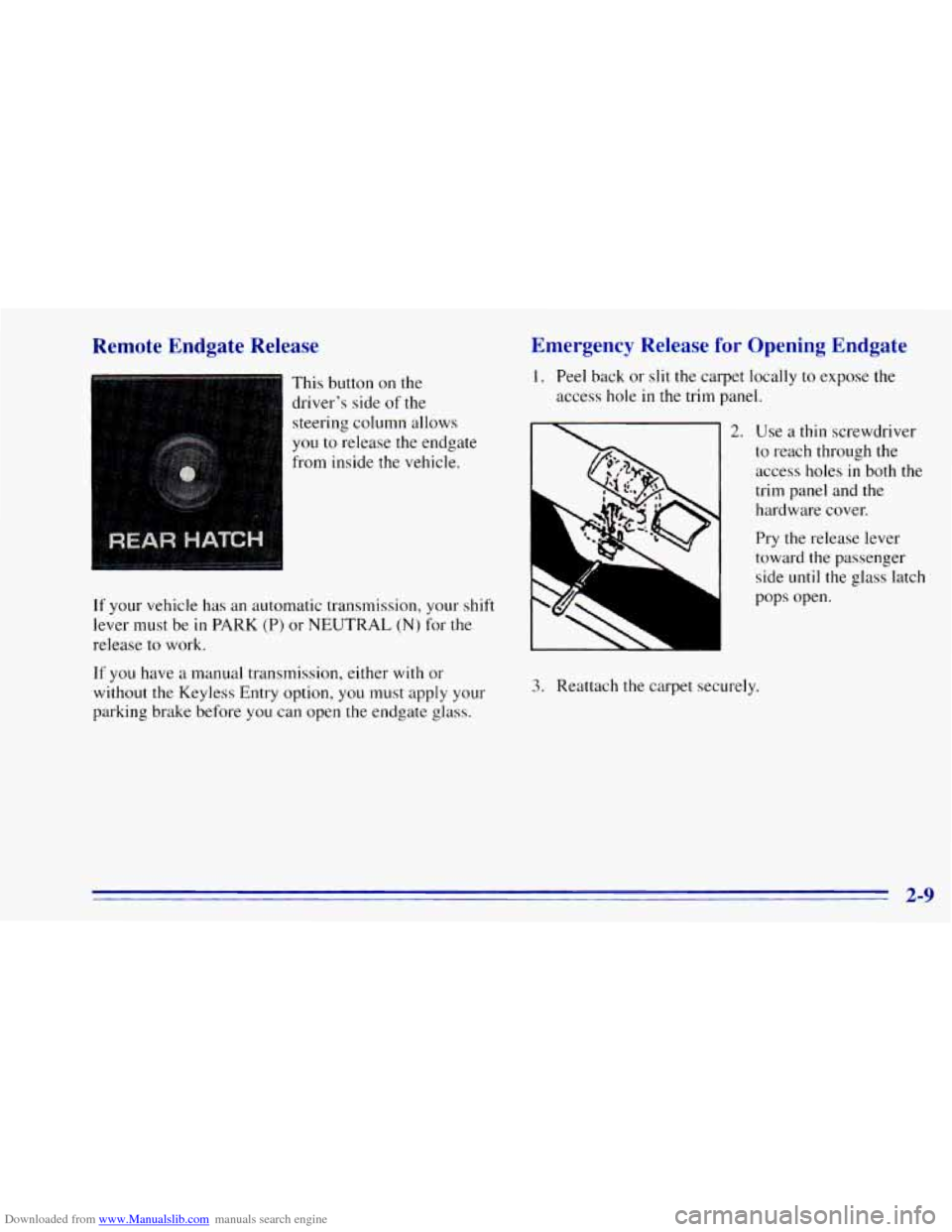
This button on the
driver’s side of
the
steering column allows
you to release the endgate
from inside the vehicle.
If your vehicle has an automatic transmission, your shift
lever must be
in PARK (P) or NEUTRAL (N) for the
release to work.
If you have a manual transmission, either with or
without the Keyless Entry option, you must apply your
parking brake before you can open
the endgate glass.
Emergency Release for Opening Endgate
1. Peel back or slit the carpet locally to expose the
access hole
in the trim panel.
2. Use a thin screwdriver
to reach through the
access holes
in both the
trim panel and
the
hardware cover.
Pry the release lever
toward the passenger
side
until the glass latch
L
PSJ
pops open.
3. Reattach the carpet securely.
2-9
Page 113 of 392
Downloaded from www.Manualslib.com manuals search engine Roll-Up Cargo Cover (Option)
If you have the optional cargo cover, you can use it to
cover items in the cargo area
of your vehicle.
Grasp the handle and unroll the cover. Latch the posts
into the sockets on the inside trim panel on
the
passenger’s side of the vehicle to secure it.
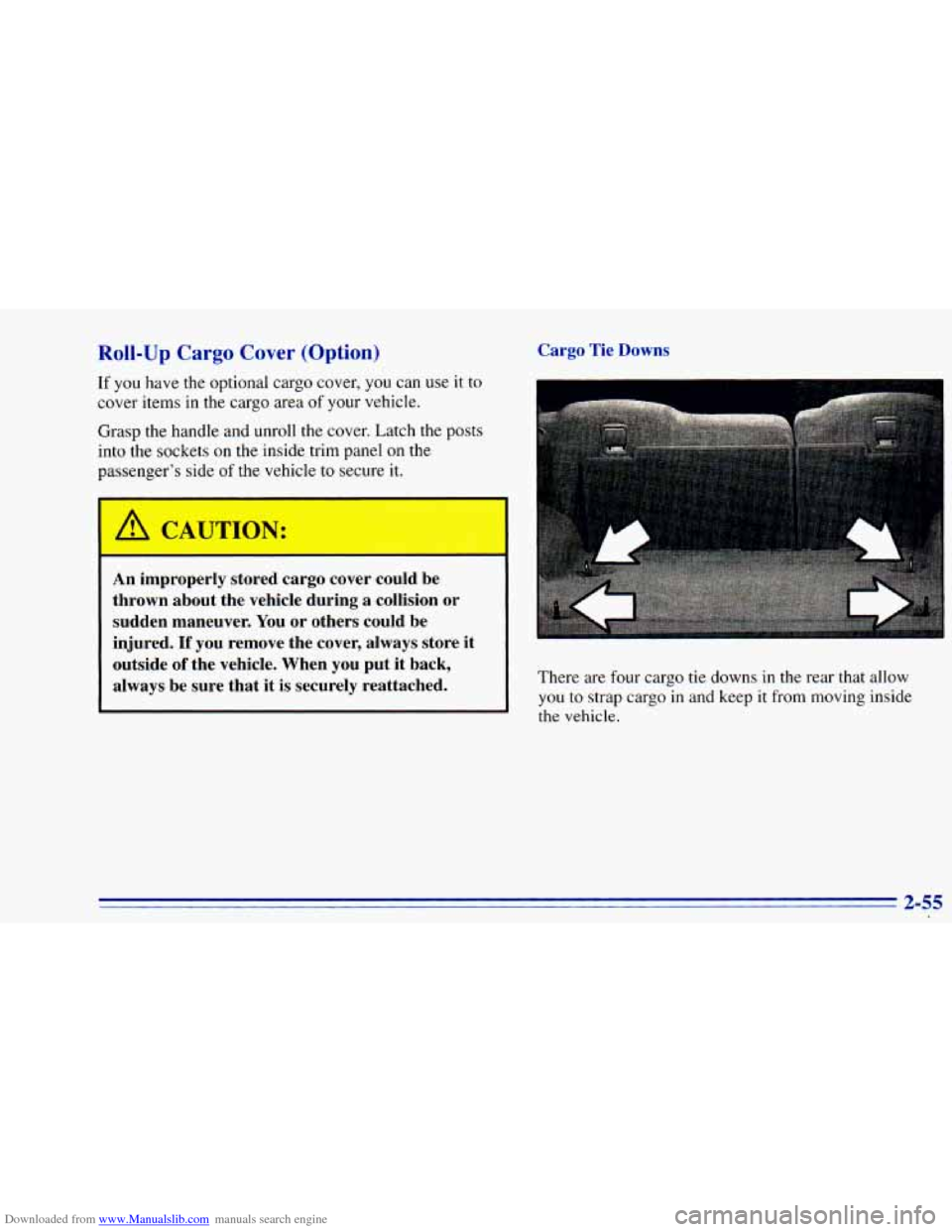
Cargo Tie Downs
A CAUTION:
I
An improperly stoJ cargo cover could be
thrown about the vehicle during a collision or
sudden maneuver. You
or others could be
injured.
If you remove the cover, always store it
outside
of the vehicle. When you put it back,
always be sure that it
is securely reattached. There are four cargo tie downs in the rear that allow
you to strap cargo
in and keep it from moving inside
the vehicle.
Page 114 of 392
Downloaded from www.Manualslib.com manuals search engine L --
vehicle that is longer or wider than the luggage
carrier
-- like paneling, plywood, a mattress, and
so forth -- the wind can catch it as you drive
along. This can cause you to lose control. What
you are carrying could be violently torn
off, and
this could cause you or other drivers to have a
collision, and
of course damage your vehicle. You
may be able to carry something like this inside.
But, never carry something longer or wider than
your luggage carrier on top
of your vehicle.
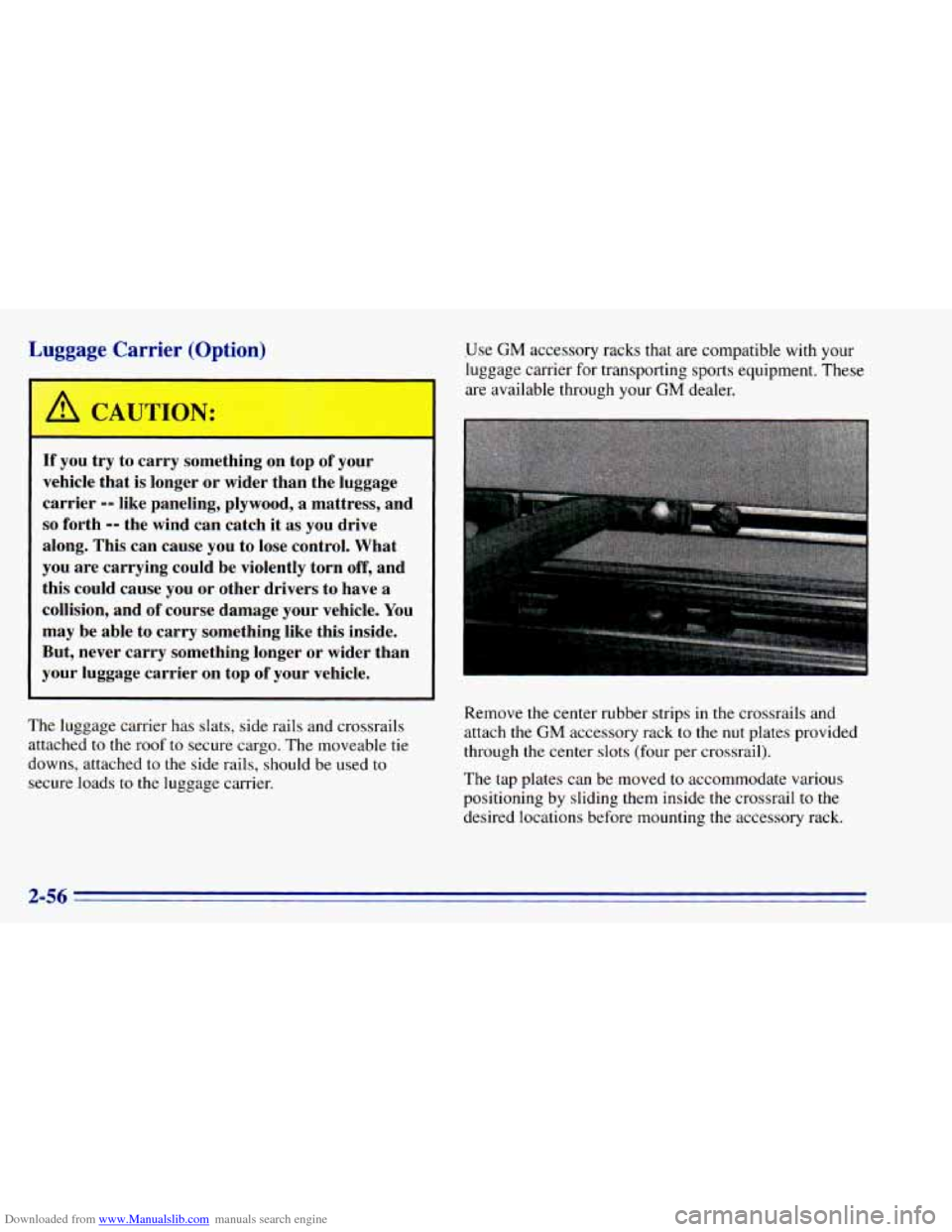
The luggage carrier has slats, side rails and crossrails
attached
to the roof to secure cargo, The moveable tie
downs, attached to
the side rails, should be used to
secure loads to the luggage carrier. Use
GM accessory racks that
are compatible with your
luggage carrier for transporting
sports equipment. These
are available through your GM dealer.
Remove
the center rubber strips in the crossrails and
attach
the GM accessory rack to the nut plates provided
through the center slots (four per crossrail).
The tap plates can be moved to accommodate various
positioning by sliding them inside the crossrail to
the
desired locations before mounting the accessory rack.
Page 115 of 392
Downloaded from www.Manualslib.com manuals search engine You can adjust the crossrails to handle different size
loads. Just loosen the slider knobs at each end of the
crossrail and move them where you want them. Make
sure both sides of the crossrail are even, then tighten the
slider knobs.
Be sure the cargo is properly loaded. Follow
these guidelines:
0 Carrying small, heavy loads on the roof is not
recommended.
0 Tie the load to the moveable tie down (two per each
side
of the side rails). Use the crossrails only to keep
the load from sliding.
If you need to carry long items, move the crossrails
as far apart as possible. Tie the load
to the moveable
tie downs provided in the side rails. Also tie the load
to the bumpers.
Do not tie the load so tightly that the
crossrails or side rails are damaged.
NOTICE:
Loading cargo that weighs more than 200 lbs.
(91 kg) on the luggage carrier may damage your
vehicle. When you carry large things, never let
them hang over the rear
or the sides of your
vehicle. Load your cargo
so that it rests on the
slats and does not scratch or damage the vehicle.
Put the cargo against the side rails and fasten it
, securely to the luggage carrier. Put the main
I weight as far forward as you can.
Don’t exceed the maximum vehicle capacity when loading your vehicle. For more information on vehicle capacity
and loading, see “Loading Your Vehicle’’ in the Index.
To prevent damage or loss of cargo as you’re driving,
check now and then to make sure the luggage carrier and
cargo are still securely fastened.
2-57
Page 149 of 392
Downloaded from www.Manualslib.com manuals search engine Locking the Theft System Unlocking the Theft System After a Power Loss
Enter your secret code as follows: pause no more than
15 seconds between steps:
1. Turn the ignition on with the radio off.
2. Press SET and 000 will appear on the display.
3. Press SCAN to make the first digit appear.
4. Press SEEK right arrow or SEEK left arrow to make
the next two digits agree with your code.
5. Press BAND and 000 will appear on the display
again. Now
you are ready to enter the last three
digits
of your code.
6. Repeat Steps 3 and 4 for the last three digits of
your code.
'7. Press BAND after you have confirmed that the code
matches the secret code you have written down. The
time
will be displayed indicating that the system is
disabled.
If the display shows SEC, the numbers
entered did
not match your secret code and the unit
is still secured.
When battery power is given
to a secured radio, the
radio won't
turn on and LOC will appear on the display.
1.
2.
3.
4.
5.
6.
7.
8,
9.
10,
-.I 1.
Write down any six-digit number and keep it in a
safe place separate from the vehicle.
Turn the ignition to the ACCESSORY or
RUN position.
Press POWER
to turn the radio off.
Press the 1 and 4 buttons together. Hold them down
until
--- shows on the display. Next you will use the
secret code number which
you have written down.
Press SET and
000 will appear on the display.
Press SCAN to make
the first digit appear.
Press SEEK right arrow or SEEK left arrow to
make the next two digits agree with your code.
Press BAND and
000 will appear on the display
again. Now
you are ready to enter the last three
digits of your code.
Repeat Steps
6 and 7 for the last three digits of
your code.
Press BAND and
the display will show REP for about
five seconds and then 000 will appear on the display.
Repeat Steps
6 through 10. This time the display will
show SEC to let you know that your radio
is secure.
3-15
Page 150 of 392
Downloaded from www.Manualslib.com manuals search engine Disabling the Theft System
1. Press the 1 and 4 buttons together for five seconds
with
the ignition on but the radio off. SEC will
appear
on the display to show that the unit is in the
secure mode.
2. Press SET and 000 will appear on the display.
3. Press SCAN to make the first digit appear.
4. Press SEEK right arrow or SEEK left arrow to make
the next two digits agree with your code. The display
will show the numbers
you entered.
5. Press BAND and 000 will appear on the display.
6. Enter the second three digits of the code. The display
will show the numbers
you entered.
7. Press BAND. The disabling sequence was correct
if
--_ shows on the display. The disabling sequence
was incorrect
if SEC shows on the display.
Understanding Radio Reception
FM Stereo
FM stereo will give you the best sound. But FM signals
will reach only about
10 to 40 miles (16 to 65 km). Tall
buildings or hills can interfere with
FM signals, causing
the sound to come and go.
AM
The range for most AM stations is greater than for FM,
especially at night. The longer range, however, can
cause stations to interfere with each other. AM can pick
up noise from things like storms and power lines. Try
reducing
the treble to reduce this noise if you ever get it.
3-16
Page 169 of 392
Downloaded from www.Manualslib.com manuals search engine Before You Go Off-Roading
There are some things to do before you go out. For
example, be sure
to have all necessary maintenance and
service work done. Check to make sure all underbody
shields (if
so equipped) are properly attached. Be sure
you read
all the information about your four-wheel-drive
vehicle
in this manual. Is there enough fuel? Is the spare
tire
fully inflated? Are the fluid levels up where they
should be? What are the local laws that apply to
off-roading where you’ll be driving? If you don’t know,
you should check with law enforcement people
in the
area. Will you be
on someone’s private land? If so, be
sure to get the necessary permission.
Loading Your Vehicle for Off-Road Driving
There are some important things to remember about
how to load your vehicle.
0 The heaviest things should be on the load floor and
forward of your rear axle. Put heavier items as far
forward as you can.
Be sure the load is secured properly, so driving on
the off-road terrain doesn’t toss things around.
A CAUTION:
0 Cargo on the load floor piled higher than
the seatbacks can be thrown forward
during a sudden stop. You or your
passengers could be injured. Keep cargo
below the top of the seatbacks.
Unsecured cargo on the load floor can
be tossed about when driving over rough
terrain. You or your passengers can
be struck by flying objects. Secure the
cargo properly,
Heavy loads on the roof raise the vehicle’s
center of gravity, making it more likely to
roll over. You can be seriously
or fatally
injured if the vehicle rolls over, Put heavy
loads inside the cargo area, not on the roof,
Keep cargo in the cargo area as far forward
and low as possible.
You’ll find other important information in
this manual.
See “Vehicle Loading,” “Luggage Carrier” and “Tires”
in the Index.
I
4-15
Page 194 of 392
Downloaded from www.Manualslib.com manuals search engine Include an ice scraper, a small brush or broom, a supply
of windshield washer fluid, a rag, some winter outer
clothing, a
small shovel, a flashlight, a red cloth and a
couple
of reflective warning triangles. And, if you will
be driving under severe conditions, include a small bag
of sand,
a piece of old carpet or a couple of burlap bags
to help provide traction. Be sure
you properly secure
these items in your vehicle.
Driving on Snow or Ice
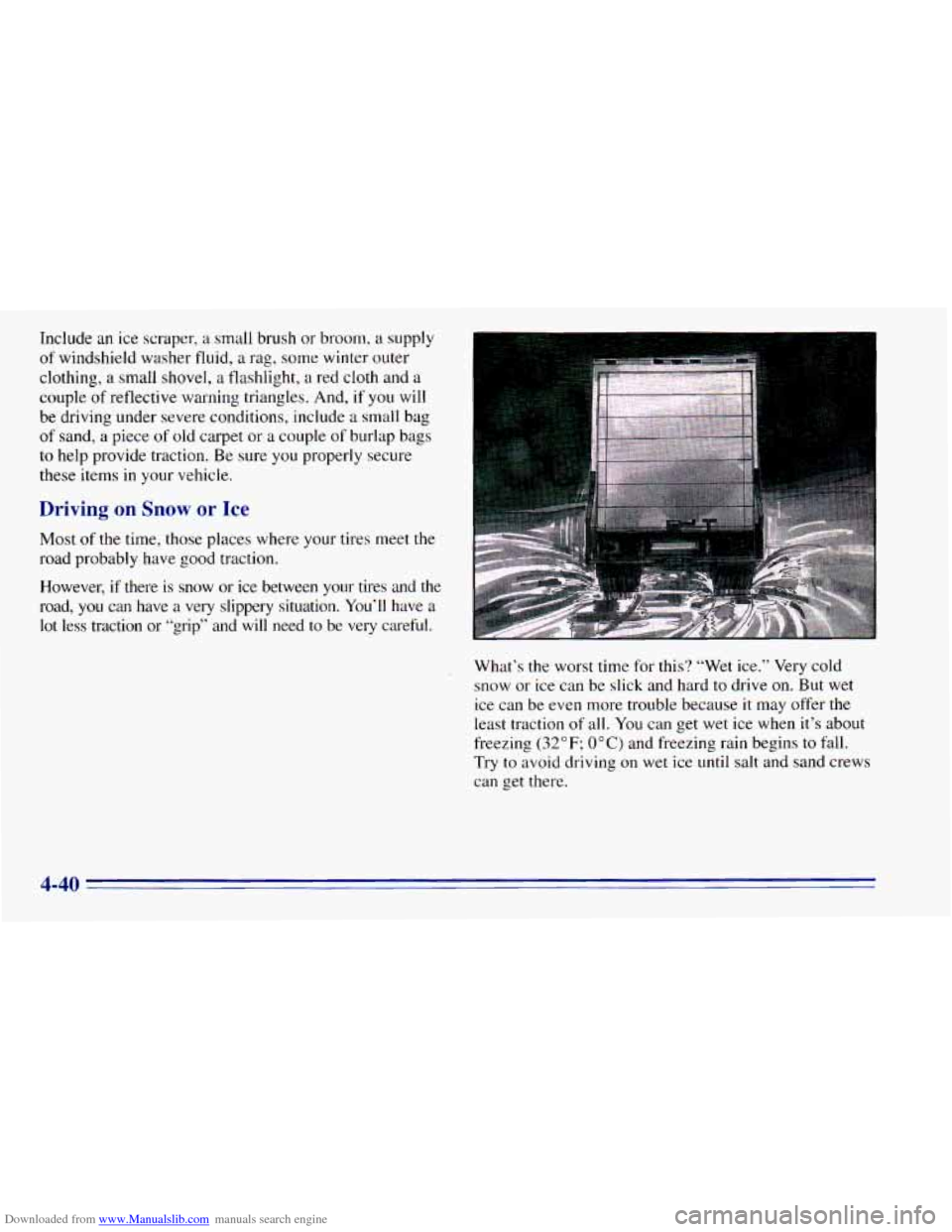
Most of the time, those places where your tires meet the
road probably have good traction.
However, if there is snow or ice between your tires and the
road,
you can have a very slippery situation. You’ll have a
lot less traction or “grip” and will need to be very careful.
What’s the worst
time for this? “Wet ice.” Very cold
snow or ice can be slick and hard to drive on. But wet
ice can be even more trouble because
it may offer the
least traction of all. You can get wet ice when it’s about
freezing
(32°F; OOC) and freezing rain begins to fall.
Try
to avoid driving on wet ice until salt and sand crews
can get there.
4-40
Page 199 of 392
Downloaded from www.Manualslib.com manuals search engine A CAUTION:
= 1
Do not load your vehicle any heavier than the
GVWR, or either the maximum front or rear
GAWR.
If you do, parts on your vehicle can break,
or it can change the
way your vehicle handles.
These could cause you to lose control.
Also,
overloading can shorten the life of your vehicle.
Using heavier suspension components to get added
durability might not change your weight ratings. Ask
your dealer to help you load your vehicle the right way.
NOTICE:
Your warranty does not cover parts or
components that fail because of overloading.
~~
If you put things inside your vehicle -- like suitcases,
tools, packages, or anything else -- they will go as fast
as the vehicle goes. If you have to stop or turn quickly,
or if there
is a crash, they’ll keep going.
A CAUTION: ..,
Things you put inside your vehicle can strike
and injure people in
a sudden stop or turn, or
in a crash.
Put things in the cargo area of your vehicle.
0 Never stack heavier things, like suitcases,
Try to spread the weight evenly.
inside the vehicle
so that some of them are
above the tops
of the seats.
0 Don’t leave an unsecured child restraint in
your vehicle.
0 When you carry something inside the
vehicle, secure it whenever you can.
0 Don’t leave a seat folded down unless you
need to.
There’s also important loading information for off-road
driving
in this manual. See “Loading Your Vehicle” in
the Index.
4-45
Page 206 of 392
Downloaded from www.Manualslib.com manuals search engine Towing a trailer requires a certain amount of experience.
Before setting out for
the open road, you’ll want to get
to know your rig. Acquaint yourself with the
feel of
handling and braking with the added weight of the
trailer. And always keep in mind that the vehicle you are
driving is now a good deal longer and
not nearly as
responsive as your
vehicle is by itself.
Before
you start, check the trailer hitch and platform
(and attachments), safety chains, electrical connector,
lamps, tires and mirror adjustment. If the trailer has
electric brakes, start your vehicle and trailer moving and
then apply the trailer brake controller by hand to be sure
the brakes are working. This lets
you check your
electrical connection at the same time.
During your trip, check occasionally
to be sure that the
load is secure, and that the lamps and any trailer brakes
are still working.
Following Distance
Stay at least twice as far behind the vehicle ahead as you
would when driving your vehicle without a trailer. This
can help
you avoid situations that require heavy braking
and sudden turns.
Passing
You’ll need more passing distance up ahead when
you’re towing
a trailer. And, because you’re a good deal
longer, you’ll need to go much farther beyond the
passed vehicle before you can return
to your lane.
Backing Up
Hold the bottom of the steering wheel with one hand.
Then, to move the trailer
to the left, just move that hand
to the left. To move the trailer to the right, move your
hand
to the right. Always back up slowly and, if
possible, have someone guide
you.
4-52