automatic transmission CHEVROLET BLAZER 1996 2.G Owners Manual
[x] Cancel search | Manufacturer: CHEVROLET, Model Year: 1996, Model line: BLAZER, Model: CHEVROLET BLAZER 1996 2.GPages: 392, PDF Size: 20.35 MB
Page 4 of 392
Downloaded from www.Manualslib.com manuals search engine This information replaces the “Recreational Vehicle
Towing”
portion located in Section 4 in your
owner’s manual.
Recreational Vehicle Towing
(Four-wheel Drive with the Manual
Transfer Case
Only)
1. Set the parking brake fiily.
2. Place an automatic transmission in PARK (P) or a
manual transmission
in FIRST (1).
3. Firmly attach the vehicle being towed to the tow
vehicle.
Do not tow the vehicle by the rear bumper
bar. Refer to the hitch manufacturer’s instructions.
4. Place the manual shift transfer case shift lever in
NEUTRAL (N).
Shifting the transfer case into NEUTRAL (N) can
cause your vehicle to
roll even if the transmission
is in PARK (P), for an automatic transmission,
or if your vehicle is in gear, for a manual
transmission. You
or others could be injured.
Make
sure the parking brake is firmly set before
you
shift the transfer case into NEUTRAL (N).
5. Release the parking brake only after the vehicle
being towed is firmly attached to the tow vehicle.
6. Insert the ignition key into the ignition switch and
turn it one notch forward of the LOCK position. This
places the key in the
OFF position, which unlocks
the steering column while preventing battery drain.
Unlocking the steering column will allow
for proper
movement of the front wheelskires during towing.
2
Page 63 of 392
Downloaded from www.Manualslib.com manuals search engine Keyless Entry System (Option)
If your vehicle has this option, you can lock and unlock
your doors or unlock your rear endgate from up to
30 feet (9 m) away using the key chain transmitter
supplied with your vehicle.
Your Keyless Entry System operates
on a radio
frequency subject
to Federal Communications
Commission (FCC) Rules.
This device complies with Part 15 of the FCC Rules.
Operation is subject to
the following two conditions:
(1) This device may not cause harmful interference,
and
(2) This device must accept any interference
received, including interference that may cause
undesired operation.
Should interference to this system occur, try this:
Check to determine if battery replacement is
necessary. See the instructions on battery
replacement.
0 Check the distance. You may be too Far from your
vehicle. This product has
a maximum range.
0 Check the location. Other vehicles or objects may be
blocking the signal.
0 See your GM dealer or a qualified technician
for service.
Changes or modifications to this system by other than an
authorized service facility could void authorization to
use this equipment.
Operation
When you press UNLOCK, the driver’s door and
endgate
will unlock automatically. If you press
UNLOCK again within five seconds, all doors will
unlock. Press LOCK to lock all the doors.
Press the REAR button twice
within 3 1/2 seconds to
unlock and unlatch the endgate glass. If your vehicle has
an automatic transmission, the transmission must be
in
PARK (P) or NEUTRAL (N). If your vehicle has a
manual transmission, you must engage parking brake.
2-5
Page 67 of 392
Downloaded from www.Manualslib.com manuals search engine Remote Endgate Release
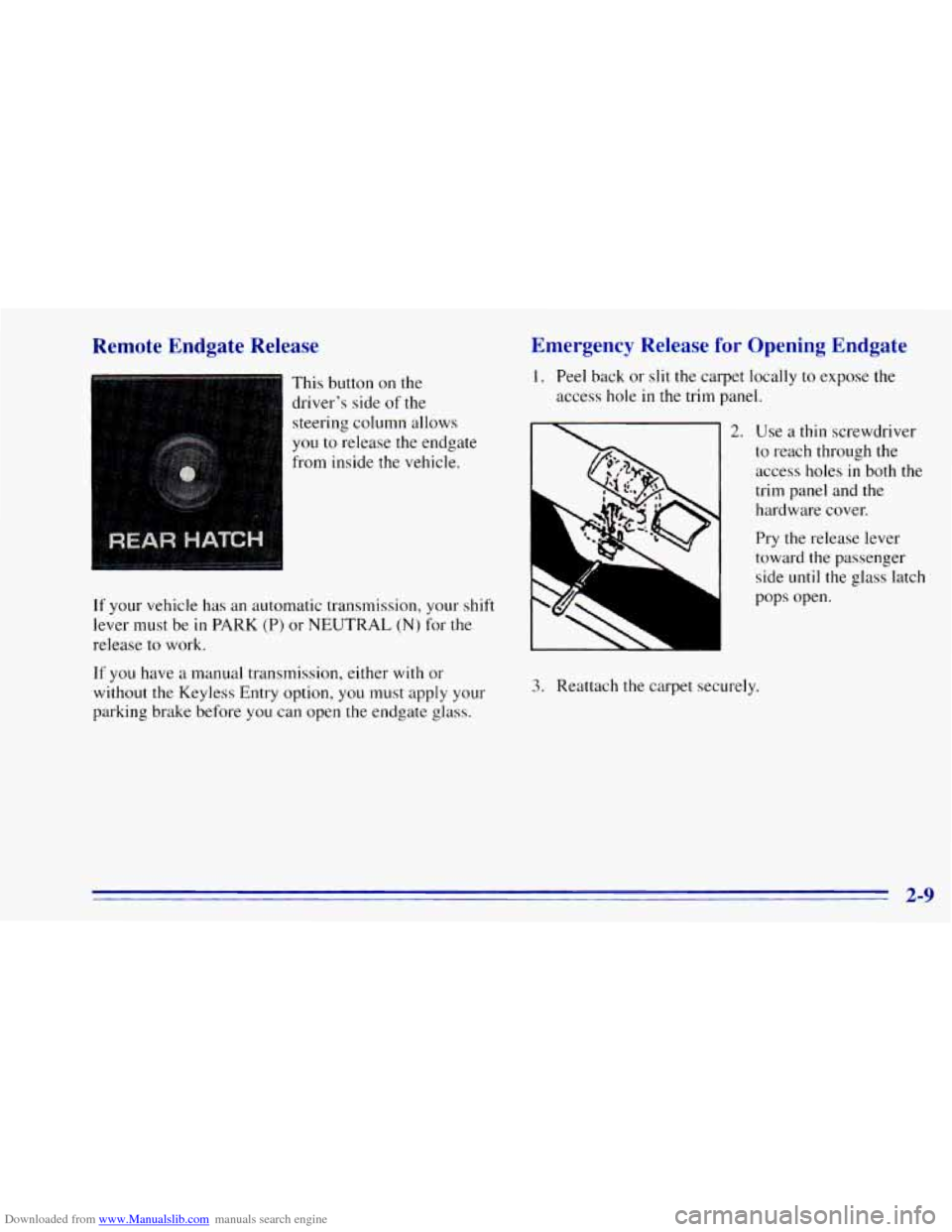
This button on the
driver’s side of
the
steering column allows
you to release the endgate
from inside the vehicle.
If your vehicle has an automatic transmission, your shift
lever must be
in PARK (P) or NEUTRAL (N) for the
release to work.
If you have a manual transmission, either with or
without the Keyless Entry option, you must apply your
parking brake before you can open
the endgate glass.
Emergency Release for Opening Endgate
1. Peel back or slit the carpet locally to expose the
access hole
in the trim panel.
2. Use a thin screwdriver
to reach through the
access holes
in both the
trim panel and
the
hardware cover.
Pry the release lever
toward the passenger
side
until the glass latch
L
PSJ
pops open.
3. Reattach the carpet securely.
2-9
Page 68 of 392
Downloaded from www.Manualslib.com manuals search engine Theft Parking at Night
Vehicle theft is big business, especially in some cities.
Although your vehicle has a number of theft-deterrent
features, we know that nothing we put
on it can make
it impossible
to steal. However, there are ways you
can help.
Key in the Ignition
If you leave your vehicle with the keys inside, it’s an
easy target for joy riders or professional thieves
-- so
don’t do it.
When you park your vehicle and open the driver’s door,
you’ll hear a tone reminding you to remove your key
from the ignition and take it with
you. Always do this.
Your steering wheel will be locked, and
so will your
ignition. If you have an automatic transmission, taking
your key
out also locks your transmission. And
remember to lock the doors. Park
in a
lighted spot, close all windows and lock your
vehicle. Remember
to keep your valuables out of sight.
Put them in a storage area, or take them with
you.
Parking Lots
If you park in a lot where someone will be watching
your vehicle, it’s best
to lock it up and take your keys.
But what
if you have to leave your ignition key? What if
you have
to leave something valuable in your vehicle?
Put your valuables in a storage area, like your
glove box.
0 Lock all the doors except the driver’s.
2-10
Page 71 of 392
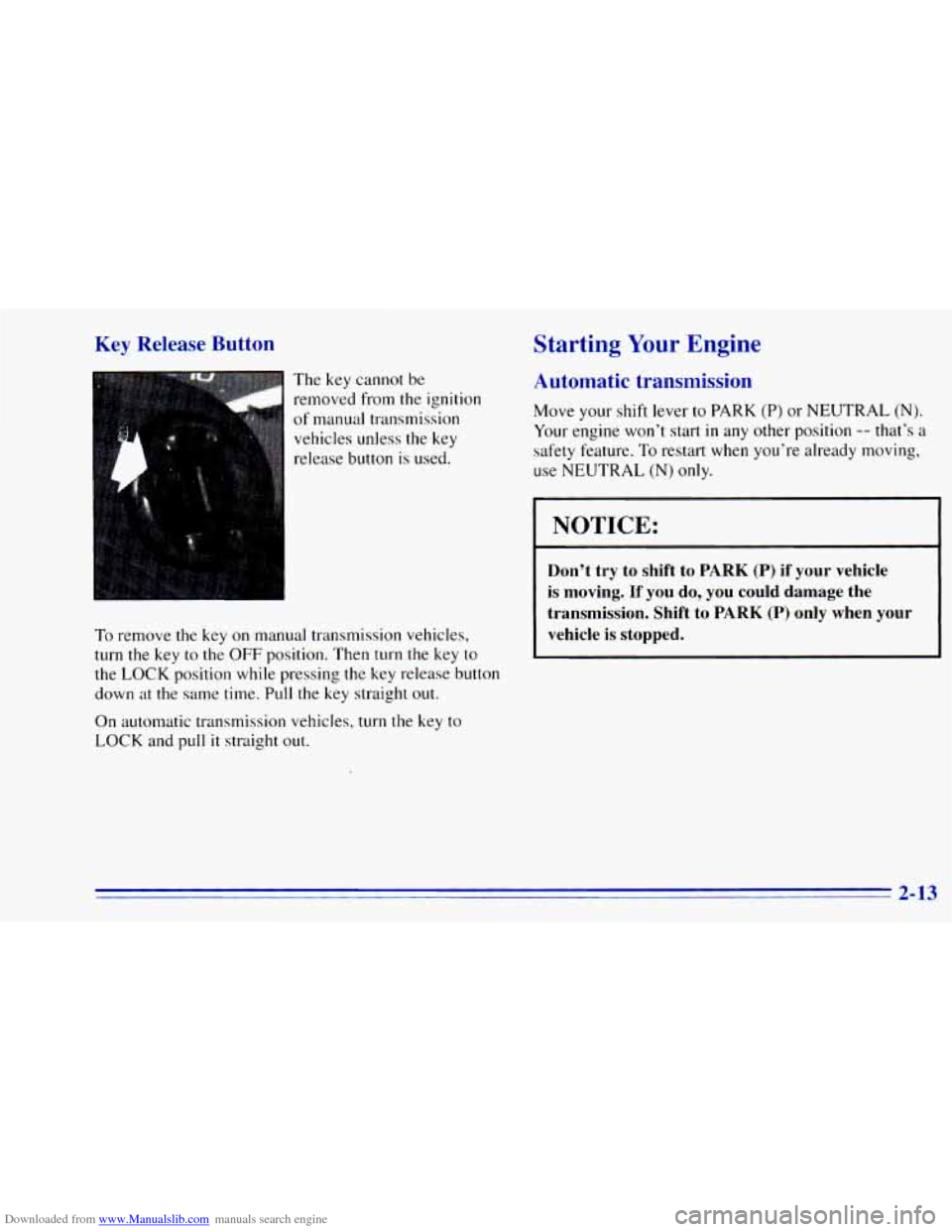
Downloaded from www.Manualslib.com manuals search engine Key Release Button
The key cannot be
removed from
the ignition
of manual transmission vehicles unless the key
release button
is used.
To remove the key on manual transmission vehicles,
turn the key to the OFF position. Then turn the key to
the LOCK position while pressing the key release button
down
at the same time. Pull the key straight out.
On automatic transmission vehicles, turn the key to
LOCK and pull
it straight out.
Starting Your Engine
Automatic transmission
Move your shift lever to PARK (P) or NEUTRAL (N).
Your engine won’t start in any other position -- that’s a
safety feature.
To restart when you’re already moving,
use NEUTRAL (N)
only.
I NOTICE: I
Don’t try to shift to PARK (P) if your vehicle
is moving. If you do, you could damage the
transmission. Shift to
PARK (P) only when your
vehicle
is stopped.
2-13
Page 74 of 392
Downloaded from www.Manualslib.com manuals search engine Automatic Transmission Operation
Your automatic transmission may have a shift lever
located
on the console between the seats or on the
steering column.
There are several different positions for your shift lever.
If your vehicle is equipped with a column shift lever,
it
features an electronic shift position indicator within
the instrument cluster. This display must be powered
anytime
the shift lever is capable of being moved out
of the PARK (P) position. This means that if your key is
in the
OFF position, but not locked, there will be a small
current drain
on your battery which could discharge
your battery over
a period of time. If you need to leave
your key
in the ignition in the OFF position for an
extended period, it is recommended that you disconnect
the battery cable from the battery
to prevent discharging
your battery.
PARK (P): This locks your rear wheels. It’s the best
position
to use when you start your engine because your
vehicle can’t move easily.
D
It is dangerous to get out of your vehicle if the
shift lever is not fully in
PARK (P) with the
parking brake firmly
set. Your vehicle can roll.
Don’t leave your vehicle when the engine is
running unless you have to. If you have left the
engine running, the vehicle can move suddenly.
You or others could be injured.
To be sure your
vehicle won’t move, even when you’re on fairly
level ground, always set your parking brake and
move the shift lever to
PARK (P).
If you have four-wheel drive, your vehicle will
be free to roll
-- even if your shift lever is in
PARK (P) -- if your transfer case is in
NEUTRAL (N). So, be sure the transfer case is
in
a drive gear, two-wheel high (2HI) or four-wheel
high (4HI) or four-wheel low
(4LO) -- not
in
NEUTRAL (N). See “Shifting Into PARK (P)”
in the Index. If you’re pulling a trailer, see “Towing a
’Ikailer” in the Index.
2-16
Page 76 of 392
Downloaded from www.Manualslib.com manuals search engine AUTOMATIC OVERDRIVE (0): This position is
for normal driving. If you need more power for passing,
and you’re:
Going less than about 35 mph (56 km/h), push your
accelerator pedal about halfway down.
Going about 35 mph (56 km/h) or more, push the
You’ll shift down to the next gear and have more power.
accelerator all the way
down.
AUTOMATIC OVERDRIVE
(0) should not be
used when towing a trailer, carrying a heavy load,
driving on steep hills, or for off-road driving. Select
DRIVE (D) when operating the vehicle under any of
these conditions.
DRIVE (D): This position is also used for normal
driving, however it offers more power and lower fuel
economy than AUTOMATIC OVERDRIVE
(GO). You
should use DRIVE (D) when towing a trailer, carrying a
heavy load, driving
on steep hills or winding roads or
for off-road driving.
SECOND (2): This position gives you more power but
lower fuel economy. You can use
SECOND (2) on hills.
It can help control your speed as you
go down steep
mountain roads, but then you would also want
to use
your brakes
off and on.
You can also use SECOND (2) for starting your vehicle
from a stop
on slippery road surfaces.
FIRST (1): This position gives you even more power
(but lower fuel economy) than SECOND
(2). You can
use
it on very steep hills, or in deep snow or mud. If the
selector lever is put in FIRST (1) while the vehicle is
moving forward, the transmission won’t shift into
FIRST
(1) until the vehicle is going slowly enough.
I NOTICE:
If your rear wheels can’t rotate, don’t try to
drive. This might happen if you were stuck in
very deep sand or mud or were up against a solid
object. You could damage your transmission.
Also, if you stop when going uphill, don’t hold
your vehicle there with only the accelerator pedal.
This could overheat and damage the transmission.
Use your brakes or shift into
PARK (P) to hold
your vehicle in position on a hill.
2-18
Page 79 of 392
Downloaded from www.Manualslib.com manuals search engine If you skip more than onc ,ear when you
downshift, you could lose control of your vehicle. And you could injure yourself or others. Don’t shift
down more than one gear when you downshift.
If your vehicle has four-wheel drive and is equipped
with a manual transmission, disregard the shift light
when the transfer case is in
4LO.
Locking Rear Axle
If you have this reature, your rear axle can give you
additional traction
on snow, mud, ice, sand or gravel. It
works like a standard axle most
of the time, but when
one of the rear wheels has no traction and the other does,
the locking feature will allow the wheel with traction to
move the vehicle.
All-Wheel Drive (Option)
If your vehicle has all-wheel drive, your engine’s
driving power is
sent to all four wheels for extra
traction. This
is like four-wheel drive, but there is no
lever or switch to engage or disengage the front
axle.
It is fully automatic and adjusts itself as needed for
road conditions.
Four-wheel Drive (Option)
If your vehicle has four-wheel drive, you can send your
engine’s driving power to all four wheels for extra
traction.
To shift out of two-wheel drive and into
four-wheel drive, move the transfer case shift lever
to
4HI or 4LO. You should use 2HI for most normal
driving conditions.
NOTICE:
Driving in the 4HI or 4LO positions for a long
time on dry or wet pavement could shorten the life of your vehicle’s drivetrain.
2-21
Page 82 of 392
Downloaded from www.Manualslib.com manuals search engine To shift into or out of 4LO:
1. The vehicle must be moving less than 3 mph
(4.8 kmrdh) with the transmission in NEUTRAL (N)
for an automatic transmission. For a manual
transmission, the clutch pedal must be engaged.
The preferred method for shifting into or
out of
4LO is to have your vehicle moving 1 to 2 mph
(1.6 to 3.2 kdh).
2. Press the transfer case shift button and shift in one
continuous motion.
Don’t pause
in N SET PARK BRAKE as you shift into
or out
of 4L0, or your gears could clash.
Remember that driving in
4HI or 4LO may reduce
fuel economy.
Also, driving in four-wheel drive on
dry.pavement could cause your tires to wear faster and
make your transfer case harder
to shift and reduce
powertrain longevity.
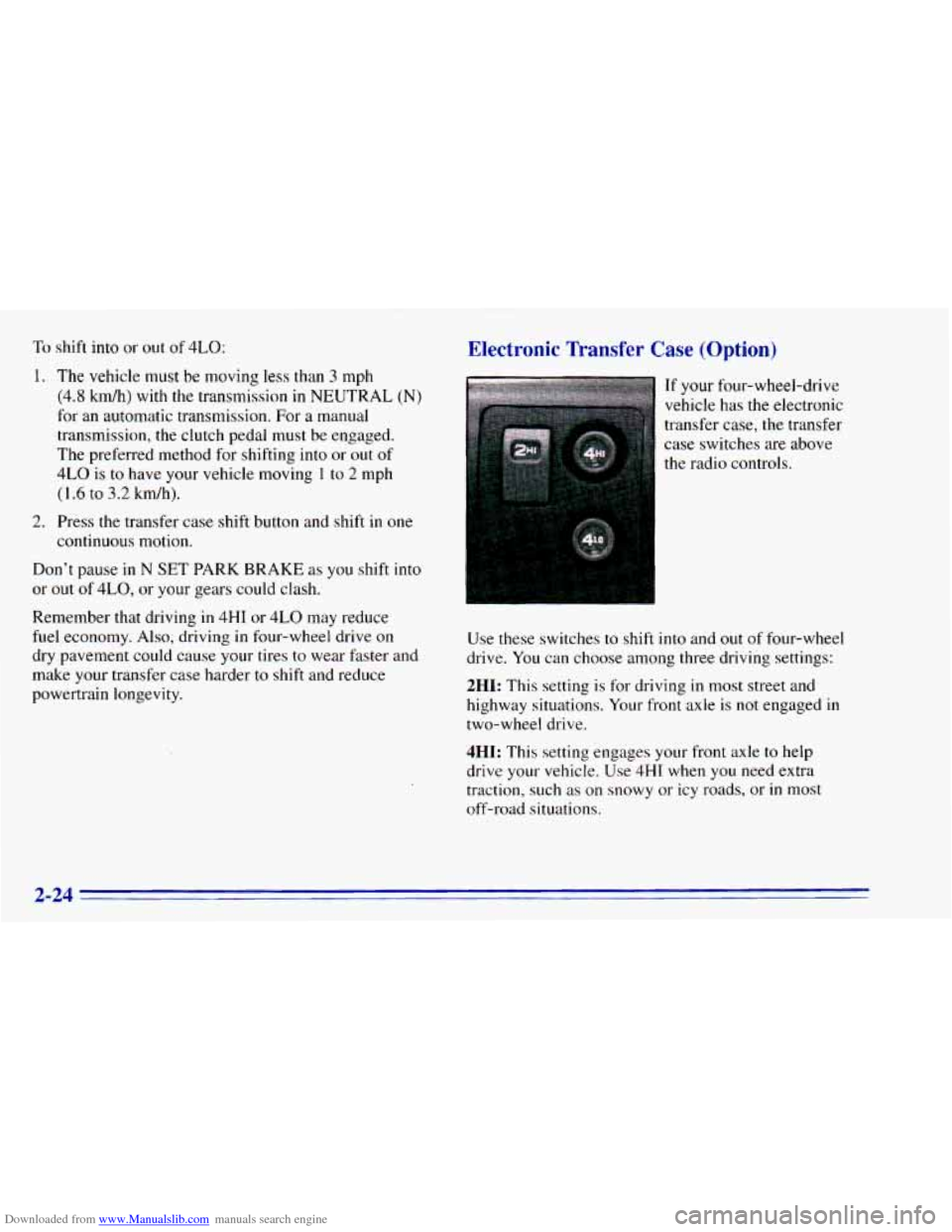
Electronic Transfer Case (Option)
If your four-wheel-drive
vehicle has the electronic
transfer case, the transfer
case switches are above
the radio controls.
Use these switches to shift into and out of four-wheel
drive. You can choose among three driving settings:
2HI: This setting is for driving in most street and
highway situations. Your front axle is
not engaged in
two-wheel drive.
4HI: This setting engages your front axle to help
drive your vehicle.
Use 4HI when you need extra
traction, such as on snowy or icy roads, or
in most
off-road situations.
2-24
Page 83 of 392
Downloaded from www.Manualslib.com manuals search engine 4LO: This setting also engages your front axle to give
you extra traction. You may never need 4LO. It sends
the maximum power to all four wheels. You might
choose 4LO
if you were driving off-road in sand, mud
or deep snow and climbing or descending steep hills.
Indicator lights
in the switches show you which setting
you are in. The indicator lights will come on briefly when
you turn
on the ignition and one will stay on. If the lights
do not come on, you should take your vehicle
in for
service. An indicator light will flash while shifting.
It will
remain illuminated when the shift is completed.
Shifting from 2HI to 4HI'
Press and release the 4HI switch. This can be done at
any speed, and the front axle will lock automatically.
Shifting from 4HI to 2HI
Press and release the 2HI switch. This can be done at
any speed, and the front axle will unlock automatically.
Shifting from 2HI or I1 to 4LO
To shift from tHI or 4HI to 4L0, the vehicle must be
stopped or moving less than
3 mph (4.8 km/h) with the
transmission
in NEUTRAL (N) in vehicles equipped with an
automatic transmission or the clutch pedal
engaged in vehicles equipped with a manual
transmission. The preferred method for shifting into
4LO is
to have your vehicle moving 1 to 2 mph
(1.6
to 3.2 km/h). Press and release the 4LO switch.
You must wait for the 4LO indicator light to stop
flashing and remain illuminated before shifting your
transmission
into gear or releasing the clutch pedal.
If the 4LO switch is pressed when your vehicle is in
gear and/or moving, the 4LO indicator light will flash
for
30 seconds and not complete the shift unless your
vehicle is moving slower than
3 mph (4.8 km/h) and
the transmission is in NEUTRAL (N) or the clutch
pedal engaged.
On automatic transmission equipped vehicles, if your
transfer case does not shift into 4L0, your transmission
indicator switch may require adjustment. With your
transmission
in NEUTRAL (N), press and release the
4LO switch. While the 4LO indicator light is flashing,
shift your transmission into PARK (P). Wait until the
4LO indicator light remains illuminated before shifting
your transmission
into gear. This will get you into 4L0,
but you should take your vehicle
in for service to restore
normal operation.
2-25