battery CHEVROLET BLAZER 1996 2.G Owners Manual
[x] Cancel search | Manufacturer: CHEVROLET, Model Year: 1996, Model line: BLAZER, Model: CHEVROLET BLAZER 1996 2.GPages: 392, PDF Size: 20.35 MB
Page 4 of 392
Downloaded from www.Manualslib.com manuals search engine This information replaces the “Recreational Vehicle
Towing”
portion located in Section 4 in your
owner’s manual.
Recreational Vehicle Towing
(Four-wheel Drive with the Manual
Transfer Case
Only)
1. Set the parking brake fiily.
2. Place an automatic transmission in PARK (P) or a
manual transmission
in FIRST (1).
3. Firmly attach the vehicle being towed to the tow
vehicle.
Do not tow the vehicle by the rear bumper
bar. Refer to the hitch manufacturer’s instructions.
4. Place the manual shift transfer case shift lever in
NEUTRAL (N).
Shifting the transfer case into NEUTRAL (N) can
cause your vehicle to
roll even if the transmission
is in PARK (P), for an automatic transmission,
or if your vehicle is in gear, for a manual
transmission. You
or others could be injured.
Make
sure the parking brake is firmly set before
you
shift the transfer case into NEUTRAL (N).
5. Release the parking brake only after the vehicle
being towed is firmly attached to the tow vehicle.
6. Insert the ignition key into the ignition switch and
turn it one notch forward of the LOCK position. This
places the key in the
OFF position, which unlocks
the steering column while preventing battery drain.
Unlocking the steering column will allow
for proper
movement of the front wheelskires during towing.
2
Page 11 of 392
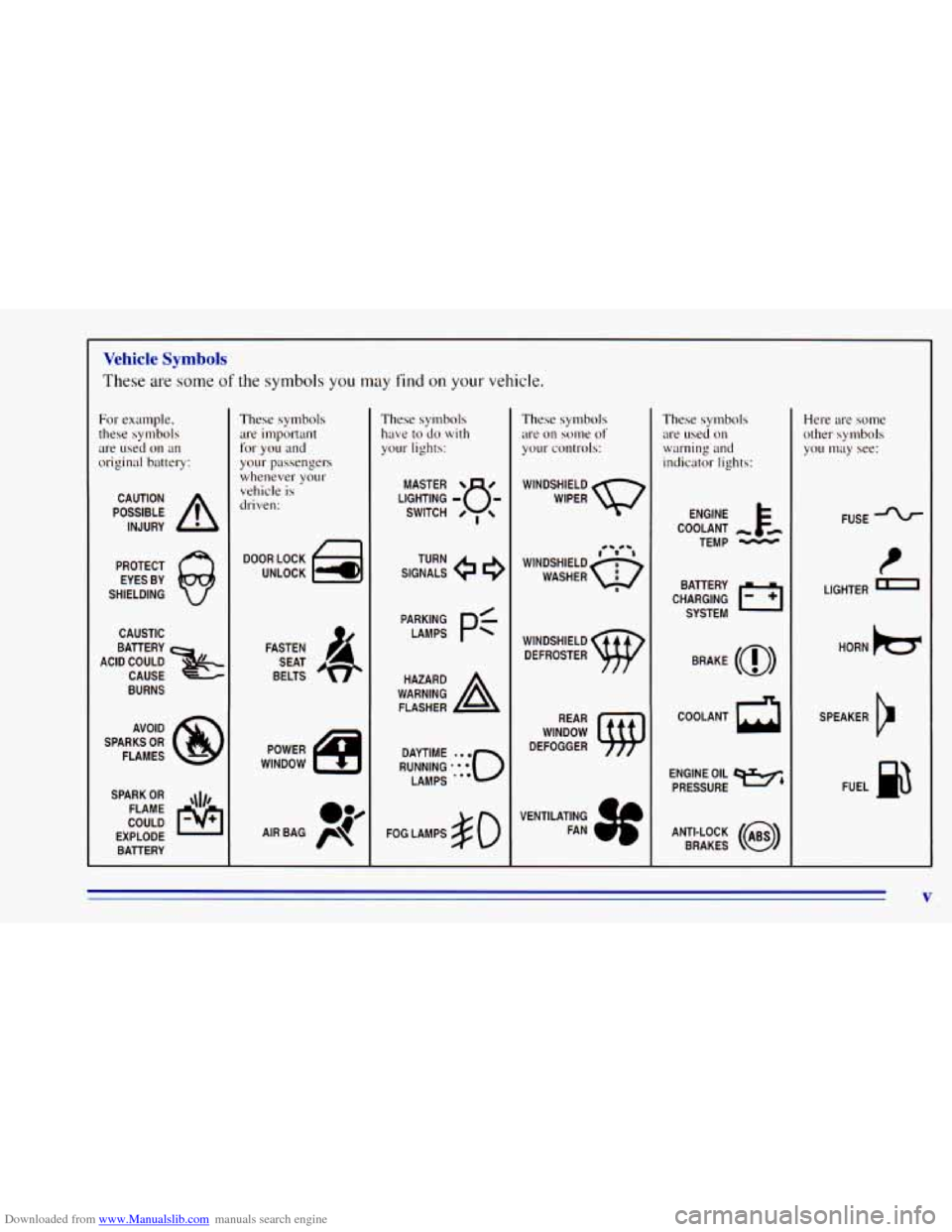
Downloaded from www.Manualslib.com manuals search engine Vehicle Symbols
These are some of the symbols you may find on your vehicle.
For example,
these symbols
are used on an
original battery:
POSSIBLE A
CAUTION
INJURY
PROTECT EYES BY
SHIELDING
CAUSTIC
BURNS AVOID
SPARKS
OR
FLAMES
SPARK
OR ,\I/,
COULD pq
FLAME
EXPLODE BATTERY
These symbols
are important
for you and
your passengers
whenever your
vehicle is
driven:
DOOR LOCK
FASTEN SEAT
BELTS
These symbols have to do
with
your lights:
SIGNALS e
TURN
FOG LAMPS
# 0
These symbols
are on some
of
yo11r controls:
WINDSHIELD
WIPER
These symbols are used on
warning and
indicator lights:
COOLANT -
TEMP -
CHARGING I-1
BATTERY
SYSTEM
BRAKE
(0)
COOLANT a
ENGINE OIL e,
PRESSURE
ANTI-LOCK
(a)
BRAKES
Here are some
other symbols
you
may see:
FUSE -%-
I
LIGHTER I
HORN )cr
SPEAKER
b
FUEL siE3
V
Page 35 of 392
Downloaded from www.Manualslib.com manuals search engine Servicing Your Air Bag-Equipped Vehicle
The air bag affects how your vehicle should be serv: d.
There are parts of the air bag system in several places
around your vehicle. You don’t want the system to
inflate while someone is working on your vehicle. Your
GM dealer and the service manual have information
about servicing your vehicle and
the air bag system. To
purchase a service manual, see “Service and Owner
Publications”
in the Index.
A CAUTION:
m
For up to two minutes after the ignition key is
turned
off and the battery is disconnected, an air
bag can still inflate during improper service. You
can be injured if you are close
to an air bag when
it inflates. Avoid wires wrapped with yellow tape,
or yellow connectors. They are probably part of
the air bag system. Be sure to follow proper
service procedures, and make sure the person
performing work for you is qualified to do
so.
The air bag system does not need regular maintenance.
c
Adding Equipment to Your
Air Bag-Equipped Vehicle
e.@ If I add a push bumper or a bicycle rack to the
front of
my vehicle, will it keep the air bag from
working properly?
A: As long as the push bumper or bicycle rack is
attached to your vehicle
so that the vehicle’s basic
structure isn’t changed, it’s not likely to keep the
air bags from working properly
in a’crash.
e.@ Is there anything I might add to the front of the
vehicle that could keep the air bag from
working properly?
A: Yes. If you add things that change your vehicle’s
frame, bumper system, front end sheet metal or
height, they may keep the air bag system from working properly. Also, the air bag system may not
work properly if you relocate any of the.& bag sensors.
If you have any question about this, you
should contact Customer Assistance before you
.
modify your vehicle. (The phone numbers and
addresses
for Customer Assistance are in Step Two of
the Customer Satisfaction Procedure
in this manual.
See “Customer Satisfaction Procedure” in the Index.)
3
1-23
Page 63 of 392
Downloaded from www.Manualslib.com manuals search engine Keyless Entry System (Option)
If your vehicle has this option, you can lock and unlock
your doors or unlock your rear endgate from up to
30 feet (9 m) away using the key chain transmitter
supplied with your vehicle.
Your Keyless Entry System operates
on a radio
frequency subject
to Federal Communications
Commission (FCC) Rules.
This device complies with Part 15 of the FCC Rules.
Operation is subject to
the following two conditions:
(1) This device may not cause harmful interference,
and
(2) This device must accept any interference
received, including interference that may cause
undesired operation.
Should interference to this system occur, try this:
Check to determine if battery replacement is
necessary. See the instructions on battery
replacement.
0 Check the distance. You may be too Far from your
vehicle. This product has
a maximum range.
0 Check the location. Other vehicles or objects may be
blocking the signal.
0 See your GM dealer or a qualified technician
for service.
Changes or modifications to this system by other than an
authorized service facility could void authorization to
use this equipment.
Operation
When you press UNLOCK, the driver’s door and
endgate
will unlock automatically. If you press
UNLOCK again within five seconds, all doors will
unlock. Press LOCK to lock all the doors.
Press the REAR button twice
within 3 1/2 seconds to
unlock and unlatch the endgate glass. If your vehicle has
an automatic transmission, the transmission must be
in
PARK (P) or NEUTRAL (N). If your vehicle has a
manual transmission, you must engage parking brake.
2-5
Page 64 of 392
Downloaded from www.Manualslib.com manuals search engine Matching Transmitter(s) To Your Vehicle
Each key chain transmitter is coded to prevent another
transmitter from unlocking your vehicle.
If a transmitter
is lost or stolen, a replacement can be purchased through
your dealer. Remember
to bring any remaining
transmitters with
you when you go to your dealer. When
the dealer matches
the replacement transmitter to your
vehicle, any remaining transmitters must also be
matched. Once the new transmitter is coded,
the lost
transmitter will not unlock your vehicle. Each vehicle
can have only two transmitters matched to
it.
Battery Replacement
Under normal use, the batteries in your key chain
transmitter should last about two years.
You can tell the batteries are weak if the transmitter
won’t work at the normal range in any location. If you
have
to get close to your vehicle before the transmitter
works, it’s probably time
to change the batteries.
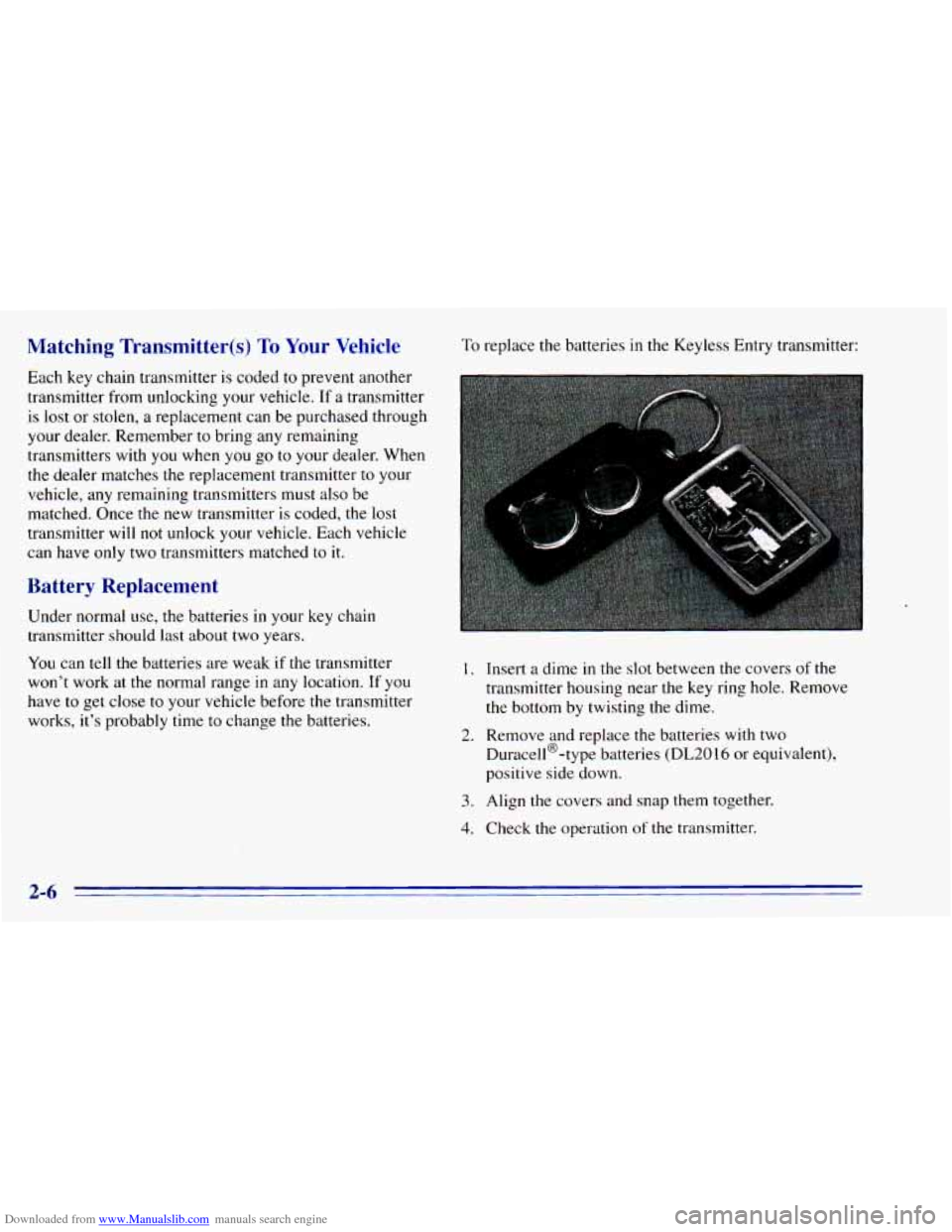
To replace the batteries in the Keyless Entry transmitter:
I. Insert a dime in the slot between the covers of the
transmitter housing near the key ring hole. Remove
the bottom by twisting the dime.
Duracell@-type batteries
(DL2016 or equivalent),
positive side down.
2. Remove and replace the batteries with two
3. Align the covers and snap them together.
4. Check the operation of the transmitter.
2-6
Page 70 of 392
Downloaded from www.Manualslib.com manuals search engine I.
u.
.NOTICE.:
I
Don’t operate accessories in the ACCESSORY
positio; for long periods of time. Prolonged
operation
of accessories in the ACCESSORY
position could drain your battery and prevent
you from starting your vehicle.
LOCK
(B): This position locks your ignition, steering
wheel and transmission. It’s
a theft-deterrent feature.
You will only be able
to remove your key when the
ignition
is turned to LOCK.
OFF (C): This position lets you turn off the engine but
still turn the steering wheel. Use
OFF if you must have
your vehicle in motion while the engine is off (for
example, if your vehicle is being towed).
I
RUN (D): This is the position for driving.
START (E):. This starts your engine.
I .. , . . ..
A CAUTION:
On manual transmission vehicles, turning the key
to LOCK will lock the steering column and result
in a loss of ability
to steer the vehicle. This could
cause
a collision. If you need to turn the engine
off while the vehicle is moving, turn the key only
to
OFF. Don’t press the key, release button while
the vehicle
is moving.
NOTICE:
If your key seems stuck in LOCK and you can’t
turn it, be sure it is all the way in:If itis, then
turn the steering wheel left and right while you
turn the key hard. But turn the key only with
your hand. Using a tool to force it could break
the key or the-ignition switch.
If none of this
works, then your vehicle needs service.
Page 72 of 392
Downloaded from www.Manualslib.com manuals search engine Manual Transmission
The ge ector should be in NEUTRAL (N). Hold
the clutch pedal to the floor and start the engine. Your
vehicle won’t start
if the clutch pedal is not all the way
down
-- that’s a safety feature.
1. Without pushing the accelerator pedal, turn your
ignition key to START. When the engine starts, let
go of the key. The idle speed
will go down as’ your
engine gets warm.
NOTICE:
Holding your key in START for longer than
15 seconds at a time will cause your battery to
be drained much sooner. And the excessive heat
can damage your starter motor.
2. If it doesn’t start right away, hold your key in
START. If it doesn’t start in
10 seconds, push the
accelerator pedal all the way down for five more
seconds, or until it starts.
3. If your engine still won’t start (or starts but then
stops), wait
15 seconds and start over.
When the engine starts, let
go of the key and the
accelerator pedal.
NOTICE:
Your engine is designed to work with the
electronics in your vehicle. If you add electrical
parts or accessories, you could change the
way
the engine operates. Before adding electrical
equipment, check with your dealer. If you don’t,
your engine might not perform properly.
If you ever have to have your vehicle towed, see
the part
of this manual that tells how to do it
without damaging your vehicle. See “Towing
Your Vehicle’’ in the Index.
2-14
Page 74 of 392
Downloaded from www.Manualslib.com manuals search engine Automatic Transmission Operation
Your automatic transmission may have a shift lever
located
on the console between the seats or on the
steering column.
There are several different positions for your shift lever.
If your vehicle is equipped with a column shift lever,
it
features an electronic shift position indicator within
the instrument cluster. This display must be powered
anytime
the shift lever is capable of being moved out
of the PARK (P) position. This means that if your key is
in the
OFF position, but not locked, there will be a small
current drain
on your battery which could discharge
your battery over
a period of time. If you need to leave
your key
in the ignition in the OFF position for an
extended period, it is recommended that you disconnect
the battery cable from the battery
to prevent discharging
your battery.
PARK (P): This locks your rear wheels. It’s the best
position
to use when you start your engine because your
vehicle can’t move easily.
D
It is dangerous to get out of your vehicle if the
shift lever is not fully in
PARK (P) with the
parking brake firmly
set. Your vehicle can roll.
Don’t leave your vehicle when the engine is
running unless you have to. If you have left the
engine running, the vehicle can move suddenly.
You or others could be injured.
To be sure your
vehicle won’t move, even when you’re on fairly
level ground, always set your parking brake and
move the shift lever to
PARK (P).
If you have four-wheel drive, your vehicle will
be free to roll
-- even if your shift lever is in
PARK (P) -- if your transfer case is in
NEUTRAL (N). So, be sure the transfer case is
in
a drive gear, two-wheel high (2HI) or four-wheel
high (4HI) or four-wheel low
(4LO) -- not
in
NEUTRAL (N). See “Shifting Into PARK (P)”
in the Index. If you’re pulling a trailer, see “Towing a
’Ikailer” in the Index.
2-16
Page 117 of 392
Downloaded from www.Manualslib.com manuals search engine Visor Vanity ,Mirror
Pull the sun visor down and lift the cover to expose the
vanity mirror.
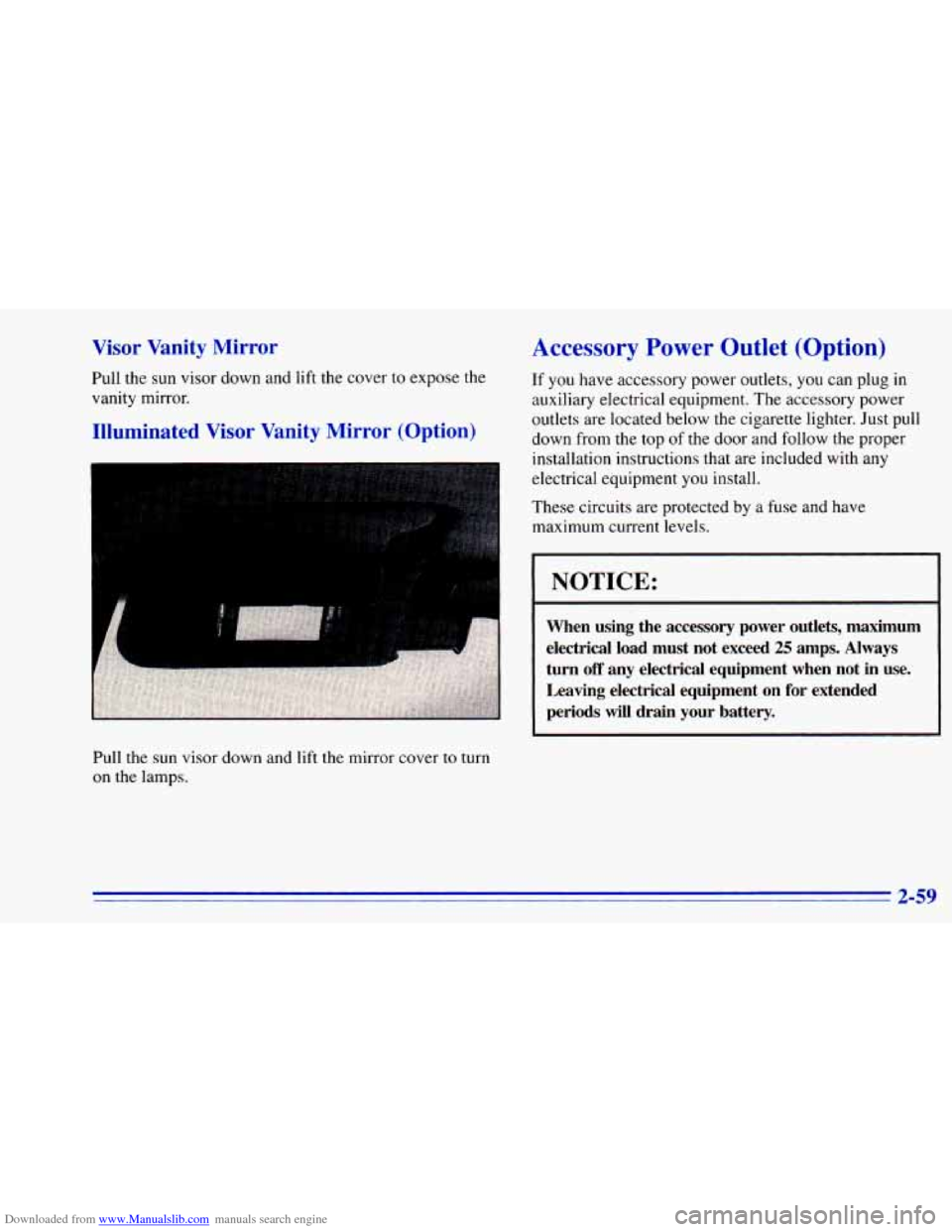
Illuminated Visor Vanity Mirror (Option)
Pull the sun visor down and lift the mirror cover to turn
on the lamps.
Accessory Power Outlet (Option)
If you have accessory power outlets, you can plug in
auxiliary electrical equipment. The accessory power
outlets are located below the cigarette lighter. Just pull
down from the top
of the door and follow the proper
installation instructions that are included with any
electrical equipment you install.
These circuits are protected by a fuse and have
maximum current levels.
1 NOTICE:
When using the accessory power outlets, maximum
electrical load must not exceed
25 amps. Always
turn
off any electrical equipment when not in use.
Leaving electrical equipment on for extended
periods will drain your battery.
2-59
Page 124 of 392
Downloaded from www.Manualslib.com manuals search engine Air Bag Readiness Light
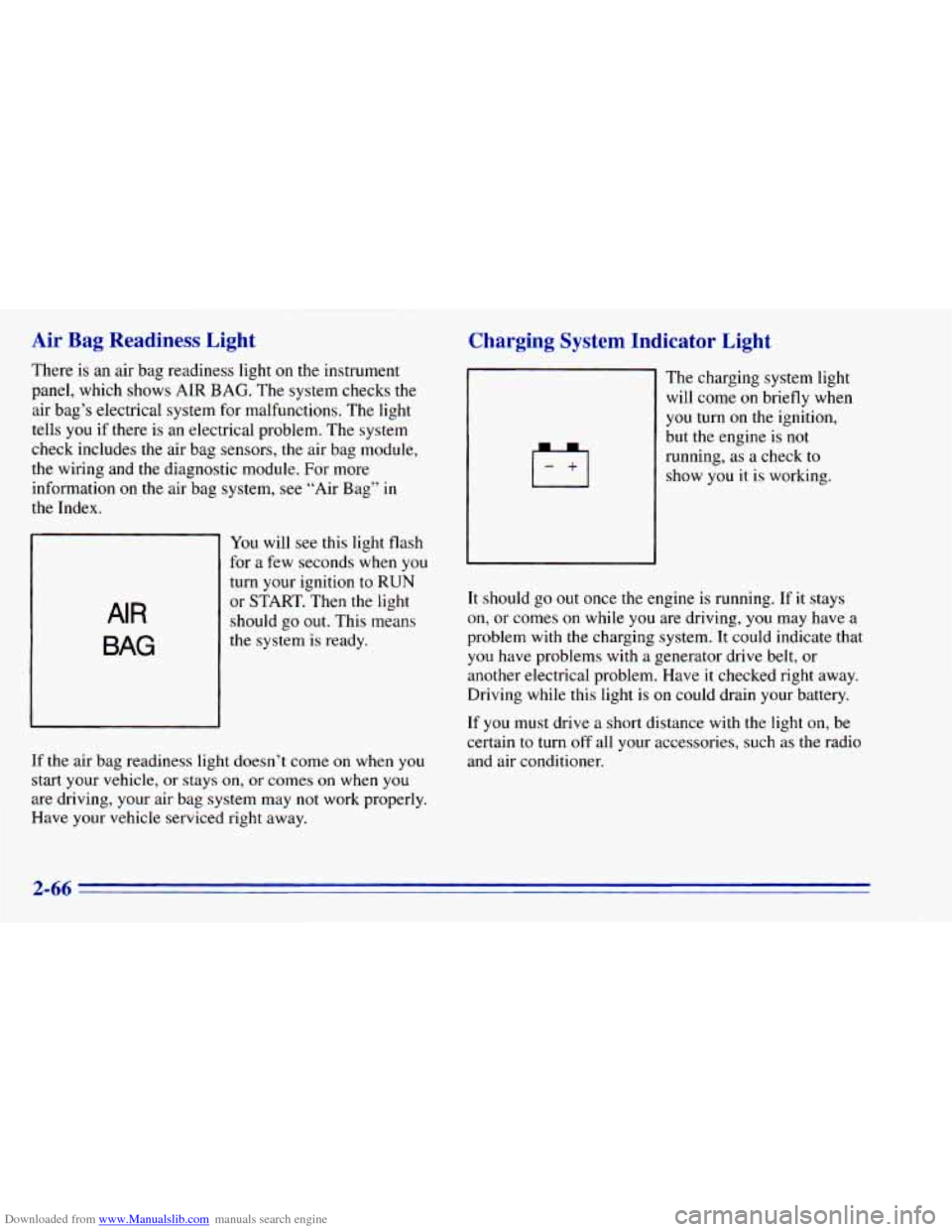
There is an air bag readiness light on the instrument
panel, which shows AIR
BAG. The system checks the
air bag’s electrical system for malfunctions. The light
tells you if there is an electrical problem. The system
check includes the air bag sensors, the air bag module,
the wiring and the diagnostic module. For more
information
on the air bag system, see “Air Bag” in
the Index.
AIR
BAG
You will see this light flash
for a few seconds when you
turn your ignition to RUN
or START. Then the light
should go
out. This means
the system is ready.
If the air bag readiness light doesn’t come on when you
start your vehicle, or stays on,
or comes on when you
are driving, your air bag system may not work properly.
Have your vehicle serviced right away.
Charging System Indicator Light
The charging system light
will come on briefly when
you turn on the ignition,
but the engine is not
running, as a check to
show you it is working.
It should go
out once the engine is running. If it stays
on, or comes on while you are driving, you may have a
problem with the charging system. It could indicate that
you have problems with a generator drive belt, or
another electrical problem. Have it checked right away.
Driving while
this light is on could drain your battery.
If you must drive a short distance with the light on, be
certain
to turn off all your accessories, such as the radio
and air conditioner.
2-66