CD player CHEVROLET BLAZER 1997 2.G Owners Manual
[x] Cancel search | Manufacturer: CHEVROLET, Model Year: 1997, Model line: BLAZER, Model: CHEVROLET BLAZER 1997 2.GPages: 402, PDF Size: 21.93 MB
Page 113 of 402
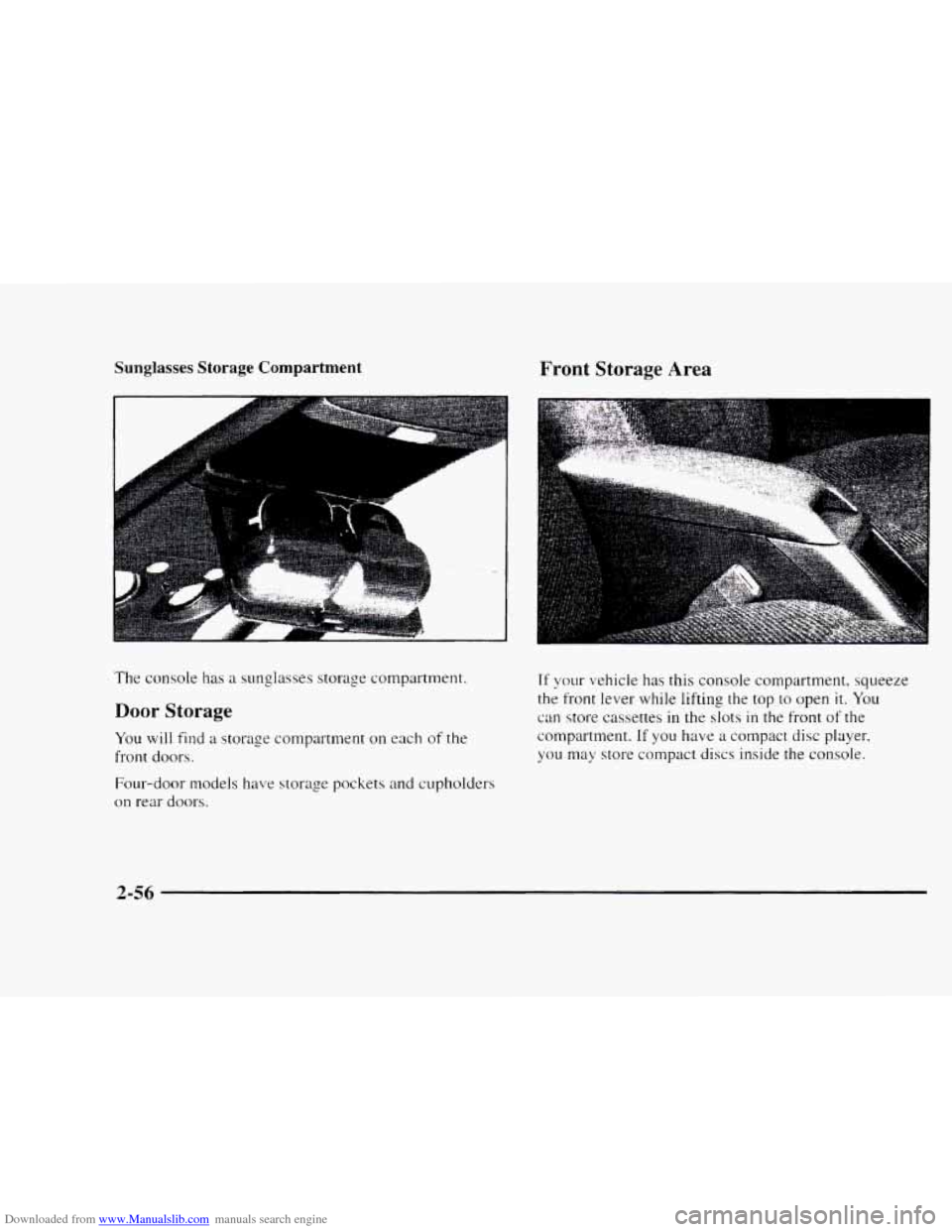
Downloaded from www.Manualslib.com manuals search engine Sunglasses Storage Compartment
The console has a sunglasses storage compartment.
Door Storage
You will find a storage compartment on each of the
front doors.
Four-door models have storage pockets and cupholders
on
rear doors.
Front Storage Area
.. ..
56:
Tf your vehicle has this console compartment, squeeze
the
front lever while lifting the top to open it. You
can store cassettes
in the slots in the front of the
compartment.
If you have a compact disc player.
you
may store compact discs inside the console.
2-56
Page 140 of 402
Downloaded from www.Manualslib.com manuals search engine Section 3 Comfort Controls and Audio Systems
In this section, you'll find out how to operate the comfort control and audio systems offered with your vehicle. Be
sure to read about the particular systems supplied
with your vehicle.
3-2
3-2
3-3 3-3
3-4
3-5
3-5
3 -6
3-6
3-6
3-6
Comfort Controls
Climate Control System
Air Conditioning
Heating Ventilation System
Defogging and Defrosting
Rear Window Defogger (Option)
Audio Systems
Setting the Clock
Setting the Clock for AM-FM Stereo
with Compact Disc Player and Automatic
Tone Control
AM-FM Stereo 3-8
3- 10
3- 13
3-17
3- 19
3- 19
3-20
3-2 1
3-2 1
AM-FM Stereo with Cassette Tape Player
(If Equipped)
AM-FM Stereo
with Cassette Tape Player
and Equalizer
(If Equipped)
AM-FM Stereo
with Compact Disc Player
and Automatic Tone Control (If Equipped)
Theft-Deterrent Feature
Understanding Radio Reception
Tips About Your Audio System
Care of
Your Cassette Tape Player
Care
of Your Compact Discs
Fixed Mast Antenna
Page 145 of 402
Downloaded from www.Manualslib.com manuals search engine Audio Systems
Your Delco" audio system has been designed to operate
easily and give
years of listening pleasure. You will yet
the most etl-joyment out of it if ~OLI acq~laint yo~~t-self
with it first. Find out what yo11r Delco system can do
and how
to operate all its controls. to be sure you're
went
into it.
2 Oettins the most out of the advanced engineering that
Setting the Clock for ANI-FM Stereo
with Compact Disc Player and Automatic
Tone Control
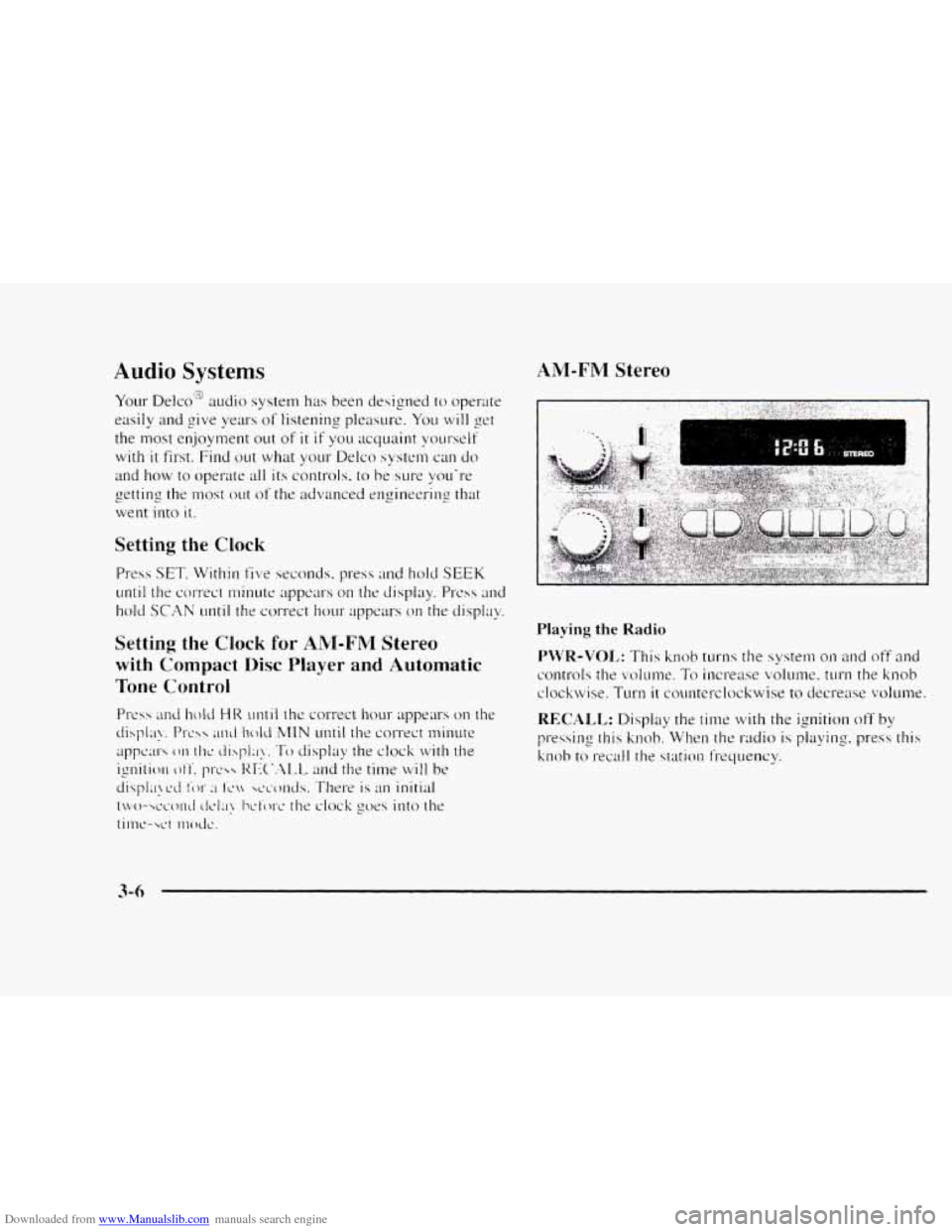
AM-FM Stereo
t "
Playing the Radio
Page 147 of 402
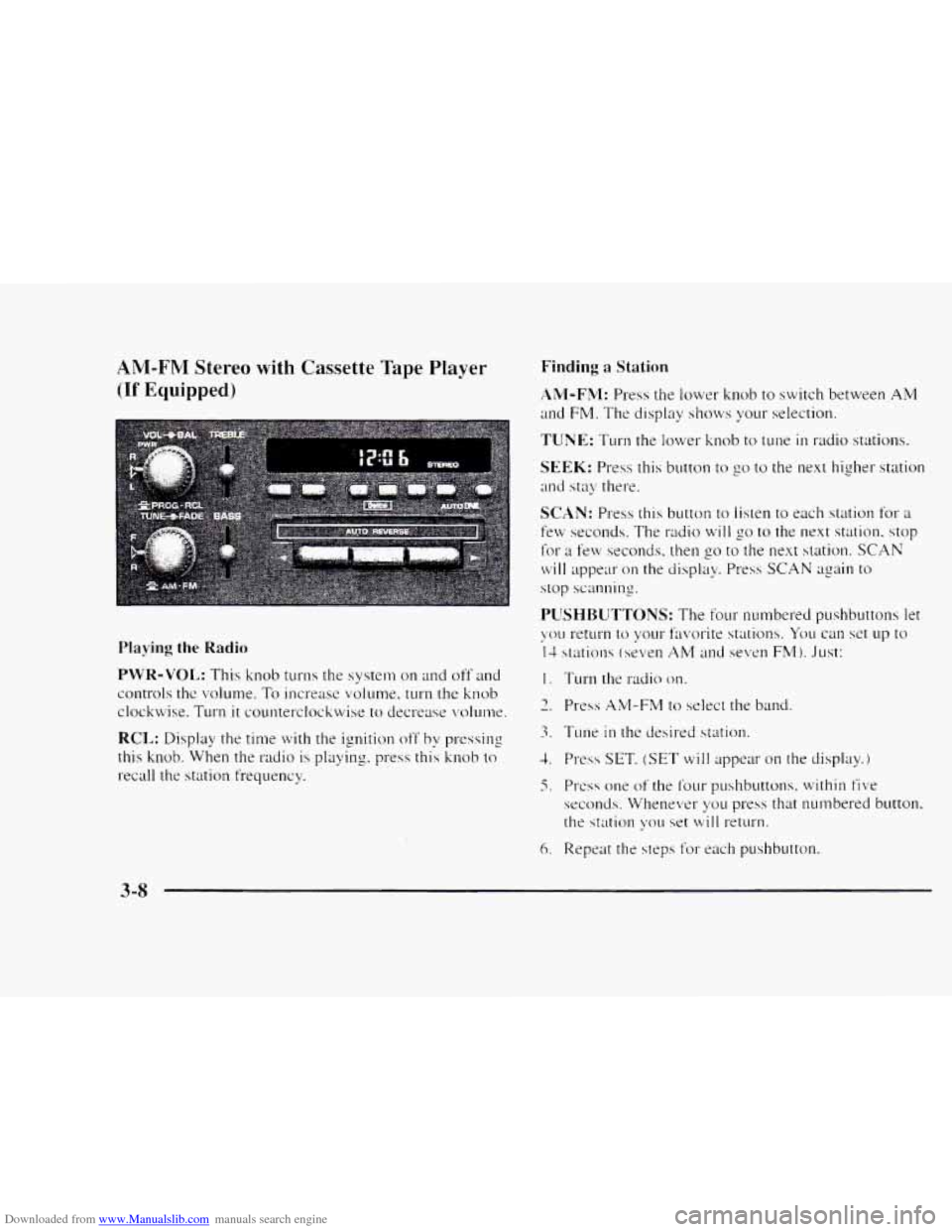
Downloaded from www.Manualslib.com manuals search engine AM-FNI Stereo with Cassette Tape Player
(If Equipped)
Playing the Radio
PWR-VOL: This knob turns the system on and off and
controls the volume.
To increase volume, turn the knob
clockwise. Turn
it counterclockwise to decrease volunw.
RCL: Display the time with the ignition off by pressing
this knob. When the
radio is playing. press this knob to
recall the station frequency.
Finding a Station
AM-FM: Press the lower knob to switch between AM
and FM. The display sl~ows your selection.
TUNE: Turn the lower knob to tune in radio stations.
SEEK: Press this button to go to the next higher station
and stay there.
SCAN: Press this button to listen to each station for a
few seconds. The radio will go to the next station. stop
for a few seconds. then go to the next station. SCAN
will appear on the display. Press SCAN again to
stop scanning.
I. Turn the radio on.
3. Tune in the desired station.
1. Press SET, (SET will appear on the display.)
5. PI-css one of the f’our pushbuttons. within five
seconds. Whenever yo11 press that numbered button.
the station \:ou
set will return.
6. Repeat the steps f’or each pushbutton.
3-8
Page 148 of 402
Downloaded from www.Manualslib.com manuals search engine In addition to the four stations already set, up to three
more stations
may be preset on each band by pressing
two adjoining buttons at the same time. Just:
1. Tune in the desired station.
2. Press SET. (SET will appear on the display.)
3. Press two adjoining pushbuttons at the same time.
within
five seconds. Whenever you press the same
two buttons, the station
you set will return.
4. Repeat the steps for each pair of pushbuttons.
Setting the Tone
BASS: Slide this lever up or down to increase or
decrease bass.
TREBLE: Slide this lever up or down to increase or
decrease treble.
If a station is weak or noisy, you may
want to decrease the treble.
Adjusting the Speakers
BAL:
Turn the control behind the upper knob to move
the sound
to the left or right speakers. The middle
position balances the sound between the speakers.
FADE: Turn the control behind the lower knob to move
the sound to the front or rear speakers. The middle
position balances the sound between the speakers.
Playing a Cassette Tape
Your tape player is built to work best with tapes that are
30 to 45 minutes long on each side. Tapes longer than
that are so thin they may not work well in this player.
Once the tape is playing, use the PWR-VOL, BAL and
FADE knobs just as you do for the radio. A lighted
arrow will be displayed to show tape play direction.
FORWARD: Press the arrow button in the direction that
the lighted arrow points to advance quickly to another
part
of the tape. Press STOP-EJECT lightly to stop
forwarding and play the tape.
REVERSE: Press the arrow button in the opposite
direction that the lighted arrow points to reverse quickly
to another part of the tape. Press STOP-EJECT lightly
to stop reversing and play the tape.
PROG: Press this knob to go from one side of the tape
to the other.
STOP-EJECT Press this button to remove the tape or
stop playing
the tape in order to play the radio. If you
leave a cassette tape in the player while listening to the
radio, it
may become warm.
Page 149 of 402
Downloaded from www.Manualslib.com manuals search engine AM-FM Stereo with Cassette Tape Player'*:'#
and Equalizer
(If Equipped)
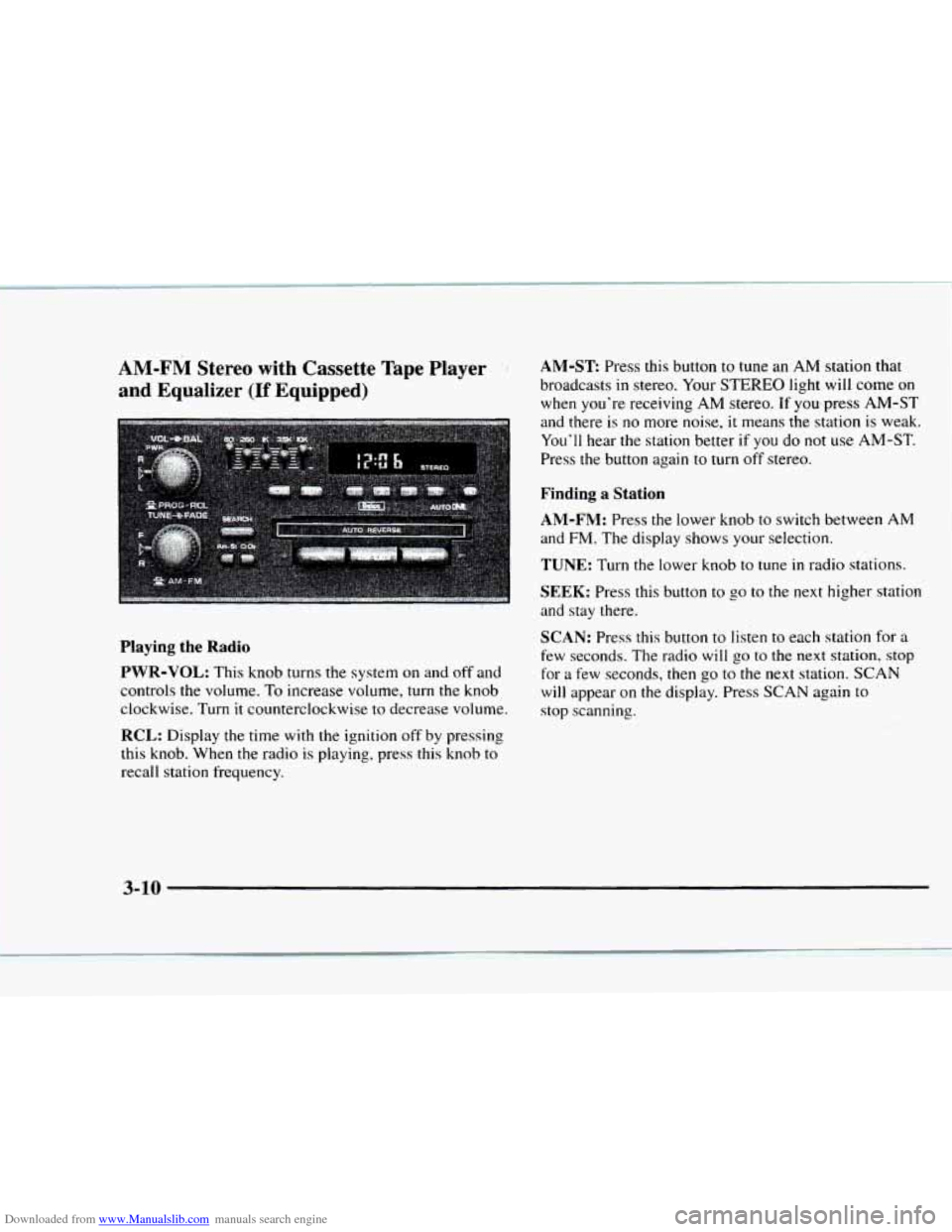
AM-ST Press this button to tune an AM station that
broadcasts
in stereo. Your STEREO light will come on
when you're receiving
AM stereo. If you press AM-ST
and there
is no more noise, it means the station is weak.
You'll hear the station better
if you do not use AM-ST.
Press the button again to turn
off stereo.
Finding a Station
AM-FM:
Press the lower knob to switch between AM
and FM. The display shows your selection.
TUNE: Turn the lower knob to tune in radio stations.
SEEK: Press this button to go to the next higher station
and stay there.
SCAN: Press this button to listen to each station for a
few seconds. The radio will go to the next station, stop
for a few seconds, then
go to the next station. SCAN
will appear on the display. Press SCAN again to
stop scanning.
Playing the Radio
PWR-VOL:
This knob turns the system on and off and
controls the volume. To increase volume,
turn the knob
clockwise. Turn
it counterclockwise to decrease volume.
RCL: Display the time with the ignition off by pressing
this knob. When the radio
is playing, press this knob to
recall station frequency.
' , :i I -. ,
3-10
Page 151 of 402
Downloaded from www.Manualslib.com manuals search engine Playing a Cassette Tape
Your tape player is built to work best with tapes that are
30 to 45 minutes long on each side. Tapes longer than
that are
so thin they may not work well in this player.
Once the tape
is playing, use the PWR-VOL. BAL and
FADE knobs just as you do for the radio. A lighted
arrow
will be'displayed to show tape play direction.
REVERSE: Press the arrow button in the opposite
direction that
the lighted arrow points to reverse quickly
to another part of the tape. Press STOP-EJECT lightly
to stop reversing and play the tape.
FORWARD: Press the arrow button in the direction that
the lilhted arrow points
to advance quickly to another
part
of the tape. Press STOP-EJECT lightly to stop
forwarding and play the tape.
SEARCH: Press this button to the recessed position.
Press the lighted
mow to skip to the next selection. Press
the opposite direction
an-ow that is not lighted to replay
the current selection
or skip to the previous selection.
CrO2: This button lets you set the system for the type of
cassette being used. If you are using chrome or metal
tapes. press the button
in.
PROG: Press this knob to go from one side of the tape
to the other.
STOP-EJECT Press this button to remove the tape or
stop playing the tape in order to play the radio. If you
leave
a cassette tape in the player while listening to the
radio.
it may become warm.
Your Delco system may be able to receive
C-QljAM"
stereo broadcasts. Many AM stations around the country
use
C-QUAM to produce stereo although some do
not. C-QUAM is a registered trademark of ,Motorola,
Inc.
If vour Delco system can get C-QUAM signals,
your
STEREO light will come on when you are
receiving stereo.
3-12
Page 152 of 402
Downloaded from www.Manualslib.com manuals search engine AM-FM Stereo with Compact Disc Player
and Automatic Tone Control (If Equipped)
Playing the Radio
PWR-VOL: Press this knob to turn the system on and
off.
To increase volume, turn the knob clockwise. Turn
it counterclockwise to decrease volume. The knob is
capable of rotating continuously.
RECALL: Display the time with the ignition off by
pressing this button. When the radio is playing, press
this button
to recall the station frequency.
SCV Your system has a feature called
Speed-Compensated-Volume
(SCV j. With SCV, your
audio system adjusts autornatically to make up for- road
and wind noise as you drive. Set the volume at the
desired level. Move the control ring behind the upper
knob clockwise
to adjust the SCV. Then, as you drive,
SCV automatically increases the volume, as necessary.
to overcome noise at any particuiar speed. The volume
level shouId always sound the same to you as you drive.
If you don't want to use SCV. turn the control all the
way down. Each detent on the control ring allows for
more volume compensation at
a faster rate of speed.
Finding a Station
AM-FM: Press this button to switch between AM, FM 1
and FM2. The display will show your selection.
TUNE: Press this knob lightly so it extends. Turn it to
choose radio stations. Push the knob back into its stored
position
when you're not using it.
SEEK: Press the right mow to tune to the next higher
station
and the left amow to tune to the next lower station
and stay there. The sound will mute while seeking.
SCAN: Press and hold SEEK for two seconds mtil
SCAN appears on the display. SCAN allows you to
listen to stations for a few seconds. The receiver will
continue to scan and monxntarily stop at each station
until you press the button again. The sound will mute
while scanning.
3-13
Page 154 of 402
Downloaded from www.Manualslib.com manuals search engine Setting the Tone Adjusting the Speakers
BASS: Press lightly on this knob to release it froln its
stored position. Turn the
knob clockwise to increase
bass and counterclockwise
to decrease bass. When the
BASS control is rotated, the AUTO TONE setting will
change to MAN.
TREB: Press lightly on this knob to release it from its
stored position. Turn the knob clockwise
to increase
treble and counterclockwise
to decrease treble. When
the TREB control
is rotated, the AUTO TONE setting
will change to
MAN. If a station is weak or noisy. you
may want to decrease the treble.
Push these knobs back into their stored positions when
you’re
not using them.
AUTO TONE: Press this button to select among the
five preset equalization settings and tailor the sound
to
the music or voice being heard. Each time you press the
button, the selection will switch
to one of the preset
settings
of CLASSIC, NEWS. ROCK. POP or JAZZ.
The display will show which mode
the receiver is in. To
return to the manual mode, press and release this button
until MAN appears on the display. This will return the
tone adjustment
to the BASS and TREB controls. If a
BASS or TREB control
is rotated, the AUTO TONE
setting will change to MAN.
BAL: Press lightly on this knob to release it from its
stored position. Turn the control clockwise to adjust
sound
to the right speakers and counterclockwise to
adjust sound to the left speakers. The middle position
balances the sound between the speakers.
FADE: Press lightly on this knob to release it from its
stored position. Turn the control clockwise to adjust the
sound to the front and counterclockwise
for the rear
speakers. The middle position balances the sound
between the speakers.
Push these knobs back
into their stored positions when
you’re not using
them.
Playing a Compact Disc
PWR: Press this knob to turn the system on.
(Please note that you can also turn the system on when
you insert
a compact disc into the player with the
ignition
on.)
Insert a disc partway into the slot. label side LIP. The
player
will pull it in. Wait a few seconds and the disc
should play. CD and
a CD symbol will also appear on
the display. Anytime you are playing a CD. the letters
CD will be next
to the CD symbol.
Page 155 of 402
Downloaded from www.Manualslib.com manuals search engine REV (43: Press and ho16 REV to return rapidly to a
favorite passage. YCXI will hear the disc selection pIay at
high speed while you press the REV button. This allows
you to listen and find out when the disc is at the desired
selection. Release REV to resum playing.
FWD (6): Press and hold this butron to advance rapidly
within a track. You will hear the disc selection play at
high speed while YCNI press the FWD button. This allows
you to listen and find out when the disc is at the desired
selection. Release FWD to resume playing.
AM-FM: While in the CD mode. press this burton to
stop playing the CD and play the radio, The CD symbol
will still display but the word CD will be replaced with
either AM. FM I or FM2. (If the radio is turned off, the
disc stays in the player and will res~~rne playing at the
point where it stopped.)
KECALI,: Press this button to see what track is playing.
Press it again within five seconds to se.e how long the
CD has been playing that track. Elapsed titne is
displayed in minutes and tenths of a second. The track
number will also appear when ;I new track begins to
play. Press RECALL again to return to the time display.
3-16