automatic transmission CHEVROLET BLAZER 2004 2.G User Guide
[x] Cancel search | Manufacturer: CHEVROLET, Model Year: 2004, Model line: BLAZER, Model: CHEVROLET BLAZER 2004 2.GPages: 446, PDF Size: 2.93 MB
Page 130 of 446
Vehicle Personalization
Memory Seat
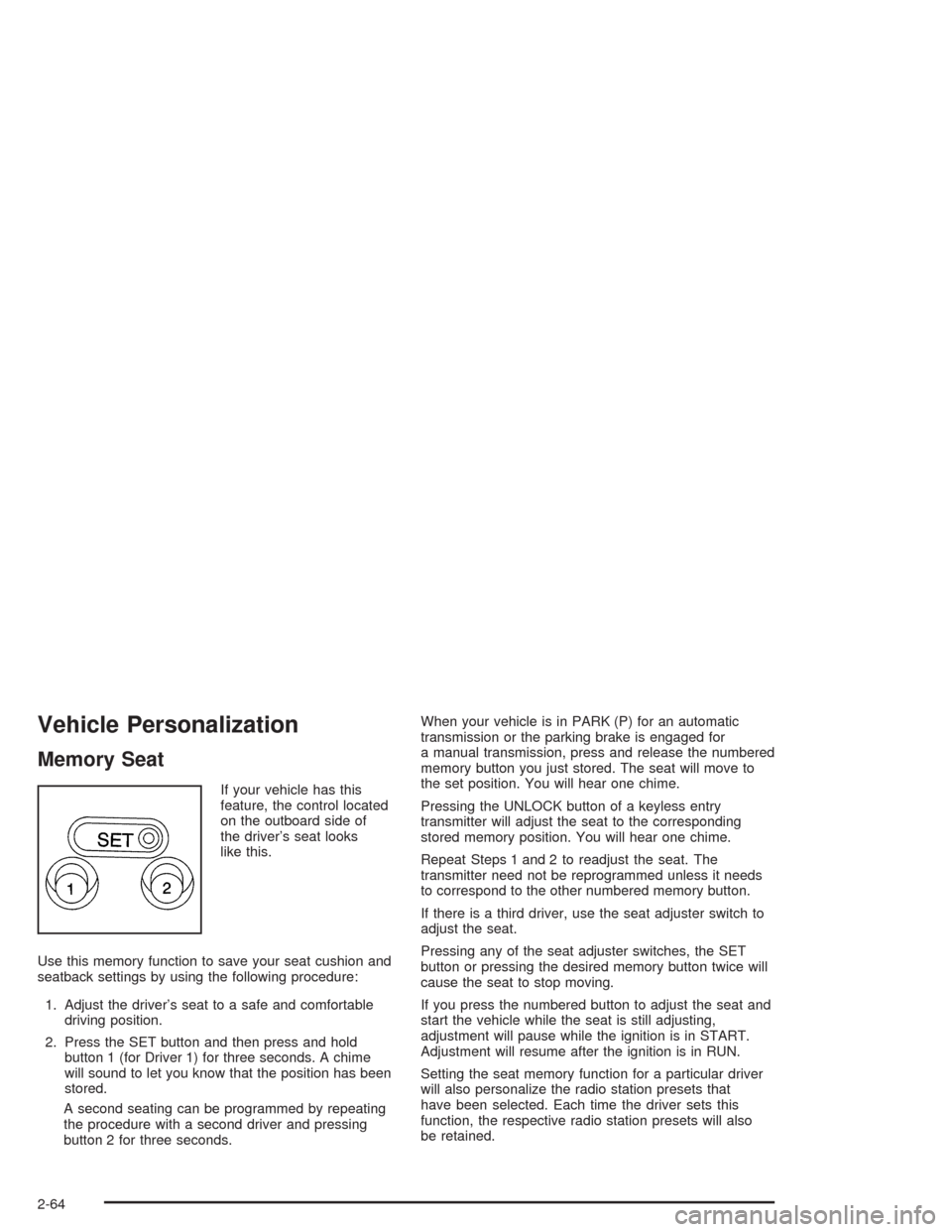
If your vehicle has this
feature, the control located
on the outboard side of
the driver’s seat looks
like this.
Use this memory function to save your seat cushion and
seatback settings by using the following procedure:
1. Adjust the driver’s seat to a safe and comfortable
driving position.
2. Press the SET button and then press and hold
button 1 (for Driver 1) for three seconds. A chime
will sound to let you know that the position has been
stored.
A second seating can be programmed by repeating
the procedure with a second driver and pressing
button 2 for three seconds.When your vehicle is in PARK (P) for an automatic
transmission or the parking brake is engaged for
a manual transmission, press and release the numbered
memory button you just stored. The seat will move to
the set position. You will hear one chime.
Pressing the UNLOCK button of a keyless entry
transmitter will adjust the seat to the corresponding
stored memory position. You will hear one chime.
Repeat Steps 1 and 2 to readjust the seat. The
transmitter need not be reprogrammed unless it needs
to correspond to the other numbered memory button.
If there is a third driver, use the seat adjuster switch to
adjust the seat.
Pressing any of the seat adjuster switches, the SET
button or pressing the desired memory button twice will
cause the seat to stop moving.
If you press the numbered button to adjust the seat and
start the vehicle while the seat is still adjusting,
adjustment will pause while the ignition is in START.
Adjustment will resume after the ignition is in RUN.
Setting the seat memory function for a particular driver
will also personalize the radio station presets that
have been selected. Each time the driver sets this
function, the respective radio station presets will also
be retained.
2-64
Page 139 of 446
Rear Window Washer/Wiper
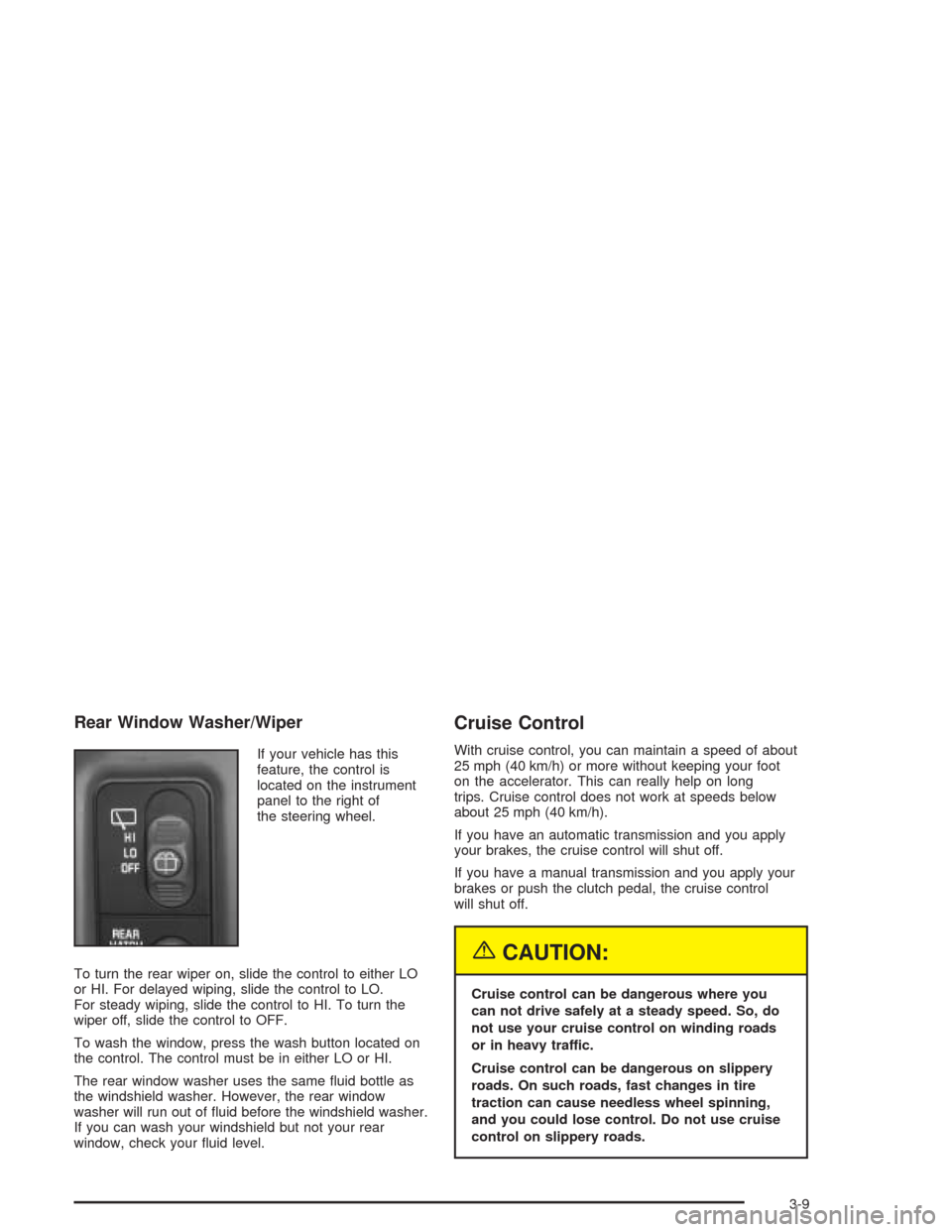
If your vehicle has this
feature, the control is
located on the instrument
panel to the right of
the steering wheel.
To turn the rear wiper on, slide the control to either LO
or HI. For delayed wiping, slide the control to LO.
For steady wiping, slide the control to HI. To turn the
wiper off, slide the control to OFF.
To wash the window, press the wash button located on
the control. The control must be in either LO or HI.
The rear window washer uses the same uid bottle as
the windshield washer. However, the rear window
washer will run out of uid before the windshield washer.
If you can wash your windshield but not your rear
window, check your uid level.
Cruise Control
With cruise control, you can maintain a speed of about
25 mph (40 km/h) or more without keeping your foot
on the accelerator. This can really help on long
trips. Cruise control does not work at speeds below
about 25 mph (40 km/h).
If you have an automatic transmission and you apply
your brakes, the cruise control will shut off.
If you have a manual transmission and you apply your
brakes or push the clutch pedal, the cruise control
will shut off.
{CAUTION:
Cruise control can be dangerous where you
can not drive safely at a steady speed. So, do
not use your cruise control on winding roads
or in heavy traffic.
Cruise control can be dangerous on slippery
roads. On such roads, fast changes in tire
traction can cause needless wheel spinning,
and you could lose control. Do not use cruise
control on slippery roads.
3-9
Page 144 of 446
Daytime Running Lamps
Daytime Running Lamps (DRL) can make it easier for
others to see the front of your vehicle during the
day. DRL can be helpful in many different driving
conditions, but they can be especially helpful in the short
periods after dawn and before sunset. Fully functional
daytime running lamps are required on all vehicles
rst sold in Canada.
The DRL system will make your headlamps come on
at reduced brightness when the following conditions
are met:
The ignition is on,
the exterior lamp control is in OFF,
the sensor detects daytime light,
an automatic transmission is not in PARK (P), and
the parking brake is released.
When the DRL are on, only your headlamps will be on.
The taillamps, sidemarker and other lamps won’t be
on. The instrument panel won’t be lit up either.
When it begins to get dark, the headlamps will
automatically switch from DRL to the regular headlamps.The DRL system on some vehicles may turn off
temporarily while the turn signals are activated.
To idle an automatic transmission vehicle with the DRL
off, put the transmission in PARK (P). To idle a
manual transmission vehicle with the DRL off, set the
parking brake. The DRL will stay off until you shift out of
PARK (P) or release the parking brake.
The following does not apply to vehicles sold in Canada.
When necessary, you may turn off the automatic
headlamp system and the Daytime Running
Lamps (DRL) feature by following the steps below:
1. Turn the ignition to RUN.
2. Press the DOME OVERRIDE button four times
within six seconds. After the fourth press of the
button, a chime will sound informing you that
the system is off. The system will revert back to the
automatic on mode when the ignition is turned to
OFF and then to RUN again.
3. To return to the automatic mode, push the DOME
OVERRIDE button four times within six seconds
(a chime will sound), or turn the ignition to OFF and
then to RUN again.
As with any vehicle, you should turn on the regular
headlamp system when you need it.
3-14
Page 152 of 446

Instrument Panel Cluster
Your instrument panel cluster is designed to let you know at a glance how your vehicle is running. You’ll know how
fast you’re going, about how much fuel you’ve used, and many other things you’ll need to know to drive safely
and economically.
Base Level Cluster With Automatic Transmission (United States Version Shown, Canada Similar)
3-22
Page 153 of 446

Up-Level Cluster with Automatic Transmission (United States Version Shown, Canada Similar)
3-23
Page 251 of 446
Dinghy Towing
Vehicles with the Automatic Transfer Case
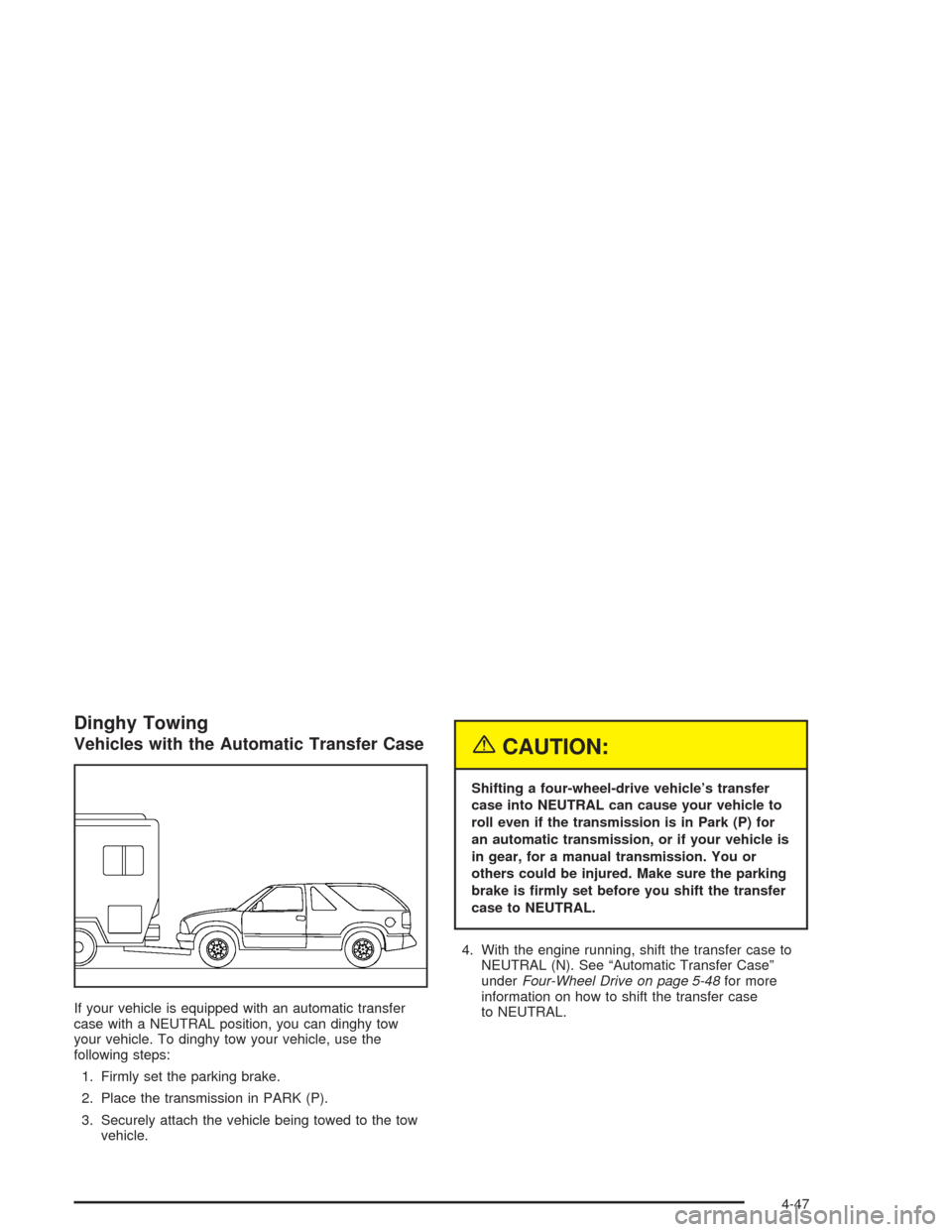
If your vehicle is equipped with an automatic transfer
case with a NEUTRAL position, you can dinghy tow
your vehicle. To dinghy tow your vehicle, use the
following steps:
1. Firmly set the parking brake.
2. Place the transmission in PARK (P).
3. Securely attach the vehicle being towed to the tow
vehicle.
{CAUTION:
Shifting a four-wheel-drive vehicle’s transfer
case into NEUTRAL can cause your vehicle to
roll even if the transmission is in Park (P) for
an automatic transmission, or if your vehicle is
in gear, for a manual transmission. You or
others could be injured. Make sure the parking
brake is rmly set before you shift the transfer
case to NEUTRAL.
4. With the engine running, shift the transfer case to
NEUTRAL (N). See “Automatic Transfer Case”
underFour-Wheel Drive on page 5-48for more
information on how to shift the transfer case
to NEUTRAL.
4-47
Page 254 of 446
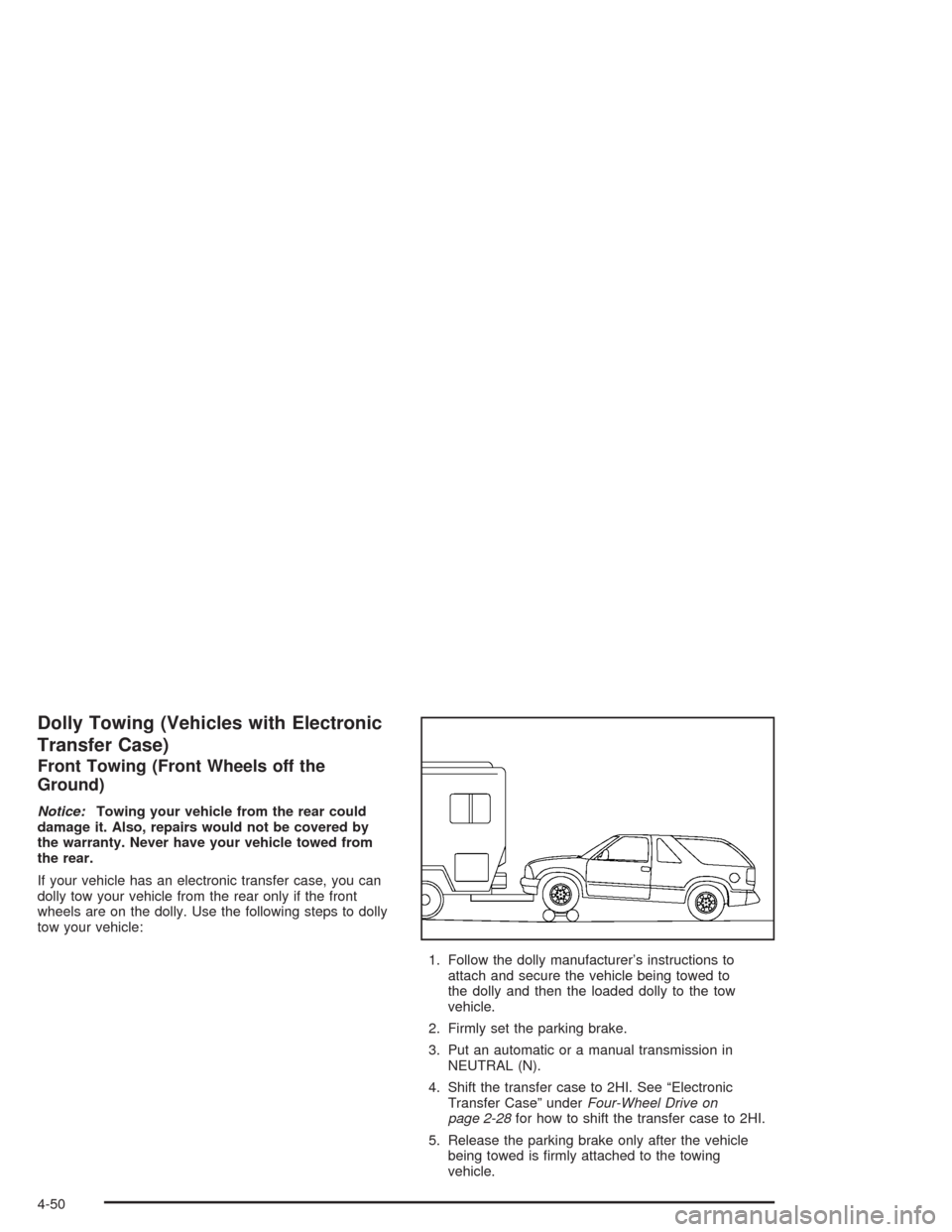
Dolly Towing (Vehicles with Electronic
Transfer Case)
Front Towing (Front Wheels off the
Ground)
Notice:Towing your vehicle from the rear could
damage it. Also, repairs would not be covered by
the warranty. Never have your vehicle towed from
the rear.
If your vehicle has an electronic transfer case, you can
dolly tow your vehicle from the rear only if the front
wheels are on the dolly. Use the following steps to dolly
tow your vehicle:
1. Follow the dolly manufacturer’s instructions to
attach and secure the vehicle being towed to
the dolly and then the loaded dolly to the tow
vehicle.
2. Firmly set the parking brake.
3. Put an automatic or a manual transmission in
NEUTRAL (N).
4. Shift the transfer case to 2HI. See “Electronic
Transfer Case” underFour-Wheel Drive on
page 2-28for how to shift the transfer case to 2HI.
5. Release the parking brake only after the vehicle
being towed is rmly attached to the towing
vehicle.
4-50
Page 255 of 446
Notice:Do not exceed the posted speed limit when
towing your vehicle. If you do, your vehicle could
be badly damaged.
Notice:If you tow your vehicle from the front for
more than 50 miles (80 km) on a dolly, you could
damage it. Never dolly tow your vehicle from
the front more than 50 miles (80 km).
6. Turn the ignition to OFF. To prevent your battery
from draining while towing, remove the RDO BATT
and CLSTR fuses from the instrument panel
fuse block. Be sure to replace the fuse when you
reach your destination SeeFuses and Circuit
Breakers on page 5-99.
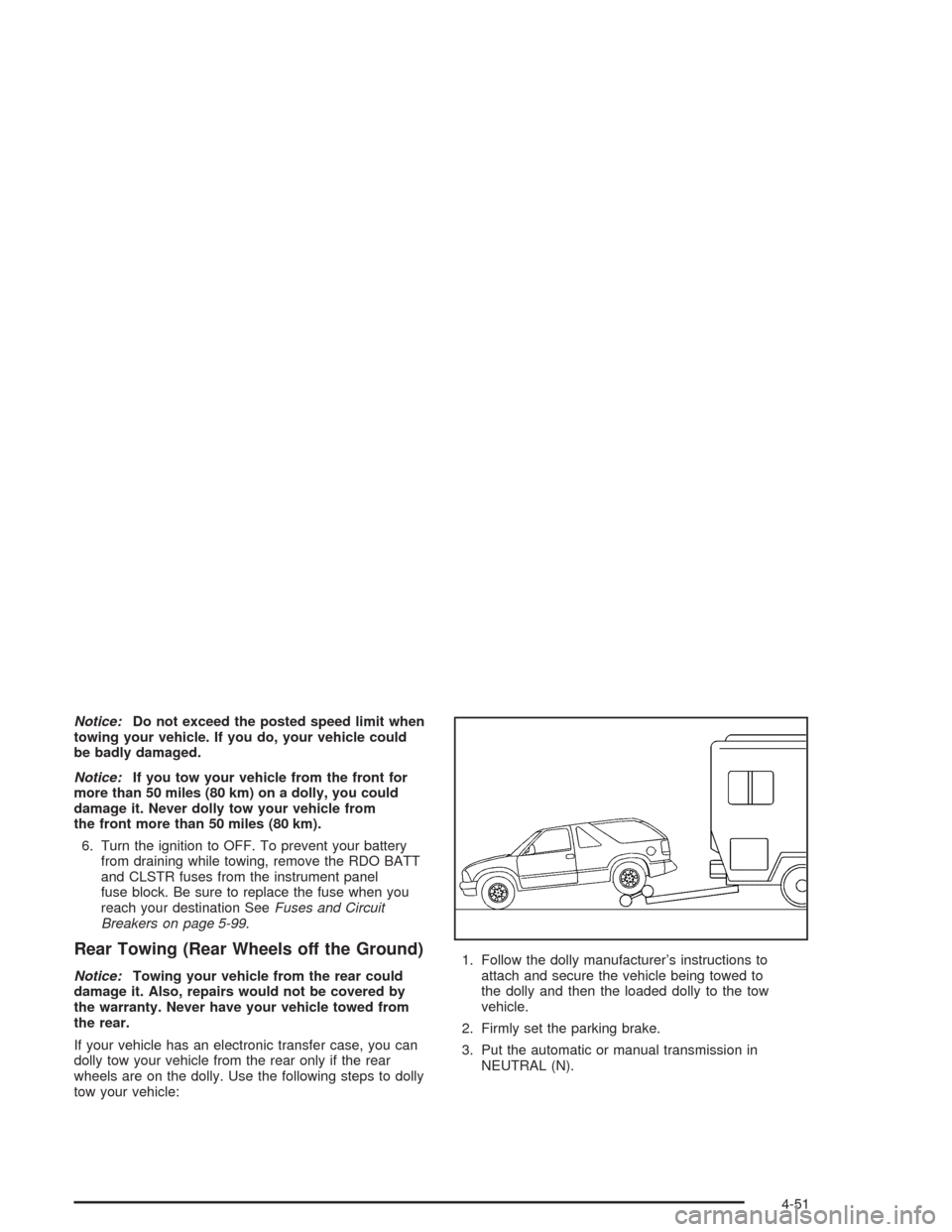
Rear Towing (Rear Wheels off the Ground)
Notice:Towing your vehicle from the rear could
damage it. Also, repairs would not be covered by
the warranty. Never have your vehicle towed from
the rear.
If your vehicle has an electronic transfer case, you can
dolly tow your vehicle from the rear only if the rear
wheels are on the dolly. Use the following steps to dolly
tow your vehicle:1. Follow the dolly manufacturer’s instructions to
attach and secure the vehicle being towed to
the dolly and then the loaded dolly to the tow
vehicle.
2. Firmly set the parking brake.
3. Put the automatic or manual transmission in
NEUTRAL (N).
4-51
Page 257 of 446
2. Firmly set the parking brake.
3. Put the automatic or manual transmission in
NEUTRAL (N).
4. Release the parking brake only after the vehicle
being towed is rmly attached to the towing
vehicle.
5. Turn the ignition to OFF. To prevent your battery
from draining while towing, remove the RDO BATT
and CLSTR fuses from the instrument panel
fuse block. Be sure to replace the fuse when you
reach your destination SeeFuses and Circuit
Breakers on page 5-99.
Notice:Do not exceed the posted speed limit when
towing your vehicle. If you do, your vehicle could
be badly damaged.
Notice:If you tow your vehicle from the front for
more than 50 miles (80 km) on a dolly, you could
damage it. Never dolly tow your vehicle from
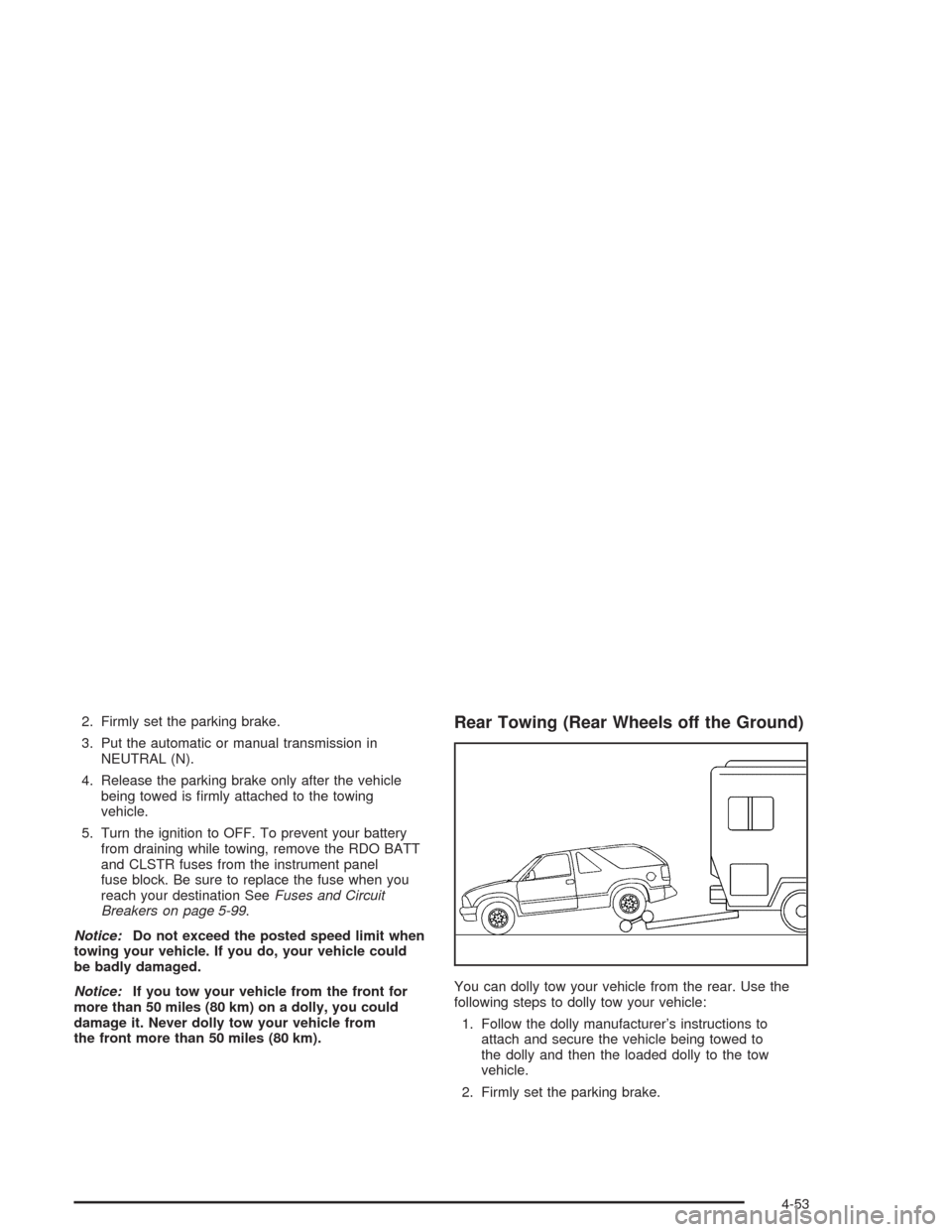
the front more than 50 miles (80 km).Rear Towing (Rear Wheels off the Ground)
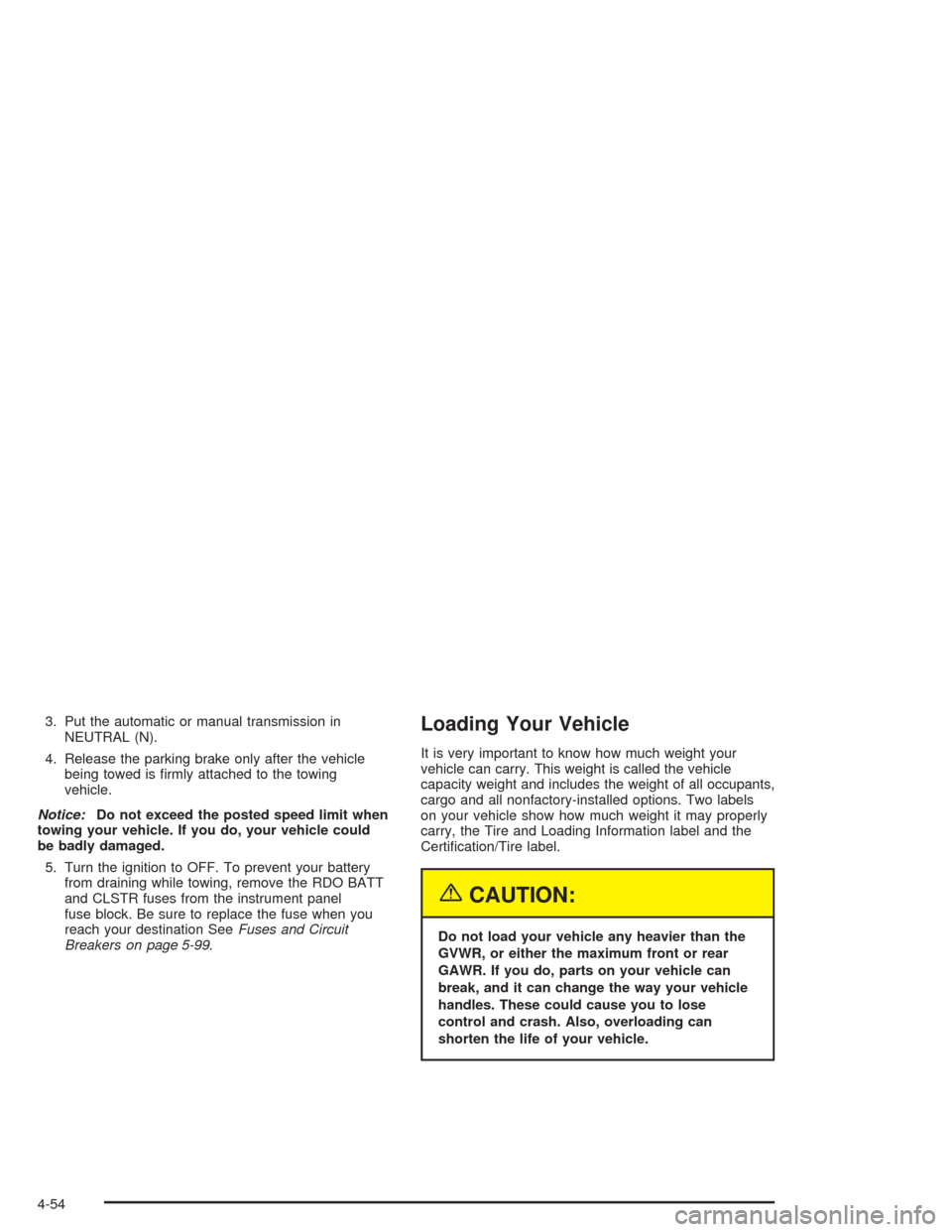
You can dolly tow your vehicle from the rear. Use the
following steps to dolly tow your vehicle:
1. Follow the dolly manufacturer’s instructions to
attach and secure the vehicle being towed to
the dolly and then the loaded dolly to the tow
vehicle.
2. Firmly set the parking brake.
4-53
Page 258 of 446
3. Put the automatic or manual transmission in
NEUTRAL (N).
4. Release the parking brake only after the vehicle
being towed is rmly attached to the towing
vehicle.
Notice:Do not exceed the posted speed limit when
towing your vehicle. If you do, your vehicle could
be badly damaged.
5. Turn the ignition to OFF. To prevent your battery
from draining while towing, remove the RDO BATT
and CLSTR fuses from the instrument panel
fuse block. Be sure to replace the fuse when you
reach your destination SeeFuses and Circuit
Breakers on page 5-99.Loading Your Vehicle
It is very important to know how much weight your
vehicle can carry. This weight is called the vehicle
capacity weight and includes the weight of all occupants,
cargo and all nonfactory-installed options. Two labels
on your vehicle show how much weight it may properly
carry, the Tire and Loading Information label and the
Certication/Tire label.
{CAUTION:
Do not load your vehicle any heavier than the
GVWR, or either the maximum front or rear
GAWR. If you do, parts on your vehicle can
break, and it can change the way your vehicle
handles. These could cause you to lose
control and crash. Also, overloading can
shorten the life of your vehicle.
4-54