wheel CHEVROLET BLAZER 2020 Repair Manual
[x] Cancel search | Manufacturer: CHEVROLET, Model Year: 2020, Model line: BLAZER, Model: CHEVROLET BLAZER 2020Pages: 390, PDF Size: 6.5 MB
Page 207 of 390
Chevrolet Blazer Owner Manual (GMNA-Localizing-U.S./Canada/Mexico-
13557845) - 2020 - CRC - 3/24/20
206 Driving and Operating
ACC Automatically Disengages
ACC may automatically disengage
and the driver will need to manually
apply the brakes to slow the
vehicle when:
.The sensors are blocked.
. The Traction Control System
(TCS) or StabiliTrak/ESC system
has activated or been disabled.
. There is a fault in the system.
. The radar falsely reports a
blockage when driving in a
desert or remote area with no
other vehicles or roadside
objects. A DIC message may
display to indicate that ACC is
temporarily unavailable.
The ACC indicator will turn white
when ACC is no longer active.
Notification to Resume ACC
ACC will maintain a following gap
behind a detected vehicle and slow
your vehicle to a stop behind that
vehicle. If the stopped vehicle ahead has
driven away and ACC has not
resumed, the vehicle ahead
indicator will flash as a reminder to
check traffic ahead before
proceeding. In addition, the left and
right sides of the Safety Alert Seat
will pulse three times, or three
beeps will sound. See
“Alert Type”
and “Adaptive Cruise Go Notifier” in
“Collision/Detection Systems” under
Vehicle Personalization 0137.
When the vehicle ahead drives
away, move the thumbwheel up
toward RES+ or press the
accelerator pedal to resume cruise
control. If stopped for more than
two minutes or if the driver door is
opened and the driver seat belt is
unbuckled, the ACC automatically
applies the Electric Parking Brake
(EPB) to hold the vehicle. The EPB
status light will turn on. See Electric
Parking Brake 0192. To resume
ACC and release the EPB, press
the accelerator pedal. A DIC warning message may
display indicating to shift to P (Park)
before exiting the vehicle. See
Vehicle Messages
0136.
{Warning
If ACC has stopped the vehicle,
and if ACC is disengaged, turned
off, or canceled, the vehicle will
no longer be held at a stop. The
vehicle can move. When ACC is
holding the vehicle at a stop,
always be prepared to manually
apply the brakes.
{Warning
Leaving the vehicle without
placing it in P (Park) can be
dangerous. Do not leave the
vehicle while it is being held at a
stop by ACC. Always place the
vehicle in P (Park) and turn off
the ignition before leaving the
vehicle.
Page 216 of 390
Chevrolet Blazer Owner Manual (GMNA-Localizing-U.S./Canada/Mexico-
13557845) - 2020 - CRC - 3/24/20
Driving and Operating 215
from the back of the vehicle do not
move further back when a trailer is
towed.
Turning the Features On or Off
To turn RPA on or off, pressXon
the center console. The indicator
light next to the button comes on
when the features are on and turns
off when the features have been
disabled.
RCTA and Rear Park Assist
symbols can be turned on or off
through vehicle personalization. See
“Collision/Detection Systems” under
Vehicle Personalization 0137.
Turn off RPA when towing a trailer.
Assistance Systems for
Driving
If equipped, when driving the
vehicle in a forward gear, Forward
Collision Alert (FCA), Lane
Departure Warning (LDW), Lane
Keep Assist (LKA), Side Blind Zone
Alert (SBZA), Lane Change Alert
(LCA), Automatic Emergency
Braking (AEB), and/or the Front Pedestrian Braking (FPB) System
can help to avoid a crash or reduce
crash damage.
Forward Collision Alert
(FCA) System
If equipped, the FCA system may
help to avoid or reduce the harm
caused by front-end crashes. When
approaching a vehicle ahead too
quickly, FCA provides a red flashing
alert on the windshield and rapidly
beeps or pulses the driver seat.
FCA also lights an amber visual
alert if following another vehicle
much too closely.
FCA detects vehicles within a
distance of approximately 60 m
(197 ft) and operates at speeds
above 8 km/h (5 mph). If the vehicle
has Adaptive Cruise Control (ACC),
it can detect vehicles to distances of
approximately 110 m (360 ft) and
operates at speeds above 4km/h
(2.5 mph). See
Adaptive Cruise
Control 0200.
{Warning
FCA is a warning system and
does not apply the brakes. When
approaching a slower-moving or
stopped vehicle ahead too rapidly,
or when following a vehicle too
closely, FCA may not provide a
warning with enough time to help
avoid a crash. It also may not
provide any warning at all. FCA
does not warn of pedestrians,
animals, signs, guardrails,
bridges, construction barrels,
or other objects. Be ready to take
action and apply the brakes. See
Defensive Driving 0163.
FCA can be disabled with either the
FCA steering wheel control or,
if equipped, through vehicle
personalization. See “Collision/
Detection Systems” underVehicle
Personalization 0137.
Page 218 of 390
Chevrolet Blazer Owner Manual (GMNA-Localizing-U.S./Canada/Mexico-
13557845) - 2020 - CRC - 3/24/20
Driving and Operating 217
Selecting the Alert Timing
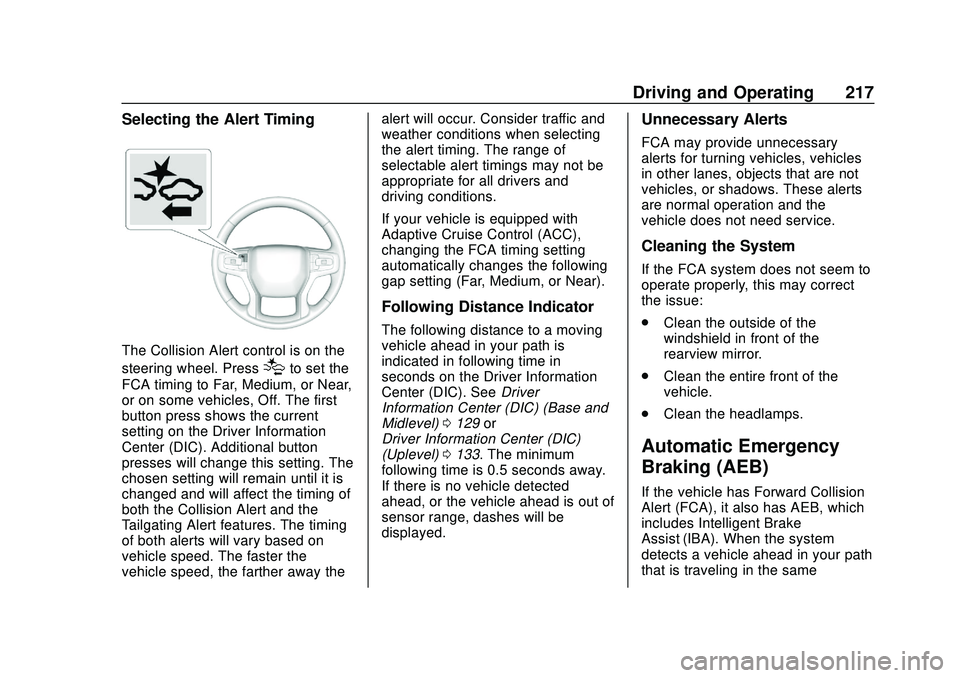
The Collision Alert control is on the
steering wheel. Press
[to set the
FCA timing to Far, Medium, or Near,
or on some vehicles, Off. The first
button press shows the current
setting on the Driver Information
Center (DIC). Additional button
presses will change this setting. The
chosen setting will remain until it is
changed and will affect the timing of
both the Collision Alert and the
Tailgating Alert features. The timing
of both alerts will vary based on
vehicle speed. The faster the
vehicle speed, the farther away the alert will occur. Consider traffic and
weather conditions when selecting
the alert timing. The range of
selectable alert timings may not be
appropriate for all drivers and
driving conditions.
If your vehicle is equipped with
Adaptive Cruise Control (ACC),
changing the FCA timing setting
automatically changes the following
gap setting (Far, Medium, or Near).
Following Distance Indicator
The following distance to a moving
vehicle ahead in your path is
indicated in following time in
seconds on the Driver Information
Center (DIC). See
Driver
Information Center (DIC) (Base and
Midlevel) 0129 or
Driver Information Center (DIC)
(Uplevel) 0133. The minimum
following time is 0.5 seconds away.
If there is no vehicle detected
ahead, or the vehicle ahead is out of
sensor range, dashes will be
displayed.
Unnecessary Alerts
FCA may provide unnecessary
alerts for turning vehicles, vehicles
in other lanes, objects that are not
vehicles, or shadows. These alerts
are normal operation and the
vehicle does not need service.
Cleaning the System
If the FCA system does not seem to
operate properly, this may correct
the issue:
. Clean the outside of the
windshield in front of the
rearview mirror.
. Clean the entire front of the
vehicle.
. Clean the headlamps.
Automatic Emergency
Braking (AEB)
If the vehicle has Forward Collision
Alert (FCA), it also has AEB, which
includes Intelligent Brake
Assist (IBA). When the system
detects a vehicle ahead in your path
that is traveling in the same
Page 224 of 390
Chevrolet Blazer Owner Manual (GMNA-Localizing-U.S./Canada/Mexico-
13557845) - 2020 - CRC - 3/24/20
Driving and Operating 223
Detection Systems”underVehicle
Personalization 0137. If LCA is
disabled by the driver, the LCA
mirror displays will not light up.
When the System Does Not
Seem to Work Properly
The LCA system requires some
driving for the system to calibrate to
maximum performance. This
calibration may occur more quickly if
the vehicle is driving on a straight
highway road with traffic and
roadside objects (e.g., guardrails,
barriers).
LCA displays may not come on
when passing a vehicle quickly, for
a stopped vehicle, or when towing a
trailer. The LCA detection zones
that extend back from the side of
the vehicle do not move further back
when a trailer is towed. Use caution
while changing lanes when towing a
trailer. LCA may alert to objects
attached to the vehicle, such as a
trailer, bicycle, or object extending
out to either side of the vehicle.
Attached objects may also interfere with the detection of vehicles. This
is normal system operation; the
vehicle does not need service.
LCA may not always alert the driver
to vehicles in the next lane over,
especially in wet conditions or when
driving on sharp curves. The system
does not need to be serviced. The
system may light up due to
guardrails, signs, trees, shrubs, and
other non-moving objects. This is
normal system operation; the
vehicle does not need service.
LCA may not operate when the LCA
sensors in the left or right corners of
the rear bumper are covered with
mud, dirt, snow, ice, or slush, or in
heavy rainstorms. For cleaning
instructions, see "Washing the
Vehicle" under
Exterior Care0327.
If the DIC still displays the system
unavailable message after cleaning
both sides of the vehicle toward the
rear corners of the vehicle, see your
dealer.
If the LCA displays do not light up
when moving vehicles are in the
side blind zone or are rapidly
approaching this zone and the system is clean, the system may
need service. Take the vehicle to
your dealer.
Radio Frequency Information
See
Radio Frequency Statement
0 365.
Lane Keep Assist (LKA)
If equipped, LKA may help avoid
crashes due to unintentional lane
departures. This system uses a
camera to detect lane markings
between 60 km/h (37 mph) and 180
km/h (112 mph). It may assist by
gently turning the steering wheel if
the vehicle approaches a detected
lane marking. It may also provide a
Lane Departure Warning (LDW)
alert if the vehicle crosses a
detected lane marking. LKA can be
overridden by turning the steering
wheel. This system is not intended
to keep the vehicle centered in the
lane. LKA will not assist and alert if
the turn signal is active in the
direction of lane departure, or if it
detects that you are accelerating,
braking or actively steering.
Page 226 of 390
Chevrolet Blazer Owner Manual (GMNA-Localizing-U.S./Canada/Mexico-
13557845) - 2020 - CRC - 3/24/20
Driving and Operating 225
by gently turning the steering
wheel if the vehicle approaches a
detected lane marking.
Ais
amber when assisting. It may also
provide a Lane Departure Warning
(LDW) alert by flashing
Aamber
if the vehicle crosses a detected
lane marking. Additionally, there
may be three beeps, or the driver
seat may pulse three times, on the
right or left, depending on the lane
departure direction.
Take Steering
The LKA system does not
continuously steer the vehicle.
If LKA does not detect active driver
steering, an alert and chime may be
provided. Steer the vehicle to
dismiss. LKA may become
temporarily unavailable after
repeated take steering alerts.
When the System Does Not
Seem to Work Properly
The system performance may be
affected by:
. Close vehicles ahead. .
Sudden lighting changes, such
as when driving through tunnels.
. Banked roads.
. Roads with poor lane markings,
such as two-lane roads.
A camera blocked message may
display if the camera is blocked.
Some driver assistance systems
may have reduced performance or
not work at all. An LKA or LDW
unavailable message may display if
the systems are temporarily
unavailable. This message could be
due to a blocked camera. The LKA
system does not need service.
Clean the outside of the windshield
behind the rear view mirror.
LKA assistance and/or LDW alerts
may occur due to tar marks,
shadows, cracks in the road,
temporary or construction lane
markings, or other road
imperfections. This is normal system
operation; the vehicle does not need
service. Turn LKA off if these
conditions continue.
Fuel
Top Tier Fuel
GM recommends the use of TOP
TIER Detergent Gasoline to keep
the engine clean, reduce engine
deposits, and maintain optimal
vehicle performance. Look for the
TOP TIER Logo or see
www.toptiergas.com for a list of TOP
TIER Detergent Gasoline marketers
and applicable countries.
Page 232 of 390
Chevrolet Blazer Owner Manual (GMNA-Localizing-U.S./Canada/Mexico-
13557845) - 2020 - CRC - 3/24/20
Driving and Operating 231
Warning (Continued)
.Fully open the air outlets on
or under the instrument
panel.
. Adjust the climate control
system to a setting that
brings in only outside air.
See “Climate Control
Systems” in the Index.
For more information about
carbon monoxide, see Engine
Exhaust 0186.
Towing a trailer requires experience.
The combination of the vehicle and
trailer is longer and not as
responsive as the vehicle itself. Get
used to the handling and braking of
the combination by driving on a
level road surface before driving on
public roads.
The trailer structure, the tires, and
the brakes must all be rated to carry
the intended cargo. Inadequate
trailer equipment can cause the
combination to operate in an
unexpected or unsafe manner. Before driving, inspect all trailer
hitch parts and attachments, safety
chains, electrical connectors, lamps,
tires, and mirrors. See
Towing
Equipment 0237. If the trailer has
electric brakes, start the
combination moving and then
manually apply the trailer brake
controller to check that the trailer
brakes work.
During the trip, occasionally check
that the cargo and trailer are secure
and that the lamps and any trailer
brakes are working.
Towing with a Stability Control
System
When towing, the stability control
system might be heard. The system
reacts to vehicle movement caused
by the trailer, which mainly occurs
during cornering. This is normal
when towing heavier trailers.
Following Distance
Stay at least twice as far behind the
vehicle ahead as you would when
driving without a trailer. This can
help to avoid heavy braking and
sudden turns.
Passing
More passing distance is needed
when towing a trailer. The
combination of the vehicle and
trailer will not accelerate as quickly
and is much longer than the vehicle
alone. It is necessary to go much
farther beyond the passed vehicle
before returning to the lane. Pass
on level roadways. Avoid passing
on hills if possible.
Backing Up
Hold the bottom of the steering
wheel with one hand. To move the
trailer to the left, move that hand to
the left. To move the trailer to the
right, move that hand to the right.
Always back up slowly and,
if possible, have someone
guide you.
Page 233 of 390
Chevrolet Blazer Owner Manual (GMNA-Localizing-U.S./Canada/Mexico-
13557845) - 2020 - CRC - 3/24/20
232 Driving and Operating
Making TurnsCaution
Turn more slowly and make wider
arcs when towing a trailer to
prevent damage to your vehicle.
Making very sharp turns could
cause the trailer to contact the
vehicle.
Make wider turns than normal when
towing, so the trailer will not go over
soft shoulders, over curbs, or strike
road signs, trees, or other objects.
Always signal turns well in advance.
Do not steer or brake suddenly.
Driving on Grades
Reduce speed and shift to a lower
gear before starting down a long or
steep downhill grade. If the
transmission is not shifted down, the
brakes may overheat and result in
reduced braking efficiency. The vehicle can tow in D (Drive).
Shift the transmission to a lower
gear if the transmission shifts too
often under heavy loads and/or hilly
conditions.
When towing at higher altitudes,
engine coolant will boil at a lower
temperature than at lower altitudes.
If the engine is turned off
immediately after towing at high
altitude on steep uphill grades, the
vehicle could show signs similar to
engine overheating. To avoid this,
let the engine run, preferably on
level ground, with the transmission
in P (Park) for a few minutes before
turning the engine off. If the
overheat warning comes on, see
Engine Overheating
0264.
Parking on Hills
{Warning
To prevent serious injury or death,
always park your vehicle and
trailer on a level surface when
possible.
When parking the vehicle and trailer
on a hill: 1. Press the brake pedal, but do not shift into P (Park) yet. Turn
the wheels into the curb if
facing downhill or into traffic if
facing uphill.
2. Have someone place chocks under the trailer wheels.
3. When the wheel chocks are in place, gradually release the
brake pedal to allow the chocks
to absorb the load of the trailer.
Page 242 of 390
Chevrolet Blazer Owner Manual (GMNA-Localizing-U.S./Canada/Mexico-
13557845) - 2020 - CRC - 3/24/20
Driving and Operating 241
may result in unpleasant engine and
transmission driving characteristics
and reduced fuel economy.
Trailer Sway
Control (TSC)
Vehicles with StabiliTrak/Electronic
Stability Control (ESC) have a
Trailer Sway Control (TSC) feature.
Trailer sway is unintended
side-to-side motion of a trailer while
towing. If the vehicle is towing a
trailer and the TSC detects that
sway is increasing, the vehicle
brakes are selectively applied at
each wheel, to help reduce
excessive trailer sway. If equipped
with the Integrated Trailer Brake
Control (ITBC) system, and the
trailer has an electric brake system,
StabiliTrak/ESC may also apply the
trailer brakes.
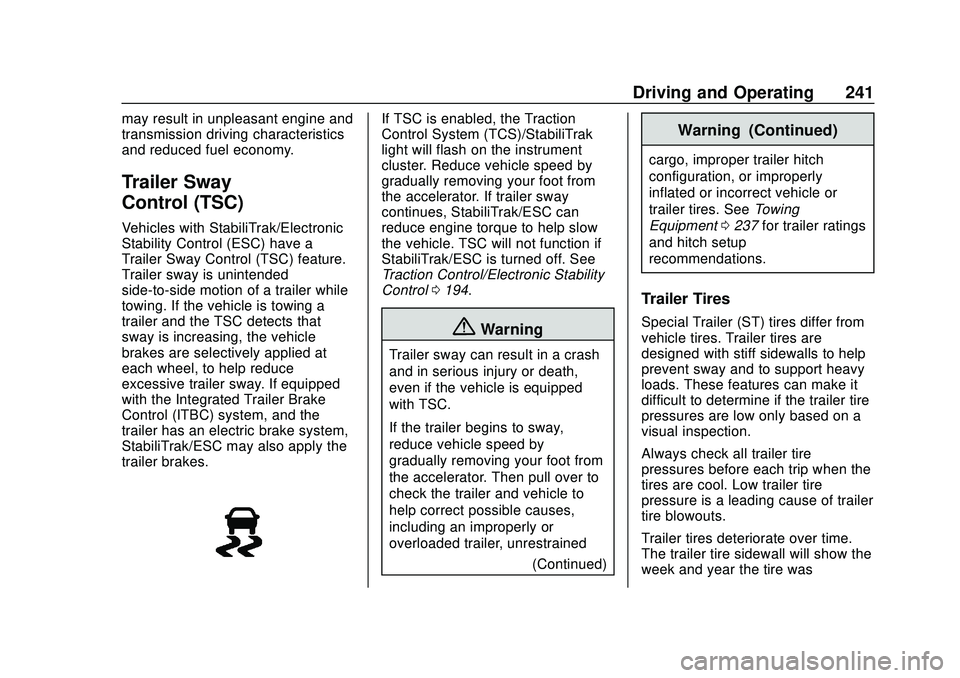
If TSC is enabled, the Traction
Control System (TCS)/StabiliTrak
light will flash on the instrument
cluster. Reduce vehicle speed by
gradually removing your foot from
the accelerator. If trailer sway
continues, StabiliTrak/ESC can
reduce engine torque to help slow
the vehicle. TSC will not function if
StabiliTrak/ESC is turned off. See
Traction Control/Electronic Stability
Control0194.
{Warning
Trailer sway can result in a crash
and in serious injury or death,
even if the vehicle is equipped
with TSC.
If the trailer begins to sway,
reduce vehicle speed by
gradually removing your foot from
the accelerator. Then pull over to
check the trailer and vehicle to
help correct possible causes,
including an improperly or
overloaded trailer, unrestrained
(Continued)
Warning (Continued)
cargo, improper trailer hitch
configuration, or improperly
inflated or incorrect vehicle or
trailer tires. SeeTowing
Equipment 0237 for trailer ratings
and hitch setup
recommendations.
Trailer Tires
Special Trailer (ST) tires differ from
vehicle tires. Trailer tires are
designed with stiff sidewalls to help
prevent sway and to support heavy
loads. These features can make it
difficult to determine if the trailer tire
pressures are low only based on a
visual inspection.
Always check all trailer tire
pressures before each trip when the
tires are cool. Low trailer tire
pressure is a leading cause of trailer
tire blowouts.
Trailer tires deteriorate over time.
The trailer tire sidewall will show the
week and year the tire was
Page 244 of 390
Chevrolet Blazer Owner Manual (GMNA-Localizing-U.S./Canada/Mexico-
13557845) - 2020 - CRC - 3/24/20
Vehicle Care 243
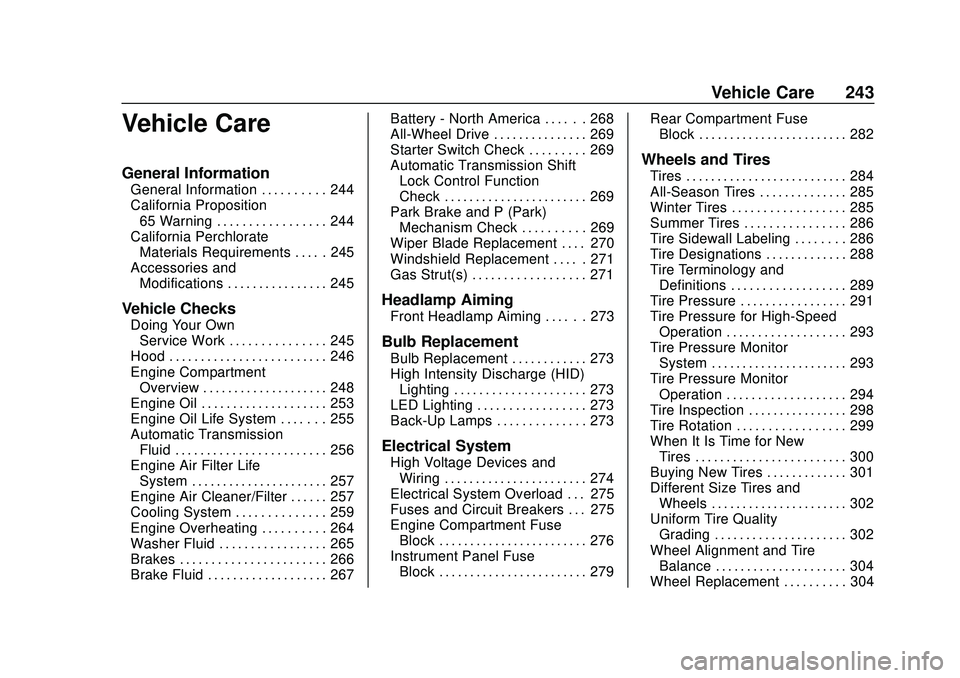
Vehicle Care
General Information
General Information . . . . . . . . . . 244
California Proposition65 Warning . . . . . . . . . . . . . . . . . 244
California Perchlorate Materials Requirements . . . . . 245
Accessories and Modifications . . . . . . . . . . . . . . . . 245
Vehicle Checks
Doing Your OwnService Work . . . . . . . . . . . . . . . 245
Hood . . . . . . . . . . . . . . . . . . . . . . . . . 246
Engine Compartment Overview . . . . . . . . . . . . . . . . . . . . 248
Engine Oil . . . . . . . . . . . . . . . . . . . . 253
Engine Oil Life System . . . . . . . 255
Automatic Transmission Fluid . . . . . . . . . . . . . . . . . . . . . . . . 256
Engine Air Filter Life System . . . . . . . . . . . . . . . . . . . . . . 257
Engine Air Cleaner/Filter . . . . . . 257
Cooling System . . . . . . . . . . . . . . 259
Engine Overheating . . . . . . . . . . 264
Washer Fluid . . . . . . . . . . . . . . . . . 265
Brakes . . . . . . . . . . . . . . . . . . . . . . . 266
Brake Fluid . . . . . . . . . . . . . . . . . . . 267 Battery - North America . . . . . . 268
All-Wheel Drive . . . . . . . . . . . . . . . 269
Starter Switch Check . . . . . . . . . 269
Automatic Transmission Shift
Lock Control Function
Check . . . . . . . . . . . . . . . . . . . . . . . 269
Park Brake and P (Park) Mechanism Check . . . . . . . . . . 269
Wiper Blade Replacement . . . . 270
Windshield Replacement . . . . . 271
Gas Strut(s) . . . . . . . . . . . . . . . . . . 271
Headlamp Aiming
Front Headlamp Aiming . . . . . . 273
Bulb Replacement
Bulb Replacement . . . . . . . . . . . . 273
High Intensity Discharge (HID) Lighting . . . . . . . . . . . . . . . . . . . . . 273
LED Lighting . . . . . . . . . . . . . . . . . 273
Back-Up Lamps . . . . . . . . . . . . . . 273
Electrical System
High Voltage Devices and Wiring . . . . . . . . . . . . . . . . . . . . . . . 274
Electrical System Overload . . . 275
Fuses and Circuit Breakers . . . 275
Engine Compartment Fuse Block . . . . . . . . . . . . . . . . . . . . . . . . 276
Instrument Panel Fuse Block . . . . . . . . . . . . . . . . . . . . . . . . 279 Rear Compartment Fuse
Block . . . . . . . . . . . . . . . . . . . . . . . . 282
Wheels and Tires
Tires . . . . . . . . . . . . . . . . . . . . . . . . . . 284
All-Season Tires . . . . . . . . . . . . . . 285
Winter Tires . . . . . . . . . . . . . . . . . . 285
Summer Tires . . . . . . . . . . . . . . . . 286
Tire Sidewall Labeling . . . . . . . . 286
Tire Designations . . . . . . . . . . . . . 288
Tire Terminology andDefinitions . . . . . . . . . . . . . . . . . . 289
Tire Pressure . . . . . . . . . . . . . . . . . 291
Tire Pressure for High-Speed Operation . . . . . . . . . . . . . . . . . . . 293
Tire Pressure Monitor System . . . . . . . . . . . . . . . . . . . . . . 293
Tire Pressure Monitor Operation . . . . . . . . . . . . . . . . . . . 294
Tire Inspection . . . . . . . . . . . . . . . . 298
Tire Rotation . . . . . . . . . . . . . . . . . 299
When It Is Time for New Tires . . . . . . . . . . . . . . . . . . . . . . . . 300
Buying New Tires . . . . . . . . . . . . . 301
Different Size Tires and Wheels . . . . . . . . . . . . . . . . . . . . . . 302
Uniform Tire Quality Grading . . . . . . . . . . . . . . . . . . . . . 302
Wheel Alignment and Tire Balance . . . . . . . . . . . . . . . . . . . . . 304
Wheel Replacement . . . . . . . . . . 304
Page 257 of 390
Chevrolet Blazer Owner Manual (GMNA-Localizing-U.S./Canada/Mexico-
13557845) - 2020 - CRC - 3/24/20
256 Vehicle Care
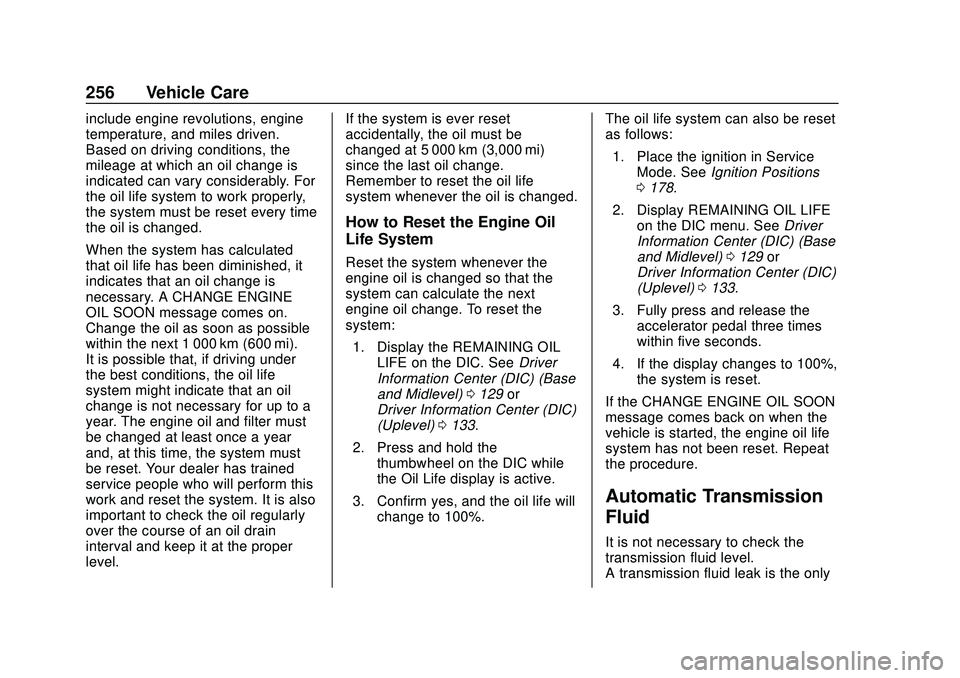
include engine revolutions, engine
temperature, and miles driven.
Based on driving conditions, the
mileage at which an oil change is
indicated can vary considerably. For
the oil life system to work properly,
the system must be reset every time
the oil is changed.
When the system has calculated
that oil life has been diminished, it
indicates that an oil change is
necessary. A CHANGE ENGINE
OIL SOON message comes on.
Change the oil as soon as possible
within the next 1 000 km (600 mi).
It is possible that, if driving under
the best conditions, the oil life
system might indicate that an oil
change is not necessary for up to a
year. The engine oil and filter must
be changed at least once a year
and, at this time, the system must
be reset. Your dealer has trained
service people who will perform this
work and reset the system. It is also
important to check the oil regularly
over the course of an oil drain
interval and keep it at the proper
level.If the system is ever reset
accidentally, the oil must be
changed at 5 000 km (3,000 mi)
since the last oil change.
Remember to reset the oil life
system whenever the oil is changed.
How to Reset the Engine Oil
Life System
Reset the system whenever the
engine oil is changed so that the
system can calculate the next
engine oil change. To reset the
system:
1. Display the REMAINING OIL LIFE on the DIC. See Driver
Information Center (DIC) (Base
and Midlevel) 0129 or
Driver Information Center (DIC)
(Uplevel) 0133.
2. Press and hold the thumbwheel on the DIC while
the Oil Life display is active.
3. Confirm yes, and the oil life will change to 100%. The oil life system can also be reset
as follows:
1. Place the ignition in Service Mode. See Ignition Positions
0 178.
2. Display REMAINING OIL LIFE on the DIC menu. See Driver
Information Center (DIC) (Base
and Midlevel) 0129 or
Driver Information Center (DIC)
(Uplevel) 0133.
3. Fully press and release the accelerator pedal three times
within five seconds.
4. If the display changes to 100%, the system is reset.
If the CHANGE ENGINE OIL SOON
message comes back on when the
vehicle is started, the engine oil life
system has not been reset. Repeat
the procedure.
Automatic Transmission
Fluid
It is not necessary to check the
transmission fluid level.
A transmission fluid leak is the only