Front CHEVROLET BLAZER 2020 Manual Online
[x] Cancel search | Manufacturer: CHEVROLET, Model Year: 2020, Model line: BLAZER, Model: CHEVROLET BLAZER 2020Pages: 390, PDF Size: 6.5 MB
Page 236 of 390
Chevrolet Blazer Owner Manual (GMNA-Localizing-U.S./Canada/Mexico-
13557845) - 2020 - CRC - 3/24/20
Driving and Operating 235
4. Add the weight of all cargo inthe vehicle.
5. Add the weight of hitch hardware such as a draw bar,
ball, load equalizer bars,
or sway bars.
6. Add the weight of any accessories or aftermarket
equipment added to the
vehicle.
The resulting weight cannot exceed
the GCWR value on the Trailering
Information label.
The gross combined weight can
also be confirmed by weighing the
truck and trailer on a public scale.
The truck and trailer should be
loaded for the trip with passengers
and cargo.
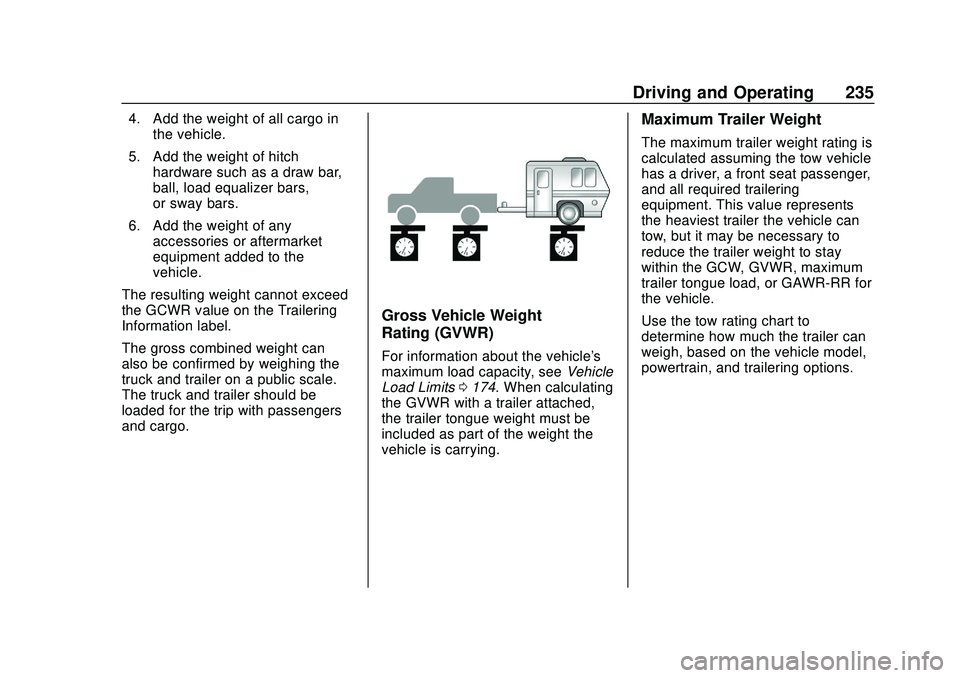
Gross Vehicle Weight
Rating (GVWR)
For information about the vehicle's
maximum load capacity, see Vehicle
Load Limits 0174. When calculating
the GVWR with a trailer attached,
the trailer tongue weight must be
included as part of the weight the
vehicle is carrying.
Maximum Trailer Weight
The maximum trailer weight rating is
calculated assuming the tow vehicle
has a driver, a front seat passenger,
and all required trailering
equipment. This value represents
the heaviest trailer the vehicle can
tow, but it may be necessary to
reduce the trailer weight to stay
within the GCW, GVWR, maximum
trailer tongue load, or GAWR-RR for
the vehicle.
Use the tow rating chart to
determine how much the trailer can
weigh, based on the vehicle model,
powertrain, and trailering options.
Page 239 of 390

Chevrolet Blazer Owner Manual (GMNA-Localizing-U.S./Canada/Mexico-
13557845) - 2020 - CRC - 3/24/20
238 Driving and Operating
Hitch Cover
To remove the hitch cover,
if equipped:1. Remove the four fasteners on the lower tabs.
2. Pull the lower edge of the cover to about a 45 degree
angle.
3. Pull the cover downward to disengage the upper
attachments. To reinstall the hitch cover:
1. Hold the cover at a 45 degree angle to the vehicle and push
the upper tabs into the slots in
the bumper.
2. Push the bottom of the cover forward until the lower tabs line
up with the lower slots.
3. Snap the hitch cover into place by pushing the upper corners
forward.
4. Reinstall the four fasteners on the lower tabs.
Consider using mechanical sway
controls with any trailer. Ask a
trailering professional about sway
controls or refer to the trailer
manufacturer's recommendations
and instructions.
Weight-Distributing Hitch
Adjustment
A weight-distributing hitch may be
useful with some trailers.
1. Front of the Vehicle
2. Body-to-Ground Distance
When using a weight-distributing
hitch, measure the front fender
height above the front axle
distance (2) before and after
connecting the trailer. Adjust the
spring bars until the front fender
height distance (2) is approximately
halfway between the first and
second measurements.
Tires
. Do not tow a trailer while using a
compact spare tire on the
vehicle.
Page 241 of 390
Chevrolet Blazer Owner Manual (GMNA-Localizing-U.S./Canada/Mexico-
13557845) - 2020 - CRC - 3/24/20
240 Driving and Operating
If a battery outside the vehicle is
being charged, place the vehicle in
Tow/Haul Mode. This will boost the
vehicle system voltage and properly
charge the battery. If the trailer is
too light for Tow/Haul Mode, turn on
the non-HID only headlamps as a
second way to boost the vehicle
system voltage and charge the
battery.
Electric Trailer Brake Control
Wiring Provisions
Wiring provisions for an aftermarket
electric trailer brake controller are
included with the vehicle as part of
the trailer wiring package. The
harness contains the following
circuits:
These wiring provisions for an
electric trailer brake controller are
included with the vehicle as part of
the trailer wiring package. The body
harness, inside the front driver side
instrument panel, contains blunt cut
wires below the headlamp switch for
the electric trailer brake controller.
The harness contains the following
wires:.
Blue: Electric Trailer Brakes
. Blue: Battery Feed
. White/Blue: Brake Apply Signal
. Black: Ground
Refer to the aftermarket electric
trailer brake controller owner's
manual to determine wire color
coding of the electric trailer brake
controller. The wire colors on the
brake controller may be different
from the vehicle. The electric trailer
brake controller should be installed
by your dealer or a qualified service
center.
Trailer Lamps
Always check all trailer lamps are
working at the beginning of each
trip, and periodically on longer trips.
Turn Signals When Towing a
Trailer
When properly connected, the trailer
turn signals will illuminate to indicate
the vehicle is turning, changing
lanes, or stopping. When towing a
trailer, the arrows on the instrument cluster will illuminate even if the
trailer is not properly connected or
the bulbs are burned out.
Tow/Haul Mode
For instructions on how to enter
Tow/Haul Mode, see
Driver Mode
Control 0196.
Tow/Haul assists when pulling a
heavy trailer or a large or heavy
load. See Tow/Haul Mode 0190.
Tow/Haul Mode is designed to be
most effective when the vehicle and
trailer combined weight is at least
75% of the vehicle's Gross
Combined Weight Rating (GCWR).
See “Weight of the Trailer” under
Trailer Towing 0233. Tow/Haul
Mode is most useful when towing a
heavy trailer or carrying a large or
heavy load:
. Through rolling terrain.
. In stop-and-go traffic.
. In busy parking lots.
Operating the vehicle in Tow/Haul
Mode when lightly loaded or not
towing will not cause damage;
however, it is not recommended and
Page 244 of 390
Chevrolet Blazer Owner Manual (GMNA-Localizing-U.S./Canada/Mexico-
13557845) - 2020 - CRC - 3/24/20
Vehicle Care 243
Vehicle Care
General Information
General Information . . . . . . . . . . 244
California Proposition65 Warning . . . . . . . . . . . . . . . . . 244
California Perchlorate Materials Requirements . . . . . 245
Accessories and Modifications . . . . . . . . . . . . . . . . 245
Vehicle Checks
Doing Your OwnService Work . . . . . . . . . . . . . . . 245
Hood . . . . . . . . . . . . . . . . . . . . . . . . . 246
Engine Compartment Overview . . . . . . . . . . . . . . . . . . . . 248
Engine Oil . . . . . . . . . . . . . . . . . . . . 253
Engine Oil Life System . . . . . . . 255
Automatic Transmission Fluid . . . . . . . . . . . . . . . . . . . . . . . . 256
Engine Air Filter Life System . . . . . . . . . . . . . . . . . . . . . . 257
Engine Air Cleaner/Filter . . . . . . 257
Cooling System . . . . . . . . . . . . . . 259
Engine Overheating . . . . . . . . . . 264
Washer Fluid . . . . . . . . . . . . . . . . . 265
Brakes . . . . . . . . . . . . . . . . . . . . . . . 266
Brake Fluid . . . . . . . . . . . . . . . . . . . 267 Battery - North America . . . . . . 268
All-Wheel Drive . . . . . . . . . . . . . . . 269
Starter Switch Check . . . . . . . . . 269
Automatic Transmission Shift
Lock Control Function
Check . . . . . . . . . . . . . . . . . . . . . . . 269
Park Brake and P (Park) Mechanism Check . . . . . . . . . . 269
Wiper Blade Replacement . . . . 270
Windshield Replacement . . . . . 271
Gas Strut(s) . . . . . . . . . . . . . . . . . . 271
Headlamp Aiming
Front Headlamp Aiming . . . . . . 273
Bulb Replacement
Bulb Replacement . . . . . . . . . . . . 273
High Intensity Discharge (HID) Lighting . . . . . . . . . . . . . . . . . . . . . 273
LED Lighting . . . . . . . . . . . . . . . . . 273
Back-Up Lamps . . . . . . . . . . . . . . 273
Electrical System
High Voltage Devices and Wiring . . . . . . . . . . . . . . . . . . . . . . . 274
Electrical System Overload . . . 275
Fuses and Circuit Breakers . . . 275
Engine Compartment Fuse Block . . . . . . . . . . . . . . . . . . . . . . . . 276
Instrument Panel Fuse Block . . . . . . . . . . . . . . . . . . . . . . . . 279 Rear Compartment Fuse
Block . . . . . . . . . . . . . . . . . . . . . . . . 282
Wheels and Tires
Tires . . . . . . . . . . . . . . . . . . . . . . . . . . 284
All-Season Tires . . . . . . . . . . . . . . 285
Winter Tires . . . . . . . . . . . . . . . . . . 285
Summer Tires . . . . . . . . . . . . . . . . 286
Tire Sidewall Labeling . . . . . . . . 286
Tire Designations . . . . . . . . . . . . . 288
Tire Terminology andDefinitions . . . . . . . . . . . . . . . . . . 289
Tire Pressure . . . . . . . . . . . . . . . . . 291
Tire Pressure for High-Speed Operation . . . . . . . . . . . . . . . . . . . 293
Tire Pressure Monitor System . . . . . . . . . . . . . . . . . . . . . . 293
Tire Pressure Monitor Operation . . . . . . . . . . . . . . . . . . . 294
Tire Inspection . . . . . . . . . . . . . . . . 298
Tire Rotation . . . . . . . . . . . . . . . . . 299
When It Is Time for New Tires . . . . . . . . . . . . . . . . . . . . . . . . 300
Buying New Tires . . . . . . . . . . . . . 301
Different Size Tires and Wheels . . . . . . . . . . . . . . . . . . . . . . 302
Uniform Tire Quality Grading . . . . . . . . . . . . . . . . . . . . . 302
Wheel Alignment and Tire Balance . . . . . . . . . . . . . . . . . . . . . 304
Wheel Replacement . . . . . . . . . . 304
Page 248 of 390
Chevrolet Blazer Owner Manual (GMNA-Localizing-U.S./Canada/Mexico-
13557845) - 2020 - CRC - 3/24/20
Vehicle Care 247
2. Go to the front of the vehicleand locate the secondary
release lever under the front
center of the hood. Push the
secondary hood release lever
to the right to release.
3. After you have partially lifted the hood, the gas strut system
will automatically lift the hood
and hold it in the fully open
position. To close the hood:
1. Before closing the hood, be sure all filler caps are on
properly, and all tools are
removed.
2. Pull the hood down until the strut system is no longer
holding up the hood.
3. Allow the hood to fall. Check to make sure the hood is latched
completely. Repeat this
process with additional force if
necessary.
{Warning
Do not drive the vehicle if the
hood is not latched completely.
The hood could open fully, block
your vision, and cause a crash.
You or others could be injured.
Always close the hood completely
before driving.
Page 266 of 390
Chevrolet Blazer Owner Manual (GMNA-Localizing-U.S./Canada/Mexico-
13557845) - 2020 - CRC - 3/24/20
Vehicle Care 265
Warning (Continued)
including the pressure cap, is hot.
Wait for the cooling system and
pressure cap to cool.
If No Steam Is Coming from
the Engine Compartment
If an engine overheat warning is
displayed but no steam can be seen
or heard, the problem may not be
too serious. Sometimes the engine
can get a little too hot when the
vehicle:
.Climbs a long hill on a hot day.
. Stops after high-speed driving.
. Idles for long periods in traffic.
If the overheat warning is displayed
with no sign of steam: 1. Turn the air conditioning off.
2. Turn the heater on to the highest temperature and to the
highest fan speed. Open the
windows as necessary. 3. When it is safe to do so, pull off
the road, shift to P (Park) or
N (Neutral), and let the
engine idle.
If the engine coolant temperature
gauge is no longer in the
overheated area, the vehicle can be
driven. Continue to drive the vehicle
slowly for about 10 minutes. Keep a
safe distance from the vehicle in
front. If the warning does not come
back on, continue to drive normally
and have the cooling system
checked for proper fill and function.
If the warning continues, pull over,
stop, and park the vehicle
right away.
If there is no sign of steam, idle the
engine for three minutes while
parked. If the warning is still
displayed, turn off the engine until it
cools down.
Washer Fluid
What to Use
When windshield washer fluid is
needed, be sure to read the
manufacturer's instructions before use. If operating the vehicle in an
area where the temperature may fall
below freezing, use a fluid that has
sufficient protection against
freezing.
Adding Washer Fluid
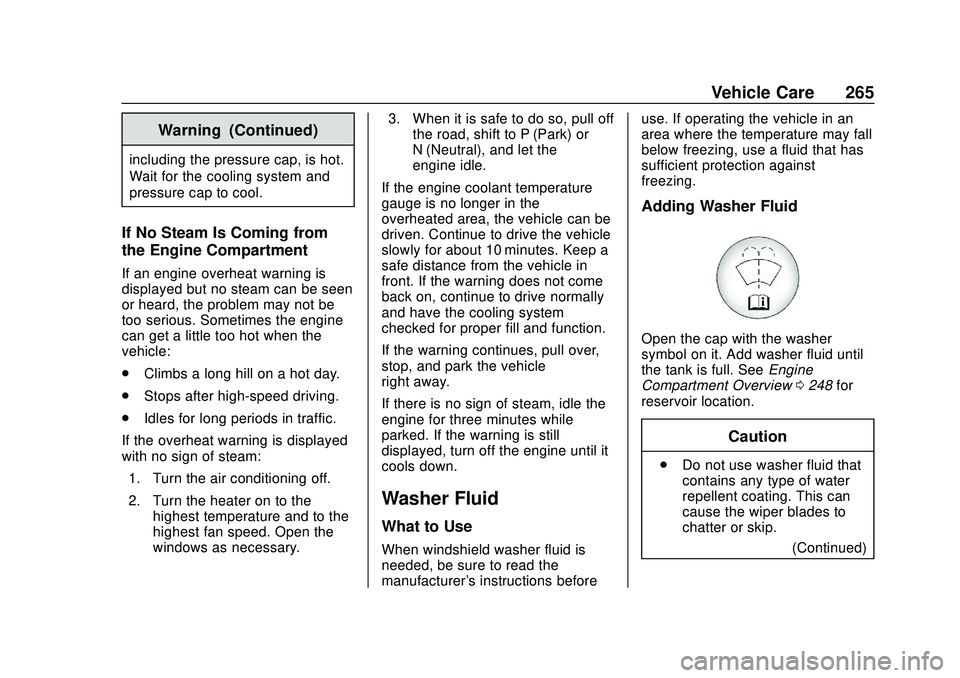
Open the cap with the washer
symbol on it. Add washer fluid until
the tank is full. See
Engine
Compartment Overview 0248 for
reservoir location.
Caution
. Do not use washer fluid that
contains any type of water
repellent coating. This can
cause the wiper blades to
chatter or skip.
(Continued)
Page 270 of 390
Chevrolet Blazer Owner Manual (GMNA-Localizing-U.S./Canada/Mexico-
13557845) - 2020 - CRC - 3/24/20
Vehicle Care 269
Extended Storage: Remove the
black, negative (−) cable from the
battery or use a battery trickle
charger.
All-Wheel Drive
Transfer Case
Under normal driving conditions,
transfer case fluid does not require
maintenance unless there is a fluid
leak or unusual noise. If required,
have the transfer case serviced by
your dealer.
Starter Switch Check
{Warning
When you are doing this
inspection, the vehicle could
move suddenly. If the vehicle
moves, you or others could be
injured.
1. Before starting this check, be sure there is enough room
around the vehicle. 2. Apply both the parking brake
and the regular brake.
Do not use the accelerator
pedal, and be ready to turn off
the engine immediately if it
starts.
3. Try to start the engine in each gear. The vehicle should start
only in P (Park) or N (Neutral).
If the vehicle starts in any other
position, contact your dealer for
service.
Automatic Transmission
Shift Lock Control
Function Check
{Warning
When you are doing this
inspection, the vehicle could
move suddenly. If the vehicle
moves, you or others could be
injured. 1. Before starting this check, be
sure there is enough room
around the vehicle. It should be
parked on a level surface.
2. Apply the parking brake. Be ready to apply the regular
brake immediately if the vehicle
begins to move.
3. With the engine off, turn the ignition on, but do not start the
engine. Without applying the
regular brake, try to move the
shift lever out of P (Park) with
normal effort. If the shift lever
moves out of P (Park), contact
your dealer for service.
Park Brake and P (Park)
Mechanism Check
{Warning
When you are doing this check,
the vehicle could begin to move.
You or others could be injured
and property could be damaged.
Make sure there is room in front
(Continued)
Page 271 of 390
Chevrolet Blazer Owner Manual (GMNA-Localizing-U.S./Canada/Mexico-
13557845) - 2020 - CRC - 3/24/20
270 Vehicle Care
Warning (Continued)
of the vehicle in case it begins to
roll. Be ready to apply the regular
brake at once should the vehicle
begin to move.
Park on a fairly steep hill, with the
vehicle facing downhill. Keeping
your foot on the regular brake, set
the parking brake.
. To check the parking brake's
holding ability: With the engine
running and the transmission in
N (Neutral), slowly remove foot
pressure from the regular brake
pedal. Do this until the vehicle is
held by the parking brake only.
. To check the P (Park)
mechanism's holding ability:
With the engine running, shift to
P (Park). Then release the
parking brake followed by the
regular brake.
Contact your dealer if service is
required.
Wiper Blade Replacement
Windshield wiper blades should be
replaced periodically. See
Maintenance Schedule 0339.
Replacement blades come in
different types and are removed in
different ways. For proper type and
length, see Maintenance
Replacement Parts 0349.
Caution
Allowing the wiper arm to touch
the windshield when no wiper
blade is installed could damage
the windshield. Any damage that
occurs would not be covered by
the vehicle warranty. Do not allow
the wiper arm to touch the
windshield.
Front Wiper Blade
Replacement
To replace the wiper blade:
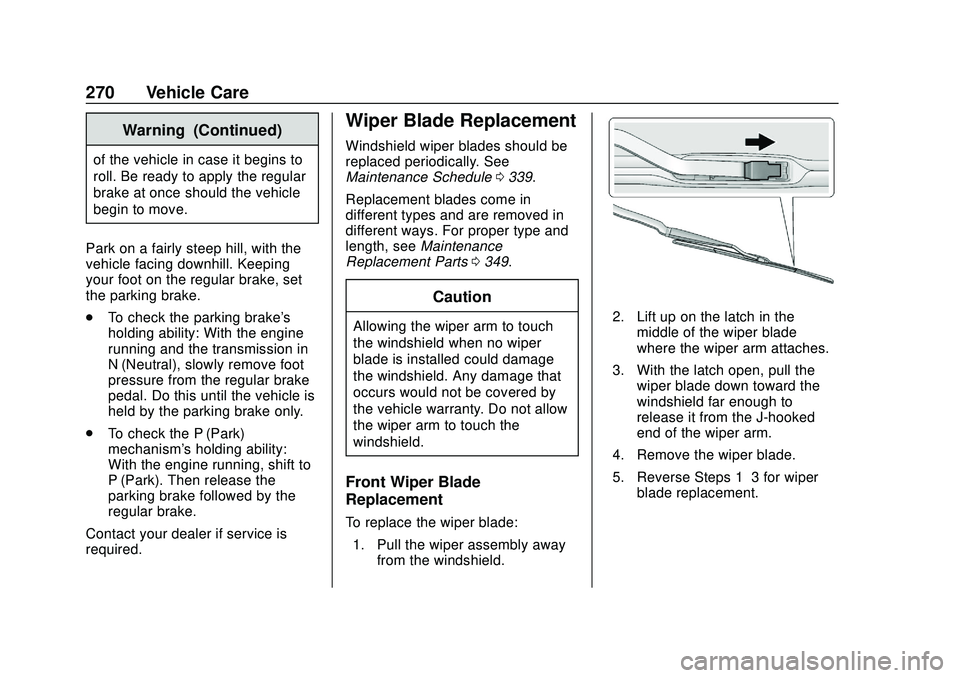
1. Pull the wiper assembly away from the windshield.
2. Lift up on the latch in themiddle of the wiper blade
where the wiper arm attaches.
3. With the latch open, pull the wiper blade down toward the
windshield far enough to
release it from the J-hooked
end of the wiper arm.
4. Remove the wiper blade.
5. Reverse Steps 1–3 for wiper blade replacement.
Page 272 of 390
Chevrolet Blazer Owner Manual (GMNA-Localizing-U.S./Canada/Mexico-
13557845) - 2020 - CRC - 3/24/20
Vehicle Care 271
Rear Wiper Blade Replacement
The rear wiper blade and wiper arm
have a cover for protection.
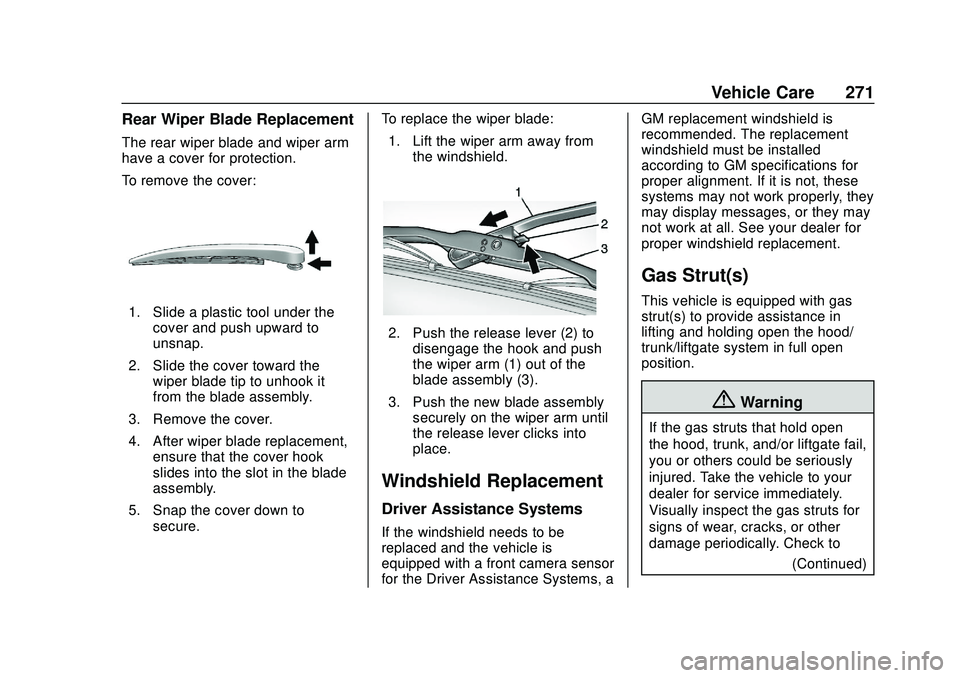
To remove the cover:
1. Slide a plastic tool under thecover and push upward to
unsnap.
2. Slide the cover toward the wiper blade tip to unhook it
from the blade assembly.
3. Remove the cover.
4. After wiper blade replacement, ensure that the cover hook
slides into the slot in the blade
assembly.
5. Snap the cover down to secure. To replace the wiper blade:
1. Lift the wiper arm away from the windshield.
2. Push the release lever (2) todisengage the hook and push
the wiper arm (1) out of the
blade assembly (3).
3. Push the new blade assembly securely on the wiper arm until
the release lever clicks into
place.
Windshield Replacement
Driver Assistance Systems
If the windshield needs to be
replaced and the vehicle is
equipped with a front camera sensor
for the Driver Assistance Systems, a GM replacement windshield is
recommended. The replacement
windshield must be installed
according to GM specifications for
proper alignment. If it is not, these
systems may not work properly, they
may display messages, or they may
not work at all. See your dealer for
proper windshield replacement.
Gas Strut(s)
This vehicle is equipped with gas
strut(s) to provide assistance in
lifting and holding open the hood/
trunk/liftgate system in full open
position.
{Warning
If the gas struts that hold open
the hood, trunk, and/or liftgate fail,
you or others could be seriously
injured. Take the vehicle to your
dealer for service immediately.
Visually inspect the gas struts for
signs of wear, cracks, or other
damage periodically. Check to
(Continued)
Page 274 of 390
Chevrolet Blazer Owner Manual (GMNA-Localizing-U.S./Canada/Mexico-
13557845) - 2020 - CRC - 3/24/20
Vehicle Care 273
Headlamp Aiming
Front Headlamp Aiming
Headlamp aim has been preset and
should need no further adjustment.
If the vehicle is damaged in a crash,
the headlamp aim may be affected.
If adjustment to the headlamps is
necessary, see your dealer.
Bulb Replacement
For the proper type of replacement
bulbs, or any bulb changing
procedure not listed in this section,
contact your dealer.
Caution
Do not replace incandescent
bulbs with aftermarket LED
replacement bulbs. This can
cause damage to the vehicle
electrical system.
High Intensity Discharge
(HID) Lighting
{Warning
The High Intensity Discharge
(HID) lighting system operates at
a very high voltage. If you try to
service any of the system
components, you could be
seriously injured. Have your
dealer or a qualified technician
service them.After an HID headlamp bulb has
been replaced, the beam might be a
slightly different shade than it was
originally. This is normal.
LED Lighting
This vehicle has several LED lamps.
For replacement of any LED lighting
assembly, contact your dealer.
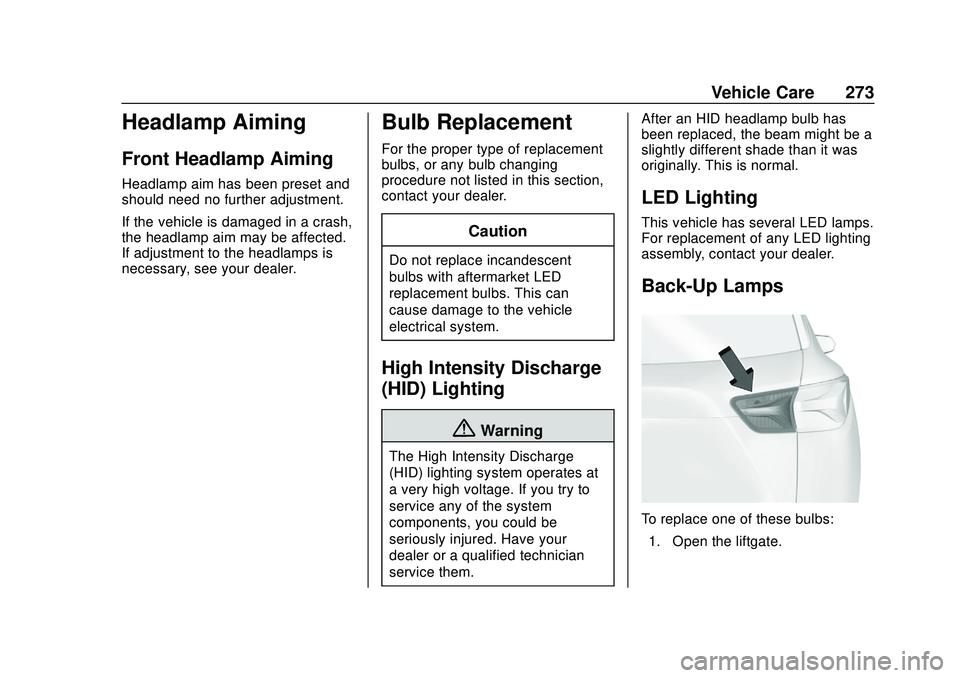
Back-Up Lamps
To replace one of these bulbs:
1. Open the liftgate.