lights CHEVROLET BLAZER 2022 User Guide
[x] Cancel search | Manufacturer: CHEVROLET, Model Year: 2022, Model line: BLAZER, Model: CHEVROLET BLAZER 2022Pages: 386, PDF Size: 13.37 MB
Page 130 of 386
Chevrolet Blazer Owner Manual (GMNA-Localizing-U.S./Canada/Mexico-
15165663) - 2022 - CRC - 4/27/21
Lighting 129
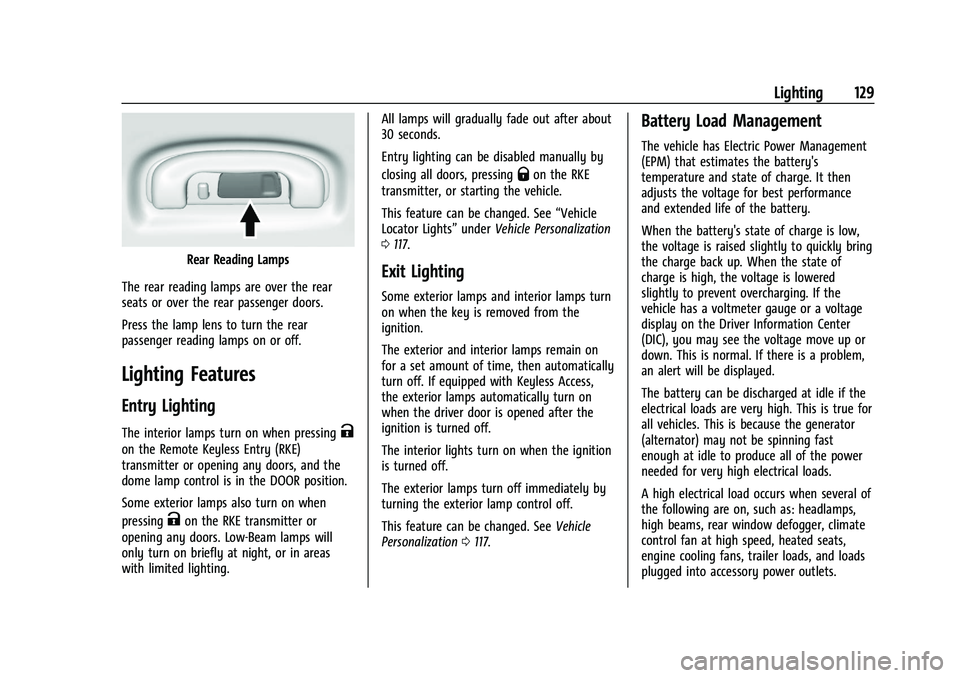
Rear Reading Lamps
The rear reading lamps are over the rear
seats or over the rear passenger doors.
Press the lamp lens to turn the rear
passenger reading lamps on or off.
Lighting Features
Entry Lighting
The interior lamps turn on when pressingK
on the Remote Keyless Entry (RKE)
transmitter or opening any doors, and the
dome lamp control is in the DOOR position.
Some exterior lamps also turn on when
pressing
Kon the RKE transmitter or
opening any doors. Low-Beam lamps will
only turn on briefly at night, or in areas
with limited lighting. All lamps will gradually fade out after about
30 seconds.
Entry lighting can be disabled manually by
closing all doors, pressing
Qon the RKE
transmitter, or starting the vehicle.
This feature can be changed. See “Vehicle
Locator Lights” underVehicle Personalization
0 117.
Exit Lighting
Some exterior lamps and interior lamps turn
on when the key is removed from the
ignition.
The exterior and interior lamps remain on
for a set amount of time, then automatically
turn off. If equipped with Keyless Access,
the exterior lamps automatically turn on
when the driver door is opened after the
ignition is turned off.
The interior lights turn on when the ignition
is turned off.
The exterior lamps turn off immediately by
turning the exterior lamp control off.
This feature can be changed. See Vehicle
Personalization 0117.
Battery Load Management
The vehicle has Electric Power Management
(EPM) that estimates the battery's
temperature and state of charge. It then
adjusts the voltage for best performance
and extended life of the battery.
When the battery's state of charge is low,
the voltage is raised slightly to quickly bring
the charge back up. When the state of
charge is high, the voltage is lowered
slightly to prevent overcharging. If the
vehicle has a voltmeter gauge or a voltage
display on the Driver Information Center
(DIC), you may see the voltage move up or
down. This is normal. If there is a problem,
an alert will be displayed.
The battery can be discharged at idle if the
electrical loads are very high. This is true for
all vehicles. This is because the generator
(alternator) may not be spinning fast
enough at idle to produce all of the power
needed for very high electrical loads.
A high electrical load occurs when several of
the following are on, such as: headlamps,
high beams, rear window defogger, climate
control fan at high speed, heated seats,
engine cooling fans, trailer loads, and loads
plugged into accessory power outlets.
Page 190 of 386
Chevrolet Blazer Owner Manual (GMNA-Localizing-U.S./Canada/Mexico-
15165663) - 2022 - CRC - 4/27/21
Climate Controls 189
To turn Auto Defog off or on, see“Climate
and Air Quality” underVehicle
Personalization 0117.
Rear Window Defogger
=:Press to turn the rear window
defogger on or off. An indicator light on the
button comes on to show that the rear
window defogger is on. The rear window
defogger only works when the ignition is
on. The defogger turns off when the ignition
is off or in ACC/ACCESSORY.
The rear window defogger can be set to
automatic operation. See “Climate and Air
Quality” underVehicle Personalization 0117.
When Auto Rear Defog is selected, the rear
window defogger turns on automatically
when the interior temperature is cold and
the outside temperature is about 7 °C (44 °F)
and below. The auto rear defogger turns off
automatically.
If the vehicle is equipped with heated
outside mirrors, they turn on when the rear
window defogger button is on and help to
clear fog or frost from the surface of the
mirror. See Heated Mirrors 026.
Caution
Do not try to clear frost or other material
from the inside of the front windshield
and rear window with a razor blade or
anything else that is sharp. This may
damage the rear window defogger grid
and affect the radio's ability to pick up
stations clearly. The repairs would not be
covered by the vehicle warranty.
LorM:If equipped, pressLorMto
heat the driver or passenger seat. See
Heated and Ventilated Front Seats 041.
{orC:If equipped, press{orCto
ventilate the driver or passenger seat. See
Heated and Ventilated Front Seats 041.
Remote Start Climate Control Operation :
If equipped with remote start, the climate
control system may run when the vehicle is
started remotely. The system will use the
defrost setting if it is cold outside or turn
on using the coldest settings if it is hot
outside. The rear defog may come on during
remote start based on cold ambient
conditions. The rear defog indicator light
does not come on during a remote start. If equipped, the heated seats will turn on if
it is cold outside or the ventilated seats will
turn on if it is hot outside. The heated and
ventilated seat indicator lights may not
come on during a remote start. If equipped,
the heated steering wheel will come on in a
remote start if it is cold outside. The heated
steering wheel indicator light may not come
on. See
Remote Vehicle Start 013 and
Heated and Ventilated Front Seats 041.
Sensor
The solar sensor, on top of the instrument
panel near the windshield, monitors the
solar heat.
The climate control system uses the sensor
information to adjust the temperature, fan
speed, recirculation, and air delivery mode
for best comfort.
Do not cover the sensor; otherwise the
automatic climate control system may not
work properly.
Afterblow Feature
Under certain conditions, the fan may stay
on or may turn on and off several times
after you turn off and lock the vehicle. This
is normal.
Page 206 of 386
Chevrolet Blazer Owner Manual (GMNA-Localizing-U.S./Canada/Mexico-
15165663) - 2022 - CRC - 4/27/21
Driving and Operating 205
Caution (Continued)
.Avoid making hard stops for the first
300 km (200 mi) or so. During this
time the new brake linings are not yet
broken in. Hard stops with new linings
can mean premature wear and earlier
replacement. Follow this breaking-in
guideline every time you get new
brake linings.
.Do not tow a trailer during break-in.
SeeTrailer Towing 0250 for the
trailer towing capabilities of the
vehicle and more information.
Following break-in, engine speed and load
can be gradually increased.
On new vehicles, the various mechanical and
electrical systems experience a “break-in”
period during the first 6,400 km
(4,000 miles) of routine driving. As the
vehicle is driven, the mechanical systems
adjust to provide optimal fuel economy and
transmission shift performance.
Electrical systems will adapt and calibrate
during the break-in period. A one-time
occurrence of clicks and similar vehicle
noises is normal during this process. Normal driving charges the vehicle’s battery
to achieve the best operation of the vehicle,
including fuel economy and the Stop/Start
System. See
Stop/Start System 0207.
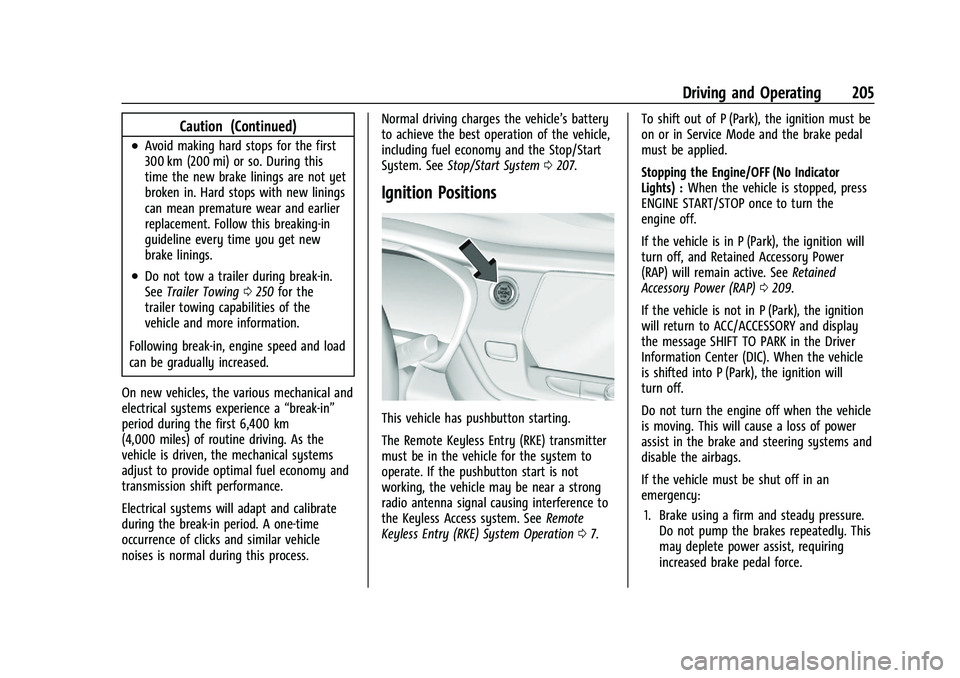
Ignition Positions
This vehicle has pushbutton starting.
The Remote Keyless Entry (RKE) transmitter
must be in the vehicle for the system to
operate. If the pushbutton start is not
working, the vehicle may be near a strong
radio antenna signal causing interference to
the Keyless Access system. See Remote
Keyless Entry (RKE) System Operation 07. To shift out of P (Park), the ignition must be
on or in Service Mode and the brake pedal
must be applied.
Stopping the Engine/OFF (No Indicator
Lights) :
When the vehicle is stopped, press
ENGINE START/STOP once to turn the
engine off.
If the vehicle is in P (Park), the ignition will
turn off, and Retained Accessory Power
(RAP) will remain active. See Retained
Accessory Power (RAP) 0209.
If the vehicle is not in P (Park), the ignition
will return to ACC/ACCESSORY and display
the message SHIFT TO PARK in the Driver
Information Center (DIC). When the vehicle
is shifted into P (Park), the ignition will
turn off.
Do not turn the engine off when the vehicle
is moving. This will cause a loss of power
assist in the brake and steering systems and
disable the airbags.
If the vehicle must be shut off in an
emergency: 1. Brake using a firm and steady pressure. Do not pump the brakes repeatedly. This
may deplete power assist, requiring
increased brake pedal force.
Page 237 of 386
Chevrolet Blazer Owner Manual (GMNA-Localizing-U.S./Canada/Mexico-
15165663) - 2022 - CRC - 4/27/21
236 Driving and Operating
Assistance Systems for Driving
If equipped, when driving the vehicle in a
forward gear, Forward Collision Alert (FCA),
Lane Departure Warning (LDW), Lane Keep
Assist (LKA), Side Blind Zone Alert (SBZA),
Lane Change Alert (LCA), Automatic
Emergency Braking (AEB), and/or the Front
Pedestrian Braking (FPB) System can help to
avoid a crash or reduce crash damage.
Forward Collision Alert (FCA)
System
If equipped, the FCA system may help to
avoid or reduce the harm caused by
front-end crashes. When approaching a
vehicle ahead too quickly, FCA provides a
red flashing alert on the windshield and
rapidly beeps or pulses the driver seat. FCA
also lights an amber visual alert if following
another vehicle much too closely.
FCA detects vehicles within a distance of
approximately 60 m (197 ft) and operates at
speeds above 8 km/h (5 mph). If the vehicle
has Adaptive Cruise Control (ACC), it can
detect vehicles to distances of approximately
110 m (360 ft) and operates at speeds above
4km/h (2.5 mph). SeeAdaptive Cruise Control
(Advanced) 0221.
{Warning
FCA is a warning system and does not
apply the brakes. When approaching a
slower-moving or stopped vehicle ahead
too rapidly, or when following a vehicle
too closely, FCA may not provide a
warning with enough time to help avoid
a crash. It also may not provide any
warning at all. FCA does not warn of
pedestrians, animals, signs, guardrails,
bridges, construction barrels, or other
objects. Be ready to take action and
apply the brakes. See Defensive Driving
0 193.
FCA can be disabled. See “Collision/Detection
Systems” underVehicle Personalization
0 117.
Detecting the Vehicle Ahead
FCA warnings will not occur unless the FCA
system detects a vehicle ahead. When a
vehicle is detected, the vehicle ahead
indicator will display green. Vehicles may
not be detected on curves, highway exit
ramps, or hills, due to poor visibility; or if a
vehicle ahead is partially blocked by
pedestrians or other objects. FCA will not
detect another vehicle ahead until it is
completely in the driving lane.
{Warning
FCA does not provide a warning to help
avoid a crash, unless it detects a vehicle.
FCA may not detect a vehicle ahead if
the FCA sensor is blocked by dirt, snow,
or ice, or if the windshield is damaged.
It may also not detect a vehicle on
winding or hilly roads, or in conditions
that can limit visibility such as fog, rain,
or snow, or if the headlamps or
windshield are not cleaned or in proper
condition. Keep the windshield,
headlamps, and FCA sensors clean and in
good repair.
Page 242 of 386
Chevrolet Blazer Owner Manual (GMNA-Localizing-U.S./Canada/Mexico-
15165663) - 2022 - CRC - 4/27/21
Driving and Operating 241
{Warning
Using the Front Pedestrian Braking
system while towing a trailer could cause
you to lose control of the vehicle and
crash. Turn the system to Alert or Off
when towing a trailer.
Cleaning the System
If FPB does not seem to operate properly,
cleaning the outside of the windshield in
front of the rearview mirror may correct the
issue.
Side Blind Zone Alert (SBZA)
If equipped, the SBZA system is a
lane-changing aid that assists drivers with
avoiding crashes that occur with moving
vehicles in the side blind zone, or blind spot
areas. When the vehicle is in a forward gear,
the left or right side mirror display will light
up if a moving vehicle is detected in that
blind zone. If the turn signal is activated and
a vehicle is also detected on the same side,
the display will flash as an extra warning
not to change lanes. Since this system is
part of the Lane Change Alert (LCA) system,
read the entire LCA section before using this
feature.
Lane Change Alert (LCA)
If equipped, the LCA system is a
lane-changing aid that assists drivers with
avoiding lane change crashes that occur with
moving vehicles in the side blind zone (or
spot) areas or with vehicles rapidly
approaching these areas from behind. The
LCA warning display will light up in the
corresponding outside mirror and will flash
if the turn signal is on.
{Warning
LCA does not alert the driver to vehicles
outside of the system detection zones,
pedestrians, bicyclists, or animals. It may
not provide alerts when changing lanes
under all driving conditions. Failure to use
proper care when changing lanes may
result in injury, death, or vehicle damage.
Before making a lane change, always
check mirrors, glance over your shoulder,
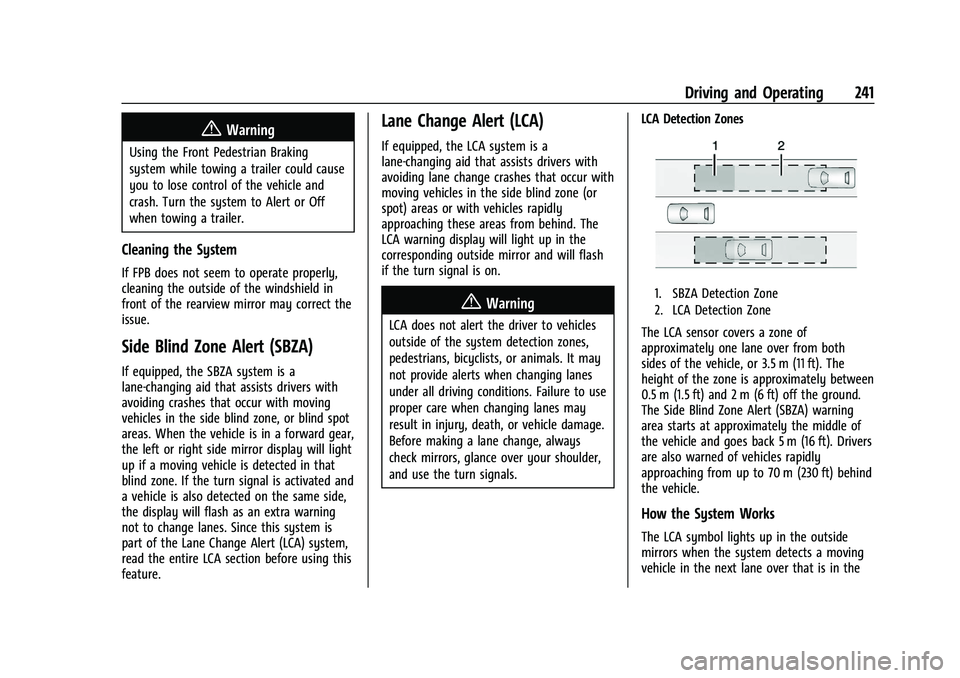
and use the turn signals.LCA Detection Zones
1. SBZA Detection Zone
2. LCA Detection Zone
The LCA sensor covers a zone of
approximately one lane over from both
sides of the vehicle, or 3.5 m (11 ft). The
height of the zone is approximately between
0.5 m (1.5 ft) and 2 m (6 ft) off the ground.
The Side Blind Zone Alert (SBZA) warning
area starts at approximately the middle of
the vehicle and goes back 5 m (16 ft). Drivers
are also warned of vehicles rapidly
approaching from up to 70 m (230 ft) behind
the vehicle.
How the System Works
The LCA symbol lights up in the outside
mirrors when the system detects a moving
vehicle in the next lane over that is in the
Page 325 of 386
Chevrolet Blazer Owner Manual (GMNA-Localizing-U.S./Canada/Mexico-
15165663) - 2022 - CRC - 4/27/21
324 Vehicle Care
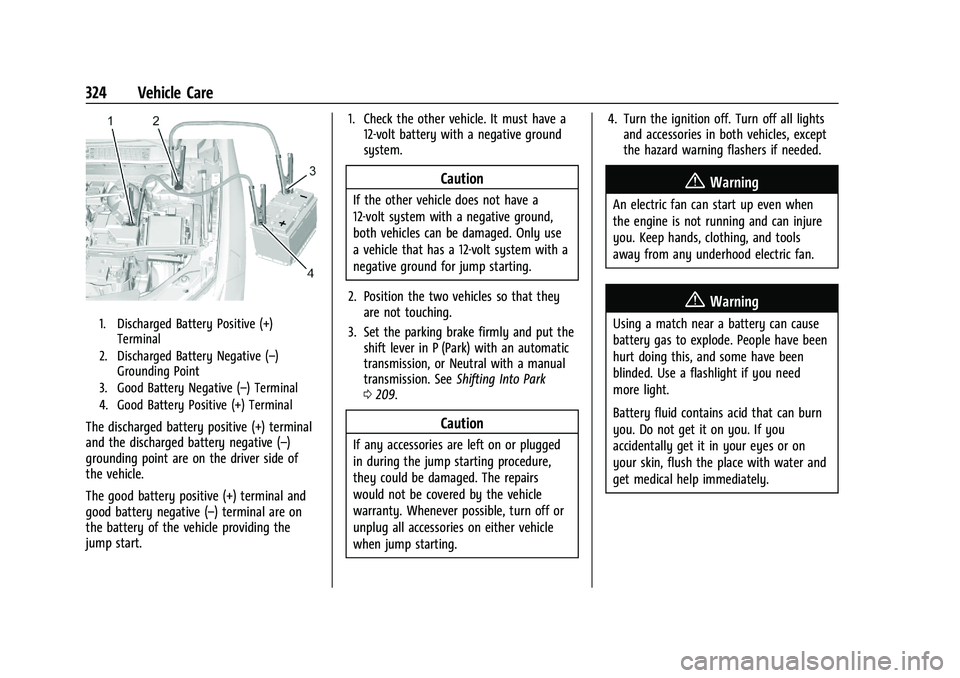
1. Discharged Battery Positive (+)Terminal
2. Discharged Battery Negative (–) Grounding Point
3. Good Battery Negative (–) Terminal
4. Good Battery Positive (+) Terminal
The discharged battery positive (+) terminal
and the discharged battery negative (–)
grounding point are on the driver side of
the vehicle.
The good battery positive (+) terminal and
good battery negative (–) terminal are on
the battery of the vehicle providing the
jump start. 1. Check the other vehicle. It must have a
12-volt battery with a negative ground
system.
Caution
If the other vehicle does not have a
12-volt system with a negative ground,
both vehicles can be damaged. Only use
a vehicle that has a 12-volt system with a
negative ground for jump starting.
2. Position the two vehicles so that they are not touching.
3. Set the parking brake firmly and put the shift lever in P (Park) with an automatic
transmission, or Neutral with a manual
transmission. See Shifting Into Park
0 209.
Caution
If any accessories are left on or plugged
in during the jump starting procedure,
they could be damaged. The repairs
would not be covered by the vehicle
warranty. Whenever possible, turn off or
unplug all accessories on either vehicle
when jump starting. 4. Turn the ignition off. Turn off all lights
and accessories in both vehicles, except
the hazard warning flashers if needed.
{Warning
An electric fan can start up even when
the engine is not running and can injure
you. Keep hands, clothing, and tools
away from any underhood electric fan.
{Warning
Using a match near a battery can cause
battery gas to explode. People have been
hurt doing this, and some have been
blinded. Use a flashlight if you need
more light.
Battery fluid contains acid that can burn
you. Do not get it on you. If you
accidentally get it in your eyes or on
your skin, flush the place with water and
get medical help immediately.
Page 346 of 386
Chevrolet Blazer Owner Manual (GMNA-Localizing-U.S./Canada/Mexico-
15165663) - 2022 - CRC - 4/27/21
Service and Maintenance 345
.Trained dealer technicians have the
diagnostic equipment to test the battery
and ensure that the connections and
cables are corrosion-free.
Belts
.Belts may need replacing if they squeak
or show signs of cracking or splitting.
.Trained dealer technicians have access to
tools and equipment to inspect the belts
and recommend adjustment or
replacement when necessary.
Brakes
Brakes stop the vehicle and are crucial to
safe driving.
.Signs of brake wear may include chirping,
grinding, or squealing noises, or difficulty
stopping.
.Trained dealer technicians have access to
tools and equipment to inspect the brakes
and recommend quality parts engineered
for the vehicle. Fluids
Proper fluid levels and approved fluids
protect the vehicle’s systems and
components. See
Recommended Fluids and
Lubricants 0347 for GM approved fluids.
.Engine oil and windshield washer fluid
levels should be checked at every fuel fill.
.Instrument cluster lights may come on to
indicate that fluids may be low and need
to be filled.
Hoses
Hoses transport fluids and should be
regularly inspected to ensure that there are
no cracks or leaks. With a multi-point
inspection, your dealer can inspect the hoses
and advise if replacement is needed.
Lamps
Properly working headlamps, taillamps, and
brake lamps are important to see and be
seen on the road.
.Signs that the headlamps need attention
include dimming, failure to light, cracking,
or damage. The brake lamps need to be
checked periodically to ensure that they
light when braking.
.With a multi-point inspection, your dealer
can check the lamps and note any
concerns.
Shocks and Struts
Shocks and struts help aid in control for a
smoother ride.
.Signs of wear may include steering wheel
vibration, bounce/sway while braking,
longer stopping distance, or uneven
tire wear.
.As part of the multi-point inspection,
trained dealer technicians can visually
inspect the shocks and struts for signs of
leaking, blown seals, or damage, and can
advise when service is needed.
Tires
Tires need to be properly inflated, rotated,
and balanced. Maintaining the tires can save
money and fuel, and can reduce the risk of
tire failure.
.Signs that the tires need to be replaced
include three or more visible treadwear
indicators; cord or fabric showing through
the rubber; cracks or cuts in the tread or
sidewall; or a bulge or split in the tire.
Page 379 of 386
Chevrolet Blazer Owner Manual (GMNA-Localizing-U.S./Canada/Mexico-
15165663) - 2022 - CRC - 4/27/21
378 Index
FuelAdditives . . . . . . . . . . . . . . . . . . . . . . . . . . . . . . 245
Economy, Driving for Better . . . . . . . . . . . 192
Filling a Portable Fuel Container . . . . . . . 247
Filling the Tank . . . . . . . . . . . . . . . . . . . . . . . . 245
Foreign Countries . . . . . . . . . . . . . . . . . . . . . . 245
Gauge . . . . . . . . . . . . . . . . . . . . . . . . . . . . . . . . . . 98
Low Fuel Warning Light . . . . . . . . . . . . . . . 109
Management, Active . . . . . . . . . . . . . . . . . . . 210
Prohibited Fuels . . . . . . . . . . . . . . . . . . . . . . . 245
Recommended . . . . . . . . . . . . . . . . . . . . . . . . . 244
Top Tier . . . . . . . . . . . . . . . . . . . . . . . . . . . . . . . 244
Fuses Engine Compartment Fuse Block . . . . . . . 285
Fuses and Circuit Breakers . . . . . . . . . . . . . 284
Instrument Panel Fuse Block . . . . . . . . . . . 288
Rear Compartment Fuse Block . . . . . . . . . 290
G
Garage Door Opener . . . . . . . . . . . . . . . . . . . . . . 121Programming . . . . . . . . . . . . . . . . . . . . . . . . . . . 121
Gas Strut(s) . . . . . . . . . . . . . . . . . . . . . . . . . . . . . . 280
Gauges Engine Coolant Temperature . . . . . . . . . . . . 99
Engine Oil Temperature . . . . . . . . . . . . . . . . . 99
Fuel . . . . . . . . . . . . . . . . . . . . . . . . . . . . . . . . . . . . . 98
Odometer . . . . . . . . . . . . . . . . . . . . . . . . . . . . . . 98
Speedometer . . . . . . . . . . . . . . . . . . . . . . . . . . . 97 Gauges (cont'd)
Tachometer . . . . . . . . . . . . . . . . . . . . . . . . . . . . . 98
Trip Odometer . . . . . . . . . . . . . . . . . . . . . . . . . . 98
Voltmeter . . . . . . . . . . . . . . . . . . . . . . . . . . . . . . 100
Warning Lights and Indicators . . . . . . . . . . 92
General Information Service and Maintenance . . . . . . . . . . . . . . 338
Towing . . . . . . . . . . . . . . . . . . . . . . . . . . . . . . . . 247
Vehicle Care . . . . . . . . . . . . . . . . . . . . . . . . . . . 260
Global Positioning System (GPS) . . . . . . . . . . 153
Glove Box . . . . . . . . . . . . . . . . . . . . . . . . . . . . . . . . 79
GM Mobility Reimbursement Program . . . . . . . . . . . . . . . . . . . . . . . . . . . . . . . 358
Guidance Problems with the Route . . . . . . . . . . . . . . 154
H
Hazard Warning Flashers . . . . . . . . . . . . . . . . . 127
HD Radio Technology . . . . . . . . . . . . . . . . . . . . .138
Head Restraints . . . . . . . . . . . . . . . . . . . . . . . . . . . .33
HeadlampsAiming . . . . . . . . . . . . . . . . . . . . . . . . . . . . . . . . 281
Automatic . . . . . . . . . . . . . . . . . . . . . . . . . . . . . 126
Bulb Replacement . . . . . . . . . . . . . . . . . . . . . . 281
Daytime Running Lamps (DRL) . . . . . . . . . 126
Flash-to-Pass . . . . . . . . . . . . . . . . . . . . . . . . . . . 126
High Intensity Discharge (HID)
Lighting . . . . . . . . . . . . . . . . . . . . . . . . . . . . . . 281 Headlamps (cont'd)
High-Beam On Light . . . . . . . . . . . . . . . . . . . 110
High/Low Beam Changer . . . . . . . . . . . . . . 125
Lamps On Reminder . . . . . . . . . . . . . . . . . . . 110
Heated Rear Seats . . . . . . . . . . . . . . . . . . . . . . . . . . . . . . 44
Steering Wheel . . . . . . . . . . . . . . . . . . . . . . . . . 86
Heated and Ventilated Front Seats . . . . . . . .41
Heated Mirrors . . . . . . . . . . . . . . . . . . . . . . . . . . . 26
Heater Engine . . . . . . . . . . . . . . . . . . . . . . . . . . . . . . . . . 208
Heating . . . . . . . . . . . . . . . . . . . . . . . . . . . . . . . . . . 186
High Voltage Devices and Wiring . . . . . . . . 282
High-Beam On Light . . . . . . . . . . . . . . . . . . . . . .110
High-Speed Operation . . . . . . . . . . . . . . . . . . . 300
Hill and Mountain Roads . . . . . . . . . . . . . . . . 199
Hill Start Assist (HSA) . . . . . . . . . . . . . . . . . . . . . 217
Hood . . . . . . . . . . . . . . . . . . . . . . . . . . . . . . . . . . . . 261
Hooks
Shopping Bag . . . . . . . . . . . . . . . . . . . . . . . . . . . 81
Horn . . . . . . . . . . . . . . . . . . . . . . . . . . . . . . . . . . . . . . 87
How to Wear Seat Belts Properly . . . . . . . . . 46
HVAC . . . . . . . . . . . . . . . . . . . . . . . . . . . . . . . . . . . . 186
I
If the System Needs Service . . . . . . . . . . . . . .154
Ignition Positions . . . . . . . . . . . . . . . . . . . . . . . . 205
Immobilizer . . . . . . . . . . . . . . . . . . . . . . . . . . . . . . . 24
Page 380 of 386
Chevrolet Blazer Owner Manual (GMNA-Localizing-U.S./Canada/Mexico-
15165663) - 2022 - CRC - 4/27/21
Index 379
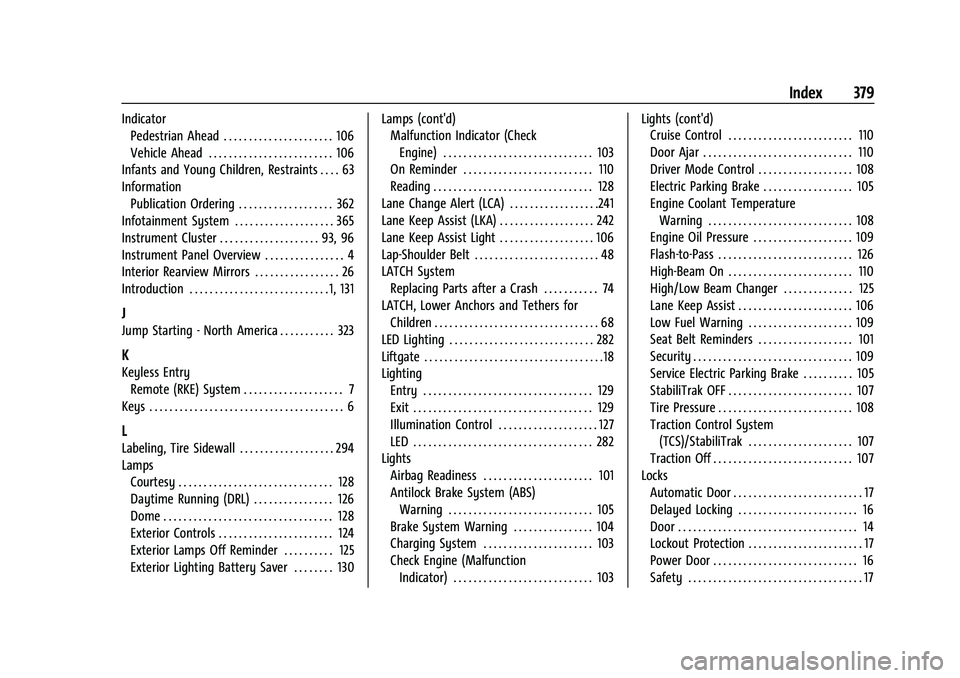
IndicatorPedestrian Ahead . . . . . . . . . . . . . . . . . . . . . . 106
Vehicle Ahead . . . . . . . . . . . . . . . . . . . . . . . . . 106
Infants and Young Children, Restraints . . . . 63
Information Publication Ordering . . . . . . . . . . . . . . . . . . . 362
Infotainment System . . . . . . . . . . . . . . . . . . . . 365
Instrument Cluster . . . . . . . . . . . . . . . . . . . . 93, 96
Instrument Panel Overview . . . . . . . . . . . . . . . . 4
Interior Rearview Mirrors . . . . . . . . . . . . . . . . . 26
Introduction . . . . . . . . . . . . . . . . . . . . . . . . . . . . 1, 131
J
Jump Starting - North America . . . . . . . . . . . 323
K
Keyless Entry
Remote (RKE) System . . . . . . . . . . . . . . . . . . . . 7
Keys . . . . . . . . . . . . . . . . . . . . . . . . . . . . . . . . . . . . . . . 6
L
Labeling, Tire Sidewall . . . . . . . . . . . . . . . . . . . 294
Lamps Courtesy . . . . . . . . . . . . . . . . . . . . . . . . . . . . . . . 128
Daytime Running (DRL) . . . . . . . . . . . . . . . . 126
Dome . . . . . . . . . . . . . . . . . . . . . . . . . . . . . . . . . . 128
Exterior Controls . . . . . . . . . . . . . . . . . . . . . . . 124
Exterior Lamps Off Reminder . . . . . . . . . . 125
Exterior Lighting Battery Saver . . . . . . . . 130 Lamps (cont'd)
Malfunction Indicator (Check
Engine) . . . . . . . . . . . . . . . . . . . . . . . . . . . . . . 103
On Reminder . . . . . . . . . . . . . . . . . . . . . . . . . . 110
Reading . . . . . . . . . . . . . . . . . . . . . . . . . . . . . . . . 128
Lane Change Alert (LCA) . . . . . . . . . . . . . . . . . .241
Lane Keep Assist (LKA) . . . . . . . . . . . . . . . . . . . 242
Lane Keep Assist Light . . . . . . . . . . . . . . . . . . . 106
Lap-Shoulder Belt . . . . . . . . . . . . . . . . . . . . . . . . . 48
LATCH System Replacing Parts after a Crash . . . . . . . . . . . 74
LATCH, Lower Anchors and Tethers for
Children . . . . . . . . . . . . . . . . . . . . . . . . . . . . . . . . . 68
LED Lighting . . . . . . . . . . . . . . . . . . . . . . . . . . . . . 282
Liftgate . . . . . . . . . . . . . . . . . . . . . . . . . . . . . . . . . . . .18
Lighting Entry . . . . . . . . . . . . . . . . . . . . . . . . . . . . . . . . . . 129
Exit . . . . . . . . . . . . . . . . . . . . . . . . . . . . . . . . . . . . 129
Illumination Control . . . . . . . . . . . . . . . . . . . . 127
LED . . . . . . . . . . . . . . . . . . . . . . . . . . . . . . . . . . . . 282
Lights
Airbag Readiness . . . . . . . . . . . . . . . . . . . . . . 101
Antilock Brake System (ABS)Warning . . . . . . . . . . . . . . . . . . . . . . . . . . . . . 105
Brake System Warning . . . . . . . . . . . . . . . . 104
Charging System . . . . . . . . . . . . . . . . . . . . . . 103
Check Engine (Malfunction Indicator) . . . . . . . . . . . . . . . . . . . . . . . . . . . . 103 Lights (cont'd)
Cruise Control . . . . . . . . . . . . . . . . . . . . . . . . . 110
Door Ajar . . . . . . . . . . . . . . . . . . . . . . . . . . . . . . 110
Driver Mode Control . . . . . . . . . . . . . . . . . . . 108
Electric Parking Brake . . . . . . . . . . . . . . . . . . 105
Engine Coolant Temperature
Warning . . . . . . . . . . . . . . . . . . . . . . . . . . . . . 108
Engine Oil Pressure . . . . . . . . . . . . . . . . . . . . 109
Flash-to-Pass . . . . . . . . . . . . . . . . . . . . . . . . . . . 126
High-Beam On . . . . . . . . . . . . . . . . . . . . . . . . . 110
High/Low Beam Changer . . . . . . . . . . . . . . 125
Lane Keep Assist . . . . . . . . . . . . . . . . . . . . . . . 106
Low Fuel Warning . . . . . . . . . . . . . . . . . . . . . 109
Seat Belt Reminders . . . . . . . . . . . . . . . . . . . 101
Security . . . . . . . . . . . . . . . . . . . . . . . . . . . . . . . . 109
Service Electric Parking Brake . . . . . . . . . . 105
StabiliTrak OFF . . . . . . . . . . . . . . . . . . . . . . . . . 107
Tire Pressure . . . . . . . . . . . . . . . . . . . . . . . . . . . 108
Traction Control System (TCS)/StabiliTrak . . . . . . . . . . . . . . . . . . . . . 107
Traction Off . . . . . . . . . . . . . . . . . . . . . . . . . . . . 107
Locks Automatic Door . . . . . . . . . . . . . . . . . . . . . . . . . . 17
Delayed Locking . . . . . . . . . . . . . . . . . . . . . . . . 16
Door . . . . . . . . . . . . . . . . . . . . . . . . . . . . . . . . . . . . 14
Lockout Protection . . . . . . . . . . . . . . . . . . . . . . . 17
Power Door . . . . . . . . . . . . . . . . . . . . . . . . . . . . . 16
Safety . . . . . . . . . . . . . . . . . . . . . . . . . . . . . . . . . . . 17
Page 385 of 386
Chevrolet Blazer Owner Manual (GMNA-Localizing-U.S./Canada/Mexico-
15165663) - 2022 - CRC - 4/27/21
384 Index
Trademarks and License Agreements . . . . . .178
TrailerSway Control (TSC) . . . . . . . . . . . . . . . . . . . . 256
Towing . . . . . . . . . . . . . . . . . . . . . . . . . . . . . . . . 250
Transmission Automatic . . . . . . . . . . . . . . . . . . . . . . . . . . . . . 212
Fluid, Automatic . . . . . . . . . . . . . . . . . . . . . . . 269
Transportation Program, Courtesy . . . . . . . 360
Trip Odometer . . . . . . . . . . . . . . . . . . . . . . . . . . . . 98
Turn and Lane-Change Signals . . . . . . . . . . . . 127
U
Uniform Tire Quality Grading . . . . . . . . . . . . 308
Universal Remote System . . . . . . . . . . . . . . . . . 121 Operation . . . . . . . . . . . . . . . . . . . . . . . . . . . . . . 123
Programming . . . . . . . . . . . . . . . . . . . . . . . . . . . 121
Updates
Map Data . . . . . . . . . . . . . . . . . . . . . . . . . . . . . . 155
Software . . . . . . . . . . . . . . . . . . . . . . . . . . . . . . . . 137
USB Port . . . . . . . . . . . . . . . . . . . . . . . . . . . . . . . . . 140
Using the Navigation System . . . . . . . . . . . . 144
Using the System . . . . . . . . . . . . . . . . . . . . . . . . .134
Using This Manual . . . . . . . . . . . . . . . . . . . . . . . . . .2
V
Vehicle Alarm System . . . . . . . . . . . . . . . . . . . . . . . . . . 24
Canadian Owners . . . . . . . . . . . . . . . . . . . . . . . . . 1
Control . . . . . . . . . . . . . . . . . . . . . . . . . . . . . . . . 193 Vehicle (cont'd)
Identification Number (VIN) . . . . . . . . . . . . 351
Load Limits . . . . . . . . . . . . . . . . . . . . . . . . . . . . 201
Messages . . . . . . . . . . . . . . . . . . . . . . . . . . . . . . . 116
Personalization . . . . . . . . . . . . . . . . . . . . . . . . . 117
Remote Start . . . . . . . . . . . . . . . . . . . . . . . . . . . . 13
Security . . . . . . . . . . . . . . . . . . . . . . . . . . . . . . . . . 24
Speed Messages . . . . . . . . . . . . . . . . . . . . . . . . 117
Towing . . . . . . . . . . . . . . . . . . . . . . . . . . . . . . . . 325
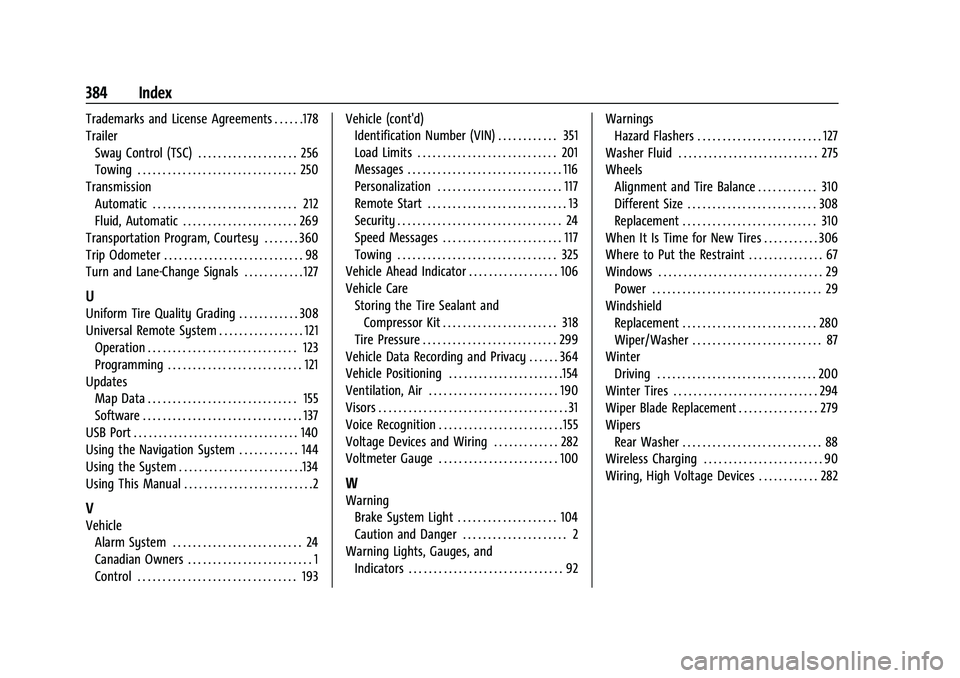
Vehicle Ahead Indicator . . . . . . . . . . . . . . . . . . 106
Vehicle Care Storing the Tire Sealant and
Compressor Kit . . . . . . . . . . . . . . . . . . . . . . . 318
Tire Pressure . . . . . . . . . . . . . . . . . . . . . . . . . . . 299
Vehicle Data Recording and Privacy . . . . . . 364
Vehicle Positioning . . . . . . . . . . . . . . . . . . . . . . .154
Ventilation, Air . . . . . . . . . . . . . . . . . . . . . . . . . . 190
Visors . . . . . . . . . . . . . . . . . . . . . . . . . . . . . . . . . . . . . . 31
Voice Recognition . . . . . . . . . . . . . . . . . . . . . . . . . 155
Voltage Devices and Wiring . . . . . . . . . . . . . 282
Voltmeter Gauge . . . . . . . . . . . . . . . . . . . . . . . . 100
W
Warning Brake System Light . . . . . . . . . . . . . . . . . . . . 104
Caution and Danger . . . . . . . . . . . . . . . . . . . . . 2
Warning Lights, Gauges, and Indicators . . . . . . . . . . . . . . . . . . . . . . . . . . . . . . . 92 Warnings
Hazard Flashers . . . . . . . . . . . . . . . . . . . . . . . . . 127
Washer Fluid . . . . . . . . . . . . . . . . . . . . . . . . . . . . 275
Wheels Alignment and Tire Balance . . . . . . . . . . . . 310
Different Size . . . . . . . . . . . . . . . . . . . . . . . . . . 308
Replacement . . . . . . . . . . . . . . . . . . . . . . . . . . . 310
When It Is Time for New Tires . . . . . . . . . . . 306
Where to Put the Restraint . . . . . . . . . . . . . . . 67
Windows . . . . . . . . . . . . . . . . . . . . . . . . . . . . . . . . . 29 Power . . . . . . . . . . . . . . . . . . . . . . . . . . . . . . . . . . 29
Windshield Replacement . . . . . . . . . . . . . . . . . . . . . . . . . . . 280
Wiper/Washer . . . . . . . . . . . . . . . . . . . . . . . . . . 87
Winter Driving . . . . . . . . . . . . . . . . . . . . . . . . . . . . . . . . 200
Winter Tires . . . . . . . . . . . . . . . . . . . . . . . . . . . . . 294
Wiper Blade Replacement . . . . . . . . . . . . . . . . 279
Wipers Rear Washer . . . . . . . . . . . . . . . . . . . . . . . . . . . . 88
Wireless Charging . . . . . . . . . . . . . . . . . . . . . . . . 90
Wiring, High Voltage Devices . . . . . . . . . . . . 282