PASSIVE LOCK CHEVROLET BLAZER 2023 Owners Manual
[x] Cancel search | Manufacturer: CHEVROLET, Model Year: 2023, Model line: BLAZER, Model: CHEVROLET BLAZER 2023Pages: 360, PDF Size: 17.34 MB
Page 10 of 360
Chevrolet Blazer Owner Manual (GMNA-Localizing-U.S./Canada/Mexico-
16401961) - 2023 - CRC - 5/17/22
Keys, Doors, and Windows 9
Driver Shown, Passenger Similar
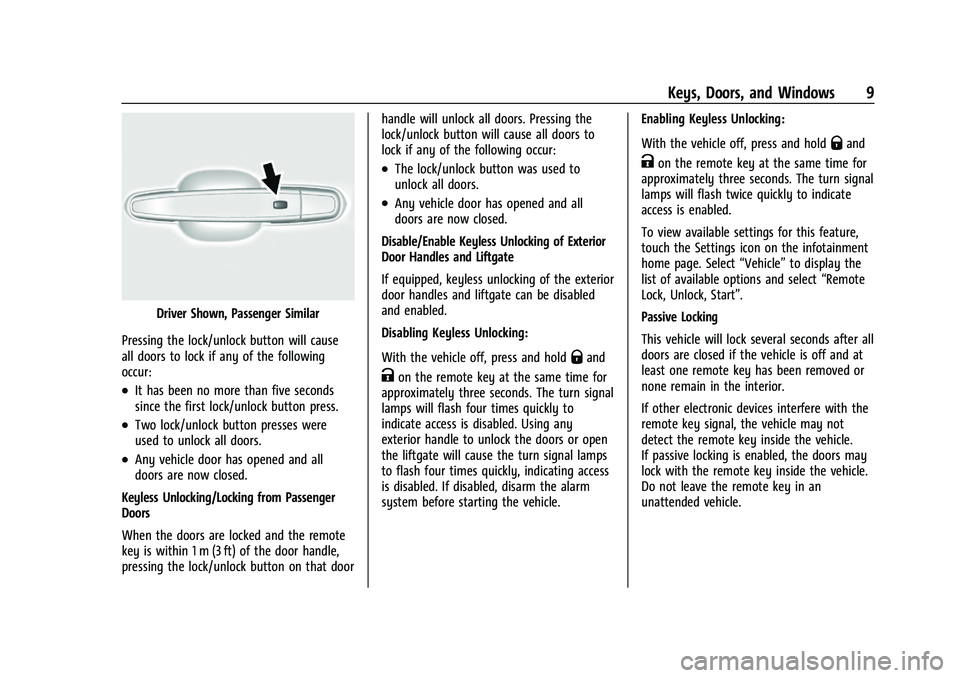
Pressing the lock/unlock button will cause
all doors to lock if any of the following
occur:
.It has been no more than five seconds
since the first lock/unlock button press.
.Two lock/unlock button presses were
used to unlock all doors.
.Any vehicle door has opened and all
doors are now closed.
Keyless Unlocking/Locking from Passenger
Doors
When the doors are locked and the remote
key is within 1 m (3 ft) of the door handle,
pressing the lock/unlock button on that door handle will unlock all doors. Pressing the
lock/unlock button will cause all doors to
lock if any of the following occur:
.The lock/unlock button was used to
unlock all doors.
.Any vehicle door has opened and all
doors are now closed.
Disable/Enable Keyless Unlocking of Exterior
Door Handles and Liftgate
If equipped, keyless unlocking of the exterior
door handles and liftgate can be disabled
and enabled.
Disabling Keyless Unlocking:
With the vehicle off, press and hold
Qand
Kon the remote key at the same time for
approximately three seconds. The turn signal
lamps will flash four times quickly to
indicate access is disabled. Using any
exterior handle to unlock the doors or open
the liftgate will cause the turn signal lamps
to flash four times quickly, indicating access
is disabled. If disabled, disarm the alarm
system before starting the vehicle. Enabling Keyless Unlocking:
With the vehicle off, press and hold
Qand
Kon the remote key at the same time for
approximately three seconds. The turn signal
lamps will flash twice quickly to indicate
access is enabled.
To view available settings for this feature,
touch the Settings icon on the infotainment
home page. Select “Vehicle”to display the
list of available options and select “Remote
Lock, Unlock, Start”.
Passive Locking
This vehicle will lock several seconds after all
doors are closed if the vehicle is off and at
least one remote key has been removed or
none remain in the interior.
If other electronic devices interfere with the
remote key signal, the vehicle may not
detect the remote key inside the vehicle.
If passive locking is enabled, the doors may
lock with the remote key inside the vehicle.
Do not leave the remote key in an
unattended vehicle.
Page 11 of 360
Chevrolet Blazer Owner Manual (GMNA-Localizing-U.S./Canada/Mexico-
16401961) - 2023 - CRC - 5/17/22
10 Keys, Doors, and Windows
To view available settings for this feature,
touch the Settings icon on the infotainment
home page. Select“Vehicle”to display the
list of available options and select “Remote
Lock, Unlock, Start”.
Temporary Disable of Passive Locking
Temporarily disable passive locking by
pressing and holding
Kon the interior door
switch with a door open for at least
four seconds, or until three chimes are
heard. Passive locking will then remain
disabled until
Qon the interior door is
pressed, or until the vehicle is turned on.
Remote Left in Vehicle Alert
When the vehicle is turned off and an
remote key is left in the vehicle, the horn
will chirp three times after all doors are
closed. To view available settings for this
feature, touch the Settings icon on the
infotainment home page. Select “Vehicle”to
display the list of available options and
select “Remote Lock, Unlock, Start”.
Remote No Longer in Vehicle Alert
If the vehicle is on with a door open, and
then all doors are closed, the vehicle will
check for remote keys inside. If an remote
key is not detected, the Driver Information Center (DIC) will display NO REMOTE
DETECTED and the horn will chirp three
times. This occurs only once each time the
vehicle is driven. To view available settings
for this feature, touch the Settings icon on
the infotainment home page. Select
“Vehicle”
to display the list of available
options and select “Remote Lock, Unlock,
Start”.
Keyless Liftgate Opening
Press the touch pad in the liftgate handle to
open the liftgate if the remote key is within
1 m (3 ft).
Key Access
To access a vehicle with a weak remote key
battery, see Door Locks015.
Programming Remote Keys to the
Vehicle
Only remote keys programmed to the
vehicle will work. If a remote key is lost or
stolen, a replacement can be purchased and
programmed through your dealer. The
vehicle can be reprogrammed so that lost or
stolen remote keys no longer work. Each
vehicle can have up to eight remote keys
matched to it. Programming with Recognized Remote Keys
A new remote key can be programmed to
the vehicle when there are two recognized
remote keys.
To program, the vehicle must be off and all
of the remote keys, both currently
recognized and new, must be with you.
1. Remove the key lock cylinder cap on the driver door handle. See Door Locks015.
Place the two recognized remote keys in
the cupholder.
2. Insert the vehicle key of the remote key into the key lock cylinder on the driver
door handle and turn the key,
counterclockwise, to the unlock position
five times within 10 seconds.
The DIC displays READY FOR REMOTE #3,
4, 5, ETC.
Page 26 of 360
Chevrolet Blazer Owner Manual (GMNA-Localizing-U.S./Canada/Mexico-
16401961) - 2023 - CRC - 5/17/22
Keys, Doors, and Windows 25
3. After 30 seconds the alarm system willarm. Pressing
Qon the remote key a
second time will bypass the 30-second
delay and immediately arm the alarm
system.
The vehicle alarm system will not arm if the
doors are locked with the key.
If the driver door is opened without first
unlocking with the remote key, the horn will
chirp and the lights will flash to indicate
pre-alarm. If the vehicle is not started,
or the door is not unlocked by pressing
K
on the remote key during the 10-second
pre-alarm, the alarm will be activated.
The alarm will also be activated if a
passenger door, the liftgate, or the hood is
opened without first disarming the system.
When the alarm is activated, the turn
signals flash and the horn sounds for about
30 seconds. The alarm system will then
re-arm to monitor for the next unauthorized
event.
Disarming the Alarm System
To disarm the alarm system or turn off the
alarm if it has been activated:
.PressKon the remote key.
.Unlock the vehicle using the Keyless
Access system.
.Start the vehicle.
To avoid setting off the alarm by accident:
.Lock the vehicle after all occupants have
left the vehicle and all doors are closed.
.Always unlock a door with the remote
key or use the Keyless Access system.
Unlocking the driver door with the key will
not disarm the system or turn off the alarm.
How to Detect a Tamper Condition
IfKis pressed and the horn chirps and the
lights flash three times, the alarm was
activated while the alarm system was
armed.
If the alarm system has been activated, a
message will appear on the Driver
Information Center (DIC).
Immobilizer
See Radio Frequency Statement 0337.
Immobilizer Operation
This vehicle has a passive theft-deterrent
system. The system does not have to be manually
armed or disarmed.
The vehicle is automatically immobilized
when the remote key leaves the vehicle.
The immobilization system is disarmed
when the ignition is turned on or in ACC/
ACCESSORY and a valid remote key is in the
vehicle.
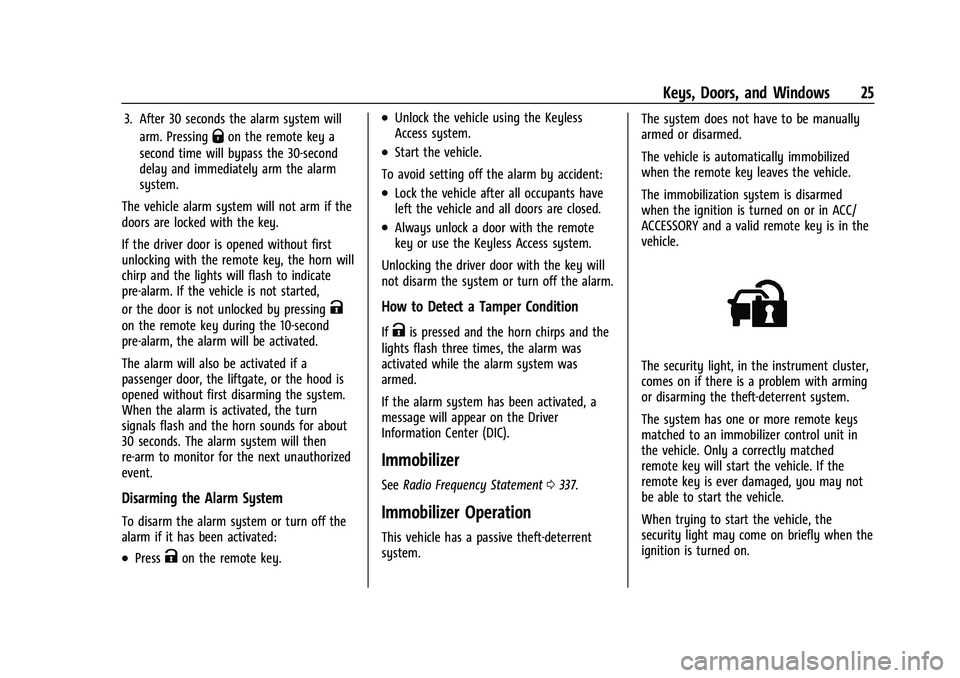
The security light, in the instrument cluster,
comes on if there is a problem with arming
or disarming the theft-deterrent system.
The system has one or more remote keys
matched to an immobilizer control unit in
the vehicle. Only a correctly matched
remote key will start the vehicle. If the
remote key is ever damaged, you may not
be able to start the vehicle.
When trying to start the vehicle, the
security light may come on briefly when the
ignition is turned on.