ignition CHEVROLET BOLT EV 2017 Owner's Manual
[x] Cancel search | Manufacturer: CHEVROLET, Model Year: 2017, Model line: BOLT EV, Model: CHEVROLET BOLT EV 2017Pages: 16, PDF Size: 2.5 MB
Page 4 of 16
4
Getting Started
Remote Keyless Entry (RKE)
The RKE transmitter (key fob) performs several remote functions and must be in the vehicle to start the Bolt EV.
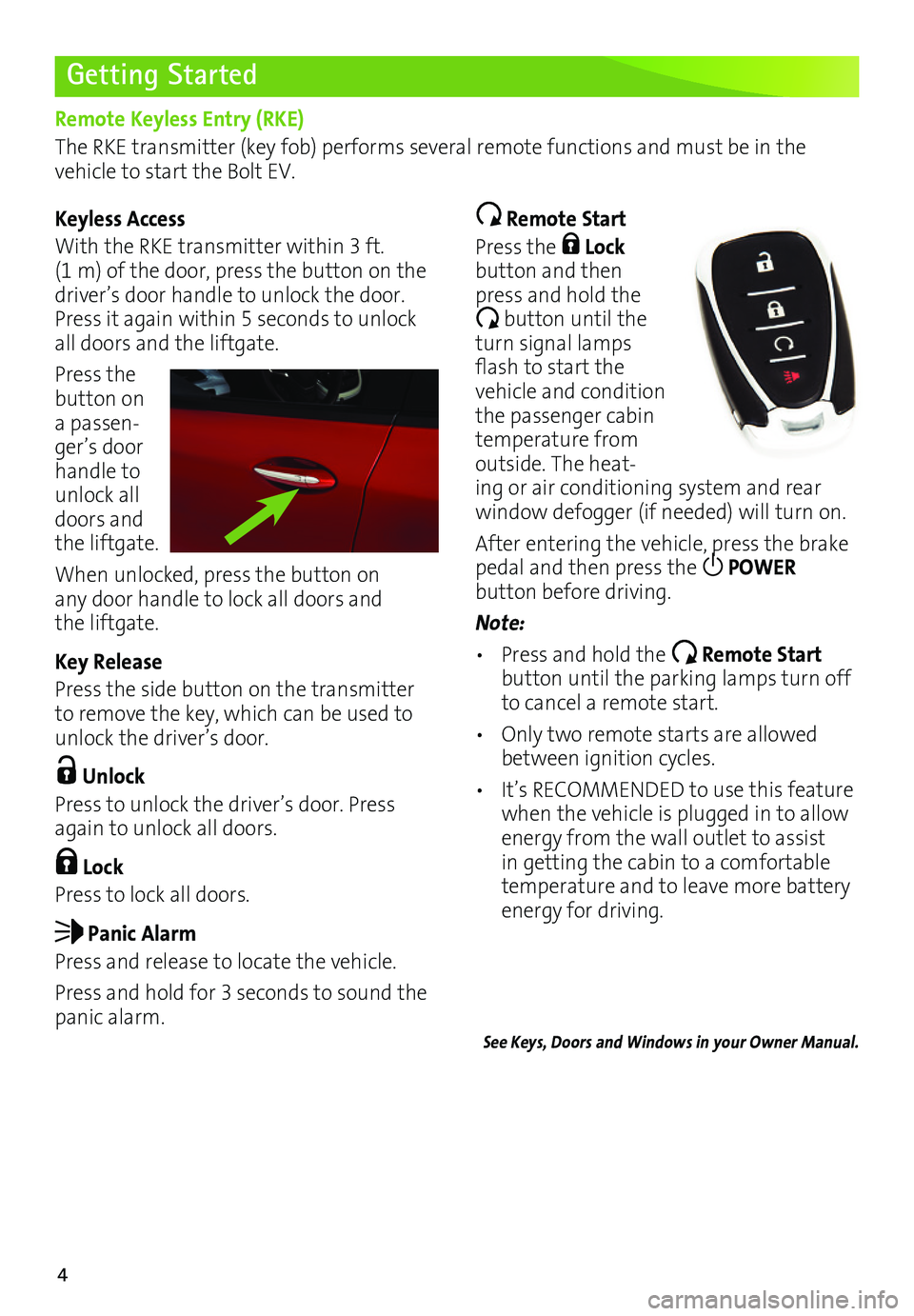
Keyless Access
With the RKE transmitter within 3 ft. (1 m) of the door, press the button on the driver’s door handle to unlock the door. Press it again within 5 seconds to unlock all doors and the liftgate.
Press the button on a passen-ger’s door handle to unlock all doors and the liftgate.
When unlocked, press the button on any door handle to lock all doors and the liftgate.
Key Release
Press the side button on the transmitter to remove the key, which can be used to unlock the driver’s door.
Unlock
Press to unlock the driver’s door. Press again to unlock all doors.
Lock
Press to lock all doors.
Panic Alarm
Press and release to locate the vehicle.
Press and hold for 3 seconds to sound the panic alarm.
Remote Start
Press the Lock button and then press and hold the
button until the turn signal lamps flash to start the vehicle and condition the passenger cabin temperature from outside. The heat-ing or air conditioning system and rear
window defogger (if needed) will turn on.
After entering the vehicle, press the brake pedal and then press the POWER
button before driving.
Note:
• Press and hold the Remote Start button until the parking lamps turn off to cancel a remote start.
• Only two remote starts are allowed between ignition cycles.
• It’s RECOMMENDED to use this feature when the vehicle is plugged in to allow energy from the wall outlet to assist in getting the cabin to a comfortable temperature and to leave more battery energy for driving.
See Keys, Doors and Windows in your Owner Manual.
Page 6 of 16
6
Electronic Precision Shift
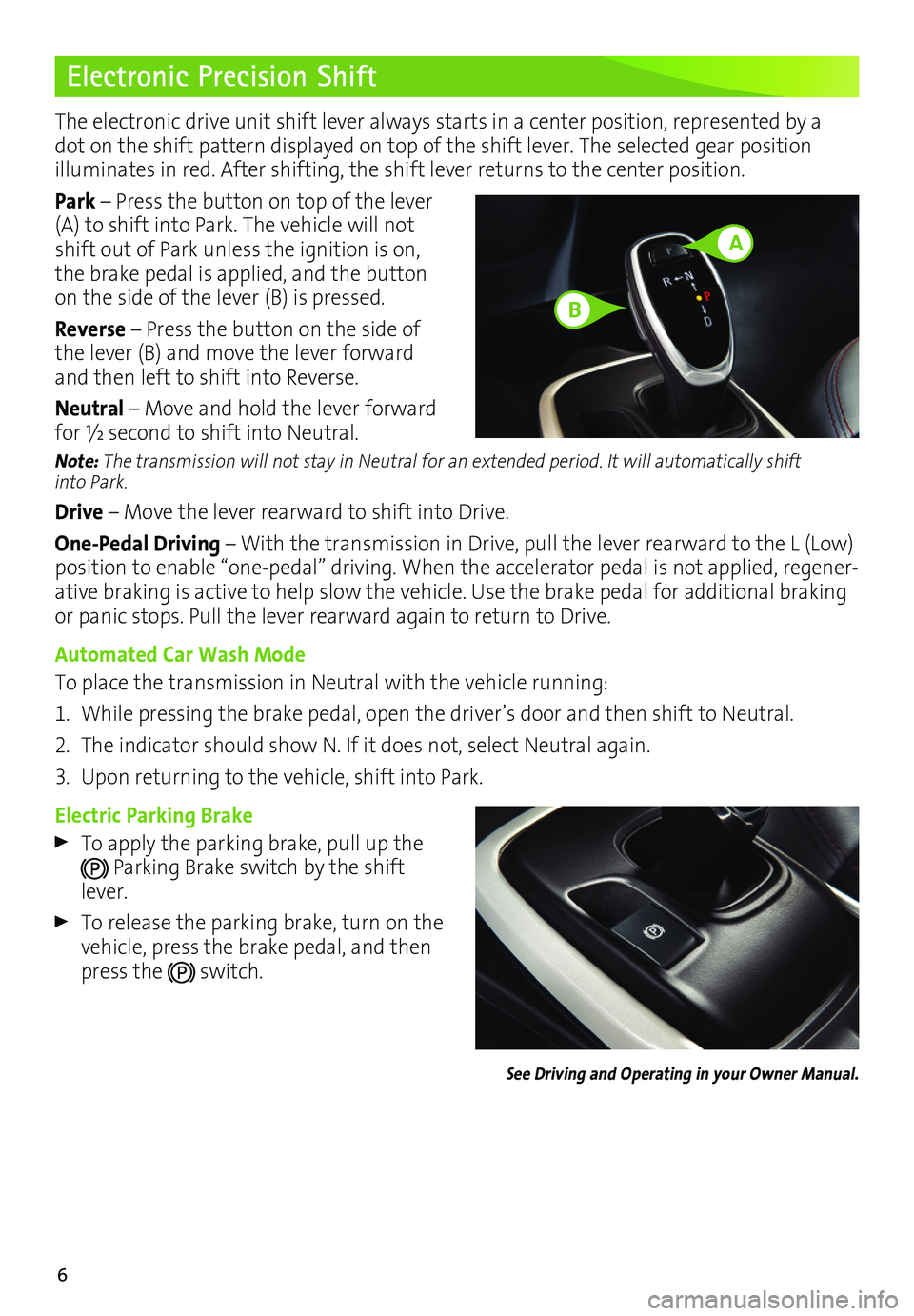
The electronic drive unit shift lever always starts in a center position, represented by a dot on the shift pattern displayed on top of the shift lever. The selected gear position
illuminates in red. After shifting, the shift lever returns to the center position.
Park – Press the button on top of the lever (A) to shift into Park. The vehicle will not shift out of Park unless the ignition is on, the brake pedal is applied, and the button on the side of the lever (B) is pressed.
Reverse – Press the button on the side of the lever (B) and move the lever forward and then left to shift into Reverse.
Neutral – Move and hold the lever forward for ½ second to shift into Neutral.
Note: The transmission will not stay in Neutral for an extended period. It will automatically shift into Park.
Drive – Move the lever rearward to shift into Drive.
One-Pedal Driving – With the transmission in Drive, pull the lever rearward to the L (Low) position to enable “one-pedal” driving. When the accelerator pedal is not applied, regener-ative braking is active to help slow the vehicle. Use the brake pedal for additional braking or panic stops. Pull the lever rearward again to return to Drive.
Automated Car Wash Mode
To place the transmission in Neutral with the vehicle running:
1. While pressing the brake pedal, open the driver’s door and then shift to Neutral.
2. The indicator should show N. If it does not, select Neutral again.
3. Upon returning to the vehicle, shift into Park.
Electric Parking Brake
To apply the parking brake, pull up the
Parking Brake switch by the shift lever.
To release the parking brake, turn on the vehicle, press the brake pedal, and then press the switch.
See Driving and Operating in your Owner Manual.
A
B