Starting CHEVROLET BOLT EV 2020 User Guide
[x] Cancel search | Manufacturer: CHEVROLET, Model Year: 2020, Model line: BOLT EV, Model: CHEVROLET BOLT EV 2020Pages: 347, PDF Size: 5.7 MB
Page 113 of 347
Chevrolet BOLT EV Owner Manual (GMNA-Localizing-U.S./Canada/Mexico-
13556250) - 2020 - CRC - 2/11/20
112 Instruments and Controls
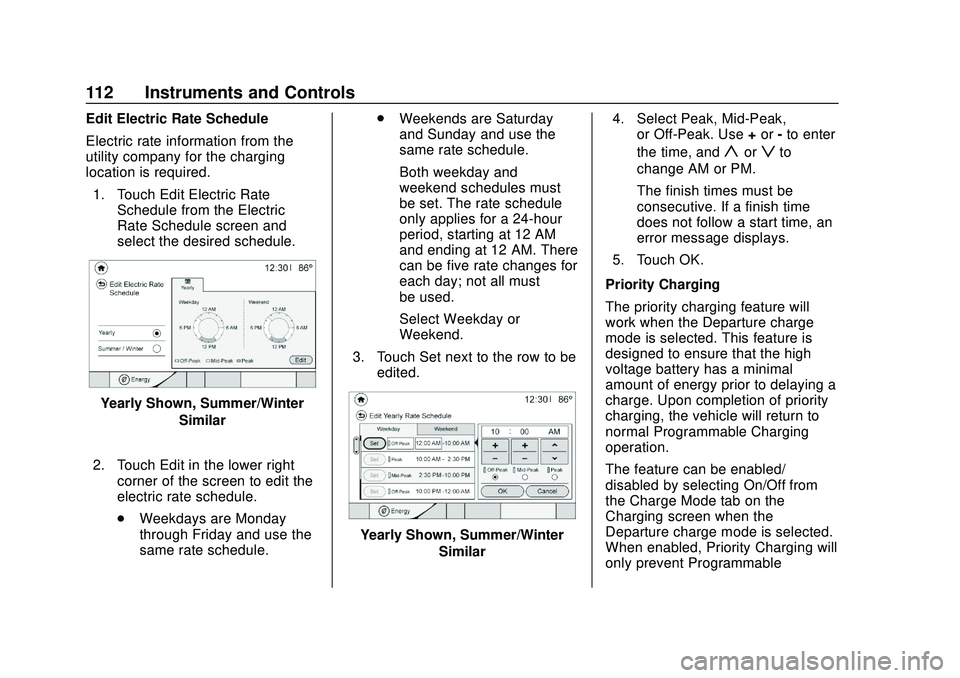
Edit Electric Rate Schedule
Electric rate information from the
utility company for the charging
location is required.1. Touch Edit Electric Rate Schedule from the Electric
Rate Schedule screen and
select the desired schedule.
Yearly Shown, Summer/Winter
Similar
2. Touch Edit in the lower right corner of the screen to edit the
electric rate schedule.
.Weekdays are Monday
through Friday and use the
same rate schedule. .
Weekends are Saturday
and Sunday and use the
same rate schedule.
Both weekday and
weekend schedules must
be set. The rate schedule
only applies for a 24-hour
period, starting at 12 AM
and ending at 12 AM. There
can be five rate changes for
each day; not all must
be used.
Select Weekday or
Weekend.
3. Touch Set next to the row to be edited.
Yearly Shown, Summer/Winter
Similar 4. Select Peak, Mid-Peak,
or Off-Peak. Use +or -to enter
the time, and
yorzto
change AM or PM.
The finish times must be
consecutive. If a finish time
does not follow a start time, an
error message displays.
5. Touch OK.
Priority Charging
The priority charging feature will
work when the Departure charge
mode is selected. This feature is
designed to ensure that the high
voltage battery has a minimal
amount of energy prior to delaying a
charge. Upon completion of priority
charging, the vehicle will return to
normal Programmable Charging
operation.
The feature can be enabled/
disabled by selecting On/Off from
the Charge Mode tab on the
Charging screen when the
Departure charge mode is selected.
When enabled, Priority Charging will
only prevent Programmable
Page 138 of 347
Chevrolet BOLT EV Owner Manual (GMNA-Localizing-U.S./Canada/Mexico-
13556250) - 2020 - CRC - 2/11/20
Infotainment System 137
5.gord:
. Radio: Press to seek the
previous or next strongest
station or channel.
. USB/Music/Pictures: Press
to go to the previous or next
content. Press and hold to
fast rewind or fast forward.
Operation
Turning On/Off Automatically
When the vehicle is on, the
infotainment system turns on
automatically.
When the vehicle is off and the
driver door of the vehicle is opened,
the infotainment system turns off
automatically.
If
Ois pressed and held when the
vehicle is off, the infotainment
system will turn on. The system will
turn off automatically after
approximately 10 minutes.
Full Screen Clock
. Touch the time display on the
screen to display a full screen of
the clock.
. Touch
0to return to the
previous screen.
Volume Control
Turn the volume knob to adjust the
volume. The current volume is
indicated.
. If equipped, use the volume
switches on the back of the
steering wheel to adjust the
volume. See Steering Wheel
Controls 085.
. Turning on the infotainment
system power will set the
volume level to its previous
selection if it is lower than the
maximum starting volume level.
. If the volume level is louder than
the maximum starting volume
level when the infotainment
system is turned on, the
infotainment system is adjusted
automatically to the maximum
starting volume level.
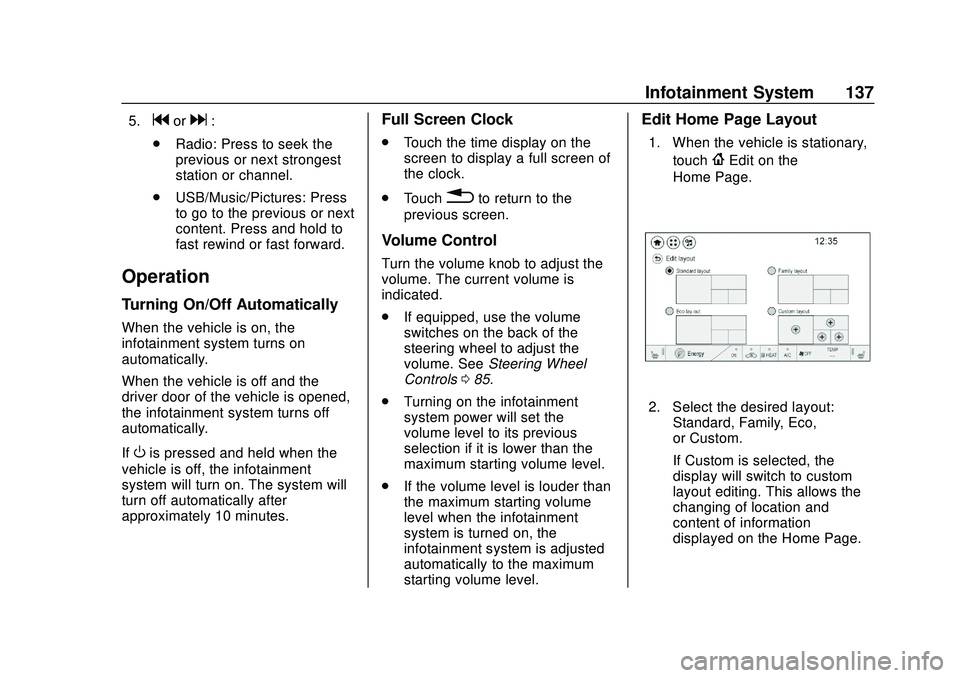
Edit Home Page Layout
1. When the vehicle is stationary,
touch
{Edit on the
Home Page.
2. Select the desired layout: Standard, Family, Eco,
or Custom.
If Custom is selected, the
display will switch to custom
layout editing. This allows the
changing of location and
content of information
displayed on the Home Page.
Page 171 of 347
Chevrolet BOLT EV Owner Manual (GMNA-Localizing-U.S./Canada/Mexico-
13556250) - 2020 - CRC - 2/11/20
170 Driving and Operating
Driving and
Operating
Driving Information
Driving for Better EnergyEfficiency . . . . . . . . . . . . . . . . . . . 171
Distracted Driving . . . . . . . . . . . . 172
Defensive Driving . . . . . . . . . . . . . 173
Drunk Driving . . . . . . . . . . . . . . . . . 173
Control of a Vehicle . . . . . . . . . . . 173
Braking . . . . . . . . . . . . . . . . . . . . . . . 173
Steering . . . . . . . . . . . . . . . . . . . . . . 174
Off-Road Recovery . . . . . . . . . . . 175
Loss of Control . . . . . . . . . . . . . . . 175
Driving on Wet Roads . . . . . . . . 176
Hill and Mountain Roads . . . . . 176
Winter Driving . . . . . . . . . . . . . . . . 177
If the Vehicle Is Stuck . . . . . . . . 178
Vehicle Load Limits . . . . . . . . . . . 178
Starting and Operating
New Vehicle Break-In . . . . . . . . . 182
Power Button . . . . . . . . . . . . . . . . . 182
Starting and Stopping the Vehicle . . . . . . . . . . . . . . . . . . . . . . 184
Retained Accessory Power (RAP) . . . . . . . . . . . . . . . . 184
Shifting Into Park . . . . . . . . . . . . . 185 Shifting out of Park . . . . . . . . . . . 185
Extended Parking . . . . . . . . . . . . 186
Electric Vehicle Operating
Modes
Driver Selected Operating
Modes . . . . . . . . . . . . . . . . . . . . . . 186
Electric Drive Unit
Electric Drive Unit . . . . . . . . . . . . 187
One-Pedal Driving . . . . . . . . . . . . 190
Brakes
Antilock BrakeSystem (ABS) . . . . . . . . . . . . . . . 191
Electric Parking Brake . . . . . . . . 192
Brake Assist . . . . . . . . . . . . . . . . . . 193
Hill Start Assist (HSA) . . . . . . . . 193
Regenerative Braking . . . . . . . . 194
Ride Control Systems
Traction Control/Electronic Stability Control . . . . . . . . . . . . . 194
Cruise Control
Cruise Control . . . . . . . . . . . . . . . . 196
Driver Assistance Systems
Driver Assistance Systems . . . 199
Assistance Systems forParking or Backing . . . . . . . . . . 200 Assistance Systems for
Driving . . . . . . . . . . . . . . . . . . . . . . 203
Forward Collision Alert (FCA) System . . . . . . . . . . . . . . . . . . . . . . 204
Automatic Emergency
Braking (AEB) . . . . . . . . . . . . . . . 205
Front Pedestrian Braking (FPB) System . . . . . . . . . . . . . . . 207
Side Blind Zone Alert (SBZA) . . . . . . . . . . . . . . . . 209
Lane Change Alert (LCA) . . . . . 209
Lane Keep Assist (LKA) . . . . . . 211
Charging
When to Charge . . . . . . . . . . . . . . 213
Plug-In Charging . . . . . . . . . . . . . 214
Delayed Charging Override . . . 217
Charging Status Feedback . . . 218
Charge Cord . . . . . . . . . . . . . . . . . 222
Utility Interruption of Charging . . . . . . . . . . . . . . . . . . . . 228
Electrical Requirements for Battery Charging . . . . . . . . . . . . 229
Trailer Towing
General TowingInformation . . . . . . . . . . . . . . . . . . 230
Conversions and Add-Ons
Add-On ElectricalEquipment . . . . . . . . . . . . . . . . . . 230
Page 183 of 347
Chevrolet BOLT EV Owner Manual (GMNA-Localizing-U.S./Canada/Mexico-
13556250) - 2020 - CRC - 2/11/20
182 Driving and Operating
Warning (Continued)
. Do not leave an
unsecured child restraint
in the vehicle.
.Secure loose items in the
vehicle.
.Do not leave a seat
folded down unless
needed.
Starting and
Operating
New Vehicle Break-In
Caution
Avoid making hard stops for the
first 322 km (200 mi). During this
time the new brake linings are not
yet broken in. Hard stops with
new linings can mean premature
wear and earlier replacement.
Follow this breaking-in guideline
every time you get new brake
linings. Following break-in,
vehicle speed and load can be
gradually increased.
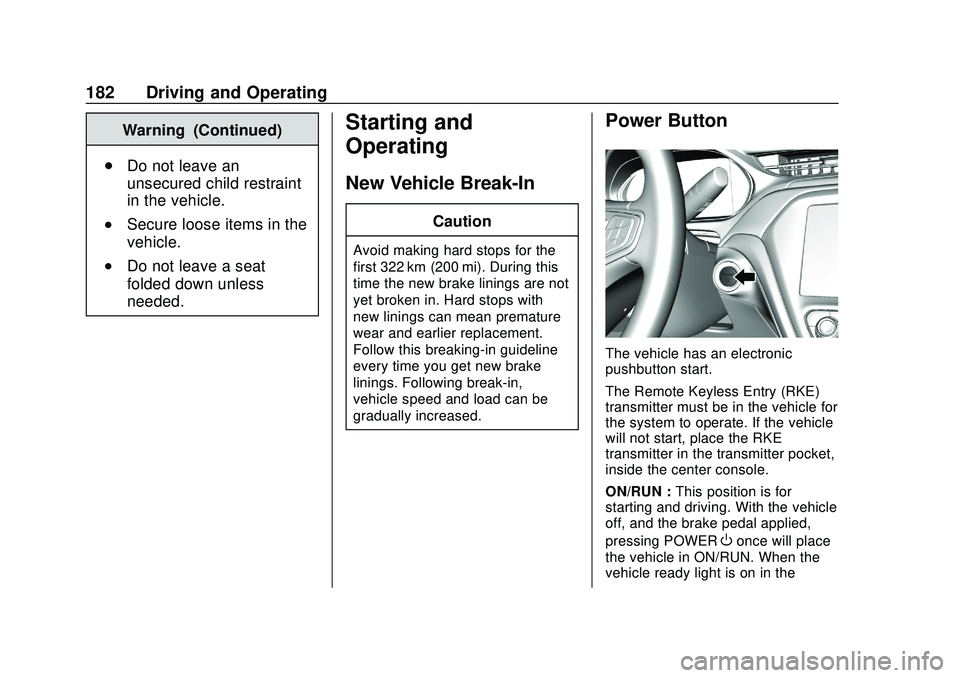
Power Button
The vehicle has an electronic
pushbutton start.
The Remote Keyless Entry (RKE)
transmitter must be in the vehicle for
the system to operate. If the vehicle
will not start, place the RKE
transmitter in the transmitter pocket,
inside the center console.
ON/RUN : This position is for
starting and driving. With the vehicle
off, and the brake pedal applied,
pressing POWER
Oonce will place
the vehicle in ON/RUN. When the
vehicle ready light is on in the
Page 185 of 347
Chevrolet BOLT EV Owner Manual (GMNA-Localizing-U.S./Canada/Mexico-
13556250) - 2020 - CRC - 2/11/20
184 Driving and Operating
Starting and Stopping the
Vehicle
Starting Procedure
Press the P (Park) button on the
shift lever, or move the shift lever
into N (Neutral). The propulsion
system will not start in any other
position.
Caution
Do not try to shift to P (Park) if the
vehicle is moving or the electric
drive unit could be damaged.
Shift to P (Park) only when the
vehicle is stopped.
Caution
If you add electrical parts or
accessories, you could change
the way the vehicle operates. Any
resulting damage would not be
covered by the vehicle warranty.The Remote Keyless Entry (RKE)
transmitter must be in the vehicle.
Press the brake pedal, then press
and release POWER
O.
If the RKE transmitter is not in the
vehicle or something is interfering
with the transmitter, a message
displays in the Driver Information
Center (DIC).
If the vehicle will not start due to a
low RKE transmitter battery, the
vehicle can still be driven. See
Remote Keyless Entry (RKE)
System Operation 08.
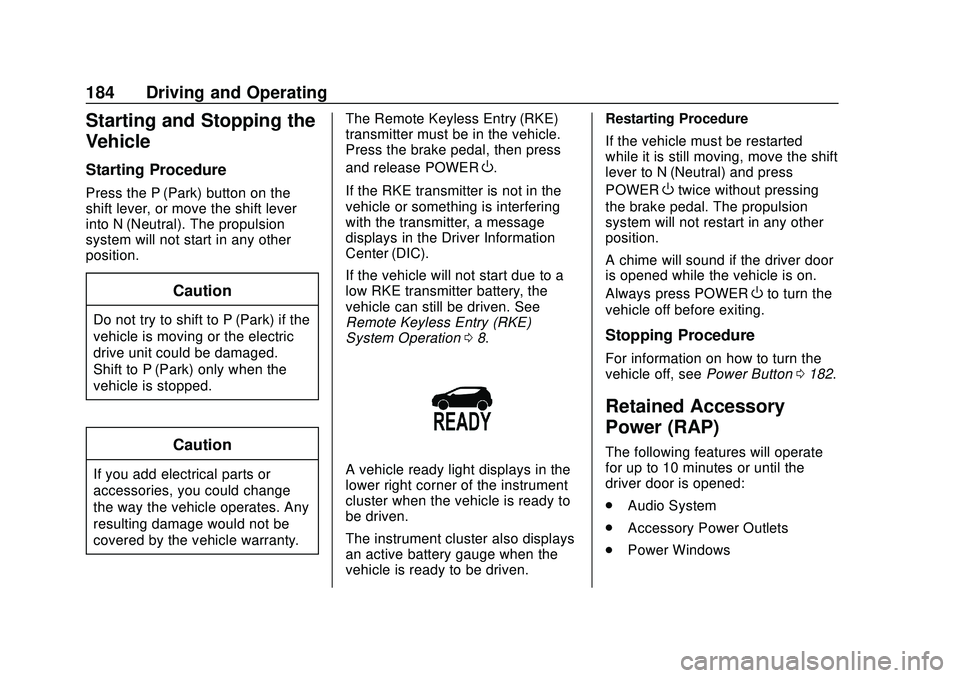
A vehicle ready light displays in the
lower right corner of the instrument
cluster when the vehicle is ready to
be driven.
The instrument cluster also displays
an active battery gauge when the
vehicle is ready to be driven. Restarting Procedure
If the vehicle must be restarted
while it is still moving, move the shift
lever to N (Neutral) and press
POWER
Otwice without pressing
the brake pedal. The propulsion
system will not restart in any other
position.
A chime will sound if the driver door
is opened while the vehicle is on.
Always press POWER
Oto turn the
vehicle off before exiting.
Stopping Procedure
For information on how to turn the
vehicle off, see Power Button0182.
Retained Accessory
Power (RAP)
The following features will operate
for up to 10 minutes or until the
driver door is opened:
.
Audio System
. Accessory Power Outlets
. Power Windows
Page 187 of 347
Chevrolet BOLT EV Owner Manual (GMNA-Localizing-U.S./Canada/Mexico-
13556250) - 2020 - CRC - 2/11/20
186 Driving and Operating
The shift lock is always functional
except in the case of an uncharged
or low charged 12-volt battery (less
than 9 volts).
If the vehicle has an uncharged
12-volt battery or a 12-volt battery
with low voltage, try charging or
jump starting the 12-volt battery.
To shift out of P (Park):1. Apply the brake pedal.
2. Press POWER
Oto start the
vehicle.
3. Verify that the vehicle is unplugged and the vehicle
ready light is on.
4. Press the shift lock release button on the side of the shift
lever.
5. Move the shift lever into the desired position.
6. The P indicator will turn white and the gear indicator on the
shift lever will turn red when
the vehicle is no longer in
P (Park). 7. After releasing the shift lever, it
will return to the center
position.
Extended Parking
It is best not to park with the vehicle
running. If the vehicle is left running,
be sure it will not move and there is
adequate ventilation.
See Shifting Into Park 0185.
If the vehicle is left parked and
running with the RKE transmitter
outside the vehicle, it will continue
to run for up to an hour.
If the vehicle is left parked and
running with the RKE transmitter
inside the vehicle, it will continue to
run for up to two hour.
The timer will reset if the vehicle is
taken out of P (Park) while it is
running.
Electric Vehicle
Operating Modes
Driver Selected Operating
Modes
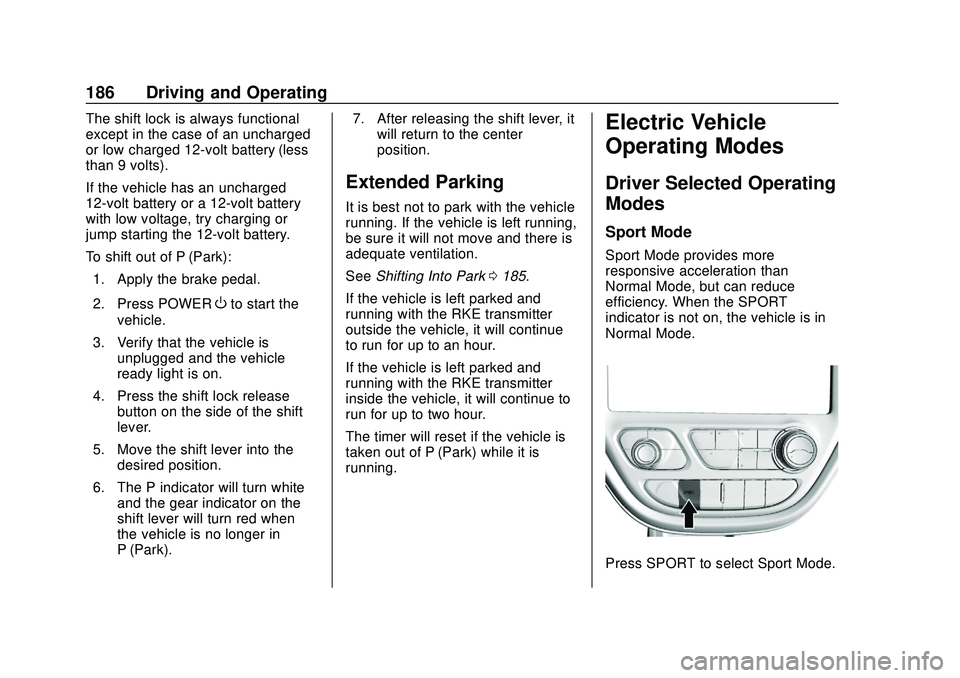
Sport Mode
Sport Mode provides more
responsive acceleration than
Normal Mode, but can reduce
efficiency. When the SPORT
indicator is not on, the vehicle is in
Normal Mode.
Press SPORT to select Sport Mode.
Page 188 of 347
Chevrolet BOLT EV Owner Manual (GMNA-Localizing-U.S./Canada/Mexico-
13556250) - 2020 - CRC - 2/11/20
Driving and Operating 187
Press SPORT again to return to
Normal Mode.
An indicator will display in the
instrument cluster.
Each time the vehicle is started, it
will return to Normal Mode.
Sport Mode may be unavailable if
the battery charge is too low.Electric Drive Unit
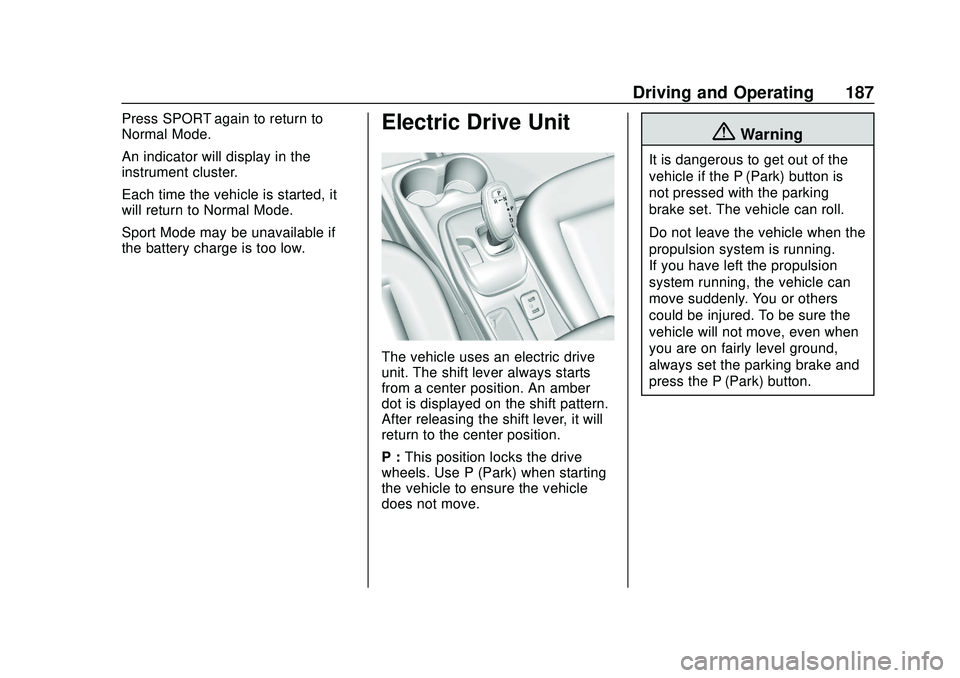
The vehicle uses an electric drive
unit. The shift lever always starts
from a center position. An amber
dot is displayed on the shift pattern.
After releasing the shift lever, it will
return to the center position.
P :This position locks the drive
wheels. Use P (Park) when starting
the vehicle to ensure the vehicle
does not move.
{Warning
It is dangerous to get out of the
vehicle if the P (Park) button is
not pressed with the parking
brake set. The vehicle can roll.
Do not leave the vehicle when the
propulsion system is running.
If you have left the propulsion
system running, the vehicle can
move suddenly. You or others
could be injured. To be sure the
vehicle will not move, even when
you are on fairly level ground,
always set the parking brake and
press the P (Park) button.
Page 229 of 347
Chevrolet BOLT EV Owner Manual (GMNA-Localizing-U.S./Canada/Mexico-
13556250) - 2020 - CRC - 2/11/20
228 Driving and Operating
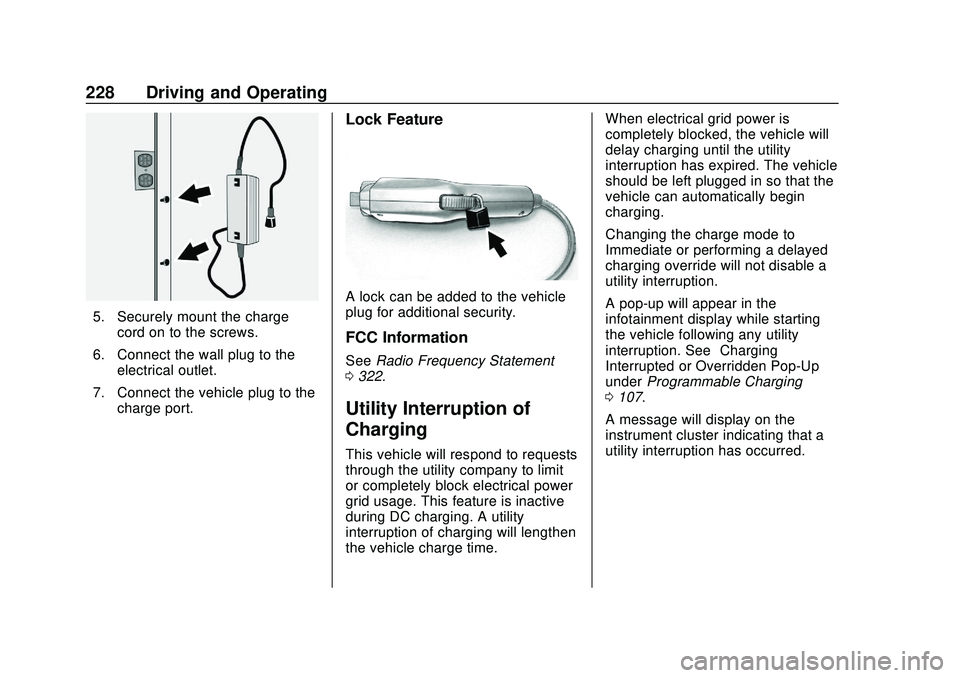
5. Securely mount the chargecord on to the screws.
6. Connect the wall plug to the electrical outlet.
7. Connect the vehicle plug to the charge port.
Lock Feature
A lock can be added to the vehicle
plug for additional security.
FCC Information
See Radio Frequency Statement
0 322.
Utility Interruption of
Charging
This vehicle will respond to requests
through the utility company to limit
or completely block electrical power
grid usage. This feature is inactive
during DC charging. A utility
interruption of charging will lengthen
the vehicle charge time. When electrical grid power is
completely blocked, the vehicle will
delay charging until the utility
interruption has expired. The vehicle
should be left plugged in so that the
vehicle can automatically begin
charging.
Changing the charge mode to
Immediate or performing a delayed
charging override will not disable a
utility interruption.
A pop-up will appear in the
infotainment display while starting
the vehicle following any utility
interruption. See
“Charging
Interrupted or Overridden Pop-Up”
under Programmable Charging
0 107.
A message will display on the
instrument cluster indicating that a
utility interruption has occurred.
Page 233 of 347
Chevrolet BOLT EV Owner Manual (GMNA-Localizing-U.S./Canada/Mexico-
13556250) - 2020 - CRC - 2/11/20
232 Vehicle Care
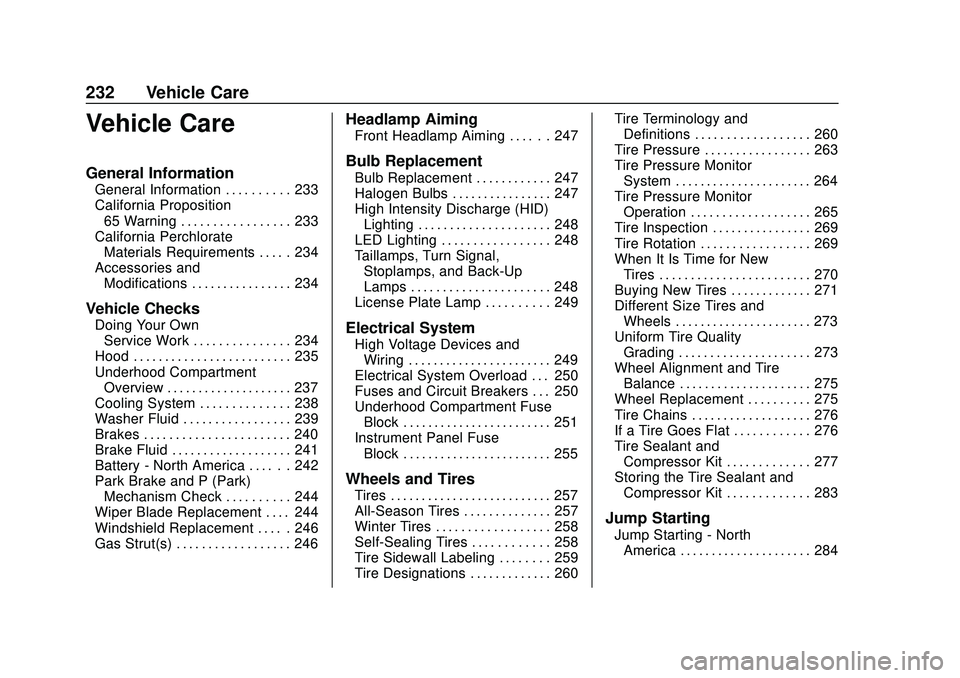
Vehicle Care
General Information
General Information . . . . . . . . . . 233
California Proposition65 Warning . . . . . . . . . . . . . . . . . 233
California Perchlorate Materials Requirements . . . . . 234
Accessories and Modifications . . . . . . . . . . . . . . . . 234
Vehicle Checks
Doing Your OwnService Work . . . . . . . . . . . . . . . 234
Hood . . . . . . . . . . . . . . . . . . . . . . . . . 235
Underhood Compartment Overview . . . . . . . . . . . . . . . . . . . . 237
Cooling System . . . . . . . . . . . . . . 238
Washer Fluid . . . . . . . . . . . . . . . . . 239
Brakes . . . . . . . . . . . . . . . . . . . . . . . 240
Brake Fluid . . . . . . . . . . . . . . . . . . . 241
Battery - North America . . . . . . 242
Park Brake and P (Park) Mechanism Check . . . . . . . . . . 244
Wiper Blade Replacement . . . . 244
Windshield Replacement . . . . . 246
Gas Strut(s) . . . . . . . . . . . . . . . . . . 246
Headlamp Aiming
Front Headlamp Aiming . . . . . . 247
Bulb Replacement
Bulb Replacement . . . . . . . . . . . . 247
Halogen Bulbs . . . . . . . . . . . . . . . . 247
High Intensity Discharge (HID) Lighting . . . . . . . . . . . . . . . . . . . . . 248
LED Lighting . . . . . . . . . . . . . . . . . 248
Taillamps, Turn Signal, Stoplamps, and Back-Up
Lamps . . . . . . . . . . . . . . . . . . . . . . 248
License Plate Lamp . . . . . . . . . . 249
Electrical System
High Voltage Devices and Wiring . . . . . . . . . . . . . . . . . . . . . . . 249
Electrical System Overload . . . 250
Fuses and Circuit Breakers . . . 250
Underhood Compartment Fuse Block . . . . . . . . . . . . . . . . . . . . . . . . 251
Instrument Panel Fuse Block . . . . . . . . . . . . . . . . . . . . . . . . 255
Wheels and Tires
Tires . . . . . . . . . . . . . . . . . . . . . . . . . . 257
All-Season Tires . . . . . . . . . . . . . . 257
Winter Tires . . . . . . . . . . . . . . . . . . 258
Self-Sealing Tires . . . . . . . . . . . . 258
Tire Sidewall Labeling . . . . . . . . 259
Tire Designations . . . . . . . . . . . . . 260 Tire Terminology and
Definitions . . . . . . . . . . . . . . . . . . 260
Tire Pressure . . . . . . . . . . . . . . . . . 263
Tire Pressure Monitor System . . . . . . . . . . . . . . . . . . . . . . 264
Tire Pressure Monitor Operation . . . . . . . . . . . . . . . . . . . 265
Tire Inspection . . . . . . . . . . . . . . . . 269
Tire Rotation . . . . . . . . . . . . . . . . . 269
When It Is Time for New Tires . . . . . . . . . . . . . . . . . . . . . . . . 270
Buying New Tires . . . . . . . . . . . . . 271
Different Size Tires and Wheels . . . . . . . . . . . . . . . . . . . . . . 273
Uniform Tire Quality Grading . . . . . . . . . . . . . . . . . . . . . 273
Wheel Alignment and Tire Balance . . . . . . . . . . . . . . . . . . . . . 275
Wheel Replacement . . . . . . . . . . 275
Tire Chains . . . . . . . . . . . . . . . . . . . 276
If a Tire Goes Flat . . . . . . . . . . . . 276
Tire Sealant and Compressor Kit . . . . . . . . . . . . . 277
Storing the Tire Sealant and Compressor Kit . . . . . . . . . . . . . 283
Jump Starting
Jump Starting - NorthAmerica . . . . . . . . . . . . . . . . . . . . . 284
Page 234 of 347
Chevrolet BOLT EV Owner Manual (GMNA-Localizing-U.S./Canada/Mexico-
13556250) - 2020 - CRC - 2/11/20
Vehicle Care 233
Towing the Vehicle
Towing the Vehicle . . . . . . . . . . . 287
Recreational VehicleTowing . . . . . . . . . . . . . . . . . . . . . . 289
Appearance Care
Exterior Care . . . . . . . . . . . . . . . . . 291
Interior Care . . . . . . . . . . . . . . . . . . 295
Floor Mats . . . . . . . . . . . . . . . . . . . . 298
General Information
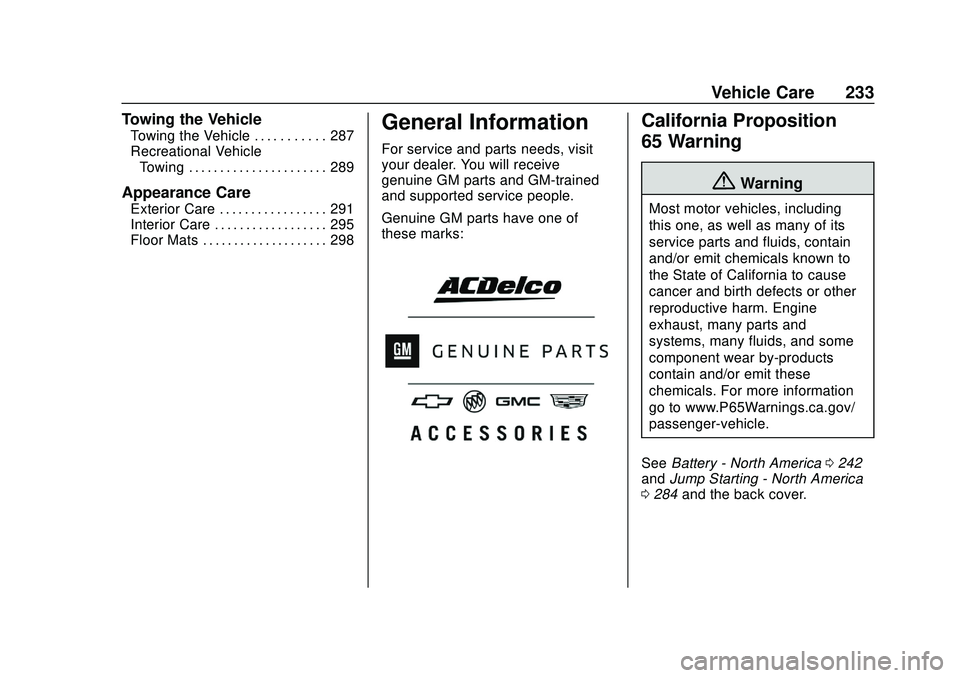
For service and parts needs, visit
your dealer. You will receive
genuine GM parts and GM-trained
and supported service people.
Genuine GM parts have one of
these marks:
California Proposition
65 Warning
{Warning
Most motor vehicles, including
this one, as well as many of its
service parts and fluids, contain
and/or emit chemicals known to
the State of California to cause
cancer and birth defects or other
reproductive harm. Engine
exhaust, many parts and
systems, many fluids, and some
component wear by-products
contain and/or emit these
chemicals. For more information
go to www.P65Warnings.ca.gov/
passenger-vehicle.
See Battery - North America 0242
and Jump Starting - North America
0 284 and the back cover.