Lug CHEVROLET BOLT EV 2020 Owner's Manual
[x] Cancel search | Manufacturer: CHEVROLET, Model Year: 2020, Model line: BOLT EV, Model: CHEVROLET BOLT EV 2020Pages: 347, PDF Size: 5.7 MB
Page 16 of 347
Chevrolet BOLT EV Owner Manual (GMNA-Localizing-U.S./Canada/Mexico-
13556250) - 2020 - CRC - 2/11/20
Keys, Doors, and Windows 15
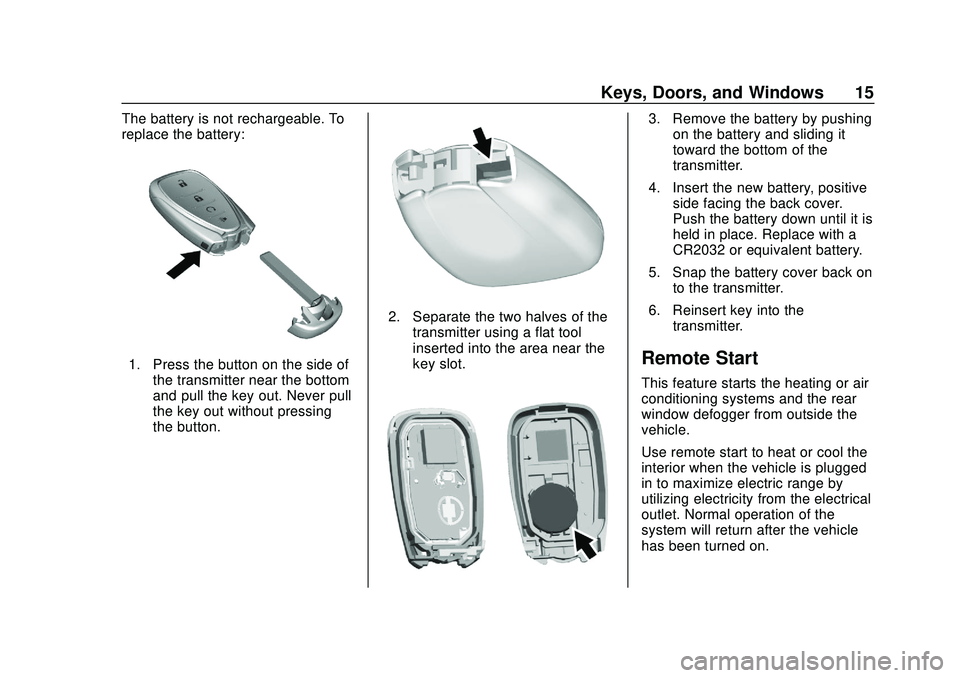
The battery is not rechargeable. To
replace the battery:
1. Press the button on the side ofthe transmitter near the bottom
and pull the key out. Never pull
the key out without pressing
the button.
2. Separate the two halves of thetransmitter using a flat tool
inserted into the area near the
key slot.
3. Remove the battery by pushingon the battery and sliding it
toward the bottom of the
transmitter.
4. Insert the new battery, positive side facing the back cover.
Push the battery down until it is
held in place. Replace with a
CR2032 or equivalent battery.
5. Snap the battery cover back on to the transmitter.
6. Reinsert key into the transmitter.
Remote Start
This feature starts the heating or air
conditioning systems and the rear
window defogger from outside the
vehicle.
Use remote start to heat or cool the
interior when the vehicle is plugged
in to maximize electric range by
utilizing electricity from the electrical
outlet. Normal operation of the
system will return after the vehicle
has been turned on.
Page 91 of 347
Chevrolet BOLT EV Owner Manual (GMNA-Localizing-U.S./Canada/Mexico-
13556250) - 2020 - CRC - 2/11/20
90 Instruments and Controls
Clock
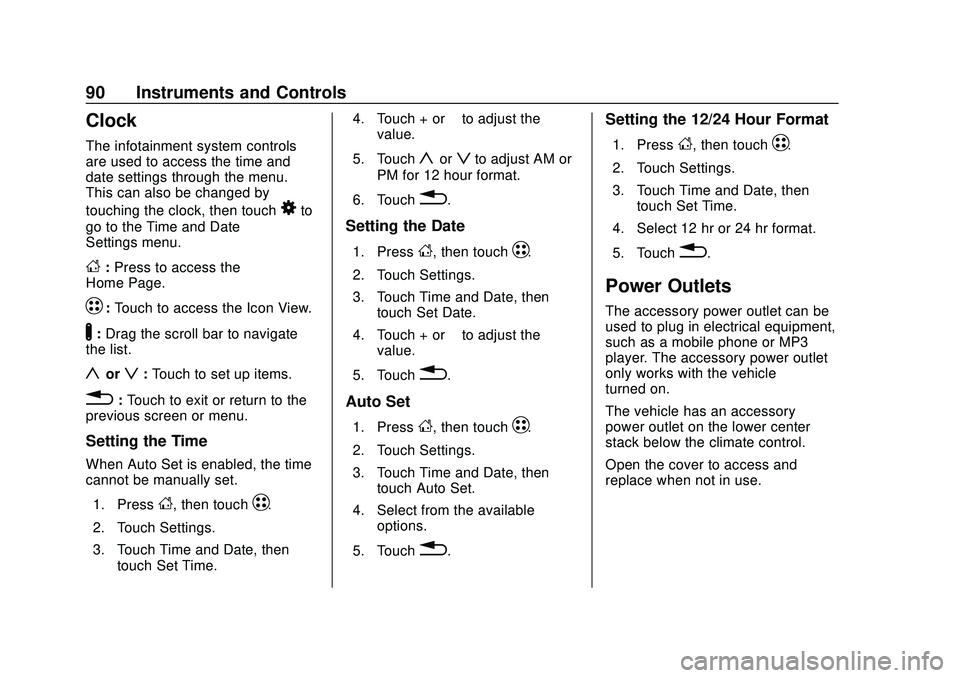
The infotainment system controls
are used to access the time and
date settings through the menu.
This can also be changed by
touching the clock, then touch
8to
go to the Time and Date
Settings menu.
D: Press to access the
Home Page.
T: Touch to access the Icon View.
Y:Drag the scroll bar to navigate
the list.
yorz: Touch to set up items.
0:Touch to exit or return to the
previous screen or menu.
Setting the Time
When Auto Set is enabled, the time
cannot be manually set.
1. Press
D, then touchT.
2. Touch Settings.
3. Touch Time and Date, then touch Set Time. 4. Touch + or
−to adjust the
value.
5. Touch
yorzto adjust AM or
PM for 12 hour format.
6. Touch
0.
Setting the Date
1. PressD, then touchT.
2. Touch Settings.
3. Touch Time and Date, then touch Set Date.
4. Touch + or −to adjust the
value.
5. Touch
0.
Auto Set
1. PressD, then touchT.
2. Touch Settings.
3. Touch Time and Date, then touch Auto Set.
4. Select from the available options.
5. Touch
0.
Setting the 12/24 Hour Format
1. PressD, then touchT.
2. Touch Settings.
3. Touch Time and Date, then touch Set Time.
4. Select 12 hr or 24 hr format.
5. Touch
0.
Power Outlets
The accessory power outlet can be
used to plug in electrical equipment,
such as a mobile phone or MP3
player. The accessory power outlet
only works with the vehicle
turned on.
The vehicle has an accessory
power outlet on the lower center
stack below the climate control.
Open the cover to access and
replace when not in use.
Page 92 of 347
Chevrolet BOLT EV Owner Manual (GMNA-Localizing-U.S./Canada/Mexico-
13556250) - 2020 - CRC - 2/11/20
Instruments and Controls 91
Caution
Leaving electrical equipment
plugged in for an extended period
of time while the vehicle is off will
drain the battery. Always unplug
electrical equipment when not in
use and do not plug in equipment
that exceeds the maximum
20 amp rating.
Certain accessory power plugs may
not be compatible with the
accessory power outlet and could
overload vehicle or adapter fuses.
If a problem is experienced, see
your dealer.
When adding electrical equipment,
be sure to follow the proper
installation instructions included with
the equipment. See Add-On
Electrical Equipment 0230.
Caution
Hanging heavy equipment from
the power outlet can cause
damage not covered by the
vehicle warranty. The power
outlets are designed for
accessory power plugs only, such
as cell phone charge cords.
Wireless Charging
The vehicle may have a wireless
charging pocket outside the armrest
of the center console. The system
operates at 145 kHz and wirelessly
charges one Qi compatible mobile
device. The power output of the
system is capable of charging at a
rate up to 3 amp (19.5W), as
requested by the compatible mobile
device. See Radio Frequency
Statement 0322.
{Warning
Wireless charging can affect the
operation of an implanted
pacemaker or other medical
devices. If you have one, it is
recommended to consult with
your doctor before using the
wireless charging system.
The vehicle must be on, in Service
Mode, or Retained Accessory
Power (RAP) must be active. The
wireless charging feature may not
correctly indicate charging when the
vehicle is in RAP. See Retained
Accessory Power (RAP) 0184.
The operating temperature is −20 °C
(−4 °F) to 60 °C (140 °F) for the
charging system and 0 °C (32 °F) to
35 °C (95 °F) for the mobile phone.
Page 108 of 347
Chevrolet BOLT EV Owner Manual (GMNA-Localizing-U.S./Canada/Mexico-
13556250) - 2020 - CRC - 2/11/20
Instruments and Controls 107
Cruise Control Light
The cruise control light is white
when the cruise control is on and
ready, and turns green when the
cruise control is set and active.
The light turns off when the cruise
control is turned off. SeeCruise
Control 0196.
Door Ajar Light
This light comes on when a door is
open or not securely latched.
Information Displays
Power Flows
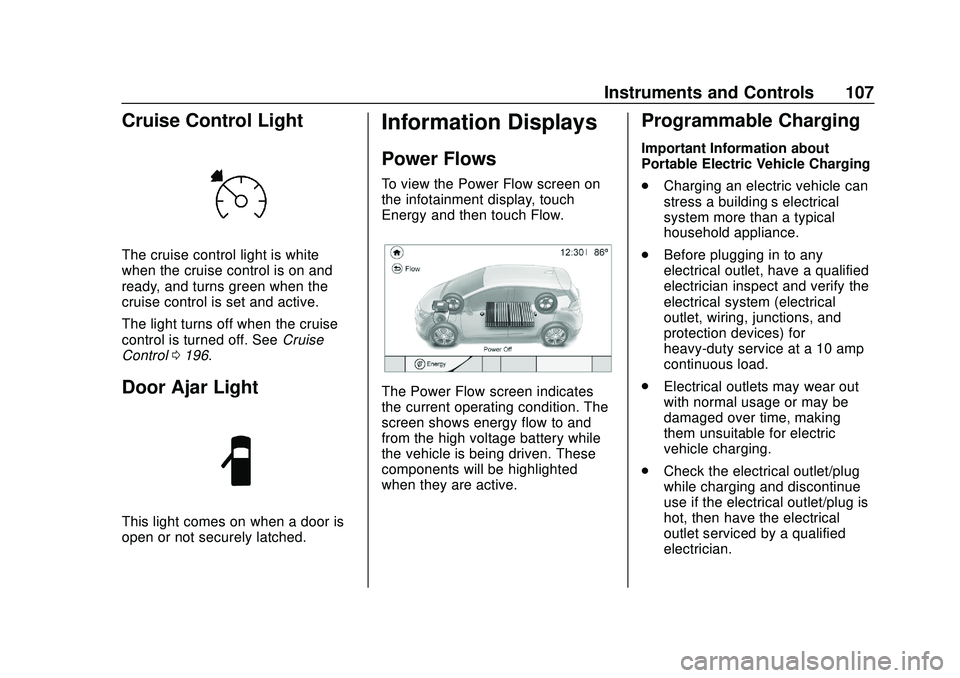
To view the Power Flow screen on
the infotainment display, touch
Energy and then touch Flow.
The Power Flow screen indicates
the current operating condition. The
screen shows energy flow to and
from the high voltage battery while
the vehicle is being driven. These
components will be highlighted
when they are active.
Programmable Charging
Important Information about
Portable Electric Vehicle Charging
.
Charging an electric vehicle can
stress a building’ s electrical
system more than a typical
household appliance.
. Before plugging in to any
electrical outlet, have a qualified
electrician inspect and verify the
electrical system (electrical
outlet, wiring, junctions, and
protection devices) for
heavy-duty service at a 10 amp
continuous load.
. Electrical outlets may wear out
with normal usage or may be
damaged over time, making
them unsuitable for electric
vehicle charging.
. Check the electrical outlet/plug
while charging and discontinue
use if the electrical outlet/plug is
hot, then have the electrical
outlet serviced by a qualified
electrician.
Page 109 of 347
Chevrolet BOLT EV Owner Manual (GMNA-Localizing-U.S./Canada/Mexico-
13556250) - 2020 - CRC - 2/11/20
108 Instruments and Controls
.When outdoors, plug into an
electrical outlet that is
weatherproof while in use.
. Mount the charge cord to reduce
strain on the electrical
outlet/plug.
. Do not place the charge cord in
a position where it is expected to
be submerged in water.
{Danger
Improper use of portable electric
vehicle charge cords may cause
a fire, electrical shock, or burns,
and may result in damage to
property, serious injury, or death.
. Do not use extension cords,
multi-outlet power strips,
splitters, grounding
adaptors, surge protectors,
or similar devices.
. Do not use an electrical
outlet that is worn or
damaged, or will not hold
the plug firmly in place.
(Continued)
Danger (Continued)
.Do not use an electrical
outlet that is not properly
grounded.
. Do not use an electrical
outlet that is on a circuit with
other electrical loads.
See Plug-In Charging 0214.
Programmable Charging
Modes
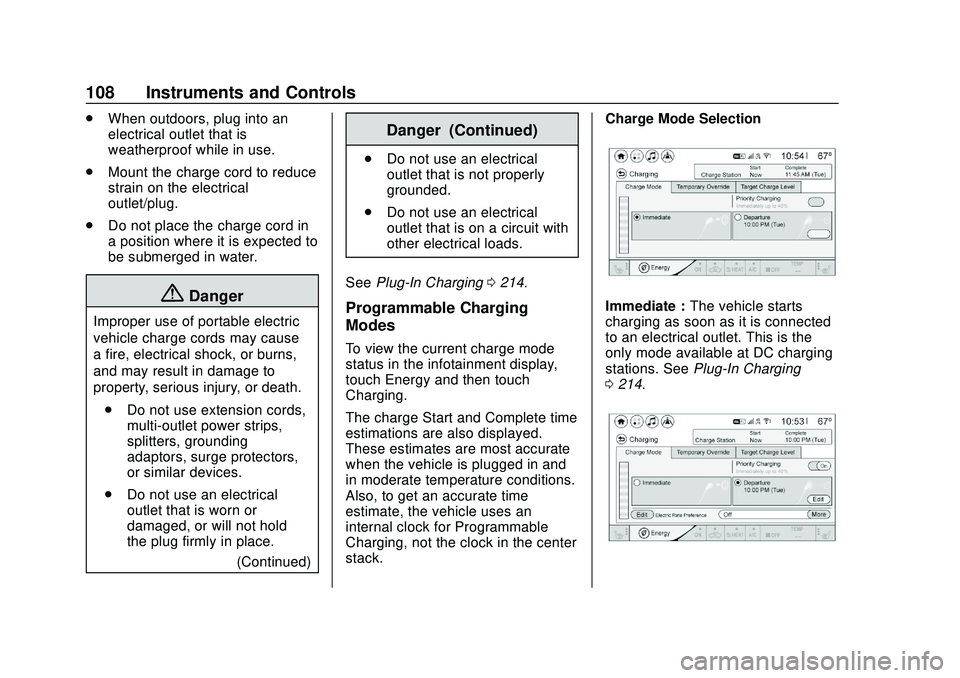
To view the current charge mode
status in the infotainment display,
touch Energy and then touch
Charging.
The charge Start and Complete time
estimations are also displayed.
These estimates are most accurate
when the vehicle is plugged in and
in moderate temperature conditions.
Also, to get an accurate time
estimate, the vehicle uses an
internal clock for Programmable
Charging, not the clock in the center
stack. Charge Mode Selection
Immediate :
The vehicle starts
charging as soon as it is connected
to an electrical outlet. This is the
only mode available at DC charging
stations. See Plug-In Charging
0 214.
Page 110 of 347
Chevrolet BOLT EV Owner Manual (GMNA-Localizing-U.S./Canada/Mexico-
13556250) - 2020 - CRC - 2/11/20
Instruments and Controls 109
Departure :The vehicle will
schedule charging to complete by
the programmed departure time.
The vehicle estimates the charging
schedule based on programmed
departure times, charge rate limits,
electric rate preference and
schedule, and priority charging
settings. If there is not sufficient
time after the charge cord is
plugged in, the vehicle will not be
fully charged by the departure time.
Departure Time Entry
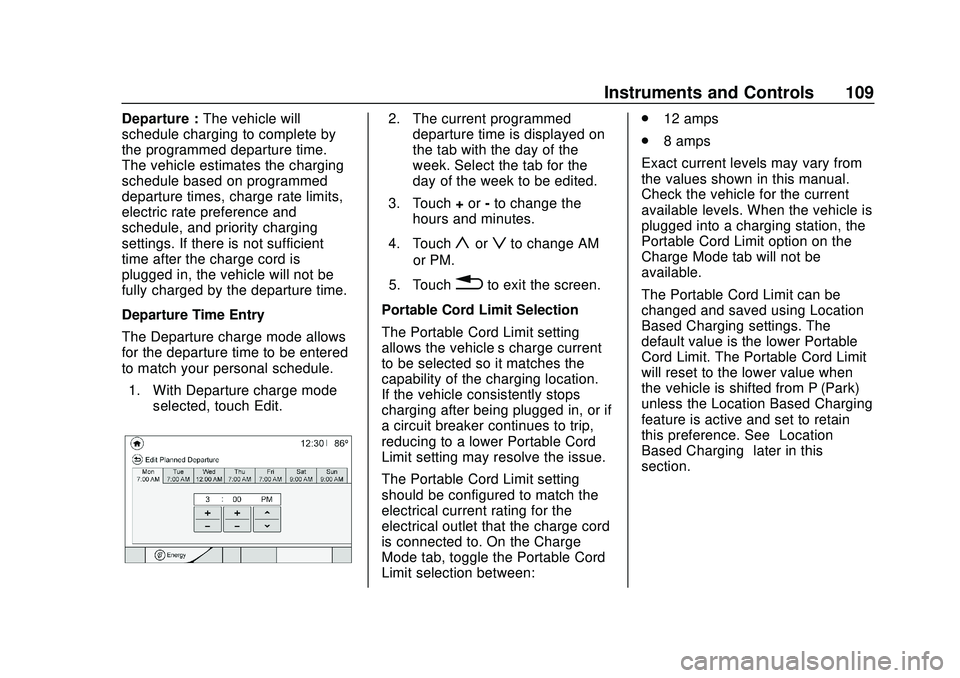
The Departure charge mode allows
for the departure time to be entered
to match your personal schedule.
1. With Departure charge mode selected, touch Edit.2. The current programmeddeparture time is displayed on
the tab with the day of the
week. Select the tab for the
day of the week to be edited.
3. Touch +or -to change the
hours and minutes.
4. Touch
yorzto change AM
or PM.
5. Touch
0to exit the screen.
Portable Cord Limit Selection
The Portable Cord Limit setting
allows the vehicle’s charge current
to be selected so it matches the
capability of the charging location.
If the vehicle consistently stops
charging after being plugged in, or if
a circuit breaker continues to trip,
reducing to a lower Portable Cord
Limit setting may resolve the issue.
The Portable Cord Limit setting
should be configured to match the
electrical current rating for the
electrical outlet that the charge cord
is connected to. On the Charge
Mode tab, toggle the Portable Cord
Limit selection between: .
12 amps
. 8 amps
Exact current levels may vary from
the values shown in this manual.
Check the vehicle for the current
available levels. When the vehicle is
plugged into a charging station, the
Portable Cord Limit option on the
Charge Mode tab will not be
available.
The Portable Cord Limit can be
changed and saved using Location
Based Charging settings. The
default value is the lower Portable
Cord Limit. The Portable Cord Limit
will reset to the lower value when
the vehicle is shifted from P (Park)
unless the Location Based Charging
feature is active and set to retain
this preference. See “Location
Based Charging” later in this
section.
Page 111 of 347
Chevrolet BOLT EV Owner Manual (GMNA-Localizing-U.S./Canada/Mexico-
13556250) - 2020 - CRC - 2/11/20
110 Instruments and Controls
{Warning
Using a charge level that exceeds
the electrical circuit or electrical
outlet capacity may start a fire or
damage the electrical circuit. Use
the lowest charge level until a
qualified electrician inspects the
electrical circuit capacity. Use the
lowest charge level if the
electrical circuit or electrical outlet
capacity is not known.
Electric Rate Preference
The vehicle estimates the charging
start time based on the utility rate
schedule, utility rate preference, and
programmed departure time for the
current day of the week. The vehicle
will charge during the least
expensive rate periods to achieve a
full battery charge by the departure
time. Electrical rate information from
the utility company for the charging
location is required for this mode.
If the selected charge mode is
Departure, then electric rate
preference selection will display. Electric Rate Preference Selection
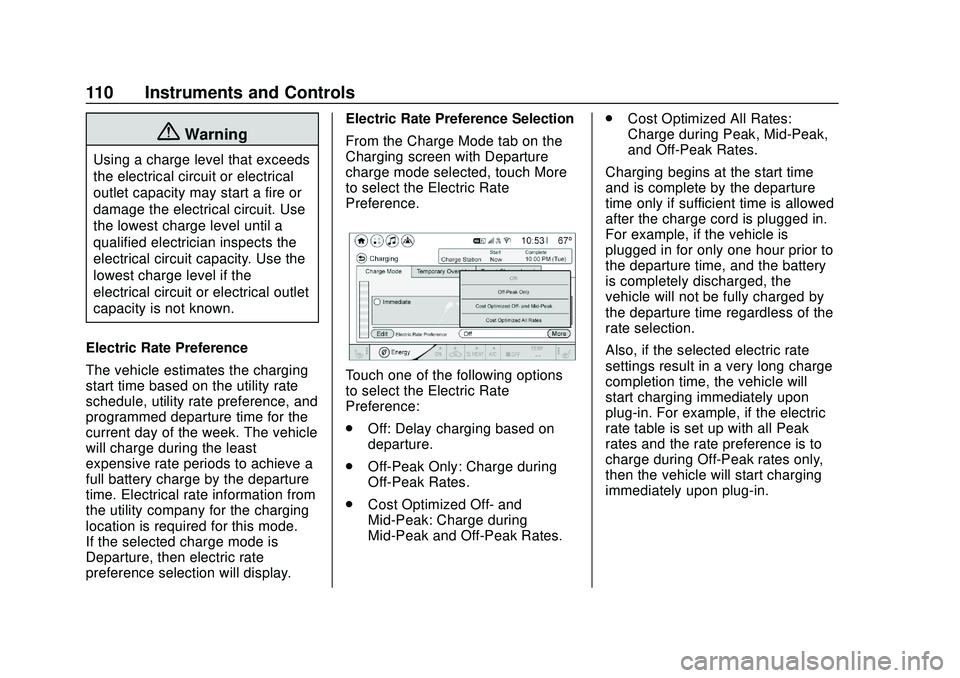
From the Charge Mode tab on the
Charging screen with Departure
charge mode selected, touch More
to select the Electric Rate
Preference.
Touch one of the following options
to select the Electric Rate
Preference:
.
Off: Delay charging based on
departure.
. Off-Peak Only: Charge during
Off-Peak Rates.
. Cost Optimized Off- and
Mid-Peak: Charge during
Mid-Peak and Off-Peak Rates. .
Cost Optimized All Rates:
Charge during Peak, Mid-Peak,
and Off-Peak Rates.
Charging begins at the start time
and is complete by the departure
time only if sufficient time is allowed
after the charge cord is plugged in.
For example, if the vehicle is
plugged in for only one hour prior to
the departure time, and the battery
is completely discharged, the
vehicle will not be fully charged by
the departure time regardless of the
rate selection.
Also, if the selected electric rate
settings result in a very long charge
completion time, the vehicle will
start charging immediately upon
plug-in. For example, if the electric
rate table is set up with all Peak
rates and the rate preference is to
charge during Off-Peak rates only,
then the vehicle will start charging
immediately upon plug-in.
Page 114 of 347
Chevrolet BOLT EV Owner Manual (GMNA-Localizing-U.S./Canada/Mexico-
13556250) - 2020 - CRC - 2/11/20
Instruments and Controls 113
Charging while the high voltage
battery is recharged from a depleted
state to a 40% state of charge.
Temporary Charge Mode
Override and Cancel
Programmed delayed charge modes
can be temporarily overridden to an
immediate charge mode for one
charge cycle. Also, the next planned
departure time can be temporarily
overridden for one charge cycle. In
addition to the in-vehicle overrides
via the programmable charging
screens, there are other ways to
temporarily override a delayed
charge mode. SeePlug-In Charging
0 214.
Temporary Override of a Delayed
Charge Mode
The Temporary Override provides
the ability to set temporary charge
items for the next charge cycle.
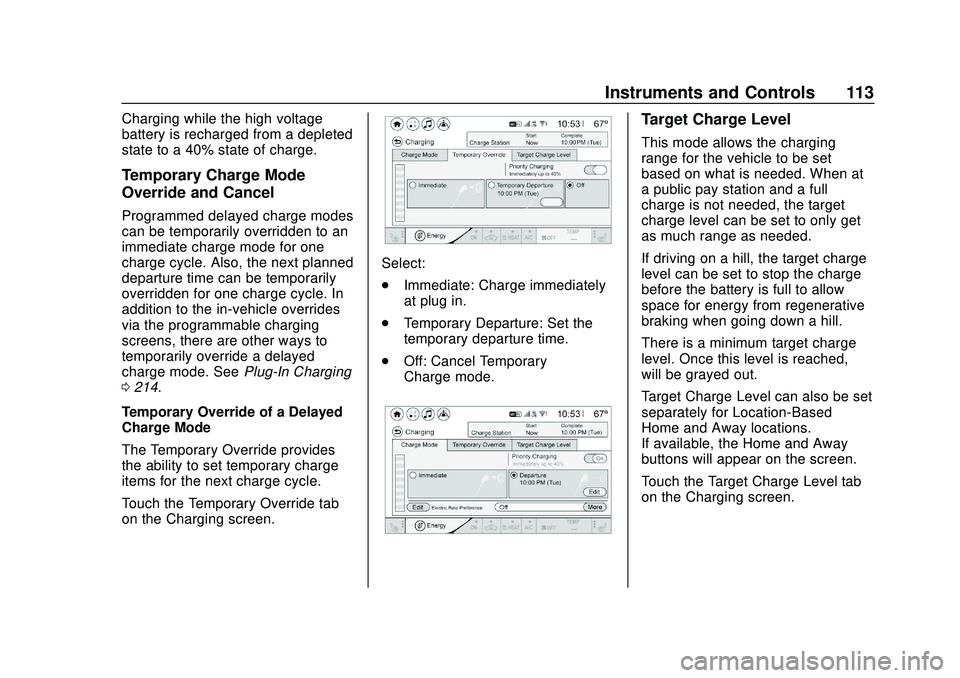
Touch the Temporary Override tab
on the Charging screen.
Select:
. Immediate: Charge immediately
at plug in.
. Temporary Departure: Set the
temporary departure time.
. Off: Cancel Temporary
Charge mode.
Target Charge Level
This mode allows the charging
range for the vehicle to be set
based on what is needed. When at
a public pay station and a full
charge is not needed, the target
charge level can be set to only get
as much range as needed.
If driving on a hill, the target charge
level can be set to stop the charge
before the battery is full to allow
space for energy from regenerative
braking when going down a hill.
There is a minimum target charge
level. Once this level is reached, –
will be grayed out.
Target Charge Level can also be set
separately for Location-Based
Home and Away locations.
If available, the Home and Away
buttons will appear on the screen.
Touch the Target Charge Level tab
on the Charging screen.
Page 116 of 347
Chevrolet BOLT EV Owner Manual (GMNA-Localizing-U.S./Canada/Mexico-
13556250) - 2020 - CRC - 2/11/20
Instruments and Controls 115
Using Location Based Charging
To use Location Based Charging, a
home location must first be stored.
To store a home location:1. From the Energy Home screen, touch Charging Options.
2. Touch Location Based Charging.
3. Touch Set Home Location
[.
4. Touch OK.
5. Touch On to enable Location Based Charging.
To change the stored home location: 1. Touch Update Home Location
[on the Location Based
Charging screen.
2. Touch Update, then OK to set the new home location.
.Touch Cancel to make no
changes.
. Touch Remove to clear the
location and turn Location
Based Charging off.
Charging Interrupted or
Overridden Pop-Up
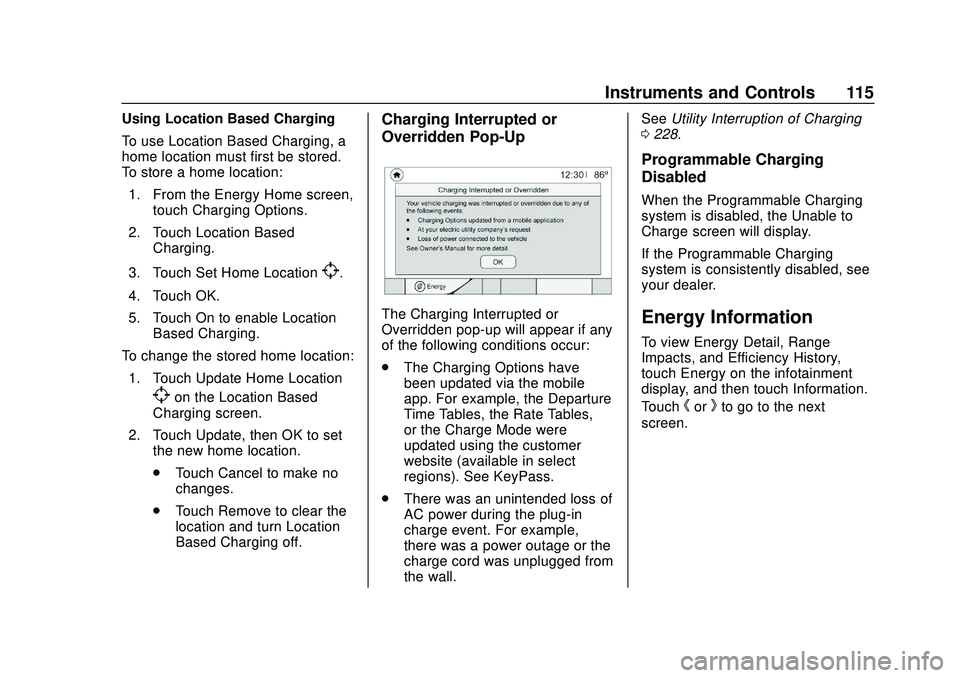
The Charging Interrupted or
Overridden pop-up will appear if any
of the following conditions occur:
.The Charging Options have
been updated via the mobile
app. For example, the Departure
Time Tables, the Rate Tables,
or the Charge Mode were
updated using the customer
website (available in select
regions). See KeyPass.
. There was an unintended loss of
AC power during the plug-in
charge event. For example,
there was a power outage or the
charge cord was unplugged from
the wall. See
Utility Interruption of Charging
0 228.
Programmable Charging
Disabled
When the Programmable Charging
system is disabled, the Unable to
Charge screen will display.
If the Programmable Charging
system is consistently disabled, see
your dealer.
Energy Information
To view Energy Detail, Range
Impacts, and Efficiency History,
touch Energy on the infotainment
display, and then touch Information.
Touch
horkto go to the next
screen.
Page 118 of 347
Chevrolet BOLT EV Owner Manual (GMNA-Localizing-U.S./Canada/Mexico-
13556250) - 2020 - CRC - 2/11/20
Instruments and Controls 117
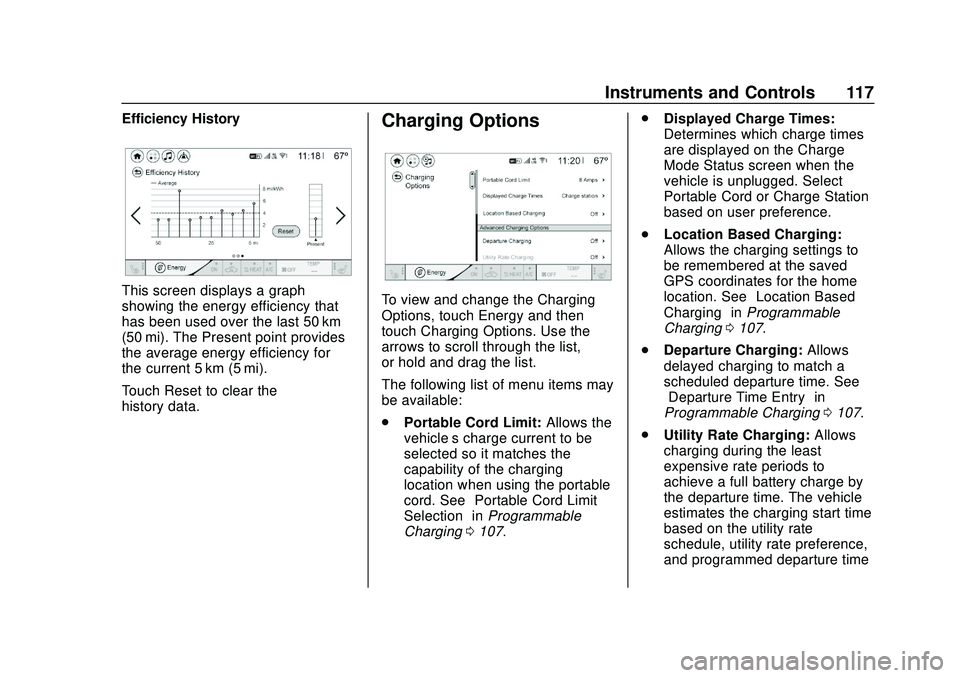
Efficiency History
This screen displays a graph
showing the energy efficiency that
has been used over the last 50 km
(50 mi). The Present point provides
the average energy efficiency for
the current 5 km (5 mi).
Touch Reset to clear the
history data.
Charging Options
To view and change the Charging
Options, touch Energy and then
touch Charging Options. Use the
arrows to scroll through the list,
or hold and drag the list.
The following list of menu items may
be available:
.Portable Cord Limit: Allows the
vehicle’s charge current to be
selected so it matches the
capability of the charging
location when using the portable
cord. See “Portable Cord Limit
Selection” inProgrammable
Charging 0107. .
Displayed Charge Times:
Determines which charge times
are displayed on the Charge
Mode Status screen when the
vehicle is unplugged. Select
Portable Cord or Charge Station
based on user preference.
. Location Based Charging:
Allows the charging settings to
be remembered at the saved
GPS coordinates for the home
location. See “Location Based
Charging” inProgrammable
Charging 0107.
. Departure Charging: Allows
delayed charging to match a
scheduled departure time. See
“Departure Time Entry” in
Programmable Charging 0107.
. Utility Rate Charging: Allows
charging during the least
expensive rate periods to
achieve a full battery charge by
the departure time. The vehicle
estimates the charging start time
based on the utility rate
schedule, utility rate preference,
and programmed departure time