instrument panel CHEVROLET BOLT EV 2021 User Guide
[x] Cancel search | Manufacturer: CHEVROLET, Model Year: 2021, Model line: BOLT EV, Model: CHEVROLET BOLT EV 2021Pages: 293, PDF Size: 9.21 MB
Page 111 of 293
Chevrolet Bolt EV Owner Manual (GMNA-Localizing-U.S./Canada-
14637856) - 2021 - CRC - 10/2/20
110 Lighting
Hazard Warning Flashers
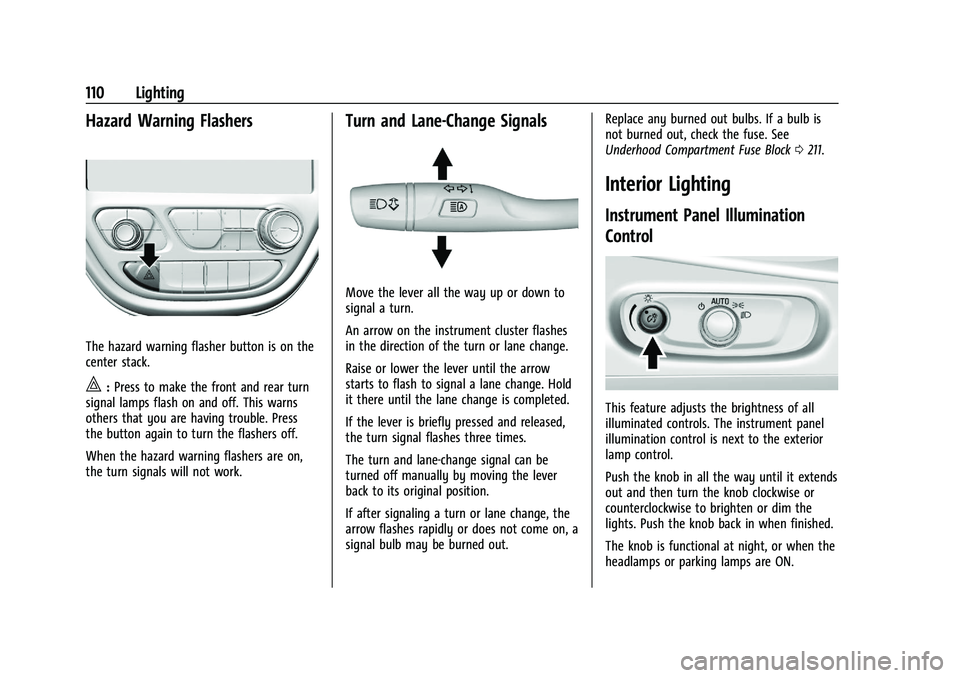
The hazard warning flasher button is on the
center stack.
|:Press to make the front and rear turn
signal lamps flash on and off. This warns
others that you are having trouble. Press
the button again to turn the flashers off.
When the hazard warning flashers are on,
the turn signals will not work.
Turn and Lane-Change Signals
Move the lever all the way up or down to
signal a turn.
An arrow on the instrument cluster flashes
in the direction of the turn or lane change.
Raise or lower the lever until the arrow
starts to flash to signal a lane change. Hold
it there until the lane change is completed.
If the lever is briefly pressed and released,
the turn signal flashes three times.
The turn and lane-change signal can be
turned off manually by moving the lever
back to its original position.
If after signaling a turn or lane change, the
arrow flashes rapidly or does not come on, a
signal bulb may be burned out. Replace any burned out bulbs. If a bulb is
not burned out, check the fuse. See
Underhood Compartment Fuse Block
0211.
Interior Lighting
Instrument Panel Illumination
Control
This feature adjusts the brightness of all
illuminated controls. The instrument panel
illumination control is next to the exterior
lamp control.
Push the knob in all the way until it extends
out and then turn the knob clockwise or
counterclockwise to brighten or dim the
lights. Push the knob back in when finished.
The knob is functional at night, or when the
headlamps or parking lamps are ON.
Page 142 of 293
Chevrolet Bolt EV Owner Manual (GMNA-Localizing-U.S./Canada-
14637856) - 2021 - CRC - 10/2/20
Climate Controls 141
A selection can then be made on the climate
settings page.
Automatic Operation
The system automatically controls the fan
speed, air delivery, air conditioning, electric
heating, and recirculation to heat or cool the
vehicle to the selected temperature.
When AUTO is lit, all five functions operate
automatically. Each function can also be
manually set and the selected setting is
displayed or the indicator is lit. Functions
not manually set will continue to be
automatically controlled, even if the AUTO
indicator is not lit.
For automatic operation:1. Press AUTO.
2. Set the temperature. An initial setting of 22 °C (72 °F) is recommended. Allow the
system time to stabilize. Adjust the
temperature as needed.
Manual Operation
ON : Touch to turn the climate control
system on and off. The climate control system will turn on
when any climate control button is pressed
on the center stack or touched on the
climate control display. To turn the system
off, touch ON again.
DorC:
Press the buttons to increase or
decrease the fan speed. The fan speed
setting appears on the climate control
display. Manually adjusting the fan speed
cancels automatic fan control. Press AUTO to
return to automatic operation. Touch ON to
turn off the fan and the climate control
system.
Temperature Control : Turn the knob
clockwise or counterclockwise to increase or
decrease the temperature setting.
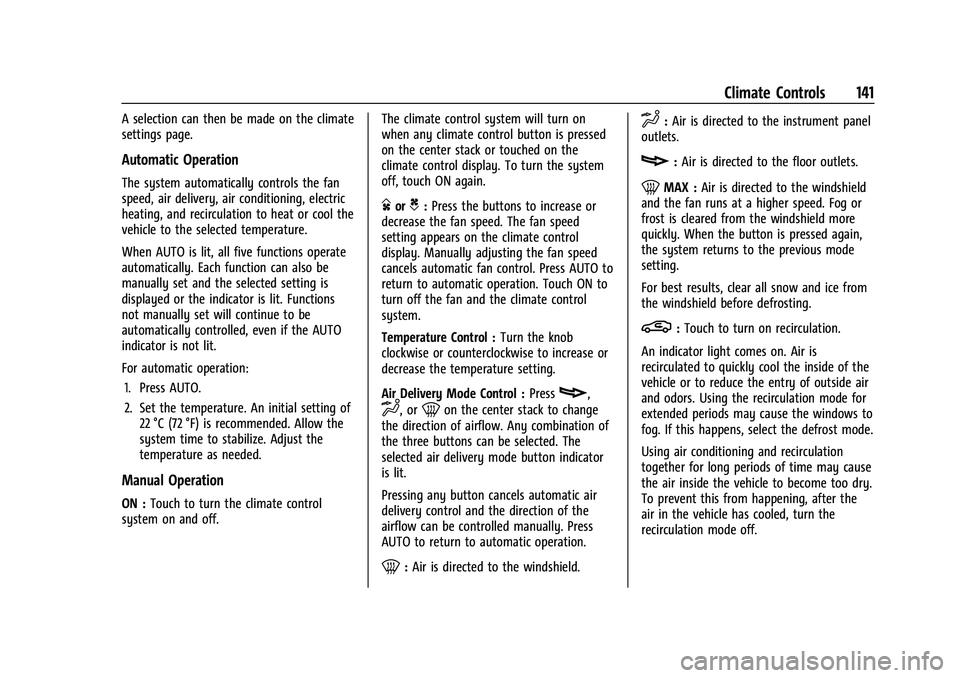
Air Delivery Mode Control : Press
c,
d, or0on the center stack to change
the direction of airflow. Any combination of
the three buttons can be selected. The
selected air delivery mode button indicator
is lit.
Pressing any button cancels automatic air
delivery control and the direction of the
airflow can be controlled manually. Press
AUTO to return to automatic operation.
0: Air is directed to the windshield.
d:Air is directed to the instrument panel
outlets.
c: Air is directed to the floor outlets.
0MAX : Air is directed to the windshield
and the fan runs at a higher speed. Fog or
frost is cleared from the windshield more
quickly. When the button is pressed again,
the system returns to the previous mode
setting.
For best results, clear all snow and ice from
the windshield before defrosting.
L: Touch to turn on recirculation.
An indicator light comes on. Air is
recirculated to quickly cool the inside of the
vehicle or to reduce the entry of outside air
and odors. Using the recirculation mode for
extended periods may cause the windows to
fog. If this happens, select the defrost mode.
Using air conditioning and recirculation
together for long periods of time may cause
the air inside the vehicle to become too dry.
To prevent this from happening, after the
air in the vehicle has cooled, turn the
recirculation mode off.
Page 144 of 293
Chevrolet Bolt EV Owner Manual (GMNA-Localizing-U.S./Canada-
14637856) - 2021 - CRC - 10/2/20
Climate Controls 143
Once the settings are saved through the
application, the vehicle will use these
settings when turned on. After the vehicle is
turned on, use the climate controls if
additional adjustments are desired.
Sensors
Indicator Light and Solar Sensor (ILSS)
The ILSS is on top of the instrument panel,
near the windshield, where it monitors solar
intensity.
The climate control system uses the sensor
information to adjust the temperature, fan
speed, recirculation, and air delivery mode
for best comfort.
Do not cover the sensor; otherwise the
automatic climate control system may not
work properly.
Humidity Sensor
The humidity sensor is near the base of the
inside rearview mirror. The climate control
system uses the sensor information to
adjust the temperature and recirculation for
best comfort.Outside Air Temperature Sensor
The outside air temperature sensor is behind
the front grille of the vehicle. The vehicle
uses the sensor information to display
outside air temperature. The climate control
system uses the information to adjust the
climate system operation.
Air Vents
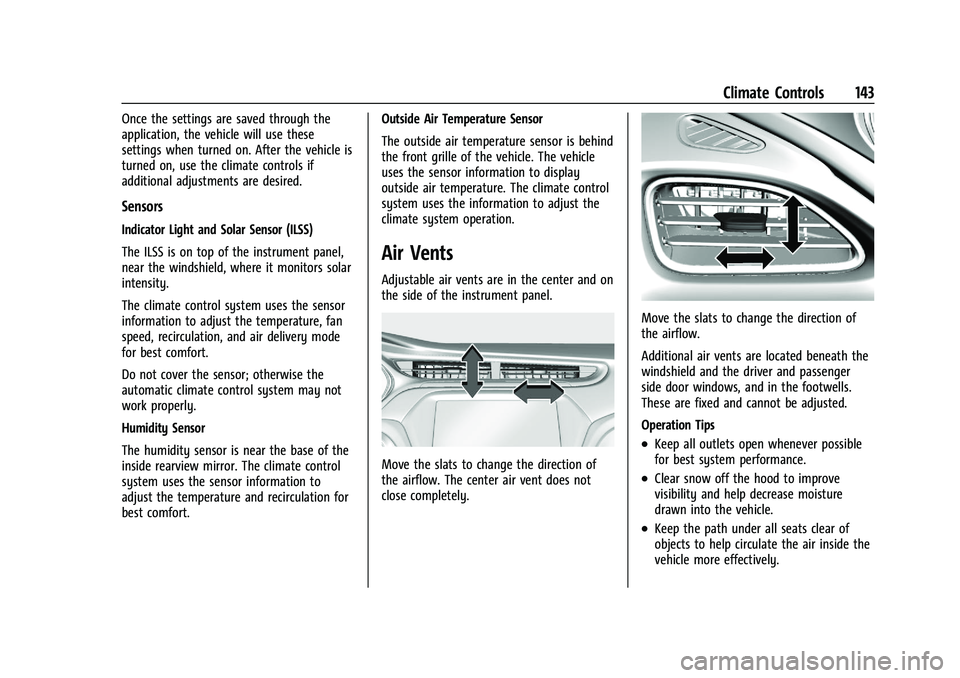
Adjustable air vents are in the center and on
the side of the instrument panel.
Move the slats to change the direction of
the airflow. The center air vent does not
close completely.
Move the slats to change the direction of
the airflow.
Additional air vents are located beneath the
windshield and the driver and passenger
side door windows, and in the footwells.
These are fixed and cannot be adjusted.
Operation Tips
.Keep all outlets open whenever possible
for best system performance.
.Clear snow off the hood to improve
visibility and help decrease moisture
drawn into the vehicle.
.Keep the path under all seats clear of
objects to help circulate the air inside the
vehicle more effectively.
Page 184 of 293
Chevrolet Bolt EV Owner Manual (GMNA-Localizing-U.S./Canada-
14637856) - 2021 - CRC - 10/2/20
Driving and Operating 183
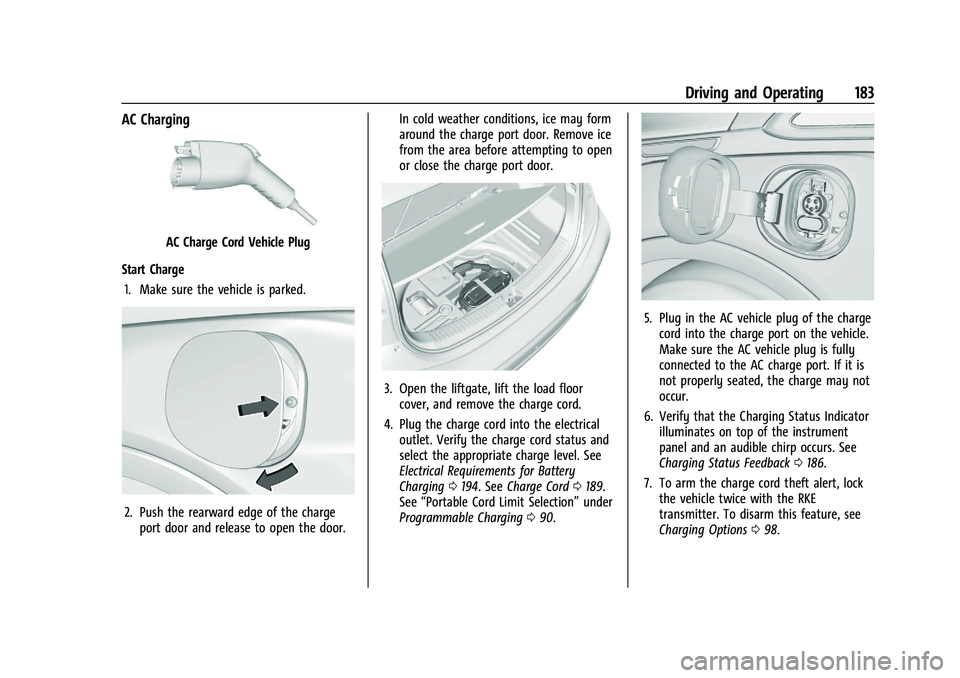
AC Charging
AC Charge Cord Vehicle Plug
Start Charge 1. Make sure the vehicle is parked.
2. Push the rearward edge of the charge port door and release to open the door. In cold weather conditions, ice may form
around the charge port door. Remove ice
from the area before attempting to open
or close the charge port door.
3. Open the liftgate, lift the load floor
cover, and remove the charge cord.
4. Plug the charge cord into the electrical outlet. Verify the charge cord status and
select the appropriate charge level. See
Electrical Requirements for Battery
Charging 0194. See Charge Cord 0189.
See “Portable Cord Limit Selection” under
Programmable Charging 090.
5. Plug in the AC vehicle plug of the charge
cord into the charge port on the vehicle.
Make sure the AC vehicle plug is fully
connected to the AC charge port. If it is
not properly seated, the charge may not
occur.
6. Verify that the Charging Status Indicator illuminates on top of the instrument
panel and an audible chirp occurs. See
Charging Status Feedback 0186.
7. To arm the charge cord theft alert, lock the vehicle twice with the RKE
transmitter. To disarm this feature, see
Charging Options 098.
Page 186 of 293
Chevrolet Bolt EV Owner Manual (GMNA-Localizing-U.S./Canada-
14637856) - 2021 - CRC - 10/2/20
Driving and Operating 185
6. Once charging, the DC vehicle plug willbe locked to the DC charge port and
cannot be disconnected while charging is
active.
7. Verify that the Charging Status Indicator illuminates on top of the instrument
panel and an audible chirp occurs. See
Charging Status Feedback 0186.
Caution
Do not attempt to disconnect the DC
vehicle plug while charging is active. This
action may damage the vehicle or
charging station hardware.
Stop Charge
Controls on the charging station can be used
to stop the charge process at any time.
To stop the charge when inside the vehicle,
use the Stop button on the Charging screen,
or press the button on top of the AC vehicle
cord handle. Stop Charge
—Automatic
When the vehicle no longer needs to use
power from the charging station, it will stop
charging and the DC vehicle plug will be
unlocked from the DC charge port.
Energy can still be consumed from the
charging station when the vehicle’s displays
and indicators show that the battery is fully
charged. This is to ensure the battery is in
optimal temperature operating range to
maximize vehicle range. See Programmable
Charging 090.
End Charge 1. Wait until the charging process has been fully stopped, the vehicle plug is
unlocked, and the Charging Status
Indicator is solid green or off.
If the vehicle plug does not unlock from
the vehicle charge port after a charge,
contact Roadside Assistance for
assistance. See Roadside Assistance
Program 0266.
2. Unplug the DC vehicle plug from the DC charge port on the vehicle and close the
dust cover. 3. Close the charge port door by pressing
firmly in the center until it latches.
4. The Electric Parking Brake should be manually disengaged before driving the
vehicle.
5. To start another DC charge, remove the DC vehicle plug and reconnect.
Delayed Charging Override
To temporarily override a delayed charge
event, unplug the charge cord from the
charge port and then plug it back in within
five seconds. A single audible chirp will
sound and charging will begin immediately.
To cancel a temporary override, unplug the
charge cord, wait for 10 seconds, and then
plug the charge cord back in. A double
audible chirp will sound and charging will be
delayed.
See Programmable Charging 090 for
advanced charge scheduling options.
Page 187 of 293
Chevrolet Bolt EV Owner Manual (GMNA-Localizing-U.S./Canada-
14637856) - 2021 - CRC - 10/2/20
186 Driving and Operating
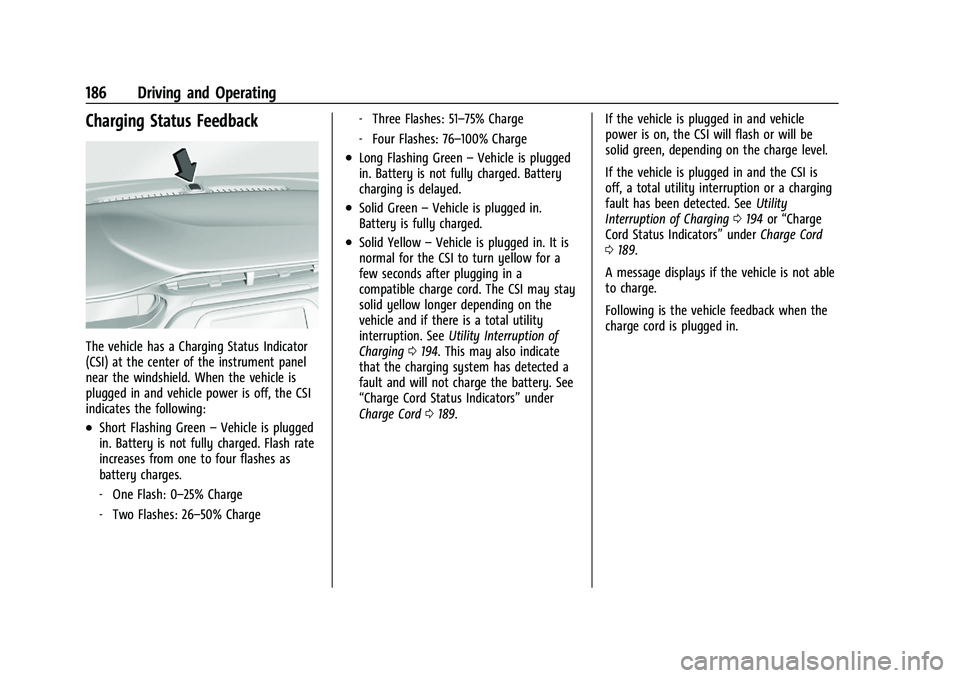
Charging Status Feedback
The vehicle has a Charging Status Indicator
(CSI) at the center of the instrument panel
near the windshield. When the vehicle is
plugged in and vehicle power is off, the CSI
indicates the following:
.Short Flashing Green–Vehicle is plugged
in. Battery is not fully charged. Flash rate
increases from one to four flashes as
battery charges.
‐ One Flash: 0–25% Charge
‐ Two Flashes: 26–50% Charge ‐
Three Flashes: 51–75% Charge
‐ Four Flashes: 76–100% Charge
.Long Flashing Green –Vehicle is plugged
in. Battery is not fully charged. Battery
charging is delayed.
.Solid Green –Vehicle is plugged in.
Battery is fully charged.
.Solid Yellow –Vehicle is plugged in. It is
normal for the CSI to turn yellow for a
few seconds after plugging in a
compatible charge cord. The CSI may stay
solid yellow longer depending on the
vehicle and if there is a total utility
interruption. See Utility Interruption of
Charging 0194. This may also indicate
that the charging system has detected a
fault and will not charge the battery. See
“Charge Cord Status Indicators” under
Charge Cord 0189. If the vehicle is plugged in and vehicle
power is on, the CSI will flash or will be
solid green, depending on the charge level.
If the vehicle is plugged in and the CSI is
off, a total utility interruption or a charging
fault has been detected. See
Utility
Interruption of Charging 0194 or“Charge
Cord Status Indicators” underCharge Cord
0 189.
A message displays if the vehicle is not able
to charge.
Following is the vehicle feedback when the
charge cord is plugged in.
Page 197 of 293
Chevrolet Bolt EV Owner Manual (GMNA-Localizing-U.S./Canada-
14637856) - 2021 - CRC - 10/2/20
196 Vehicle Care
Vehicle Care
General Information
General Information . . . . . . . . . . . . . . . . . . . 197
California Proposition 65 Warning . . . . . 197
California Perchlorate MaterialsRequirements . . . . . . . . . . . . . . . . . . . . . . . . 197
Accessories and Modifications . . . . . . . . . 197
Vehicle Checks
Doing Your Own Service Work . . . . . . . . 198
Hood . . . . . . . . . . . . . . . . . . . . . . . . . . . . . . . . . . 198
Underhood Compartment Overview . . . 200
Cooling System . . . . . . . . . . . . . . . . . . . . . . . . 201
Washer Fluid . . . . . . . . . . . . . . . . . . . . . . . . . . 202
Brakes . . . . . . . . . . . . . . . . . . . . . . . . . . . . . . . . . 202
Brake Fluid . . . . . . . . . . . . . . . . . . . . . . . . . . . . 203
Battery - North America . . . . . . . . . . . . . . . 204
Park Brake and P (Park) Mechanism Check . . . . . . . . . . . . . . . . . . . . . . . . . . . . . . . . 205
Wiper Blade Replacement . . . . . . . . . . . . . 206
Windshield Replacement . . . . . . . . . . . . . . 207
Gas Strut(s) . . . . . . . . . . . . . . . . . . . . . . . . . . . 207
Headlamp Aiming
Front Headlamp Aiming . . . . . . . . . . . . . . . 208
Bulb Replacement
Bulb Replacement . . . . . . . . . . . . . . . . . . . . . 208
Halogen Bulbs . . . . . . . . . . . . . . . . . . . . . . . . 209 High Intensity Discharge (HID)
Lighting . . . . . . . . . . . . . . . . . . . . . . . . . . . . . 209
LED Lighting . . . . . . . . . . . . . . . . . . . . . . . . . . 209
Taillamps, Turn Signal, Stoplamps, and Back-Up Lamps . . . . . . . . . . . . . . . . . . . . . . 209
License Plate Lamp . . . . . . . . . . . . . . . . . . . . 209
Electrical System
High Voltage Devices and Wiring . . . . . . 210
Electrical System Overload . . . . . . . . . . . . . 210
Fuses and Circuit Breakers . . . . . . . . . . . . . 211
Underhood Compartment Fuse Block . . . 211
Instrument Panel Fuse Block . . . . . . . . . . . 214
Wheels and Tires
Tires . . . . . . . . . . . . . . . . . . . . . . . . . . . . . . . . . . . 216
All-Season Tires . . . . . . . . . . . . . . . . . . . . . . . . 216
Winter Tires . . . . . . . . . . . . . . . . . . . . . . . . . . . 217
Self-Sealing Tires . . . . . . . . . . . . . . . . . . . . . . . 217
Tire Sidewall Labeling . . . . . . . . . . . . . . . . . . 217
Tire Designations . . . . . . . . . . . . . . . . . . . . . . 218
Tire Terminology and Definitions . . . . . . 219
Tire Pressure . . . . . . . . . . . . . . . . . . . . . . . . . . . 221
Tire Pressure Monitor System . . . . . . . . . 222
Tire Pressure Monitor Operation . . . . . . . 223
Tire Inspection . . . . . . . . . . . . . . . . . . . . . . . . 226
Tire Rotation . . . . . . . . . . . . . . . . . . . . . . . . . . 226
When It Is Time for New Tires . . . . . . . . 227
Buying New Tires . . . . . . . . . . . . . . . . . . . . . 228
Different Size Tires and Wheels . . . . . . . 229
Uniform Tire Quality Grading . . . . . . . . . 229 Wheel Alignment and Tire Balance . . . . 231
Wheel Replacement . . . . . . . . . . . . . . . . . . . . 231
Tire Chains . . . . . . . . . . . . . . . . . . . . . . . . . . . . . 231
If a Tire Goes Flat . . . . . . . . . . . . . . . . . . . . . 232
Tire Sealant and Compressor Kit . . . . . . . 232
Storing the Tire Sealant and
Compressor Kit . . . . . . . . . . . . . . . . . . . . . . 238
Jump Starting
Jump Starting - North America . . . . . . . . 238
Towing the Vehicle
Towing the Vehicle . . . . . . . . . . . . . . . . . . . 240
Recreational Vehicle Towing . . . . . . . . . . . 242
Appearance Care
Exterior Care . . . . . . . . . . . . . . . . . . . . . . . . . . 244
Interior Care . . . . . . . . . . . . . . . . . . . . . . . . . . . 247
Floor Mats . . . . . . . . . . . . . . . . . . . . . . . . . . . . 250
Page 199 of 293
Chevrolet Bolt EV Owner Manual (GMNA-Localizing-U.S./Canada-
14637856) - 2021 - CRC - 10/2/20
198 Vehicle Care
Also, seeAdding Equipment to the
Airbag-Equipped Vehicle 047.
Vehicle Checks
Doing Your Own Service Work
{Warning
Never try to do your own service on high
voltage battery components. You can be
injured and the vehicle can be damaged if
you try to do your own service work.
Service and repair of these high voltage
battery components should only be
performed by a trained dealer technician
with the proper knowledge and tools.
Exposure to high voltage can cause shock,
burns, and even death. The high voltage
components in the vehicle can only be
serviced by technicians with special
training.
High voltage components are identified
by labels. Do not remove, open, take
apart, or modify these components. High
voltage cable or wiring has orange
covering. Do not probe, tamper with, cut,
or modify high voltage cable or wiring.
{Warning
It can be dangerous to work on your
vehicle if you do not have the proper
knowledge, service manual, tools,
or parts. Always follow owner’s manual
procedures and consult the service
manual for your vehicle before doing any
service work.
If doing some of your own service work, use
the proper service manual. It tells you much
more about how to service the vehicle than
this manual can. To order the proper service
manual, see Publication Ordering
Information 0270.
This vehicle has an airbag system. Before
attempting to do your own service work,
see Servicing the Airbag-Equipped Vehicle
0 47.
Keep a record with all parts receipts and list
the mileage and the date of any service
work performed. See Maintenance Records
0 260.
Hood
{Warning
Components under the hood can get hot
from running the engine. To help avoid
the risk of burning unprotected skin,
never touch these components until they
have cooled, and always use a glove or
towel to avoid direct skin contact.
Clear any snow from the hood before
opening.
To open the hood: 1. Pull the hood release lever with the
isymbol. It is on the lower left side
of the instrument panel.
Page 215 of 293
Chevrolet Bolt EV Owner Manual (GMNA-Localizing-U.S./Canada-
14637856) - 2021 - CRC - 10/2/20
214 Vehicle Care
FusesUsage
51 Electric brake boost
52 –
54 A/C control module
55 Rechargeable energy
storage system
coolant pump
56 –
57 Power electronics
coolant pump
58 Engine control module
59 –
60 HVAC electric heater 61 On-board charging module
62 Transmission range control
module 1
63 Electric cooling fan
64 Engine control module 65 Auxiliary heater pump
66 Powertrain 67 Drive unit controller
70 A/C control module Fuses
Usage
71 –
72 Transmission range control
module
73 Single power inverter
module
74 –
Relays Usage
6 Pedestrian friendly alert
function
21 HID lamp
25 Powertrain
53 Run/Crank
68 Rear window defogger
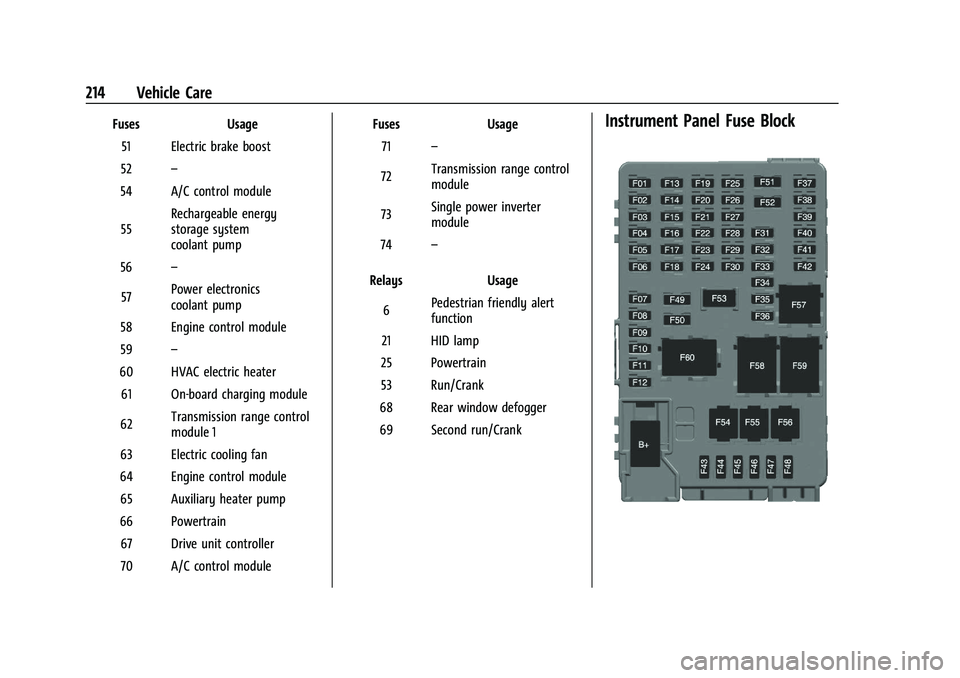
69 Second run/CrankInstrument Panel Fuse Block
Page 216 of 293
Chevrolet Bolt EV Owner Manual (GMNA-Localizing-U.S./Canada-
14637856) - 2021 - CRC - 10/2/20
Vehicle Care 215
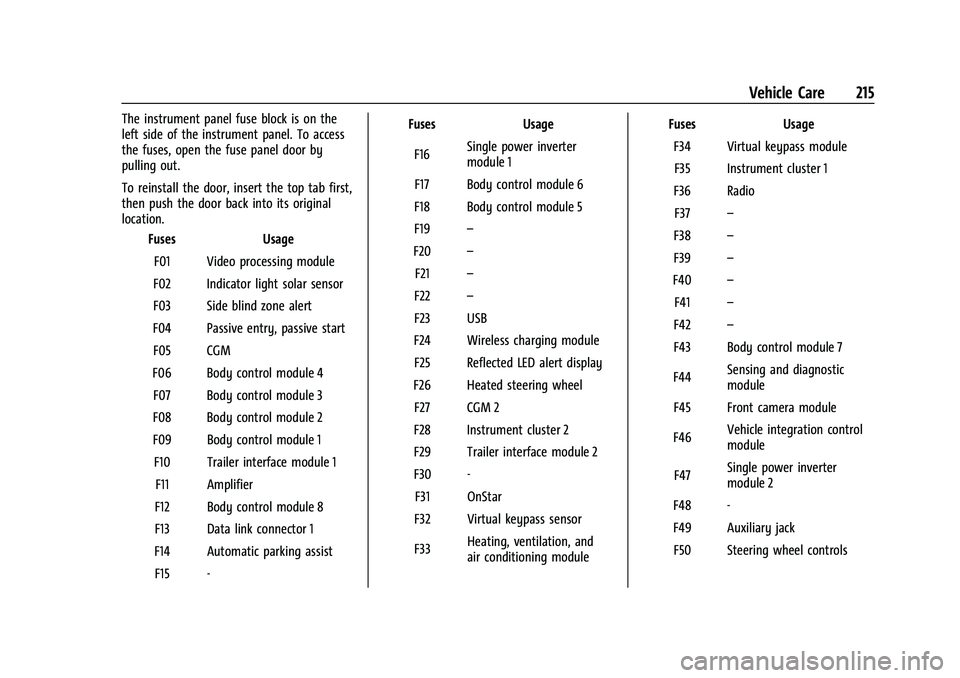
The instrument panel fuse block is on the
left side of the instrument panel. To access
the fuses, open the fuse panel door by
pulling out.
To reinstall the door, insert the top tab first,
then push the door back into its original
location.Fuses Usage
F01 Video processing module
F02 Indicator light solar sensor
F03 Side blind zone alert
F04 Passive entry, passive start F05 CGM
F06 Body control module 4 F07 Body control module 3
F08 Body control module 2
F09 Body control module 1 F10 Trailer interface module 1 F11 Amplifier
F12 Body control module 8
F13 Data link connector 1
F14 Automatic parking assist F15 - Fuses
Usage
F16 Single power inverter
module 1
F17 Body control module 6
F18 Body control module 5
F19 –
F20 –
F21 –
F22 –
F23 USB
F24 Wireless charging module F25 Reflected LED alert display
F26 Heated steering wheel F27 CGM 2
F28 Instrument cluster 2
F29 Trailer interface module 2
F30 - F31 OnStar
F32 Virtual keypass sensor
F33 Heating, ventilation, and
air conditioning module Fuses
Usage
F34 Virtual keypass module F35 Instrument cluster 1
F36 Radio F37 –
F38 –
F39 –
F40 –
F41 –
F42 –
F43 Body control module 7
F44 Sensing and diagnostic
module
F45 Front camera module
F46 Vehicle integration control
module
F47 Single power inverter
module 2
F48 -
F49 Auxiliary jack F50 Steering wheel controls