ECU CHEVROLET BOLT EV 2021 Workshop Manual
[x] Cancel search | Manufacturer: CHEVROLET, Model Year: 2021, Model line: BOLT EV, Model: CHEVROLET BOLT EV 2021Pages: 293, PDF Size: 9.21 MB
Page 251 of 293
Chevrolet Bolt EV Owner Manual (GMNA-Localizing-U.S./Canada-
14637856) - 2021 - CRC - 10/2/20
250 Vehicle Care
Cargo Cover and Convenience Net
If equipped, wash with warm water and
mild detergent. Do not use chlorine bleach.
Rinse with cold water, and then dry
completely.
Care of Seat Belts
Keep belts clean and dry.
{Warning
Do not bleach or dye seat belt webbing.
It may severely weaken the webbing. In
a crash, they might not be able to
provide adequate protection. Clean and
rinse seat belt webbing only with mild
soap and lukewarm water. Allow the
webbing to dry.
Floor Mats
{Warning
If a floor mat is the wrong size or is not
properly installed, it can interfere with
the pedals. Interference with the pedals
can cause unintended acceleration and/or
increased stopping distance which can(Continued)
Warning (Continued)
cause a crash and injury. Make sure the
floor mat does not interfere with the
pedals.
Use the following guidelines for proper floor
mat usage:
.The original equipment floor mats were
designed for your vehicle. If the floor
mats need replacing, it is recommended
that GM certified floor mats be
purchased. Non-GM floor mats may not
fit properly and may interfere with the
pedals. Always check that the floor mats
do not interfere with the pedals.
.Do not use a floor mat if the vehicle is
not equipped with a floor mat retainer on
the driver side floor.
.Use the floor mat with the correct side
up. Do not turn it over.
.Do not place anything on top of the
driver side floor mat.
.Use only a single floor mat on the
driver side.
.Do not place one floor mat on top of
another.
Removing and Replacing the Floor Mats
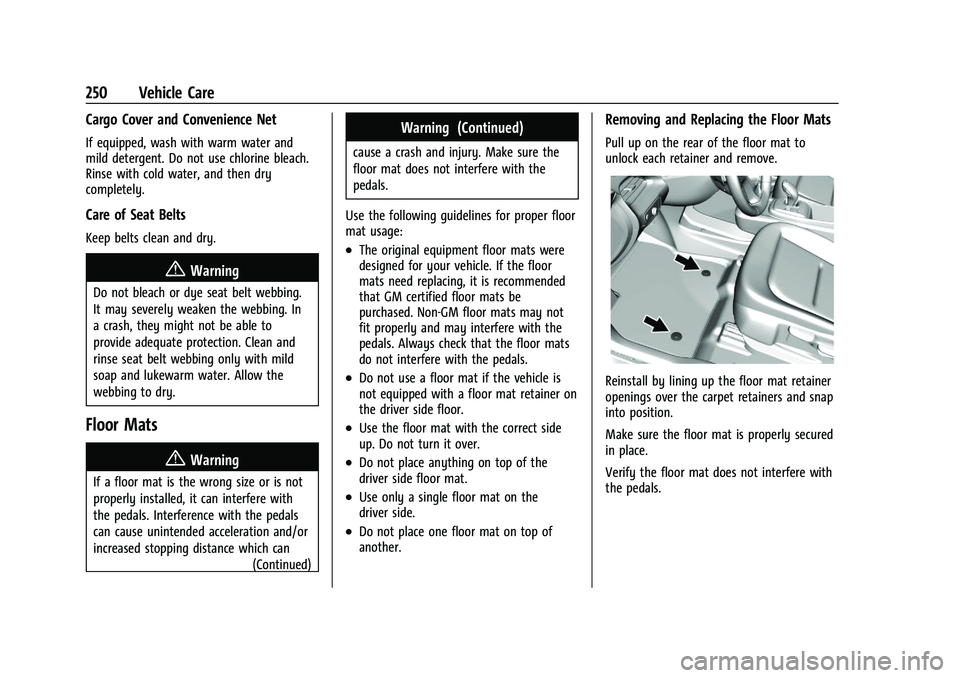
Pull up on the rear of the floor mat to
unlock each retainer and remove.
Reinstall by lining up the floor mat retainer
openings over the carpet retainers and snap
into position.
Make sure the floor mat is properly secured
in place.
Verify the floor mat does not interfere with
the pedals.
Page 264 of 293
Chevrolet Bolt EV Owner Manual (GMNA-Localizing-U.S./Canada-
14637856) - 2021 - CRC - 10/2/20
Customer Information 263
Customer Information
Customer Information
Customer Satisfaction Procedure . . . . . . 263
Customer Assistance Offices . . . . . . . . . . . 264
Customer Assistance for Text Telephone(TTY) Users . . . . . . . . . . . . . . . . . . . . . . . . . . 265
Online Owner Center . . . . . . . . . . . . . . . . . . 265
GM Mobility Reimbursement Program . . . . . . . . . . . . . . . . . . . . . . . . . . . . . 265
Roadside Assistance Program . . . . . . . . . . 266
Scheduling Service Appointments . . . . . . 267
Courtesy Transportation Program . . . . . 267
Collision Damage Repair . . . . . . . . . . . . . . . 268
Publication Ordering Information . . . . . . 270
Radio Frequency Statement . . . . . . . . . . . . 271
Reporting Safety Defects
Reporting Safety Defects to the United States Government . . . . . . . . . . . . . . . . . . . 271
Reporting Safety Defects to the Canadian Government . . . . . . . . . . . . . . . . 271
Reporting Safety Defects to General Motors . . . . . . . . . . . . . . . . . . . . . . . . . . . . . . 272
Vehicle Data Recording and Privacy
Vehicle Data Recording and Privacy . . . . 272
Cybersecurity . . . . . . . . . . . . . . . . . . . . . . . . . . 272
Event Data Recorders . . . . . . . . . . . . . . . . . . 272
OnStar . . . . . . . . . . . . . . . . . . . . . . . . . . . . . . . . . 273
Customer Information
Customer Satisfaction Procedure
Your satisfaction and goodwill are important
to your dealer and to Chevrolet. Normally,
any concerns with the sales transaction or
the operation of the vehicle will be resolved
by your dealer's sales or service
departments. Sometimes, however, despite
the best intentions of all concerned,
misunderstandings can occur. If your concern
has not been resolved to your satisfaction,
the following steps should be taken:
STEP ONE : Discuss your concern with a
member of dealership management.
Normally, concerns can be quickly resolved
at that level. If the matter has already been
reviewed with the sales, service, or parts
manager, contact the owner of your
dealership or the general manager.
STEP TWO : If after contacting a member of
dealership management, it appears your
concern cannot be resolved by your
dealership without further help, in the U.S.,
call the Chevrolet Customer Assistance
Center at 1-800-222-1020. In Canada, call
General Motors of Canada Customer Care
Centre at 1-800-263-3777 (English),
or 1-800-263-7854 (French). We encourage you to call the toll-free
number in order to give your inquiry
prompt attention. Have the following
information available to give the Customer
Assistance representative:
.Vehicle Identification Number (VIN). This is
available from the vehicle registration or
title, or the plate at the top left of the
instrument panel and visible through the
windshield.
.Dealership name and location.
.Vehicle delivery date and present mileage.
When contacting Chevrolet, remember that
your concern will likely be resolved at a
dealer's facility. That is why we suggest
following Step One first.
STEP THREE —U.S. Owners : Both General
Motors and your dealer are committed to
making sure you are completely satisfied
with your new vehicle. However, if you
continue to remain unsatisfied after
following the procedure outlined in
Steps One and Two, you can file with the
Better Business Bureau (BBB) Auto Line
Program to enforce your rights.
The BBB Auto Line Program is an
out-of-court program administered by BBB
National Programs, Inc. to settle automotive
Page 267 of 293
Chevrolet Bolt EV Owner Manual (GMNA-Localizing-U.S./Canada-
14637856) - 2021 - CRC - 10/2/20
266 Customer Information
adaptive equipment required for the vehicle,
such as hand controls or a wheelchair/
scooter lift for the vehicle.
To learn about the GM Mobility program,
see www.gmmobility.com or call the GM
Mobility Assistance Center at 1-800-323-9935.
Text Telephone (TTY) users, call
1-800-833-9935.
General Motors of Canada also has a
Mobility program. See www.gm.ca, or call
1-800-GM-DRIVE (800-463-7483) for details.
TTY users call 1-800-263-3830.
Roadside Assistance Program
From the U.S., call 1-888-811-1926; Text
Telephone (TTY): 1-888-889-2438.
From Canada, call 1-800-268-6800.
Service is available 24 hours a day, 365 days
a year.
Calling for Assistance
When calling Roadside Assistance, have the
following information ready:
.Your name, home address, and home
telephone number.
.Telephone number of your location.
.Location of the vehicle.
.Model, year, color, and license plate
number of the vehicle.
.Odometer reading, Vehicle Identification
Number (VIN), and delivery date of the
vehicle.
.Description of the problem.
Coverage
Services are provided for the duration of the
vehicle’s powertrain warranty.
In the U.S., anyone driving the vehicle is
covered. In Canada, a person driving the
vehicle without permission from the owner
is not covered.
Roadside Assistance is not a part of the New
Vehicle Limited Warranty. General Motors
North America and Chevrolet reserve the
right to make any changes or discontinue
the Roadside Assistance program at any
time without notification.
General Motors North America and Chevrolet
reserve the right to limit services or
payment to an owner or driver if they
decide the claims are made too often, or the
same type of claim is made many times.
Services Provided
.Lock-Out Service:Service to unlock the
vehicle if you are locked out. A remote
unlock may be available if you have
OnStar. For security reasons, the driver
must present identification before this
service is given.
.Emergency Tow from a Public Road or
Highway: Tow to the nearest certified
Bolt EV dealer for warranty service, or if
the vehicle was in a crash and cannot be
driven. Assistance is not given when the
vehicle is stuck in the sand, mud,
or snow.
Emergency towing may be covered during
the Extended Vehicle (EV) warranty.
.Flat Tire Change: If the tire has been
separated from the wheel, has damaged
sidewalls, or has a large puncture, the tire
is too severely damaged for the self
sealing tire to be effective and the vehicle
will have to be towed. It is the owner's
responsibility for the repair or
replacement of the tire if it is not covered
by the warranty.
.Battery Jump Start: Service to jump start
a dead battery.
Page 273 of 293
Chevrolet Bolt EV Owner Manual (GMNA-Localizing-U.S./Canada-
14637856) - 2021 - CRC - 10/2/20
272 Customer Information
Reporting Safety Defects to
General Motors
In addition to notifying NHTSA (or Transport
Canada) in a situation like this, notify
General Motors.
In the U.S., call 1-800-222-1020, or write:
Chevrolet Motor Division
Chevrolet Customer Assistance Center
P.O. Box 33170
Detroit, MI 48232-5170
In Canada, call 1-800-263-3777 (English) or
1-800-263-7854 (French), or write:
General Motors of Canada Company
Customer Care Centre, Mail Code:
CA1-163-005
1908 Colonel Sam Drive
Oshawa, Ontario L1H 8P7
In Mexico, call 800-466-0811 or
800-508-0000.
In other Central America and Caribbean
Countries, call 52-555-901-2369.
Vehicle Data Recording and
Privacy
The vehicle has a number of computers that
record information about the vehicle’s
performance and how it is driven or used.
For example, the vehicle uses computer
modules to monitor and control electric
drive unit performance, to monitor the
conditions for airbag deployment and to
deploy them in a crash, and, if equipped, to
provide antilock braking to help the driver
control the vehicle. These modules may
store data to help the dealer technician
service the vehicle or to help GM improve
safety or features. Some modules may also
store data about how the vehicle is
operated, such as rate of energy
consumption or average speed. These
modules may retain personal preferences,
such as radio presets, seat positions, and
temperature settings.
Cybersecurity
GM collects information about the use of
your vehicle including operational and safety
related information. We collect this
information to provide, evaluate, improve,
and troubleshoot our products and servicesand to develop new products and services.
The protection of vehicle electronics systems
and customer data from unauthorized
outside electronic access or control is
important to GM. GM maintains appropriate
security standards, practices, guidelines and
controls aimed at defending the vehicle and
the vehicle service ecosystem against
unauthorized electronic access, detecting
possible malicious activity in related
networks, and responding to suspected
cybersecurity incidents in a timely,
coordinated and effective manner. Security
incidents could impact your safety or
compromise your private data. To minimize
security risks, please do not connect your
vehicle electronic systems to unauthorized
devices or connect your vehicle to any
unknown or untrusted networks (such as
Bluetooth, WIFI or similar technology). In
the event you suspect any security incident
impacting your data or the safe operation of
your vehicle, please stop operating your
vehicle and contact your dealer.Event Data Recorders
This vehicle is equipped with an event data
recorder (EDR). The main purpose of an EDR
is to record, in certain crash or near
crash-like situations, such as an air bag
Page 275 of 293
Chevrolet Bolt EV Owner Manual (GMNA-Localizing-U.S./Canada-
14637856) - 2021 - CRC - 10/2/20
274 OnStar
OnStar
OnStar Overview
OnStar Overview . . . . . . . . . . . . . . . . . . . . . . 274
OnStar Services
Emergency . . . . . . . . . . . . . . . . . . . . . . . . . . . . 275
Security . . . . . . . . . . . . . . . . . . . . . . . . . . . . . . . 275
OnStar Additional Information
OnStar Additional Information . . . . . . . . . 275
OnStar Overview
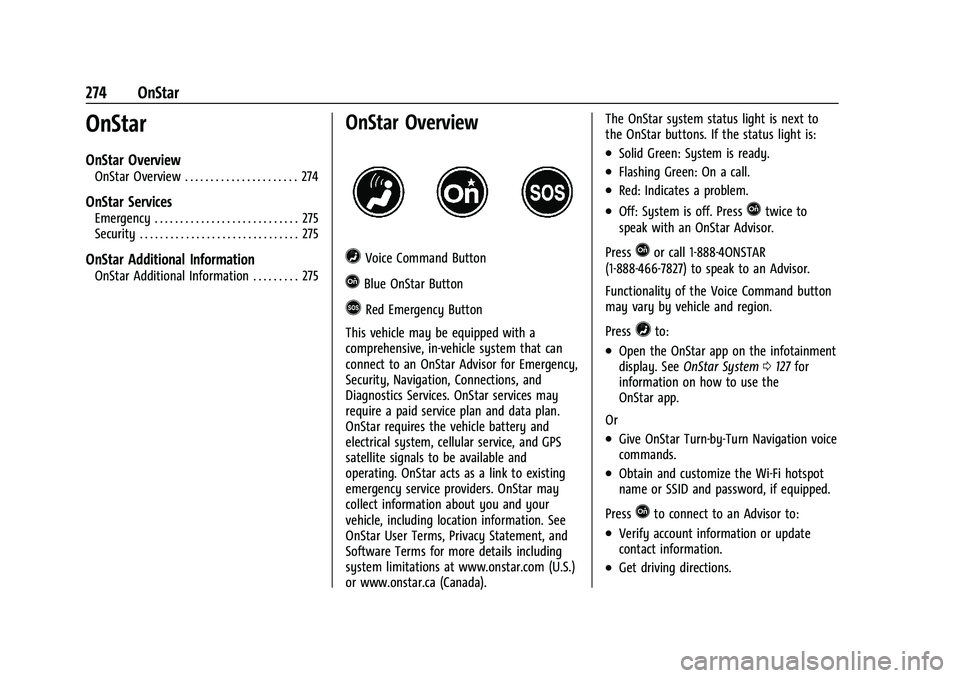
=Voice Command Button
QBlue OnStar Button
>Red Emergency Button
This vehicle may be equipped with a
comprehensive, in-vehicle system that can
connect to an OnStar Advisor for Emergency,
Security, Navigation, Connections, and
Diagnostics Services. OnStar services may
require a paid service plan and data plan.
OnStar requires the vehicle battery and
electrical system, cellular service, and GPS
satellite signals to be available and
operating. OnStar acts as a link to existing
emergency service providers. OnStar may
collect information about you and your
vehicle, including location information. See
OnStar User Terms, Privacy Statement, and
Software Terms for more details including
system limitations at www.onstar.com (U.S.)
or www.onstar.ca (Canada). The OnStar system status light is next to
the OnStar buttons. If the status light is:
.Solid Green: System is ready.
.Flashing Green: On a call.
.Red: Indicates a problem.
.Off: System is off. PressQtwice to
speak with an OnStar Advisor.
Press
Qor call 1-888-4ONSTAR
(1-888-466-7827) to speak to an Advisor.
Functionality of the Voice Command button
may vary by vehicle and region.
Press
=to:
.Open the OnStar app on the infotainment
display. See OnStar System 0127 for
information on how to use the
OnStar app.
Or
.Give OnStar Turn-by-Turn Navigation voice
commands.
.Obtain and customize the Wi-Fi hotspot
name or SSID and password, if equipped.
Press
Qto connect to an Advisor to:
.Verify account information or update
contact information.
.Get driving directions.
Page 276 of 293
Chevrolet Bolt EV Owner Manual (GMNA-Localizing-U.S./Canada-
14637856) - 2021 - CRC - 10/2/20
OnStar 275
.Receive a Diagnostic check of the vehicle's
key operating systems.
.Receive Roadside Assistance.
.Manage Wi-Fi Settings, if equipped.
Press
>to get a priority connection to an
OnStar Advisor available 24/7 to:
.Get help for an emergency.
.Be a Good Samaritan or respond to an
AMBER Alert.
.Get assistance in severe weather or other
crisis situations and find evacuation
routes.
OnStar Services
Emergency
Emergency Services require an active safety
and security plan. With Automatic Crash
Response, built-in sensors can automatically
alert a specially trained OnStar Advisor who
is immediately connected in to the vehicle
to help.
Press
>for a priority connection to an
OnStar Advisor who can contact emergency
service providers, direct them to your exact
location, and relay important information. With OnStar Crisis Assist, specially trained
Advisors are available 24 hours a day, 7 days
a week, to provide a central point of
contact, assistance, and information during a
crisis.
With Roadside Assistance, Advisors can
locate a nearby service provider to help with
a flat tire, a battery jump, or an empty
gas tank.
Security
If equipped, OnStar provides these services:
.With Stolen Vehicle Assistance, OnStar
Advisors can use GPS to pinpoint the
vehicle and help authorities quickly
recover it.
.With Remote Ignition Block, if equipped,
OnStar can block the vehicle from being
restarted.
.With Stolen Vehicle Slowdown,
if equipped, OnStar can work with law
enforcement to gradually slow the
vehicle down.
Theft Alarm Notification
If equipped, if the doors are locked and the
vehicle alarm sounds, a notification by text,
e-mail, or phone call will be sent. If the
vehicle is stolen, an OnStar Advisor can work
with authorities to recover the vehicle.
OnStar Additional
Information
In-Vehicle Audio Messages
Audio messages may play important
information at the following times:
.Prior to vehicle purchase. PressQto set
up an account.
.After change in ownership and at
90 days.
Transferring Service
PressQto request account transfer
eligibility information. The Advisor can
cancel or change account information.
Selling/Transferring the Vehicle
Call 1-888-4ONSTAR (1-888-466-7827)
immediately to terminate your OnStar or
connected services if the vehicle is disposed
of, sold, transferred, or if the lease ends.
Page 278 of 293
Chevrolet Bolt EV Owner Manual (GMNA-Localizing-U.S./Canada-
14637856) - 2021 - CRC - 10/2/20
OnStar 277
Languages
The vehicle can be programmed to respond
in multiple languages. Press
Qand ask for
an Advisor. Advisors are available in English,
Spanish, and French. Available languages
may vary by country.
Potential Issues
OnStar cannot perform Remote Door Unlock
or Stolen Vehicle Assistance after the vehicle
has been off continuously for 10 days
without an ignition cycle. If the vehicle has
not been started for 10 days, OnStar can
contact Roadside Assistance or a locksmith
to help gain access to the vehicle.
Global Positioning System (GPS)
.Obstruction of the GPS can occur in a
large city with tall buildings; in parking
garages; around airports; in tunnels and
underpasses; or in an area with very
dense trees. If GPS signals are not
available, the OnStar system should still
operate to call OnStar. However, OnStar
could have difficulty identifying the exact
location.
.In emergency situations, OnStar can use
the last stored GPS location to send to
emergency responders. A temporary loss of GPS can cause loss of
the ability to send a Turn-by-Turn
Navigation route. The Advisor may give a
verbal route or may ask for a call back after
the vehicle is driven into an open area.
Cellular and GPS Antennas
Cellular reception is required for OnStar to
send remote signals to the vehicle. Do not
place items over or near the antenna to
prevent blocking cellular and GPS signal
reception.
Unable to Connect to OnStar Message
If there is limited cellular coverage or the
cellular network has reached maximum
capacity, this message may come on. Press
Qto try the call again or try again after
driving a few miles into another
cellular area.
Vehicle and Power Issues
OnStar services require a vehicle electrical
system, wireless service, and GPS satellite
technologies to be available and operating
for features to function properly. These
systems may not operate if the battery is
discharged or disconnected.
Add-on Electrical Equipment
The OnStar system is integrated into the
electrical architecture of the vehicle. Do not
add any electrical equipment. See Add-On
Electrical Equipment 0195. Added electrical
equipment may interfere with the operation
of the OnStar system and cause it to not
operate.
Vehicle Software Updates
OnStar or GM may remotely deliver
software updates or changes to the vehicle
without further notice or consent. These
updates or changes may enhance or
maintain safety, security, or the operation
of the vehicle or the vehicle systems.
Software updates or changes may affect or
erase data or settings that are stored in the
vehicle, such as saved navigation
destinations or pre-set radio stations.
Neither OnStar nor GM is responsible for
any affected or erased data or settings.
These updates or changes may also collect
personal information. Such collection is
described in the OnStar privacy statement or
separately disclosed at the time of
installation. These updates or changes may
also cause a system to automatically
communicate with GM servers to collect
information about vehicle system status,
Page 281 of 293
Chevrolet Bolt EV Owner Manual (GMNA-Localizing-U.S./Canada-
14637856) - 2021 - CRC - 10/2/20
280 Connected Services
PressQ, then ask the Advisor to download
directions to the vehicle’s navigation system,
if equipped. After the call ends, the
navigation screen will provide prompts to
begin driving directions. Routes that are sent
to the navigation screen can only be
canceled through the navigation system.
See www.onstar.com (U.S.) or www.onstar.ca
(Canada).
Connections
The following services help with staying
connected.
For coverage maps, see www.onstar.com
(U.S.) or www.onstar.ca (Canada).
Ensuring Security
.Change the default passwords for the
Wi-Fi hotspot and myChevrolet mobile
application. Make these passwords
different from each other and use a
combination of letters and numbers to
increase the security.
.Change the default name of the SSID
(Service Set Identifier). This is your
network’s name that is visible to other
wireless devices. Choose a unique name
and avoid family names or vehicle
descriptions. Wi-Fi Hotspot (If Equipped)
The vehicle may have a built-in Wi-Fi
hotspot that provides access to the Internet
and web content at 4G LTE speed. Up to
seven mobile devices can be connected.
A data plan is required. Use the in-vehicle
controls only when it is safe to do so.
1. To retrieve Wi-Fi hotspot information, press
=to open the OnStar app on the
infotainment display, then select Wi-Fi
Hotspot. On some vehicles, touch Wi-Fi
or Wi-Fi Settings on the screen.
2. The Wi-Fi settings will display the Wi-Fi hotspot name (SSID), password, and on
some vehicles, the connection type (no
Internet connection, 3G, 4G, 4G LTE), and
signal quality (poor, good, excellent). The
LTE icon shows connection to Wi-Fi. It is
possible that the icon may not illuminate
even though the vehicle has an active
connection.
3. To change the SSID or password, press
Qor call 1-888-4ONSTAR to connect
with an Advisor. On some vehicles, the
SSID and password can be changed in
the Wi-Fi Hotspot menu. After initial set-up, your vehicle’s Wi-Fi
hotspot will connect automatically to your
mobile devices. Manage data usage by
turning Wi-Fi on or off on your mobile
device, using the myChevrolet mobile app,
or by contacting an OnStar Advisor. On
some vehicles, Wi-Fi can also be managed
from the Wi-Fi Hotspot menu.
MyChevrolet Mobile App (If Available)
Download the myChevrolet mobile app to
compatible Apple and Android smartphones.
Chevrolet users can access the following
services from a smartphone:
.Remotely start/stop the vehicle,
if factory-equipped.
.Lock/unlock doors, if equipped with
automatic locks.
.Activate the horn and lamps.
.Check the vehicle’s energy level, range or
tire pressure, if factory-equipped with the
Tire Pressure Monitor System.
.Send destinations to the vehicle.
.Locate the vehicle on a map (U.S.
market only).
.Turn the vehicle's Wi-Fi hotspot on/off,
manage settings, and monitor data
consumption, if equipped.
.Locate a dealer and schedule service.
Page 283 of 293
Chevrolet Bolt EV Owner Manual (GMNA-Localizing-U.S./Canada-
14637856) - 2021 - CRC - 10/2/20
282 Index
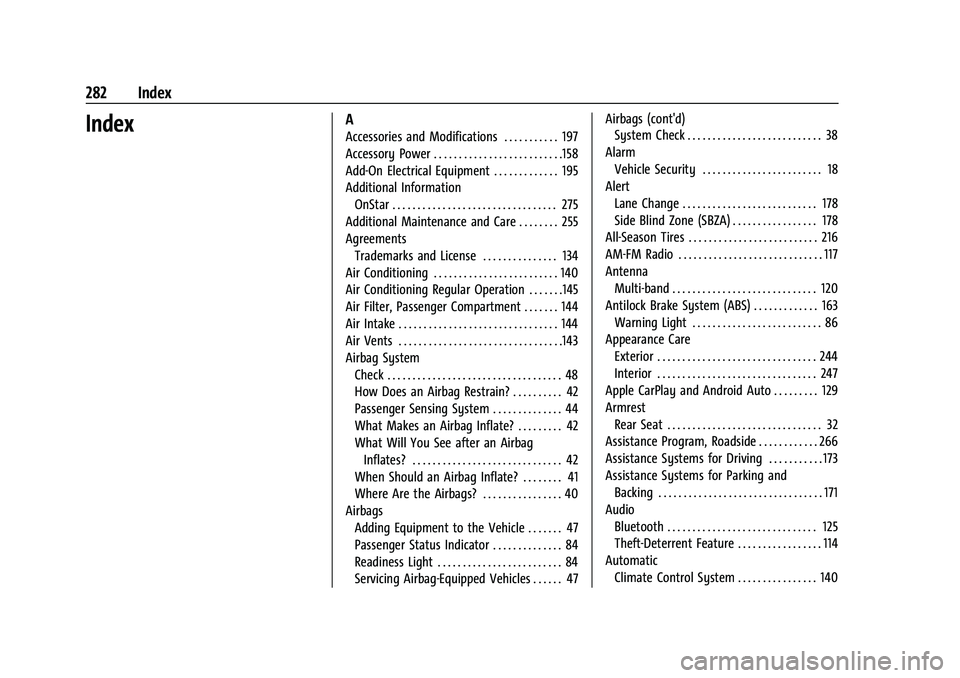
IndexA
Accessories and Modifications . . . . . . . . . . . 197
Accessory Power . . . . . . . . . . . . . . . . . . . . . . . . . .158
Add-On Electrical Equipment . . . . . . . . . . . . . 195
Additional InformationOnStar . . . . . . . . . . . . . . . . . . . . . . . . . . . . . . . . . 275
Additional Maintenance and Care . . . . . . . . 255
Agreements Trademarks and License . . . . . . . . . . . . . . . 134
Air Conditioning . . . . . . . . . . . . . . . . . . . . . . . . . 140
Air Conditioning Regular Operation . . . . . . .145
Air Filter, Passenger Compartment . . . . . . . 144
Air Intake . . . . . . . . . . . . . . . . . . . . . . . . . . . . . . . . 144
Air Vents . . . . . . . . . . . . . . . . . . . . . . . . . . . . . . . . .143
Airbag System
Check . . . . . . . . . . . . . . . . . . . . . . . . . . . . . . . . . . . 48
How Does an Airbag Restrain? . . . . . . . . . . 42
Passenger Sensing System . . . . . . . . . . . . . . 44
What Makes an Airbag Inflate? . . . . . . . . . 42
What Will You See after an AirbagInflates? . . . . . . . . . . . . . . . . . . . . . . . . . . . . . . 42
When Should an Airbag Inflate? . . . . . . . . 41
Where Are the Airbags? . . . . . . . . . . . . . . . . 40
Airbags
Adding Equipment to the Vehicle . . . . . . . 47
Passenger Status Indicator . . . . . . . . . . . . . . 84
Readiness Light . . . . . . . . . . . . . . . . . . . . . . . . . 84
Servicing Airbag-Equipped Vehicles . . . . . . 47 Airbags (cont'd)
System Check . . . . . . . . . . . . . . . . . . . . . . . . . . . 38
Alarm Vehicle Security . . . . . . . . . . . . . . . . . . . . . . . . 18
Alert Lane Change . . . . . . . . . . . . . . . . . . . . . . . . . . . 178
Side Blind Zone (SBZA) . . . . . . . . . . . . . . . . . 178
All-Season Tires . . . . . . . . . . . . . . . . . . . . . . . . . . 216
AM-FM Radio . . . . . . . . . . . . . . . . . . . . . . . . . . . . . 117
Antenna Multi-band . . . . . . . . . . . . . . . . . . . . . . . . . . . . . 120
Antilock Brake System (ABS) . . . . . . . . . . . . . 163
Warning Light . . . . . . . . . . . . . . . . . . . . . . . . . . 86
Appearance Care Exterior . . . . . . . . . . . . . . . . . . . . . . . . . . . . . . . . 244
Interior . . . . . . . . . . . . . . . . . . . . . . . . . . . . . . . . 247
Apple CarPlay and Android Auto . . . . . . . . . 129
Armrest Rear Seat . . . . . . . . . . . . . . . . . . . . . . . . . . . . . . . 32
Assistance Program, Roadside . . . . . . . . . . . . 266
Assistance Systems for Driving . . . . . . . . . . . 173
Assistance Systems for Parking and Backing . . . . . . . . . . . . . . . . . . . . . . . . . . . . . . . . . 171
Audio Bluetooth . . . . . . . . . . . . . . . . . . . . . . . . . . . . . . 125
Theft-Deterrent Feature . . . . . . . . . . . . . . . . . 114
Automatic Climate Control System . . . . . . . . . . . . . . . . 140
Page 284 of 293
Chevrolet Bolt EV Owner Manual (GMNA-Localizing-U.S./Canada-
14637856) - 2021 - CRC - 10/2/20
Index 283
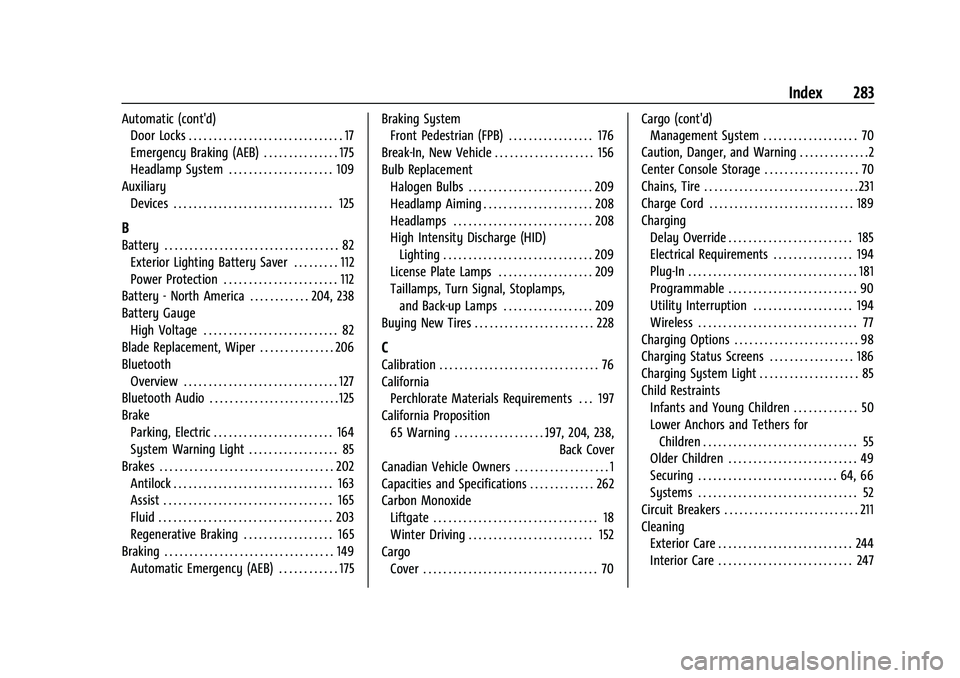
Automatic (cont'd)Door Locks . . . . . . . . . . . . . . . . . . . . . . . . . . . . . . . 17
Emergency Braking (AEB) . . . . . . . . . . . . . . . 175
Headlamp System . . . . . . . . . . . . . . . . . . . . . 109
Auxiliary Devices . . . . . . . . . . . . . . . . . . . . . . . . . . . . . . . . 125
B
Battery . . . . . . . . . . . . . . . . . . . . . . . . . . . . . . . . . . . 82Exterior Lighting Battery Saver . . . . . . . . . 112
Power Protection . . . . . . . . . . . . . . . . . . . . . . . 112
Battery - North America . . . . . . . . . . . . 204, 238
Battery Gauge
High Voltage . . . . . . . . . . . . . . . . . . . . . . . . . . . 82
Blade Replacement, Wiper . . . . . . . . . . . . . . . 206
Bluetooth Overview . . . . . . . . . . . . . . . . . . . . . . . . . . . . . . . 127
Bluetooth Audio . . . . . . . . . . . . . . . . . . . . . . . . . . 125
Brake Parking, Electric . . . . . . . . . . . . . . . . . . . . . . . . 164
System Warning Light . . . . . . . . . . . . . . . . . . 85
Brakes . . . . . . . . . . . . . . . . . . . . . . . . . . . . . . . . . . . 202
Antilock . . . . . . . . . . . . . . . . . . . . . . . . . . . . . . . . 163
Assist . . . . . . . . . . . . . . . . . . . . . . . . . . . . . . . . . . 165
Fluid . . . . . . . . . . . . . . . . . . . . . . . . . . . . . . . . . . . 203
Regenerative Braking . . . . . . . . . . . . . . . . . . 165
Braking . . . . . . . . . . . . . . . . . . . . . . . . . . . . . . . . . . 149 Automatic Emergency (AEB) . . . . . . . . . . . . 175 Braking System
Front Pedestrian (FPB) . . . . . . . . . . . . . . . . . 176
Break-In, New Vehicle . . . . . . . . . . . . . . . . . . . . 156
Bulb Replacement Halogen Bulbs . . . . . . . . . . . . . . . . . . . . . . . . . 209
Headlamp Aiming . . . . . . . . . . . . . . . . . . . . . . 208
Headlamps . . . . . . . . . . . . . . . . . . . . . . . . . . . . 208
High Intensity Discharge (HID)Lighting . . . . . . . . . . . . . . . . . . . . . . . . . . . . . . 209
License Plate Lamps . . . . . . . . . . . . . . . . . . . 209
Taillamps, Turn Signal, Stoplamps, and Back-up Lamps . . . . . . . . . . . . . . . . . . 209
Buying New Tires . . . . . . . . . . . . . . . . . . . . . . . . 228
C
Calibration . . . . . . . . . . . . . . . . . . . . . . . . . . . . . . . . 76
California Perchlorate Materials Requirements . . . 197
California Proposition 65 Warning . . . . . . . . . . . . . . . . . . .197, 204, 238, Back Cover
Canadian Vehicle Owners . . . . . . . . . . . . . . . . . . . 1
Capacities and Specifications . . . . . . . . . . . . . 262
Carbon Monoxide Liftgate . . . . . . . . . . . . . . . . . . . . . . . . . . . . . . . . . 18
Winter Driving . . . . . . . . . . . . . . . . . . . . . . . . . 152
Cargo Cover . . . . . . . . . . . . . . . . . . . . . . . . . . . . . . . . . . . 70 Cargo (cont'd)
Management System . . . . . . . . . . . . . . . . . . . 70
Caution, Danger, and Warning . . . . . . . . . . . . . .2
Center Console Storage . . . . . . . . . . . . . . . . . . . 70
Chains, Tire . . . . . . . . . . . . . . . . . . . . . . . . . . . . . . . 231
Charge Cord . . . . . . . . . . . . . . . . . . . . . . . . . . . . . 189
Charging Delay Override . . . . . . . . . . . . . . . . . . . . . . . . . 185
Electrical Requirements . . . . . . . . . . . . . . . . 194
Plug-In . . . . . . . . . . . . . . . . . . . . . . . . . . . . . . . . . . 181
Programmable . . . . . . . . . . . . . . . . . . . . . . . . . . 90
Utility Interruption . . . . . . . . . . . . . . . . . . . . 194
Wireless . . . . . . . . . . . . . . . . . . . . . . . . . . . . . . . . 77
Charging Options . . . . . . . . . . . . . . . . . . . . . . . . . 98
Charging Status Screens . . . . . . . . . . . . . . . . . 186
Charging System Light . . . . . . . . . . . . . . . . . . . . 85
Child Restraints Infants and Young Children . . . . . . . . . . . . . 50
Lower Anchors and Tethers forChildren . . . . . . . . . . . . . . . . . . . . . . . . . . . . . . . 55
Older Children . . . . . . . . . . . . . . . . . . . . . . . . . . 49
Securing . . . . . . . . . . . . . . . . . . . . . . . . . . . . 64, 66
Systems . . . . . . . . . . . . . . . . . . . . . . . . . . . . . . . . 52
Circuit Breakers . . . . . . . . . . . . . . . . . . . . . . . . . . . 211
Cleaning Exterior Care . . . . . . . . . . . . . . . . . . . . . . . . . . . 244
Interior Care . . . . . . . . . . . . . . . . . . . . . . . . . . . 247