park assist CHEVROLET BOLT EV 2021 Owner's Manual
[x] Cancel search | Manufacturer: CHEVROLET, Model Year: 2021, Model line: BOLT EV, Model: CHEVROLET BOLT EV 2021Pages: 293, PDF Size: 9.21 MB
Page 4 of 293
Chevrolet Bolt EV Owner Manual (GMNA-Localizing-U.S./Canada-
14637856) - 2021 - CRC - 10/2/20
Introduction 3
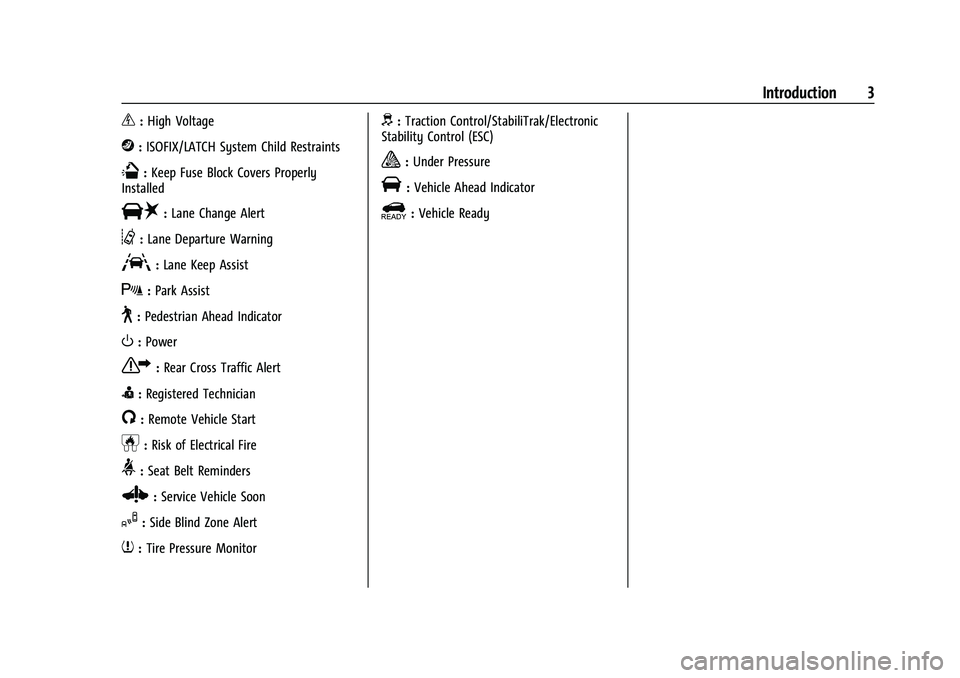
_:High Voltage
j:ISOFIX/LATCH System Child Restraints
Q:Keep Fuse Block Covers Properly
Installed
|: Lane Change Alert
@:Lane Departure Warning
A:Lane Keep Assist
X: Park Assist
~:Pedestrian Ahead Indicator
O:Power
7:Rear Cross Traffic Alert
I:Registered Technician
/:Remote Vehicle Start
h:Risk of Electrical Fire
>:Seat Belt Reminders
Z: Service Vehicle Soon
I:Side Blind Zone Alert
7:Tire Pressure Monitor
d:Traction Control/StabiliTrak/Electronic
Stability Control (ESC)
a: Under Pressure
V: Vehicle Ahead Indicator
]:Vehicle Ready
Page 6 of 293
Chevrolet Bolt EV Owner Manual (GMNA-Localizing-U.S./Canada-
14637856) - 2021 - CRC - 10/2/20
Introduction 5
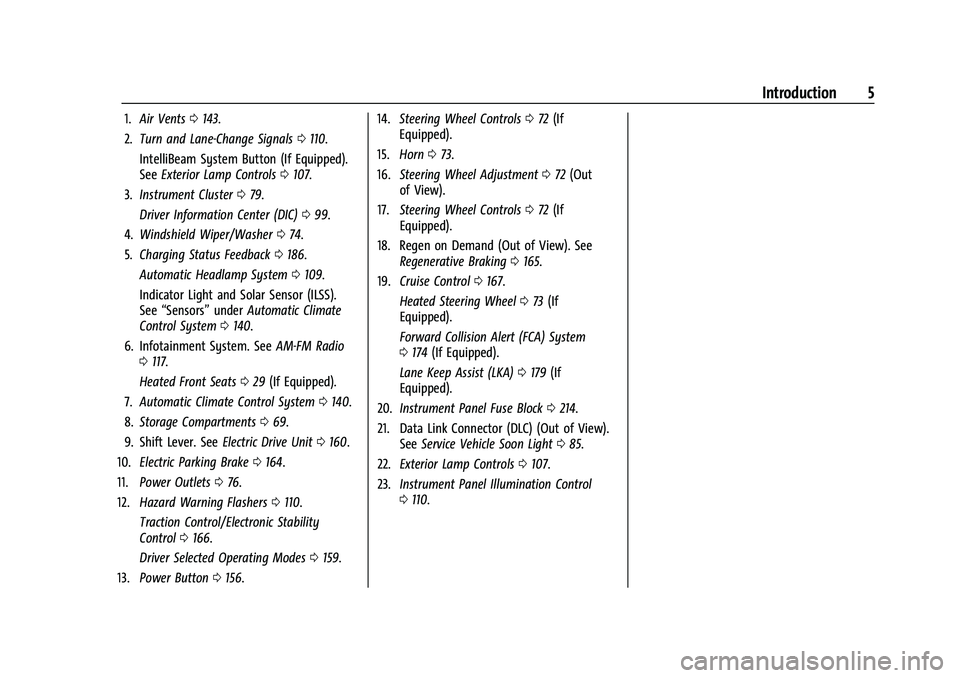
1.Air Vents 0143.
2. Turn and Lane-Change Signals 0110.
IntelliBeam System Button (If Equipped).
See Exterior Lamp Controls 0107.
3. Instrument Cluster 079.
Driver Information Center (DIC) 099.
4. Windshield Wiper/Washer 074.
5. Charging Status Feedback 0186.
Automatic Headlamp System 0109.
Indicator Light and Solar Sensor (ILSS).
See “Sensors” underAutomatic Climate
Control System 0140.
6. Infotainment System. See AM-FM Radio
0 117.
Heated Front Seats 029 (If Equipped).
7. Automatic Climate Control System 0140.
8. Storage Compartments 069.
9. Shift Lever. See Electric Drive Unit0160.
10. Electric Parking Brake 0164.
11. Power Outlets 076.
12. Hazard Warning Flashers 0110.
Traction Control/Electronic Stability
Control 0166.
Driver Selected Operating Modes 0159.
13. Power Button 0156. 14.
Steering Wheel Controls 072 (If
Equipped).
15. Horn 073.
16. Steering Wheel Adjustment 072 (Out
of View).
17. Steering Wheel Controls 072 (If
Equipped).
18. Regen on Demand (Out of View). See Regenerative Braking 0165.
19. Cruise Control 0167.
Heated Steering Wheel 073 (If
Equipped).
Forward Collision Alert (FCA) System
0 174 (If Equipped).
Lane Keep Assist (LKA) 0179 (If
Equipped).
20. Instrument Panel Fuse Block 0214.
21. Data Link Connector (DLC) (Out of View). SeeService Vehicle Soon Light 085.
22. Exterior Lamp Controls 0107.
23. Instrument Panel Illumination Control
0110.
Page 72 of 293
Chevrolet Bolt EV Owner Manual (GMNA-Localizing-U.S./Canada-
14637856) - 2021 - CRC - 10/2/20
Instruments and Controls 71
Instruments and Controls
Controls
Steering Wheel Adjustment . . . . . . . . . . . . . 72
Steering Wheel Controls . . . . . . . . . . . . . . . . 72
Heated Steering Wheel . . . . . . . . . . . . . . . . . 73
Horn . . . . . . . . . . . . . . . . . . . . . . . . . . . . . . . . . . . . 73
Pedestrian Safety Signal . . . . . . . . . . . . . . . . 73
Windshield Wiper/Washer . . . . . . . . . . . . . . 74
Rear Window Wiper/Washer . . . . . . . . . . . 75
Compass . . . . . . . . . . . . . . . . . . . . . . . . . . . . . . . 76
Clock . . . . . . . . . . . . . . . . . . . . . . . . . . . . . . . . . . . 76
Power Outlets . . . . . . . . . . . . . . . . . . . . . . . . . . 76
Wireless Charging . . . . . . . . . . . . . . . . . . . . . . 77
Warning Lights, Gauges, and Indicators
Warning Lights, Gauges, andIndicators . . . . . . . . . . . . . . . . . . . . . . . . . . . . . 79
Instrument Cluster . . . . . . . . . . . . . . . . . . . . . 79
Speedometer . . . . . . . . . . . . . . . . . . . . . . . . . . . 81
Odometer . . . . . . . . . . . . . . . . . . . . . . . . . . . . . . 81
Trip Odometer . . . . . . . . . . . . . . . . . . . . . . . . . . 82
Battery Gauge (High Voltage) . . . . . . . . . . 82
Driver Efficiency Gauge . . . . . . . . . . . . . . . . . 82
Power Indicator Gauge . . . . . . . . . . . . . . . . . 83
Seat Belt Reminders . . . . . . . . . . . . . . . . . . . . 83
Airbag Readiness Light . . . . . . . . . . . . . . . . . 84
Passenger Airbag Status Indicator . . . . . . 84
Charging System Light (12-Volt Battery) . . . . . . . . . . . . . . . . . . . . . . . . . . . . . . 85 Service Vehicle Soon Light . . . . . . . . . . . . . . 85
Brake System Warning Light . . . . . . . . . . . 85
Electric Parking Brake Light . . . . . . . . . . . . . 86
Service Electric Parking Brake Light . . . . . 86
Antilock Brake System (ABS) Warning
Light . . . . . . . . . . . . . . . . . . . . . . . . . . . . . . . . . 86
Sport Mode Light . . . . . . . . . . . . . . . . . . . . . . . 87
Lane Keep Assist (LKA) Light . . . . . . . . . . . . 87
Vehicle Ahead Indicator . . . . . . . . . . . . . . . . 87
Pedestrian Ahead Indicator . . . . . . . . . . . . . 87
Traction Off Light . . . . . . . . . . . . . . . . . . . . . . . 87
StabiliTrak OFF Light . . . . . . . . . . . . . . . . . . . 88
Traction Control System (TCS)/StabiliTrak Light . . . . . . . . . . . . . . . . . . . . . . . . . . . . . . . . . 88
Tire Pressure Light . . . . . . . . . . . . . . . . . . . . . 88
Security Light . . . . . . . . . . . . . . . . . . . . . . . . . . 89
Vehicle Ready Light . . . . . . . . . . . . . . . . . . . . 89
High-Beam On Light . . . . . . . . . . . . . . . . . . . . 89
Lamps On Reminder . . . . . . . . . . . . . . . . . . . . 89
Cruise Control Light . . . . . . . . . . . . . . . . . . . . 89
Door Ajar Light . . . . . . . . . . . . . . . . . . . . . . . . . 89
Information Displays
Power Flows . . . . . . . . . . . . . . . . . . . . . . . . . . . 90
Programmable Charging . . . . . . . . . . . . . . . . 90
Energy Information . . . . . . . . . . . . . . . . . . . . . 97
Charging Options . . . . . . . . . . . . . . . . . . . . . . . 98
Driver Information Center (DIC) . . . . . . . . 99
Vehicle Messages
Vehicle Messages . . . . . . . . . . . . . . . . . . . . . 100 Propulsion Power Messages . . . . . . . . . . . 100
Vehicle Speed Messages . . . . . . . . . . . . . . . 101
Vehicle Personalization
Vehicle Personalization . . . . . . . . . . . . . . . . . 101
Page 101 of 293
Chevrolet Bolt EV Owner Manual (GMNA-Localizing-U.S./Canada-
14637856) - 2021 - CRC - 10/2/20
100 Instruments and Controls
calculated based on the various vehicle
speeds recorded since the last reset of this
value. The average speed can be reset by
pressing and holding
Vwhile this display is
active.
Timer : This display can be used as a timer.
To start the timer, press
Vwhile this
display is active. The display will show the
amount of time that has passed since the
timer was last reset. To stop the timer,
press
Vbriefly while this display is active
and the timer is running. To reset the timer
to zero, press and hold
Vwhile this display
is active.
Follow Distance Indicator : The current
follow time to the vehicle ahead is displayed
as a time value on this page.
Blank Page : The Blank Page display allows
for no information to be displayed in the
cluster info display areas.
Vehicle Messages
Messages displayed on the DIC indicate the
status of the vehicle or some action that
may be needed to correct a condition.
Multiple messages may appear one after
another. The messages that do not require
immediate action can be acknowledged and
cleared by pressing
V. The messages that
require immediate action cannot be cleared
until that action is performed.
All messages should be taken seriously;
clearing the message does not correct the
problem.
If a SERVICE message appears, see your
dealer.
Follow the instructions given in the
messages. The system displays messages
regarding the following topics:
.Service Messages
.Fluid Levels
.Vehicle Security
.Brakes
.Ride Control Systems
.Driver Assistance Systems
.Cruise Control
.Lighting and Bulb Replacement
.Wiper/Washer Systems
.Doors and Windows
.Seat Belts
.Airbag Systems
.Propulsion and Transmission
.Tire Pressure
.Battery
Propulsion Power Messages
PROPULSION POWER IS REDUCED
This message displays when the vehicle's
propulsion power is reduced. A reduction in
propulsion power can affect the vehicle's
ability to accelerate. If this message is on,
but there is no observed reduction in
performance, proceed to your destination.
Under certain conditions the performance
may be reduced the next time the vehicle is
driven. The vehicle may be driven while this
message is on, but maximum acceleration
and speed may be reduced. Anytime this
message stays on, or displays repeatedly,
the vehicle should be taken to your dealer
for service as soon as possible.
This message is commonly displayed when
the high voltage battery charge level is low.
The vehicle is limiting power to maximize
range.
This message can display when the vehicle
is parked during extreme cold conditions
without being plugged in. While driving the
Page 103 of 293
Chevrolet Bolt EV Owner Manual (GMNA-Localizing-U.S./Canada-
14637856) - 2021 - CRC - 10/2/20
102 Instruments and Controls
Teen Driver
SeeTeen Driver 0132.
Radio Settings
To manage the radio features, see “Radio
Settings” underSettings 0131.
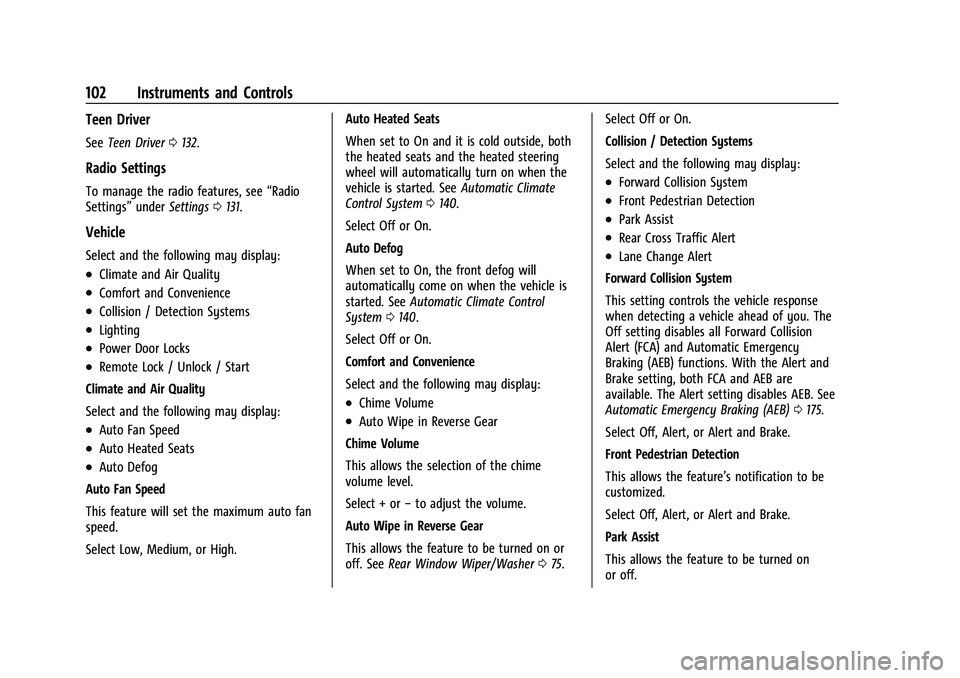
Vehicle
Select and the following may display:
.Climate and Air Quality
.Comfort and Convenience
.Collision / Detection Systems
.Lighting
.Power Door Locks
.Remote Lock / Unlock / Start
Climate and Air Quality
Select and the following may display:
.Auto Fan Speed
.Auto Heated Seats
.Auto Defog
Auto Fan Speed
This feature will set the maximum auto fan
speed.
Select Low, Medium, or High. Auto Heated Seats
When set to On and it is cold outside, both
the heated seats and the heated steering
wheel will automatically turn on when the
vehicle is started. See
Automatic Climate
Control System 0140.
Select Off or On.
Auto Defog
When set to On, the front defog will
automatically come on when the vehicle is
started. See Automatic Climate Control
System 0140.
Select Off or On.
Comfort and Convenience
Select and the following may display:
.Chime Volume
.Auto Wipe in Reverse Gear
Chime Volume
This allows the selection of the chime
volume level.
Select + or −to adjust the volume.
Auto Wipe in Reverse Gear
This allows the feature to be turned on or
off. See Rear Window Wiper/Washer 075. Select Off or On.
Collision / Detection Systems
Select and the following may display:
.Forward Collision System
.Front Pedestrian Detection
.Park Assist
.Rear Cross Traffic Alert
.Lane Change Alert
Forward Collision System
This setting controls the vehicle response
when detecting a vehicle ahead of you. The
Off setting disables all Forward Collision
Alert (FCA) and Automatic Emergency
Braking (AEB) functions. With the Alert and
Brake setting, both FCA and AEB are
available. The Alert setting disables AEB. See
Automatic Emergency Braking (AEB) 0175.
Select Off, Alert, or Alert and Brake.
Front Pedestrian Detection
This allows the feature’s notification to be
customized.
Select Off, Alert, or Alert and Brake.
Park Assist
This allows the feature to be turned on
or off.
Page 104 of 293
Chevrolet Bolt EV Owner Manual (GMNA-Localizing-U.S./Canada-
14637856) - 2021 - CRC - 10/2/20
Instruments and Controls 103
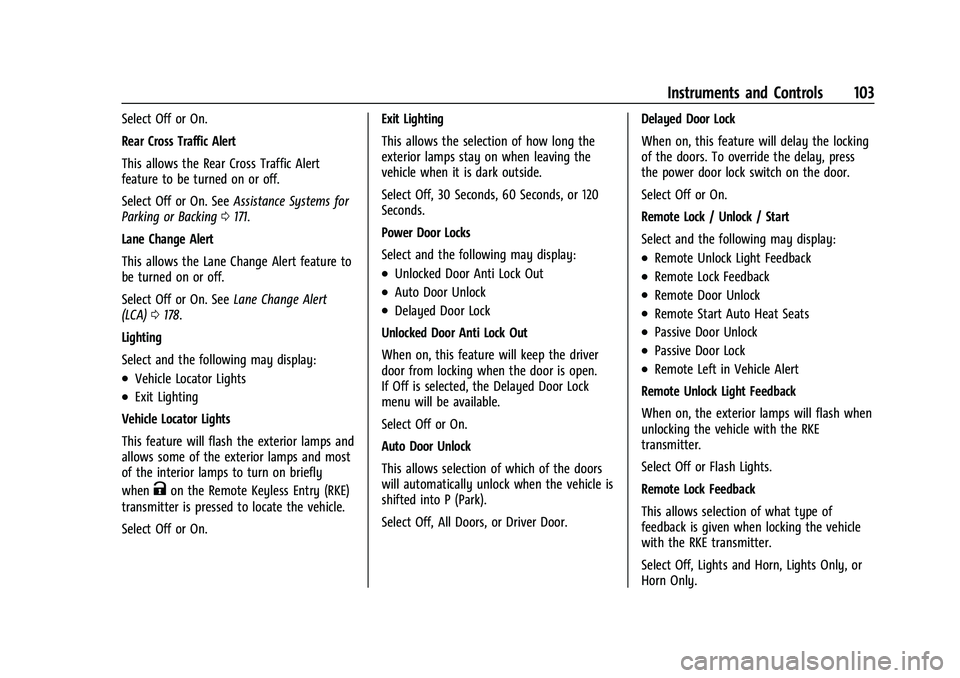
Select Off or On.
Rear Cross Traffic Alert
This allows the Rear Cross Traffic Alert
feature to be turned on or off.
Select Off or On. SeeAssistance Systems for
Parking or Backing 0171.
Lane Change Alert
This allows the Lane Change Alert feature to
be turned on or off.
Select Off or On. See Lane Change Alert
(LCA) 0178.
Lighting
Select and the following may display:
.Vehicle Locator Lights
.Exit Lighting
Vehicle Locator Lights
This feature will flash the exterior lamps and
allows some of the exterior lamps and most
of the interior lamps to turn on briefly
when
Kon the Remote Keyless Entry (RKE)
transmitter is pressed to locate the vehicle.
Select Off or On. Exit Lighting
This allows the selection of how long the
exterior lamps stay on when leaving the
vehicle when it is dark outside.
Select Off, 30 Seconds, 60 Seconds, or 120
Seconds.
Power Door Locks
Select and the following may display:
.Unlocked Door Anti Lock Out
.Auto Door Unlock
.Delayed Door Lock
Unlocked Door Anti Lock Out
When on, this feature will keep the driver
door from locking when the door is open.
If Off is selected, the Delayed Door Lock
menu will be available.
Select Off or On.
Auto Door Unlock
This allows selection of which of the doors
will automatically unlock when the vehicle is
shifted into P (Park).
Select Off, All Doors, or Driver Door. Delayed Door Lock
When on, this feature will delay the locking
of the doors. To override the delay, press
the power door lock switch on the door.
Select Off or On.
Remote Lock / Unlock / Start
Select and the following may display:
.Remote Unlock Light Feedback
.Remote Lock Feedback
.Remote Door Unlock
.Remote Start Auto Heat Seats
.Passive Door Unlock
.Passive Door Lock
.Remote Left in Vehicle Alert
Remote Unlock Light Feedback
When on, the exterior lamps will flash when
unlocking the vehicle with the RKE
transmitter.
Select Off or Flash Lights.
Remote Lock Feedback
This allows selection of what type of
feedback is given when locking the vehicle
with the RKE transmitter.
Select Off, Lights and Horn, Lights Only, or
Horn Only.
Page 117 of 293
Chevrolet Bolt EV Owner Manual (GMNA-Localizing-U.S./Canada-
14637856) - 2021 - CRC - 10/2/20
116 Infotainment System
Gallery :Touch to view a picture. See
“Gallery” under“Selecting a Function”
following.
OnStar : Touch to use the OnStar function.
See OnStar Overview 0274.
Camera : Touch to access the camera
application. See Assistance Systems for
Parking or Backing 0171.
Low Power Mode : Touch to access the Low
Power Mode. See “Low Power Mode” under
Charging Options 098.
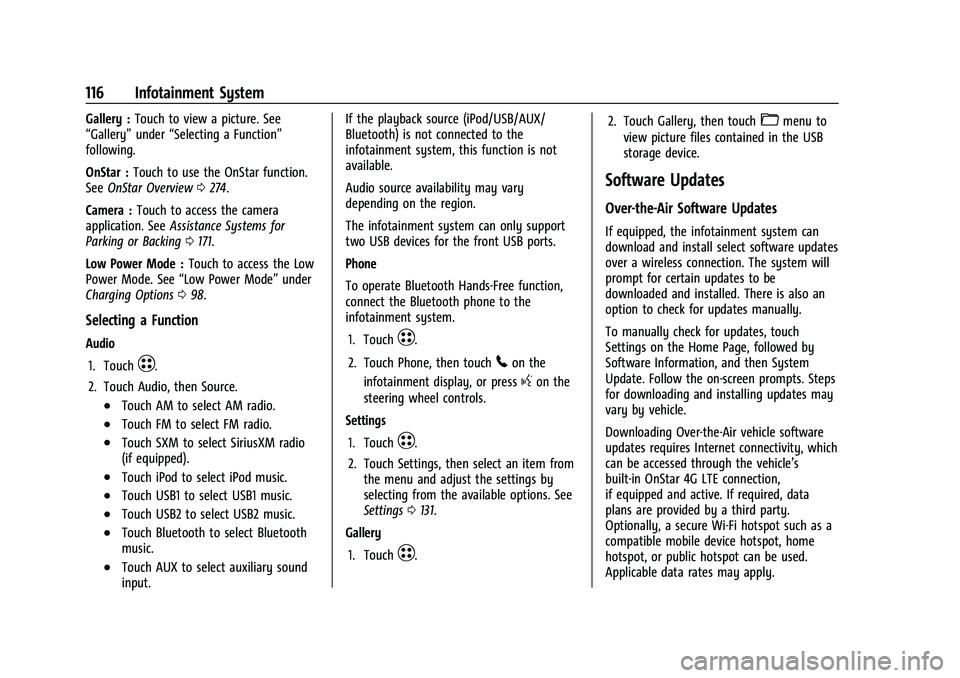
Selecting a Function
Audio
1. Touch
T.
2. Touch Audio, then Source.
.Touch AM to select AM radio.
.Touch FM to select FM radio.
.Touch SXM to select SiriusXM radio
(if equipped).
.Touch iPod to select iPod music.
.Touch USB1 to select USB1 music.
.Touch USB2 to select USB2 music.
.Touch Bluetooth to select Bluetooth
music.
.Touch AUX to select auxiliary sound
input. If the playback source (iPod/USB/AUX/
Bluetooth) is not connected to the
infotainment system, this function is not
available.
Audio source availability may vary
depending on the region.
The infotainment system can only support
two USB devices for the front USB ports.
Phone
To operate Bluetooth Hands-Free function,
connect the Bluetooth phone to the
infotainment system.
1. Touch
T.
2. Touch Phone, then touch
5on the
infotainment display, or press
gon the
steering wheel controls.
Settings
1. Touch
T.
2. Touch Settings, then select an item from the menu and adjust the settings by
selecting from the available options. See
Settings 0131.
Gallery
1. Touch
T. 2. Touch Gallery, then touch
'menu to
view picture files contained in the USB
storage device.
Software Updates
Over-the-Air Software Updates
If equipped, the infotainment system can
download and install select software updates
over a wireless connection. The system will
prompt for certain updates to be
downloaded and installed. There is also an
option to check for updates manually.
To manually check for updates, touch
Settings on the Home Page, followed by
Software Information, and then System
Update. Follow the on-screen prompts. Steps
for downloading and installing updates may
vary by vehicle.
Downloading Over-the-Air vehicle software
updates requires Internet connectivity, which
can be accessed through the vehicle’s
built-in OnStar 4G LTE connection,
if equipped and active. If required, data
plans are provided by a third party.
Optionally, a secure Wi-Fi hotspot such as a
compatible mobile device hotspot, home
hotspot, or public hotspot can be used.
Applicable data rates may apply.
Page 147 of 293
Chevrolet Bolt EV Owner Manual (GMNA-Localizing-U.S./Canada-
14637856) - 2021 - CRC - 10/2/20
146 Driving and Operating
Driving and Operating
Driving Information
Driving for Better Energy Efficiency . . . . 147
Distracted Driving . . . . . . . . . . . . . . . . . . . . . 148
Defensive Driving . . . . . . . . . . . . . . . . . . . . . . 148
Impaired Driving . . . . . . . . . . . . . . . . . . . . . . 149
Control of a Vehicle . . . . . . . . . . . . . . . . . . . 149
Braking . . . . . . . . . . . . . . . . . . . . . . . . . . . . . . . . 149
Steering . . . . . . . . . . . . . . . . . . . . . . . . . . . . . . . 149
Off-Road Recovery . . . . . . . . . . . . . . . . . . . . . 150
Loss of Control . . . . . . . . . . . . . . . . . . . . . . . . 150
Driving on Wet Roads . . . . . . . . . . . . . . . . . . 151
Hill and Mountain Roads . . . . . . . . . . . . . . . 151
Winter Driving . . . . . . . . . . . . . . . . . . . . . . . . . 152
If the Vehicle Is Stuck . . . . . . . . . . . . . . . . . . 152
Vehicle Load Limits . . . . . . . . . . . . . . . . . . . . 153
Starting and Operating
New Vehicle Break-In . . . . . . . . . . . . . . . . . . 156
Power Button . . . . . . . . . . . . . . . . . . . . . . . . . . 156
Starting and Stopping the Vehicle . . . . . 157
Retained Accessory Power (RAP) . . . . . . . 158
Shifting Into Park . . . . . . . . . . . . . . . . . . . . . . 158
Shifting out of Park . . . . . . . . . . . . . . . . . . . 159
Extended Parking . . . . . . . . . . . . . . . . . . . . . . 159
Electric Vehicle Operating Modes
Driver Selected Operating Modes . . . . . . 159
Electric Drive Unit
Electric Drive Unit . . . . . . . . . . . . . . . . . . . . . 160
One-Pedal Driving . . . . . . . . . . . . . . . . . . . . . 163
Brakes
Antilock Brake System (ABS) . . . . . . . . . . . 163
Electric Parking Brake . . . . . . . . . . . . . . . . . . 164
Brake Assist . . . . . . . . . . . . . . . . . . . . . . . . . . . 165
Hill Start Assist (HSA) . . . . . . . . . . . . . . . . . . 165
Regenerative Braking . . . . . . . . . . . . . . . . . . 165
Ride Control Systems
Traction Control/Electronic StabilityControl . . . . . . . . . . . . . . . . . . . . . . . . . . . . . . 166
Cruise Control
Cruise Control . . . . . . . . . . . . . . . . . . . . . . . . . 167
Driver Assistance Systems
Driver Assistance Systems . . . . . . . . . . . . . 169
Assistance Systems for Parking orBacking . . . . . . . . . . . . . . . . . . . . . . . . . . . . . . . 171
Assistance Systems for Driving . . . . . . . . . 173
Forward Collision Alert (FCA) System . . . . . . . . . . . . . . . . . . . . . . . . . . . . . . 174
Automatic Emergency Braking (AEB) . . . 175
Front Pedestrian Braking (FPB) System . . . . . . . . . . . . . . . . . . . . . . . . . . . . . . 176
Side Blind Zone Alert (SBZA) . . . . . . . . . . . 178
Lane Change Alert (LCA) . . . . . . . . . . . . . . . 178
Lane Keep Assist (LKA) . . . . . . . . . . . . . . . . . 179
Charging
When to Charge . . . . . . . . . . . . . . . . . . . . . . . 181
Plug-In Charging . . . . . . . . . . . . . . . . . . . . . . . 181
Delayed Charging Override . . . . . . . . . . . . 185
Charging Status Feedback . . . . . . . . . . . . . 186
Charge Cord . . . . . . . . . . . . . . . . . . . . . . . . . . . 189
Utility Interruption of Charging . . . . . . . 194
Electrical Requirements for Battery Charging . . . . . . . . . . . . . . . . . . . . . . . . . . . . . 194
Trailer Towing
General Towing Information . . . . . . . . . . . 194
Conversions and Add-Ons
Add-On Electrical Equipment . . . . . . . . . . . 195
Page 158 of 293
Chevrolet Bolt EV Owner Manual (GMNA-Localizing-U.S./Canada-
14637856) - 2021 - CRC - 10/2/20
Driving and Operating 157
Service Mode
This power mode is available for service and
diagnostics, and to verify the proper
operation of the service vehicle soon light as
may be required for emission inspection
purposes. With the vehicle off, and the
brake pedal not applied, pressing and
holding POWER
Ofor more than
five seconds will place the vehicle in Service
Mode. The instruments and audio systems
will operate as they do in ON/RUN, but the
vehicle will not be able to be driven. The
propulsion system will not start in Service
Mode. Press POWER
Oagain to turn the
vehicle off.
Caution
Placing the vehicle in Service Mode will
use the 12-volt battery. Do not use
Service Mode for an extended period,
or the vehicle may not start.
STOPPING THE VEHICLE/OFF : To turn the
vehicle off, apply the brakes, press the
button on top of the shift lever to shift to
P (Park) and press POWER
O. Alternatively, apply the brakes and press
POWER
O. The electric drive unit will shift
to P (Park) then shut off automatically.
Retained Accessory Power (RAP) will remain
active until the driver door is opened.
If the vehicle must be shut off in an
emergency:
1. Brake using a firm and steady pressure. Do not pump the brakes repeatedly. This
may deplete power assist, requiring
increased brake pedal force.
2. Shift the vehicle to N (Neutral). This can be done while the vehicle is moving.
After shifting to N (Neutral), firmly apply
the brakes and steer the vehicle to a
safe location.
3. Come to a complete stop, shift to P (Park), and turn the vehicle off by
pressing POWER
O.
4. Set the parking brake.
{Warning
Turning off the vehicle while moving may
disable the airbags. While driving, only
shut the propulsion system off in an
emergency. If the vehicle cannot be pulled over, and
must be shut off while driving, press and
hold POWER
Ofor longer than two seconds,
or press twice in five seconds.
Starting and Stopping the Vehicle
Starting Procedure
Press the P (Park) button on the shift lever,
or move the shift lever into N (Neutral). The
propulsion system will not start in any
other position.
Caution
Do not try to shift to P (Park) if the
vehicle is moving or the electric drive unit
could be damaged. Shift to P (Park) only
when the vehicle is stopped.
Caution
If you add electrical parts or accessories,
you could change the way the vehicle
operates. Any resulting damage would
not be covered by the vehicle warranty.
The Remote Keyless Entry (RKE) transmitter
must be in the vehicle. Press the brake
pedal, then press and release POWER
O.
Page 166 of 293
Chevrolet Bolt EV Owner Manual (GMNA-Localizing-U.S./Canada-
14637856) - 2021 - CRC - 10/2/20
Driving and Operating 165
Caution
Driving with the parking brake on can
overheat the brake system and cause
premature wear or damage to brake
system parts. Make sure that the parking
brake is fully released and the brake
warning light is off before driving.
Automatic EPB Release
The EPB will automatically release if the
vehicle is running, placed into gear, and an
attempt is made to drive away. Avoid rapid
acceleration when the EPB is applied, to
preserve parking brake lining life.
Brake Assist
Brake Assist detects rapid brake pedal
applications due to emergency braking
situations and provides additional braking to
activate the Antilock Brake System (ABS) if
the brake pedal is not pushed hard enough
to activate ABS normally. Minor noise, brake
pedal pulsation, and/or pedal movement
during this time may occur. Continue to
apply the brake pedal as the driving
situation dictates. Brake Assist disengages
when the brake pedal is released.
Hill Start Assist (HSA)
{Warning
Do not rely on the HSA feature. HSA does
not replace the need to pay attention
and drive safely. You may not hear or
feel alerts or warnings provided by this
system. Failure to use proper care when
driving may result in injury, death,
or vehicle damage. SeeDefensive Driving
0 148.
When the vehicle is stopped on a grade, Hill
Start Assist (HSA) prevents the vehicle from
rolling in an unintended direction during the
transition from brake pedal release to
accelerator pedal apply. The brakes release
when the accelerator pedal is applied. If the
accelerator pedal is not applied within a few
minutes, the Electric Parking Brake will
apply. The brakes may also release under
other conditions. Do not rely on HSA to hold
the vehicle.
HSA is available when the vehicle is facing
uphill in a forward gear, or when facing
downhill in R (Reverse). The vehicle must
come to a complete stop on a grade for HSA
to activate.
Regenerative Braking
Some braking energy from the moving
vehicle is turned back into electrical energy.
This energy is then stored back into the
high voltage battery system, increasing
energy efficiency.
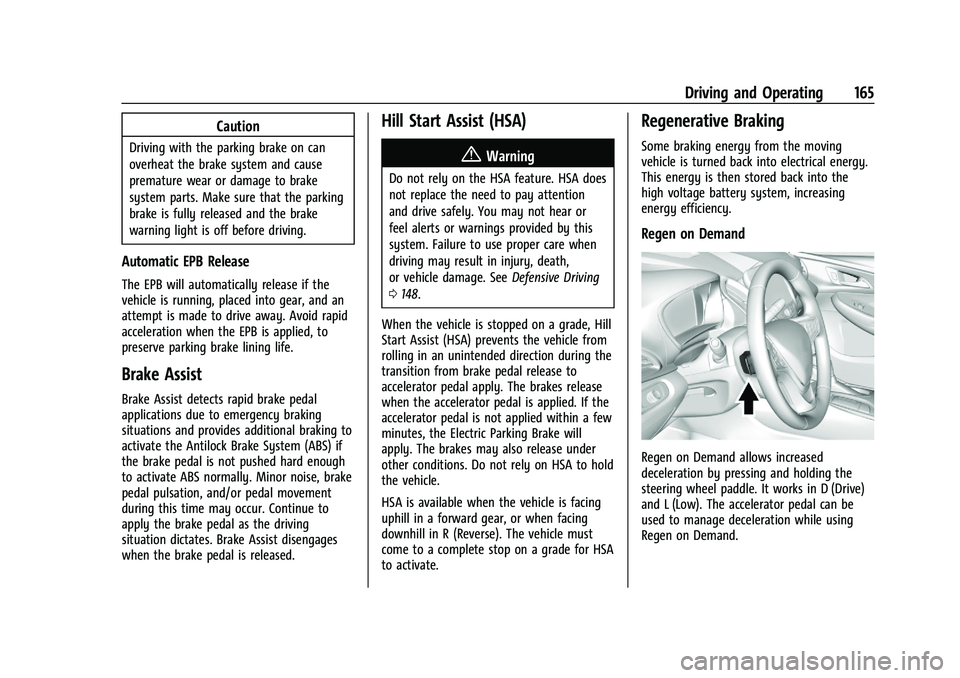
Regen on Demand
Regen on Demand allows increased
deceleration by pressing and holding the
steering wheel paddle. It works in D (Drive)
and L (Low). The accelerator pedal can be
used to manage deceleration while using
Regen on Demand.