lock CHEVROLET BOLT EV 2022 Manual PDF
[x] Cancel search | Manufacturer: CHEVROLET, Model Year: 2022, Model line: BOLT EV, Model: CHEVROLET BOLT EV 2022Pages: 316, PDF Size: 11.45 MB
Page 200 of 316
Chevrolet BOLT EV Owner Manual (GMNA-Localizing-U.S./Canada-
15082216) - 2022 - CRC - 6/25/21
Driving and Operating 199
also provide a Lane Departure Warning
(LDW) alert if the vehicle crosses a detected
lane marking. LKA can be overriden by
turning the steering wheel. This system is
not intended to keep the vehicle centered in
the lane. LKA will not assist and alert if the
turn signal is active in the direction of lane
departure, or if it detects that you are
accelerating, braking or actively steering.
{Warning
The LKA system does not continuously
steer the vehicle. It may not keep the
vehicle in the lane or give a Lane
Departure Warning (LDW) alert, even if a
lane marking is detected.
The LKA and LDW systems may not:
.Provide an alert or enough steering
assist to avoid a lane departure or
crash.
.Detect lane markings under poor
weather or visibility conditions. This
can occur if the windshield or
headlamps are blocked by dirt, snow,
or ice; if they are not in proper
condition; or if the sun shines directly
into the camera.(Continued)
Warning (Continued)
.Detect road edges.
.Detect lanes on winding or hilly roads.
If LKA only detects lane markings on one
side of the road, it will only assist or
provide an LDW alert when approaching
the lane on the side where it has
detected a lane marking. Even with LKA
and LDW, you must steer the vehicle.
Always keep your attention on the road
and maintain proper vehicle position
within the lane, or vehicle damage,
injury, or death could occur. Always keep
the windshield, headlamps, and camera
sensors clean and in good repair. Do not
use LKA in bad weather conditions or on
roads with unclear lane markings, such as
construction zones.
{Warning
Using LKA while towing a trailer or on
slippery roads could cause loss of control
of the vehicle and a crash. Turn the
system off.
How the System Works
LKA uses a camera sensor installed on the
windshield ahead of the rearview mirror to
detect lane markings. It may provide brief
steering assist if it detects an unintended
lane departure. It may further provide an
audible alert or the driver seat may pulse
indicating that a lane marking has been
crossed.
To turn LKA on and off, press
Aon the
center console. If equipped, the indicator
light on the button comes on when LKA is
on and turns off when LKA is disabled.
When on,
Ais white, if equipped,
indicating that the system is not ready to
assist.
Ais green if LKA is ready to
assist. LKA may assist by gently turning the
steering wheel if the vehicle approaches a
detected lane marking.
Ais amber when
assisting. It may also provide a Lane
Departure Warning (LDW) alert by flashing
Aamber if the vehicle crosses a
detected lane marking. Additionally, there
may be three beeps, or the driver seat may
pulse three times, on the right or left,
depending on the lane departure direction.
Page 201 of 316
Chevrolet BOLT EV Owner Manual (GMNA-Localizing-U.S./Canada-
15082216) - 2022 - CRC - 6/25/21
200 Driving and Operating
Take Steering
The LKA system does not continuously steer
the vehicle. If LKA does not detect active
driver steering, an alert and chime may be
provided. Steer the vehicle to dismiss. LKA
may become temporarily unavailable after
repeated take steering alerts.
When the System Does Not Seem to
Work Properly
The system performance may be
affected by:
.Close vehicles ahead.
.Sudden lighting changes, such as when
driving through tunnels.
.Banked roads.
.Roads with poor lane markings, such as
two-lane roads.
If the LKA system is not functioning
properly when lane markings are clearly
visible, cleaning the windshield may help.
A camera blocked message may display if
the camera is blocked. Some driver
assistance systems may have reduced
performance or not work at all. An LKA or
LDW unavailable message may display if the
systems are temporarily unavailable. This
message could be due to a blocked camera. The LKA system does not need service. Clean
the outside of the windshield behind the
rearview mirror.
LKA assistance and/or LDW alerts may occur
due to tar marks, shadows, cracks in the
road, temporary or construction lane
markings, or other road imperfections. This
is normal system operation; the vehicle does
not need service. Turn LKA off if these
conditions continue.
Charging
When to Charge
When the high voltage battery is getting
low, charging messages may display.
The CHARGE VEHICLE SOON message
indicates that the driving range is low and
the vehicle needs to be charged soon. As the
charge level drops, the PROPULSION POWER
IS REDUCED message is displayed and the
accelerator pedal response is reduced. In
addition, the remaining range value will
change to LOW indicating the vehicle should
be charged immediately.
When the energy is fully depleted, the OUT
OF ENERGY, CHARGE VEHICLE NOW message
displays and the vehicle slows to a stop.
Brake and steering assist will still operate.
Once the vehicle has stopped, turn the
vehicle off. See
Propulsion Power Messages
0 101.
Plug-In Charging
This section explains the process for
charging the high voltage battery. Do not
allow the vehicle to remain in temperature
extremes for long periods without being
driven or plugged in. Plug the vehicle in
when temperatures are below 0 °C (32 °F)
and above 32 °C (90 °F) to maximize high
voltage battery life.
Charge times will vary based on battery
condition, charge level, and outside
temperature. See Programmable Charging
0 90 for charge mode selection.
If equipped, the vehicle can be charged
using DC charging equipment typically found
at service stations and other public
locations.
The following table shows the amount of
range added and time to full charge based
on how the vehicle is being charged:
Page 203 of 316
Chevrolet BOLT EV Owner Manual (GMNA-Localizing-U.S./Canada-
15082216) - 2022 - CRC - 6/25/21
202 Driving and Operating
AC Charging
AC Charge Cord Vehicle Plug
Start Charge 1. Make sure the vehicle is parked.
2. Push the rearward edge of the charge port door and release to open the door. In cold weather conditions, ice may form
around the charge port door. Remove ice
from the area before attempting to open
or close the charge port door.
3. Open the liftgate, lift the load floor
cover, and remove the charge cord.
4. Plug the charge cord into the electrical outlet. Verify the charge cord status and
select the appropriate charge level. See
Electrical Requirements for Battery
Charging 0214. See Charge Cord 0208.
SeeProgrammable Charging 090.
5. Plug in the AC vehicle plug of the charge cord into the charge port on the vehicle.
Make sure the AC vehicle plug is fully connected to the AC charge port. If it is
not properly seated, the charge may not
occur.
6. Verify that the Charging Status Indicator illuminates on top of the instrument
panel and an audible chirp occurs. See
Charging Status Feedback 0204.
7. To arm the charge cord theft alert, lock the vehicle twice with the RKE
transmitter. To disarm this feature, see
Charging Options 099.
End Charge 1. Unlock the vehicle with the RKE transmitter to disarm the charge cord
theft alert.
2. Unplug the vehicle plug of the charge cord from the vehicle. Unlock the vehicle
plug of the charge cord from the vehicle
by pressing the button on the top of the
charge cord plug.
3. Close the charge port door by pressing firmly in the center until it latches.
4. Unplug the charge cord from the electrical outlet.
5. Place the charge cord into the storage compartment.
Page 204 of 316
Chevrolet BOLT EV Owner Manual (GMNA-Localizing-U.S./Canada-
15082216) - 2022 - CRC - 6/25/21
Driving and Operating 203
DC Charging (If Equipped)
DC Charging Station Hardware
Check the charge station DC vehicle plug for
compatibility with the DC charge port on
this vehicle. When recharging at a DC charge
station, the charging cable connected to the
vehicle must be less than 10 m (33 ft) in
length to meet functionality and regulatory
requirement.
Follow the steps listed on the charging
station to perform a DC vehicle charge.
If for any reason DC charging does not
begin or is interrupted, check the DC charge
station display for messages. Unplug to
restart the DC charge process.
Start Charge1. Make sure the vehicle is parked.
2. Push the rearward edge of the charge port door and release to open the door.
In cold weather conditions, ice may form
around the charge port door. The charge
port door may not open on the first
attempt. Remove ice from the area and
repeat attempting to open the charge
port door.
3. Unlatch the DC charging dust cover andlower it fully.
4. Plug in the DC vehicle plug into the DC charge port on the vehicle. Make sure
that the DC vehicle plug is fully
connected to the DC charge port. If it is
not properly seated then the charge may
not occur. Proper plug connection can be
checked by information on the DIC.
5. Follow the steps listed on the charging station to start charging.
6. Once charging, the DC vehicle plug will be locked to the DC charge port and
cannot be disconnected while charging is
active. 7. Verify that the Charging Status Indicator
illuminates on top of the instrument
panel and an audible chirp occurs. See
Charging Status Feedback 0204.
Caution
Do not attempt to disconnect the DC
vehicle plug while charging is active. This
action may damage the vehicle or
charging station hardware.
Stop Charge
Controls on the charging station can be used
to stop the charge process at any time.
To stop the charge when inside the vehicle,
use the Stop button on the Charging screen,
or press the button on top of the AC vehicle
cord handle.
Stop Charge —Automatic
When the vehicle no longer needs to use
power from the charging station, it will stop
charging and the DC vehicle plug will be
unlocked from the DC charge port.
Energy can still be consumed from the
charging station when the vehicle’s displays
and indicators show that the battery is fully
charged. This is to ensure the battery is in
Page 205 of 316
Chevrolet BOLT EV Owner Manual (GMNA-Localizing-U.S./Canada-
15082216) - 2022 - CRC - 6/25/21
204 Driving and Operating
optimal temperature operating range to
maximize vehicle range. SeeProgrammable
Charging 090.
End Charge 1. Wait until the charging process has been fully stopped, the vehicle plug is
unlocked, and the Charging Status
Indicator is solid green or off.
If the vehicle plug does not unlock from
the vehicle charge port after a charge,
contact Roadside Assistance for
assistance. See Roadside Assistance
Program 0289.
2. Unplug the DC vehicle plug from the DC charge port on the vehicle and close the
dust cover.
3. Close the charge port door by pressing firmly in the center until it latches.
4. The Electric Parking Brake should be manually disengaged before driving the
vehicle.
5. To start another DC charge, remove the DC vehicle plug and reconnect.Delayed Charging Override
To temporarily override a delayed charge
event, unplug the charge cord from the
charge port and then plug it back in within
five seconds. A single audible chirp will
sound and charging will begin immediately.
To cancel a temporary override, unplug the
charge cord, wait for 10 seconds, and then
plug the charge cord back in. A double
audible chirp will sound and charging will be
delayed.
See Programmable Charging 090 for
advanced charge scheduling options.
Charging Status Feedback
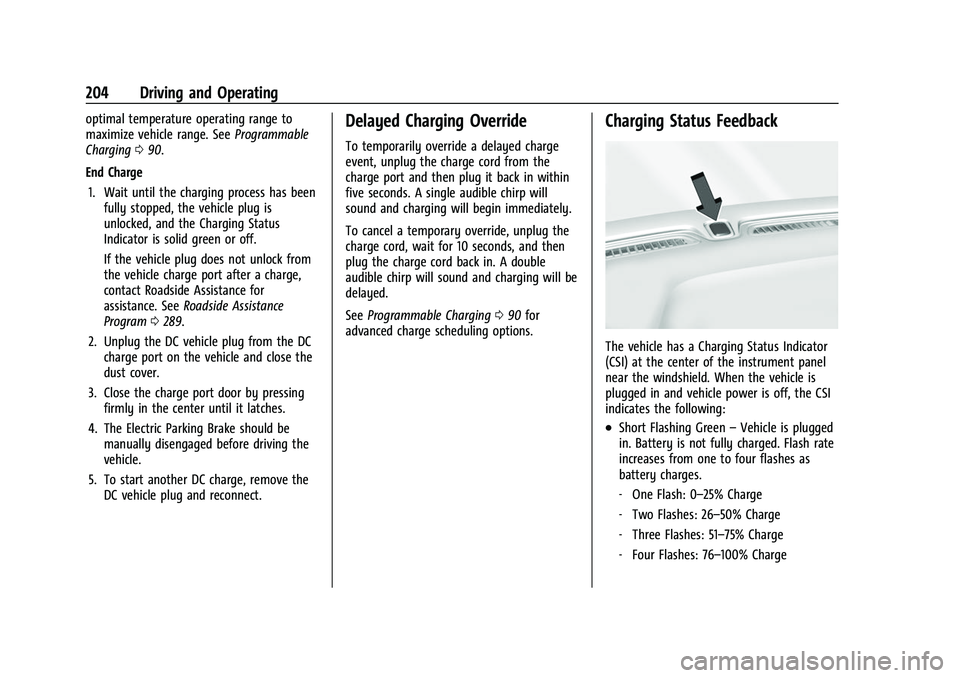
The vehicle has a Charging Status Indicator
(CSI) at the center of the instrument panel
near the windshield. When the vehicle is
plugged in and vehicle power is off, the CSI
indicates the following:
.Short Flashing Green –Vehicle is plugged
in. Battery is not fully charged. Flash rate
increases from one to four flashes as
battery charges.
‐ One Flash: 0–25% Charge
‐ Two Flashes: 26–50% Charge
‐ Three Flashes: 51–75% Charge
‐ Four Flashes: 76–100% Charge
Page 215 of 316
Chevrolet BOLT EV Owner Manual (GMNA-Localizing-U.S./Canada-
15082216) - 2022 - CRC - 6/25/21
214 Driving and Operating
Lock Feature (Single Level Charge Cord)
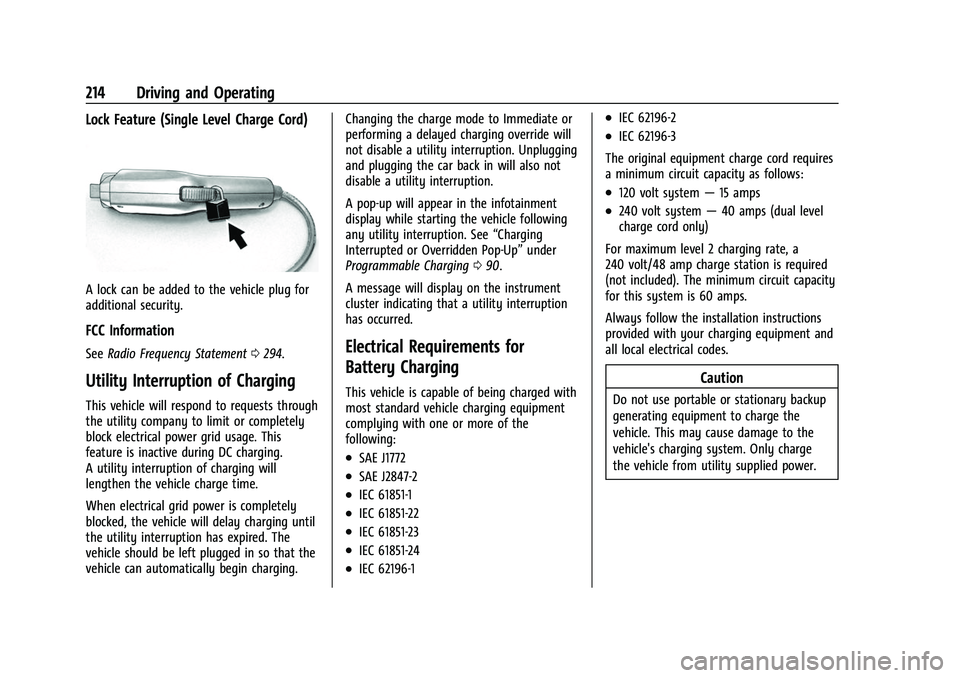
A lock can be added to the vehicle plug for
additional security.
FCC Information
SeeRadio Frequency Statement 0294.
Utility Interruption of Charging
This vehicle will respond to requests through
the utility company to limit or completely
block electrical power grid usage. This
feature is inactive during DC charging.
A utility interruption of charging will
lengthen the vehicle charge time.
When electrical grid power is completely
blocked, the vehicle will delay charging until
the utility interruption has expired. The
vehicle should be left plugged in so that the
vehicle can automatically begin charging. Changing the charge mode to Immediate or
performing a delayed charging override will
not disable a utility interruption. Unplugging
and plugging the car back in will also not
disable a utility interruption.
A pop-up will appear in the infotainment
display while starting the vehicle following
any utility interruption. See
“Charging
Interrupted or Overridden Pop-Up” under
Programmable Charging 090.
A message will display on the instrument
cluster indicating that a utility interruption
has occurred.
Electrical Requirements for
Battery Charging
This vehicle is capable of being charged with
most standard vehicle charging equipment
complying with one or more of the
following:
.SAE J1772
.SAE J2847-2
.IEC 61851-1
.IEC 61851-22
.IEC 61851-23
.IEC 61851-24
.IEC 62196-1
.IEC 62196-2
.IEC 62196-3
The original equipment charge cord requires
a minimum circuit capacity as follows:
.120 volt system —15 amps
.240 volt system —40 amps (dual level
charge cord only)
For maximum level 2 charging rate, a
240 volt/48 amp charge station is required
(not included). The minimum circuit capacity
for this system is 60 amps.
Always follow the installation instructions
provided with your charging equipment and
all local electrical codes.
Caution
Do not use portable or stationary backup
generating equipment to charge the
vehicle. This may cause damage to the
vehicle's charging system. Only charge
the vehicle from utility supplied power.
Page 217 of 316
Chevrolet BOLT EV Owner Manual (GMNA-Localizing-U.S./Canada-
15082216) - 2022 - CRC - 6/25/21
216 Vehicle Care
Vehicle Care
General Information
General Information . . . . . . . . . . . . . . . . . . . 217
California Perchlorate MaterialsRequirements . . . . . . . . . . . . . . . . . . . . . . . . 217
Accessories and Modifications . . . . . . . . . . 217
Vehicle Checks
Doing Your Own Service Work . . . . . . . . . 217
Hood . . . . . . . . . . . . . . . . . . . . . . . . . . . . . . . . . . 218
Underhood Compartment Overview . . . 220
Cooling System . . . . . . . . . . . . . . . . . . . . . . . . 221
Washer Fluid . . . . . . . . . . . . . . . . . . . . . . . . . . 222
Brakes . . . . . . . . . . . . . . . . . . . . . . . . . . . . . . . . . 222
Brake Fluid . . . . . . . . . . . . . . . . . . . . . . . . . . . . 223
Battery - North America . . . . . . . . . . . . . . . 224
Park Brake and P (Park) Mechanism Check . . . . . . . . . . . . . . . . . . . . . . . . . . . . . . . . 225
Wiper Blade Replacement . . . . . . . . . . . . . 226
Windshield Replacement . . . . . . . . . . . . . . . 227
Gas Strut(s) . . . . . . . . . . . . . . . . . . . . . . . . . . . . 227
Headlamp Aiming
Front Headlamp Aiming . . . . . . . . . . . . . . . 228
Bulb Replacement
Bulb Replacement . . . . . . . . . . . . . . . . . . . . . 228
Halogen Bulbs . . . . . . . . . . . . . . . . . . . . . . . . . 229
LED Lighting . . . . . . . . . . . . . . . . . . . . . . . . . . . 229
Back-Up Lamps . . . . . . . . . . . . . . . . . . . . . . . . 229 License Plate Lamp . . . . . . . . . . . . . . . . . . . . 230
Electrical System
High Voltage Devices and Wiring . . . . . 230
Electrical System Overload . . . . . . . . . . . . . 231
Fuses and Circuit Breakers . . . . . . . . . . . . . 232
Underhood Compartment Fuse
Block . . . . . . . . . . . . . . . . . . . . . . . . . . . . . . . . 233
Instrument Panel Fuse Block . . . . . . . . . . 236
Wheels and Tires
Tires . . . . . . . . . . . . . . . . . . . . . . . . . . . . . . . . . . . 238
All-Season Tires . . . . . . . . . . . . . . . . . . . . . . . . 238
Winter Tires . . . . . . . . . . . . . . . . . . . . . . . . . . . 239
Self-Sealing Tires . . . . . . . . . . . . . . . . . . . . . . 239
Summer Tires . . . . . . . . . . . . . . . . . . . . . . . . . 239
Tire Sidewall Labeling . . . . . . . . . . . . . . . . . 240
Tire Designations . . . . . . . . . . . . . . . . . . . . . . 241
Tire Terminology and Definitions . . . . . . 241
Tire Pressure . . . . . . . . . . . . . . . . . . . . . . . . . . 243
Tire Pressure Monitor System . . . . . . . . . 244
Tire Pressure Monitor Operation . . . . . . 245
Tire Inspection . . . . . . . . . . . . . . . . . . . . . . . . 248
Tire Rotation . . . . . . . . . . . . . . . . . . . . . . . . . . 249
When It Is Time for New Tires . . . . . . . . 250
Buying New Tires . . . . . . . . . . . . . . . . . . . . . 250
Different Size Tires and Wheels . . . . . . . . 251
Uniform Tire Quality Grading . . . . . . . . . . 252
Wheel Alignment and Tire Balance . . . . 253
Wheel Replacement . . . . . . . . . . . . . . . . . . . 253
Tire Chains . . . . . . . . . . . . . . . . . . . . . . . . . . . . 254 If a Tire Goes Flat . . . . . . . . . . . . . . . . . . . . . 254
Tire Sealant and Compressor Kit . . . . . . . 255
Storing the Tire Sealant and
Compressor Kit . . . . . . . . . . . . . . . . . . . . . . 260
Jump Starting
Jump Starting - North America . . . . . . . . 260
Towing the Vehicle
Towing the Vehicle . . . . . . . . . . . . . . . . . . . . 263
Recreational Vehicle Towing . . . . . . . . . . . 265
Appearance Care
Exterior Care . . . . . . . . . . . . . . . . . . . . . . . . . . 266
Interior Care . . . . . . . . . . . . . . . . . . . . . . . . . . . 270
Floor Mats . . . . . . . . . . . . . . . . . . . . . . . . . . . . . 273
Page 218 of 316
Chevrolet BOLT EV Owner Manual (GMNA-Localizing-U.S./Canada-
15082216) - 2022 - CRC - 6/25/21
Vehicle Care 217
General Information
For service and parts needs, visit your
dealer. You will receive genuine GM parts
and GM-trained and supported service
people.
Genuine GM parts have one of these marks:
California Perchlorate Materials
Requirements
Certain types of automotive applications,
such as airbag initiators, seat belt
pretensioners, and lithium batteries
contained in electronic keys, may contain
perchlorate materials. Perchlorate Material–special handling may apply. See
www.dtsc.ca.gov/hazardouswaste/
perchlorate.
Accessories and Modifications
Adding non-dealer accessories or making
modifications to the vehicle can affect
vehicle performance and safety, including
such things as airbags, braking, stability,
ride and handling, emissions systems,
aerodynamics, durability, and electronic
systems like antilock brakes, traction control,
and stability control. These accessories or
modifications could even cause malfunction
or damage not covered by the vehicle
warranty.
Damage to suspension components caused
by modifying vehicle height outside of
factory settings will not be covered by the
vehicle warranty.
Damage to vehicle components resulting
from modifications or the installation or use
of non-GM certified parts, including control
module or software modifications, is not
covered under the terms of the vehicle
warranty and may affect remaining
warranty coverage for affected parts.
GM Accessories are designed to complement
and function with other systems on the
vehicle. See your dealer to accessorize the
vehicle using genuine GM Accessories
installed by a dealer technician.
Also, see
Adding Equipment to the
Airbag-Equipped Vehicle 047.
Vehicle Checks
Doing Your Own Service Work
{Warning
Never try to do your own service on high
voltage battery components. You can be
injured and the vehicle can be damaged if
you try to do your own service work.
Service and repair of these high voltage
battery components should only be
performed by a trained dealer technician
with the proper knowledge and tools.
Exposure to high voltage can cause shock,
burns, and even death. The high voltage
components in the vehicle can only be
serviced by technicians with special
training.
(Continued)
Page 220 of 316
Chevrolet BOLT EV Owner Manual (GMNA-Localizing-U.S./Canada-
15082216) - 2022 - CRC - 6/25/21
Vehicle Care 219
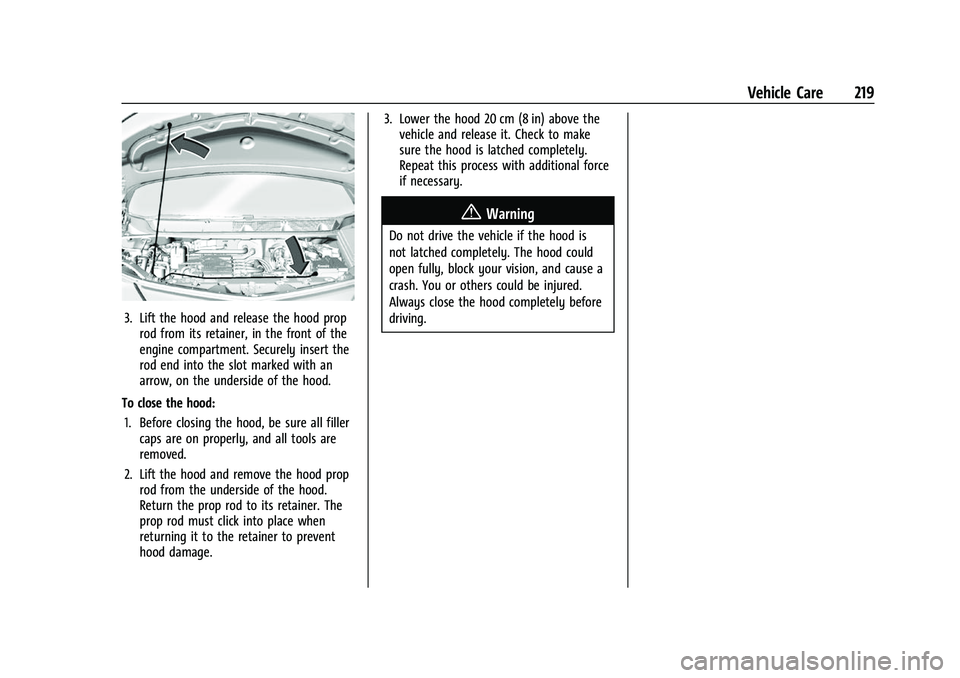
3. Lift the hood and release the hood proprod from its retainer, in the front of the
engine compartment. Securely insert the
rod end into the slot marked with an
arrow, on the underside of the hood.
To close the hood: 1. Before closing the hood, be sure all filler caps are on properly, and all tools are
removed.
2. Lift the hood and remove the hood prop rod from the underside of the hood.
Return the prop rod to its retainer. The
prop rod must click into place when
returning it to the retainer to prevent
hood damage. 3. Lower the hood 20 cm (8 in) above the
vehicle and release it. Check to make
sure the hood is latched completely.
Repeat this process with additional force
if necessary.
{Warning
Do not drive the vehicle if the hood is
not latched completely. The hood could
open fully, block your vision, and cause a
crash. You or others could be injured.
Always close the hood completely before
driving.
Page 222 of 316
Chevrolet BOLT EV Owner Manual (GMNA-Localizing-U.S./Canada-
15082216) - 2022 - CRC - 6/25/21
Vehicle Care 221
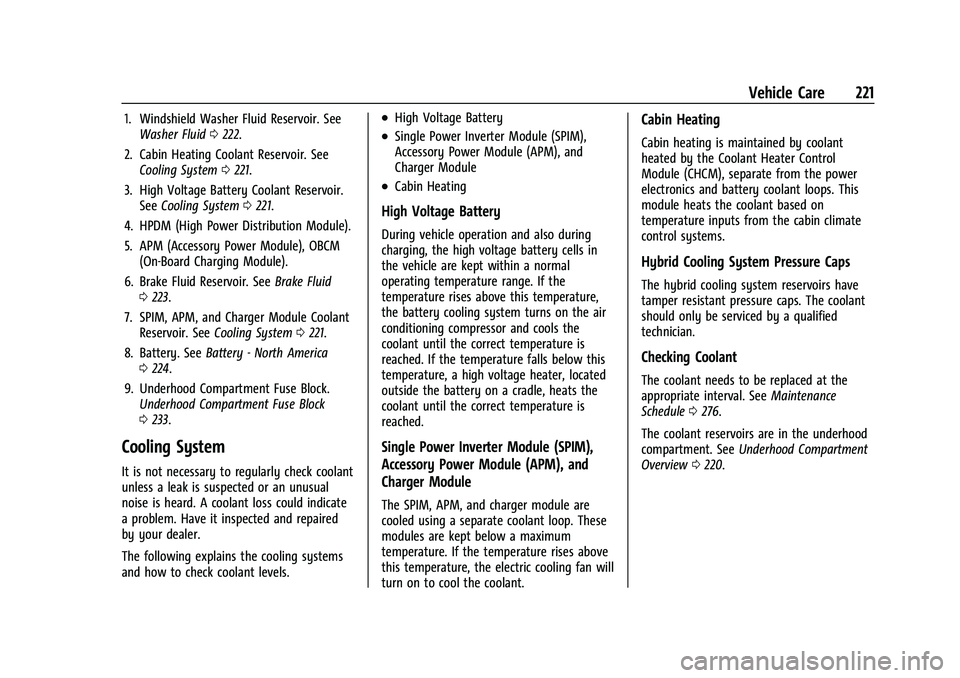
1. Windshield Washer Fluid Reservoir. SeeWasher Fluid 0222.
2. Cabin Heating Coolant Reservoir. See Cooling System 0221.
3. High Voltage Battery Coolant Reservoir. See Cooling System 0221.
4. HPDM (High Power Distribution Module).
5. APM (Accessory Power Module), OBCM (On-Board Charging Module).
6. Brake Fluid Reservoir. See Brake Fluid
0 223.
7. SPIM, APM, and Charger Module Coolant Reservoir. See Cooling System 0221.
8. Battery. See Battery - North America
0 224.
9. Underhood Compartment Fuse Block. Underhood Compartment Fuse Block
0233.
Cooling System
It is not necessary to regularly check coolant
unless a leak is suspected or an unusual
noise is heard. A coolant loss could indicate
a problem. Have it inspected and repaired
by your dealer.
The following explains the cooling systems
and how to check coolant levels.
.High Voltage Battery
.Single Power Inverter Module (SPIM),
Accessory Power Module (APM), and
Charger Module
.Cabin Heating
High Voltage Battery
During vehicle operation and also during
charging, the high voltage battery cells in
the vehicle are kept within a normal
operating temperature range. If the
temperature rises above this temperature,
the battery cooling system turns on the air
conditioning compressor and cools the
coolant until the correct temperature is
reached. If the temperature falls below this
temperature, a high voltage heater, located
outside the battery on a cradle, heats the
coolant until the correct temperature is
reached.
Single Power Inverter Module (SPIM),
Accessory Power Module (APM), and
Charger Module
The SPIM, APM, and charger module are
cooled using a separate coolant loop. These
modules are kept below a maximum
temperature. If the temperature rises above
this temperature, the electric cooling fan will
turn on to cool the coolant.
Cabin Heating
Cabin heating is maintained by coolant
heated by the Coolant Heater Control
Module (CHCM), separate from the power
electronics and battery coolant loops. This
module heats the coolant based on
temperature inputs from the cabin climate
control systems.
Hybrid Cooling System Pressure Caps
The hybrid cooling system reservoirs have
tamper resistant pressure caps. The coolant
should only be serviced by a qualified
technician.
Checking Coolant
The coolant needs to be replaced at the
appropriate interval. See Maintenance
Schedule 0276.
The coolant reservoirs are in the underhood
compartment. See Underhood Compartment
Overview 0220.