battery CHEVROLET BOLT EV 2023 Owner's Manual
[x] Cancel search | Manufacturer: CHEVROLET, Model Year: 2023, Model line: BOLT EV, Model: CHEVROLET BOLT EV 2023Pages: 308, PDF Size: 5.18 MB
Page 94 of 308
Chevrolet BOLT EV Owner Manual (GMNA-Localizing-U.S./Canada-
16404388) - 2023 - CRC - 3/7/22
Instruments and Controls 93
If the Target Charge Level is higher than
80%, fast charging on the instrument cluster
will show an 80% point, a shaded line up to
the Target Charge Level, a solid line for
current charge level, and the time to
complete 80%.
If the Target Charge Level is less than 80%,
fast charging on the instrument cluster will
show a shaded line up to the Target Charge
Level and the time to complete.
Target Charge Level defaults to 100% if the
12 volt battery becomes discharged.
Displayed Charge Times
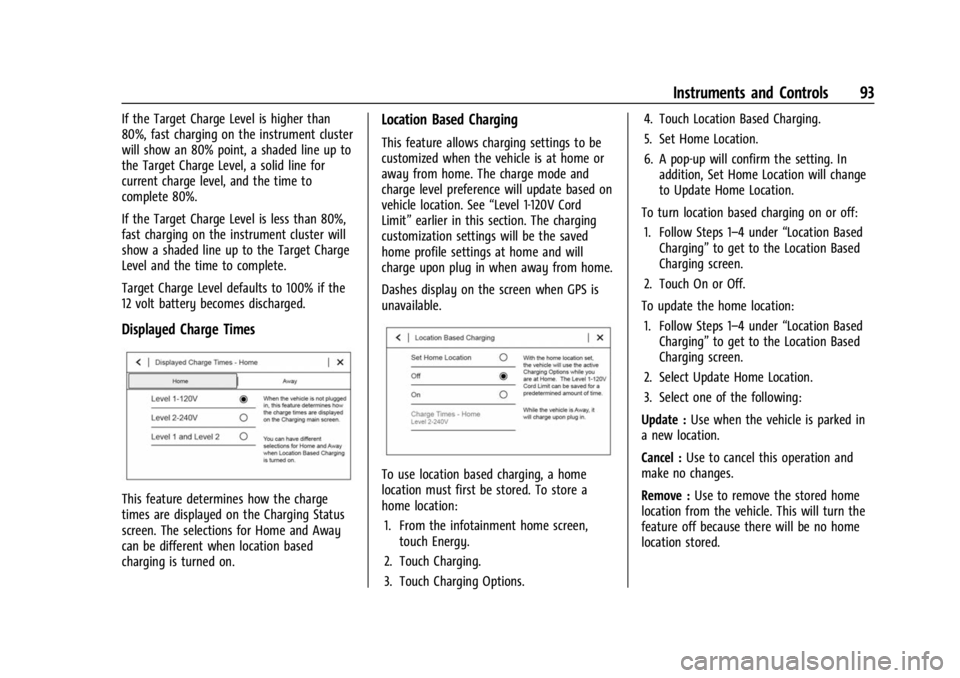
This feature determines how the charge
times are displayed on the Charging Status
screen. The selections for Home and Away
can be different when location based
charging is turned on.
Location Based Charging
This feature allows charging settings to be
customized when the vehicle is at home or
away from home. The charge mode and
charge level preference will update based on
vehicle location. See“Level 1-120V Cord
Limit” earlier in this section. The charging
customization settings will be the saved
home profile settings at home and will
charge upon plug in when away from home.
Dashes display on the screen when GPS is
unavailable.
To use location based charging, a home
location must first be stored. To store a
home location:
1. From the infotainment home screen, touch Energy.
2. Touch Charging.
3. Touch Charging Options. 4. Touch Location Based Charging.
5. Set Home Location.
6. A pop-up will confirm the setting. In
addition, Set Home Location will change
to Update Home Location.
To turn location based charging on or off: 1. Follow Steps 1–4 under “Location Based
Charging” to get to the Location Based
Charging screen.
2. Touch On or Off.
To update the home location: 1. Follow Steps 1–4 under “Location Based
Charging” to get to the Location Based
Charging screen.
2. Select Update Home Location.
3. Select one of the following:
Update : Use when the vehicle is parked in
a new location.
Cancel : Use to cancel this operation and
make no changes.
Remove : Use to remove the stored home
location from the vehicle. This will turn the
feature off because there will be no home
location stored.
Page 96 of 308
Chevrolet BOLT EV Owner Manual (GMNA-Localizing-U.S./Canada-
16404388) - 2023 - CRC - 3/7/22
Instruments and Controls 95
Overrides is off and the vehicle is plugged
in, then Charging Now will be shown on the
Charging Status screen.
To cancel the temporary override, select Off
on the Charge Overrides screen.
To temporarily override the next planned
departure time:1. Touch Charging Options on the main charging screen.
2. Touch Delayed Charging.
3. Touch Charge Overrides.
4. Touch Next Departure Time.
5. Touch
yorzto change the Next
Departure Time.
6. Touch Save to confirm a temporary override of the Next Departure Time.
The main charging screen will automatically
display the revised departure time and
charge complete time.
The temporary departure time override can
only be updated for the day of the Next
Planned Departure Time. The vehicle will not
accept a temporary departure time that is
before the present time of day. To cancel the temporary override of the
Next Departure Time, select Off on the
Charge Overrides screen.
Utility Rate Charging
The vehicle estimates the charging start
time based on the utility rate schedule,
utility rate preference, and programmed
departure time for the current day of the
week. The vehicle will charge during the
least expensive rate periods to achieve a full
battery charge by the departure time. Utility
rate information from the utility company
for the charging location is required for
this mode.
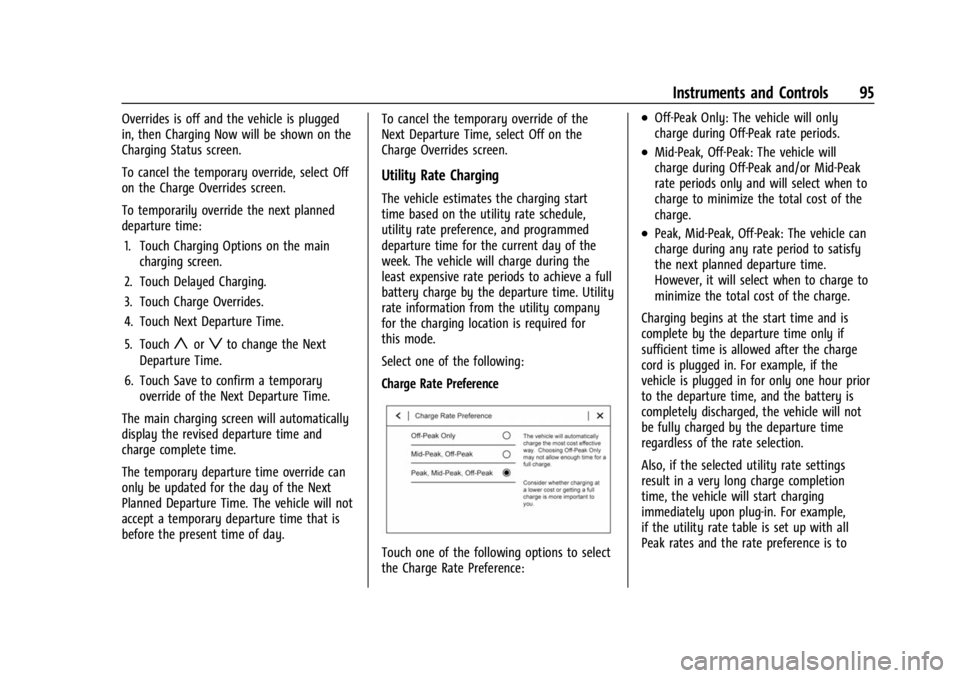
Select one of the following:
Charge Rate Preference
Touch one of the following options to select
the Charge Rate Preference:
.Off-Peak Only: The vehicle will only
charge during Off-Peak rate periods.
.Mid-Peak, Off-Peak: The vehicle will
charge during Off-Peak and/or Mid-Peak
rate periods only and will select when to
charge to minimize the total cost of the
charge.
.Peak, Mid-Peak, Off-Peak: The vehicle can
charge during any rate period to satisfy
the next planned departure time.
However, it will select when to charge to
minimize the total cost of the charge.
Charging begins at the start time and is
complete by the departure time only if
sufficient time is allowed after the charge
cord is plugged in. For example, if the
vehicle is plugged in for only one hour prior
to the departure time, and the battery is
completely discharged, the vehicle will not
be fully charged by the departure time
regardless of the rate selection.
Also, if the selected utility rate settings
result in a very long charge completion
time, the vehicle will start charging
immediately upon plug-in. For example,
if the utility rate table is set up with all
Peak rates and the rate preference is to
Page 99 of 308
Chevrolet BOLT EV Owner Manual (GMNA-Localizing-U.S./Canada-
16404388) - 2023 - CRC - 3/7/22
98 Instruments and Controls
Energy Detail
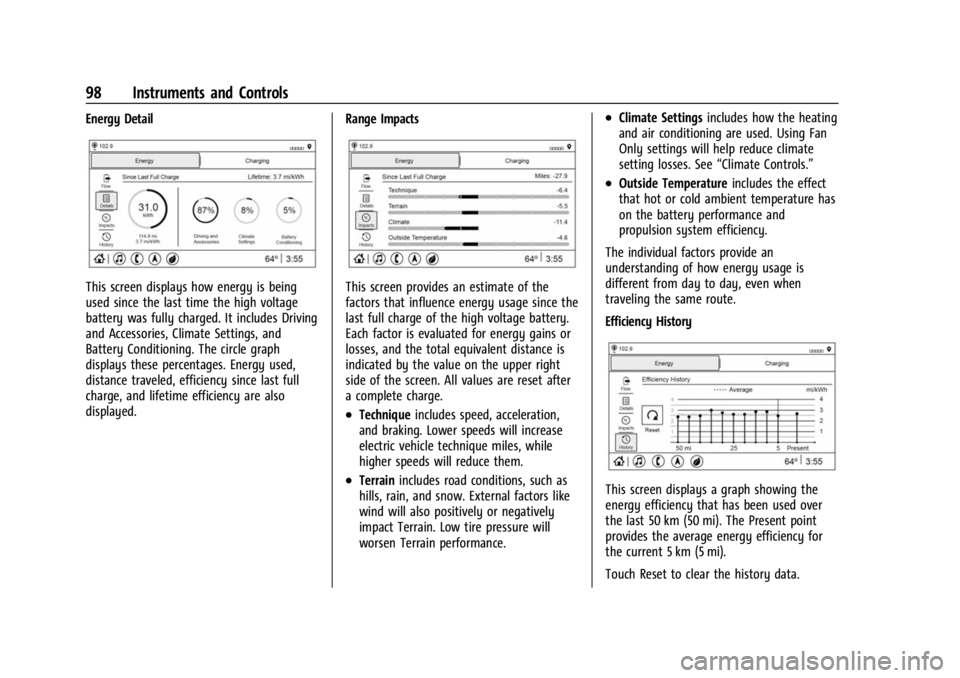
This screen displays how energy is being
used since the last time the high voltage
battery was fully charged. It includes Driving
and Accessories, Climate Settings, and
Battery Conditioning. The circle graph
displays these percentages. Energy used,
distance traveled, efficiency since last full
charge, and lifetime efficiency are also
displayed.Range ImpactsThis screen provides an estimate of the
factors that influence energy usage since the
last full charge of the high voltage battery.
Each factor is evaluated for energy gains or
losses, and the total equivalent distance is
indicated by the value on the upper right
side of the screen. All values are reset after
a complete charge.
.Technique
includes speed, acceleration,
and braking. Lower speeds will increase
electric vehicle technique miles, while
higher speeds will reduce them.
.Terrain includes road conditions, such as
hills, rain, and snow. External factors like
wind will also positively or negatively
impact Terrain. Low tire pressure will
worsen Terrain performance.
.Climate Settings includes how the heating
and air conditioning are used. Using Fan
Only settings will help reduce climate
setting losses. See “Climate Controls.”
.Outside Temperature includes the effect
that hot or cold ambient temperature has
on the battery performance and
propulsion system efficiency.
The individual factors provide an
understanding of how energy usage is
different from day to day, even when
traveling the same route.
Efficiency History
This screen displays a graph showing the
energy efficiency that has been used over
the last 50 km (50 mi). The Present point
provides the average energy efficiency for
the current 5 km (5 mi).
Touch Reset to clear the history data.
Page 100 of 308
Chevrolet BOLT EV Owner Manual (GMNA-Localizing-U.S./Canada-
16404388) - 2023 - CRC - 3/7/22
Instruments and Controls 99
Charging Options
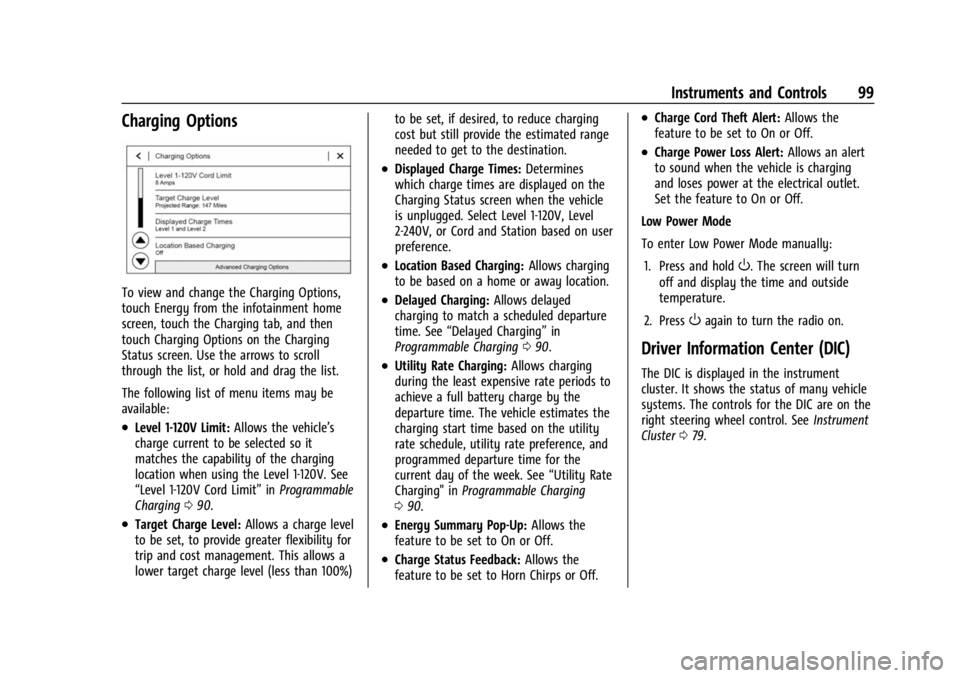
To view and change the Charging Options,
touch Energy from the infotainment home
screen, touch the Charging tab, and then
touch Charging Options on the Charging
Status screen. Use the arrows to scroll
through the list, or hold and drag the list.
The following list of menu items may be
available:
.Level 1-120V Limit:Allows the vehicle’s
charge current to be selected so it
matches the capability of the charging
location when using the Level 1-120V. See
“Level 1-120V Cord Limit” inProgrammable
Charging 090.
.Target Charge Level: Allows a charge level
to be set, to provide greater flexibility for
trip and cost management. This allows a
lower target charge level (less than 100%) to be set, if desired, to reduce charging
cost but still provide the estimated range
needed to get to the destination.
.Displayed Charge Times:
Determines
which charge times are displayed on the
Charging Status screen when the vehicle
is unplugged. Select Level 1-120V, Level
2-240V, or Cord and Station based on user
preference.
.Location Based Charging: Allows charging
to be based on a home or away location.
.Delayed Charging: Allows delayed
charging to match a scheduled departure
time. See “Delayed Charging” in
Programmable Charging 090.
.Utility Rate Charging: Allows charging
during the least expensive rate periods to
achieve a full battery charge by the
departure time. The vehicle estimates the
charging start time based on the utility
rate schedule, utility rate preference, and
programmed departure time for the
current day of the week. See “Utility Rate
Charging" in Programmable Charging
0 90.
.Energy Summary Pop-Up: Allows the
feature to be set to On or Off.
.Charge Status Feedback: Allows the
feature to be set to Horn Chirps or Off.
.Charge Cord Theft Alert: Allows the
feature to be set to On or Off.
.Charge Power Loss Alert: Allows an alert
to sound when the vehicle is charging
and loses power at the electrical outlet.
Set the feature to On or Off.
Low Power Mode
To enter Low Power Mode manually:
1. Press and hold
O. The screen will turn
off and display the time and outside
temperature.
2. Press
Oagain to turn the radio on.
Driver Information Center (DIC)
The DIC is displayed in the instrument
cluster. It shows the status of many vehicle
systems. The controls for the DIC are on the
right steering wheel control. See Instrument
Cluster 079.
Page 102 of 308
Chevrolet BOLT EV Owner Manual (GMNA-Localizing-U.S./Canada-
16404388) - 2023 - CRC - 3/7/22
Instruments and Controls 101
Timer :This display can be used as a timer.
To start the timer, press the thumbwheel
while this display is active. The display will
show the amount of time that has passed
since the timer was last reset. To stop the
timer, press the thumbwheel briefly while
this display is active and the timer is
running. To reset the timer to zero, press
and hold the thumbwheel while this display
is active.
Driver Assistance : If equipped, shows
information for ACC, Follow Distance, Lane
Keep Assist (LKA) and Forward Collision
Alert (FCA).
Blank Page : The Blank Page display allows
for no information to be displayed in the
cluster info display areas.
Vehicle Messages
Messages displayed on the DIC indicate the
status of the vehicle or some action that
may be needed to correct a condition.
Multiple messages may appear one after
another.
The messages that do not require
immediate action can be acknowledged and
cleared by pressing the thumbwheel. The messages that require immediate action
cannot be cleared until that action is
performed.
All messages should be taken seriously;
clearing the message does not correct the
problem.
If a SERVICE message appears, see your
dealer.
Follow the instructions given in the
messages. The system displays messages
regarding the following topics:
.Service Messages
.Fluid Levels
.Vehicle Security
.Brakes
.Ride Control Systems
.Driver Assistance Systems
.Cruise Control
.Lighting and Bulb Replacement
.Wiper/Washer Systems
.Doors and Windows
.Seat Belts
.Airbag Systems
.Propulsion and Transmission
.Tire Pressure
.Battery
Propulsion Power Messages
PROPULSION POWER IS REDUCED
This message displays when the vehicle's
propulsion power is reduced. A reduction in
propulsion power can affect the vehicle's
ability to accelerate. If this message is on,
but there is no observed reduction in
performance, proceed to your destination.
Under certain conditions the performance
may be reduced the next time the vehicle is
driven. The vehicle may be driven while this
message is on, but maximum acceleration
and speed may be reduced. Anytime this
message stays on, or displays repeatedly,
the vehicle should be taken to your dealer
for service as soon as possible.
Under certain operating conditions
propulsion will be disabled. Try restarting
after the vehicle has been off for
30 seconds.
PROPULSION POWER REDUCED DUE TO
TEMPERATURE
This message displays when the vehicle is
on, the battery temperature is low, and
when the vehicle’s performance is limited.
The duration of the limited vehicle
performance depends, in part, on the high
Page 103 of 308
Chevrolet BOLT EV Owner Manual (GMNA-Localizing-U.S./Canada-
16404388) - 2023 - CRC - 3/7/22
102 Instruments and Controls
voltage battery charge level. If the high
voltage battery charge level is relatively
high, as the vehicle is driven, the battery
temperature will increase, and the vehicle
will return to normal operation. If the high
voltage battery charge level is relatively low
the vehicle will not return to normal
operation until charged.
Keep the vehicle plugged in, even when fully
charged, to keep the high voltage battery
temperature ready for the next drive. This is
important when outside temperatures are
extremely hot or cold.
Vehicle Speed Messages
SPEED LIMITED TO XXX KM/H (MPH)
This message shows that the vehicle speed
has been limited to the speed displayed. The
limited speed is a protection for various
propulsion and vehicle systems, such as
lubrication, thermal, brakes, suspension,
Teen Driver if equipped, or tires.
Page 104 of 308
Chevrolet BOLT EV Owner Manual (GMNA-Localizing-U.S./Canada-
16404388) - 2023 - CRC - 3/7/22
Lighting 103
Lighting
Exterior Lighting
Exterior Lamp Controls . . . . . . . . . . . . . . . . 103
Exterior Lamps Off Reminder . . . . . . . . . . 104
Headlamp High/Low-Beam Changer . . . 104
Flash-to-Pass . . . . . . . . . . . . . . . . . . . . . . . . . . . 105
Daytime Running Lamps (DRL) . . . . . . . . . 105
Automatic Headlamp System . . . . . . . . . . 105
Hazard Warning Flashers . . . . . . . . . . . . . . 106
Turn and Lane-Change Signals . . . . . . . . . 106
Interior Lighting
Instrument Panel IlluminationControl . . . . . . . . . . . . . . . . . . . . . . . . . . . . . . 106
Courtesy Lamps . . . . . . . . . . . . . . . . . . . . . . . 107
Dome Lamps . . . . . . . . . . . . . . . . . . . . . . . . . . 107
Reading Lamps . . . . . . . . . . . . . . . . . . . . . . . . 107
Lighting Features
Entry Lighting . . . . . . . . . . . . . . . . . . . . . . . . . 107
Exit Lighting . . . . . . . . . . . . . . . . . . . . . . . . . . . 108
Battery Power Protection . . . . . . . . . . . . . . 108
Exterior Lighting Battery Saver . . . . . . . . 109
Exterior Lighting
Exterior Lamp Controls
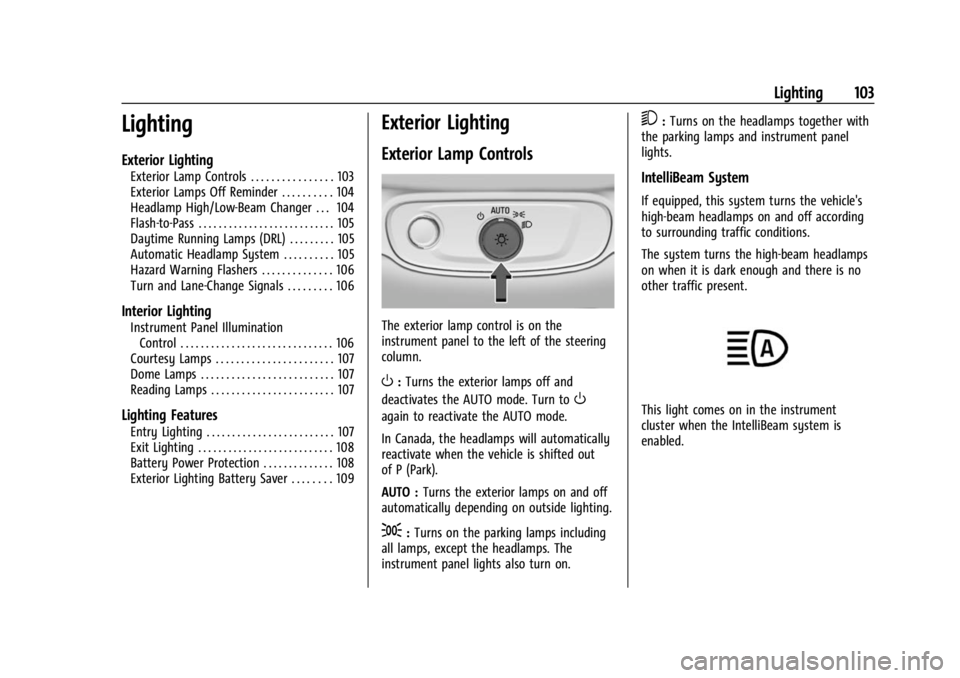
The exterior lamp control is on the
instrument panel to the left of the steering
column.
O: Turns the exterior lamps off and
deactivates the AUTO mode. Turn to
O
again to reactivate the AUTO mode.
In Canada, the headlamps will automatically
reactivate when the vehicle is shifted out
of P (Park).
AUTO : Turns the exterior lamps on and off
automatically depending on outside lighting.
;: Turns on the parking lamps including
all lamps, except the headlamps. The
instrument panel lights also turn on.
5: Turns on the headlamps together with
the parking lamps and instrument panel
lights.
IntelliBeam System
If equipped, this system turns the vehicle's
high-beam headlamps on and off according
to surrounding traffic conditions.
The system turns the high-beam headlamps
on when it is dark enough and there is no
other traffic present.
This light comes on in the instrument
cluster when the IntelliBeam system is
enabled.
Page 109 of 308
Chevrolet BOLT EV Owner Manual (GMNA-Localizing-U.S./Canada-
16404388) - 2023 - CRC - 3/7/22
108 Lighting
Entry lighting can be disabled manually by
closing all doors, pressing
Qon the remote
key, or starting the vehicle.
This feature can be changed. On the
infotainment home screen, select the
Settings icon
TVehicleTVehicle Locator
Lights.
Exit Lighting
Some exterior lamps and interior lamps turn
on when the driver door is opened after the
vehicle is turned off.
The exterior and interior lamps remain on
for a set amount of time, then automatically
turn off.
The interior lights turn on when the vehicle
is turned off.
The exterior lamps turn off immediately by
turning the exterior lamp control off.
This feature can be changed. On the
infotainment home screen, select the
Settings icon
TVehicleTExit Lighting.
Battery Power Protection
This feature helps prevent the battery from
being drained if the interior courtesy lamps
or reading lamps are accidentally left on.
If any of these lamps are left on, they
automatically turn off after 10 minutes when
the vehicle is turned off. The lamps will not
come back on again until one of the
following occurs:
.The vehicle is started.
.The doors are closed and then re-opened.
Battery Saver
The vehicle is equipped with electrical power
management (EPM). EPM monitors and
controls the charging system. The message
BATTERY SAVER ACTIVE displays on the
Driver Information Center (DIC) when the
EPM detects the battery may be draining
too quickly, the charge state needs to be
reset, or the Auxiliary Power Module failed.
If safe to do so, when BATTERY SAVER
ACTIVE displays, manually shut off
windshield wipers, communications
equipment, climate controls, etc. to slow the
battery from draining. See Automatic
Climate Control System 0144. If the message still displays, fully charge the
vehicle. Once fully charged, unplug the
vehicle and let the vehicle sit an additional
8.5 hours or greater without being
interrupted to allow the Body Control
Module (BCM) to reset the battery to the
required state of charge.
The following may interrupt the vehicle:
.Charging the vehicle
.Battery Maintenance Mode
.Approach Detection is activated
.The remote key is left in the car or left in
close proximity of the vehicle
.Pressing buttons on the remote key
.Opening the doors or tailgate
To reduce the occurrence of this alert, GM
recommends letting the vehicle sit
uninterrupted for 8.5 hours or greater on a
weekly basis.
If after completing this process the BATTERY
SAVER ACTIVE message remains, see your
dealer for service.
Page 110 of 308
Chevrolet BOLT EV Owner Manual (GMNA-Localizing-U.S./Canada-
16404388) - 2023 - CRC - 3/7/22
Lighting 109
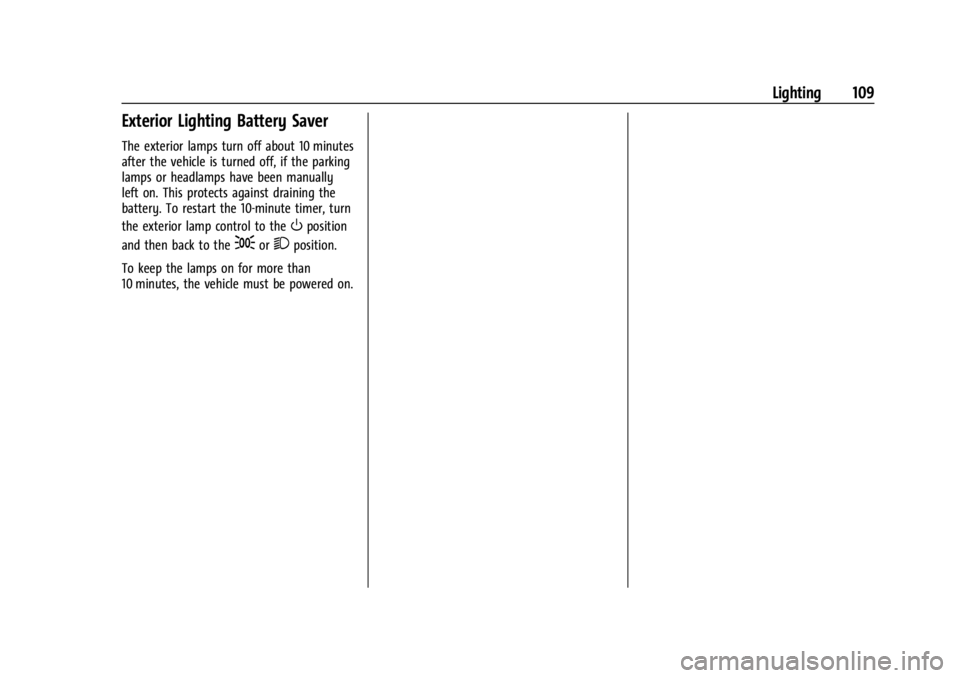
Exterior Lighting Battery Saver
The exterior lamps turn off about 10 minutes
after the vehicle is turned off, if the parking
lamps or headlamps have been manually
left on. This protects against draining the
battery. To restart the 10-minute timer, turn
the exterior lamp control to the
Oposition
and then back to the
;or2position.
To keep the lamps on for more than
10 minutes, the vehicle must be powered on.
Page 152 of 308
Chevrolet BOLT EV Owner Manual (GMNA-Localizing-U.S./Canada-
16404388) - 2023 - CRC - 3/7/22
Driving and Operating 151
Driving and Operating
Driving Information
Driving for Better Energy Efficiency . . . . 152
Distracted Driving . . . . . . . . . . . . . . . . . . . . . . 153
Defensive Driving . . . . . . . . . . . . . . . . . . . . . . 153
Impaired Driving . . . . . . . . . . . . . . . . . . . . . . . 154
Control of a Vehicle . . . . . . . . . . . . . . . . . . . 154
Braking . . . . . . . . . . . . . . . . . . . . . . . . . . . . . . . . 154
Steering . . . . . . . . . . . . . . . . . . . . . . . . . . . . . . . 154
Off-Road Recovery . . . . . . . . . . . . . . . . . . . . . 155
Loss of Control . . . . . . . . . . . . . . . . . . . . . . . . . 155
Driving on Wet Roads . . . . . . . . . . . . . . . . . 156
Hill and Mountain Roads . . . . . . . . . . . . . . 156
Winter Driving . . . . . . . . . . . . . . . . . . . . . . . . . 157
If the Vehicle Is Stuck . . . . . . . . . . . . . . . . . 158
Vehicle Load Limits . . . . . . . . . . . . . . . . . . . . 158
Starting and Operating
New Vehicle Break-In . . . . . . . . . . . . . . . . . . 161
Power Button . . . . . . . . . . . . . . . . . . . . . . . . . . 161
Starting and Stopping the Vehicle . . . . . 162
Retained Accessory Power (RAP) . . . . . . . 163
Shifting Into Park . . . . . . . . . . . . . . . . . . . . . . 163
Shifting out of Park . . . . . . . . . . . . . . . . . . . 164
Extended Parking . . . . . . . . . . . . . . . . . . . . . . 164
Electric Vehicle Operating Modes
Driver Selected Operating Modes . . . . . . 164
Electric Drive Unit
Electric Drive Unit . . . . . . . . . . . . . . . . . . . . . 165
One-Pedal Driving . . . . . . . . . . . . . . . . . . . . . 167
Brakes
Antilock Brake System (ABS) . . . . . . . . . . 168
Electric Parking Brake . . . . . . . . . . . . . . . . . . 168
Brake Assist . . . . . . . . . . . . . . . . . . . . . . . . . . . 169
Hill Start Assist (HSA) . . . . . . . . . . . . . . . . . 170
Regenerative Braking . . . . . . . . . . . . . . . . . . 170
Ride Control Systems
Traction Control/Electronic StabilityControl . . . . . . . . . . . . . . . . . . . . . . . . . . . . . . . 171
Cruise Control
Cruise Control . . . . . . . . . . . . . . . . . . . . . . . . . . 172
Adaptive Cruise Control (Camera) . . . . . . 174
Driver Assistance Systems
Driver Assistance Systems . . . . . . . . . . . . . 183
Assistance Systems for Parking orBacking . . . . . . . . . . . . . . . . . . . . . . . . . . . . . . 184
Rear Vision Camera (RVC) . . . . . . . . . . . . . 184
Surround Vision System . . . . . . . . . . . . . . . 185
Park Assist . . . . . . . . . . . . . . . . . . . . . . . . . . . . . 187
Rear Cross Traffic Alert (RCTA) System . . . . . . . . . . . . . . . . . . . . . . . . . . . . . . 188
Assistance Systems for Driving . . . . . . . . 188
Forward Collision Alert (FCA) System . . . . . . . . . . . . . . . . . . . . . . . . . . . . . . 189 Automatic Emergency
Braking (AEB) . . . . . . . . . . . . . . . . . . . . . . . . 190
Front Pedestrian Braking (FPB) System . . . . . . . . . . . . . . . . . . . . . . . . . . . . . . . 191
Side Blind Zone Alert (SBZA) . . . . . . . . . . . 193
Lane Change Alert (LCA) . . . . . . . . . . . . . . . 193
Lane Keep Assist (LKA) . . . . . . . . . . . . . . . . . 195
Charging
When to Charge . . . . . . . . . . . . . . . . . . . . . . . 196
Plug-In Charging . . . . . . . . . . . . . . . . . . . . . . . 197
Delayed Charging Override . . . . . . . . . . . . 200
Charging Status Feedback . . . . . . . . . . . . . 201
Charge Cord . . . . . . . . . . . . . . . . . . . . . . . . . . . 204
Utility Interruption of Charging . . . . . . . . 210
Electrical Requirements for Battery Charging . . . . . . . . . . . . . . . . . . . . . . . . . . . . . 210
Trailer Towing
General Towing Information . . . . . . . . . . . 211
Conversions and Add-Ons
Add-On Electrical Equipment . . . . . . . . . . . 211