ESP CHEVROLET CAMARO 1982 Repair Guide
[x] Cancel search | Manufacturer: CHEVROLET, Model Year: 1982, Model line: CAMARO, Model: CHEVROLET CAMARO 1982Pages: 875, PDF Size: 88.64 MB
Page 801 of 875
GM – CAMARO 1982-1992 – Repair Guide (Checked by WxMax) 801
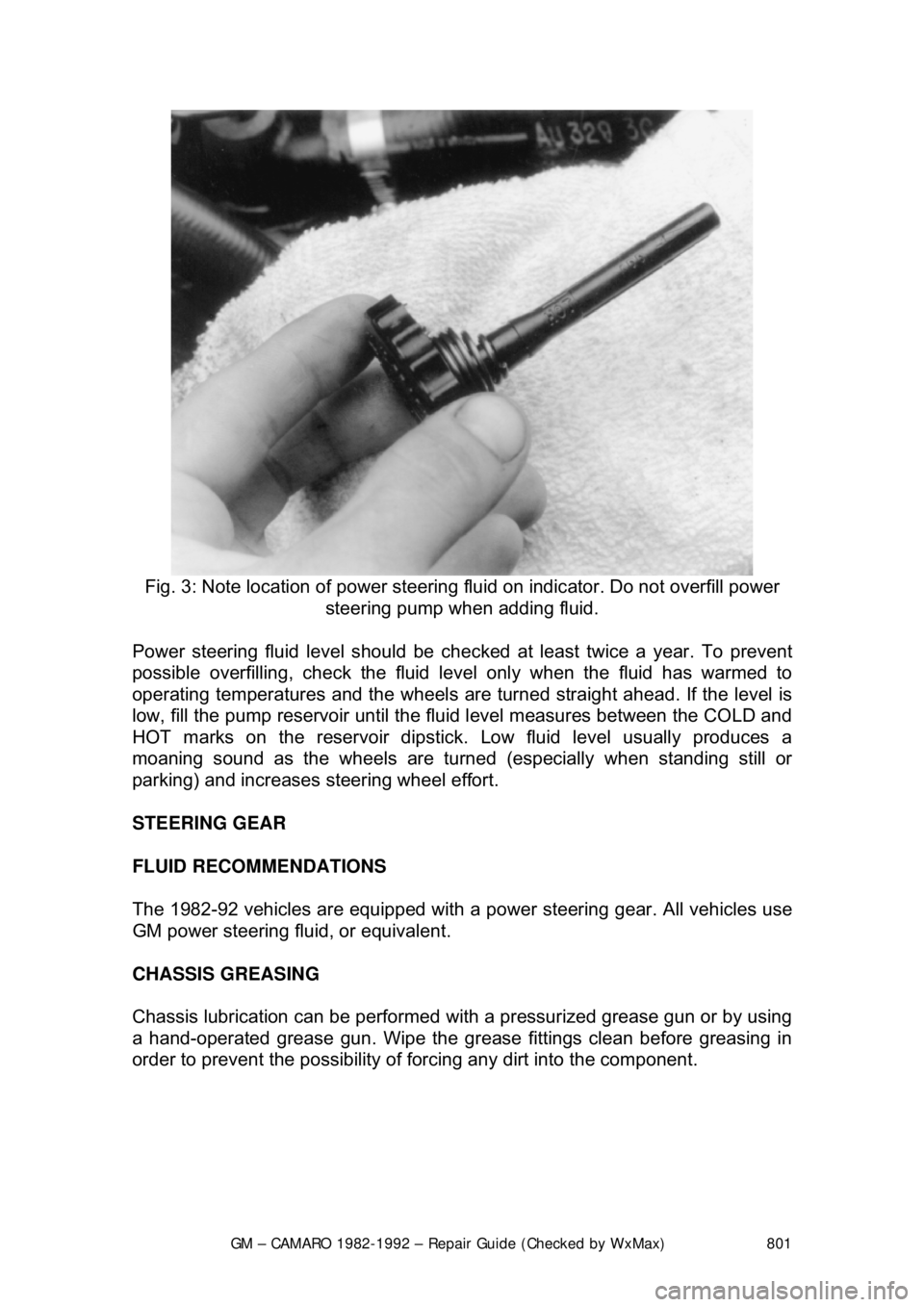
Fig. 3: Note location of power steering fluid on indicator. Do not overfill power
steering pump when adding fluid.
Power steering fluid level s hould be checked at least twice a year. To prevent
possible overfilling, check the fluid le vel only when the fluid has warmed to
operating temperatures and the wheels are turned straight ahead. If the level is
low, fill the pump reservoir until the flui d level measures between the COLD and
HOT marks on the reservoir dipstick. Low fluid level usually produces a
moaning sound as the wheels are turned (especially when standing still or
parking) and increases st eering wheel effort.
STEERING GEAR
FLUID RECOMMENDATIONS
The 1982-92 vehicles are equipped with a pow er steering gear. All vehicles use
GM power steering fluid, or equivalent.
CHASSIS GREASING
Chassis lubrication can be performed with a pressurized grease gun or by using
a hand-operated grease gun. Wipe the grease fittings clean before greasing in
order to prevent the possibility of fo rcing any dirt into the component.
Page 810 of 875
GM – CAMARO 1982-1992 – Repair Guide (Checked by WxMax) 810
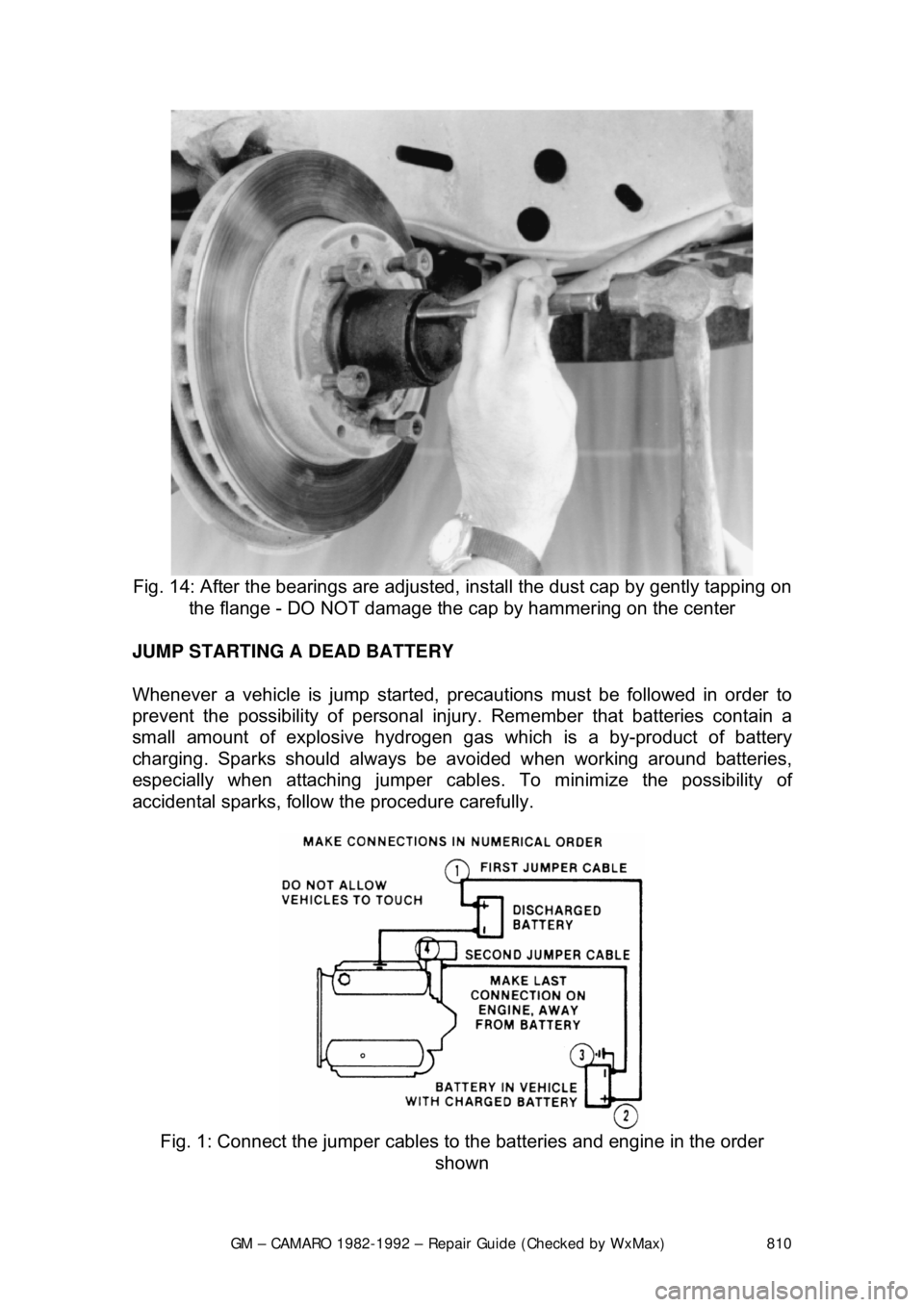
Fig. 14: After the bearings are adjusted, install the dust cap by gently tapping on
the flange - DO NOT damage the c ap by hammering on the center
JUMP STARTING A DEAD BATTERY
Whenever a vehicle is jump started, pr ecautions must be followed in order to
prevent the possibility of personal inju ry. Remember that batteries contain a
small amount of explosive hydrogen gas which is a by-product of battery
charging. Sparks should always be av oided when working around batteries,
especially when attaching jumper cabl es. To minimize the possibility of
accidental sparks, follow the procedure carefully.
Fig. 1: Connect the jumper cables to the batteries and engine in the order
shown
Page 812 of 875

GM – CAMARO 1982-1992 – Repair Guide (Checked by WxMax) 812
9. Connect one end of the other jumper
cable to the negative (-) terminal on
the booster battery and the final cable clamp to an engine bolt head,
alternator bracket or ot her solid, metallic point on the engine with the
dead battery. Try to pick a ground on the engine that is positioned away
from the battery in order to minimi ze the possibility of the 2 clamps
touching should one l oosen during the procedure. DO NOT connect this
clamp to the negative (-) term inal of the bad battery.
CAUTION - Be very careful to keep the jum per cables away from moving parts
(cooling fan, belts, etc.) on both engines.
10. Check to make sure that the c ables are routed away from any moving
parts, then start the d onor vehicle's engine. Run the engine at moderate
speed for several minutes to allow the dead battery a chance to receive
some initial charge.
11. With the donor vehicle's engine still r unning slightly above idle, try to start
the vehicle with the dead battery. Crank the engine for no more than 10 \
seconds at a time and let the starter cool for at least 20 seconds between
tries. If the vehicl e does not start in 3 tries, it is likely that something else
is also wrong or that the battery needs additional time to charge.
12. Once the vehicle is star ted, allow it to run at idle for a few seconds to
make sure that it is operating properly.
13. Turn ON the headlight s, heater blower and, if equipped, the rear
defroster of both vehicles in order to reduce the severity of voltage spikes
and subsequent risk of dam age to the vehicles' electrical systems when
the cables are disconnected. This st ep is especially important to any
vehicle equipped with computer control modules.
14. Carefully disconnect the cables in the reverse order of connection. Star\
t with the negative cable that is attached to the engine ground, then the
negative cable on the donor battery. Di sconnect the positive cable from
the donor battery and finally, disconnect the positive cable from the
formerly dead battery. Be careful when disconnecting the cables from the
positive terminals not to allow the alli gator clips to touch any metal on
either vehicle or a short and sparks will occur.
JACKING
Your vehicle was supplied with a jack for emergency road repairs. This jack is
fine for changing a flat tire or other s hort term procedures not requiring you to
go beneath the vehicle. If it is used in an emergency situation, carefully follow
the instructions provided eit her with the jack or in your owner's manual. Do not
attempt to use the jack on any portions of the vehicle other than specified by the
vehicle manufacturer. Always block the diagonally opposite wheel when using a
jack.
A more convenient way of jacking is the use of a garage or floor jack. You may
use the floor jack to raise the vehicle in the areas shown in the illustration .
Page 849 of 875

GM – CAMARO 1982-1992 – Repair Guide (Checked by WxMax) 849
2. Loosen the screws and lo
cknuts from the back of the steering wheel
using a suitable Torx® driver or equi valent, until the inflator module can
be released from the steering wheel. Remove the inflator module from
the steering wheel.
CAUTION - When carrying a live inflator modul e, ensure the bag and trim cover
are pointed away from the body. In ca se of an accidental deployment, the bag
will then deploy with minima l chance of injury. When placing a live inflator
module on a bench or other surface, a lways place the bag and trim cover up,
away from the surface. This is necessa ry so a free space is provided to allow
the air bag to expand in the unlikely event of accidental deployment. Otherwise,
personal injury may result. Also, never carry the inflator module by the wires or
connector on the underside of the module.
4. Disconnect the coil assembly connec tor and CPA clip from the inflator
module terminal.
5. Remove the steering wheel locking nut.
6. Using a suitable pulle r, remove the steering wheel and disconnect the
horn contact. When attaching the steer ing wheel puller, use care to
prevent threading the side screws into the coil assembly and damaging
the coil assembly.
To install: 7. Route the coil assembly connec tor through the steering wheel.
8. Connect the horn contact and install the steering wheel. When installing
the steering wheel, ali gn the block tooth on the steering wheel with the
block tooth on the steering shaft within 1 female serration.
9. Install the steering wheel locking nu t. Tighten the nut to 31 ft. lbs. (42
Nm).
10. Connect the coil assembly connector and CPA clip to the inflator module
terminal.
11. Install the inflator module. Ensu re the wiring is not exposed or trapped
between the inflator modul e and the steering wheel. Tighten the inflator
module screws to 25 inch lbs. (2.8 Nm).
12. Connect the negative battery cable.
13. Enable the SIR system as follows: a. Connect the yellow 2-way SIR harness connector to base of the steering column and CPA.
b. Install the left sound insulator.
c. Install the SIR fuse in the fuse block.
d. Turn the ignition switch to the RUN position and verify that the
inflatable restraint indicator fl ashes 7-9 times and then turns OFF.
If the indicator does not respond as stated, a problem within the
SIR system is indicated.
Page 857 of 875

GM – CAMARO 1982-1992 – Repair Guide (Checked by WxMax) 857
6. Remove the bolts attaching the toe plate to the cowl.
7. Disconnect the electrical connectors.
8. Remove the capsule nuts attachi
ng the steering column support bracket
to the instrument panel.
9. Disconnect the park lock cable from the ignition switch inhibitor, if
equipped with automatic transmission.
10. Remove the steering column from the vehicle.
To install:
If a replacement steering column is bein g installed, do not remove the anti-
rotation pin until after the steering co lumn has been connected to the steering
gear. Removing the anti-rotation pin before the steering column is connected to
the steering gear may dam age the SIR coil assembly.
11. Position the steering column in the vehicle.
12. Connect the park lock cable to the ig nition switch inhibitor on vehicles
with automatic transmission.
13. Install the capsule nuts attaching the steering column support bracket to
the instrument panel and tighten to 20 ft. lbs. (27 Nm).
14. Install the nut and bolt to the upper intermediate shaft coupling attaching
the upper intermediate shaft to the steer ing column. Tighten the nut to 44
ft. lbs. (60 Nm).
15. Install the bolts attaching the toe pl ate to the cowl and tighten to 58 inch
lbs. (6.5 Nm).
16. Connect the electrical connectors.
17. Remove the anti-rotation pin if a se rvice replacement steering column is
being installed.
18. Install the knee bolster and bracket, if equipped.
19. Install the sound insulator panel.
If SIR coil has become uncentered by turni ng of the steering wheel without the
column connected to the st eering gear, follow the proper adjustment procedure
for the SIR coil assembly before proceeding.
20. Install the steering wheel.
21. Connect the negative battery cable.
22. Enable the SIR system as follows: a. Connect the yellow 2-way SIR harness connector to the base of
the steering column and CPA clip and install the SIR fuse.
b. Install the left sound insulator.
c. Turn the ignition switch to the RUN position and verify that the
inflatable restraint indicator fl ashes 7-9 times and then turns OFF.
If the indicator does not respond as stated, a problem within the
SIR system is indicated.