fuse CHEVROLET CAMARO 1993 Owners Manual
[x] Cancel search | Manufacturer: CHEVROLET, Model Year: 1993, Model line: CAMARO, Model: CHEVROLET CAMARO 1993Pages: 358, PDF Size: 15.6 MB
Page 17 of 358
You can lose control of the
h vehicle if you try to adjust a
manual driver's seat while the
vehicle is moving. The sudden
movement could startle and confuse
you, or make you push
a pedal when
you don't want to. Adjust the
driver's seat only when the vehicle
is not moving.
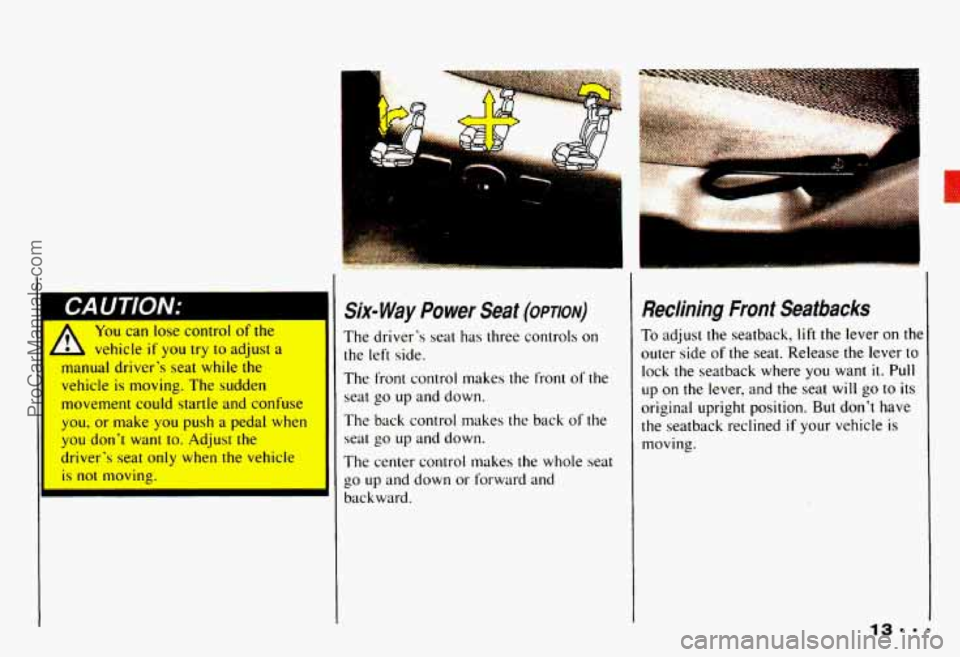
Six- Way Power Seat (opmv)
The driver's seat has three controls on
the left side.
The front control makes the front of the
seat
go up and down.
The back control makes the back
of the
seal
go up and down.
The center control makes the whole seat
go
up and down or forward and
backward.
... ..
Reclining Front Seatbacks
To adjust the seatback, lift the lever on the
outer side of the seat. Release the lever to
lock the seatback where
you want it. Pull
up on the lever, and the seat will go to its
original upright position. But don't have
the seatback reclined
if your vehicle is
moving.
ProCarManuals.com
Page 35 of 358
When electrical work is done under the
hood or inside your vehicle, the ignition
should be in
LOCK if possible. Avoid
wires wrapped with yellow tape, or yellow
connectors. They are probably part
of the
air bag system.
Your vehicle has a driver’s air bag and a
right-front passenger’s air bag. Both bags
must
be disconnected if the ignition has to
be on for electrical work or if the steering
column is to be disassembled. First,
disconnect the driver’s air bag like this:
1. Turn off the ignition.
2. Remove the SIR (air bag) fuse.
(See “Fuses and Circuit Breakers”
in the Index.)
3. Disconnect the yellow connector at the
base
of the steering column. After
you follow this procedure for the
jriver
’s air bag, then disconnect the
right-front passenger’s air bag like this:
1. Remove the cover under the instrument
2. Disconnect the small yellow connector
When the work is complete, if the air bag
system was disconnected, be sure to
reattach everything and replace
the fuse
before turning the ignition on. When you
turn the ignition key on, be sure you see
the air bag readiness light on the
instrument panel.
If you don’t see this lighl
flash and then go out as usual, have your
air bag system repaired.
panel.
below the glove box.
Safety Belt Use dumg
Pregnancy
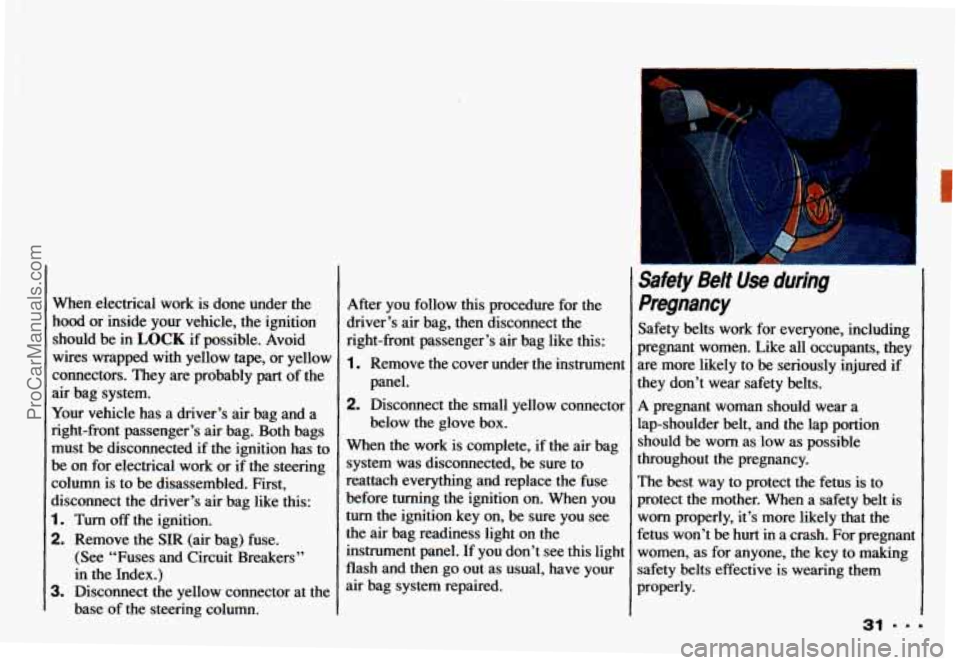
Safety belts work for everyone, including
pregnant women. Like all occupants, they
are more likely to be seriously injured if
they don’t wear safety belts.
A pregnant woman should wear a
lap-shoulder belt, and the lap portion
should be worn as low as possible
throughout the pregnancy.
The best way to protect the fetus is to
protect the mother. When a safety belt is
worn properly, it’s more likely that the
fetus won’t be hurt in a crash. For pregnant
women, as for anyone, the key to making
safety belts effective is wearing them
properly.
31 ===
ProCarManuals.com
Page 58 of 358
Features & Controls
the engine. If someone tries to start your
vehicle again or uses another key during
this time, the vehicle
will not start. This
discourages someone from randomly
trying different keys
with different
resistor pellets
in an attempt to make a
match.
The ignition key must be clean and dry
before it’s inserted
in the ignition or the
engine may not start. If the engine does
not start and the
SECURITY light stays
on when you try to start the vehicle, the
key may be dirty or wet. Turn the
ignition off.
Zlean and dry the key. Wait about three
ninutes and try again. The
SECURITY
ight will remain on during this time. If the
starter still won’t work, and the key
appears to be clean and dry, wait about three minutes and
try the other ignition
key.
At this time, you may also want to
check the fuses (see “Fuses and Circuit
Breakers”
in the Index). If the starter
won’t work with the other key, your
vehicle needs service. If your vehicle
does start, the first ignition key may
be faulty. See your Chevrolet dealer
or a locksmith who can service the
PASS-Key
II@.
[f you accidentally use a key that has a
lamaged or missing resistor pellet, the
;tarter won’t work and the security light
will flash. But you don’t have to wait
hree minutes before trying one of the
Ither ignition keys. See your Chevrolet
dealer or a locksmith
who can service the PASS-Key II@ to
have a new key made.
If you’re ever driving and the
SECURITY light comes on and stays on,
you
will be able to restart your en ine if
you turn it off. Your PASS-Key I1 %
;ystem, however, is not working properly
md must be serviced by your Chevrolet lealer. Your vehicle
is not protected by
:he PASS-Key 11’ system.
:f you lose or damage a PASS-Key 11’
gnition key, see your Chevrolet
lealer or a locksmith who can service
’ASS-Key 11’ to have a new key made.
ProCarManuals.com
Page 81 of 358
9
The Turn
SignaUHeadlight
Beam
Lever
The lever on the left side of the steering
column includes your:
0 Turn Signal and Lane Change
0 Headlight Highbow Beam and
Passing Signal
0 Windshield Wipers
0 Windshield Washer
0 Cruise Control (Option)
Indicator
c; C. , .“ ,
i
I:
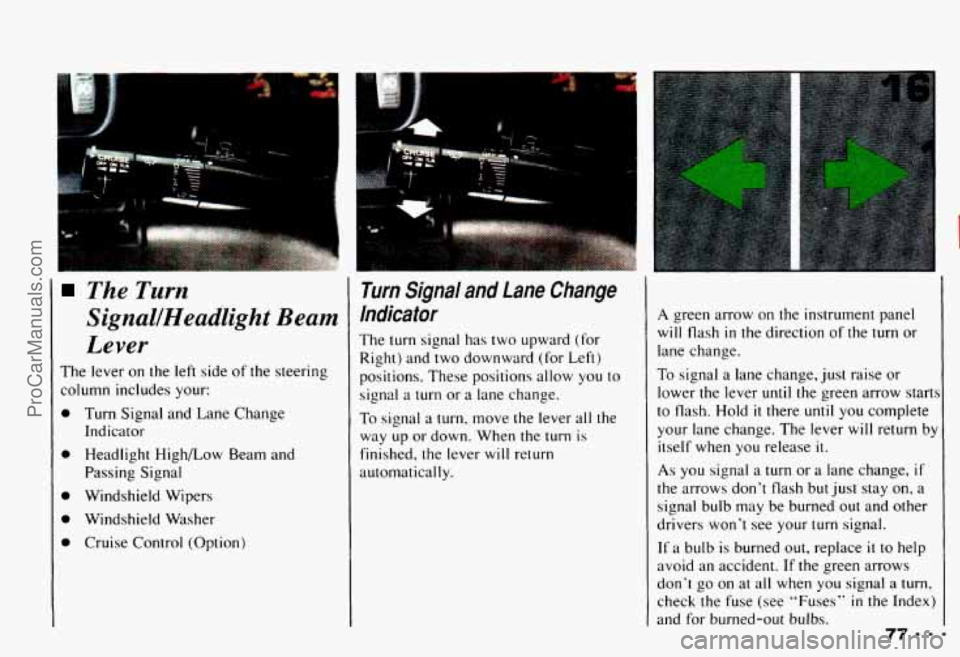
rum Signal and Lane Change
ndicator
’he turn signal has two upward
(for
tight) and two downward (for Left)
lositions. These positions allow you
to
ignal a turn or a lane change.
b signal a turn. move the lever all the
vay up or down. When the turn is
inished, the lever will return
.utomatically.
A green arrow on the instrument panel
will flash in the direction of the turn or
lane change.
To signal a lane change, just raise or
lower the lever
until the green arrow start:
to flash. Hold it there until you complete
your lane change. The lever
will return by
itself when you release
it.
As you signal a turn or a lane change, if
the arrows don’t flash but just stay on, a
signal bulb may be burned out and other
drivers won’t see your
turn signal.
If a bulb is burned out, replace it to help
avoid an accident.
If the green arrows
don’t go on at
all when you signal a turn,
check the fuse (see “Fuses” in the Index)
and for burned-out bulbs.
ProCarManuals.com
Page 221 of 358
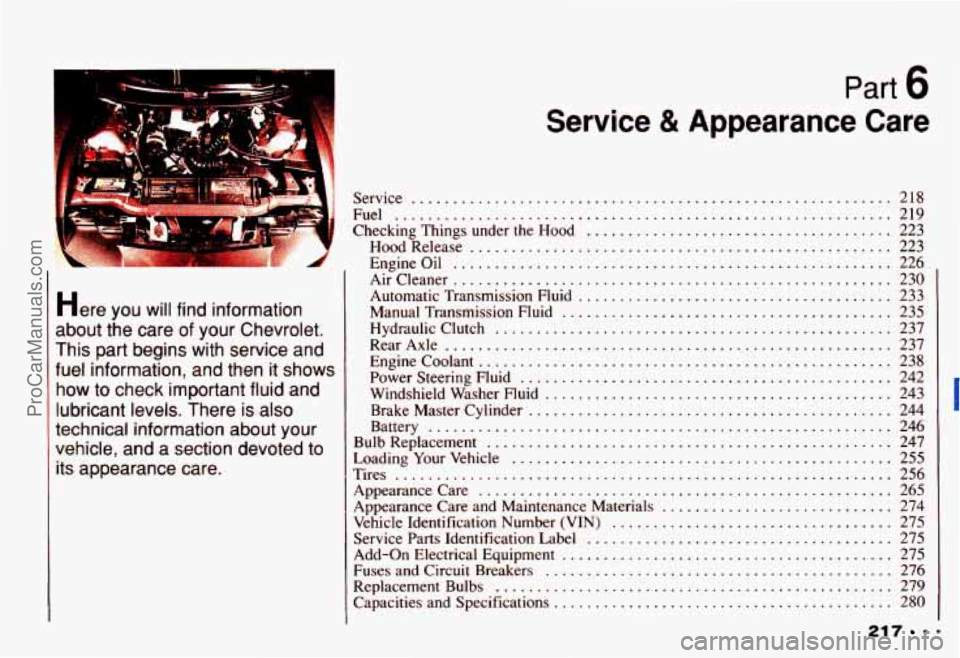
Part b
Here you will find information
about the care
of your Chevrolet .
This part begins with service and
fuel information. and then it shows
how
to check important fluid and
lubricant levels
. There is also
technical information about your
vehicle. and a section devoted to
its appearance care
.
Service & Appearance Care
Service .......................................................... 218
Fuel
............................................................ 219
Checking Things under the Hood
..................................... 223
HoodRelease
................................................... 223
Engineoil
...................................................... 226
Aircleaner
..................................................... 230
Automatic Transmission Fluid
...................................... 233
Manual Transmission Fluid
........................................ 235
Hydraulicclutch
................................................ 237
RearAxle
...................................................... 237
Enginecoolant
.................................................. 238
Power Steering Fluid
............................................. 242
Windshield Washer Fluid
.......................................... 243
Brake Master Cylinder
............................................ 244
Battery
........................................................ 246
Bulb Replacement
................................................. 247
Loading Your Vehicle
.............................................. 255
Appearance Care and Maintenance Materials
............................ 274
Vehicle Identification Number (VIN)
.................................. 275
Service Parts Identification Label
..................................... 275
Add-on Electrical Equipment
........................................ 275
Fuses and Circuit Breakers
.......................................... 276
Replacement Bulbs
................................................ 279
Capacities and Specifications
......................................... 280
Tires
............................................................ 256
Appearancecare
.................................................. 265
217
ProCarManuals.com
Page 222 of 358
Service & Appearance Care
1
Service
Your Chevrolet dealer knows your vehicle
best and wants you
to be happy with it.
We hope you’ll
go to your dealer for all
your service needs. You’ll get genuine
GM parts and GM-trained and supported
service people.
We hope you’ll want to keep your GM
vehicle all GM. Genuine GM parts have
one
of these marks.
Doing Your Own Service Work
If you want to do some of your own
service work, you’ll want to get the
proper Chevrolet Service Manual. It tells
you much more about how
to service your
Chevrolet than this manual can.
To order
the proper service manual, see
“Service Publications”
in the Index.
You should keep
a record with all parts
receipts and list the mileage and the date
of any service work you perform. See
“Maintenance Record”
in the Index.
You can be injured if you try to
L do service work on a vehicle
hout knowing enough about it.
Be sure you have sufficient
knowledge, experience, and the
proper replacement
parts and
tools before you attempt any
vehicle maintenance
task.
Be sure to use the proper nuts,
bolts and other fasteners.
“English and “metric’”
fasteners can be easily
confused.
If you use the wrong
fasteners,
parts can later break
or fall
off. You couId be hurt.
ProCarManuals.com
Page 280 of 358
Service & Appearance Care
9 276
Fuses and Circuit
Breakers
The wiring circuits in your vehicle are
protected from short circuits by a
combination of fuses, circuit breakers,
and fusible thermal links in the wiring itself. This greatly reduces the chance of
fires caused by electrical problems.
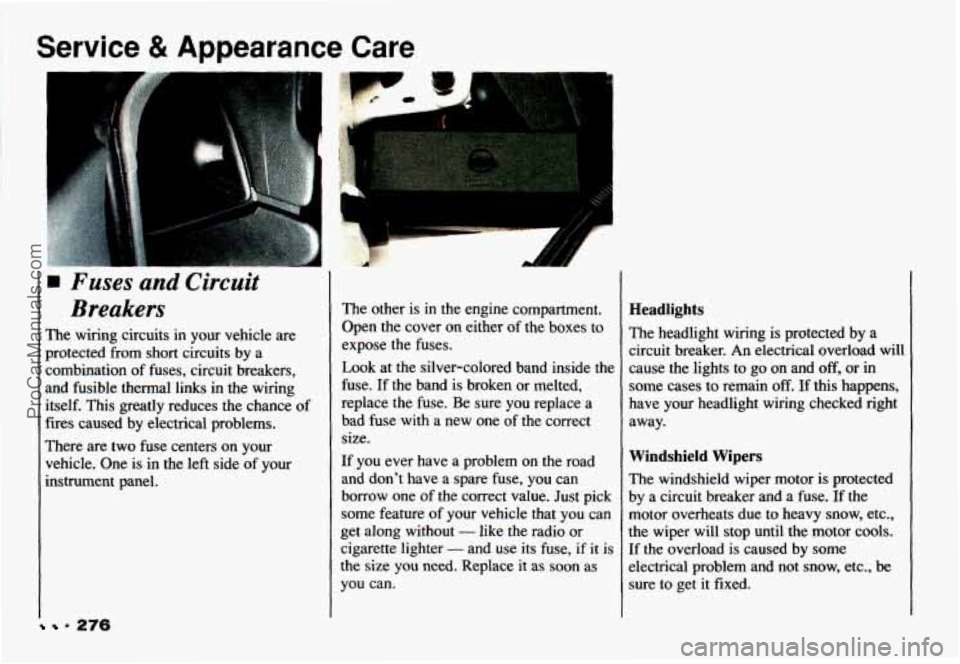
There are
two fuse centers on your
vehicle. One is
in the left side of your
instrument panel.
The other is in the engine compartment.
Open the cover on either of the boxes to
expose the fuses.
Look at the silver-colored band inside the
fuse. If the band
is broken or melted,
replace the fuse. Be sure you replace a
bad fuse with a new one
of the correct
size.
If you ever have a problem on the road
and don’t have a spare fuse, you can
borrow one
of the correct value. Just pick
some feature of your vehicle that you can
get along without
- like the radio or
cigarette lighter
- and use its fuse, if it is
the size you need. Replace
it as soon as
you can.
Headlights
The headlight wiring is protected by a
circuit breaker.
An electrical overload will
cause the lights to go on and off, or in
some cases to remain
off. If this happens,
have your headlight wiring checked right
away.
Windshield Wipers
The windshield wiper motor is protected
by a circuit breaker and a fuse.
If the
motor overheats due to heavy snow, etc.,
the wiper will stop until the motor cools.
If the overload is caused by some
electrical problem and not snow, etc., be
sure to get it fixed.
ProCarManuals.com
Page 281 of 358
Power Windows and Other Power
Options
Circuit breakers protect the power
windows and other power accessories.
When the current load is
too heavy, the
circuit breaker opens and closes,
protecting the circuit
until the problem is
fixed or goes away.
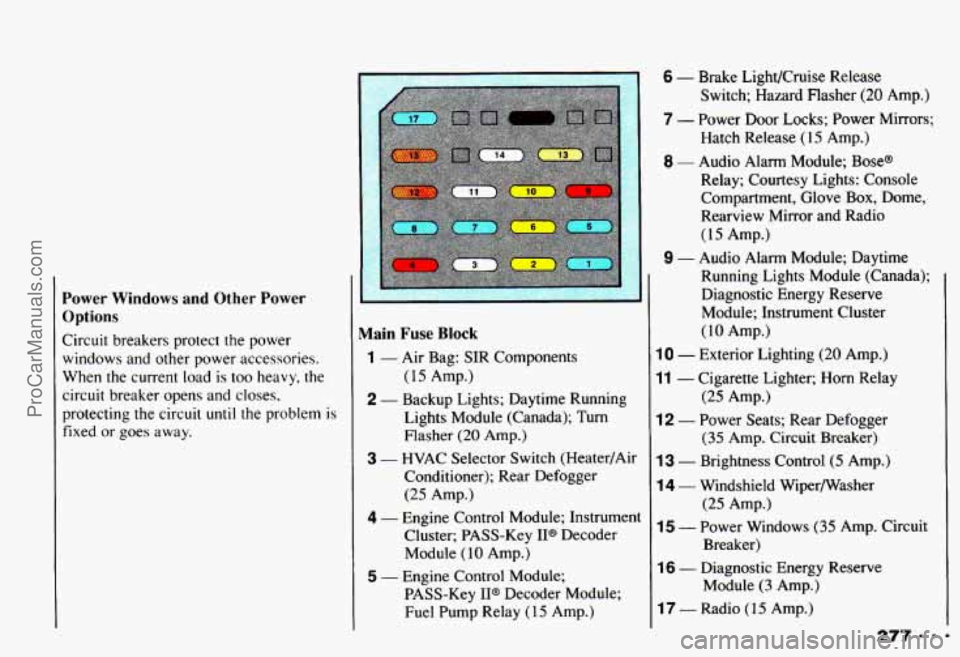
Main Fuse Block
(15 Amp.)
Lights Module (Canada); Turn Flasher
(20 Amp.)
3 - HVAC Selector Switch (Heater/Air
Conditioner); Rear Defogger
(25 Amp.)
4 - Engine Control Module; Instrument Cluster; PASS-Key IP Decoder
Module
( 10 Amp.)
1 - Air Bag: SIR Components
2 - Backup Lights; Daytime Running
I
5 - Engine Control Module; PASS-Key
II@ Decoder Module;
Fuel Pump Relay
(1 5 Amp.)
6 - Brake LighVCruise Release
Switch; Hazard Flasher
(20 Amp.)
7 - Power Door Locks; Power Mirrors; Hatch Release (15 Amp.)
8 - Audio Alarm Module; Base@
Relay; Courtesy Lights: Console
Compartment, Glove Box, Dome,
Rearview Mirror and Radio
(15 Amp.)
9 - Audio Alarm Module; Daytime
Running Lights Module (Canada); Diagnostic Energy Reserve
Module; Instrument Cluster
(10 Amp.)
10 - Exterior Lighting (20 Amp.)
11 - Cigarette Lighter; Horn Relay
12 - Power Seats; Rear Defogger
13 - Brightness Control (5 Amp.)
14 - Windshield Wipermasher
15 - Power Windows (35 Amp. Circuit
(25 Amp.)
(35 Amp. Circuit Breaker)
(25 Amp.)
Breaker)
16 - Diagnostic Energy Reserve Module
(3 Amp.)
17 - Radio (15 Amp.)
ProCarManuals.com
Page 282 of 358
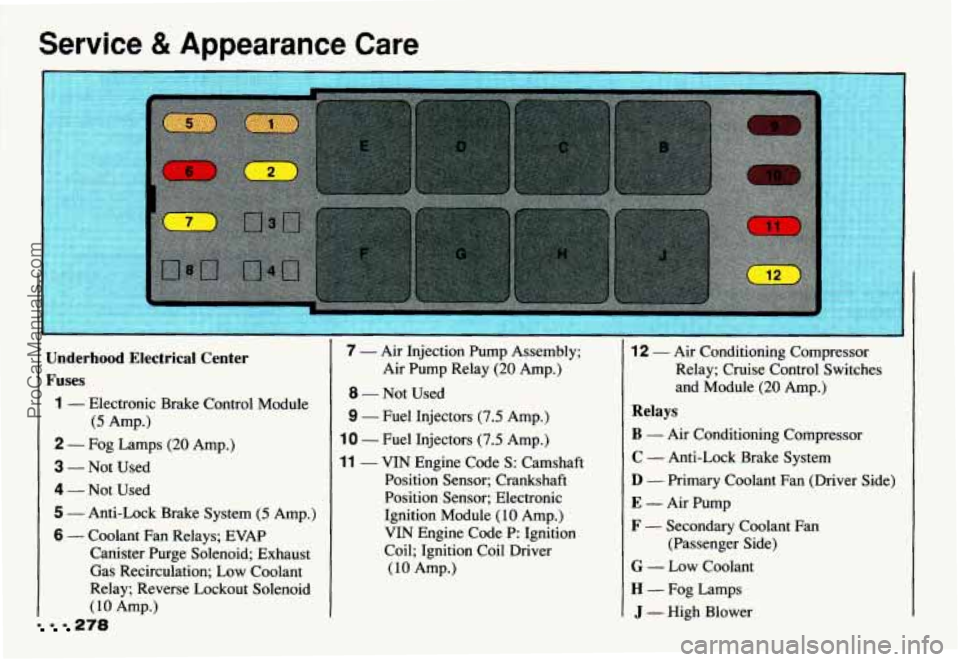
Service & Appearance Care
278
Underhood Electrical Center
Fuses
1 - Electronic Brake Control Module
(5 Amp.)
2 - Fog Lamps (20 Amp.)
3 - Not Used
4 - Not Used
5 - Anti-Lock Brake System (5 Amp.)
6 - Coolant Fan Relays; EVAP
Canister Purge Solenoid; Exhaust
Gas Recirculation; Low Coolant
Relay; Reverse Lockout Solenoid
(10 Amp.)
7 - Air Injection Pump Assembly;
8 - Not Used
9 - Fuel Injectors (7.5 Amp.)
10 - Fuel Injectors (7.5 Amp.)
11 - VIN Engine Code S: Camshaft
Air
Pump Relay
(20 Amp.)
Position Sensor; Crankshaft
Position Sensor; Electronic
Ignition Module
(10 Amp.)
VIN Engine Code P: Ignition
Coil; Ignition Coil Driver
(10 Amp.)
12 - Air Conditioning Compressor
Relay; Cruise Control Switches
and Module
(20 Amp.)
Relays
B - Air Conditioning Compressor
C - Anti-Lock Brake System
D - Primary Coolant Fan (Driver Side)
E - Air Pump
F - Secondary Coolant Fan
(Passenger Side)
G - Low Coolant
H - Fog Lamps
J - High Blower
ProCarManuals.com
Page 335 of 358
Child Restraints ................ 36
Rear Seat
................... 38
Right Front Seat
.............. 40
Top Strap ................... 37
Where
to Put the .............. 36
Children (Safety Belts)
........... 34
Children Larger (Safety Belts)
..... 43
Cigarette Lighter ............... 95
Circuit Breakers. Fuses and
...... 276
City Driving
.................. 160
Cleaner. Air
.................. 230
Cleaning Fabric. Using Foam-Type
Cleaner on
............... 266
Fabric. Using Solvent-Type Cleaner on
............... 267
Glass ...................... 269 Problems. Special
............ 268
The Inside of Your Chevrolet
... 266
The Outside of the Windshield
and Wiper Blades
.......... 270
The Outside of Your
Chevrolet
................ 270
The Top of the Instrument
Panel
.................... 269
Twin Lift-off
Roof Panels
.............. 270
Vinyl or Leather
............. 269
Clock. Setting the
............... 116
Close-Out Panel
................ 93
Clutch. Hydraulic
.............. 237
Color of Road Signs
............ 132
Comfort Controls
............... 1 10 Comfort Controls and Audio
Systems
................... 109
Compact Disc Player.
Delco-Base@
AMEM Stereo with .......... 121
Compact Disc. Care of Your
..... 129
Compact Disc Storage. Cassette and
................. 93
Compact Disc.
To Play a ........ 122
Compact Spare
................ 214
Compartments. Storage and
....... 92
Console Storage. Front
........... 92
Control of a Vehicle
............ 140
Control. Loss of
............... 151
ProCarManuals.com