radio controls CHEVROLET CAMARO 1993 Owners Manual
[x] Cancel search | Manufacturer: CHEVROLET, Model Year: 1993, Model line: CAMARO, Model: CHEVROLET CAMARO 1993Pages: 358, PDF Size: 15.6 MB
Page 60 of 358
Features & Controls
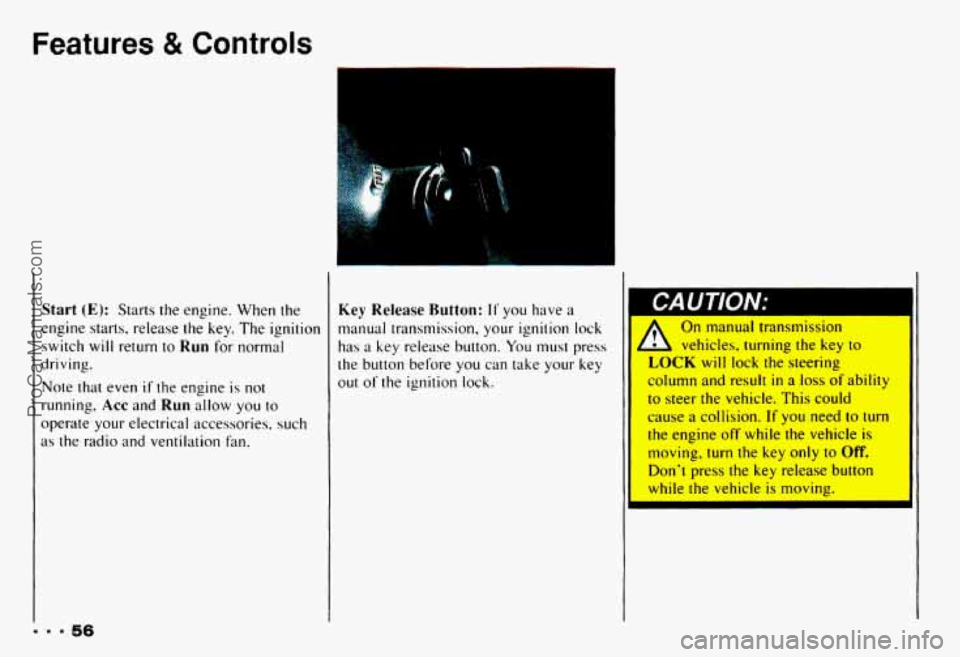
Start (E): Starts the engine. When the
engine starts, release the key. The ignition
switch will return
to Run for normal
driving.
Note that even if the engine is not
running, Acc and Run allow you to
operate your electrical accessories. such
as the radio and ventilation fan.
Key Release Button: I1 you have a
manual transmission, your ignition lock
has a key release button. You must press
the button before you can take
your key
out of the ignition lock.
On manual transmission
1 vehicles, turning the key to
LOCK will lock the steering
column and result
in a loss of ability
to steer the vehicle. This could
cause a collision.
If you need to turn
the engine
off while the vehicle is
moving,
turn the key only to Off.
Don't press the key release button
while
the vehicle is moving.
... 56
ProCarManuals.com
Page 113 of 358
.* ....
L
In this part you'll find out how to
operate the comfort control
systems and audio systems
offered with your Chevrolet
. Be
sure to read about the particular
system supplied with your vehicle
.
Part 3
Comfort Controls & Audio Systems
Comfort Controls ...................................................
Heater Controls ..................................................
Heating .........................................................
Bi-LevelHeating .................................................
Ventilation ......................................................
Air Conditioner Controls ...........................................
Cooling .........................................................
Rear Window Defogger ............................................
Flow-Through Ventilation System ....................................
Audiosystems .....................................................
Settingtheclock .................................................
AM/FM Stereo with Cassette Tape Player ..............................
Delco/Bose AM/FM Stereo with Compact Disc Player ....................
Care of Your Cassette Tape Player ....................................
FixedMastAntenna ...............................................
Defogging and Defrosting Windows ..................................
Understanding Radio Reception .....................................
Care of Your Compact Discs ........................................
110
110
111
111
112
112
112
113
114
114
115 116
117
121
127
128
129
129
ProCarManuals.com
Page 120 of 358
Comfort Controls & Audio Systems
I Setting the Clock noise is almost undetectable AM/FM Stereo with Cassette Tape
until it is too late. Your hearing can
adapt
to higher volumes of sound. sure you can add what you want. If
Player
you can, it’s very important to do it 1. Press SET. Sound that Seems normal can be
Ioud and harmful to your hearing.
Take precautions by adjusting the
volume
control on your radio to a
safe sound level before your hearing
adapts
to it.
To help avoid hearing loss or 31
damage:
a Adjust the volume control to
the lowest setting. properly.
Added
sound equipment
may interfere
with the operation of
your vehicle’s engine, Delco@ radio
or other systems, and even damage
them. And, your vehicle’s systems may interfere
with the operation of
sound equipment that has been
added improperly.
So, before adding sound
equipment, check with your d er
2. Within five
seconds, press and hold
SEEK until the correct hour
appears.
correct minute appears.
3. Press and hold SEEK A until the
Delco/Bose AM/FM Stereo with
Compact Disc Player
1. Press SET.
2. Within five seconds, press and hold
SEEK 4 until the correct hour I, Increase volume slowly until
you
hear comfortably and appears.
clearly. 3. Press and hold SEEK until the
1116 correct minute appears.
ProCarManuals.com
Page 124 of 358
Comfort Controls & Audio Systems
Automatic Program Search
When you push APS you can go to the
beginning of a new selection.
0 To go forward to the beginning of the
next selection, press
.
To go back to the beginning of the
current selection press
4 . Push 4
again to go to the beginning of the
previous selection.
Program
Press the upper knob on your system to
switch from one side
of the tape to the
other.
Your cassette tape player can play
continuously because the player has an
auto-reverse feature.
Eject
Press STOP-EJECT to remove the tape
or stop the tape and switch to the radio.
Cr02 (Delco/Bose System)
The Cr02 button lets you set the system
for the type
of cassette being used. If you
are using chrome or metal tapes, push
Cr02 in. If you are using standard tapes,
make sure
CrO2 is out.
Noise Reduction (Delco/Bose System)
Your sound system has the Dolby@
automatic noise reduction feature.
Dolby@ Noise Reduction is manufactured
under license from Dolby Laboratories
Licensing Corporation.
Dolby and the
double-D symbol are trademarks
of
Dolby Laboratories Licensing
Corporation.
... 120
ProCarManuals.com
Page 128 of 358
Comfort Controls & Audio Systems
To Stop the Disc Player
0
0
Turn the power off or turn the ignition
key off. The disc stays in the player
and will resume playing at the point
where
it stopped.
Press
ST-PL to stop playing the disc
and switch to radio. Press ST-PL to
restart the disc at the point where
it
stopped.
Press
EJCT to eject the disc and the
radio will play. The disc
will start
playing at track
1 when you reinsert it.
Theft-Deterrent Feature
Delco-Loc I1 is a security feature for the
compact disc player. It can be used or
ignored. If ignored, the system functions
normally.
If it is used, your system won’t
be usable
if it’s ever stolen.
Setting Your Security Code
The instructions below tell you how to
enter a security
code into the system. If
your vehicle loses battery power for any
reason,
you must enter the security code
again before the system
will turn on.
1. Write down any six digit number and
2. Turn the ignition switch to the Acc
3. Turn the audio system off.
4. Press and hold 1 and 4 together until
keep it in a safe place.
or
Run position.
“---” shows on the display.
I. 9 124
ProCarManuals.com