light CHEVROLET CAMARO 1994 4.G User Guide
[x] Cancel search | Manufacturer: CHEVROLET, Model Year: 1994, Model line: CAMARO, Model: CHEVROLET CAMARO 1994 4.GPages: 292, PDF Size: 15.35 MB
Page 56 of 292
Downloaded from www.Manualslib.com manuals search engine Features and Controls
When the PASS-KeyW system senses
that someone is using the wrong key, it
shuts down the vehicle’s starter and fuel
systems. For about three minutes,
the
starter won’t work and fuel won’t go to
the engine. If someone tries to start your
vehicle again or uses another
key during
this time, the vehicle will not start. This
discourages someone from randomly
trying different keys with different
resistor pellets
in an attempt to make a
match.
SECURITY
~
The ignition key must be clean and dry
before it’s inserted
in the ignition or the
engine may not start. If the engine does
not start and the
“SECURITY” light stays
on when you
try to start the vehicle, the
key may be dirty or wet. Turn the
ignition off.
Clean and dry the key. Wait about three
minutes and try again. The security light
will remain on during this time. If the
starter still won’t work, and the key
appears to be clean and dry, wait about
three minutes and try another ignition key.
At this time, you may also want to check
the fuses (see “Fuses and Circuit
Breakers”
in the Index). If the starter
won’t work with the other key, your
vehicle needs service.
If your vehicle does start,
the first ignition key may be
faulty. See your Chevrolet dealer or a
locksmith who can service the
PASS-KeyaII.
If you accidentally use a key that has a
damaged or missing resistor pellet, the
starter won’t work and the security light
will flash. But you don’t have to wait
three minutes before trying another
ignition key.
See your Chevrolet dealer or a locksmith
who can service the PASS-Key@II to have
a new key made.
If you’re ever driving and the
“SECURITY” light comes on and stays
on, you will be able to restart your engine
if you turn it off. Your PASS-Key@II
system, however, is not working properly
and must be serviced by your Chevrolet
dealer. Your vehicle is not protected by
the PASS-KeyW system.
If you lose or damage a PASS-Key@II
ignition key, see your Chevrolet
dealer or a locksmith who can service
PASS-Key@II
to have a new key made.
In an emergency, call the Chevrolet
Roadside Assistance Program on
1 -800-CHEV-USA (1 -800-243-8872).
... 54
Page 57 of 292
Downloaded from www.Manualslib.com manuals search engine New Vehicle
“Break-In”
NOTICE:
Your modern Chevrolet doesn’t need
an elaborate “break-in.” But it will
perform better
in the long run if you
follow these guidelines:
Keep your speed at
55 mph (88
km/h) or less for the first 500
miles (804 km).
Don’t drive at any one speed
-
fast or slow - for the first 500
miles (804 km). Don’t make
full-throttle starts.
Avoid making hard stops for the
first
200 miles (322 km) or so.
During this time your new brake
linings aren’t yet broken
in. Hard
stops with new linings can mean
premature wear and earlier
replacement. Follow this
“breaking-in” guideline every
time
you get new brake linings.
D
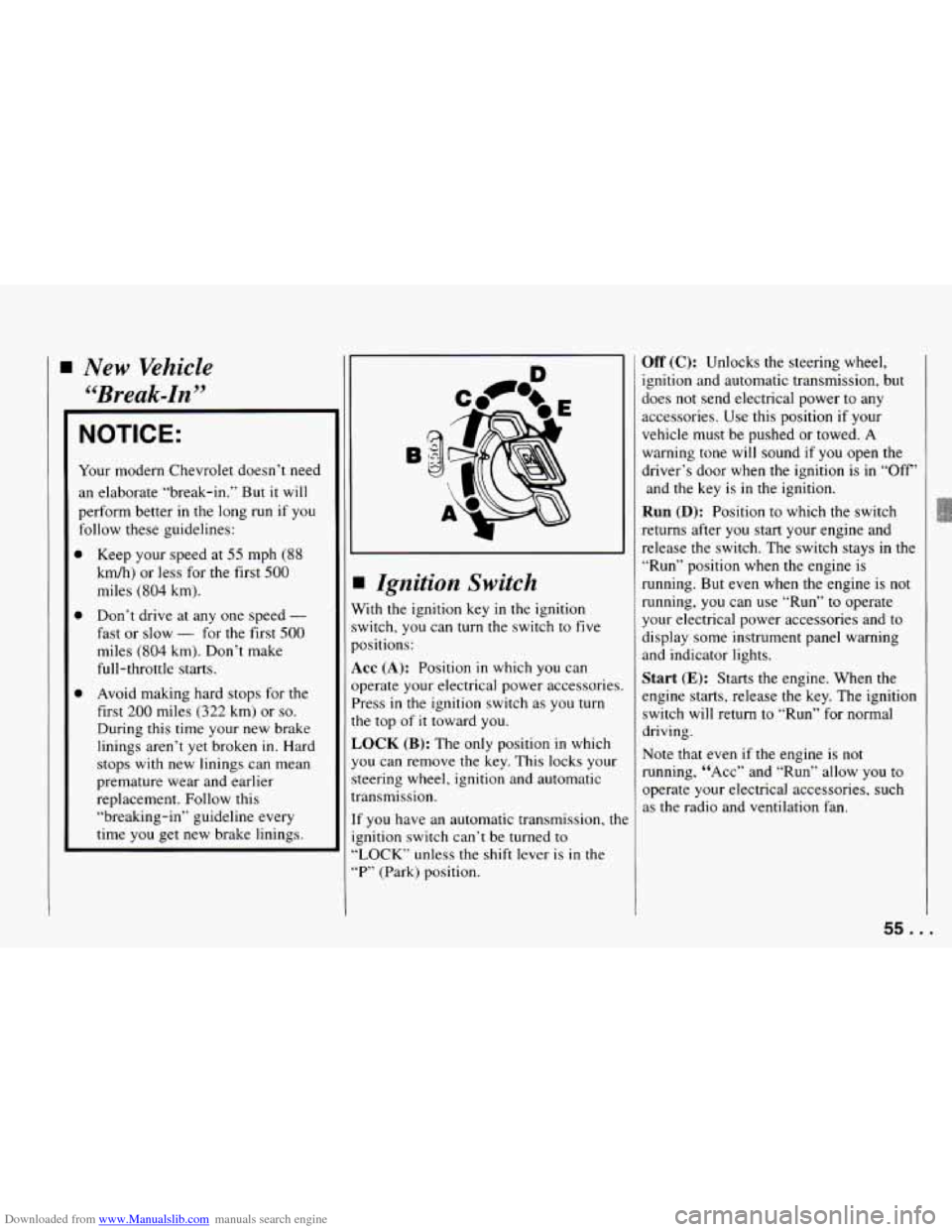
I Ignition Switch
Vith the ignition key in the ignition
witch,
you can turn the switch to five
lositions:
KC (A): Position in which you can
lperate your electrical power accessories.
’ress
in the ignition switch as you turn
?e top
of it toward you.
,OCK (B): The only position in which
ou can remove the key. This locks your
teering wheel, ignition and automatic
7ansmission.
f you have an automatic transmission, the
znition switch can’t be turned to
LOCK” unless the shift lever is
in the
“P” (Park) position.
Off (C): Unlocks the steering wheel,
ignition and automatic transmission, but
does not send electrical power to any
accessories.
Use this position if your
vehicle must be pushed or towed.
A
warning tone will sound if you open the
driver’s door when the ignition
is in “Off’
and the key is
in the ignition.
Run (D): Position to which the switch
returns after
you start your engine and
release the switch. The switch stays
in the
“Run” position when the engine is
running.
But even when the engine is not
running,
you can use “Run” to operate
your electrical power accessories and to
display some instrument panel warning
and indicator lights.
Start (E): Starts the engine. When the
engine starts, release the key. The ignition
switch will return to “Run” for normal
driving.
Note that even if the engine is not
running, “ACC” and “Run’’ allow
you to
operate your electrical accessories, such
as the radio and ventilation fan.
55. .
Page 66 of 292
Downloaded from www.Manualslib.com manuals search engine Features and Controls
a
a
0
0
0
2 (Second Gear) - Press the clutch
pedal as you let up on the accelerator
pedal and shift into
“2.” Then, slowly
let up on the clutch pedal as you
press the accelerator pedal.
3,4,5 and 6 (Third, Fourth, Fifth
and Sixth Gears)
- Shift into “3,”
“4,” “5” and “6” the same way you do
for
“2.” Slowly let up on the clutch
pedal
as you press the accelerator
pedal.
To Stop - Let up on the accelerator
pedal and press the brake pedal. Just
before the vehicle stops, press
the
clutch pedal and the brake pedal, and
shift to “Neutral.”
Neutral - Use this position when
you start or idle your engine.
R (Reverse) - To back up, press
down the clutch pedal and shift into
“R.” Let
up on the clutch pedal slowly
while pressing the accelerator pedal.
If you shift from
“6” into “R,” the
shift lever must be first placed in the
“Neutral” position centered between
“2” and “3” prior to shifting into “R.”
Your six-speed manual transmission has a
feature that allows you to safely shift into
“R’ (Reverse) while the vehicle is rolling
(at less than
5 mph). You will be
“locked-out”
if you try to shift into “R’
(Reverse) while your vehicle is moving
faster than
5 mph.
If
you have turned your ignition off and
wish to park your vehicle
in Reverse, you
will have to move the shift lever quickly
to the right, “crashing” through the high
load spring and then into gear.
SKIP SHIFT
Skip Shift Light (5.7L LT1 Engine)
When this light comes on, you can only
shift from “1” (First) to
“4” (Fourth) gear
instead of
“1” (First) to “2” (Second)
gear. This helps you
to get the best
possible fuel economy.
This light will come on under these
conditions:
0 The engine coolant temperature is
0 You are going 15-20 mph
0 You are at 35% throttle or less.
greater than
170°F
(77”C),
(24-32 km/h), and
... 64
Page 67 of 292
Downloaded from www.Manualslib.com manuals search engine When this light is on, the gear shift lever
will let you shift from
“1” (First) gear to
“4”(Fourth) gears only. Once you are in
“4” (Fourth) gear, you can press the
clutch again and shift into another gear.
Follow the shift speeds in this chart when
the
“SKIP SHIFT” light is on.
Computer Aided Manual Transmission
Shift Speeds:
1st to 4th . . . 15 mph (24 km/h)
4th to 5th . . 25 mph (40 km/h)*
5th to 6th . . 40 mph (64 km/h)**
Each time you come to a stop, the
engine’s Electronic Control Module
(ECM) determines when to activate the
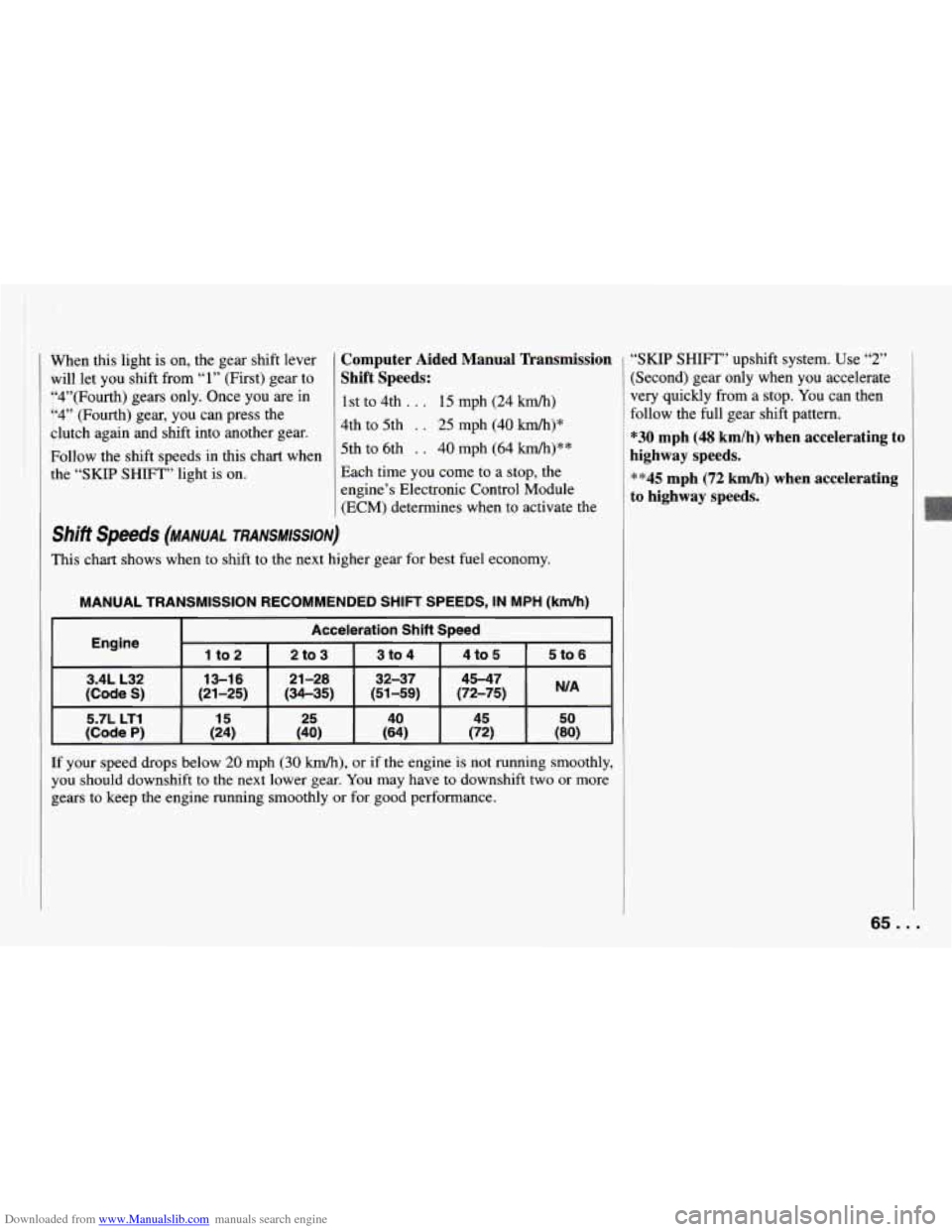
shift speeds (MANUAL TRANSMISSION)
This chart shows when to shift to the next higher gear for best fuel economy.
MANUAL TRANSMISSION RECOMMENDED SHIFT SPEEDS, IN MPH (km/h)
Acceleration Shift Speed
Engine
1 to 2 I 2to3 I 3to4 I 4t05 I 5to6
5.7L LT1
15 25 40 45 50
(Code P) (24) (40) (64)
(72) (80)
If your speed drops below 20 mph (30 km/h), or if the engine is not running smoothly,
you should downshift to the next lower gear.
You may have to downshift two or more
gears
to keep the engine running smoothly or for good performance.
“SKIP SHIFT” upshift system. Use “2”
(Second) gear only when you accelerate
very quickly from a stop.
You can then
follow the full gear shift pattern.
“30 mph (48 km/h) when accelerating to
highway speeds.
““45 mph (72 km/h) when accelerating
to highway speeds.
65 ...
Page 68 of 292
Downloaded from www.Manualslib.com manuals search engine Features and Controls
I NOTICE:
I
If you skip more than one gear when
you downshift, or if you race the
engine when
you downshift, you can
damage the clutch or transmission.
Limited-Slip Rear Axle
[f you have this feature, your rear axle
:an give you additional traction on snow,
mud, ice, sand or gravel.
It works like a
standard axle most of the time, but when
me of the rear wheels has
no traction and
:he other does, the limited-slip feature
will allow the wheel with traction to
move the vehicle.
Parking
Parking Brake
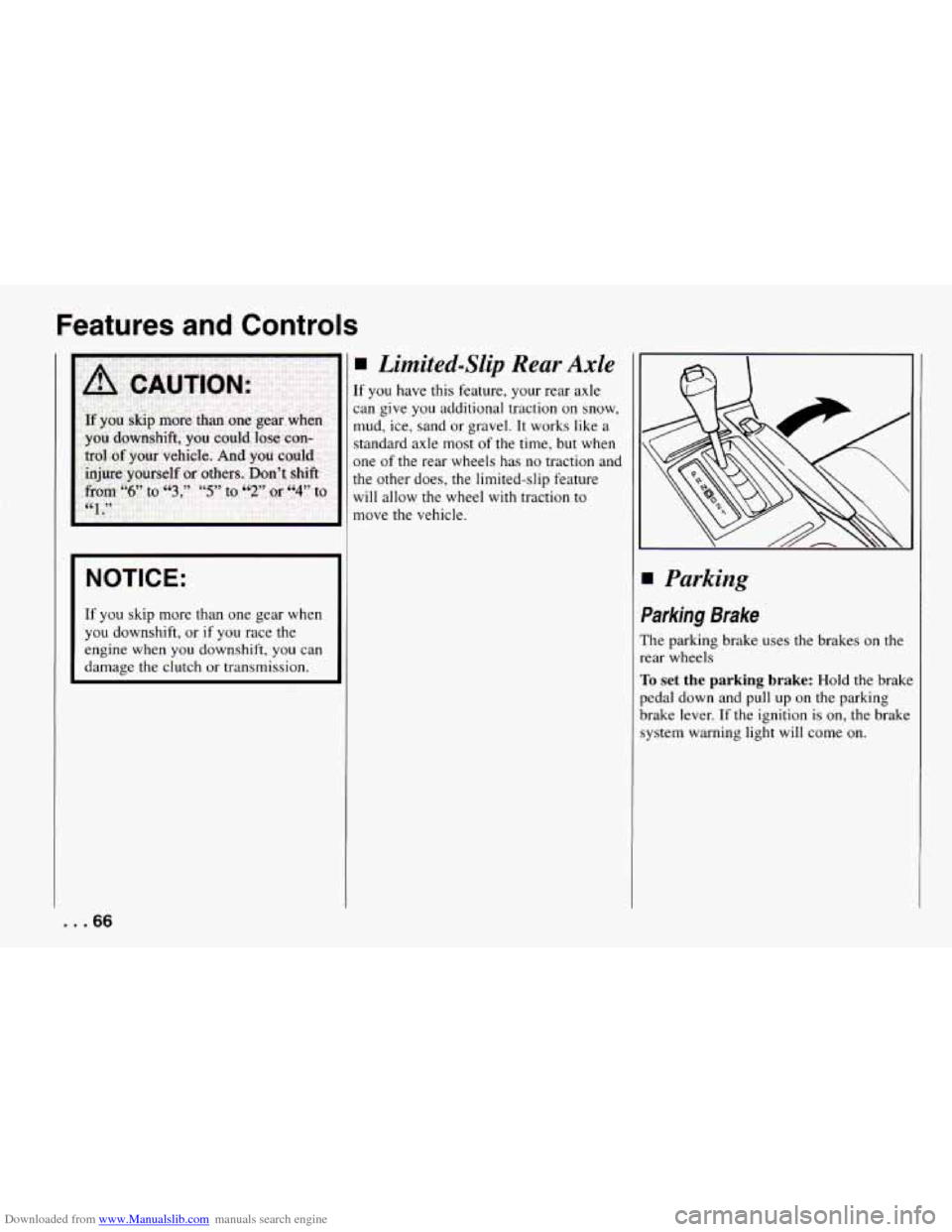
The parking brake uses the brakes on the
rear wheels
To set the parking brake: Hold the brake
pedal down and pull up on the parking
brake lever.
If the ignition is on, the brake
system warning light will come on.
... 66
Page 75 of 292
Downloaded from www.Manualslib.com manuals search engine The Turn
Signal’Headlight Beam
Lever
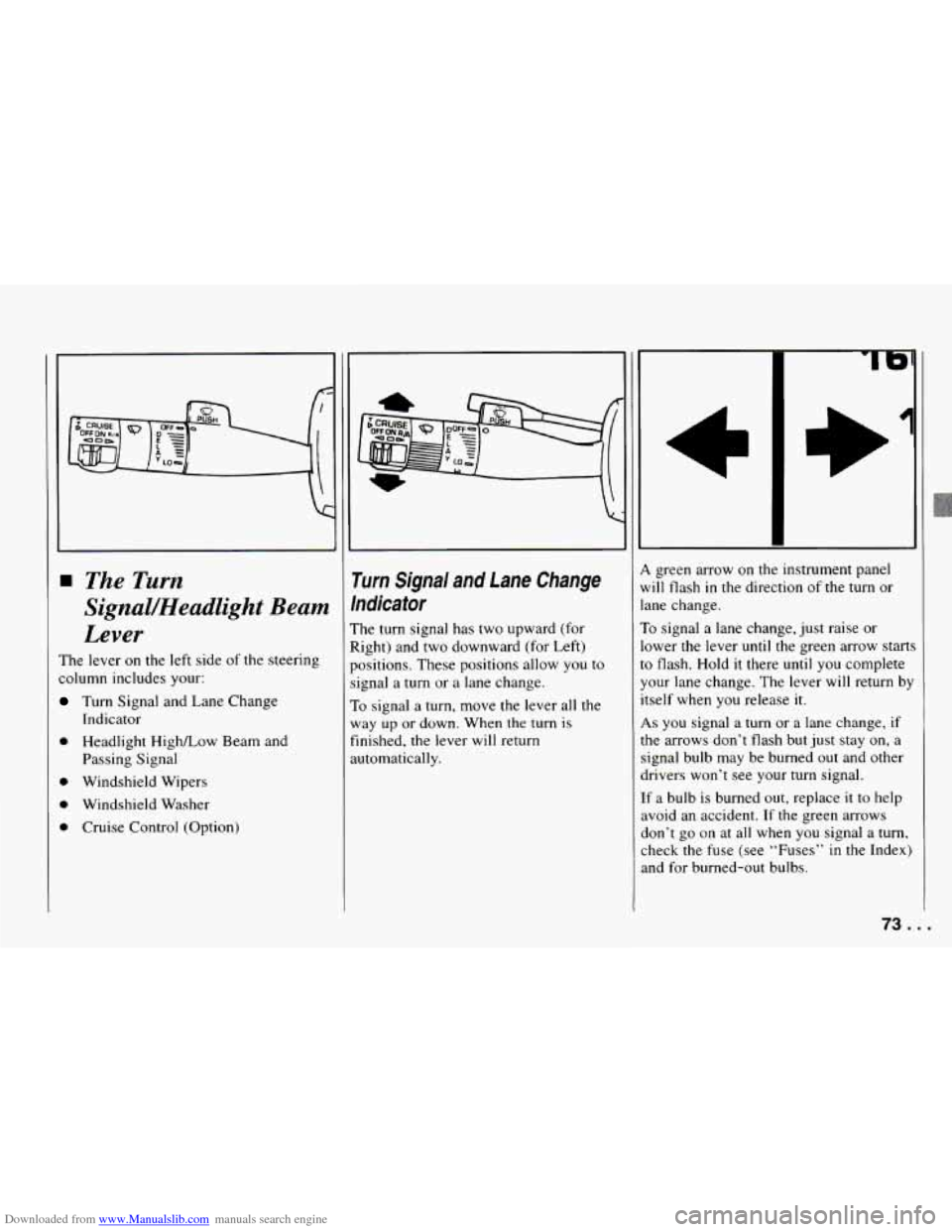
The lever on the left side of the steering
column includes your:
Turn Signal and Lane Change
0 Headlight HighLow Beam and
Passing Signal
0 Windshield Wipers
0 Windshield Washer
0 Cruise Control (Option)
Indicator
rurn Signal and Lane Change
hdicator
:he turn signal has two upward (for
tight) and two downward (for Left)
Iositions. These positions allow you to
ignal
a turn or a lane change.
To signal a turn, move the lever all the
vay
up or down. When the turn is
inished, the lever will return
utomatically.
L green arrow on the instrument panel
dl flash in the direction of the turn or
me change.
’0 signal a lane change, just raise or
3wer the lever
until the green arrow starts
3 flash. Hold it there until you complete
our lane change. The lever will return by
self when you release it.
LS you signal a turn or a lane change, if
le arrows don’t flash but just stay on, a
ignal bulb may be burned out and other
.rivers won’t see your turn signal.
fa bulb is burned out, replace
it to help
void an accident.
If the green arrows
lon’t go
on at all when you signal a turn,
heck
the fuse (see “Fuses” in the Index)
nd for burned-out bulbs.
/3...
Page 76 of 292
Downloaded from www.Manualslib.com manuals search engine Features and Controls
-- a
feadlight HighLow Beam
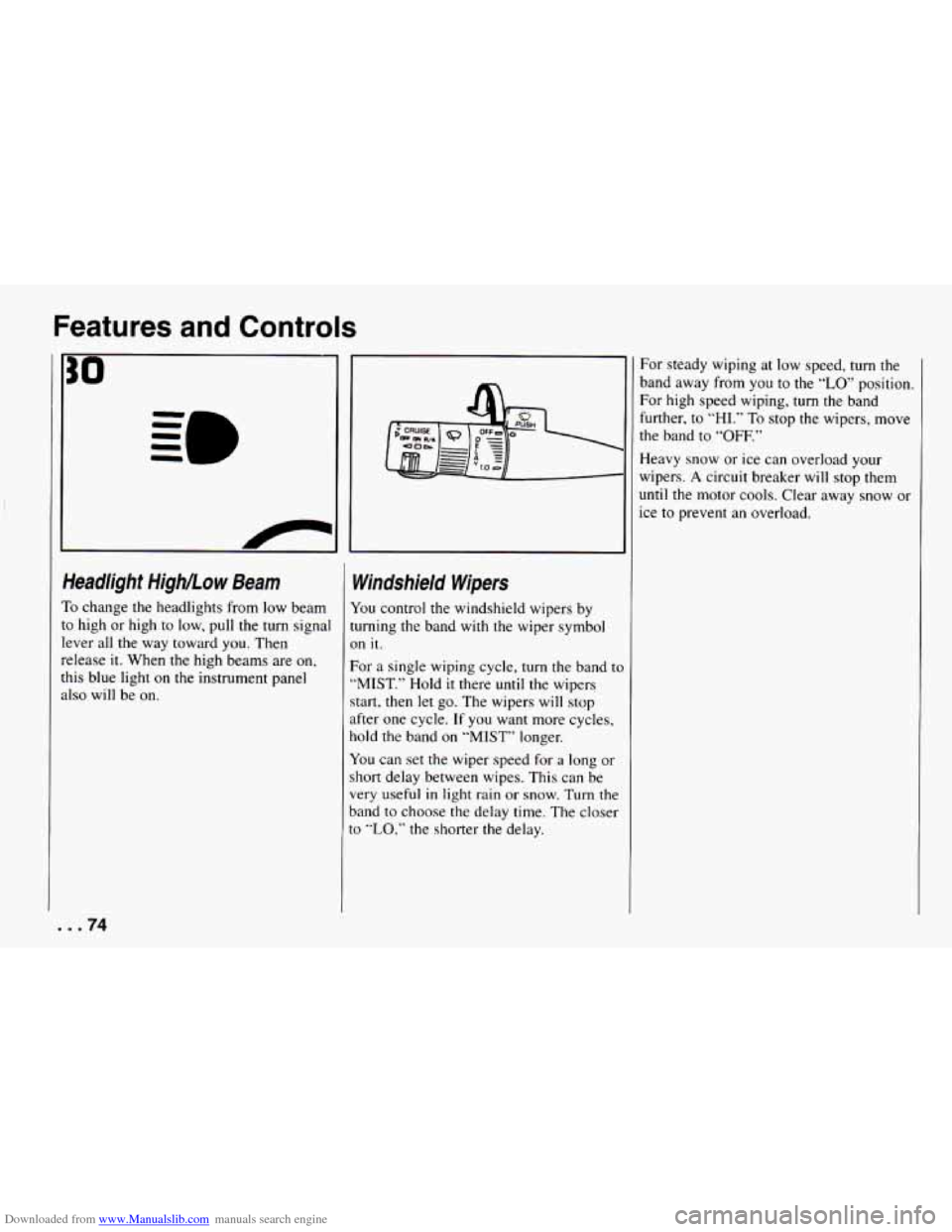
’0 change the headlights from low beam
3 high or high to low, pull the turn signal
:ver all the way toward you.
Then
:lease it. When the high beams are on,
lis blue light on the instrument panel
Is0 will be on.
. .74
Windshield Wipers
You control the windshield wipers by
turning the band with the wiper symbol
on it.
For a single wiping cycle,
turn the band tc
“MIST.” Hold it there until the wipers
start, then let go. The wipers will stop
after one cycle. If you want more cycles,
hold the band on “MIST” longer.
You can set the wiper speed for a long or
short delay between wipes. This can be
very useful
in light rain or snow. Turn the
band to choose the delay time. The closer
to
“LO,” the shorter the delay. For
steady wiping at low speed, turn the
band away from you
to the “LO’ position.
For high speed wiping, turn the band
further, to
“HI.” To stop the wipers, move
the band to “OFF.”
Heavy snow or ice can overload your
wipers.
A circuit breaker will stop them
until the motor cools. Clear away snow
or
ice to prevent an overload.
Page 81 of 292
Downloaded from www.Manualslib.com manuals search engine To Get Out of Cruise Control
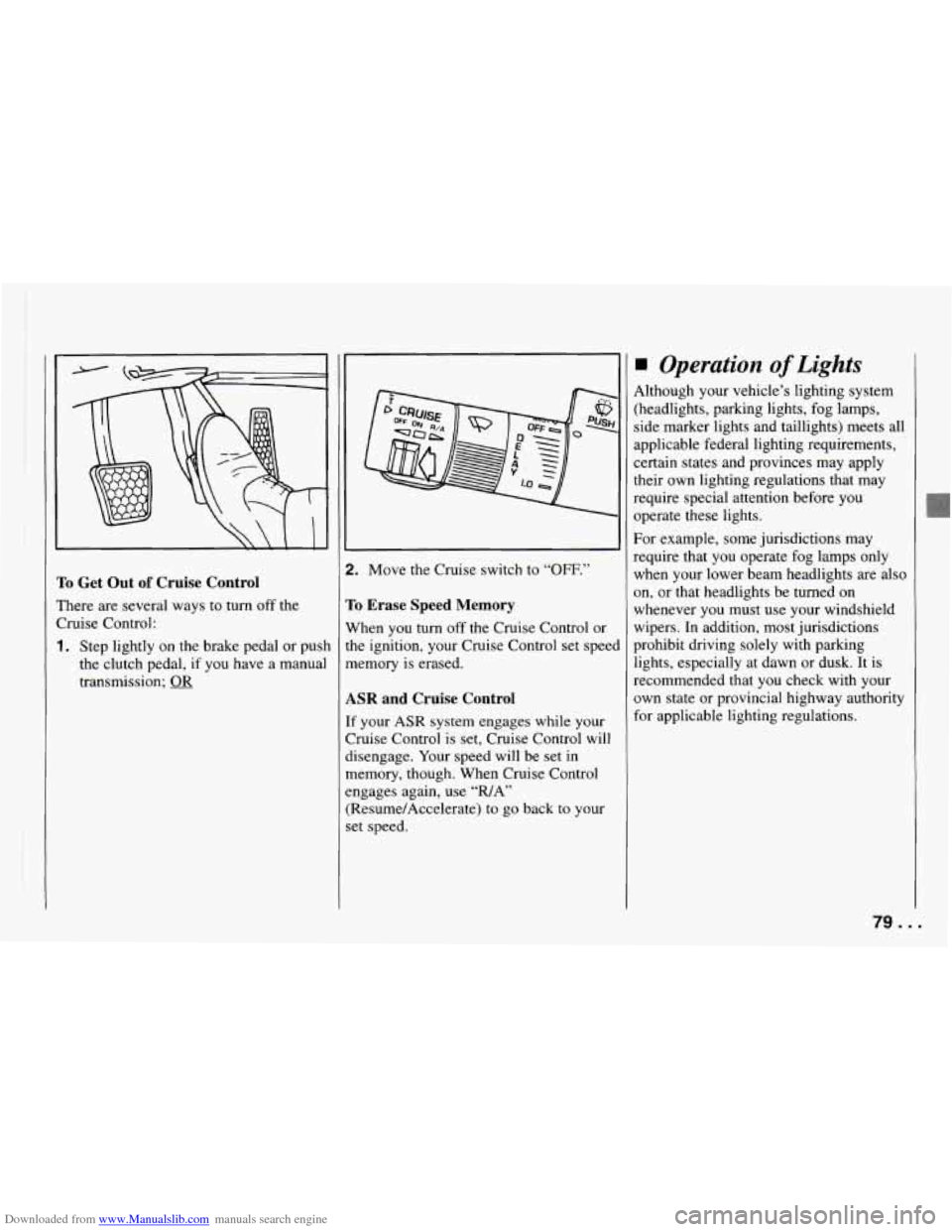
There are several ways to turn off the
Cruise Control:
1. Step lightly on the brake pedal or push
the clutch pedal, if you have a manual
transmission;
2. Move the Cruise switch to “OFF.”
To Erase Speed Memory
When you turn off the Cruise Control or
the ignition, your Cruise Control set speel
memory is erased.
ASR and Cruise Control
If your ASR system engages while your
Cruise Control is set, Cruise Control will
disengage. Your speed will be set in
memory, though. When Cruise Control
engages again, use “WAY’
(Resume/Accelerate) to
go back to your
set speed.
Operation of Lights
4lthough your vehicle’s lighting system
:headlights, parking lights, fog lamps,
side marker lights and taillights) meets all
ipplicable federal lighting requirements,
Zertain states and provinces may apply
:heir own lighting regulations that may
require special attention before you
>perate these lights.
For example, some jurisdictions may
require that you operate fog lamps only
when your lower beam headlights are also
m, or that headlights be turned on
whenever you must use your windshield
wipers. In addition, most jurisdictions
prohibit driving solely with parkmg
lights, especially at dawn or dusk. It is
recommended that you check with your
own state or provincial highway authority
for applicable lighting regulations.
/Y...
Page 82 of 292
Downloaded from www.Manualslib.com manuals search engine Features and Controls
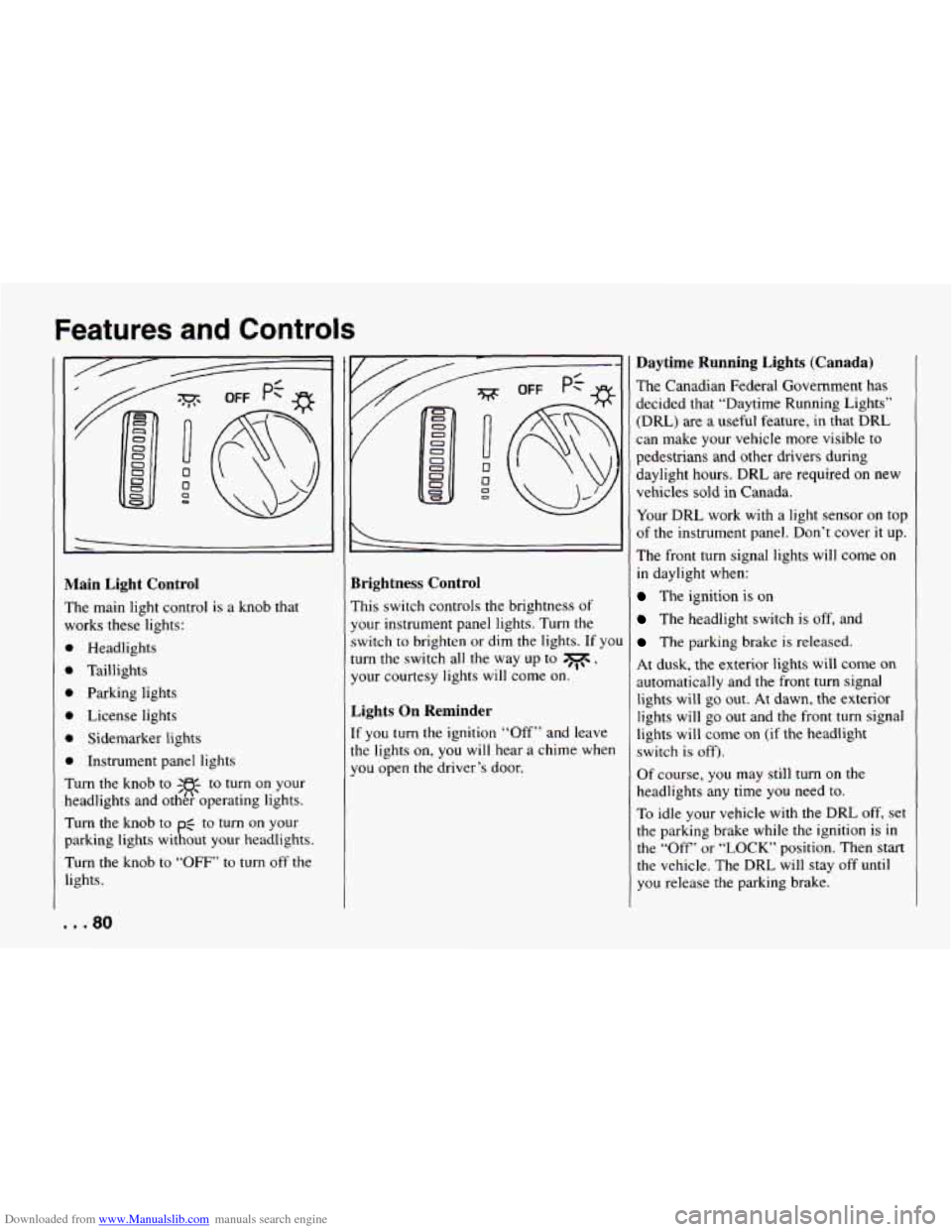
vlain Light Control
’he main light control is a knob that
vorks these lights:
b Headlights
b Taillights
Parking lights
b License lights
1 Sidemarker lights
b Instrument panel lights
rurn the knob to -w- to turn on your
leadlights and ot&?operating lights.
rurn the knob to
pg to turn on your
larking lights without your headlights.
rurn the knob to
“OFF’ to turn off the
ights.
Brightness Control
This switch controls the brightness of
your instrument panel lights. Turn the
switch to brighten or dim the lights. If yo1
turn the switch all the way up to
0w,
your courtesy lights will come on.
Lights On Reminder
If you turn the ignition “Off” and leave
the lights on, you will hear a chime when
you open the driver’s door.
Daytime Running Lights (Canada)
The Canadian Federal Government has
decided that “Daytime Running Lights”
(DRL) are
a useful feature, in that DRL
can make your vehicle more visible to
pedestrians and other drivers during
daylight hours.
DRL are required on new
vehicles sold in Canada.
Your DRL work with a light sensor on top
of the instrument panel. Don’t cover it up.
The front turn signal lights will come
on
in daylight when:
The ignition is on
The headlight switch is off, and
The parking brake is released.
At dusk, the exterior lights will come
on
automatically and the front turn signal
lights will go out. At dawn, the exterior
lights will go out and the front
turn signal
lights will come on (if the headlight
switch is off).
Of course,
you may still turn on the
headlights any time you need
to.
To idle your vehicle with the DRL off, set
the parking brake while the ignition is in
the
“Off” or “LOCK’ position. Then start
the vehicle. The DRL will stay
off until
you release the parking brake.
Page 83 of 292

Jse your fog lights for better vision in
oggy or misty conditions. Your parking
ights must be on or your")
Downloaded from www.Manualslib.com manuals search engine \
?og Lights (Option)
Jse your fog lights for better vision in
oggy or misty conditions. Your parking
ights must be on or your fog lights won7
work.
To turn the fog lights on, push the switch
tbove
$0 . Push the bottom of the
;witch to turn the fog lights off.
A light
In the switch will come on when the fog
ights are on.
Zog lights
will go off whenever your higl
>earns come
on. When the high beams gc
Iff, the fog lights will come on again.
I Interior Lights
ourtesy Lights
Then any door is opened, several interior
ghts go on. These lights are courtesy
ghts. They make it easier for you to
Iter and leave your vehicle.
ourtesy lights include the dome light
Id other lights throughout the interior of
)ur vehicle.
kont Map Lights
Tour inside rearview mirror includes two
nap lights. Each light has its own switch.
Jse the switch closest to the light to turn
t on. The lights will also go on when a
loor is opened.
81 ...