bulb CHEVROLET CAMARO 1995 4.G Owners Manual
[x] Cancel search | Manufacturer: CHEVROLET, Model Year: 1995, Model line: CAMARO, Model: CHEVROLET CAMARO 1995 4.GPages: 388, PDF Size: 19.69 MB
Page 91 of 388
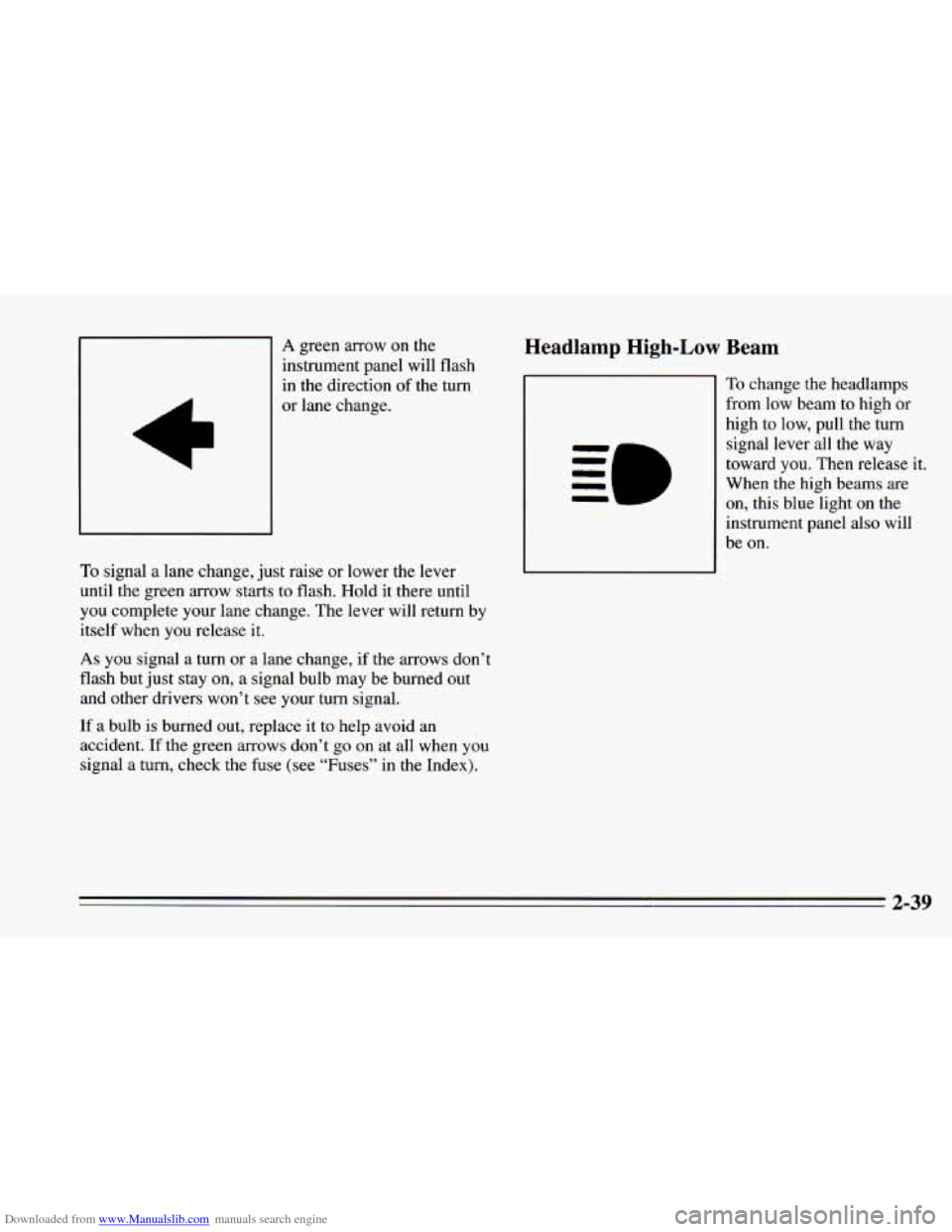
Downloaded from www.Manualslib.com manuals search engine A green arrow on the
instrument panel will flash
in the direction of the turn
or lane change.
To signal a lane change, just raise or lower the lever
until the green arrow starts to flash. Hold it there until
you complete your lane change. The lever will return by
itself when you release it.
As you signal a turn or a lane change, if the arrows don’t
flash but just stay
on, a signal bulb may be burned out
and other drivers won’t see your turn signal.
If a bulb is burned out, replace it to help avoid an
accident.
If the green arrows don’t go on at all when you
signal a turn, check the fuse (see “Fuses” in the Index).
Headlamp High-Low Beam
To change the headlamps
from low beam to high or
high to low, pull the turn
signal lever all the way
toward
you. Then release it.
When the high beams are
on, this blue light on the
instrument panel also will
be
on.
2-39
Page 124 of 388
Downloaded from www.Manualslib.com manuals search engine The ASR system warning light may come on for the
following reasons: Low Traction Light
If you turn the system off by pressing the button
located on the console near the cigarette lighter, the
warning light will come
on and stay on. To turn the
system back
on, press the button again. The warning
light should
go off. (See “ASR System” in the Index
for more information.)
0 If the temperature of the throttle control begins to
rise, the system will turn off and the warning light
will come on until the system cools down. The
system
does this to prevent damage from
overheating.
If the ASR system warning light comes on and stays on
for an extended period of time when the system is
turned on, your vehicle needs service. When your anti-lock
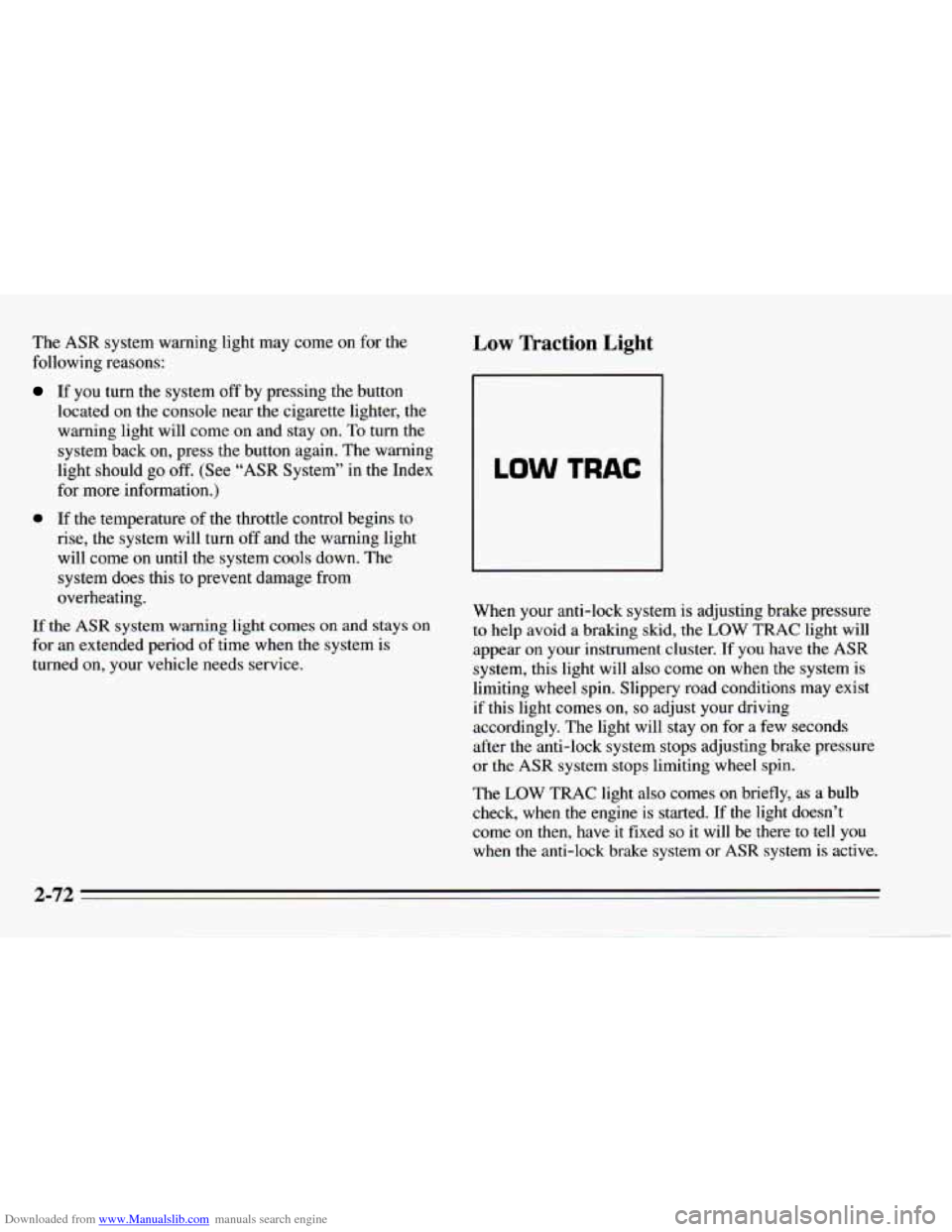
system is adjusting brake pressure to help avoid a braking skid, the LOW TRAC light will
appear on your instrument cluster. If you have the
ASR
system, this light will also come on when the system is
limiting wheel spin. Slippery road conditions may exist
if this light comes
on, so adjust your driving
accordingly. The light will stay on for a few seconds
after the anti-lock system stops adjusting brake pressure
or the
ASR system stops limiting wheel spin.
The
LOW TRAC light also comes on briefly, as a bulb
check, when
the engine is started. If the light doesn’t
come
on then, have it fixed so it will be there to tell you
when the anti-lock brake system or
ASR system is active.
2-72
Page 192 of 388
Downloaded from www.Manualslib.com manuals search engine Making ’hrns When towing a trailer, the green arrows on your
instrument panel will flash for turns even if the bulbs on
the trailer are burned out. Thus, you may think drivers
NOTICE: behind you are seeing your signal when they are not. It’s
Making very sharp turns while trailering could
cause the trailer to come in contact with the
vehicle. Your vehicle could be damaged. Avoid important to check occasionally to be sure the trailer
bulbs
are still working.
Driving On Grades
making very sharp turns while trailering. Reduce speed and shift to a lower gear before you start
down
a long or steep downgrade. If you don’t shift
When you’re turning with a trailer, make wider turns
than normal.
Do this so your trailer won’t strike soft
shoulders, curbs, road signs, trees, or other objects.
Avoid jerky or sudden maneuvers. Signal well in
advance.
Turn Signals When Towing a Trailer
When you tow a trailer, your vehicle has to have a
different turn signal flasher and extra wiring. The green
arrows on your instrument panel will flash whenever
you signal a turn or lane change. Properly hooked up,
the trailer lamps will also flash, telling other drivers
you’re about to turn, change lanes or stop. down,
you might have to use your brakes
so much that
they would get hot and no longer work well.
On a long uphill grade, shift down and reduce your
speed to around
45 mph (70 km/h) to reduce the
possibility
of engine and transmission overheating.
If you are towing a trailer and you have an automatic
transmission with Overdrive, you may prefer to drive in
DRIVE (D) instead of Overdrive (or, as you need to, a
lower gear). Or, if you have a manual transmission with
FIFTH or SIXTH gear. It is better not to use FIFTH or
SIXTH gear. Just drive in FOURTH gear (FIFTH gear
if
you have a six-speed manual transmission) (or, as you
need to, a lower gear).
4-36
Page 270 of 388
Downloaded from www.Manualslib.com manuals search engine Battery
Every new Chevrolet has a Delco Freedom@ battery.
You never have to add water to one of these. When it’s
time for a new battery, we recommend a Delco
Freedom’ battery. Get one that has the replacement
number shown on the original battery’s label.
Bulb Replacement
For the proper type of replacement bulb, see
“Replacement Bulbs”
in the Index.
Halogen Bulbs
Vehicle Storage
If you’re not going to drive your vehicle for 25 days or
more, take off the black, negative
(-) cable from the
battery. This will help keep your battery from running
down.
Headlamp Aiming
Your vehicle has the 55 x 135 mini-quad headlamp
system. These headlamps have horizontal and vertical
aim indicators. The aim has been pre-set at the factory
and should need no further adjustment.
Contact your dealer to learn how
to prepare your vehicle
for longer storage periods. If
your vehicle is damaged in an accident and the
headlamp aim seems to be affected, see your Chevrolet
dealer. Headlamps on damaged vehicles may require
recalibration of the horizontal aim by your Chevrolet
dealer.
6-38
Page 273 of 388
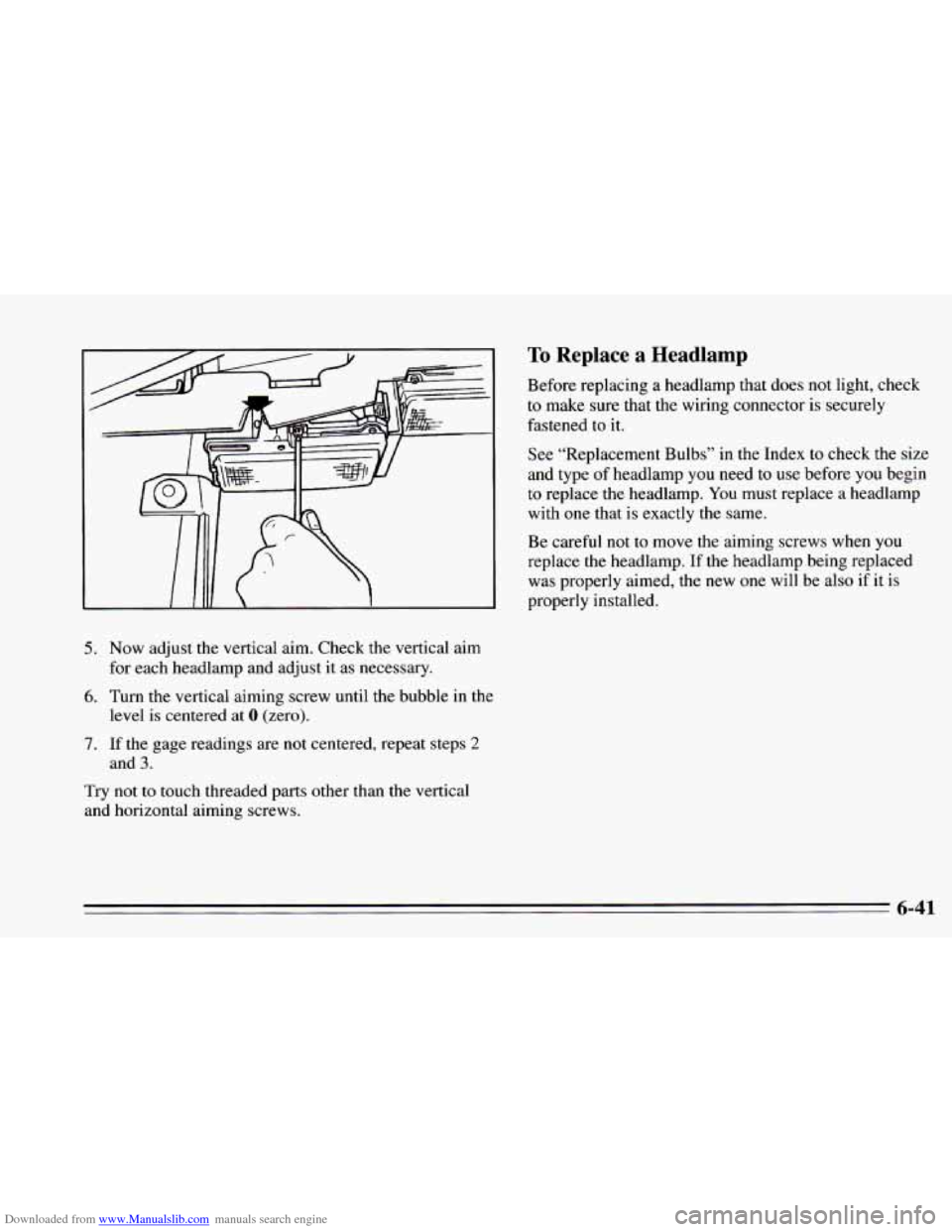
Downloaded from www.Manualslib.com manuals search engine 5. Now adjust the vertical aim. Check the vertical aim
for each headlamp and adjust it as necessary.
6. Turn the vertical aiming screw until the bubble in the
7. If the gage readings are not centered, repeat steps 2
Try not to touch threaded parts other than the vertical
and horizontal aiming screws.
level
is centered at 0 (zero).
and
3.
To Replace a Headlamp
Before replacing a headlamp that does not light, check
to make sure that the wiring connector is securely
fastened to it.
See “Replacement Bulbs”
in the Index to check the size
and type of headlamp you need to
use before you begin
to replace the headlamp.
You must replace a headlamp
with one that
is exactly the same.
Be careful
not to move the aiming screws when you
replace the headlamp. If the headlamp being replaced
was properly aimed, the
new one will be also if it is
properly installed.
6-41
Page 275 of 388
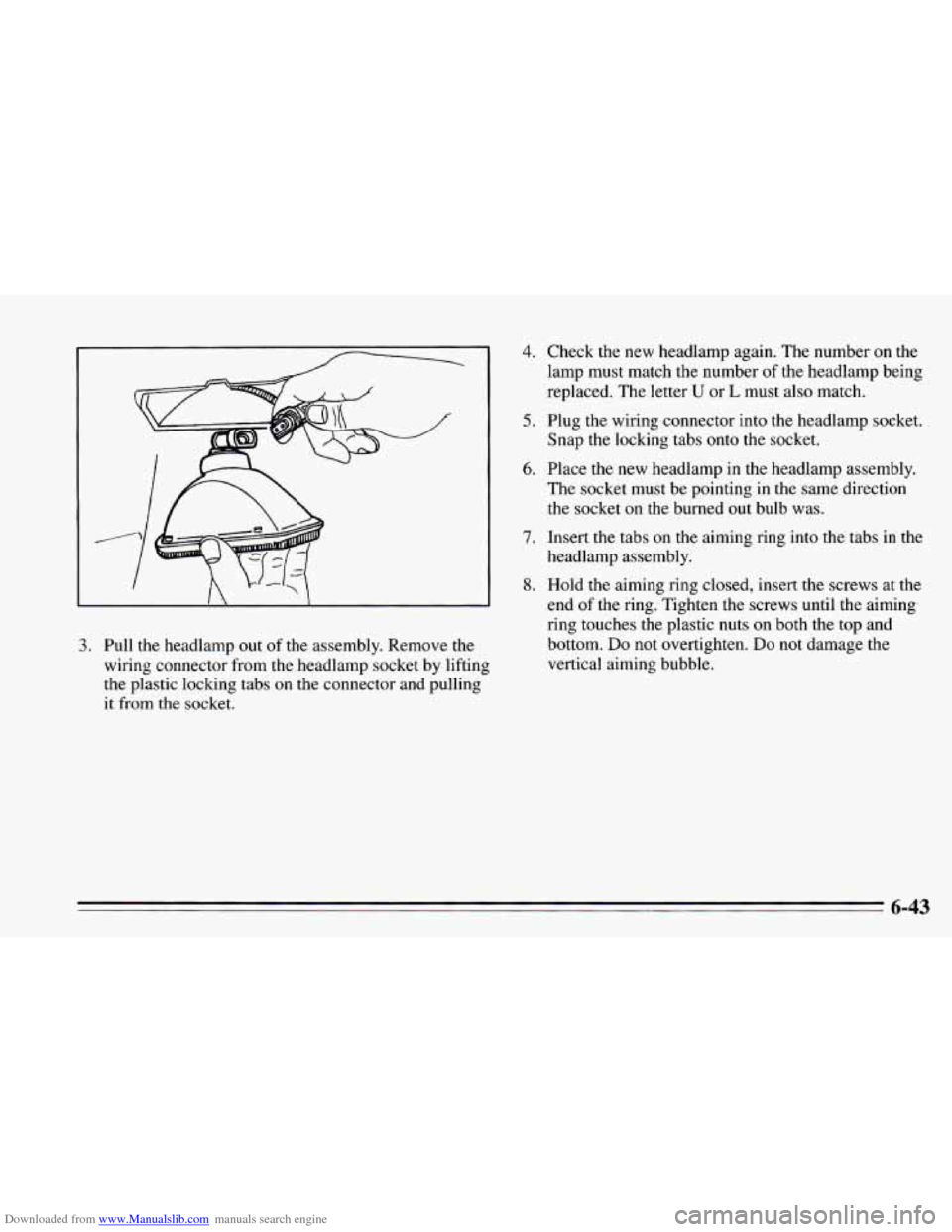
Downloaded from www.Manualslib.com manuals search engine 3. Pull the headlamp out of the assembly. Remove the
wiring connector from the headlamp socket by lifting
the plastic locking tabs
on the connector and pulling
it
from the socket.
4. Check the new headlamp again. The number on the
lamp must match the number of the headlamp being
replaced. The letter
U or L must also match.
5. Plug the wiring connector into the headlamp socket.
Snap the locking tabs onto the socket.
6. Place the new headlamp in the headlamp assembly.
The socket must be pointing in the same direction
the socket on the burned out bulb was.
7. Insert the tabs on the aiming ring into the tabs in the
headlamp assembly.
8. Hold the aiming ring closed, insert the screws at the
end
of the ring. Tighten the screws until the aiming
ring touches the plastic nuts
on both the top and
bottom.
Do not overtighten. Do not damage the
vertical aiming bubble.
6-43
Page 276 of 388
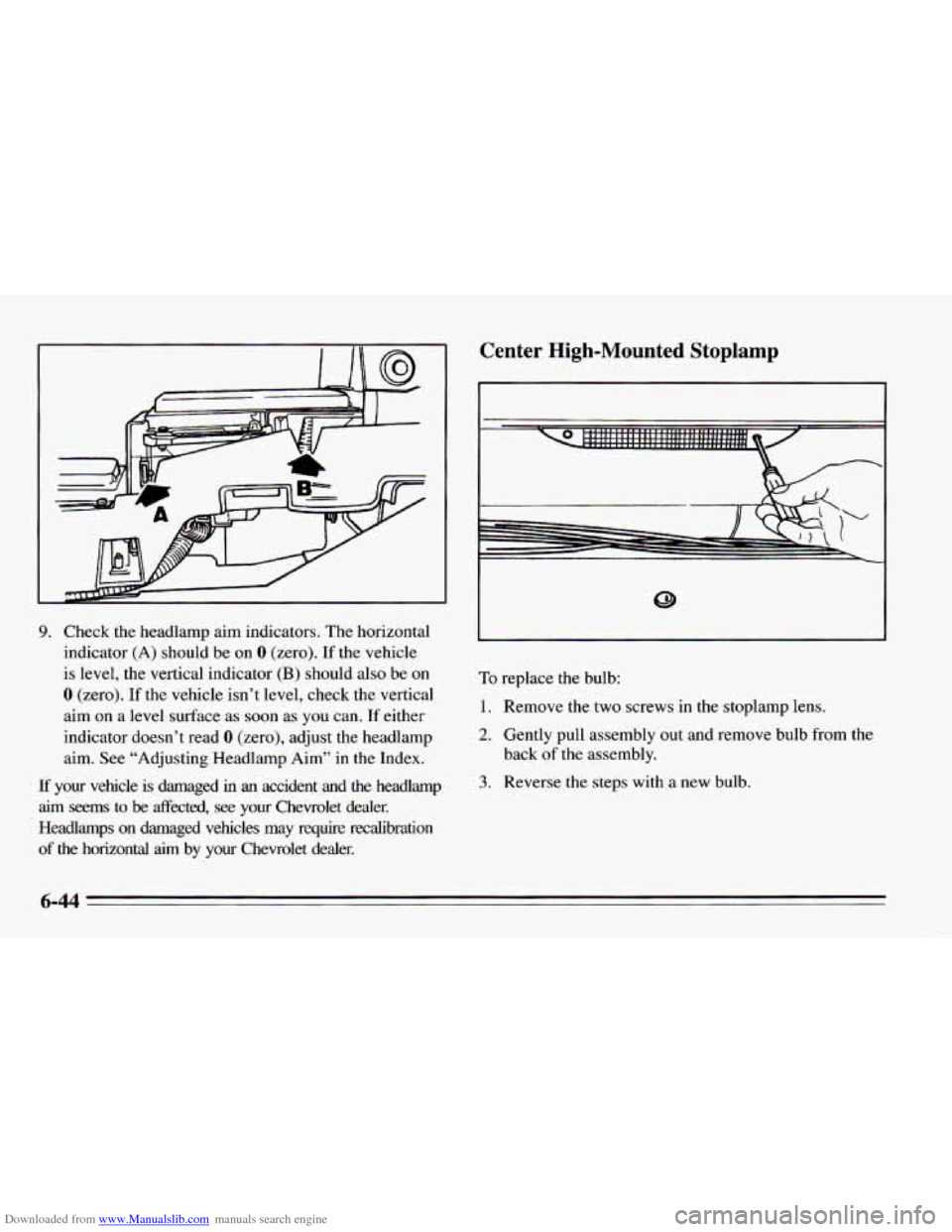
Downloaded from www.Manualslib.com manuals search engine 9. Check the headlamp aim indicators. The horizontal
indicator (A) should be on
0 (zero). If the vehicle
is level, the vertical indicator
(B) should also be on
0 (zero). If the vehicle isn’t level, check the vertical
aim
on a level surface as soon as you can. If either
indicator doesn’t read
0 (zero), adjust the headlamp
aim.
See “Adjusting Headlamp Aim” in the Index.
If your vehicle is damaged in an accident and the headlamp
aim seems
to be fleeted, see your Chevrolet dealer.
Headlamps
on damaged vehicles may require recalibration
of the horizontal aim by your Chevrolet dealer.
Center High-Mounted Stoplamp
To replace the bulb:
1. Remove the two screws in the stoplamp lens.
2. Gently pull assembly out and remove bulb from the
back
of the assembly.
3. Reverse the steps with a new bulb.
6-44
Page 277 of 388
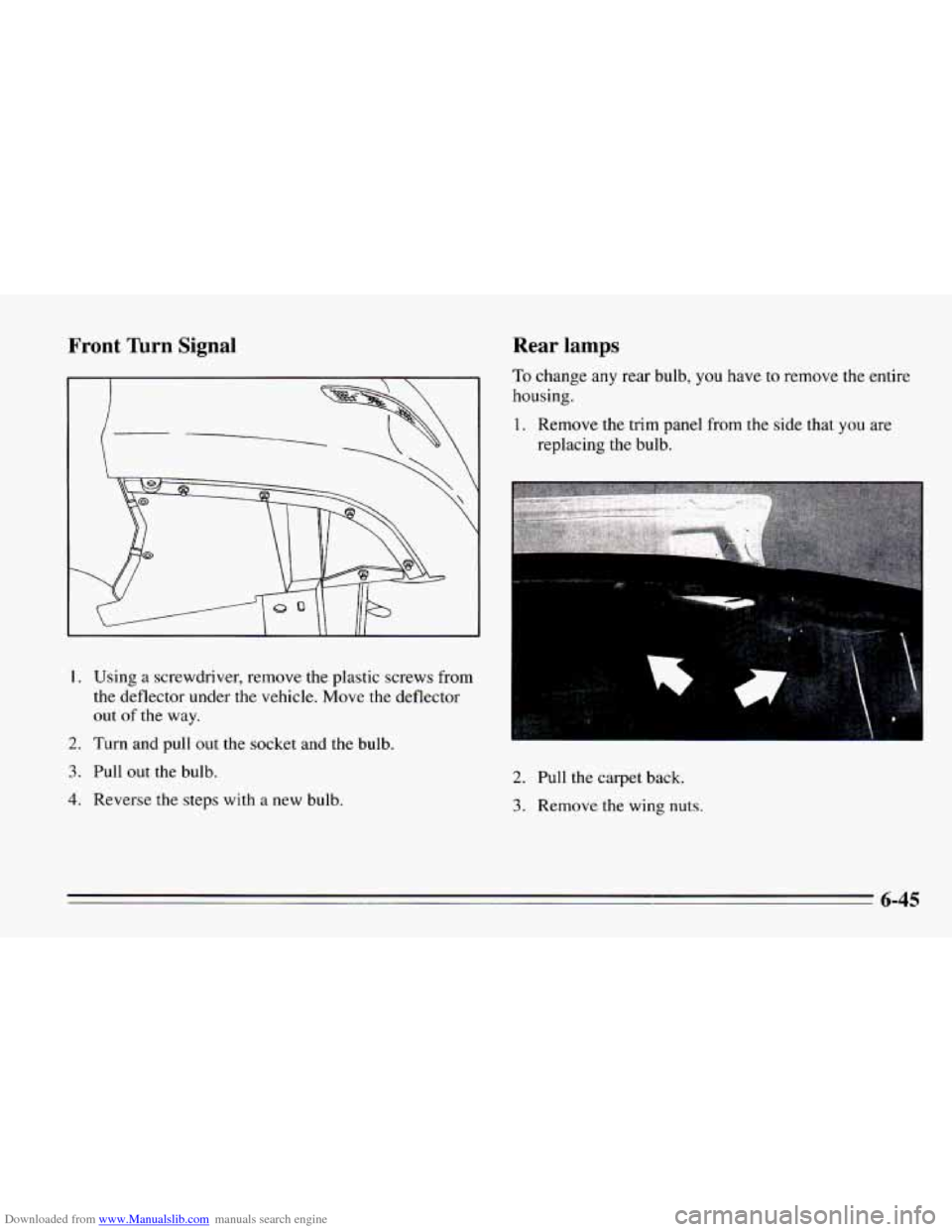
Downloaded from www.Manualslib.com manuals search engine Front Turn Signal Rear lamps
To change any rear bulb, you have to remove the entire
housing.
I. Using a screwdriver, remove the plastic screws from
the deflector under the vehicle. Move the deflector
out
of the way.
2. Turn and pull out the socket and the bulb.
3. Pull out the bulb.
4. Reverse the steps with a new bulb.
1. Remove the trim panel from the side that you are
replacing the bulb.
2. Pull the carpet back.
3. Remove the wing nuts.
6-45
Page 278 of 388
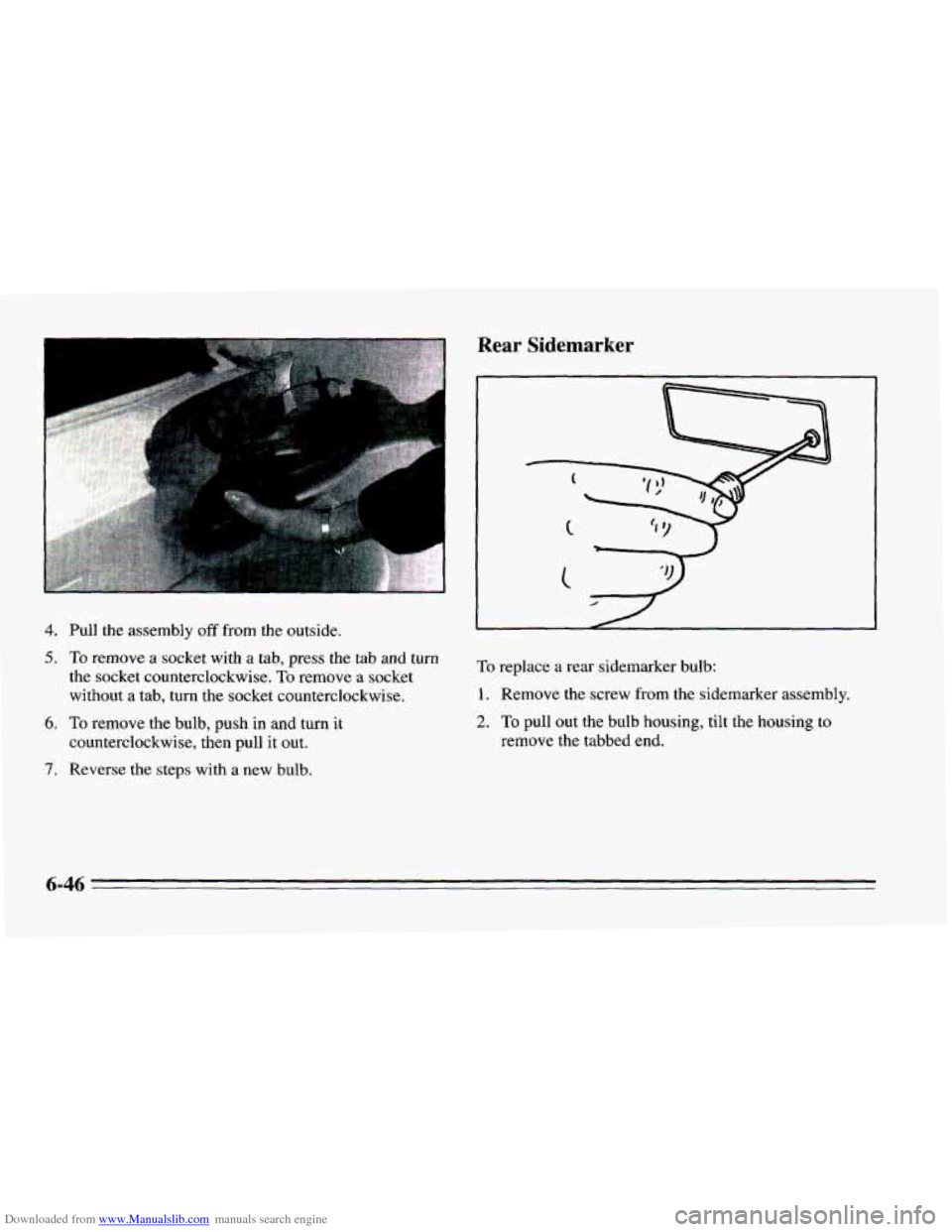
Downloaded from www.Manualslib.com manuals search engine 4. Pull the assembly off from the outside.
5. To remove a socket with a tab, press the tab and turn
the socket counterclockwise.
To remove a socket
without a tab,
turn the socket counterclockwise.
6. To remove the bulb, push in and turn it
counterclockwise, then pull
it out.
7. Reverse the steps with a new bulb.
Rear Sidemarker
To replace a rear sidemarker bulb:
1. Remove the screw from the sidemarker assembly.
2. To pull out the bulb housing, tilt the housing to
remove the tabbed end.
Page 279 of 388
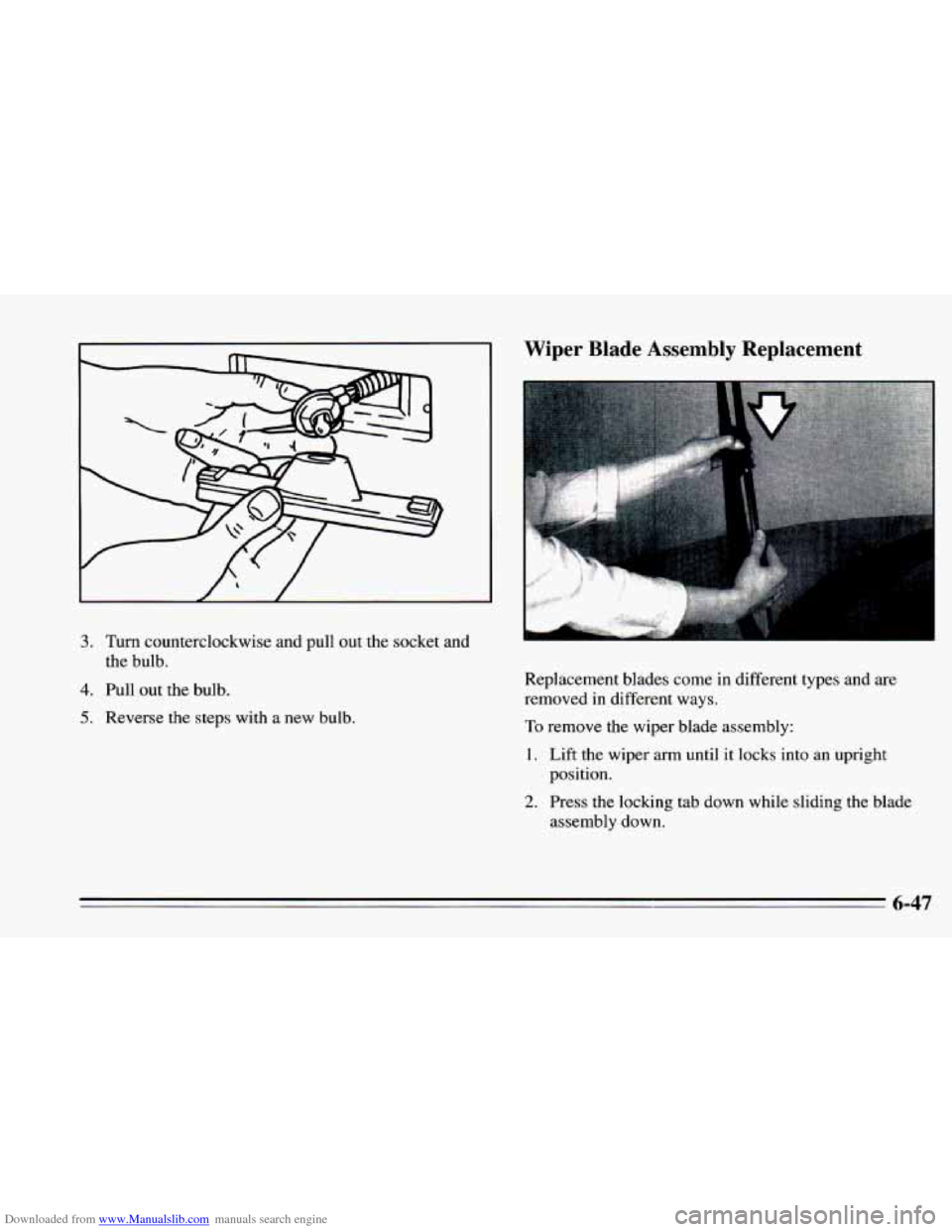
Downloaded from www.Manualslib.com manuals search engine 3. Turn counterclockwise and pull out the socket and
the bulb.
4. Pull out the bulb.
5. Reverse the steps with a new bulb.
Wiper Blade Assembly Replacement
Replacement blades come in different types and are
removed in different ways.
To remove the wiper blade assembly:
1. Lift the wiper arm until it locks into an upright
position.
2. Press the locking tab down while sliding the blade
assembly down.