change time CHEVROLET CAMARO 1996 4.G Owners Manual
[x] Cancel search | Manufacturer: CHEVROLET, Model Year: 1996, Model line: CAMARO, Model: CHEVROLET CAMARO 1996 4.GPages: 402, PDF Size: 21.38 MB
Page 3 of 402
Downloaded from www.Manualslib.com manuals search engine n-n
pl
ICHEVROLET~
GENERAL MOTORS, GM, the GM Emblem,
CHEVROLET, the Chevrolet Emblem and the
name CAMARO are registered trademarks of
General Motors Corporation.
This manual includes the latest information at the time it
was printed. We reserve the right to make changes
in the
product after that time without further notice. For
vehicles first sold in Canada, substitute
the name
“General Motors of Canada Limited” for Chevrolet
Motor Division whenever it appears in this manual.
Please keep this manual in your Chevrolet,
so it will be
there if you ever need
it when you’re on the road. If you
sell the vehicle, please leave this manual in it so the new
owner can use it.
Litho in U.S.A.
Part No. 10275780
A First Edition
WE SUPPORT VOLUNTARY TECHNICIAN
CERTIFICATION THROUGH
National Institute for
AUTOMOTIVE SERVICE EXCELLENCE
We support voluntary
technician certification.
For Canadian Owners Who Prefer a
French Language Manual:
Aux propriitaires canadiens: Vous pouvez vous
procurer
un exemplaire de ce guide en fraqais chez
votre concessionaire ou au:
DGN Marketing Services Ltd.
1500 Bonhill Rd.
Mississauga, Ontario
L5T 1C7
@Copyright General Motors Corporation 1995
All Rights Reserved
ii
Page 64 of 402
Downloaded from www.Manualslib.com manuals search engine Battery Replacement
Under normal use, the battery in your Remote Lock
Control transmitter should last about two years.
You can tell the battery is weak if the transmitter won’t
work at the normal range in any location.
If you have to
get close to your vehicle before the transmitter works,
it’s probably time to change the battery.
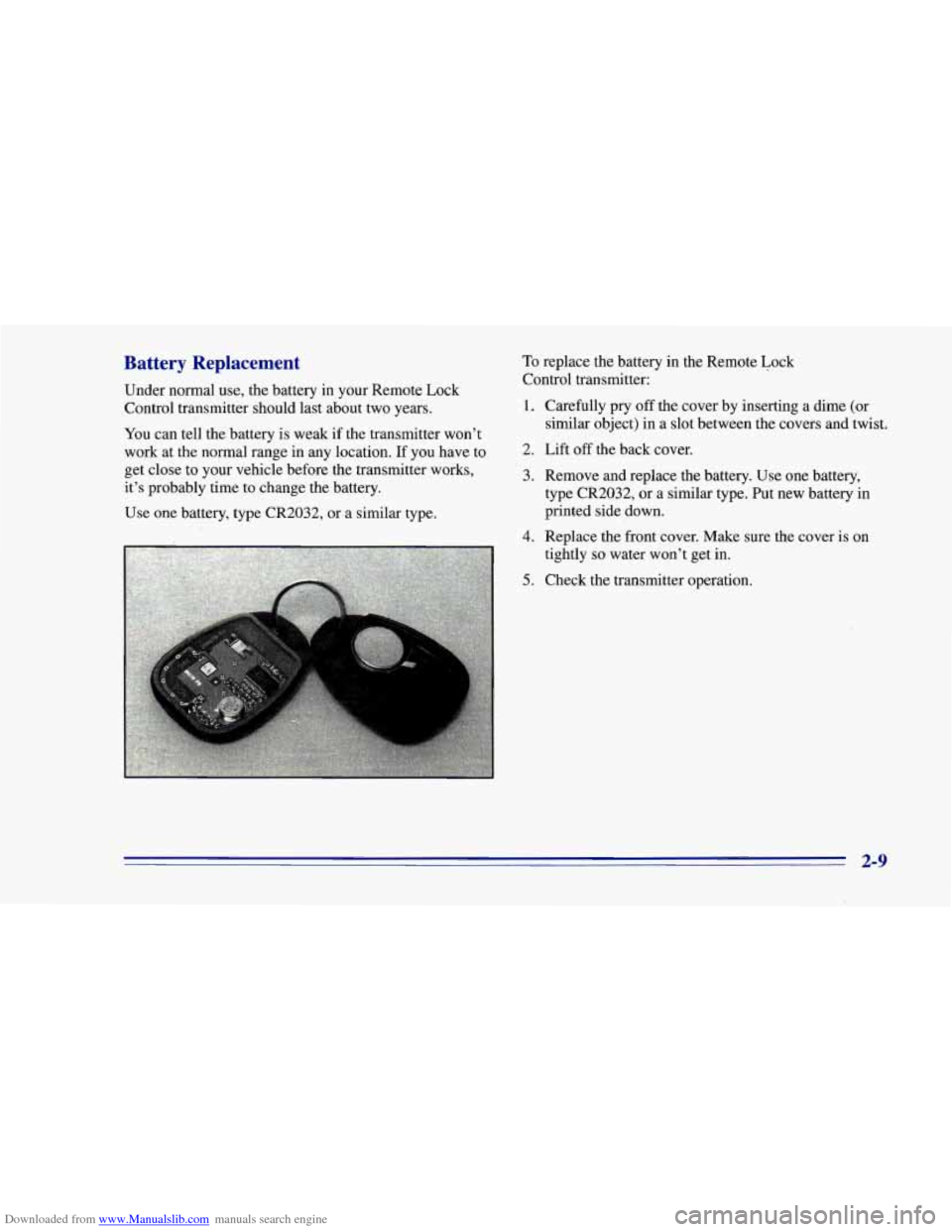
To replace the battery in the Remote Lock
Control transmitter:
1. Carefully pry off the cover by inserting a dime (or
2. Lift off the back cover.
similar object)
in a slot between the covers and twist.
3. Remove and replace the battery. Use one battery,
type CR2032,
or a similar type. Put new battery in
printed side down.
Use one battery, type CR2032, or a similar type.
4. Replace the front cover. Make sure the cover is on
tightly
so water won’t get in.
5. Check the transmitter operation.
..
2-9
Page 74 of 402
Downloaded from www.Manualslib.com manuals search engine Remote Lock Control Verification
Your vehicle comes with this feature set in Mode 5. This
means that when you use the Remote Lock Control
transmitter to locldunlock your vehicle, your parking
lamps will flash briefly upon the first push on LOCK.
Your horn will sound briefly, your parking lamps will flash
briefly upon the second push on LOCK and your parking lamps will flash briefly upon any push
on UNLOCK. To
change
the factory setting, do the following:
1. Press the UNLOCK switch
on the Remote Lock
Control transmitter.
2. Count the number of chimes you hear. The number of
chimes tells you which mode your vehicle is set for.
3. Press the UNLOCK switch on the Remote Lock
Control transmitter until you hear the number
of
chimes that correspond to the mode selection
you want.
Mode 1: All Off (The headlamps will not flash and the
horn will not sound to provide you feedback that a
lockhnlock command has been received by the Remote
Lock Control transmitter).
Mode 2: Horn and LampsLamps (Your horn will sound
briefly and your parking lamps will flash when you
press LOCK on the Remote Lock Control transmitter.
Only your parking lamps will flash when you press
UNLOCK).
Mode 3: Horn and Lamps (Your horn will sound briefly
and your parking lamps will flash every time you push
LOCK and UNLOCK).
Mode 4: Lamps (Your parking lamps will flash every
time you push LOCK and UNLOCK).
Mode 5: Lamps/Horn and LampsLamps (Your lamps
will flash upon the first push on LOCK, your lamps will
flash and your horn will sound upon the second push on
LOCK and your lamps will flash upon any push
on
UNLOCK).
2-19
Page 80 of 402
Downloaded from www.Manualslib.com manuals search engine Starting Your 3.8 Liter Engine
1. Without pushing the accelerator pedal, turn your
ignition key to START. When the engine starts, let
go of the key. The idle speed will go down as your
engine gets warm.
NOTICE:
Holding your key in START for longer than
15 seconds at a time will cause your battery to be
drained much sooner. And the excessive heat can
damage your starter motor.
2. If it doesn’t start right away, hold your key in
START for about three to five seconds at a time until
your engine starts. Wait about
15 seconds between
each try to help avoid draining your battery.
3. If your engine still won’t start (or starts but then
stops),
it could be flooded with too much gasoline.
Try pushing your accelerator pedal all the way to the
floor and holding it there as you hold the key
in
START for about three seconds. If the vehicle starts
briefly but then stops again, do the same thing, but
this time keep the pedal down for five or six seconds.
This clears the extra gasoline from the engine.
After waiting about
15 seconds, repeat the normal
starting procedure.
NOTICE:
Your engine is designed to work with the
electronics in your vehicle.
If you add electrical
parts or accessories, you could change the way
the engine operates. Before adding electrical
equipment, check with your dealer.
If you don’t,
your engine might not perform properly.
If you ever have to have your vehicle towed, see
the part of this manual that tells how to do
it
without damaging your vehicle. See “Towing
Your Vehicle’’ in the Index.
2-25
Page 81 of 402
Downloaded from www.Manualslib.com manuals search engine Starting Your 5.7 Liter LTl -ngine
1. Without pushing the accelerator pedal, turn the
ignition key to
START. When the engine starts, let
go
of the key. The idle speed will go down as your
engine gets warm.
Holding your key in START for longer than
15 seconds at a time will‘cause your battery to be
drained much sooner. And the excessive heat can
damage your starter motor.
2. If it doesn’t start within 10 seconds, push the
accelerator pedal all the way to the floor, while
you
hold the ignition key in START. When the engine
starts, let
go of the key and let up on the accelerator
pedal. Wait about
15 seconds between each try to
help avoid draining your battery.
When starting your engine in very cold weather (below
0°F or -€8”C), do this:
1. With your foot off the accelerator pedal, turn the
ignition key to
START and hold it there. When the engine
starts, let
go of the key. Use the accelerator
pedal to maintain engine speed, if you have to, until
your engine has run
for a while.
stops), it could be flooded with too much gasoline.
Try pushing your accelerator pedal all the way to the
floor and holding it there as you hold the key in
START for about three seconds.
If the vehicle starts
briefly but then stops again, do the same thing, but
this time keep the pedal down for five or six seconds.
2. If your engine still won’t start (or starts but then
This clears the extra gasoline from the engine.
NOTICE:
Your engine is designed to work with the
electronics in your vehicle.
If you add electrical
parts or accessories, you could change the way
the engine operates. Before adding electrical
equipment, check with your dealer.
If you don’t,
your engine might not perform properly.
If you ever have to have your vehicle towed, see
the part
of this manual that tells how to do it
without damaging your vehicle. See “Towing
Your Vehicle” in the Index.
2-26
Page 146 of 402
Downloaded from www.Manualslib.com manuals search engine The air conditioner compressor operates in MAX, A/C,
BI-LEVEL, BLEND and DEFROST when the outside
temperature is above freezing. When the air conditioner
is
on, you may sometimes notice slight changes in your
vehicle’s engine speed and power. This is normal,
because the compressor uses power and the system is
designed to cycle the compressor on and off to keep the
desired cooling and help fuel economy.
Cooling
The air conditioner works best if you keep your
windows closed. On
very hot days, open the windows
just long enough for the hot air to escape.
1. Turn the air control knob to A/C for normal cooling.
For faster cooling, move the knob
to MAX.
comfortable setting.
2. Turn the temperature control knob to a
3. Turn the fan control knob to the desired speed.
Heating
The heater works best if you keep your windows closed
while using it.
1. Turn the air control knob to HEATER.
2. Turn the fan control knob to the desired speed.
3. Turn the temperature control knob to a
comfortable setting.
If your vehicle is equipped with an optional engine coolant
heater, you can use it in cold weather (around 20°F/-8”C
or lower) to improve heater performance on initial
start up.
Because an engine coolant heater warms the engine
coolant, your vehicles heating system can more quickly
and efficiently provide heat for your vehicle’s passenger
area. See “Engine Coolant Heater”
in the Index.
Bi-Level Heating
You may want to use bi-level heating on cool, but sunny
days. This setting directs
cool air toward your body and
warmer air toward your feet.
1. Turn the air control knob to BI-LEVEL.
2. Turn the temperature control knob to a
comfortable setting.
3. Turn the fan control knob to the desired speed.
3-3
Page 152 of 402
Downloaded from www.Manualslib.com manuals search engine APS: This stands for Automatic Program Search. When
you press this button, it changes the function
of the
SEEK arrow buttons.
When the APS.button is pressed, press the
SEEK arrow
that is opposite of the lit direction arrow to repeat the
current selection or skip to the previous selection. The
tape will rapidly reverse until it reaches the beginning
of
a selection. Once it finds the selection, it will change to
play mode.
Press the
SEEK arrow button that is the same as the lit
direction arrow
to skip to the next selection. The tape
will rapidly advance until it reaches the beginning
of a
selection. Once it finds the selection, it will change to
play mode.
PROG-RCL: Press the upper knob to change tape
direction when a tape is inserted.
STOP-E JECT Press this button to remove the tape or
stop playing the tape and switch to the radio.
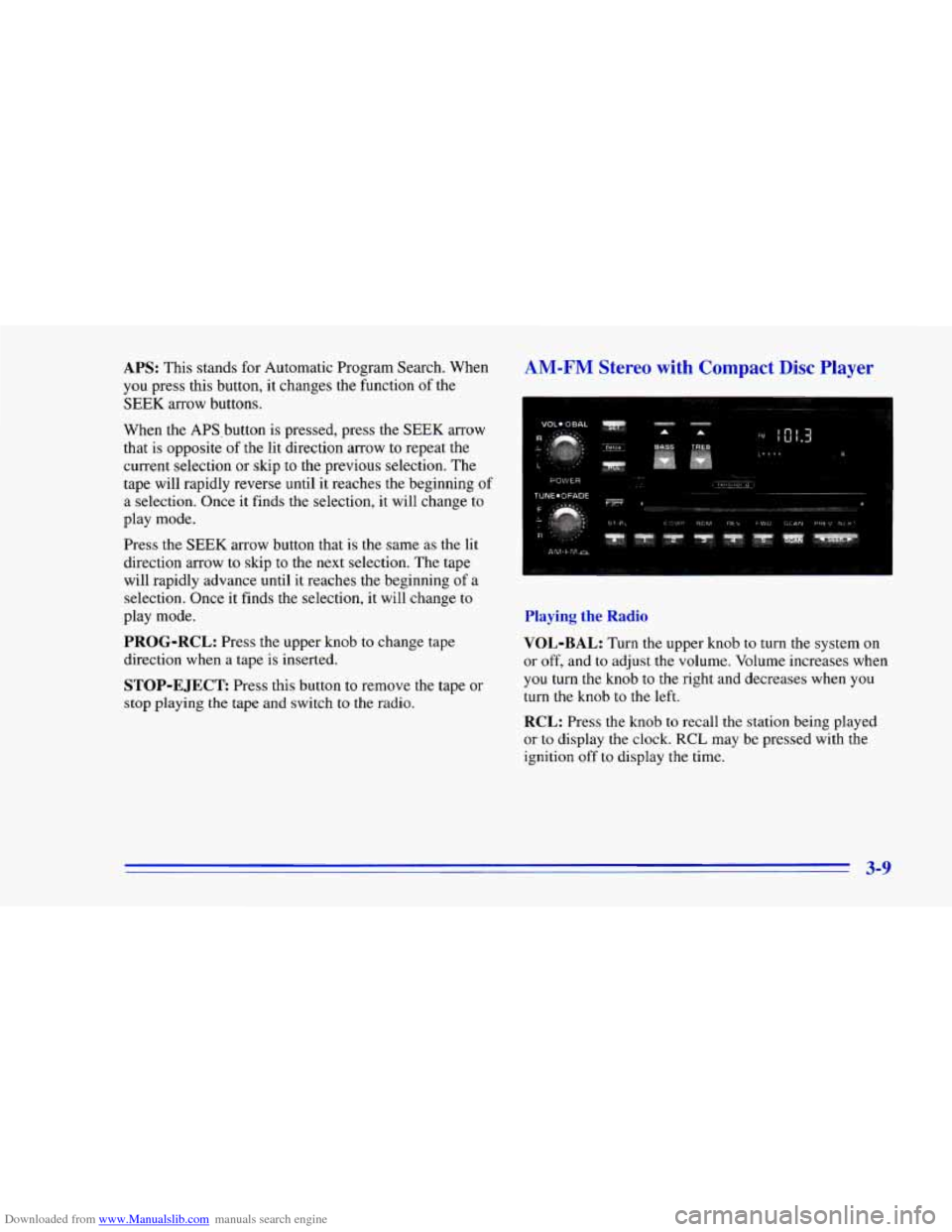
AM-FM Stereo with Compact Disc Player
Playing the Radio
VOL-BAL:
Turn the upper knob to turn the system on
or off, and
to adjust the volume. Volume increases when
you turn the knob to the right and decreases when you
turn the knob to the left.
RCL: Press the knob to recall the station being played
or to display the clock. RCL may be pressed with the
ignition off
to display the time.
3-9
Page 173 of 402
Downloaded from www.Manualslib.com manuals search engine Remember: Anti-lock doesn’t change the time you need
to get your foot up to the brake pedal or always decrease
stopping distance.
If you get too close to the vehicle in
front
of you, you won’t have time to apply your brakes
if that vehicle suddenly slows or stops. Always leave
enough room up ahead to stop, even though you have
anti-lock brakes.
Using Anti-Lock
Don’tpump the brakes. Just hold the brake pedal
down and let anti-lock work for you. You may feel the
system working, or you may notice some noise, but this
is normal.
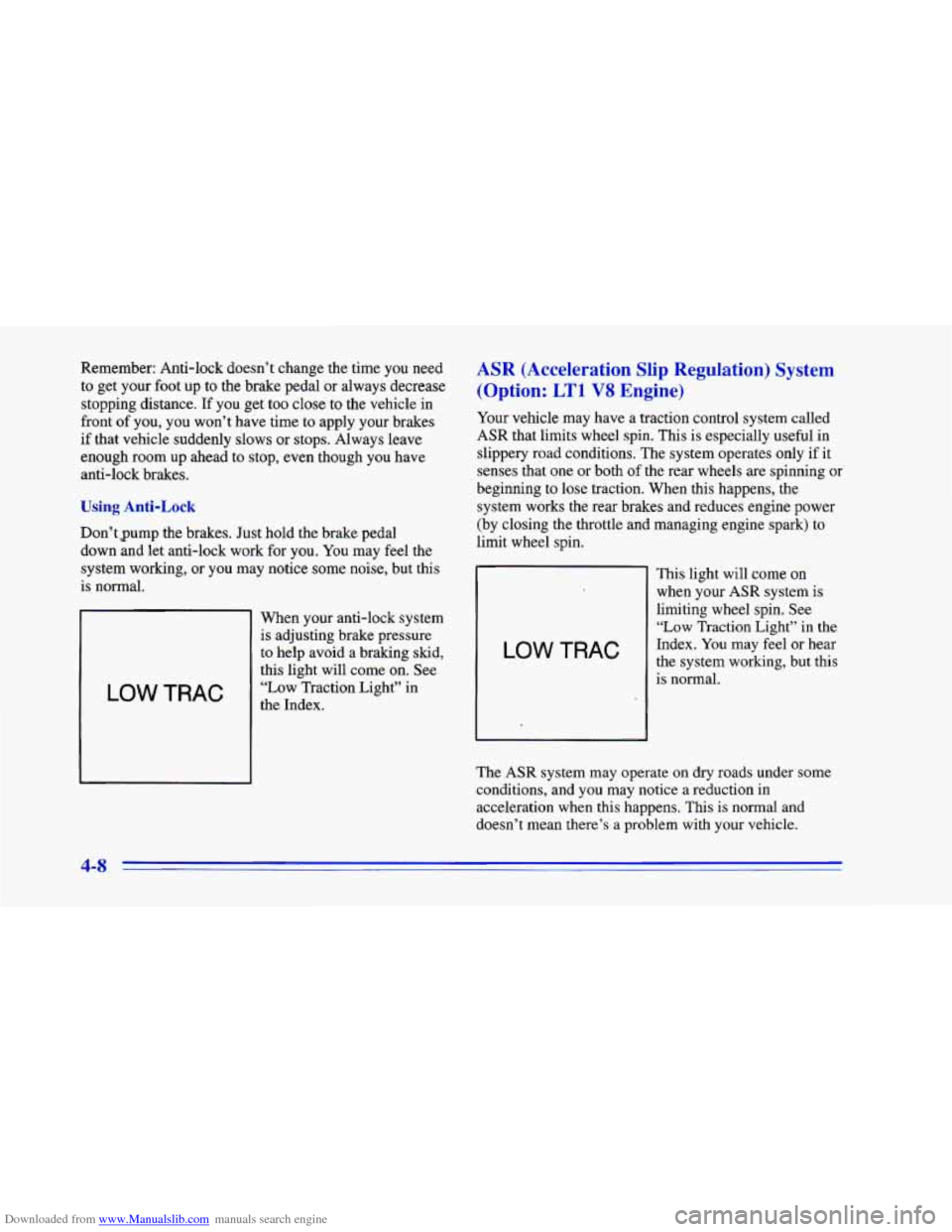
LOW TRAC
When your anti-lock system
is adjusting brake pressure
to help avoid a braking skid,
this light will come on. See
“Low Traction Light” in
the Index.
ASR (Acceleration Slip Regulation) System
(Option:
LTl V8 Engine)
Your vehicle may have a traction control system called
ASR that limits wheel spin. This is especially
useful in
slippery road conditions. The system operates only if
it
senses that one or both of the rear wheels are spinning or
beginning to lose traction. When this happens, the
system works the rear brakes and reduces engine power
(by closing the throttle and managing engine spark) to
limit wheel spin.
LOW TRAC
This light will come on
when your ASR system is
limiting wheel spin. See
“Low Traction Light” in the
Index. You may feel or hear
the system working, but this
is normal.
The ASR system may operate
on dry roads under some
conditions, and you may notice a reduction in
acceleration when this happens. This is normal and
doesn’t mean there’s a problem with your vehicle.
4-8
Page 175 of 402
Downloaded from www.Manualslib.com manuals search engine You can turn the system back on at any time by
pressing the button again. The ASR system warning
light should go off.
If your car is equipped with P245/50ZR16 tires, the
ASR system will automatically turn off at speeds above
108 mph (174 kmh). (The ASR system warning light
will not come on.) When the vehicle speed drops below
103 mph (166 km/h) the system will automatically come
on again.
Braking in Emergencies
Use your anti-lock braking system when you need to.
With anti-lock, you can steer and brake at the same
time. In many emergencies, steering can help you more
than
even the very best braking.
Steering
Power Steering
If you lose power steering assist because the engine
stops or the system is not functioning, you can steer but
it will take much more effort.
Steering Tips
Driving on Curves
It’s important to take curves at a reasonable speed.
A lot of the “driver lost control” accidents mentioned on
the news happen on curves. Here’s why:
Experienced driver or beginner, each of
us is subject to
the same laws of physics when driving on curves. The
traction of the tires against the road surface makes it
possible for the vehicle to change its path when you turn
the front wheels.
If there’s no traction, inertia will keep
the vehicle going in the same direction. If you’ve ever
tried to steer a vehicle on wet ice, you’ll understand this.
The traction you can get in a curve depends on the
condition
of your tires and the road surface, the angle at
which the curve
is banked, and your speed. While you’re
in a curve, speed is the one factor you can control.
Suppose you’re steering through a sharp curve. Then you
suddenly accelerate. Both control systems
-- steering and
acceleration
-- have to do their work where the tires meet
the road. Unless you have ASR and the system is on,
adding the sudden acceleration can demand too much
of
those places. You can lose control.
Page 179 of 402
Downloaded from www.Manualslib.com manuals search engine a
0
a
0
Check your mirrors, glance over your shoulder, and
start your left
lane change signal before moving out
of the right lane
to pass. When you are far enough
ahead of the passed vehicle to see its front in your
inside mirror, activate your right lane change signal
and move back into the right lane. (Remember that
your right outside mirror is convex. The vehicle you
just passed may seem
to be farther away from you
than it really is.)
Try not to pass more than one vehicle at a time
on two-lane roads. Reconsider before passing the
next vehicle.
Don’t overtake
a slowly moving vehicle too rapidly.
Even though the brake lamps are not flashing, it may
be slowing down or starting to turn.
If you’re being passed, make it easy for the
following driver to get ahead
of you. Perhaps you
can ease a little to the right.
Loss of Control
Let’s review what driving experts say about what
happens when the three control systems (brakes, steering
and acceleration) don’t have enough friction where the
tires meet the road to do what the driver has asked.
In any emergency, don’t give up. Keep trying to steer and
constantly seek an escape route
or area of less danger.
Skidding
In a skid, a driver can lose control of the vehicle.
Defensive drivers avoid most skids by taking reasonable
care suited
to existing conditions, and by not
“overdriving” those conditions. But skids are
always possible.
The three types of skids correspond to your Chevrolet’s
three control systems. In the braking skid, your wheels
aren’t rolling. In the steering or cornering skid, too
much speed
or steering in a curve causes tires to slip and
lose cornering force. And in the acceleration skid, too
much throttle causes
the driving wheels to spin.
A cornering skid is best handled by easing your foot off
the accelerator pedal.
If you have the ASR system, remember: It helps avoid
only the acceleration skid.
If you do
not have ASR, or if the system is off, then an
acceleration skid is also best handled by easing your
foot off the accelerator pedal.
If your vehicle starts
to slide, ease your foot off the
accelerator pedal and quickly steer the way
you want the
vehicle to go. If you start steering quickly enough, your
vehicle may straighten out. Always be ready for
a
second skid if it occurs.
4-14