radio CHEVROLET CAMARO 1996 4.G Owners Manual
[x] Cancel search | Manufacturer: CHEVROLET, Model Year: 1996, Model line: CAMARO, Model: CHEVROLET CAMARO 1996 4.GPages: 402, PDF Size: 21.38 MB
Page 61 of 402
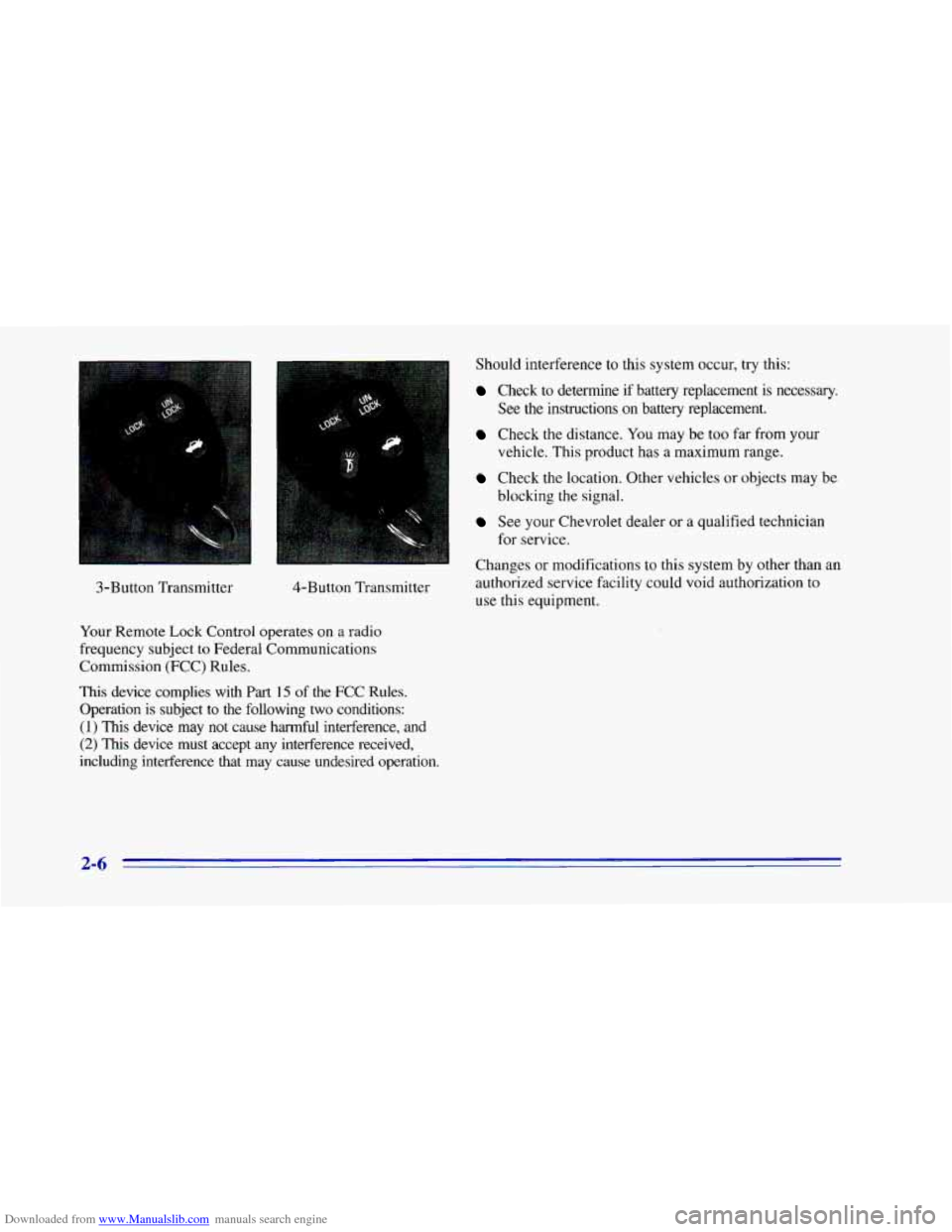
Downloaded from www.Manualslib.com manuals search engine 3-Button Transmitter 4-Button Transmitter
Your Remote Lock Control operates on
a radio
frequency subject
to Federal Communications
Commission (FCC) Rules.
This device complies with
Part 15 of the FCC Rules.
Operation is subject
to the following two conditions:
(1) This device may not cause harmful interference, and
(2) This device must accept any interference received,
including interference that may cause undesired operation. Should interference to this system occur,
try this:
Check to determine if battery replacement is necessary.
See the instructions on battery replacement.
Check the distance. You may be too far from your
vehicle. This product has a maximum range.
Check the location. Other vehicles or objects may be
blocking the signal.
See your Chevrolet dealer or a qualified technician
Changes or modifications to this system by other than an
authorized service facility could void authorization to
use this equipment.
for service.
2-6
Page 63 of 402
Downloaded from www.Manualslib.com manuals search engine Transmitter Verification (Option)
This feature provides feedback to the holder of the
Remote Lock Control transmitter that a command has
been received by the Remote Lock Control receiver.
The parking lamps will flash
on every lock and unlock
command and the horn will sound only if the LOCK
button is pushed twice within five seconds. This allows
for silent operation of locking and unlocking, unless a
confirming horn chirp is desired. Other options may be
selected for this feature (see “Feature Customization” in
the Index).
Matching Transmitter@) To Your Vehicle
Each key chain transmitter is coded to prevent another
transmitter from unlocking your vehicle. If
a transmitter is
lost or stolen, a replacement can be purchased through
your dealer. Remember to bring any remaining transmitters
with you when you go
to your dealer. When the dealer
matches the replacement transmitter to your vehicle, any
remaining transmitters must
also be matched. Once the
new transmitter is coded, the lost transmitter will not
unlock your vehicle. Each vehicle can have only four
transmitters matched
to it.
Have each transmitter you intend to match ready for the
next steps. To match transmitters to your vehicle:
0
0
0
0
0
0
0
Turn the ignition switch from the RUN position to
the OFF position. This will disarm the Vehicle and
Content Theft-Deterrent/Alarm System (if your
vehicle has this option).
Remove RADIO fuse. This fuse is located in the
main fuse block, located
on the left side of your
instrument panel. See “Fuses and Circuit Breakers”
in the Index.
Turn the ignition switch from the OFF
to the RUN
position three times quickly (within five seconds.)
The vehicle will respond by locking the doors,
unlocking the driver’s doors and releasing the hatch.
Your transmitter is now ready to match your vehicle.
Press and hold the LOCK and UNLOCK buttons
on
the first transmitter for 15 seconds. The vehicle will
respond as
in Step 3.
Repeat Step 4 for the remaining transmitters.
When you have finished matching all of your
transmitters, replace the RADIO fuse.
Check that all transmitters work by pressing
their buttons.
If the transmitters don’t work, or if you’d rather not match
the transmitters yourself, See your Chevrolet dealer.
2-8
Page 72 of 402
Downloaded from www.Manualslib.com manuals search engine Feature Customization (Option)
Your Chevrolet’s locks and lighting systems can be
programmed with several different features. The
features you can program depend upon the options that
came with your vehicle. The following list tells
you the
features that can be programmed. Listed next
to each
feature
is the option you need to have on your vehicle in
order
to be able to program that particular feature.
0
0
0
0
0
0
0
0
0
Exit Lighting (available for all)
Delayed Illumination (available for all)
Last Door Closed Locking (if equipped with power
door locks)
Lockout Prevention (if equipped with power door locks)
Remote Lock Control Verification (if equipped with
Vehicle and Content Theft-Deterrent/Alarm System)
Theft-Deterrent Arming Method (if equipped with
Vehicle and Content Theft-Deterrent/Alarm System)
Theft-Deterrent Arming Verification (if equipped with Vehicle and Content Theft-DeterrendAlarm System)
Driver’s Door Alarm Delay (if equipped with
Vehicle and Content Theft-DeterrentIAlarm System)
Shock Sensor Enable
(if equipped with Vehicle and
Content Theft-Detement/Alarm System) To
program features, your vehicle must be in the
programming mode. Follow these steps:
1. Put your key in the ignition.
2. Turn the ignition to the RUN position to disarm the
Vehicle and Content Theft-Deterrent/Alarm System.
3. Turn the ignition to the OFF position.
4. Remove the RADIO fuse. This fuse is in the main
fuse block, located on the left side
of your
instrument panel.
See “Fuses and Circuit Breakers’’
in the Index.
5. Put the ignition in the ACC position.
You should hear a chime
to verify that the system is
in programming mode. If the chime sounds once,
you will be able to program Exit Lighting, Delayed
Illumination, Last Door Closed Locking and Lockout
Prevention only. If the chime sounds twice and your
vehicle is equipped with the Vehicle and Content
Theft-Deterrent System, you will also be able to set
Remote Lock Control Verification, Arming Method,
Arming Verification, Driver’s Door Delay and Shock
Sensor Enable.
3-1 7
Page 76 of 402
Downloaded from www.Manualslib.com manuals search engine Mode 3: Horn and LampdLamps (If you use the
transmitter to
arm the system, your parking lamps will
flash and your horn will chirp twice
to verify that the
system is armed. If
you use either the power door lock
switch or passive arming,
only your lamps will flash
for verification).
Mode 4: Lamps (When your vehicle arms, only your
parking lamps will flash for verificiition).
Driver’s Door Alarm Delay and Shock
Sensor Enable
Your vehicle comes with this feature set in Mode 4. This
means that if you open the driver’s door using
your key,
the alarm will not sound for eight seconds. Also the
shock sensor, able to detect sharp blows to your vehicle is
active. To change the factory setting, do the following:
1.
2.
3.
Turn the parking lamps on and off.
Count
the number of chimes you hear. The number of
chimes tells you which mode your vehicle is set for.
Turn the parking lamps on and off until you hear the
number
of chimes that correspond to the mode
selection you want.
Mode 1: Zero Delay and Shock Sensor Disabled (The
alarm will sound immediately if the driver’s door
is
opened with your key and the shock sensor will not be
available
to measure sharp blows to your vehicle).
Mode 2: Eight Second Delay and Shock Sensor
Disabled (The alarm will sound eight seconds after the
driver’s door is opened with your key and the shock
sensor will
not be available to measure sharp blows to
your vehicle).
Mode 3: Zero Delay and Shock Sensor Enabled (The
alarm will sound immediately after the driver’s door is
opened with your key and the shock sensor will be
available to measure sharp blows to your vehicle).
Mode 4: Eight Second Delay and Shock Sensor Enabled
(The alarm will sound eight seconds after the driver’s
door is opened with your key and the shock sensor will
be available to measure sharp blows
to your vehicle).
Leaving Programming Mode
When programming is done, turn the ignition switch to
the OFF position and replace the RADIO fuse.
2-21
Page 78 of 402
Downloaded from www.Manualslib.com manuals search engine If you have an automatic transmission, the ignition
switch can’t be turned
to LOCK unless the shift lever is
in the PARK
(P) position.
OFF (C): Unlocks the steering wheel, ignition and
automatic transmission, but does not send electrical
power to any accessories. Use this position if your
vehicle must be pushed or towed.
A warning tone will
sound if you open the driver’s door when the ignition is
in
OFF and the key is in the ignition.
RUN (D): Position to which the switch returns after
you start your engine and release the switch. The switch
stays
in the RUN position when the engine is running.
But even when the engine is
not running, you can
use RUN to operate your electrical power accessories
and to display some instrument panel warning and
indicator lights.
START (E): Starts the engine. When the engine starts,
release the key. The ignition switch will return
to RUN
for normal driving.
Note that even if the engine is not running,
ACC and
RUN allow you to operate your electrical accessories,
such as the radio and ventilation fan.
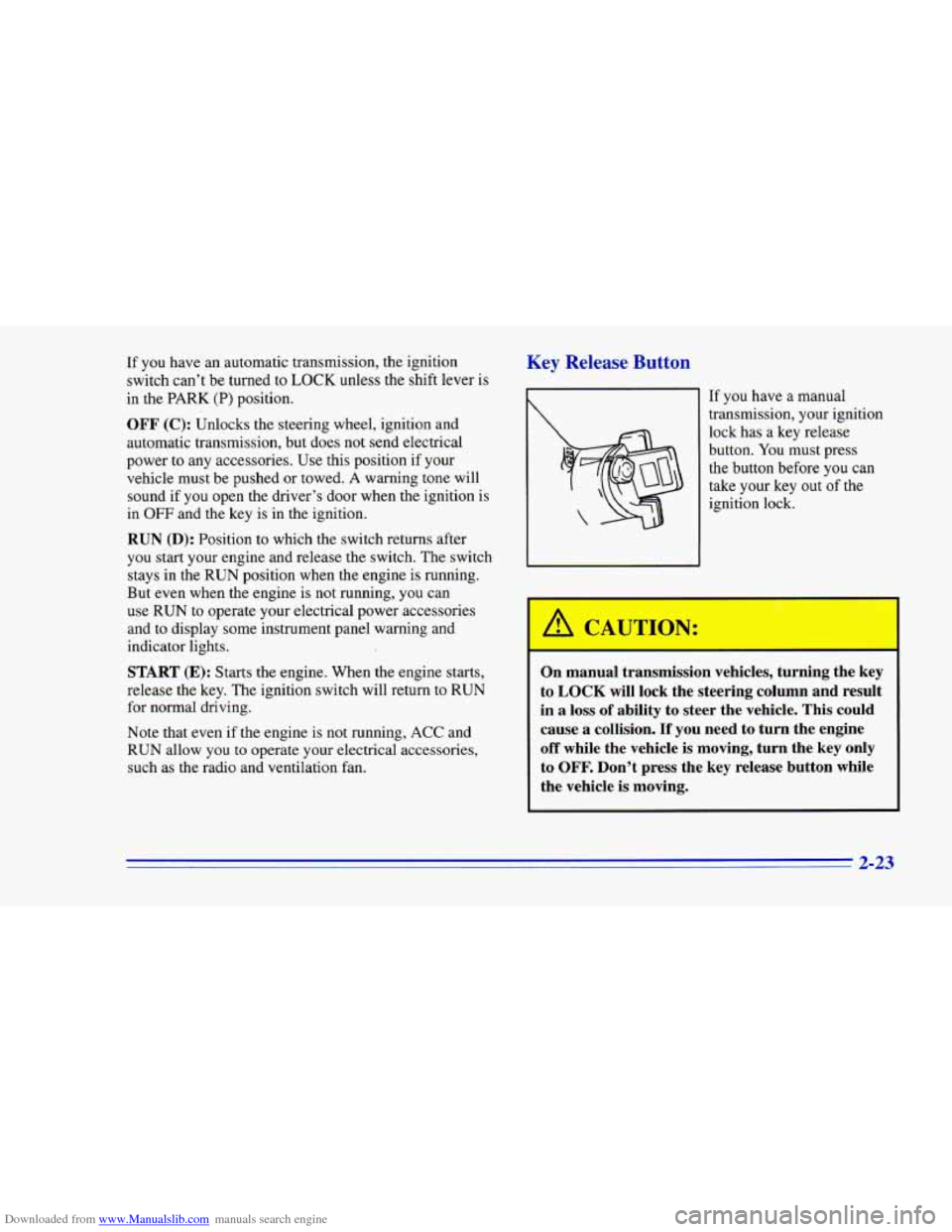
Key Release Button
If you have a manual
transmission, your ignition
lock has a key release
button.
You must press
the button before you
can
take your key out of the
ignition lock.
-1
On manual transmission vehicles, turning the key
to
LOCK will lock the steering column and result
in
a loss of ability to steer the vehicle. This could
cause
a collision. If you need to turn the engine
off while the vehicle is moving, turn the key only
to
OFF. Don’t press the key release button while
the vehicle is moving.
3-32
Page 115 of 402
Downloaded from www.Manualslib.com manuals search engine Sun Visors
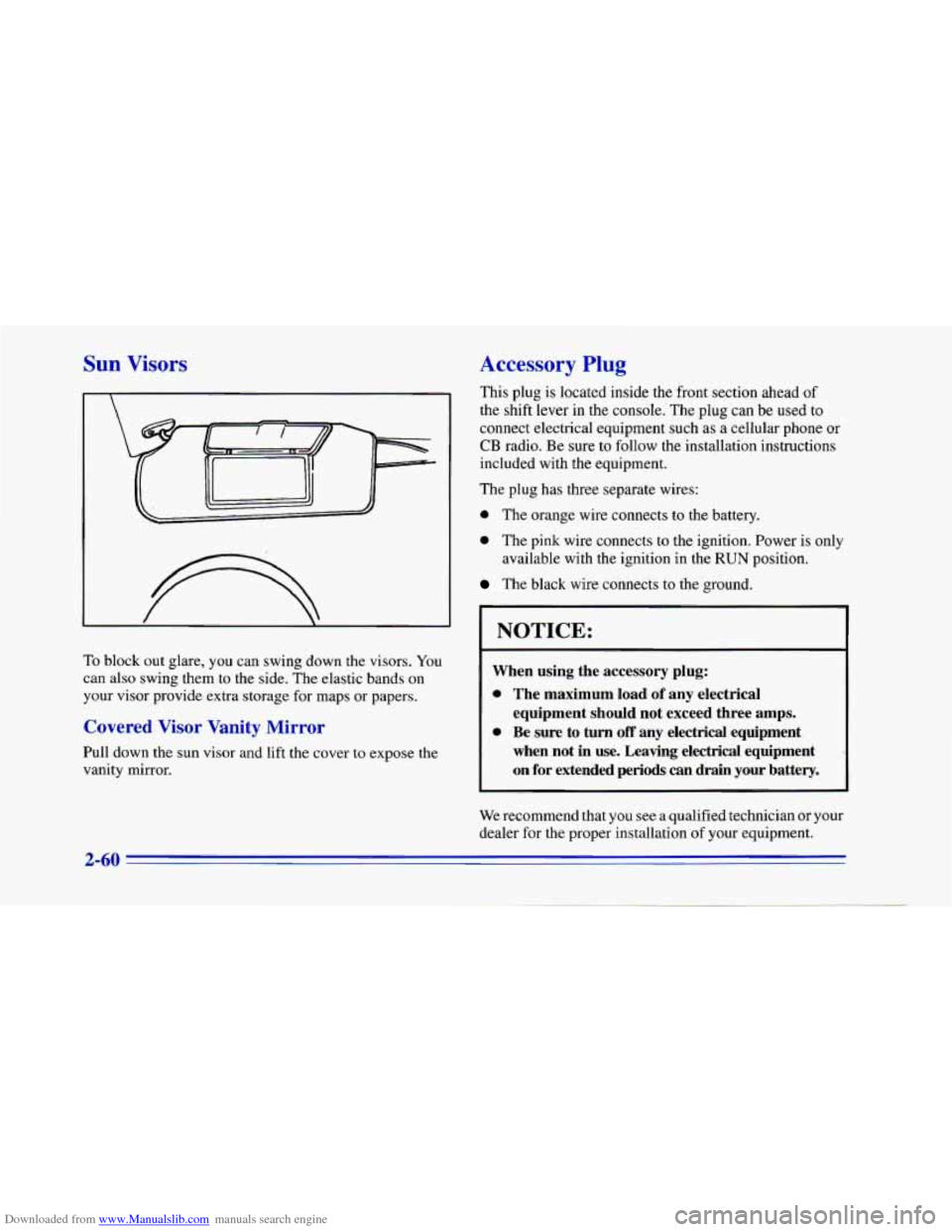
To block out glare, you can swing down the visors. You
can also swing them to the side. The elastic bands on
your visor provide extra storage for maps or papers.
Covered Visor Vanity Mirror
Pull down the sun visor and lift the cover to expose the
vanity mirror.
Accessory Plug
This plug is located inside the front section ahead of
the shift lever in the console. The plug can be used to
connect electrical equipment such as a cellular phone or
CB radio. Be sure to follow the installation instructions
included with the equipment.
The plug has three separate wires:
0 The orange wire connects to the battery.
0 The pink wire connects to the ignition. Power is only
The black wire connects to the ground.
available
with the ignition in the
RUN position.
NOTICE:
When using the accessory plug:
0 The maximum load of any electrical
equipment
should not exceed three amps.
0 Be sure to turn off any electrical equipment
when not in
use. Leaving electrical equipment
on for extended
periods can drain your battery.
We recommend that you see a qualified technician or your
dealer for the proper installation
of your equipment.
2-60
Page 150 of 402
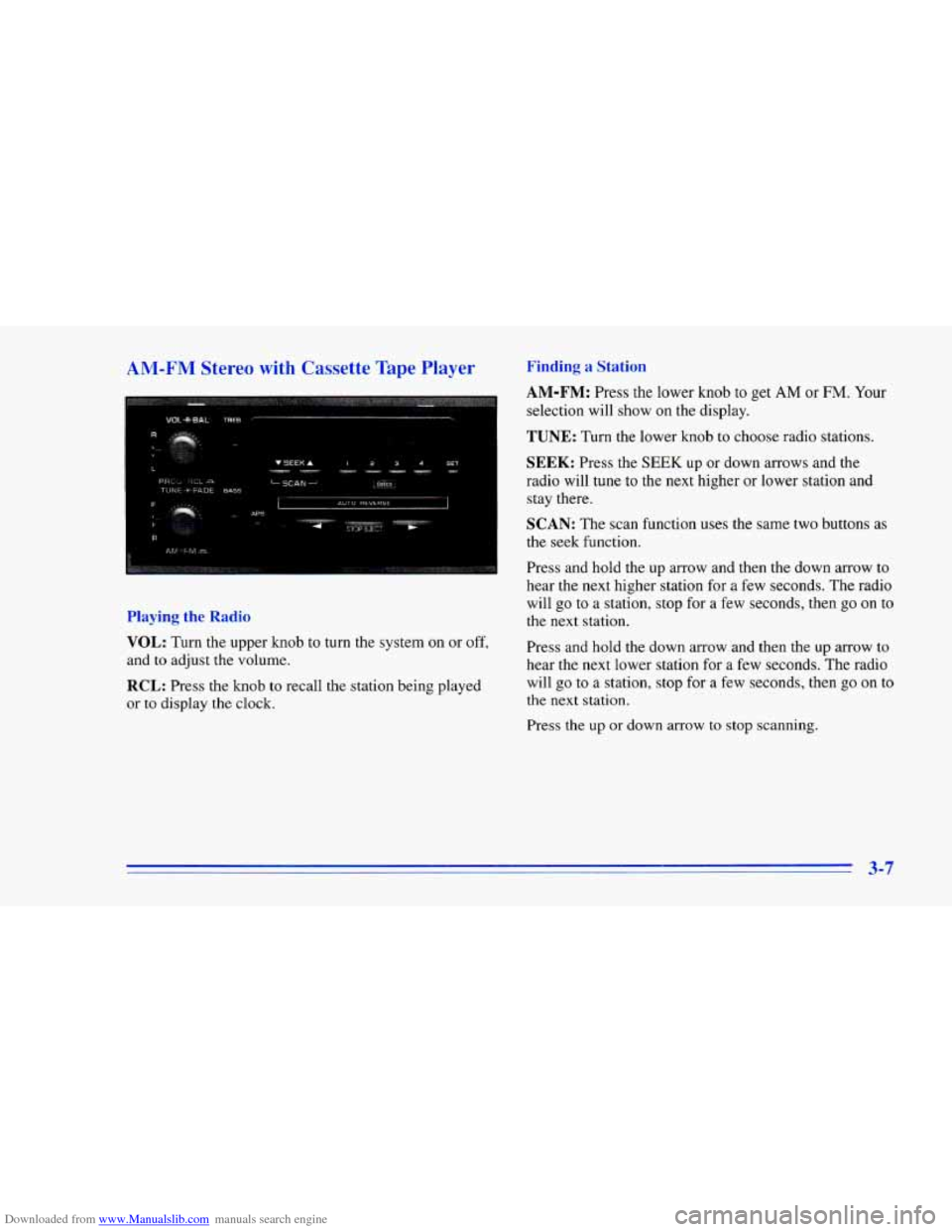
Downloaded from www.Manualslib.com manuals search engine AM-FM Stereo with Cassette Tape Player Finding a Station
cI
selection will show on the display.
AM-FM: Press the lower knob to get AM or FM. Your
Playing the Radio
TUNE: Turn the lower knob to choose radio stations.
SEEK: Press the SEEK up or down arrows and the
radio will tune to the
next higher or lower station and
stay there.
SCAN: The scan function uses the same two buttons as
the seek function.
Press and hold the up arrow and then the down arrow to
hear the next higher station for a few seconds. The radio
will go to a station, stop for a few seconds, then go
on to
the next station.
VOL: Turn the upper knob to turn the system on or off,
and to adjust the volume.
RCL: Press the knob to recall the station being played
or
to display the clock. Press
and hold the down arrow and then the up arrow to
hear the next lower station for
a few seconds. The radio
will go to
a station, stop for a few seconds, then go on to
the next station.
Press the up
or down arrow to stop scanning.
3-7
Page 152 of 402
Downloaded from www.Manualslib.com manuals search engine APS: This stands for Automatic Program Search. When
you press this button, it changes the function
of the
SEEK arrow buttons.
When the APS.button is pressed, press the
SEEK arrow
that is opposite of the lit direction arrow to repeat the
current selection or skip to the previous selection. The
tape will rapidly reverse until it reaches the beginning
of
a selection. Once it finds the selection, it will change to
play mode.
Press the
SEEK arrow button that is the same as the lit
direction arrow
to skip to the next selection. The tape
will rapidly advance until it reaches the beginning
of a
selection. Once it finds the selection, it will change to
play mode.
PROG-RCL: Press the upper knob to change tape
direction when a tape is inserted.
STOP-E JECT Press this button to remove the tape or
stop playing the tape and switch to the radio.
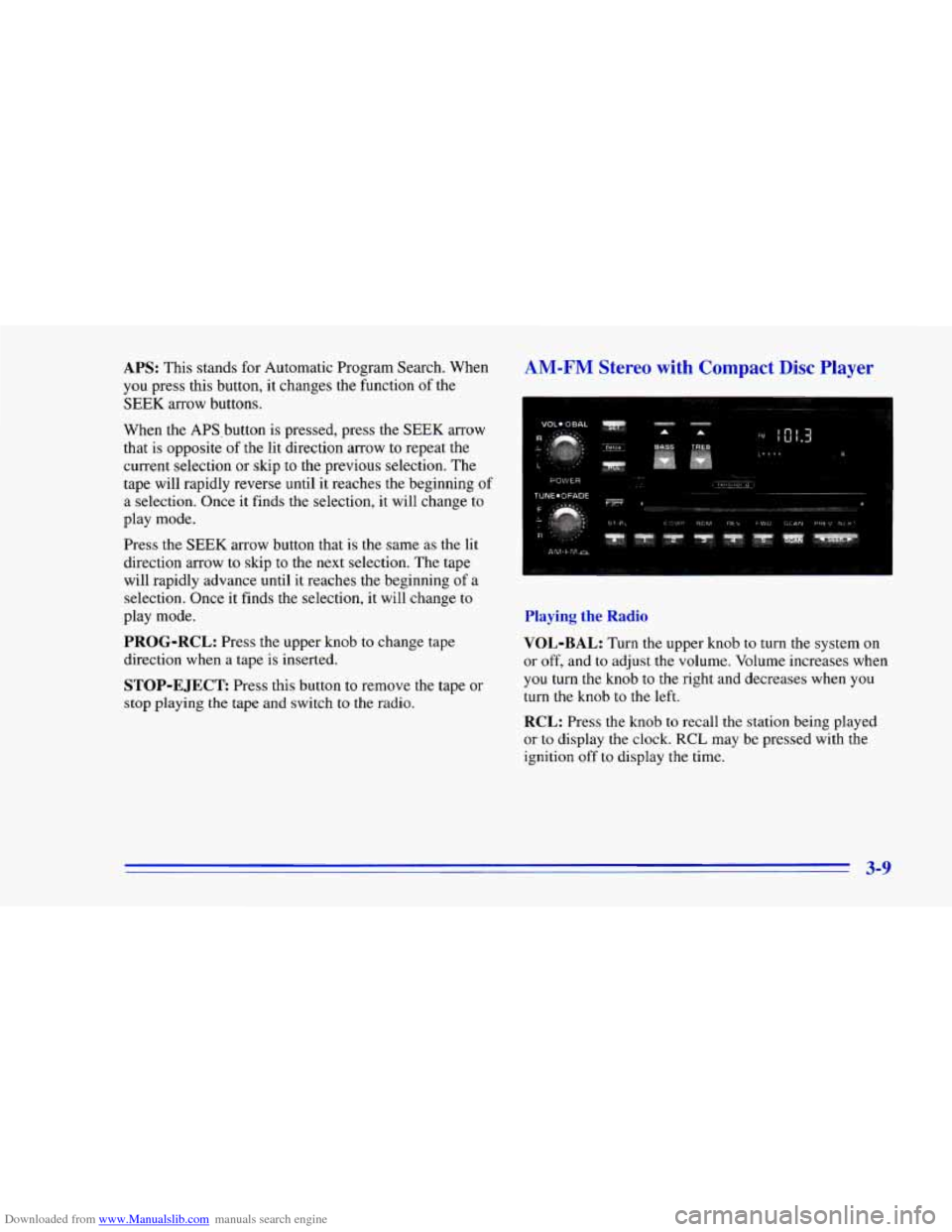
AM-FM Stereo with Compact Disc Player
Playing the Radio
VOL-BAL:
Turn the upper knob to turn the system on
or off, and
to adjust the volume. Volume increases when
you turn the knob to the right and decreases when you
turn the knob to the left.
RCL: Press the knob to recall the station being played
or to display the clock. RCL may be pressed with the
ignition off
to display the time.
3-9
Page 153 of 402
Downloaded from www.Manualslib.com manuals search engine Finding a Station Setting the Tone
AM-FM: Press the lower knob to get AM or FM. Your
selection will show on the display.
TUNE: Turn the lower knob to choose radio stations.
SEEK: Press the right arrow to tune to the next higher
station and stay there. Press the left arrow
to tune to the
next lower station and stay there.
SCAN: Press this button to hear each station for a few
seconds. The radio will go to
a station, stop for a few
seconds, then
go on to the next station. Press SCAN
again if you hear something you like and want to stay
there.
SC will appear on the display while scanning.
PUSHBUTTONS: The five numbered pushbuttons let
you return to your previously played stations. You can
set up to
10 stations (five AM and five FM).
1. Find the station you want by using TUNE.
2. Press SET. (The SET indicator will appear briefly on
the display.)
3. Press one of the five pushbuttons, within five
seconds. Whenever you press that numbered button,
the station you set will return.
4. Repeat the steps for each pushbutton.
BASS: Press the up arrow to hear more bass and the
down arrow to hear less bass. Press the center of the
button for the factory-preset position. BASS will appear
briefly on the display whenever BASS is pressed.
TREB: Press the up arrow to hear more treble and the
down arrow
to hear less treble. Press the center of the
button for the factory-preset position.
TREB will appear
briefly on the display whenever TREB is pressed.
Adjusting the Speakers
BAL:
Turn the control behind the upper knob to adjust
the sound between the right and left speakers.
FADE: Turn the fade control behind the lower knob to
move the sound between the front and rear speakers.
Playing a Compact Disc
Insert a disc partway into the slot, label side up. The
player will pull it in. The disc should begin playing.
3-10
Page 154 of 402
Downloaded from www.Manualslib.com manuals search engine If you’re driving on a very rough road or if it’s very hot,
the disc may not play and ERR (error) may appear on
the display. Press RECALL to take ERR off the display.
When things get back to normal, the disc should play.
If
the disc comes out, it could be that:
0 The disc is upside down.
0 It is dirty, scratched or wet.
0 It is very humid. (If so, wait about an hour and
RCL: Press this button to see which track is playing.
Press it again within five seconds to see how long it has
been playing. The track number will also appear on the
display when you change volume or when a new track
starts playing.
try again.)
COMP: Press this button to make loud and soft
passages more nearly equal in volume. COMP will
appear on the display.
RDM: Press this button to hear the tracks in
random, rather than sequential, order. RDM will
appear on the display. Press this button again to return
to normal sequence.
REV: Press and hold this button to return to a
previously played passage rapidly. Release the button to
play the passage. The counter reading will appear on
the display.
FWD: Press and hold this button to fast forward or
advance through passages. Release the button to play
the passage.
SCAN: Press this button to listen to each track for about
10 seconds. Press RDM or SCAN to stop scanning.
PREV: Press this button to hear a track again. If you
press and hold this button or press
it more than once, the
disc will return to previous tracks.
NEXT: Press this button to hear the next track
now instead of waiting until
the current track is
finished playing.
Stopping the Disc Player
Turn the power off or turn the ignition key off. The disc
stays
in the player and will resume playing at the point
where
it stopped.
ST-PL: Press this button to stop playing the disc and
switch to the radio. Press
it again to restart the disc at
the point where it stopped.
EJCT: Press this button to eject the disc and switch to
the radio. The disc will start playing track one when you
reinsert
it.
3-11