lock CHEVROLET CAMARO 1997 4.G Workshop Manual
[x] Cancel search | Manufacturer: CHEVROLET, Model Year: 1997, Model line: CAMARO, Model: CHEVROLET CAMARO 1997 4.GPages: 404, PDF Size: 20.96 MB
Page 129 of 404
Downloaded from www.Manualslib.com manuals search engine Voltmeter
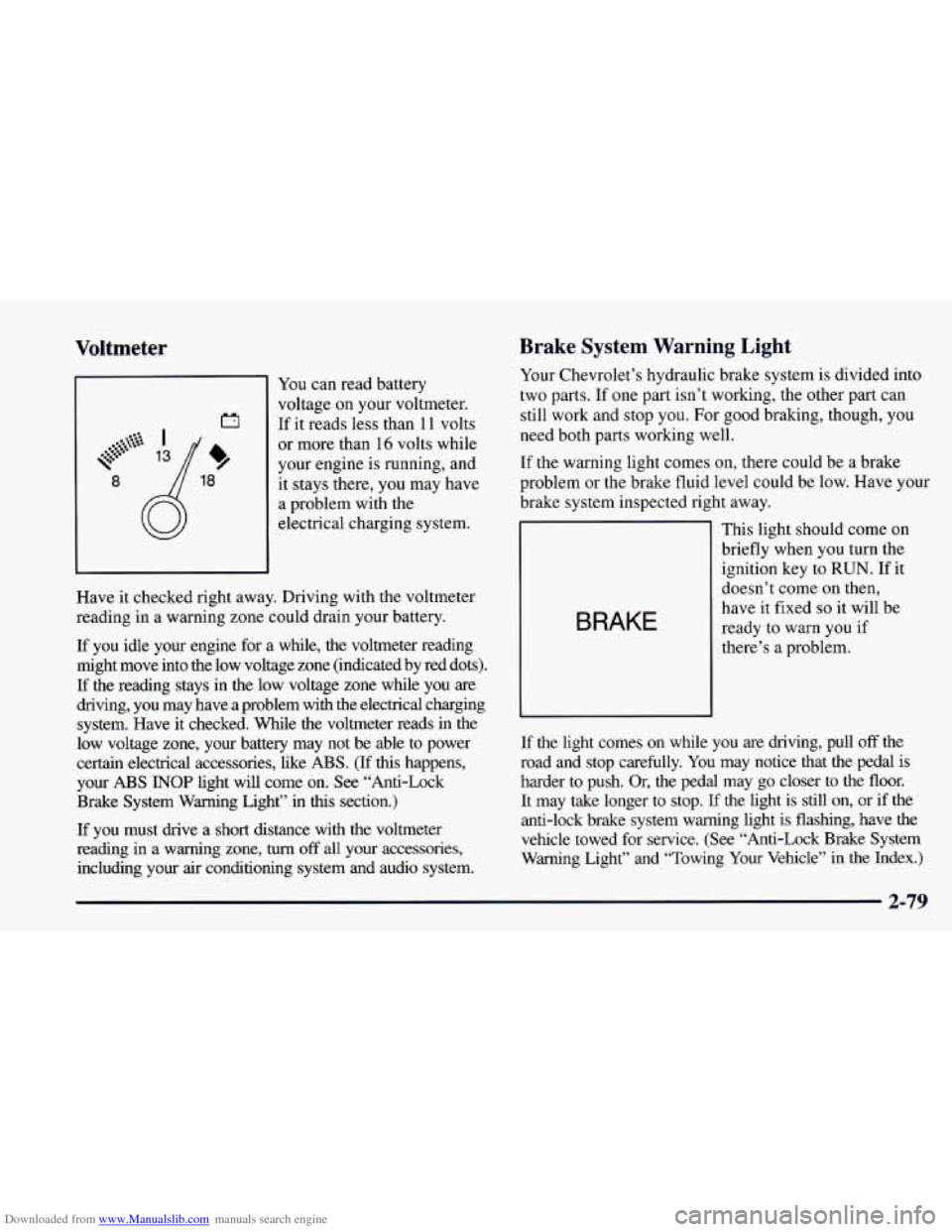
You can read battery
voltage on your voltmeter.
If it reads less than 11 volts
or more than 16 volts while
your engine is running, and
it stays there, you may have
a problem with the
electrical charging system.
Have it checked right away. Driving with the voltmeter
reading in
a warning zone could drain your battery.
If you idle your engine for a while, the voltmeter reading
might move into the low voltage zone (indicated by red dots).
If the reading stays in the low voltage zone while you are
driving, you may have a problem with the electrical charging
system. Have it checked. While
the voltmeter reads in the
low voltage zone, your battery may not be able to power
certain electrical accessories, like
ABS. (If this happens,
your
ABS INOP light will come on. See “Anti-Lock
Brake System Warning Light” in
this section.)
If you must drive a short distance with the voltmeter
reading in a warning zone, turn
off all your accessories,
including your air conditioning system and audio system.
Brake System Warning Light
Your Chevrolet’s hydraulic brake system is divided into
two parts. If
one part isn’t working, the other part can
still work and stop you. For good braking, though, you
need both parts working well.
If the warning light comes on, there could be a brake
problem or the brake fluid level could be low. Have your
brake system inspected right away.
BRAKE
This light should come on
briefly when you turn the
ignition key to
RUN. If it
doesn’t come on then,
have it fixed
so it will be
ready to warn you if
there’s a problem.
If the light comes on while you are driving, pull
off the
road and stop carefully. You may notice that the pedal
is
harder to push. Or, the pedal may go closer to the floor.
It may take longer to stop. If the light is still on, or if the
anti-lock brake system warning light is flashing, have the
vehicle towed for service. (See “Anti-Lock Brake System
Warning Light” and “Towing Your Vehicle” in the Index.)\
2-79
Page 130 of 404
Downloaded from www.Manualslib.com manuals search engine Your brake system may not be working properly
if the brake system warning light is on. Driving
with the brake system warning light on can lead
to an accident.
If the light is still on or if the
anti-lock brake system warning light is flashing
after you’ve pulled off the road and stopped
carefully, have the vehicle towed for service.
Anti-Lock Brake System Warning Light
ABS
INOP
With the anti-lock brake
system, this light will come
on when you start your
engine and it will stay
on for three seconds.
That’s normal.
When the ignition is on, the brake system warning light
will also come on when you
set your parking brake. The
light will stay
on if your parking brake doesn’t release
fully. If it stays on after your parking brake is
fully
released, it means you have a brake problem. If
the light flashes when you’re driving, you don’t have
anti-lock brakes and there could be
a problem with your
regular brakes. Pull
off the road and stop carefully. You
may notice that the pedal is harder to push. Or, the pedal
may go closer to
the floor. It may take longer to stop.
Have
the vehicle towed for service. (See “Towing Your
Vehicle”
in the Index.)
2-80
Page 131 of 404
Downloaded from www.Manualslib.com manuals search engine Your regular brake system may not be working
properly if the anti-lock brake system warning
light is flashing. Driving with the anti-lock
brake system warning light flashing can lead
to an accident. After you’ve pulled off the road
and stopped carefully, have the vehicle towed
for service.
If the anti-lock brake system warning light stays on
longer than normal after you’ve started your engine, turn
the ignition off. Or, if the light comes
on and stays on
when you’re driving, stop as soon as possible and turn
the ignition
off. Then start the engine again to reset the
system. If the light still stays on, or comes
on again
while you’re driving, your Chevrolet needs service. If
the light is on but not flashing and the regular brake
system warning light isn’t on, you still have brakes, but
you don’t have anti-lock brakes.
The anti-lock brake system warning light should come
on briefly when
you turn the ignition key to RUN. If the
light doesn’t come on then, have
it fixed so it will be
ready to warn you if there is a problem.
ASR (Acceleration Slip Regulation) System
Warning Light
(If Equipped)
ASR
OFF
This warning light should
come
on briefly as you start
the engine. If the warning
light doesn’t come on then,
have it fixed so it will be
ready to warn you if there’s
a problem.
If it stays
on, or comes on when you’re driving, there
may be a problem with your ASR system and your
vehicle may need service. When this warning light is
on, the system will not limit wheel spin. Adjust your
driving accordingly.
If your brakes begin
to overheat, the brake portion of the
ASR system will shut down, but the throttle and engine
spark control will continue
to work. The warning light
will not come
on when this happens.
Page 132 of 404
Downloaded from www.Manualslib.com manuals search engine The ASR system warning light may come on for the
following reasons:
If you turn the system off by pressing the switch
located on the instrument panel, the warning light
will come on and stay on and the light
on the switch
will go
out. To turn the system back on, press the
button again. The warning light should go off. (See
“ASR System” in the Index for more information.)
If the temperature of the throttle control begins to rise,
the system will turn off and the warning light will
come
on until the system cools down. The system
does this to prevent damage from overheating.
If the
ASR system warning light comes on and stays on
for an extended period of time when the system is
turned on, your vehicle needs service.
Low Traction Light
When your anti-lock system
is adjusting brake pressure
to help avoid a braking skid,
this light will come on.
LOW
TRAC
If you have the ASR system, this light will also come on
when the system is limiting wheel spin. Slippery road
conditions may exist if the low traction light comes on,
so adjust your driving accordingly. The light will stay on
for a few seconds after the anti-lock system stops
adjusting brake pressure or the
ASR system stops
limiting wheel spin.
The low traction light also comes on briefly when you
turn the ignition key to
RUN. If the light doesn’t come
on then, have it fixed so it will be there to tell you when
the anti-lock brake system or
ASR system is active.
2-82
Page 141 of 404
Downloaded from www.Manualslib.com manuals search engine Section 3 Comfort Controls and Audio Systems
In this section, you’ll find out how to operate the comfort control and audio systems offered with your Chevrolet.
Be sure
to read about the particular systems supplied with your vehicle.
3-2 3-3
3-3
3-4
3-4
3 -5
3-5
3-6 3-6
3
-6
Comfort Controls Air Conditioning
Cooling
Heating
Ventilation System
Defogging and Defrosting
Rear Window Defogger
Audio Systems
Setting the Clock for Systems without
Automatic Tone Control
Setting the Clock for Systems with Automatic
Tone Control 3-9
3-16
3-20
3-22
3-22
3-23
3-24 3-24
3-6
AM-FM
Stereo with Cassette Tape Player
AM-FM Stereo with Cassette Tape Player and
Automatic
Tone Control
AM-FM Stereo with Compact Disc Player and
Automatic Tone Control
Theft-Deterrent Feature Understanding Radio Reception
Tips About Your Audio System
Care of Your Cassette Tape Player
Care
of Your Compact Discs
Fixed Mast Antenna
3-1
Page 142 of 404
Downloaded from www.Manualslib.com manuals search engine Comfort Controls Temperature Control Knob
\@
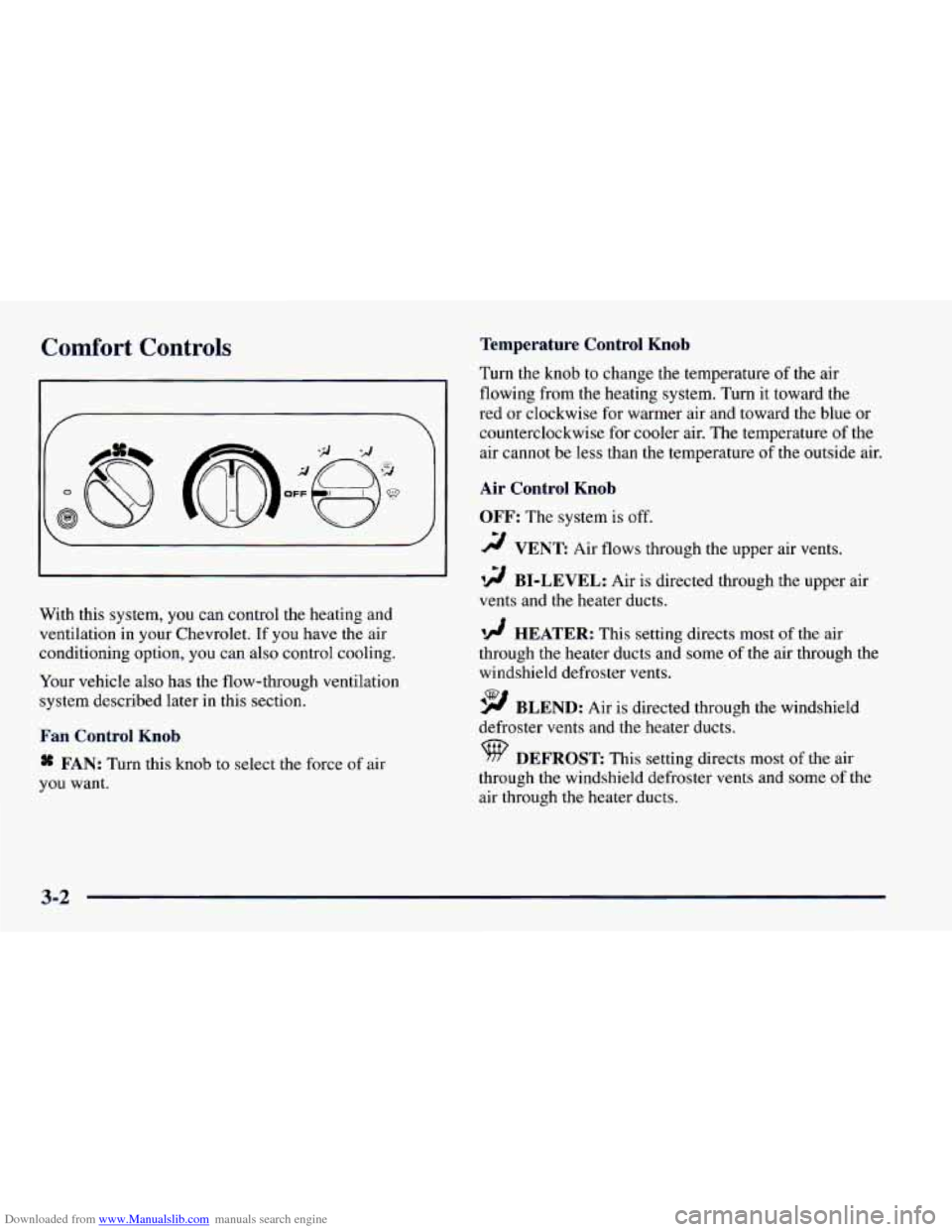
With this system, you can control the heating and
ventilation in your Chevrolet. If you have the air
conditioning option, you can also control cooling.
Your vehicle also has the flow-through ventilation
system described later in this section.
Fan Control Knob
* FAN: Turn this knob to select the force of air
you want. Turn the knob
to change the temperature
of the air
flowing from the heating system. Turn it toward the
red or clockwise for warmer air and toward the blue or
counterclockwise for cooler air. The temperature
of the
air cannot be less than the temperature
of the outside air.
Air Control Knob
OFF:
The system is off.
2 VENT: Air flows through the upper air vents.
12 BI-LEVEL: Air is directed through the upper air
vents and the heater ducts.
'!! HEATER: This setting directs most of the air
through the heater ducts and some of the air through the
windshield defroster vents.
9 BLEND: Air is directed through the windshield
defroster vents and the heater ducts.
DEFROST: This setting directs most of the air
through the windshield defroster vents and some
of the
air through the heater ducts.
3-2
Page 146 of 404
Downloaded from www.Manualslib.com manuals search engine Audio Systems
Your Delco@ audio system has been designed to operate
easily and give years
of listening pleasure. You will get
the most enjoyment out of it if you acquaint yourself
with it first. Find out what your Delco system can do
and how to operate all its controls, to be sure you’re
getting the most out of the advanced engineering that
went into it.
If you have power door locks, your vehicle has a feature
called Retained Accessory Power (RAP). With RAP,
you can play your audio system even after the ignition is
off.
See “Retained Accessory Power’’ in the Index.
Setting the Clock for Systems without
Automatic
Tone Control
Press SET. SET will appear on the display for five
seconds. Within five seconds, press and hold
the right
arrow on the SEEK button until the correct minute
appears. Press and hold the left arrow
on the SEEK
button until the correct hour appears.
Setting the Clock for Systl- with
Automatic Tone Contro,
Press and hold HR until the correct hour appears. Press
and hold
MN until the correct minute appears.
AM-FM Stereo with Cassette Tape Player
(If Equipped)
Playing the Radio
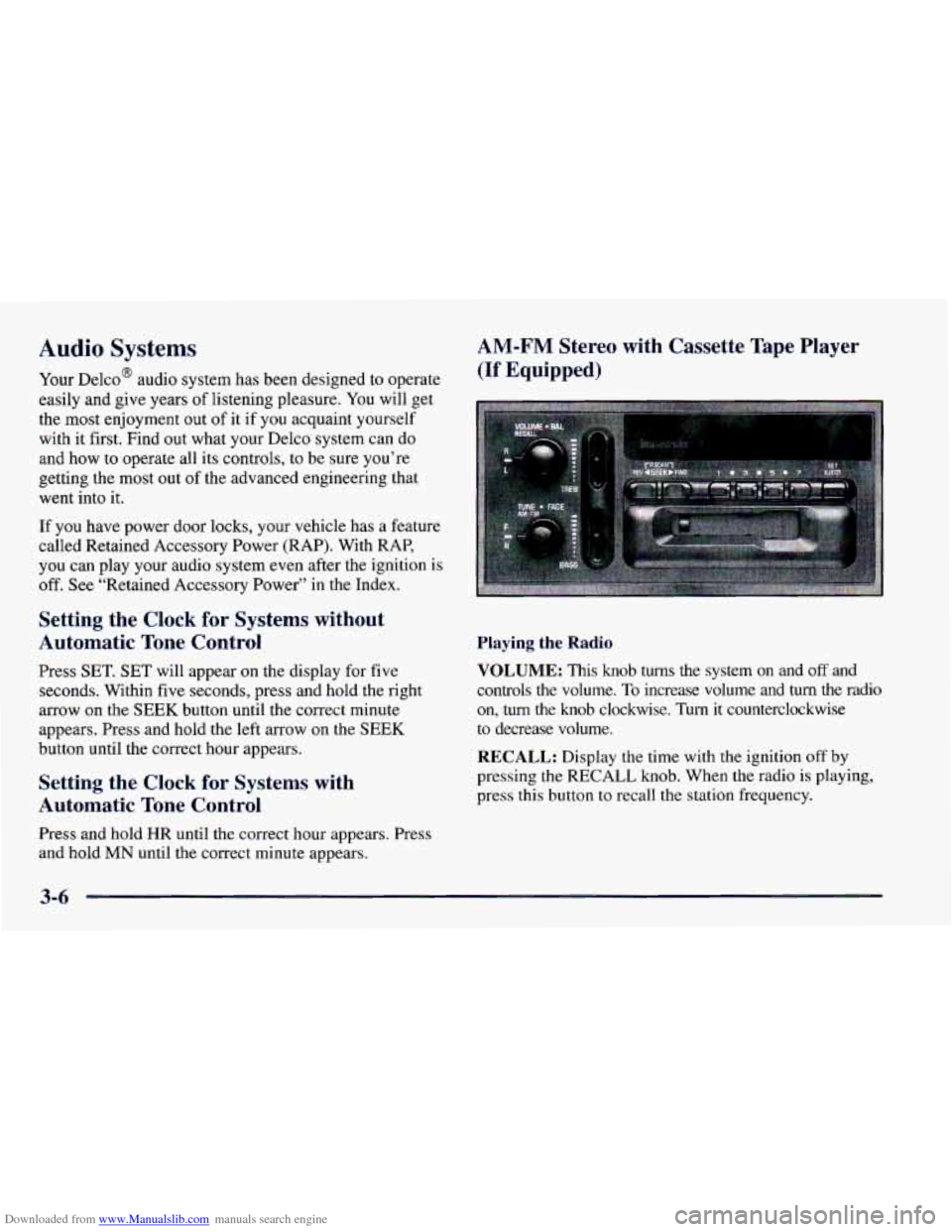
VOLUME:
This knob turns the system on and off and
controls the volume.
To increase volume and turn the radio
on, turn the knob clockwise. Turn it counterclockwise
to decrease volume.
RECALL: Display the time with the ignition off by
pressing
the RECALL knob. When the radio is playing,
press this button
to recall the station frequency.
3-6
Page 149 of 404
Downloaded from www.Manualslib.com manuals search engine AM-FM Stereo with Cassette Tape Player
and Automatic Tone Control
(If Equipped)
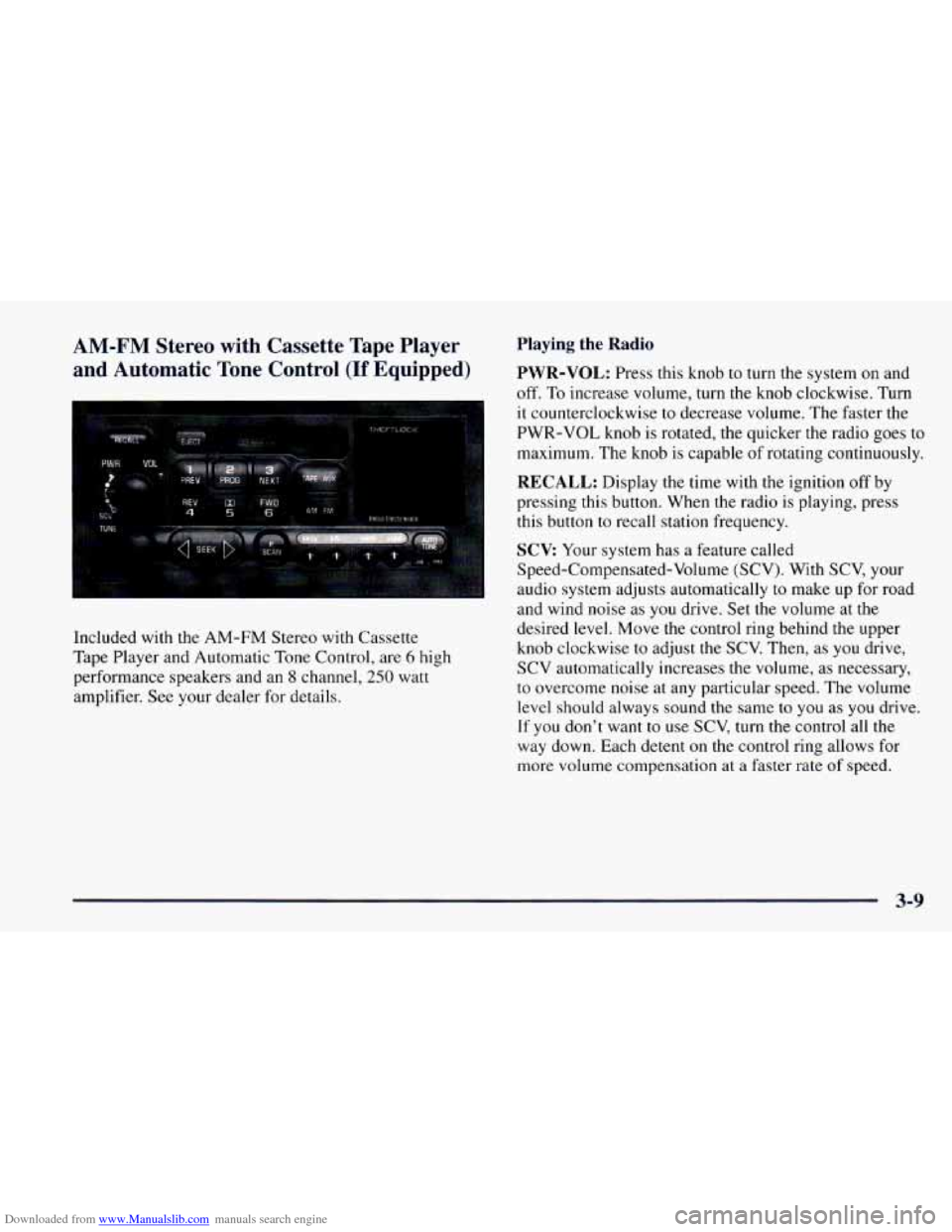
Included with the AM-FM Stereo with Cassette
Tape Player and Automatic
Tone Control, are 6 high
performance speakers and an
8 channel, 250 watt
amplifier. See your dealer for details.
Playing the Radio
PWR-VOL: Press this knob to turn the system on and
off. To increase volume, turn the knob clockwise. Turn
it counterclockwise to decrease volume. The faster the
PWR-VOL knob is rotated, the quicker the radio goes
to
maximum. The knob is capable of rotating continuously.
RECALL: Display the time with the ignition off by
pressing this button. When the radio is playing, press
this button to recall station frequency.
SCV Your system has a feature called
Speed-Compensated-Volume (SCV). With SCV, your
audio system adjusts automatically to make up for road
and wind noise
as you drive. Set the volume at the
desired level. Move the control ring behind the upper
knob clockwise to adjust the SCV. Then, as
you drive,
SCV automatically increases the volume,
as necessary,
to overcome noise at any particular speed. The volume
level should always sound the same
to you as you drive.
If you don’t want
to use SCV, turn the control all the
way down. Each detent on the control ring allows for
more volume compensation at a faster rate of speed.
3-9
Page 151 of 404
Downloaded from www.Manualslib.com manuals search engine Setting the Tone Adjusting the Speakers
BASS: Press this knob lightly so it extends. Turn the
knob clockwise to increase bass and counterclockwise to
decrease bass. When you use this control, the radio’s
AUTO TONE setting will switch to manual.
TREB: Press this knob lightly so it extends. Turn the
knob clockwise to increase treble and counterclockwise
to decrease treble. When you use this control, the radio’s
AUTO TONE setting will switch to manual.
If a station
is weak or noisy, you may want to decrease the treble.
Push these knobs back into their stored positions when
you’re not using them.
AUTO TONE: This feature allows you to choose
preset bass and treble equalization settings designed for
classical, news, rock, pop, country/western and jazz
stations.
C/W will appear on the display when you first
press AUTO TONE. Each time you press it, another
setting will appear on the display. Press it again after
JAZZ appears and the AUTO TONE display will go
blank. Tone control will return to the BASS and
TREB
knobs. Also, if you use the BASS and TREB knobs,
control will return to them and the AUTO TONE
display will go blank.
BAL: Press this knob lightly so it extends.
Turn the knob clockwise for the right speakers and
counterclockwise for the left speakers. The middle
position balances the sound between the speakers.
FADE: Press this knob lightly so it extends. Turn the
knob clockwise to adjust the sound to the front speakers
and counterclockwise for the rear speakers. The middle
position balances the sound between the speakers.
Push these knobs back into their stored positions when
you’re not using them.
Playing a Cassette Tape
Your tape player is built to work best with tapes that are
30
to 45 minutes long on each side. Tapes longer than
that are
so thin they may not work well in this player. If
a tape is inserted when the ignition is on but the radio is
off, the tape will begin playing. A tape symbol is shown
in the center of the graphic display whenever a tape is
inserted. When a tape is active, the tape symbol will be
accompanied by a direction arrow.
3-11
Page 156 of 404
Downloaded from www.Manualslib.com manuals search engine AM-FM Stereo with Compact Disc Player
and Automatic Tone Control
(If Equipped)
Included with the AM-FM Stereo with Compact Disc
Player and Automatic Tone Control, are
6 high
performance speakers and an
8 channel, 250 watt
amplifier. See your dealer for details.
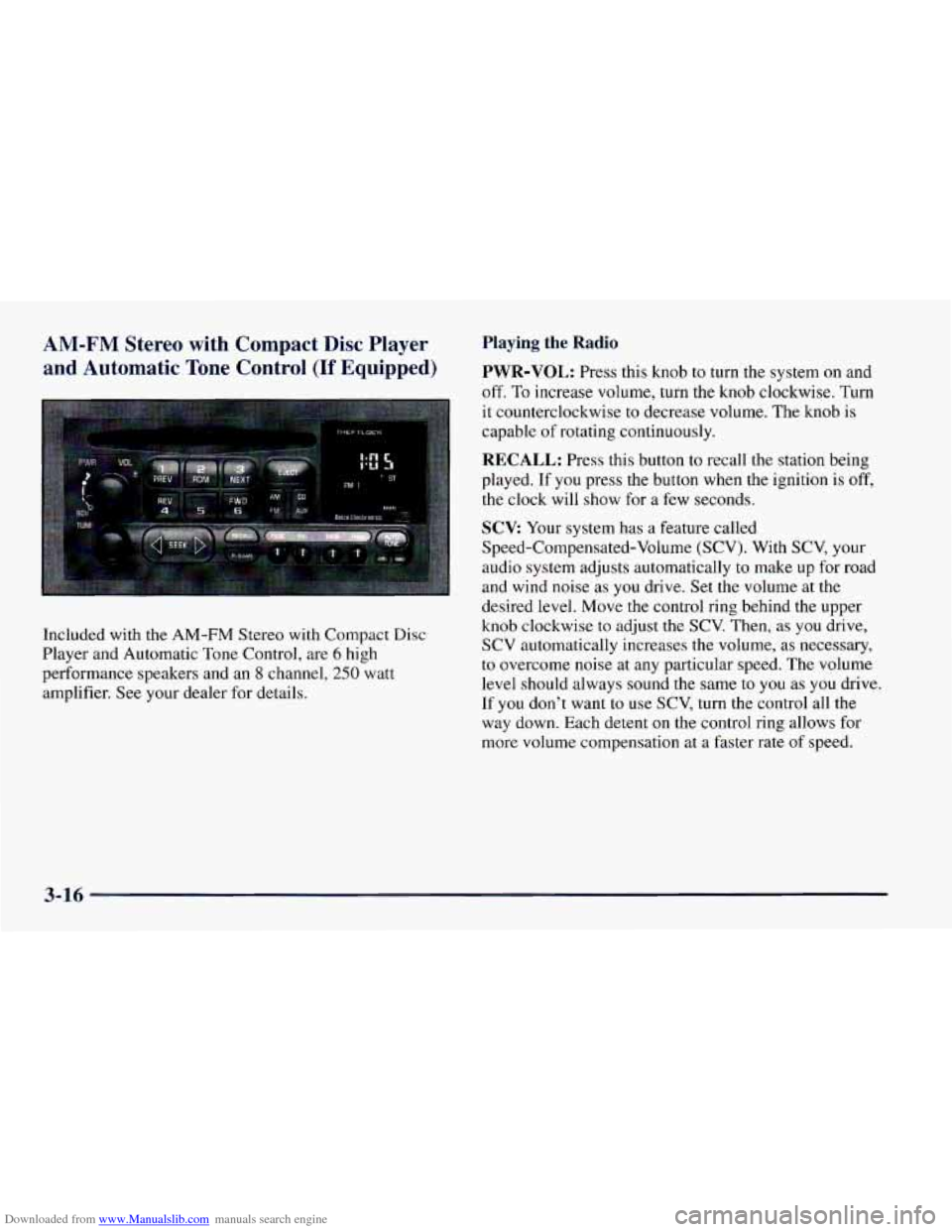
Playing the Radio
PWR-VOL: Press this knob to turn the system on and
off. To increase volume, turn the knob clockwise. Turn
it counterclockwise to decrease volume. The knob is
capable of rotating continuously.
RECALL: Press this button to recall the station being
played.
If you press the button when the ignition is off,
the clock will
show for a few seconds.
SCV: Your system has a feature called
Speed-Compensated-Volume (SCV). With SCV, your
audio
system adjusts automatically to make up for road
and wind noise as
you drive. Set the volume at the
desired level. Move the control ring behind the upper
knob clockwise
to adjust the SCV. Then, as you drive,
SCV automatically increases the volume, as necessary,
to overcome noise at any particular speed. The volume
level should always sound the same to you as you drive.
If
you don’t want to use SCV, turn the control all the
way down. Each detent on the control ring allows for
more volume compensation at
a faster rate of speed.
3-16