door lock CHEVROLET CAMARO 1997 4.G Owners Manual
[x] Cancel search | Manufacturer: CHEVROLET, Model Year: 1997, Model line: CAMARO, Model: CHEVROLET CAMARO 1997 4.GPages: 404, PDF Size: 20.96 MB
Page 10 of 404
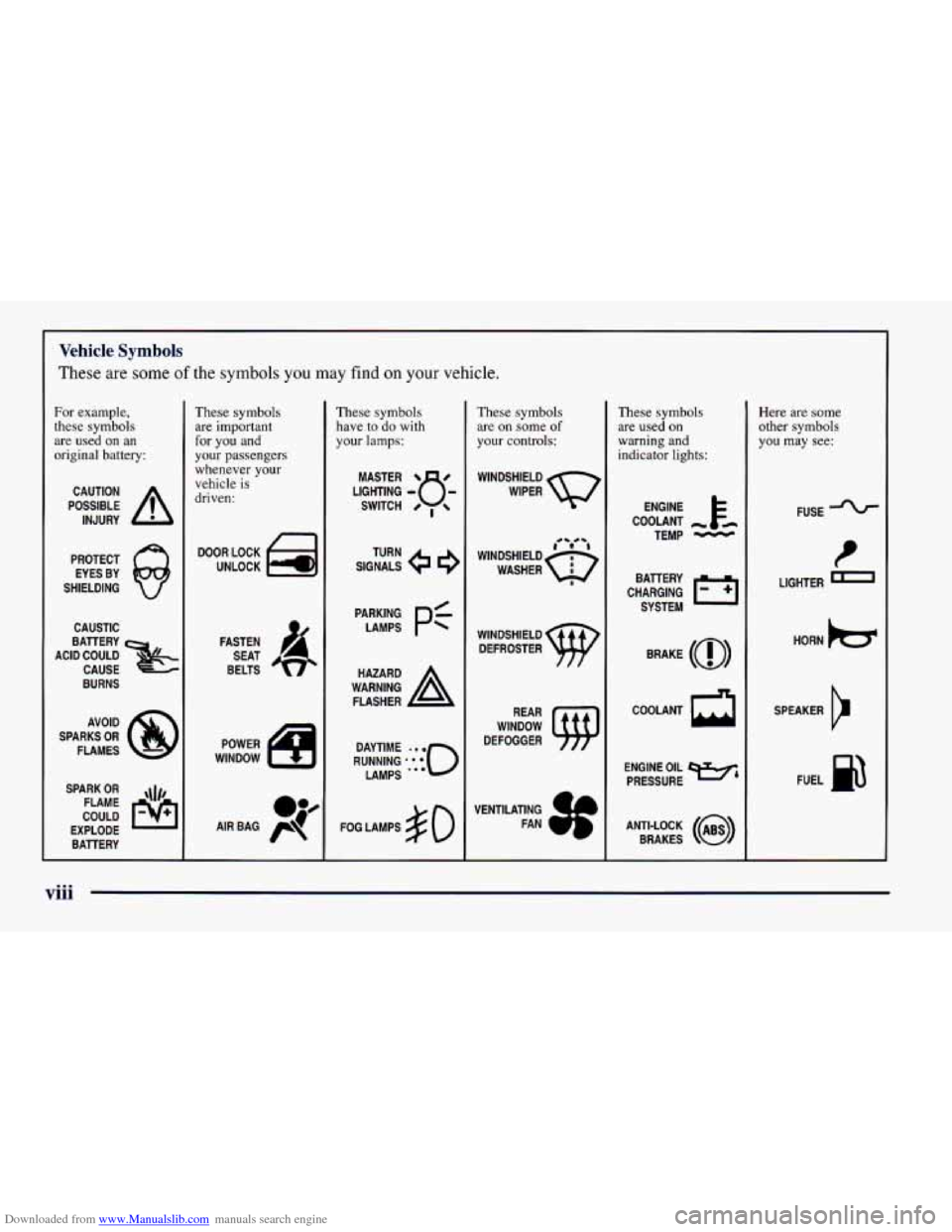
Downloaded from www.Manualslib.com manuals search engine Vehicle Symbols
These are some of the symbols you may find on your vehicle.
For example,
these symbols
are used on an
original battery:
POSSIBLE A
CAUTION
INJURY
PROTECT EYES BY
SHIELDING
CAUSTIC
BURNS AVOID
SPARKS
OR
FLAMES
SPARK
OR ,\I/,
COULD FLAME
EXPLODE BAllERY
These symbols
are important
for you and
your passengers
whenever your
vehicle
is
driven:
DOOR LOCK
UNLOCK
FASTEN SEAT
BELTS
These symbols have to
do with
your
lamps:
SIGNALS e a
TURN
FOG LAMPS
$0
These symbols
are
on some of
your controls:
WINDSHIELD
WIPER
WINDSHIELD DEFROSTER
WINDOW
DEFOGGER
These symbols
are used
on
warning and
indicator lights:
ENGINE t
COOLANT
TEMP
-
CHARGING 1-1
BAllERY
SYSTEM
BRAKE
(@)
COOLANT a
ENGINE OIL w,
PRESSURE
ANTI-LOCK
(a)
BRAKES
Here are some other symbols
you may
see:
FUSE
t
LIGHTER m
HORN k3
SPEAKER
Er
FUEL B
...
Page 22 of 404
Downloaded from www.Manualslib.com manuals search engine How to Wear Safety Belts Properly
Adults
This part is only for people of adult size.
Be aware that there are special things to
know about safety
belts and children. And there are different rules for smaller
children and babies.
If a child will be riding in your
Chevrolet,
see the part of this manual called “Children.”
Follow those rules for everyone’s protection.
First, you’ll want
to know which restraint systems your
vehicle has.
We’ll start with the driver position.
Driver Position
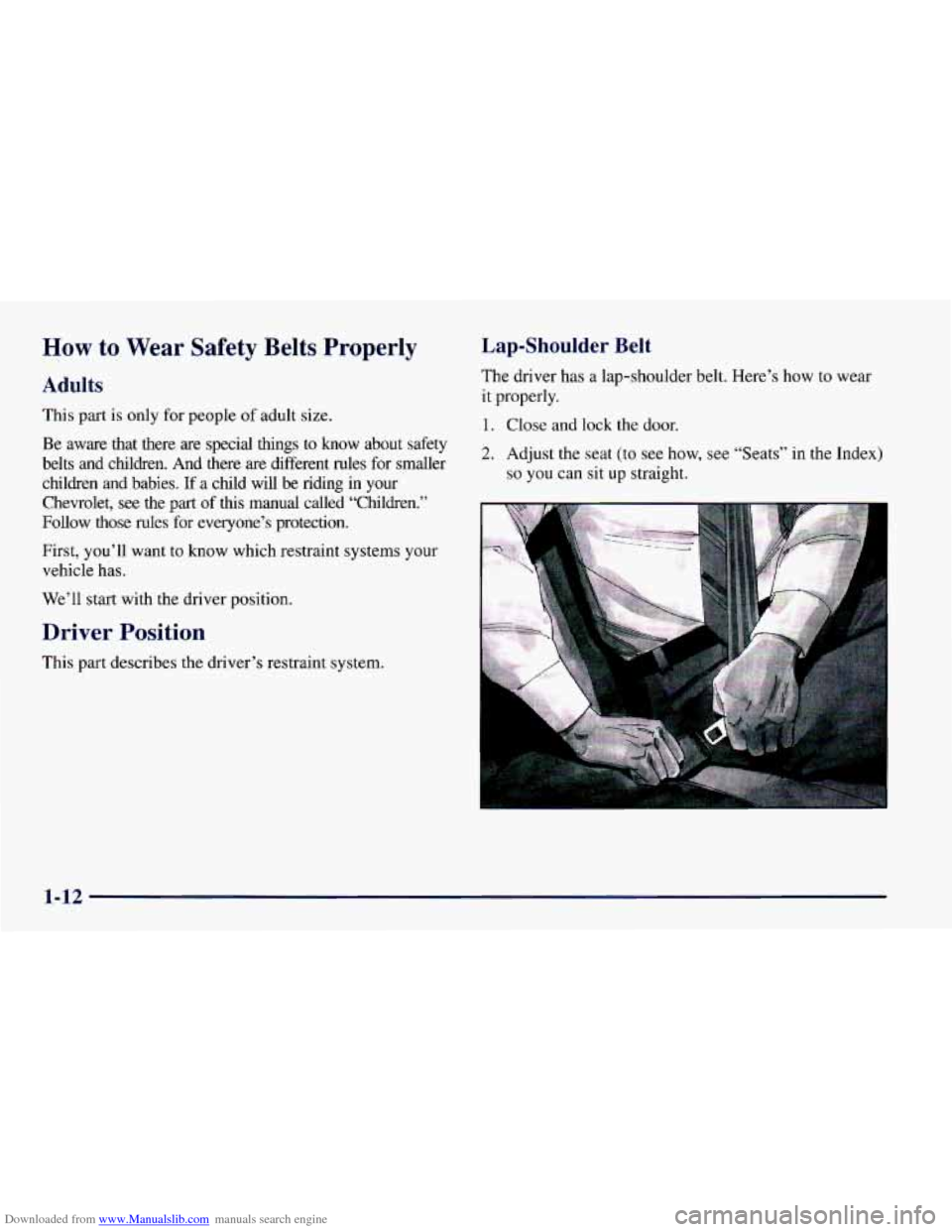
Lap-Shoulder Belt
The driver has a lap-shoulder belt. Here’s how to wear
it properly.
1. Close and lock the door.
2. Adjust the seat (to see how, see “Seats” in the Index)
so you can sit up straight.
This part describes the driver’s restraint system.
1-12
Page 51 of 404
Downloaded from www.Manualslib.com manuals search engine a Section 2 Features and Controls
Here you can learn about the many standard and optional features on your Chevrolet, and information on starting,
shifting and braking. Also explained are the instrument panel and the warning systems that tell you
if everything is
working properly
-- and what to do if you have a problem.
2-2
2-4 2-7
2-1
1
2-13 2- 14
2-17
2-18
2-23
2- 24
2-26
2-27
2-29
2-32 Keys
Door Locks
Remote Keyless Entry
Hatch
Theft Vehicle and Content Theft-DeterrentIAlarm
System
PASS-Key@
I1
Feature Customization
New Vehicle “Break-In”
Ignition Positions
Starting Your Engine
Engine Coolant Heater
Automatic Transmission Operation
Manual Transmission
2-3 8
2-42
2-42
2-44
2-44
2-45
2-5 2
2-56
2-5
8
2-60
2-6
1
2-6 1
2-68
2-74
2-77 Parking Brake
Parking Over Things That Burn
Engine Exhaust
Windows
Tilt Steering Wheel
Turn Signalhlultifunction Lever
Lamps
Mirrors Storage Compartments
Ashtray and Lighter
Sun Visors
Accessory Plug
Convertible Top
Instrument Panel
Warning Lights, Gages and Indicators
2-1
Page 53 of 404
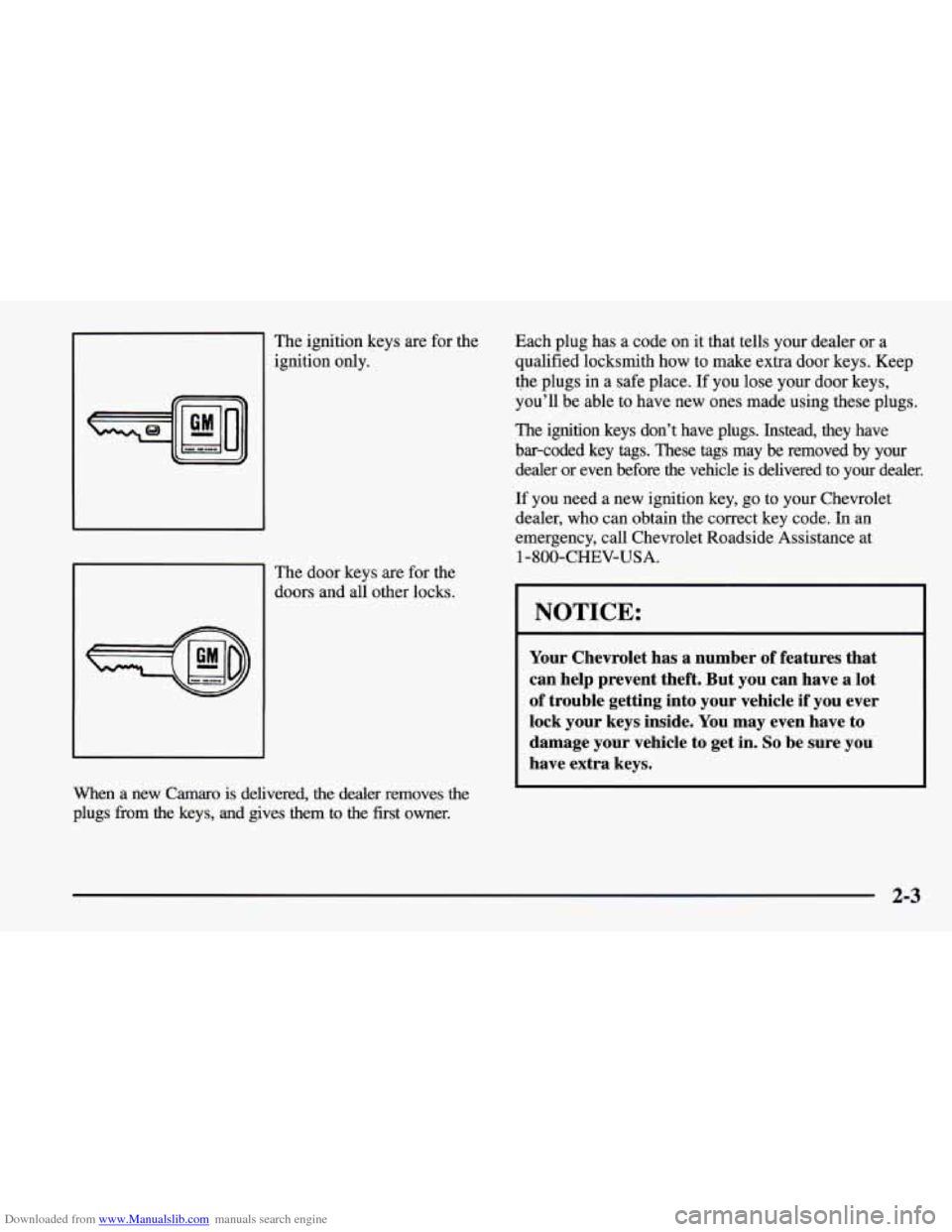
Downloaded from www.Manualslib.com manuals search engine I The ignition keys are for the ignition only.
The door keys are for the
doors and all other locks.
I I
When a new Camaro is delivered, the dealer removes the
plugs fiom the keys, and gives them to the first owner. Each plug has
a code on it that tells your dealer or a
qualified locksmith how to make extra door keys. Keep
the plugs in a safe place. If you lose your door keys,
you'll
be able to have new ones made using these plugs.
The ignition keys don't have plugs. Instead, they have
bar-coded key tags. These tags may be removed by your
dealer or even before
the vehicle is delivered to your dealer.
If you need a new ignition key, go to your Chevrolet
dealer, who can obtain the correct key code. In an
emergency, call Chevrolet Roadside Assistance at
1 -800-CHEV-USA.
NOTICE:
Your Chevrolet has a number of features that
can help prevent theft. But you can have a lot
of trouble getting into your vehicle if you ever
lock your keys inside. You may even have to
damage your vehicle to get in.
So be sure you
have extra keys.
2-3
Page 54 of 404
Downloaded from www.Manualslib.com manuals search engine Door Locks
Unlocked doors can be dangerous.
Passengers
-- especially children -- can easily
open the doors and fall out. When a door is
locked,
the inside handle won’t open it.
Outsiders can easily enter through an unlocked
door when you slow down or stop your vehicle.
This may not
be so obvious: You increase the
chance of being thrown out of the vehicle in
a
crash if the doors aren’t locked. Wear safety belts
properly, lock your doors, and you will be far
better off whenever you drive your vehicle.
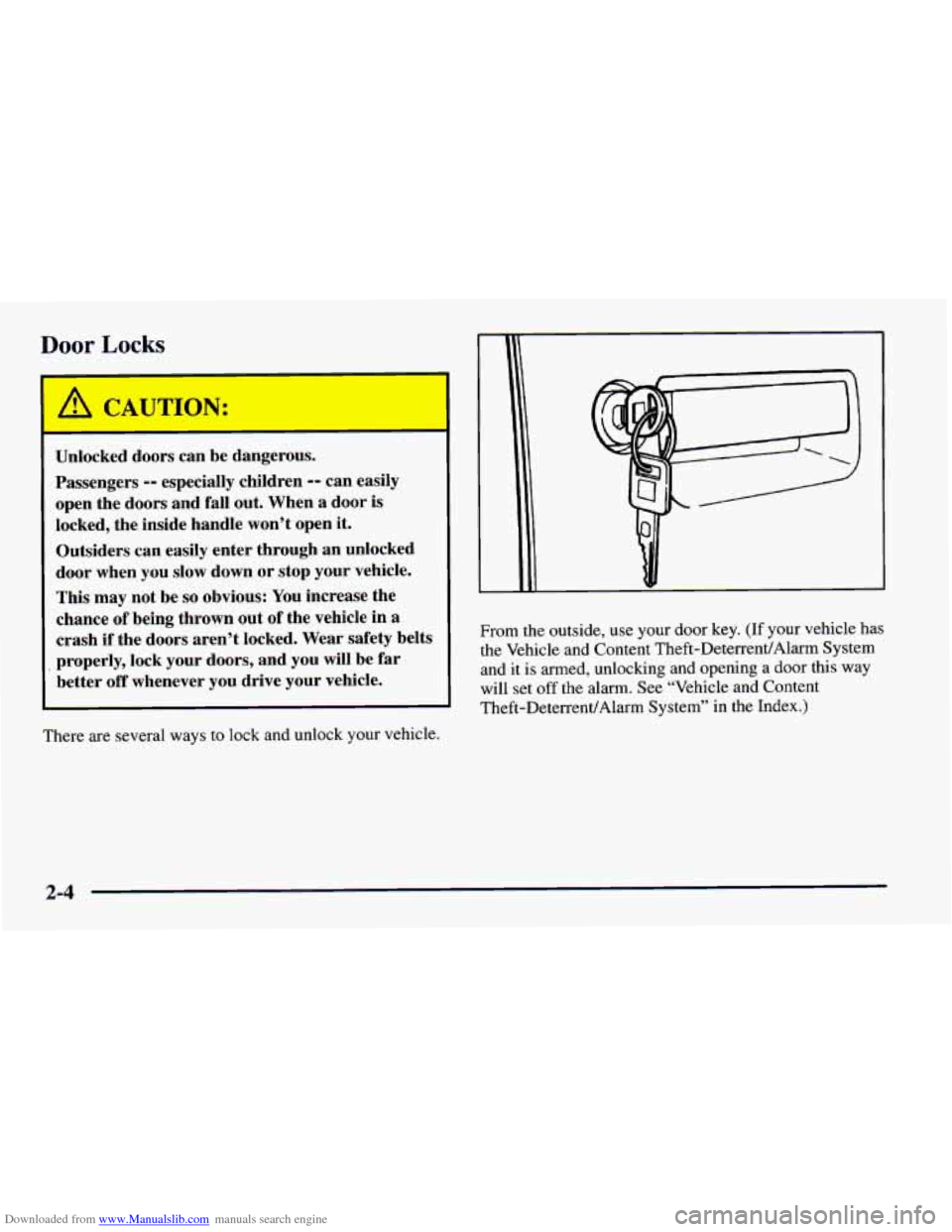
There are several ways to lock and unlock your vehicle. From the
outside, use your door key. (If your vehicle has
the Vehicle and Content Theft-DeterrentlAlarm System
and it is armed, unlocking and opening a door this way
will set off the alarm. See “Vehicle and Content
Theft-DeterrentlAlarm System” in the Index.)
2-4
Page 55 of 404
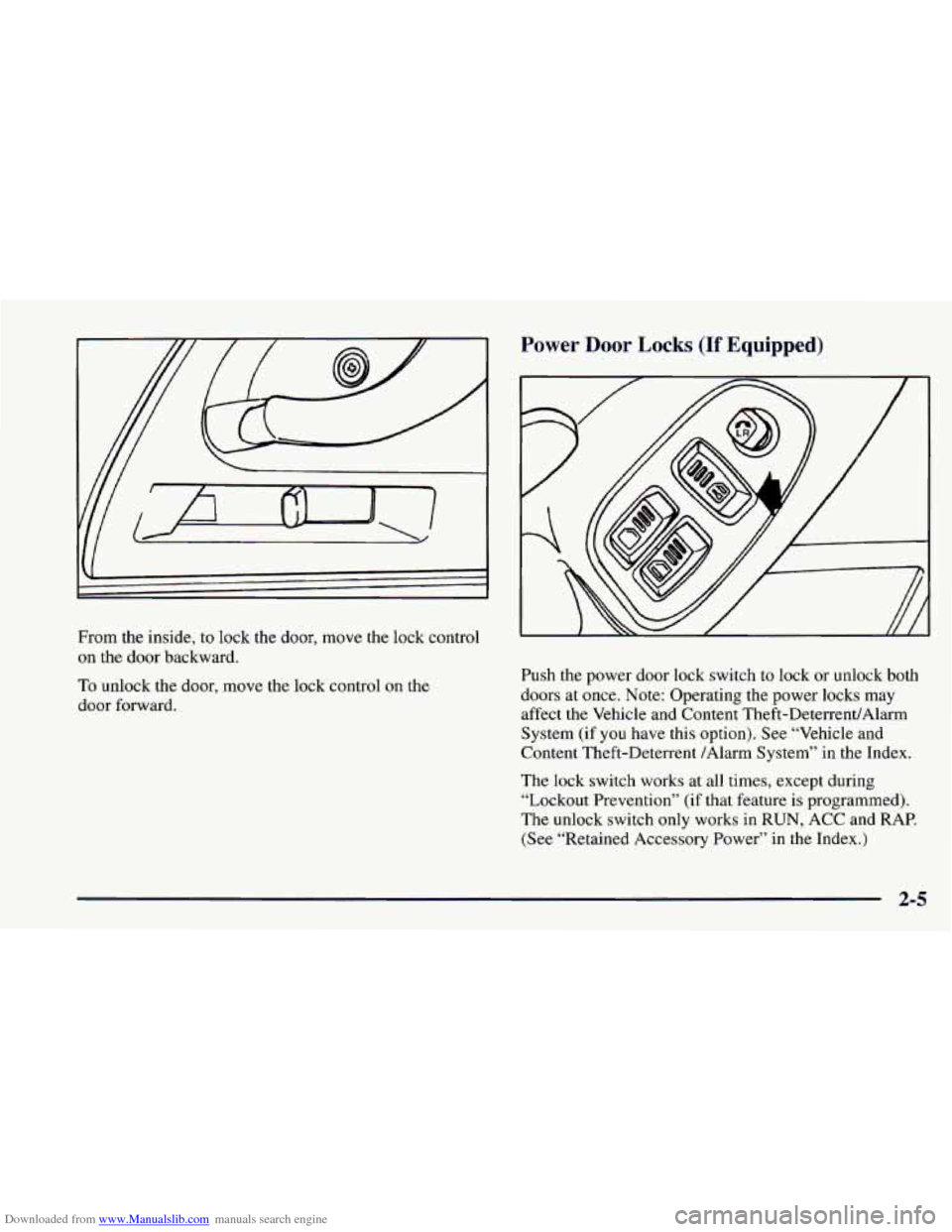
Downloaded from www.Manualslib.com manuals search engine From the inside, to lock the door, move the lock control
on the door backward.
To unlock the door, move the lock control on the
door forward.
Power Door Locks (If Equipped)
Push the power door lock switch to lock or unlock both
doors at once. Note: Operating the power locks may
affect the Vehicle and Content Theft-DeterrendAlarm
System (if you have this option). See “Vehicle and
Content Theft-Deterrent /Alarm System” in the Index.
The lock switch works at
all times, except during
“Lockout Prevention” (if that feature is programmed).
The unlock switch only works in
RUN, ACC and RAP.
(See “Retained Accessory Power” in the Index.)
2-5
Page 56 of 404
Downloaded from www.Manualslib.com manuals search engine Last Door Closed Locking (If Equipped)
If you have power door locks, you can program a last
door closed locking feature for your vehicle. This feature
allows for
a delayed locking of the doors so that you or
your passengers may exit the vehicle after you’ve pressed
the power door lock switch and still have the doors
locked once everyone has gotten out
of the vehicle.
When the power door lock switch is pressed, a chime
will sound three times, indicating that last door closed
locking has been activated. Pressing the LOCK switch
again will lock the doors immediately. Pressing the
UNLOCK switch will cancel a previously requested last
door closed locking.
This feature is shipped from the factory in the off
position.
To turn this feature on, see “Feature
Customization” in the Index.
Lockout Prevention (If Equipped)
To protect you from locking your keys in the vehicle,
this feature stops the power door locks from locking
when the keys are in the ignition and a door is open.
If the power lock switch is pressed when a door is open,
a chime will sound five times as a reminder to take the
keys out of the ignition before locking the door. This
feature is shipped from the factory in the on position.
If you would like to
turn this feature off, see “Feature
Customization” in the Index.
Leaving Your Vehicle
If you are leaving the vehicle, take your keys, open your
door and set the locks from the inside. Then get out and
close the door.
2-6
Page 57 of 404
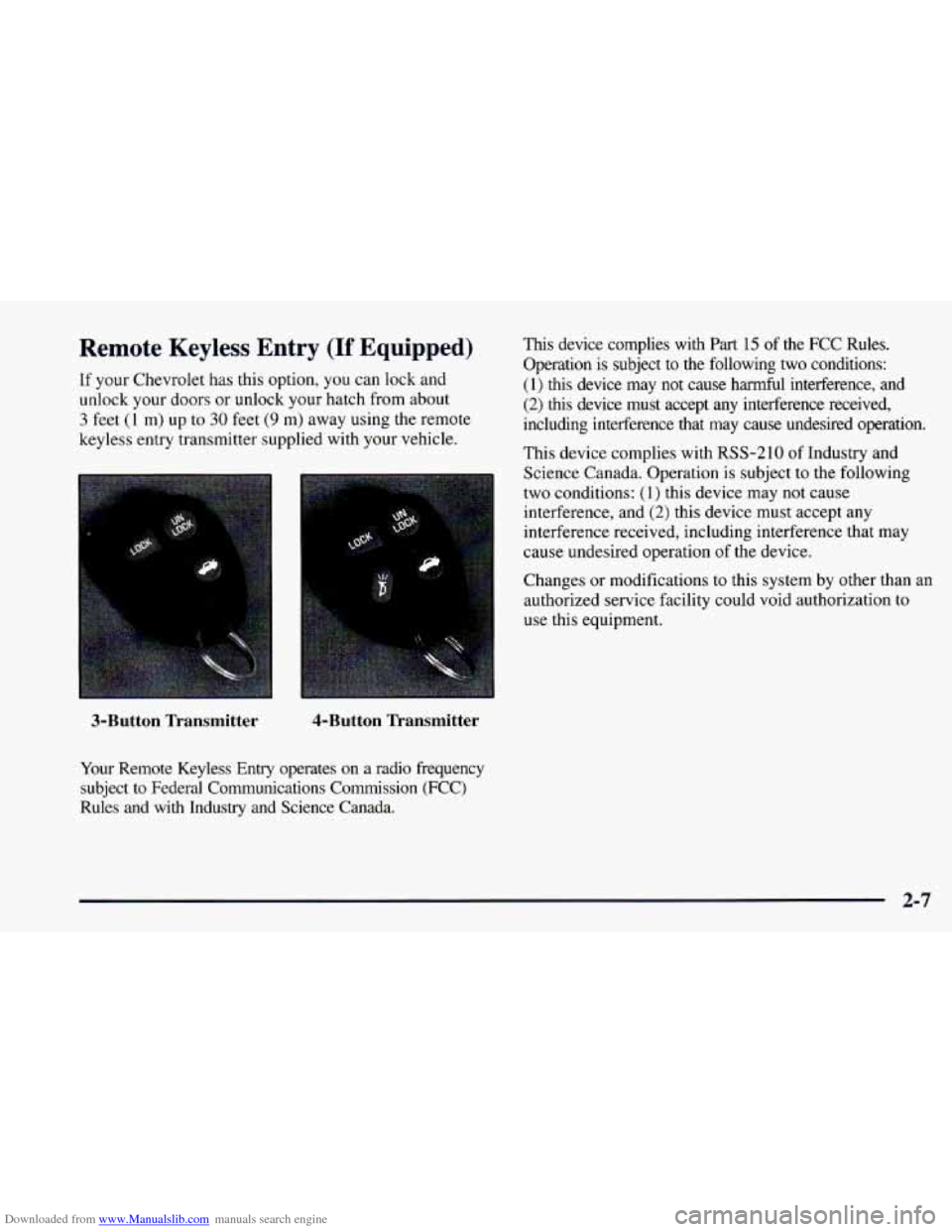
Downloaded from www.Manualslib.com manuals search engine Remote Keyless Entry (If Equipped)
If your Chevrolet has this option, you can lock and
unlock your doors or unlock your hatch from about
3 feet (1 m) up to 30 feet (9 m) away using the remote
keyless entry transmitter supplied with your vehicle.
3-Button Transmitter 4-Button Transmitter
Your
Remote Keyless Entry operates on a radio frequency
subject
to Federal Communications Commission (FCC)
Rules and with Industry and Science Canada.
This device complies with Part 15 of the FCC Rules.
Operation is subject to the following two conditions:
(1) this device may not cause harmful interference, and
(2) this device must accept any interference received,
including interference that may cause undesired operation.
This device complies with
RSS-210 of Industry and
Science Canada. Operation is subject
to the following
two conditions:
(1) this device may not cause
interference, and
(2) this device must accept any
interference received, including interference that may
cause undesired operation
of the device.
Changes or modifications to this system by other than an
authorized service facility could void authorization
to
use this equipment.
2-7
Page 58 of 404
Downloaded from www.Manualslib.com manuals search engine Operation Alarmanic Mode
The driver’s door will unlock automatically when
UNLOCK is pressed. If UNLOCK is pressed again
within five seconds, the passenger door will also unlock.
All doors will lock when LOCK is pressed.
The hatch will unlock when the button with the trunk
symbol is pressed twice within five seconds, as long as
the ignition is turned to the
OFF position. If the ignition
is on, the trunk button will only work if the transmission
is in PARK (P) for an automatic transmission, or if the
parking brake
is set on a manual transmission.
The system will turn on the interior lamps for about
40 seconds (or until the ignition switch is turned to the
RUN position), when you unlock
the doors or hatch.
The interior lamps will
go off when you lock the doors.
Operating the Remote Keyless Entry transmitter may
interact with the Vehicle and Content
Theft-DeterrenUAlarm System (if you have this option).
See “Vehicle and Content Theft-DeterrenVAlarm
System” in the Index. If
your vehicle is equipped with the Vehicle and Content
Theft-DeterrenVAlarm System, you will have a fourth
button
on your transmitter. This button is the panic
button. If you are involved in a panic situation, press
this button and your vehicle’s horn will sound and the
headlamps will flash. This will draw needed attention to
you and your vehicle. To turn this feature off, either
push the panic button again or turn the ignition
to the
RUN position. Note:
This feature will not work if your
ignition is on or if the transmitter is
30 feet (9 m) or
more away from your vehicle.
Wansmitter Range
The range of your Remote Keyless Entry system should
be about
3 feet (1 m) up to 30 feet (9 m). At times you
may notice a decrease in the range. This is normal for
the Remote Keyless Entry system. If the transmitter
does not work, or you have
to stand closer to your
vehicle for the transmitter to work:
You may have to replace the battery in your transmitter.
See the instructions for battery replacement.
0 You may be too far from your vehicle. Check your
distance. You may have
to stand closer to your
vehicle in rain or snow.
2-8
Page 59 of 404
Downloaded from www.Manualslib.com manuals search engine 0 Check the location. Other vehicles or objects may be
blocking the signal. Take a few steps to the right or left.
0 You may have to synchronize your transmitter to
the receiver in your vehicle. See the instructions
for synchronization.
You may have to match the transmitters to your
vehicle. See instructions.
If none of the above apply, see your Chevrolet dealer
or qualified technician for service.
Synchronization
Synchronization may be necessary due to the security
method used by the Remote Keyless Entry system. The
transmitter does not send the same signal twice to the
receiver. The receiver will not respond to a signal it has
been sent previously. This prevents anyone from recoding
and playing back the signal from the transmitter.
To
resynchronize the transmitter with the receiver:
0 While standing close to your vehicle, simultaneously
press and hold the LOCK and
UNLOCK buttons on
the transmitter for eight seconds. The door locks
should cycle and the parking lamps flash to confirm
synchronization. If this does not happen, you may
need to replace the battery in your transmitter
or
match the transmitter to your vehicle.
Transmitter Verification (If Equipped)
This feature provides feedback to the holder of the
Remote Keyless Entry transmitter that a command has
been received by the Remote Keyless Entry receiver.
The parking lamps will flash
on every lock and unlock
command and the horn will sound only if the
LOCK
button is pushed twice within five seconds. This allows
for silent operation of locking and unlocking, unless a
confirming horn chirp is desired. Other options may be
selected for this feature (see “Feature Customization” in
the Index).
Matching Transmitter(s) To Your Vehicle
Each remote keyless entry transmitter is coded to
prevent another transmitter from unlocking your vehicle.
If a transmitter is lost or stolen, a replacement can be
purchased through your dealer. Remember to bring any
remaining transmitters with you when you go to your
dealer. When the dealer matches the replacement
transmitter to your vehicle, any remaining transmitters
must also be matched. Once your dealer has coded the
new transmitter, the lost transmitter will not unlock your
vehicle. Each vehicle can have up to four transmitters
matched
to it.
2-9