clock CHEVROLET CAMARO 1998 4.G User Guide
[x] Cancel search | Manufacturer: CHEVROLET, Model Year: 1998, Model line: CAMARO, Model: CHEVROLET CAMARO 1998 4.GPages: 402, PDF Size: 21.2 MB
Page 238 of 402
Downloaded from www.Manualslib.com manuals search engine How to Add Coolant to the Radiator
(3800 V6 Engine Only)
I NOTICE:
Your engine has a specific radiator fill procedure.
Failure to follow this procedure could cause your
engine to overheat and be severely damaged.
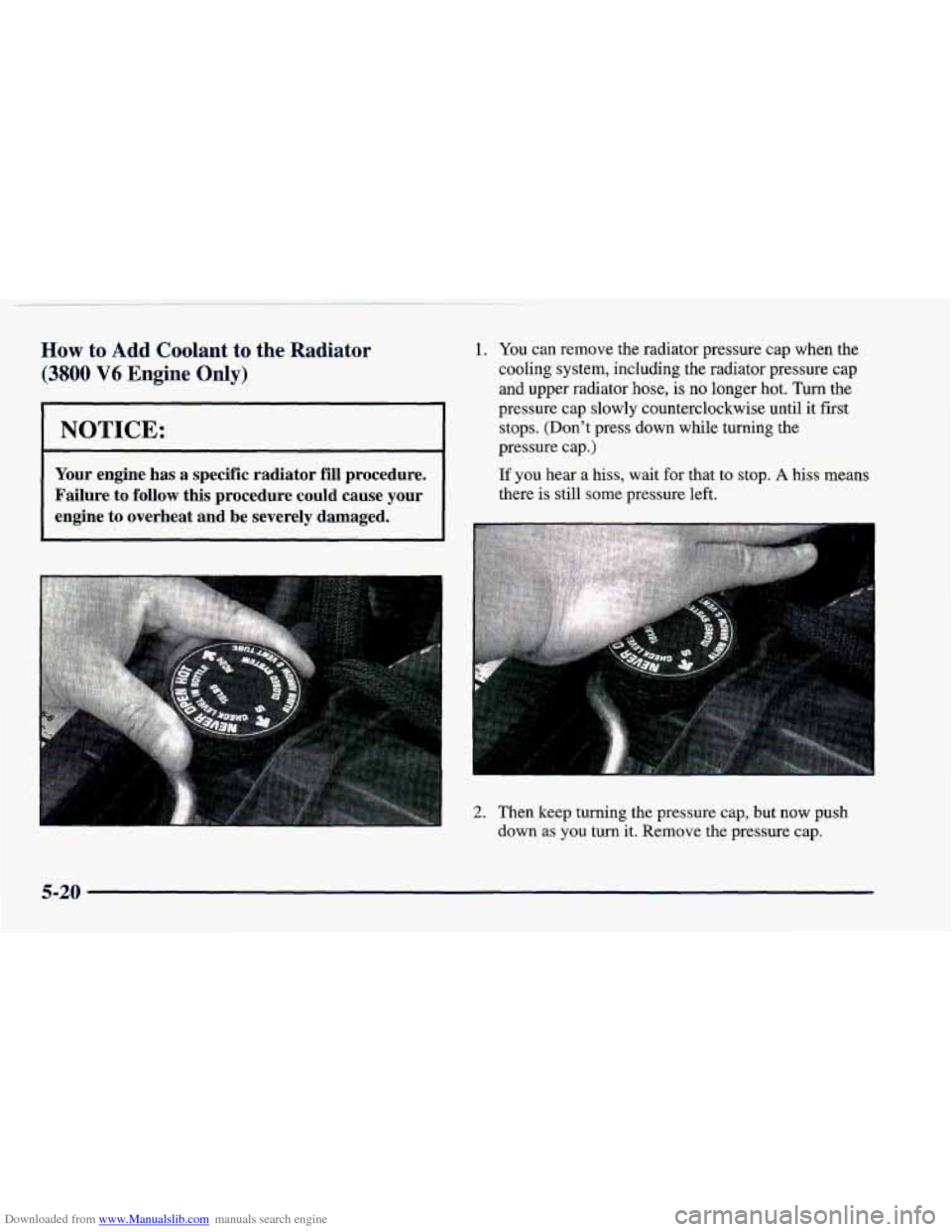
1. You can remove the radiator pressure cap when the
cooling system, including the radiator pressure cap
and upper radiator
hose, is no longer hot. Turn the
pressure cap slowly counterclockwise until it first
stops. (Don't press down while turning the
pressure cap.)
If you hear a hiss, wait for that to stop. A hiss means
there
is still some pressure left.
2. Then keep turning the pressure cap, but now push down
as you turn it. Remove the pressure cap.
5-20
Page 242 of 402
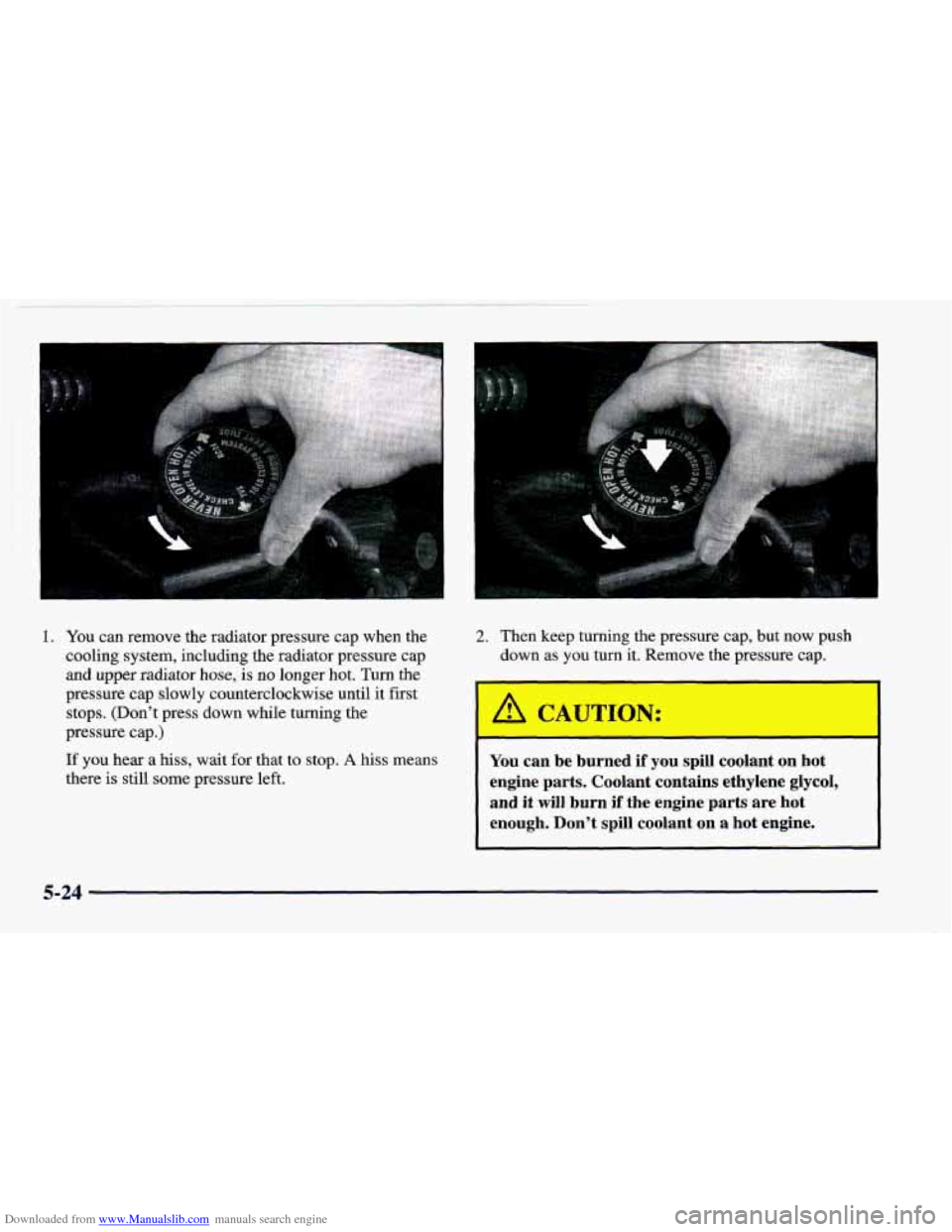
Downloaded from www.Manualslib.com manuals search engine 1. You can remove the radiator pressure cap when the
cooling system, including the radiator pressure cap
and upper radiator hose, is no longer hot. Turn the
pressure cap slowly counterclockwise until it first
stops. (Don’t press down while turning
the
pressure cap.)
If you hear a hiss, wait for that to stop. A hiss means
there is still some pressure left.
2. Then keep turning the pressure cap, but now push
down as you turn it. Remove the pressure cap.
A CAUTION:
You can be burned if you spill coolant on hot
engine parts. Coolant contains ethylene glycol,
and it will burn
if the engine parts are hot
enough. Don’t spill coolant on
a hot engine.
5-24
Page 265 of 402
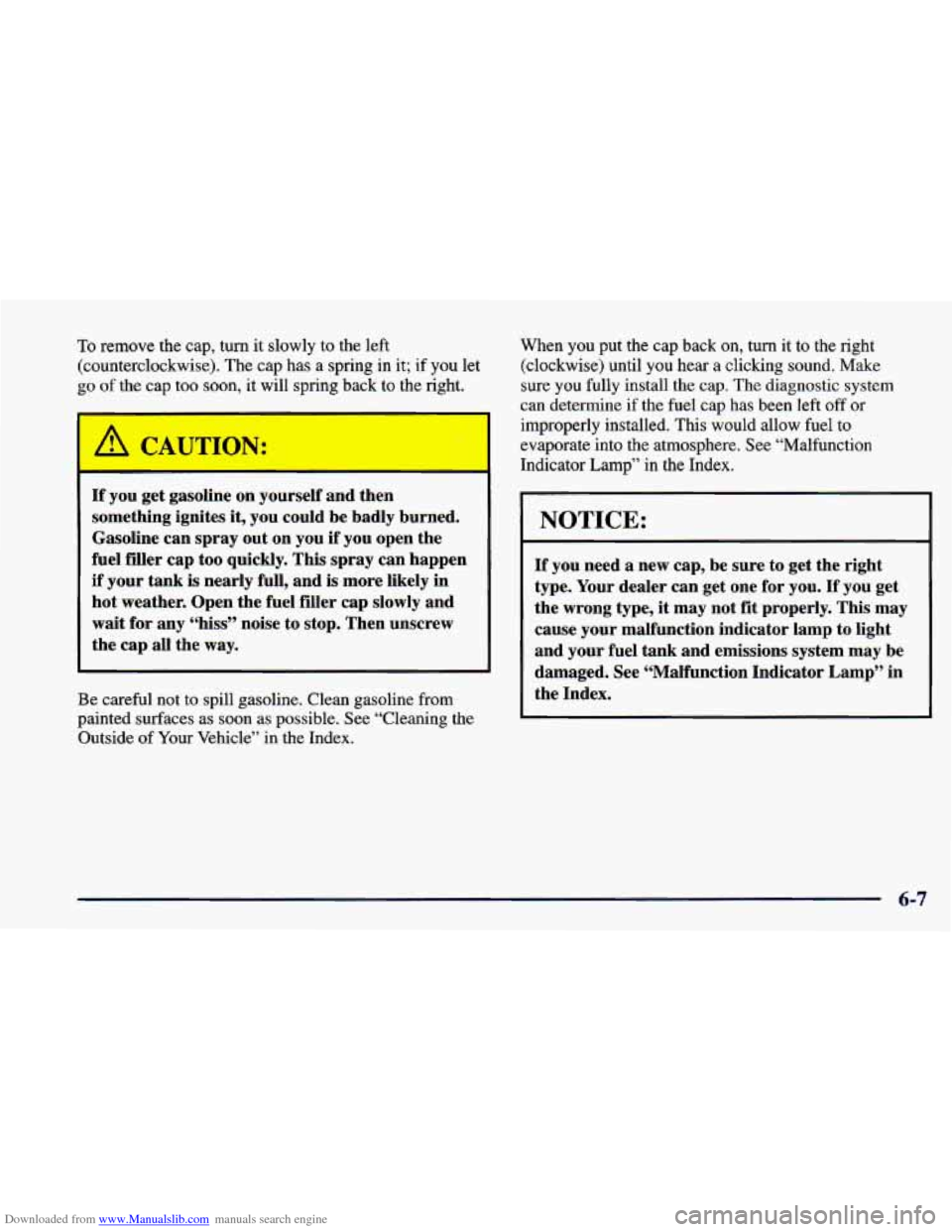
Downloaded from www.Manualslib.com manuals search engine To remove the cap, turn it slowly to the left
(counterclockwise). The cap has a spring in it;
if you let
go of the cap too soon, it will spring back to the right.
BN:
If you get gasoline on yourself and then
something ignites
it, you could be badly burned.
Gasoline can spray out on you if you open the
fuel filler cap too quickly. This spray can happen
if your
tank is nearly full, and is more likely in
hot weather. Open the fuel filler cap slowly and
wait for any “hiss” noise to stop. Then unscrew
the cap all the
way.
Be careful not to spill gasoline. Clean gasoline from
painted surfaces
as soon as possible. See “Cleaning the
Outside of Your Vehicle” in the Index. When you put
the cap
back on, turn it to the right
(clockwise) until you hear a clicking sound.
Make
sure you fully install the cap. The diagnostic system
can determine if the fuel cap has been left off
or
improperly installed. This would allow fuel to
evaporate into the atmosphere. See “Malfunction
Indicator Lamp” in the Index.
NOTICE:
If you need a new cap, be sure to get the right
type. Your dealer can get one for
you. If you get
the wrong type,
it may not fit properly. This may
cause your malfunction indicator lamp to light
and your fuel tank and emissions system may be
damaged. See “Malfunction Indicator Lamp” in
the Index.
6-7
Page 296 of 402
Downloaded from www.Manualslib.com manuals search engine Headlamns
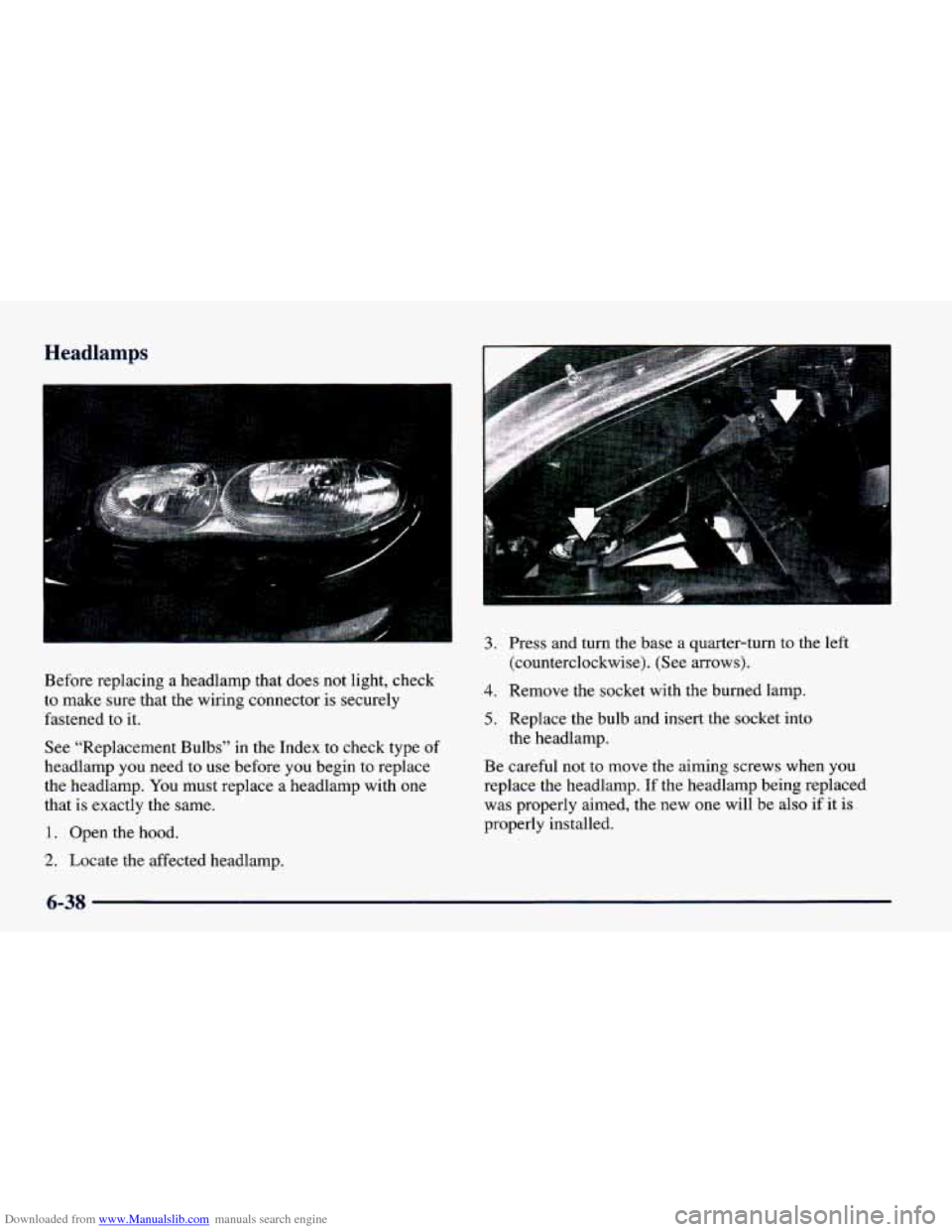
3.
Before replacing a headlamp that does not light, check
to make sure that the wiring connector
is securely
fastened to
it.
See "Replacement Bulbs" in the Index to check type of
headlamp you need to use before you begin to replace
the headlamp.
You must replace a headlamp with one
that is exactly the same.
1. Open the hood.
2. Locate the affected headlamp.
4.
5.
Press and turn the base a quarter-turn to the left
(counterclockwise). (See arrows).
Remove the socket with
the burned lamp.
Replace the bulb and insert the socket into
the headlamp.
Be careful
not to move the aiming screws when you
replace the headlamp. If the headlamp being replaced
was properly aimed, the new one will be also
if it is
properly installed.
6-38
Page 298 of 402
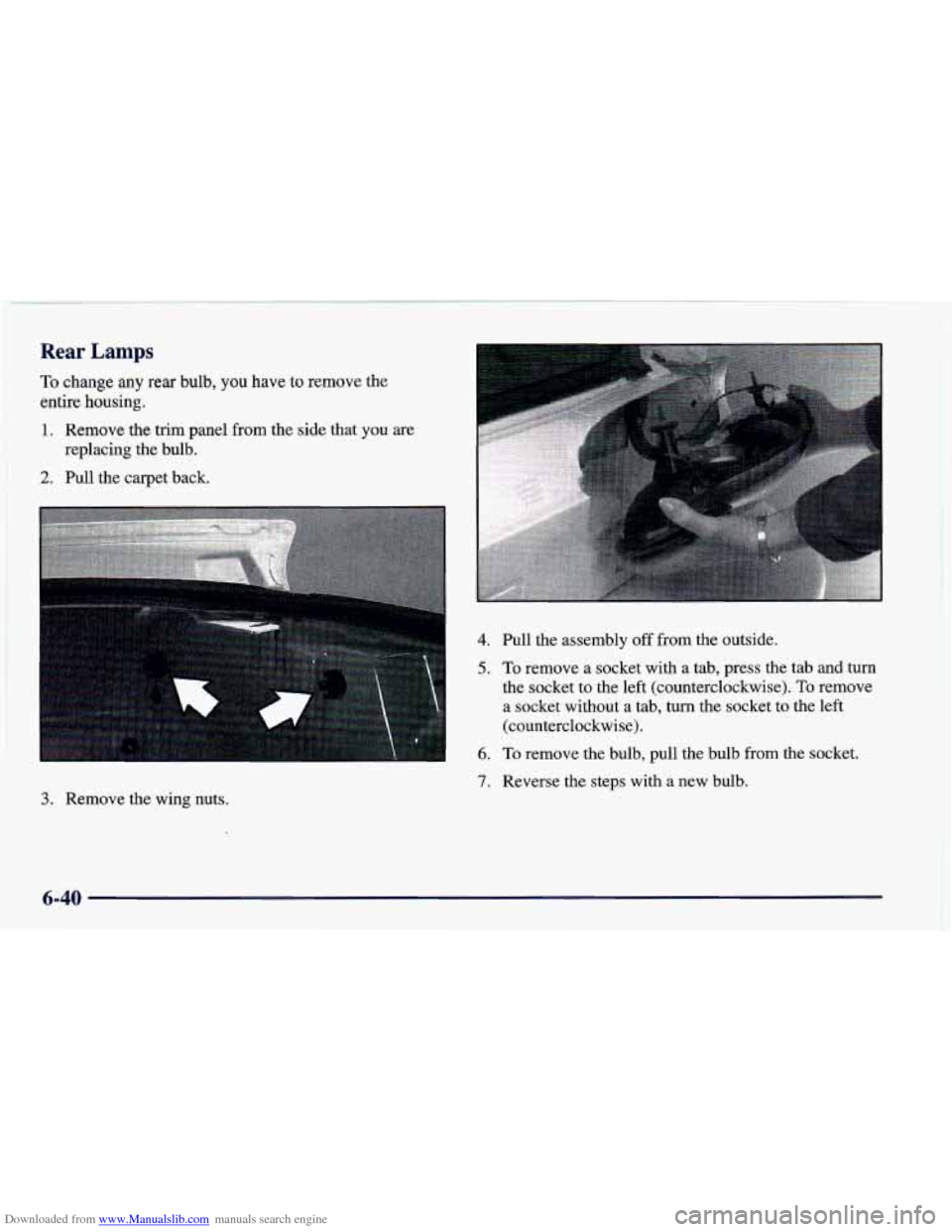
Downloaded from www.Manualslib.com manuals search engine Rear Lamps
To change any rear bulb, you have to remove the
entire housing.
1. Remove the trim panel from the side that you are
replacing the bulb.
2. Pull the carpet back.
4. Pull the assembly off from the outside.
5. To remove a socket with a tab, press the tab and turn
the socket to the left (counterclockwise).
To remove
a socket without a tab, turn the socket to the left
(counterclockwise).
6. To remove the bulb, pull the bulb from the socket.
7. Reverse the steps with a new bulb.
3. Remove the wing nuts.
6-40
Page 299 of 402
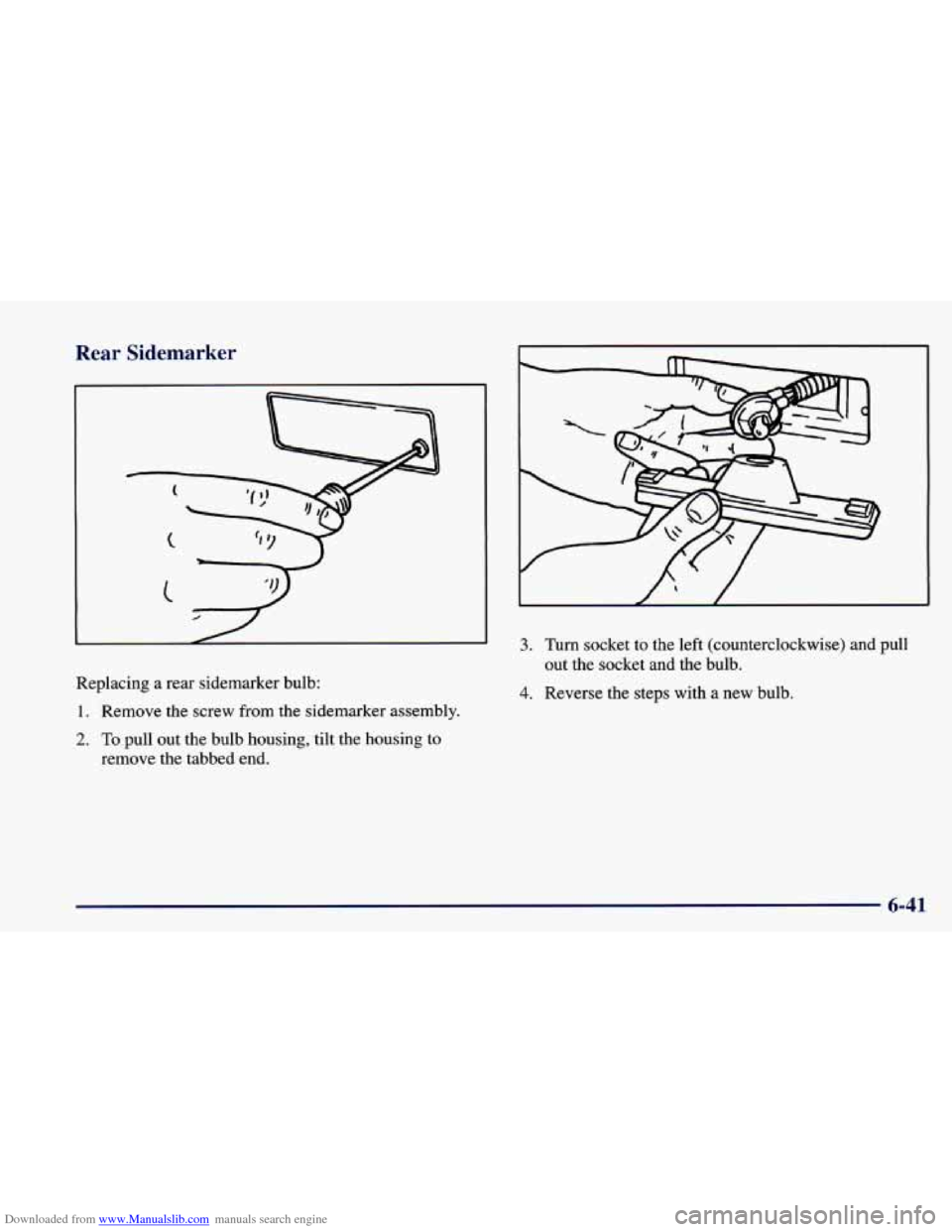
Downloaded from www.Manualslib.com manuals search engine Rear Sid marker
Replacing a rear sidemarker bulb:
1. Remove the screw from the sidemarker assembly.
2. To pull out the bulb housing, tilt the housing to
remove the tabbed
end.
I
3. Turn socket to the left (counterclockwise) and pull
out the socket
and the bulb.
4. Reverse the steps with a new bulb,
6-41
Page 387 of 402
Downloaded from www.Manualslib.com manuals search engine Glass ....................................... 6-56
Inside of Your Vehicle
......................... 6-53
Instrument Panel
............................. 6-55
Leather
..................................... 6-55
Outside of Your Vehicle
........................ 6-57
Removable Roof Panel
......................... 6-56
Special Problems
............................. 6-54
Stains
...................................... 6-54
Tires
....................................... 6-59
Vinyl
....................................... 6-54
Wheels
..................................... 6-58
Windshield and Wiper Blades
................... 6-56
Clock. Setting the
................................ 3-6
Close-Out Panel
................................ 2-56
Clutch. Hydraulic
............................... 6-25
Comfort Controls
................................ 3-2
Compact Disc
.................................. 3- 14
Care of Your Compact Disc ..................... 3-25
Player
...................................... 3-14
Player Errors
........................... 3- 17. 3-20
Storage
..................................... 2-56
Careofyour
................................. 3-25
Compact Spare Tire
............................. 5-38
Content Theft-Deterrent
......................... 2- 15
Alarm/Panic Mode ............................. 2-9
Feature Customization
......................... 2- 19
Control
of a Vehicle .............................. 4-5
ConvertibleTop
................................ 2-65
Convex Outside Mirror
.......................... 2-55 Coolant
....................................... 6-26
Bleed Valves
................................. 5-21
Heater, Engine
............................... 2-28
Cooling
........................................ 3-3
Cooling System
................................ 5-16
Courtesy Lamps
................................ 2-52
Courtesy Transportation
........................... 8-8
Cruise Control
................................. 2-47
Ending Out of
................................ 2-50
Increasing Speed While Using
................... 2-49
Resuming a Set Speed
......................... 2-49
UsingonHills
............................... 2-49
Customer Assistance Information
................... 8-1
Customer Satisfaction Procedure .................... 8-2
RecoveryTank
............................... 5-17
Reducing Speed While Using
................... 2-49
Setting
..................................... 2-48
Customer Assistance for Text Telephone Users
......... 8-4
Damage. Finish
............................... 6-59
Damage. Sheet Metal
............................ 6-59
Daytime Running Lamps
......................... 2-51
Dead Battery
................................... 5-3
Defects. Reporting Safety ........................ 8-10
Defensive Driving
............................... 4-2
Defogger. Rear Window .......................... 3-5
Defogging
..................................... 3-5
Defrosting
..................................... 3-5
Delayed Illumination
............................ 2-53
9-3