alarm CHEVROLET CAMARO 2000 4.G User Guide
[x] Cancel search | Manufacturer: CHEVROLET, Model Year: 2000, Model line: CAMARO, Model: CHEVROLET CAMARO 2000 4.GPages: 357, PDF Size: 2.65 MB
Page 76 of 357

2-19 Entering Programming Mode
To program any feature, your vehicle must be in the
programming mode. Follow these steps:
1. Put your key in the ignition.
2. Turn the ignition to RUN to disarm the content
theft
-deterrent/alarm system.
3. Turn the ignition to OFF.
4. Remove the RADIO fuse. This fuse is in the
main fuse block, located on the left side of your
instrument panel. When the main fuse block is open,
the RADIO fuse is located in the lower right corner
side of the fuse panel. See ªFuses and Circuit
Breakersº in the Index.
5. Turn the ignition towards you to ACC.
6. Count the number of chimes you hear. You will
hear one to two chimes depending on the features
your vehicle is equipped with. Refer to the chart
shown previously.
You can now program your choices.
To exit the programming mode, follow the steps
listed under ªLeaving Programming Modeº later in
this section.
Exit Lighting and Delayed Illumination
With Exit Lighting, your interior lamps will come on
for up to 25 seconds when the key is removed from
the ignition.
With Delayed Illumination, your interior lamps will
come on and stay on for up to 25 seconds when
entering your vehicle and up to five seconds when
leaving your vehicle.
Programmable Modes
Your vehicle can be programmed to one of the
following modes:
Mode 1: Both Off
Mode 2: Delayed Illumination Only
Mode 3: Exit Lighting Only
Mode 4: Both On
Vehicles are delivered programmed in Mode 4.
Page 79 of 357

2-22 Theft-Deterrent Arming Method
With this feature, you can program your vehicle to arm
the content theft
-deterrent/alarm system using the
remote keyless entry transmitter, the power door lock
switch or by passive arming.
Programmable Modes
Your vehicle can be programmed to one of the
following modes:
Mode 1: Alarm System Off (The system will not arm.)
Mode 2: Remote Keyless Entry Transmitter Lock
(When you lock your doors using the LOCK button
on the remote keyless entry transmitter, the system will
arm itself.)
Mode 3: Remote Keyless Entry Transmitter/Power
Door Lock Switch (If you use either the LOCK button
on the remote keyless entry transmitter or the power
door lock switch to lock the doors, the system will
arm itself.)Mode 4: Passive Arming and Remote Keyless
Entry Transmitter/Power Door Lock Switch Arming
(The system will arm itself after all doors are closed,
plus arming per Mode 3.)
Vehicles are delivered programmed in Mode 3.
To change the mode, do the following:
1. Press the unlock switch on the door.
2. Count the number of chimes you hear. The
number of chimes tells you which mode your
vehicle is set for.
3. Press the unlock switch again on the door until
you hear the number of chimes that correspond to
the mode selection you want.
The mode you selected is now set. You can either exit
the programming mode by following the instructions
later in this section or program the next feature available
on your vehicle.
Page 81 of 357

2-24 Driver's Door Alarm Delay and Shock
Sensor Enable
These features will allow you to change when the alarm
system will sound and to turn the shock sensor on or off.
Programmable Modes
Your vehicle can be programmed to one of the
following modes:
Mode 1: Zero Delay and Shock Sensor Disabled
(The alarm will sound immediately if the driver's door
is opened with your key and the shock sensor will not
be available to measure sharp blows to your vehicle.)
Mode 2: Eight
-Second Delay and Shock Sensor
Disabled (The alarm will sound eight seconds after the
driver's door is opened with your key and the shock
sensor will not be available to measure sharp blows to
your vehicle.)
Mode 3: Zero Delay and Shock Sensor Enabled
(The alarm will sound immediately after the driver's
door is opened with your key and the shock sensor will
be available to measure sharp blows to your vehicle.)Mode 4: Eight
-Second Delay and Shock Sensor
Enabled (The alarm will sound eight seconds after
the driver's door is opened with your key and the
shock sensor will be available to measure sharp blows
to your vehicle.)
Vehicles are delivered programmed in Mode 4.
To change the mode, do the following:
1. Turn the parking lamps on and off.
2. Count the number of chimes you hear. The
number of chimes tells you which mode your
vehicle is set for.
3. Turn the parking lamps on and off again until you
hear the number of chimes that corresponds to the
mode selection you want.
The mode you selected is now set. You can either exit
the programming mode by following the instructions
later in this section or program the next feature available
on your vehicle.
Leaving Programming Mode
When programming is complete, turn the ignition to
OFF and reinstall the RADIO fuse.
Page 103 of 357
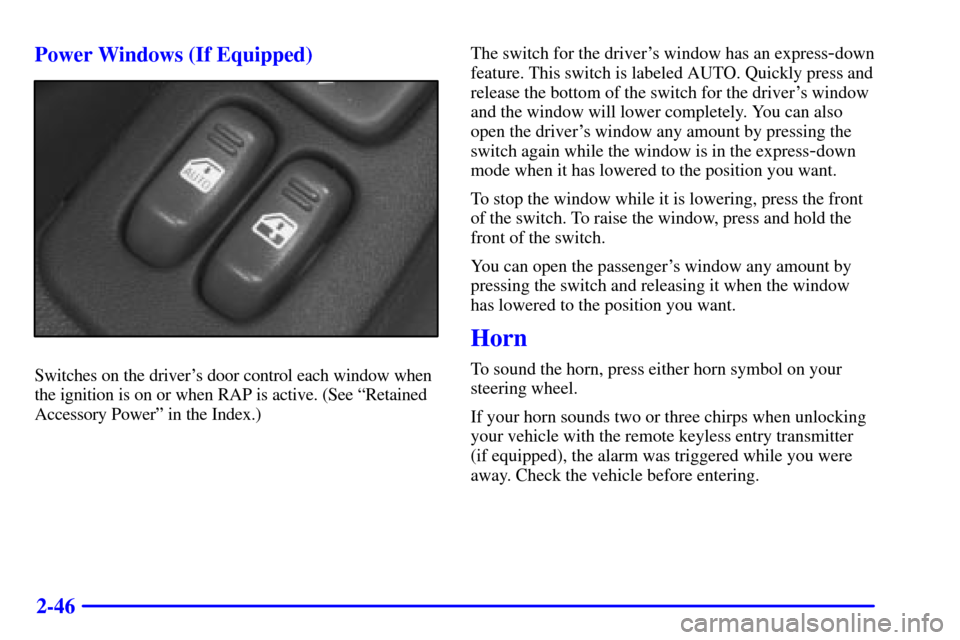
2-46 Power Windows (If Equipped)
Switches on the driver's door control each window when
the ignition is on or when RAP is active. (See ªRetained
Accessory Powerº in the Index.)The switch for the driver's window has an express
-down
feature. This switch is labeled AUTO. Quickly press and
release the bottom of the switch for the driver's window
and the window will lower completely. You can also
open the driver's window any amount by pressing the
switch again while the window is in the express
-down
mode when it has lowered to the position you want.
To stop the window while it is lowering, press the front
of the switch. To raise the window, press and hold the
front of the switch.
You can open the passenger's window any amount by
pressing the switch and releasing it when the window
has lowered to the position you want.
Horn
To sound the horn, press either horn symbol on your
steering wheel.
If your horn sounds two or three chirps when unlocking
your vehicle with the remote keyless entry transmitter
(if equipped), the alarm was triggered while you were
away. Check the vehicle before entering.
Page 111 of 357

2-54
When it's dark enough outside, your front turn signal
lamps will go out and your headlamps will come on.
The other lamps will also come on.
When it's bright enough outside, the regular lamps will
go off, and your front turn signal lamps will come on.
As with any vehicle, you should turn on the regular
headlamp system when you need it.
Fog Lamps (If Equipped)
Use your fog lamps
for better vision in foggy
or misty conditions. Your
parking lamps must be
on or your fog lamps
won't work.Your fog lamp button is located on your console,
above the audio system. To turn the fog lamps on,
push the right side of the fog lamp switch and a light
on the switch will come on indicating that the fog lamps
are on. Push the left side of the switch to turn the fog
lamps off.
The fog lamps will go off whenever your high
-beam
headlamps come on. When the high
-beam headlamps
go off, the fog lamps will come on again.
If your vehicle is equipped with the content
theft
-deterrent/alarm system and your fog lamp
switch is on, the fog lamps may flash along with the
parking lamps to indicate operation of the content
theft
-deterrent/alarm system. See ªContent
Theft
-Deterrent/Alarm Systemº in the Index.
Page 137 of 357
2-80 Tachometer
The tachometer displays the engine speed in thousands
of revolutions per minute (rpm).
NOTICE:
Do not operate the engine with the tachometer in
the red area, or engine damage may occur.
Warning Lights, Gages and Indicators
This part describes the warning lights and gages that may
be on your vehicle. The pictures will help you locate them.
Warning lights and gages can signal that something is
wrong before it becomes serious enough to cause an
expensive repair or replacement. Paying attention to your
warning lights and gages could also save you or others
from injury.
Warning lights come on when there may be or is a problem
with one of your vehicle's functions. As you will see in the
details on the next few pages, some warning lights come on
briefly when you start the engine just to let you know
they're working. If you are familiar with this section,
you should not be alarmed when this happens.Gages can indicate when there may be or is a problem
with one of your vehicle's functions. Often gages and
warning lights work together to let you know when
there's a problem with your vehicle.
When one of the warning lights comes on and stays on
when you are driving, or when one of the gages shows
there may be a problem, check the section that tells you
what to do about it. Please follow this manual's advice.
Waiting to do repairs can be costly
-- and even
dangerous. So please get to know your warning lights
and gages. They're a big help.
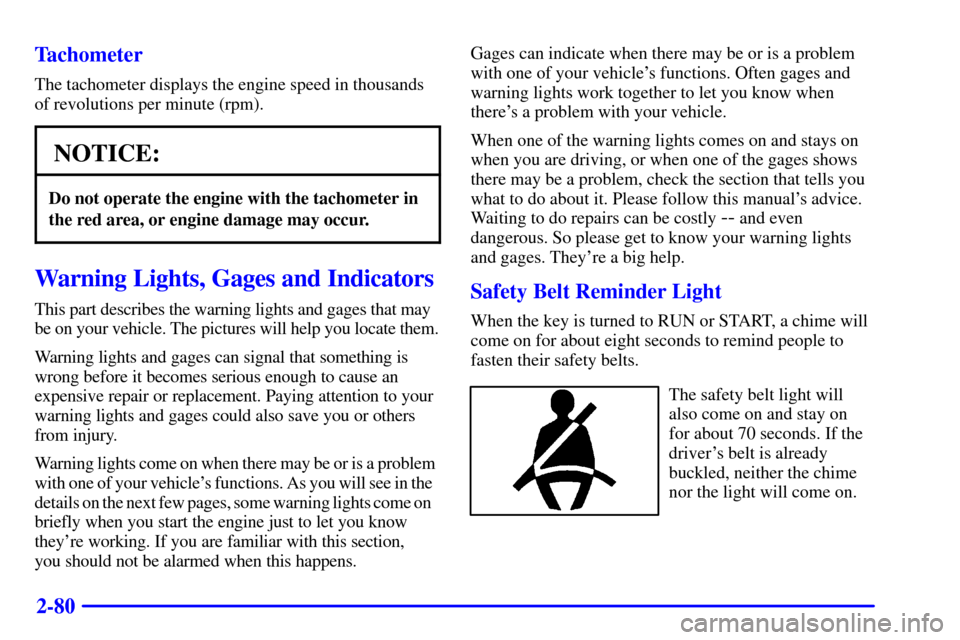
Safety Belt Reminder Light
When the key is turned to RUN or START, a chime will
come on for about eight seconds to remind people to
fasten their safety belts.
The safety belt light will
also come on and stay on
for about 70 seconds. If the
driver's belt is already
buckled, neither the chime
nor the light will come on.