steering CHEVROLET CAMARO 2010 5.G User Guide
[x] Cancel search | Manufacturer: CHEVROLET, Model Year: 2010, Model line: CAMARO, Model: CHEVROLET CAMARO 2010 5.GPages: 378, PDF Size: 5.75 MB
Page 110 of 378
Black plate (28,1)Chevrolet Camaro Owner Manual - 2010
4-28 Instruments and Controls
Information Displays
Driver Information
Center (DIC)
The vehicle may have a Driver
Information Center (DIC). The DIC
displays information about your
vehicle. It also displays warning
messages if a system problem is
detected. SeeVehicle Messages
on
page 4‑31for more information.
All messages appear in the DIC
display located in the center of the
instrument panel cluster.
The vehicle may also have features
that can be customized through the
controls on the radio. See Vehicle
Personalization
on page 4‑38for
more information.
DIC Operation and Displays
The DIC has different displays
which can be accessed by using
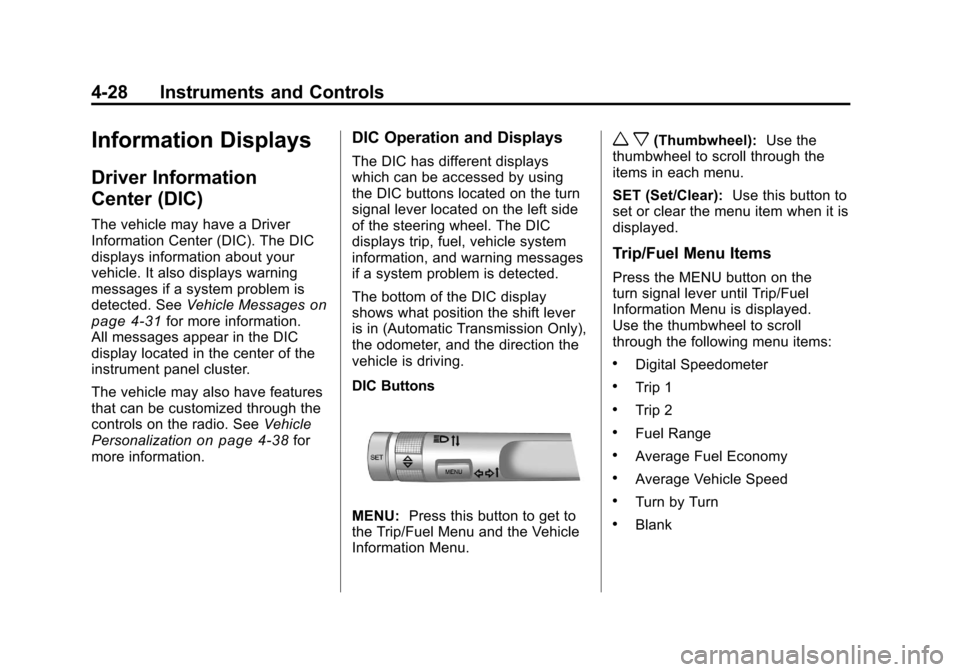
the DIC buttons located on the turn
signal lever located on the left side
of the steering wheel. The DIC
displays trip, fuel, vehicle system
information, and warning messages
if a system problem is detected.
The bottom of the DIC display
shows what position the shift lever
is in (Automatic Transmission Only),
the odometer, and the direction the
vehicle is driving.
DIC Buttons
MENU: Press this button to get to
the Trip/Fuel Menu and the Vehicle
Information Menu.
w x(Thumbwheel): Use the
thumbwheel to scroll through the
items in each menu.
SET (Set/Clear): Use this button to
set or clear the menu item when it is
displayed.
Trip/Fuel Menu Items
Press the MENU button on the
turn signal lever until Trip/Fuel
Information Menu is displayed.
Use the thumbwheel to scroll
through the following menu items:
.Digital Speedometer
.Trip 1
.Trip 2
.Fuel Range
.Average Fuel Economy
.Average Vehicle Speed
.Turn by Turn
.Blank
Page 118 of 378
Black plate (36,1)Chevrolet Camaro Owner Manual - 2010
4-36 Instruments and Controls
Service Stabilitrak
This message displays if there is
a problem with the StabiliTrak®
system. If this message appears, try
to reset the system. Stop; turn off
the engine and remove the key from
the ignition; open and close the
driver door and wait for at least
one minute. During this time you
should notice the lights on the
cluster turn off. After a minute has
passed start the engine again. If this
message still comes on, it means
there is a problem. See your dealer
for service. The vehicle is safe to
drive, however, you do not have the
benefit of StabiliTrak, so reduce
your speed and drive accordingly.
Airbag System Messages
Service Airbag
This message is displayed if there is
a problem with the airbag system.
Take the vehicle to your dealer for
service.
Safety Belt Messages
Buckle Seatbelt
This message displays as a
reminder when the safety belt
is not buckled.
Anti-Theft Alarm System
Messages
Theft Attempted
This message displays if the vehicle
detects a tamper condition.
Service Vehicle Messages
Service AC System
This message is displayed if there is
a problem with the air conditioning
system. Take the vehicle to your
dealer for service.
Service Power Steering
This message is displayed if there is
a problem with the power steering
system. Take the vehicle to your
dealer for service.
Service Vehicle Soon
This message is displayed if there is
a problem with the vehicle. Take the
vehicle to your dealer for service.
Tire Messages
Check XXX Tire Pressure
This message displays if the vehicle
detects low pressure in one or more
tires. The tire with the low pressure
will be shown in the message.
Check the tire pressures.
Service Tire Monitor System
This message displays if there is a
problem with the Tire Pressure
Monitor System (TPMS). SeeTire
Pressure Monitor Operation
on
page 9‑60for more information.
Tire Learning Active
This message displays when the
system is learning new tires. See
Tire Pressure Monitor Operation
on
page 9‑60for more information.
Page 125 of 378
Black plate (43,1)Chevrolet Camaro Owner Manual - 2010
Instruments and Controls 4-43
The OnStar system can record and
transmit vehicle information. This
information is automatically sent to
an OnStar call center when
Qis
pressed,
]is pressed, or if the
airbags or ACR system deploy.
This information usually includes
the vehicle's GPS location and,
in the event of a crash, additional
information regarding the crash that
the vehicle was involved in (e.g. the
direction from which the vehicle was
hit). When the virtual advisor feature
of OnStar hands-free calling is
used, the vehicle also sends OnStar
the vehicle's GPS location so they
can provide services where it is
located.
Location information about the
vehicle is only available if the GPS
satellite signals are unobstructed
and available. The vehicle must have a working
electrical system, including
adequate battery power, for the
OnStar equipment to operate. There
are other problems OnStar cannot
control that may prevent OnStar
from providing OnStar service at
any particular time or place. Some
examples are damage to important
parts of the vehicle in a crash, hills,
tall buildings, tunnels, weather or
wireless phone network congestion.
OnStar Steering Wheel
Controls
This vehicle may have a Talk/Mute
button that can be used to interact
with OnStar hands-free calling.
See
Steering Wheel Controls
on
page 4‑6for more information.
On some vehicles, the mute button
can be used to dial numbers into
voice mail systems, or to dial phone
extensions. See the OnStar Owner's
Guide for more information.
Your Responsibility
Increase the volume of the radio if
the OnStar advisor cannot be heard.
If the light next to the OnStar
buttons is red, the system may
not be functioning properly.
Press
Qand request a vehicle
diagnostic. If the light appears clear
(no light is appearing), your OnStar
subscription has expired and all
services have been deactivated.
Press
Qto confirm that the OnStar
equipment is active.
Page 131 of 378
Black plate (1,1)Chevrolet Camaro Owner Manual - 2010
Lighting 5-1
Lighting
Exterior Lighting
Exterior Lamp Controls . . . . . . . . 5-1
Headlamp High/Low-BeamChanger . . . . . . . . . . . . . . . . . . . . . 5-3
Flash-to-Pass . . . . . . . . . . . . . . . . . 5-3
Daytime Running Lamps (DRL) . . . . . . . . . . . . . . . . 5-3
Automatic Headlamp System . . . . . . . . . . . . . . . . . . . . . . 5-4
Hazard Warning Flashers . . . . . 5-4
Turn and Lane-Change Signals . . . . . . . . . . . . . . . . . . . . . . 5-5
Front Fog Lamps . . . . . . . . . . . . . . 5-5
Interior Lighting
Instrument Panel Illumination Control . . . . . . . . . . . . . . . . . . . . . . 5-6
Dome Lamps . . . . . . . . . . . . . . . . . 5-6
Lighting Features
Entry Lighting . . . . . . . . . . . . . . . . . 5-6
Theater Dimming . . . . . . . . . . . . . . 5-6
Battery Load Management . . . . 5-6
Battery Power Protection . . . . . . 5-7
Exterior Lighting
Exterior Lamp Controls
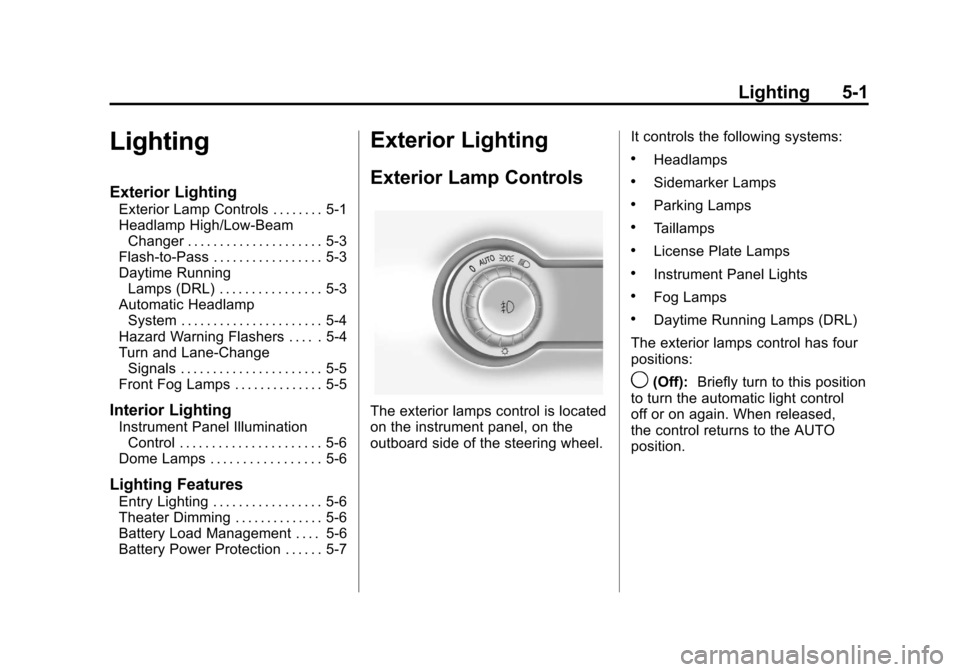
The exterior lamps control is located
on the instrument panel, on the
outboard side of the steering wheel. It controls the following systems:
.Headlamps
.Sidemarker Lamps
.Parking Lamps
.Taillamps
.License Plate Lamps
.Instrument Panel Lights
.Fog Lamps
.Daytime Running Lamps (DRL)
The exterior lamps control has four
positions:
9(Off): Briefly turn to this position
to turn the automatic light control
off or on again. When released,
the control returns to the AUTO
position.
Page 135 of 378
Black plate (5,1)Chevrolet Camaro Owner Manual - 2010
Lighting 5-5
Turn and Lane-Change
Signals
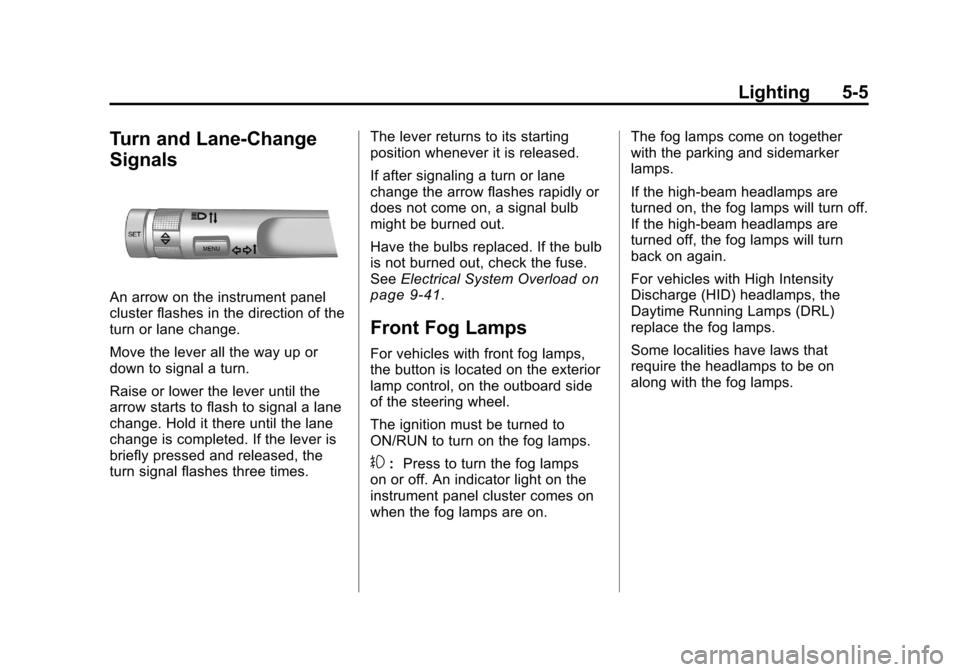
An arrow on the instrument panel
cluster flashes in the direction of the
turn or lane change.
Move the lever all the way up or
down to signal a turn.
Raise or lower the lever until the
arrow starts to flash to signal a lane
change. Hold it there until the lane
change is completed. If the lever is
briefly pressed and released, the
turn signal flashes three times.The lever returns to its starting
position whenever it is released.
If after signaling a turn or lane
change the arrow flashes rapidly or
does not come on, a signal bulb
might be burned out.
Have the bulbs replaced. If the bulb
is not burned out, check the fuse.
See
Electrical System Overload
on
page 9‑41.
Front Fog Lamps
For vehicles with front fog lamps,
the button is located on the exterior
lamp control, on the outboard side
of the steering wheel.
The ignition must be turned to
ON/RUN to turn on the fog lamps.
#: Press to turn the fog lamps
on or off. An indicator light on the
instrument panel cluster comes on
when the fog lamps are on. The fog lamps come on together
with the parking and sidemarker
lamps.
If the high‐beam headlamps are
turned on, the fog lamps will turn off.
If the high‐beam headlamps are
turned off, the fog lamps will turn
back on again.
For vehicles with High Intensity
Discharge (HID) headlamps, the
Daytime Running Lamps (DRL)
replace the fog lamps.
Some localities have laws that
require the headlamps to be on
along with the fog lamps.
Page 141 of 378
Black plate (3,1)Chevrolet Camaro Owner Manual - 2010
Infotainment System 6-3
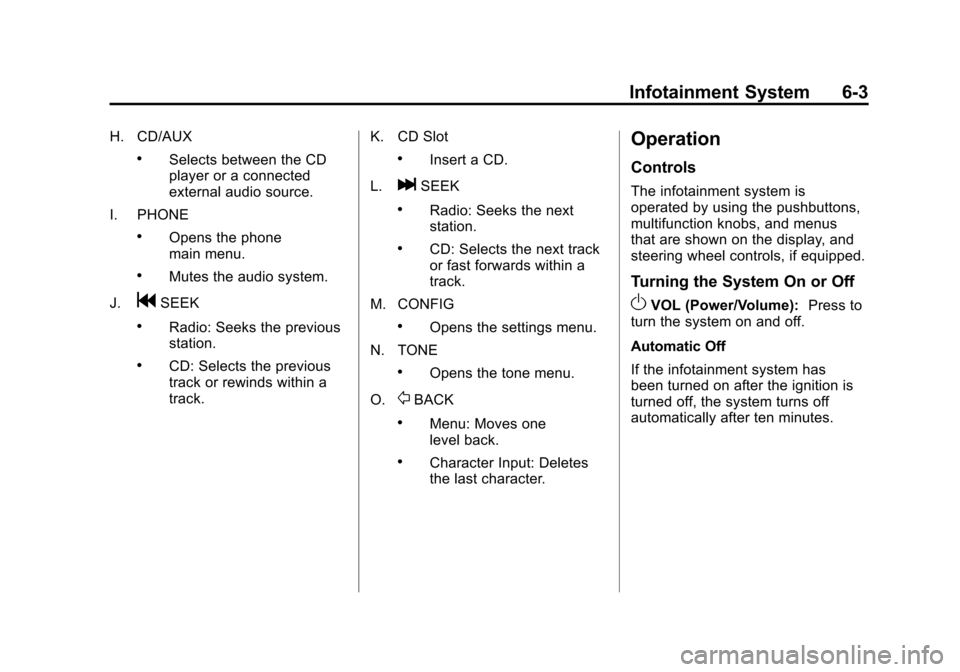
H. CD/AUX
.Selects between the CD
player or a connected
external audio source.
I. PHONE
.Opens the phone
main menu.
.Mutes the audio system.
J.
gSEEK
.Radio: Seeks the previous
station.
.CD: Selects the previous
track or rewinds within a
track. K. CD Slot
.Insert a CD.
L.
lSEEK
.Radio: Seeks the next
station.
.CD: Selects the next track
or fast forwards within a
track.
M. CONFIG
.Opens the settings menu.
N. TONE
.Opens the tone menu.
O.
0BACK
.Menu: Moves one
level back.
.Character Input: Deletes
the last character.
Operation
Controls
The infotainment system is
operated by using the pushbuttons,
multifunction knobs, and menus
that are shown on the display, and
steering wheel controls, if equipped.
Turning the System On or Off
OVOL (Power/Volume): Press to
turn the system on and off.
Automatic Off
If the infotainment system has
been turned on after the ignition is
turned off, the system turns off
automatically after ten minutes.
Page 159 of 378
Black plate (21,1)Chevrolet Camaro Owner Manual - 2010
Infotainment System 6-21
Changing the Default PIN
To change the default PIN:
1. Select Change Default PINfrom the Bluetooth Music
Setup menu.
2. Select one of the pre‐defined PIN numbers, or select Other to
create a PIN.
To create a PIN:
1. Select the length of the PIN number.
2. Enter the character sequence.
Messages
The following messages may
appear on the infotainment screen.
Poor Bluetooth Signal Quality:
This message displays when the
Bluetooth signal strength is low.
This Feature is Unavailable While
Vehicle is Moving: This message
displays when an action is not
allowed while the vehicle is moving.Controlling a Bluetooth®
Device
Bluetooth devices that support
AVRCP (Audio/Video Remote
Control Profile) version 1.0 may
be able to be controlled by the
Infotainment System.
Press and release
gSEEK /
lSEEK to skip tracks. Press and
hold
gSEEK /lSEEK to fast
forward or fast reverse within a
track.
Other Information
The Bluetooth®word mark and
logos are owned by the Bluetooth®
SIG, Inc. and any use of such marks
by General Motors is under license.
Other trademarks and trade names
are those of their respective owners.
See Radio Frequency Statement
on
page 12‑17for FCC information.
Phone
Bluetooth (Overview)
Vehicles with a Bluetooth system
can use a Bluetooth capable cell
phone with a Hands Free Profile
to make and receive phone calls.
The infotainment system and voice
recognition are used to control
the system. The system can be
used while in ON/RUN or ACC/
ACCESSORY. The range of the
Bluetooth system can be up to
9.1 m (30 ft.). Not all phones
support all functions and not all
phones work with the Bluetooth
system. See www.gm.com/bluetooth
for more information about
compatible phones.
Bluetooth Controls
Use the buttons located on the
infotainment system and the
steering wheel to operate the
Bluetooth system.
Page 160 of 378
Black plate (22,1)Chevrolet Camaro Owner Manual - 2010
6-22 Infotainment System
Steering Wheel Controls
b/g(Push To Talk):Press to
answer incoming calls, to confirm
system information, and to start
voice recognition.
c/$(End Call / Mute): Press to
end a call, reject a call, or to cancel
an operation.
Infotainment System Controls
MENU/SELECT: Press and turn
to navigate the menu screens.
See Operation
on page 6‑3for
more information.
PHONE: Press to enter the Phone
main menu.
CONFIG: Press to enter the
System Configuration menu.
Voice Recognition
The voice recognition system is
used to interpret commands that
control the system and dial phone
numbers.
Noise: The system may not
recognize voice commands if there
is too much background noise.
When to Speak: A tone sounds to
indicate that the system is ready for
a voice command. Wait for the tone
and then speak.
How to Speak: Speak clearly in a
calm and natural voice.
Audio System
When using the Bluetooth system,
sound comes through the vehicle's
front audio system speakers
and overrides the audio system.
Use the audio system volume knob,
during a call, to change the volume
level. The adjusted volume level
remains in memory for later calls.
The system maintains a minimum
volume level.
Other Information
The Bluetooth®word mark and
logos are owned by the Bluetooth®
SIG, Inc. and any use of such marks
by General Motors is under license.
Other trademarks and trade names
are those of their respective owners.
See Radio Frequency Statement
on
page 12‑17for FCC information.
Bluetooth (Infotainment
Controls)
Pairing
A Bluetooth enabled cell phone
must be paired to the Bluetooth
system first and then connected to
the vehicle before it can be used.
See the cell phone manufacturer
user guide for Bluetooth functions
before pairing the cell phone. If a
Bluetooth phone is not connected,
calls will be made using OnStar
®
Hands‐Free Calling, if available.
Refer to the OnStar owner's guide
for more information.
Page 177 of 378
Black plate (1,1)Chevrolet Camaro Owner Manual - 2010
Driving and Operating 8-1
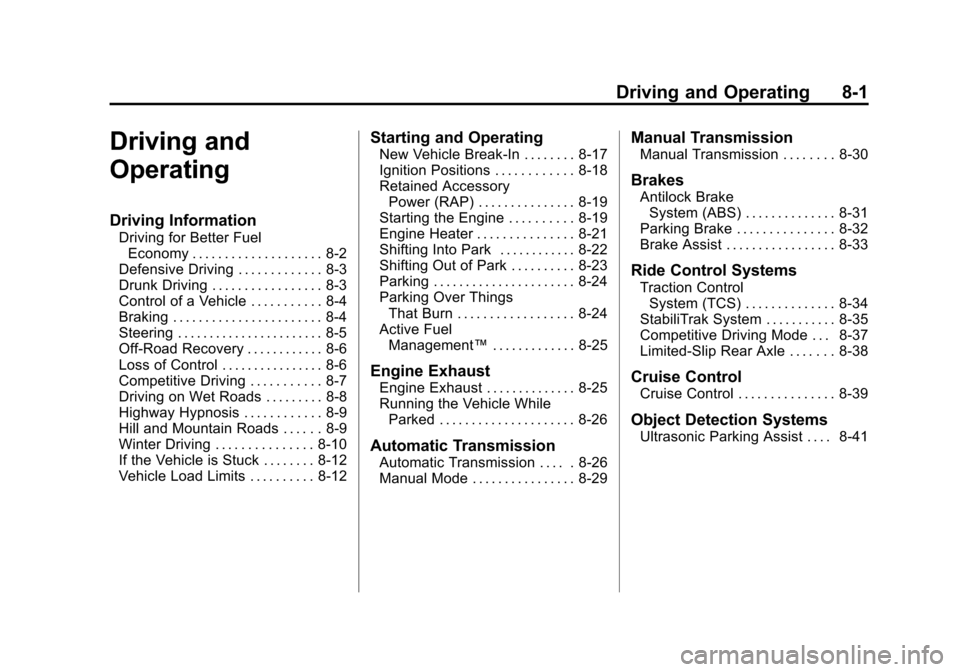
Driving and
Operating
Driving Information
Driving for Better FuelEconomy . . . . . . . . . . . . . . . . . . . . 8-2
Defensive Driving . . . . . . . . . . . . . 8-3
Drunk Driving . . . . . . . . . . . . . . . . . 8-3
Control of a Vehicle . . . . . . . . . . . 8-4
Braking . . . . . . . . . . . . . . . . . . . . . . . 8-4
Steering . . . . . . . . . . . . . . . . . . . . . . . 8-5
Off-Road Recovery . . . . . . . . . . . . 8-6
Loss of Control . . . . . . . . . . . . . . . . 8-6
Competitive Driving . . . . . . . . . . . 8-7
Driving on Wet Roads . . . . . . . . . 8-8
Highway Hypnosis . . . . . . . . . . . . 8-9
Hill and Mountain Roads . . . . . . 8-9
Winter Driving . . . . . . . . . . . . . . . 8-10
If the Vehicle is Stuck . . . . . . . . 8-12
Vehicle Load Limits . . . . . . . . . . 8-12
Starting and Operating
New Vehicle Break-In . . . . . . . . 8-17
Ignition Positions . . . . . . . . . . . . 8-18
Retained Accessory Power (RAP) . . . . . . . . . . . . . . . 8-19
Starting the Engine . . . . . . . . . . 8-19
Engine Heater . . . . . . . . . . . . . . . 8-21
Shifting Into Park . . . . . . . . . . . . 8-22
Shifting Out of Park . . . . . . . . . . 8-23
Parking . . . . . . . . . . . . . . . . . . . . . . 8-24
Parking Over Things
That Burn . . . . . . . . . . . . . . . . . . 8-24
Active Fuel Management™ . . . . . . . . . . . . . 8-25
Engine Exhaust
Engine Exhaust . . . . . . . . . . . . . . 8-25
Running the Vehicle While
Parked . . . . . . . . . . . . . . . . . . . . . 8-26
Automatic Transmission
Automatic Transmission . . . . . 8-26
Manual Mode . . . . . . . . . . . . . . . . 8-29
Manual Transmission
Manual Transmission . . . . . . . . 8-30
Brakes
Antilock BrakeSystem (ABS) . . . . . . . . . . . . . . 8-31
Parking Brake . . . . . . . . . . . . . . . 8-32
Brake Assist . . . . . . . . . . . . . . . . . 8-33
Ride Control Systems
Traction Control System (TCS) . . . . . . . . . . . . . . 8-34
StabiliTrak System . . . . . . . . . . . 8-35
Competitive Driving Mode . . . 8-37
Limited-Slip Rear Axle . . . . . . . 8-38
Cruise Control
Cruise Control . . . . . . . . . . . . . . . 8-39
Object Detection Systems
Ultrasonic Parking Assist . . . . 8-41
Page 180 of 378
Black plate (4,1)Chevrolet Camaro Owner Manual - 2010
8-4 Driving and Operating
Medical research shows that
alcohol in a person's system
can make crash injuries worse,
especially injuries to the brain,
spinal cord, or heart. This means
that when anyone who has been
drinking—driver or passenger —is
in a crash, that person's chance of
being killed or permanently disabled
is higher than if the person had not
been drinking.
Control of a Vehicle
The following three systems
help to control the vehicle while
driving —brakes, steering, and
accelerator. At times, as when
driving on snow or ice, it is easy to
ask more of those control systems
than the tires and road can provide.
Meaning, you can lose control of the
vehicle. See StabiliTrak System
on
page 8‑35.
Adding non‐dealer/non‐retailer
accessories can affect vehicle
performance. See Accessories and
Modifications on page 9‑4.
Braking
See Brake System Warning Lighton page 4‑23.
Braking action involves perception
time and reaction time. Deciding
to push the brake pedal is
perception time. Actually doing
it is reaction time.
Average reaction time is about
three‐fourths of a second. But that
is only an average. It might be less
with one driver and as long as
two or three seconds or more with
another. Age, physical condition,
alertness, coordination, and
eyesight all play a part. So do
alcohol, drugs, and frustration. But
even in three‐fourths of a second,
a vehicle moving at 100 km/h
(60 mph) travels 20 m (66 ft).
That could be a lot of distance
in an emergency, so keeping
enough space between the
vehicle and others is important. And, of course, actual stopping
distances vary greatly with the
surface of the road, whether it is
pavement or gravel; the condition
of the road, whether it is wet, dry,
or icy; tire tread; the condition of the
brakes; the weight of the vehicle;
and the amount of brake force
applied.
Avoid needless heavy
braking. Some people drive in
spurts
—heavy acceleration
followed by heavy braking —rather
than keeping pace with traffic.
This is a mistake. The brakes
might not have time to cool between
hard stops. The brakes will wear
out much faster with a lot of heavy
braking. Keeping pace with the
traffic and allowing realistic following
distances eliminates a lot of
unnecessary braking. That means
better braking and longer brake life.