tow CHEVROLET CAMARO 2011 5.G User Guide
[x] Cancel search | Manufacturer: CHEVROLET, Model Year: 2011, Model line: CAMARO, Model: CHEVROLET CAMARO 2011 5.GPages: 414, PDF Size: 6.24 MB
Page 81 of 414
Black plate (35,1)Chevrolet Camaro Owner Manual - 2011
Seats and Restraints 3-35
If this happens, use the following
steps to allow the system to detect
that person and enable the right
front passenger frontal airbag:
1. Turn the vehicle off.
2. Remove any additional materialfrom the seat, such as blankets,
cushions, seat covers, seat
heaters, or seat massagers.
3. Place the seatback in the fully upright position.
4. Have the person sit upright in the seat, centered on the seat
cushion, with legs comfortably
extended.
5. Restart the vehicle and have the person remain in this position for
one minute after the on indicator
is lit.Additional Factors Affecting
System Operation
Safety belts help keep the
passenger in position on the
seat during vehicle maneuvers
and braking, which helps the
passenger sensing system maintain
the passenger airbag status.
See “Safety Belts” and“Child
Restraints” in the Index for
additional information about the
importance of proper restraint use.
A thick layer of additional material,
such as a blanket or cushion,
or aftermarket equipment such
as seat covers, seat heaters,
and seat massagers can affect
how well the passenger sensing
system operates. We recommend
that you not use seat covers or
other aftermarket equipment except
when approved by GM for your
specific vehicle. See Adding
Equipment to the Airbag-Equipped Vehicle on page 3‑36
for more
information about modifications that
can affect how the system operates.
The passenger sensing system may
turn on the passenger airbag when
liquid soaks into the seat. If this
happens, the on indicator will be lit.
If the passenger seat gets wet, dry
the seat immediately. If the airbag
readiness light is lit, do not install
a child restraint or allow anyone
to occupy the seat. See Airbag
Readiness Light on page 5‑15
for important safety information.
{WARNING
Stowing of articles under the
passenger seat or between the
passenger seat cushion and
seatback may interfere with the
proper operation of the passenger
sensing system.
Page 97 of 414
Black plate (51,1)Chevrolet Camaro Owner Manual - 2011
Seats and Restraints 3-51
Do not fold the empty rear
seat with a safety belt buckled.
This could damage the safety belt
or the seat. Unbuckle and return
the safety belt to its stowed
position, before folding the seat.
1. Attach and tighten thelower attachments to the
lower anchors. If the child
restraint does not have lower
attachments or the desired
seating position does not have
lower anchors, secure the child
restraint with the top tether and
the safety belts. Refer to your
child restraint manufacturer
instructions and the instructions
in this manual.
1.1. Find the lower anchors for the desired seating
position.
1.2. Put the child restraint on the seat.
1.3. Attach and tighten the lower attachments on the child
restraint to the lower
anchors. 2. If the child restraint manufacturer
recommends that the top tether
be attached, attach and tighten
the top tether to the top tether
anchor, if equipped. Refer to the
child restraint instructions and
the following steps:
2.1. Find the top tether anchor.
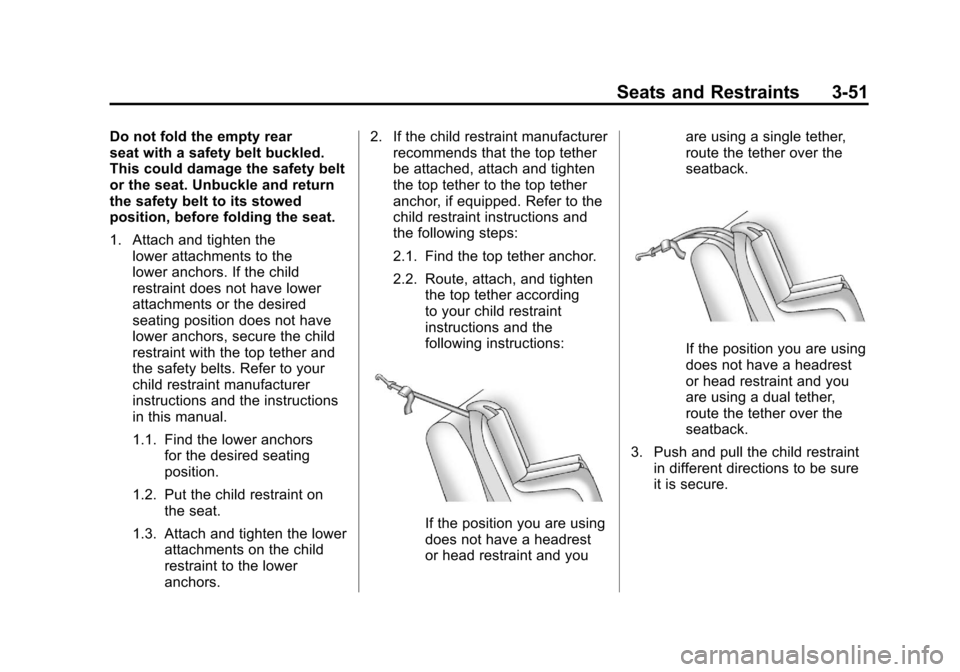
2.2. Route, attach, and tighten
the top tether according
to your child restraint
instructions and the
following instructions:
If the position you are using
does not have a headrest
or head restraint and you are using a single tether,
route the tether over the
seatback.
If the position you are using
does not have a headrest
or head restraint and you
are using a dual tether,
route the tether over the
seatback.
3. Push and pull the child restraint in different directions to be sure
it is secure.
Page 100 of 414
Black plate (54,1)Chevrolet Camaro Owner Manual - 2011
3-54 Seats and Restraints
6. If the child restraint has a toptether, follow the child restraint
manufacturer's instructions
regarding the use of the top
tether. See Lower Anchors and
Tethers for Children (LATCH
System) on page 3‑47 for more
information.
7. Before placing a child in the child restraint, make sure
it is securely held in place.
To check, grasp the child
restraint at the safety belt
path and attempt to move it
side‐to‐side and back‐and‐forth.
When the child restraint is
properly installed, there should
be no more than 2.5 cm (1 in)
of movement.
To remove the child restraint,
unbuckle the vehicle safety belt and
let it return to the stowed position.
If the top tether is attached to a top
tether anchor, disconnect it.Securing Child Restraints
(Right Front Seat)
This vehicle has airbags. A rear
seat is a safer place to secure
a forward-facing child restraint.
See Where to Put the Restraint on
page 3‑45
In addition, the vehicle has a
passenger sensing system which is
designed to turn off the right front
passenger frontal airbag under
certain conditions. See Passenger
Sensing System on page 3‑31
and Passenger Airbag Status
Indicator on page 5‑16 for more
information, including important
safety information. A label on the sun visor says,
“Never put a rear-facing child seat in
the front.”
This is because the risk to
the rear-facing child is so great if the
airbag deploys.
{WARNING
A child in a rear-facing child
restraint can be seriously
injured or killed if the right
front passenger airbag inflates.
This is because the back of the
rear-facing child restraint would
be very close to the inflating
airbag. A child in a forward-facing
child restraint can be seriously
injured or killed if the right front
passenger airbag inflates and the
passenger seat is in a forward
position.
(Continued)
Page 103 of 414
Black plate (57,1)Chevrolet Camaro Owner Manual - 2011
Seats and Restraints 3-57
7. Before placing a child in thechild restraint, make sure it is
securely held in place. To check,
grasp the child restraint at the
safety belt path and attempt to
move it side to side and back
and forth. When the child
restraint is properly installed,
there should be no more than
2.5 cm (1 in) of movement.
If the airbag is off, the off indicator
in the passenger airbag status
indicator will come on and stay
on when the vehicle is started. If a child restraint has been
installed and the on indicator is lit,
see
“If the On Indicator is Lit for a
Child Restraint” underPassenger
Sensing System on page 3‑31 for
more information.
To remove the child restraint,
unbuckle the vehicle safety belt and
let it return to the stowed position.
If the seat has a safety belt guide,
return the safety belt into the guide
by snapping the guide around the
webbing.
Page 109 of 414
Black plate (3,1)Chevrolet Camaro Owner Manual - 2011
Instruments and Controls 5-3
bg(Push to Talk): For vehicles
with a Bluetooth®or OnStar®, press
to interact with those systems. See
Bluetooth (Overview) on page 7‑23
or Bluetooth (Infotainment Controls)
on page 7‑24 orBluetooth (Voice
Recognition) on page 7‑28 or the
OnStar Owner's Guide for more
information.
$ c(Mute/End Call): Press to
reject an incoming call, or end a
current call. Press to silence the
vehicle speakers while using the
infotainment system. Press again
to turn the sound on.
_SRC^(Toggle Switch): Press to
select an audio source.
Toggle up or down to select the next
or previous favorite radio station or
CD/MP3 track.
+
x− (Volume): Press + or−to
increase or decrease the volume.
Horn
Press near the horn symbols or
press on the steering wheel pad to
sound the horn.
Windshield Wiper/Washer
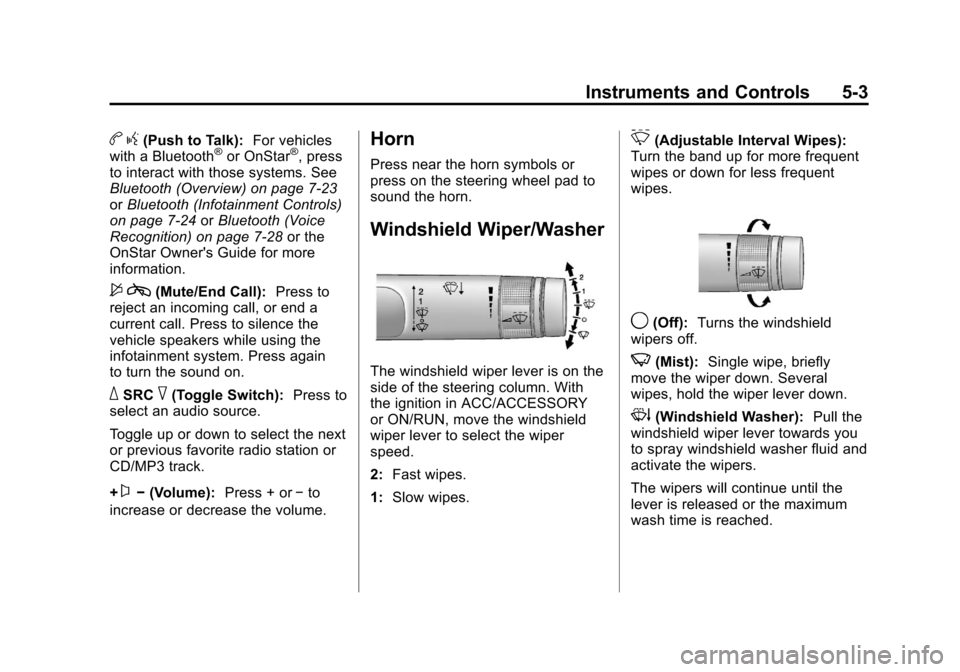
The windshield wiper lever is on the
side of the steering column. With
the ignition in ACC/ACCESSORY
or ON/RUN, move the windshield
wiper lever to select the wiper
speed.
2: Fast wipes.
1: Slow wipes.
&(Adjustable Interval Wipes):
Turn the band up for more frequent
wipes or down for less frequent
wipes.
9(Off): Turns the windshield
wipers off.
3(Mist): Single wipe, briefly
move the wiper down. Several
wipes, hold the wiper lever down.
3(Windshield Washer): Pull the
windshield wiper lever towards you
to spray windshield washer fluid and
activate the wipers.
The wipers will continue until the
lever is released or the maximum
wash time is reached.
Page 118 of 414
Black plate (12,1)Chevrolet Camaro Owner Manual - 2011
5-12 Instruments and Controls
Metric
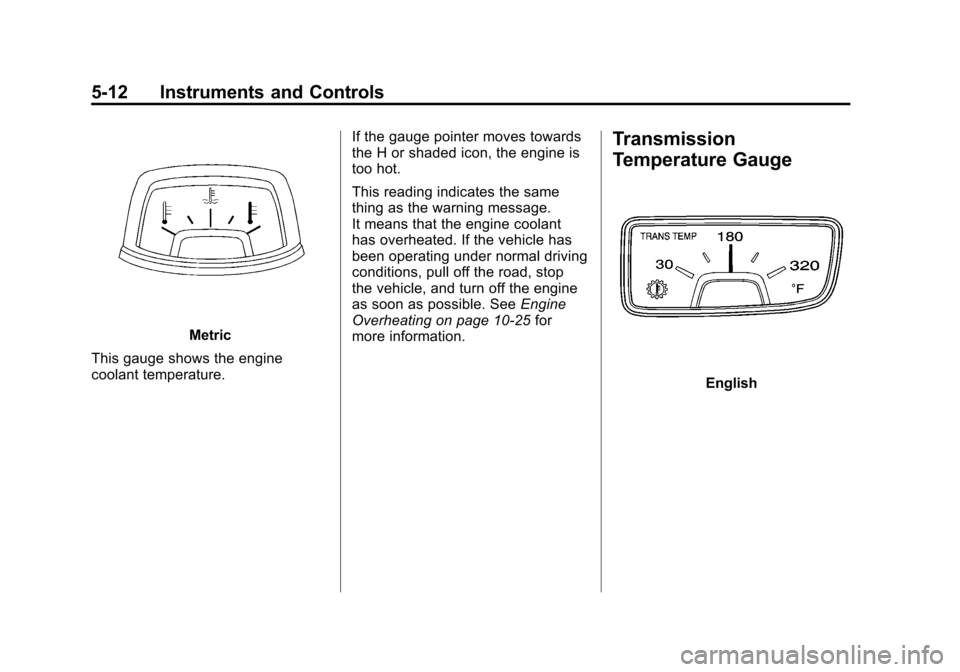
This gauge shows the engine
coolant temperature. If the gauge pointer moves towards
the H or shaded icon, the engine is
too hot.
This reading indicates the same
thing as the warning message.
It means that the engine coolant
has overheated. If the vehicle has
been operating under normal driving
conditions, pull off the road, stop
the vehicle, and turn off the engine
as soon as possible. See
Engine
Overheating on page 10‑25 for
more information.
Transmission
Temperature Gauge
English
Page 127 of 414
Black plate (21,1)Chevrolet Camaro Owner Manual - 2011
Instruments and Controls 5-21
When the ignition is on, the brake
system warning light also comes
on when the parking brake is set.
The light stays on if the parking
brake does not fully release. If it
stays on after the parking brake is
fully released, it means the vehicle
has a brake problem.
If, while driving, the light comes on
and a brake message comes on
the Driver Information Center (DIC),
pull off the road and stop carefully.
The pedal could be harder to push
or the pedal can go closer to the
floor. It could take longer to stop.
If the light is still on, have the
vehicle towed for service. See
Antilock Brake System (ABS)
Warning Light on page 5‑21and
Towing the Vehicle on page 10‑95.{WARNING
The brake system might not be
working properly if the brake
system warning light is on.
Driving with the brake system
warning light on can lead to a
crash. If the light is still on after
the vehicle has been pulled off
the road and carefully stopped,
have the vehicle towed for
service.
The brake message remains on
until the menu button is pressed.
The brake light remains until the
problem is fixed. See Brake System
Messages on page 5‑34 for more
information.
Antilock Brake System
(ABS) Warning Light
This light comes on briefly when the
engine is started.
If the light does not come on, have it
fixed so it will be ready to warn if
there is a problem.
If the ABS light stays on, turn the
ignition off.
Page 136 of 414
Black plate (30,1)Chevrolet Camaro Owner Manual - 2011
5-30 Instruments and Controls
The images are projected through
the HUD lens located on the driver
side of the instrument panel.
Notice:If you try to use the
HUD image as a parking aid, you
may misjudge the distance and
damage your vehicle. Do not use
the HUD image as a parking aid.
The tap shift gear will also appear
on the HUD if the vehicle has tap
shift and it is active.
The HUD information can be
displayed in one of three languages,
English, French, or Spanish.
The speedometer reading and other
numerical values can be displayed
in either English or metric units.
The language selection is changed
through the radio and the units
of measurement is changed
through the trip computer in the
Driver Information Center (DIC).
See AM-FM Radio on page 7‑8
and Driver Information Center (DIC)
on page 5‑25.
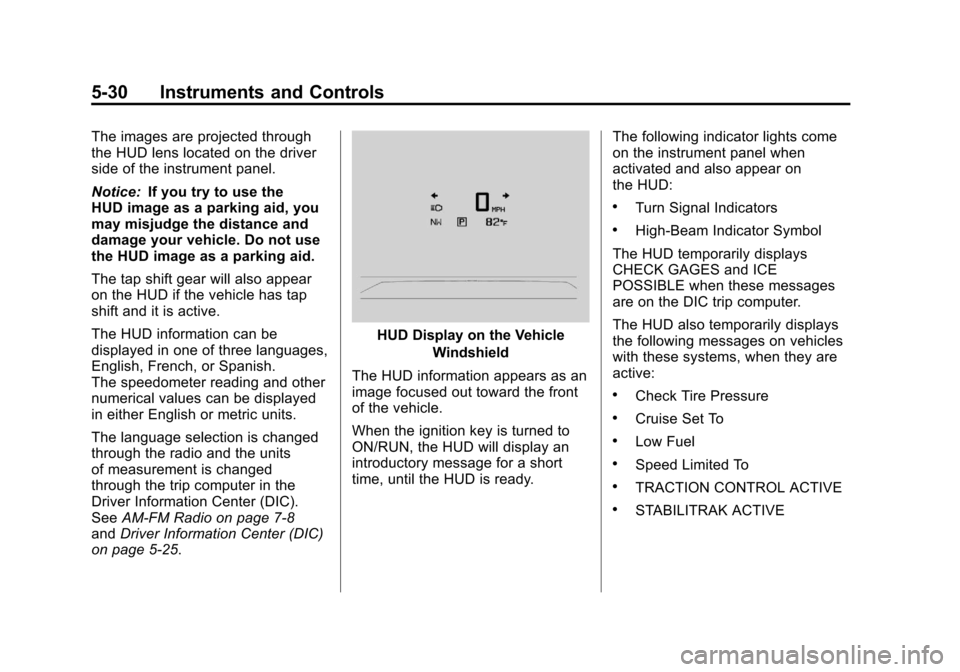
HUD Display on the Vehicle
Windshield
The HUD information appears as an
image focused out toward the front
of the vehicle.
When the ignition key is turned to
ON/RUN, the HUD will display an
introductory message for a short
time, until the HUD is ready. The following indicator lights come
on the instrument panel when
activated and also appear on
the HUD:
.Turn Signal Indicators
.High-Beam Indicator Symbol
The HUD temporarily displays
CHECK GAGES and ICE
POSSIBLE when these messages
are on the DIC trip computer.
The HUD also temporarily displays
the following messages on vehicles
with these systems, when they are
active:
.Check Tire Pressure
.Cruise Set To
.Low Fuel
.Speed Limited To
.TRACTION CONTROL ACTIVE
.STABILITRAK ACTIVE
Page 158 of 414
Black plate (2,1)Chevrolet Camaro Owner Manual - 2011
6-2 Lighting
;(Parking Lamps):Turns the
parking lamps on together with the
following:
.Taillamps
.Sidemarker Lamps
.License Plate Lamps
.Instrument Panel Lights
A warning chime sounds if the driver
door is opened when the ignition
switch is off and the parking lamps
are on.
5(Headlamps): Turns the
headlamps on together with the
lamps listed below.
.Parking Lamps
.Taillamps
.Sidemarker Lamps
.License Plate Lamps
.Instrument Panel Lights A warning chime sounds if the driver
door is opened when the ignition
switch is off and the headlamps
are on.
#(Front Fog Lamps):
Turns the
fog lamps on or off. The fog lamps
come on together with the following:
.Parking Lamps
.Taillamps
.Sidemarker Lamps
.License Plate Lamps
.Instrument Panel Lights
See Front Fog Lamps on page 6‑5.
Headlamp High/
Low-Beam Changer
Push the turn signal/lane change
lever away from you to turn the high
beams on.
Pull the lever toward you to return to
low beams.
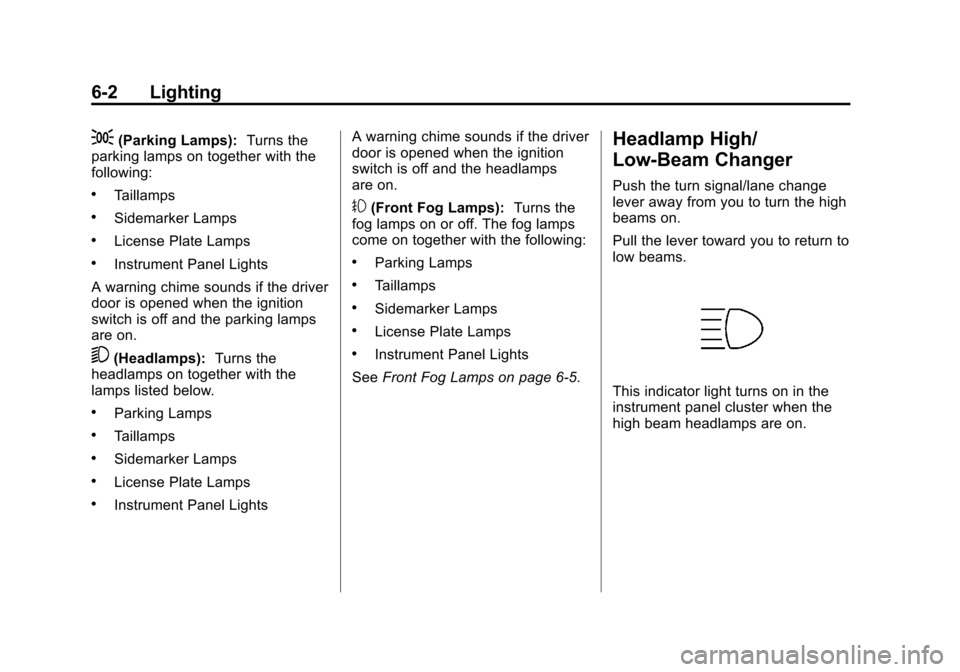
This indicator light turns on in the
instrument panel cluster when the
high beam headlamps are on.
Page 159 of 414
Black plate (3,1)Chevrolet Camaro Owner Manual - 2011
Lighting 6-3
Flash-to-Pass
The flash‐to‐pass feature works with
the low beams or Daytime Running
Lamps (DRL) on or off.
To flash the high beams, pull the
turn signal/lane change lever all the
way toward you, then release it.
Daytime Running
Lamps (DRL)
Daytime Running Lamps (DRL) can
make it easier for others to see the
front of your vehicle during the day.
Fully functional Daytime Running
Lamps are required on all vehicles
first sold in Canada.
A light sensor on top of the
instrument panel makes the DRL
work, so be sure it is not covered.The DRL system will make the
low‐beam headlamps come on at a
reduced brightness or for vehicles
with High Intensity Discharge (HID)
headlamps, the dedicated DRL
lights will come on when the
following conditions are met:
.The ignition is in the ON/RUN
position.
.The exterior lamps control is
in AUTO, or has been briefly
turned to OFF to turn the
automatic light control on again.
.The engine is running.
When the DRL are on, the
headlamps, taillamps, sidemarker,
instrument panel, and other lamps
will not be on. The headlamps automatically
change from DRL to the regular
headlamps depending on the
darkness of the surroundings.
The other lamps that come on with
the headlamps will also come on.
When it is bright enough outside,
the headlamps will go off and the
DRL will come on.
To turn the DRL lamps off or on
again, turn the exterior lamps
control to the off position and then
release. For vehicles first sold in
Canada, the DRL lamps cannot
be turned off.
The regular headlamp system
should be turned on when needed.