key CHEVROLET CAMARO 2011 5.G Owner's Manual
[x] Cancel search | Manufacturer: CHEVROLET, Model Year: 2011, Model line: CAMARO, Model: CHEVROLET CAMARO 2011 5.GPages: 414, PDF Size: 6.24 MB
Page 43 of 414
Black plate (15,1)Chevrolet Camaro Owner Manual - 2011
Keys, Doors and Windows 2-15
Windows
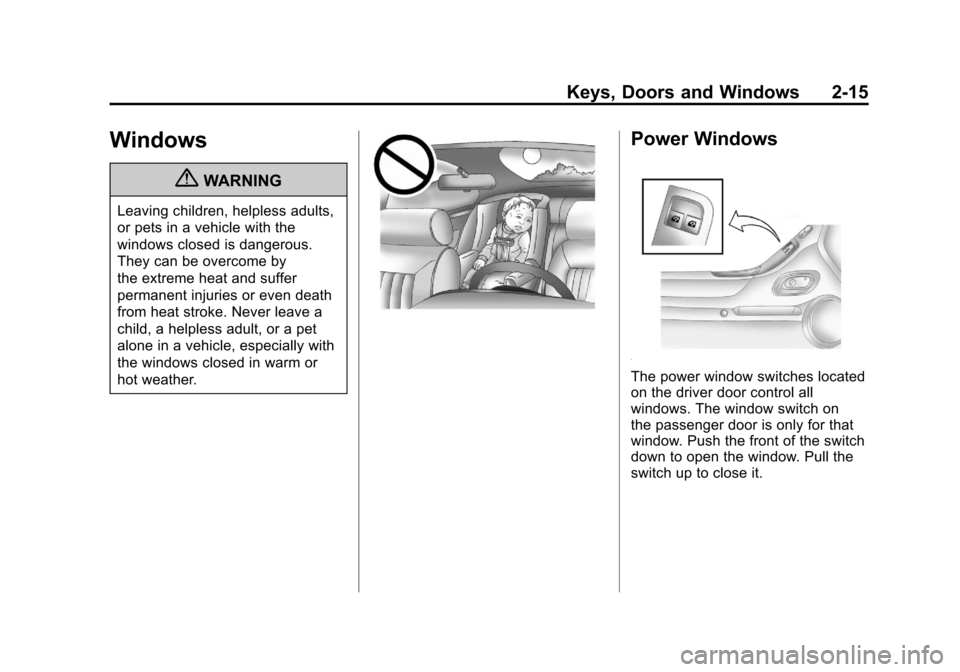
{WARNING
Leaving children, helpless adults,
or pets in a vehicle with the
windows closed is dangerous.
They can be overcome by
the extreme heat and suffer
permanent injuries or even death
from heat stroke. Never leave a
child, a helpless adult, or a pet
alone in a vehicle, especially with
the windows closed in warm or
hot weather.
Power Windows
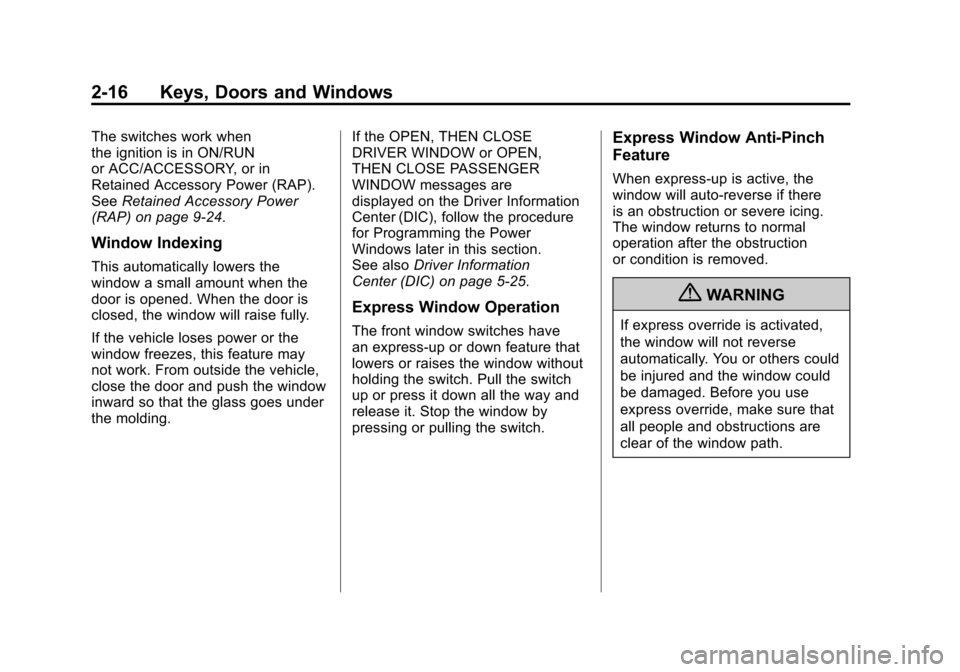
The power window switches located
on the driver door control all
windows. The window switch on
the passenger door is only for that
window. Push the front of the switch
down to open the window. Pull the
switch up to close it.
Page 44 of 414
Black plate (16,1)Chevrolet Camaro Owner Manual - 2011
2-16 Keys, Doors and Windows
The switches work when
the ignition is in ON/RUN
or ACC/ACCESSORY, or in
Retained Accessory Power (RAP).
SeeRetained Accessory Power
(RAP) on page 9‑24.
Window Indexing
This automatically lowers the
window a small amount when the
door is opened. When the door is
closed, the window will raise fully.
If the vehicle loses power or the
window freezes, this feature may
not work. From outside the vehicle,
close the door and push the window
inward so that the glass goes under
the molding. If the OPEN, THEN CLOSE
DRIVER WINDOW or OPEN,
THEN CLOSE PASSENGER
WINDOW messages are
displayed on the Driver Information
Center (DIC), follow the procedure
for Programming the Power
Windows later in this section.
See also
Driver Information
Center (DIC) on page 5‑25.
Express Window Operation
The front window switches have
an express-up or down feature that
lowers or raises the window without
holding the switch. Pull the switch
up or press it down all the way and
release it. Stop the window by
pressing or pulling the switch.
Express Window Anti-Pinch
Feature
When express-up is active, the
window will auto-reverse if there
is an obstruction or severe icing.
The window returns to normal
operation after the obstruction
or condition is removed.
{WARNING
If express override is activated,
the window will not reverse
automatically. You or others could
be injured and the window could
be damaged. Before you use
express override, make sure that
all people and obstructions are
clear of the window path.
Page 45 of 414
Black plate (17,1)Chevrolet Camaro Owner Manual - 2011
Keys, Doors and Windows 2-17
Express Window Anti-Pinch
Override
The anti-pinch feature can
be overridden by holding the
window switch all the way down.
The window will lower for as long
as the switch is held. Once the
switch is released, the express
mode is re-activated. In this mode,
the window can still close on an
object in its path. Use care when
using the override mode.
Programming the Power
Windows
If the battery on the vehicle has
been recharged, disconnected,
or is not working, you will need to
reprogram each front power window
for the express-up feature to work.
Before reprogramming, replace or
recharge the vehicle's battery.To program each front window,
follow these steps:
1. With the ignition in ON/RUN or
ACC/ACCESSORY, or when
Retained Accessory Power
(RAP) is active, close all doors.
2. Press and hold the power window switch until the window
is fully open.
3. Pull the power window switch up until the window is fully closed.
4. Continue holding the switch up for approximately two seconds
after the window is completely
closed.
The window is now reprogrammed.
Repeat the process for the other
window.
Sun Visors
Pull the sun visor toward you or
move it to the side to reduce glare.
Roof
Sunroof
On vehicles with a sunroof, the
switch is located on the overhead
console.
The sunroof only operates
when the ignition is in ON/RUN or
ACC/ACCESSORY, or if Retained
Accessory Power (RAP) is active.
See Retained Accessory Power
(RAP) on page 9‑24.
Page 46 of 414
Black plate (18,1)Chevrolet Camaro Owner Manual - 2011
2-18 Keys, Doors and Windows
Express Sunroof Operation
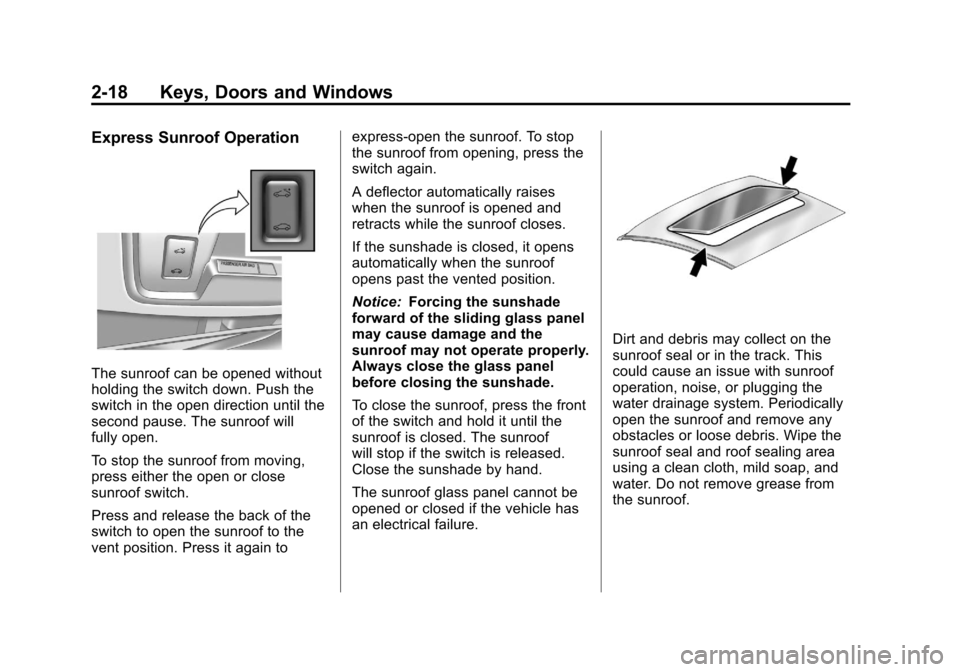
The sunroof can be opened without
holding the switch down. Push the
switch in the open direction until the
second pause. The sunroof will
fully open.
To stop the sunroof from moving,
press either the open or close
sunroof switch.
Press and release the back of the
switch to open the sunroof to the
vent position. Press it again toexpress-open the sunroof. To stop
the sunroof from opening, press the
switch again.
A deflector automatically raises
when the sunroof is opened and
retracts while the sunroof closes.
If the sunshade is closed, it opens
automatically when the sunroof
opens past the vented position.
Notice:
Forcing the sunshade
forward of the sliding glass panel
may cause damage and the
sunroof may not operate properly.
Always close the glass panel
before closing the sunshade.
To close the sunroof, press the front
of the switch and hold it until the
sunroof is closed. The sunroof
will stop if the switch is released.
Close the sunshade by hand.
The sunroof glass panel cannot be
opened or closed if the vehicle has
an electrical failure.
Dirt and debris may collect on the
sunroof seal or in the track. This
could cause an issue with sunroof
operation, noise, or plugging the
water drainage system. Periodically
open the sunroof and remove any
obstacles or loose debris. Wipe the
sunroof seal and roof sealing area
using a clean cloth, mild soap, and
water. Do not remove grease from
the sunroof.
Page 67 of 414
Black plate (21,1)Chevrolet Camaro Owner Manual - 2011
Seats and Restraints 3-21
To remove and store the comfort
guide, squeeze the belt edges
together so that the safety belt can
be removed from the guide. Slide
the guide onto the clip, leaving only
the loop of the elastic cord exposed.
Properly secure the guide before
folding the seatback.
Safety Belt Use During
Pregnancy
Safety belts work for everyone,
including pregnant women. Like all
occupants, they are more likely to
be seriously injured if they do not
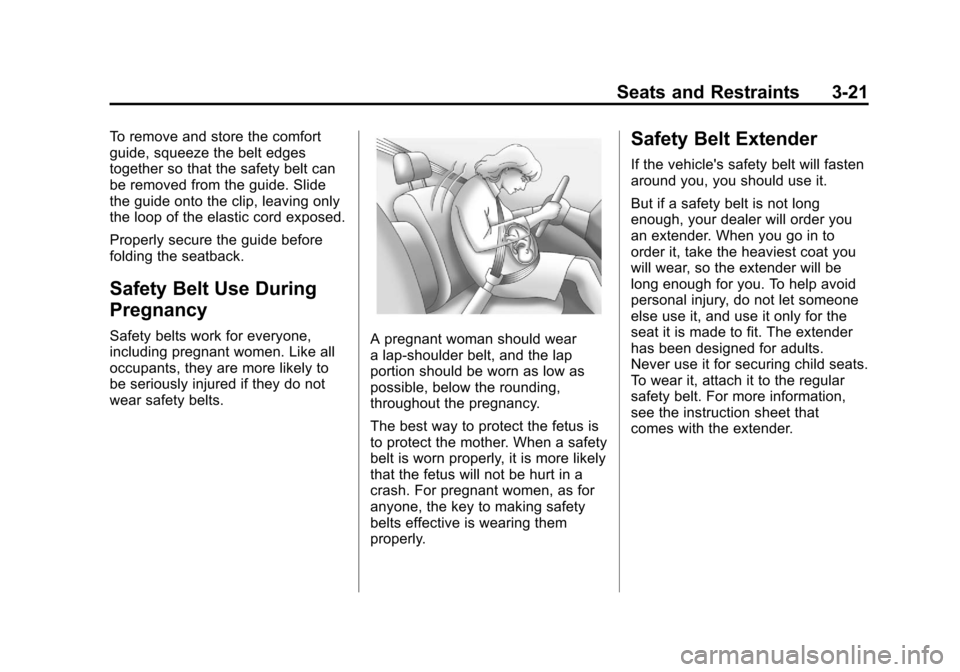
wear safety belts.A pregnant woman should wear
a lap-shoulder belt, and the lap
portion should be worn as low as
possible, below the rounding,
throughout the pregnancy.
The best way to protect the fetus is
to protect the mother. When a safety
belt is worn properly, it is more likely
that the fetus will not be hurt in a
crash. For pregnant women, as for
anyone, the key to making safety
belts effective is wearing them
properly.
Safety Belt Extender
If the vehicle's safety belt will fasten
around you, you should use it.
But if a safety belt is not long
enough, your dealer will order you
an extender. When you go in to
order it, take the heaviest coat you
will wear, so the extender will be
long enough for you. To help avoid
personal injury, do not let someone
else use it, and use it only for the
seat it is made to fit. The extender
has been designed for adults.
Never use it for securing child seats.
To wear it, attach it to the regular
safety belt. For more information,
see the instruction sheet that
comes with the extender.
Page 105 of 414
Black plate (1,1)Chevrolet Camaro Owner Manual - 2011
Storage 4-1
Storage
Storage Compartments
Glove Box . . . . . . . . . . . . . . . . . . . . 4-1
Center Console Storage . . . . . . 4-1
Additional Storage Features
Convenience Net . . . . . . . . . . . . . 4-1
Storage
Compartments
Glove Box
Open the glove box by lifting up on
the lever. Use the key to lock and
unlock the glove box.
Center Console Storage
To open, lift the latch on the
front edge.
There is an Accessory Power Outlet
(APO) and an optional USB/audio
jack located in the storage area.
SeePower Outlets on page 5‑5 and
Auxiliary Devices on page 7‑17 for
more information.
Additional Storage
Features
Convenience Net
For vehicles with a convenience net
located inside the trunk, it can be
used to secure loose items.
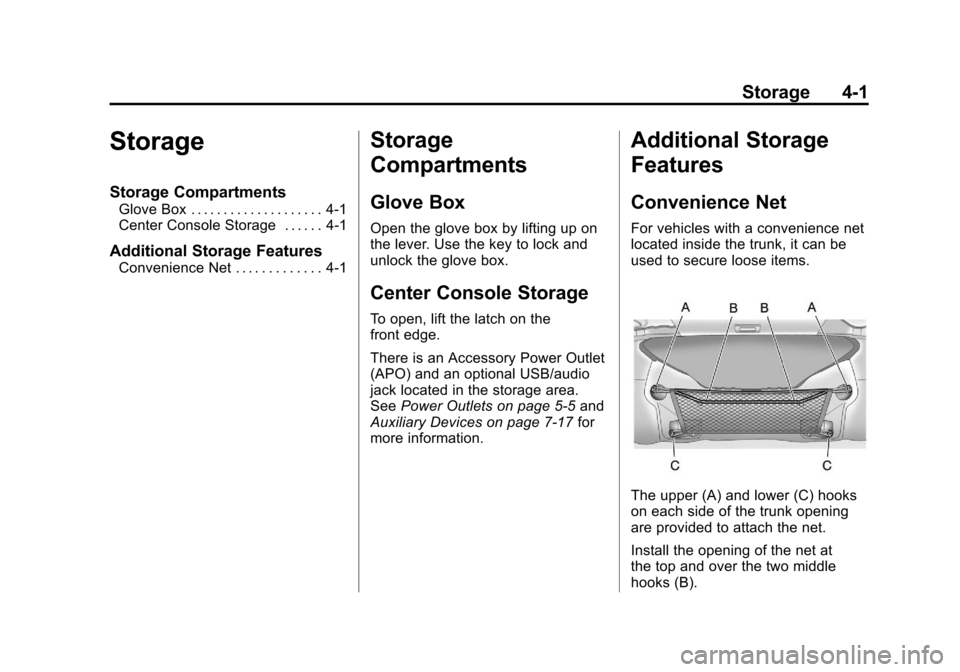
The upper (A) and lower (C) hooks
on each side of the trunk opening
are provided to attach the net.
Install the opening of the net at
the top and over the two middle
hooks (B).
Page 107 of 414
Black plate (1,1)Chevrolet Camaro Owner Manual - 2011
Instruments and Controls 5-1
Instruments and
Controls
Controls
Steering Wheel Adjustment . . . 5-2
Steering Wheel Controls . . . . . . 5-2
Horn . . . . . . . . . . . . . . . . . . . . . . . . . . 5-3
Windshield Wiper/Washer . . . . . 5-3
Compass . . . . . . . . . . . . . . . . . . . . . 5-4
Clock . . . . . . . . . . . . . . . . . . . . . . . . . 5-4
Power Outlets . . . . . . . . . . . . . . . . . 5-5
Warning Lights, Gauges, and
Indicators
Warning Lights, Gauges, andIndicators . . . . . . . . . . . . . . . . . . . . 5-6
Instrument Cluster . . . . . . . . . . . . 5-7
Speedometer . . . . . . . . . . . . . . . . . 5-8
Odometer . . . . . . . . . . . . . . . . . . . . . 5-8
Trip Odometer . . . . . . . . . . . . . . . . . 5-8
Tachometer . . . . . . . . . . . . . . . . . . . 5-8
Fuel Gauge . . . . . . . . . . . . . . . . . . . 5-8
Engine Oil Pressure Gauge . . . 5-9
Engine Oil Temperature Gauge . . . . . . . . . . . . . . . . . . . . . . 5-11 Engine Coolant Temperature
Gauge . . . . . . . . . . . . . . . . . . . . . . 5-11
Transmission Temperature Gauge . . . . . . . . . . . . . . . . . . . . . . 5-12
Voltmeter Gauge . . . . . . . . . . . . . 5-13
Safety Belt Reminders . . . . . . . 5-14
Airbag Readiness Light . . . . . . 5-15
Passenger Airbag Status
Indicator . . . . . . . . . . . . . . . . . . . . 5-16
Charging System Light . . . . . . 5-17
Malfunction Indicator Lamp . . . . . . . . . . . . . 5-18
Brake System Warning Light . . . . . . . . . . . . . . . . . . . . . . . 5-20
Antilock Brake System (ABS) Warning Light . . . . . . . . . . . . . . 5-21
Traction Off Light . . . . . . . . . . . . 5-22
Traction Control System (TCS)/StabiliTrak
®Light . . . . 5-22
Traction Control System (TCS) OFF/StabiliTrak
®OFF
Light . . . . . . . . . . . . . . . . . . . . . . . 5-23
Tire Pressure Light . . . . . . . . . . 5-23
Engine Oil Pressure Light . . . . 5-24
Immobilizer Light . . . . . . . . . . . . 5-24
Front Fog Lamp Light . . . . . . . . 5-25
Taillamp Indicator Light . . . . . . 5-25
Cruise Control Light . . . . . . . . . 5-25
Information Displays
Driver Information Center (DIC) . . . . . . . . . . . . . . . 5-25
Head-Up Display (HUD) . . . . . 5-29
Vehicle Messages
Vehicle Messages . . . . . . . . . . . 5-34
Battery Voltage and Charging Messages . . . . . . . . . . . . . . . . . . 5-34
Brake System Messages . . . . 5-34
Compass Messages . . . . . . . . . 5-35
Cruise Control Messages . . . . 5-35
Door Ajar Messages . . . . . . . . . 5-35
Engine Cooling System Messages . . . . . . . . . . . . . . . . . . 5-35
Engine Oil Messages . . . . . . . . 5-36
Engine Power Messages . . . . 5-37
Fuel System Messages . . . . . . 5-37
Key and Lock Messages . . . . . 5-37
Lamp Messages . . . . . . . . . . . . . 5-37
Object Detection System Messages . . . . . . . . . . . . . . . . . . 5-38
Ride Control System Messages . . . . . . . . . . . . . . . . . . 5-38
Airbag System Messages . . . . 5-39
Safety Belt Messages . . . . . . . 5-39
Anti-Theft Alarm System Messages . . . . . . . . . . . . . . . . . . 5-39
Service Vehicle Messages . . . 5-39
Page 111 of 414
Black plate (5,1)Chevrolet Camaro Owner Manual - 2011
Instruments and Controls 5-5
Setting the Time and Date
1. Press the CONFIG button.
2. Select Time and Date Settings.
3. Select Set Time or Set Date.
4. Turn the MENU/SELECT knob toadjust the highlighted value.
5. Press the MENU/SELECT knob to select the next value.
6. To save the time or date and return to the Time and
Date Settings menu, press
the
0BACK button at any time
or press the MENU/SELECT
knob after adjusting the minutes
or year.
Setting the 12/24 Hour Format
1. Press the CONFIG button.
2. Select Time and Date Settings.
3. Highlight 12/24 Hour Format.
4. Press the MENU/SELECT knob to select the 12 hour or 24 hour
display format.
Setting the Month & Day
Format
1. Press the CONFIG button.
2. Select Time and Date Settings.
3. Highlight Month & Day Format.
4. Press the MENU/SELECT knobto select MM/DD (month/day) or
DD/MM (day/month).
Setting the Auto Time Adjust
1. Press the CONFIG button.
2. Select Time and Date Settings.
3. Highlight Auto Time Adjust.
4. Press the MENU/SELECT knobto turn Auto Time Adjust on
or off.
Power Outlets
The vehicle has two accessory
power outlets; one is located below
the climate control system and the
other is inside the center storage
console. They can be used to plug
in electrical equipment, such as a
cell phone or an MP3 player.
The accessory power outlets do not
work when the key is removed from
the ignition and the driver door is
opened. This helps to preserve the
battery life of the vehicle.
Page 126 of 414
Black plate (20,1)Chevrolet Camaro Owner Manual - 2011
5-20 Instruments and Controls
Emissions Inspection and
Maintenance Programs
Some state/provincial and
local governments may have
programs to inspect the on-vehicle
emission control equipment.
For the inspection, the emission
system test equipment is connected
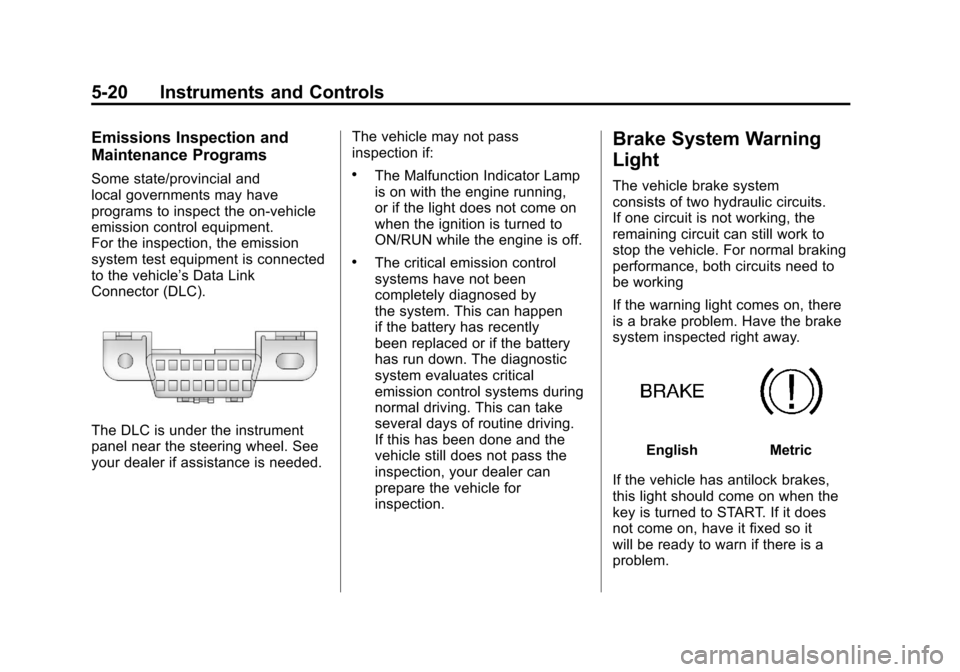
to the vehicle’s Data Link
Connector (DLC).
The DLC is under the instrument
panel near the steering wheel. See
your dealer if assistance is needed.The vehicle may not pass
inspection if:
.The Malfunction Indicator Lamp
is on with the engine running,
or if the light does not come on
when the ignition is turned to
ON/RUN while the engine is off.
.The critical emission control
systems have not been
completely diagnosed by
the system. This can happen
if the battery has recently
been replaced or if the battery
has run down. The diagnostic
system evaluates critical
emission control systems during
normal driving. This can take
several days of routine driving.
If this has been done and the
vehicle still does not pass the
inspection, your dealer can
prepare the vehicle for
inspection.
Brake System Warning
Light
The vehicle brake system
consists of two hydraulic circuits.
If one circuit is not working, the
remaining circuit can still work to
stop the vehicle. For normal braking
performance, both circuits need to
be working
If the warning light comes on, there
is a brake problem. Have the brake
system inspected right away.
EnglishMetric
If the vehicle has antilock brakes,
this light should come on when the
key is turned to START. If it does
not come on, have it fixed so it
will be ready to warn if there is a
problem.
Page 130 of 414
Black plate (24,1)Chevrolet Camaro Owner Manual - 2011
5-24 Instruments and Controls
Engine Oil Pressure Light
{WARNING
Do not keep driving if the oil
pressure is low. The engine can
become so hot that it catches fire.
Someone could be burned. Check
the oil as soon as possible and
have the vehicle serviced.
Notice: Lack of proper engine oil
maintenance can damage the
engine. The repairs would not be
covered by the vehicle warranty.
Always follow the maintenance
schedule for changing engine oil.
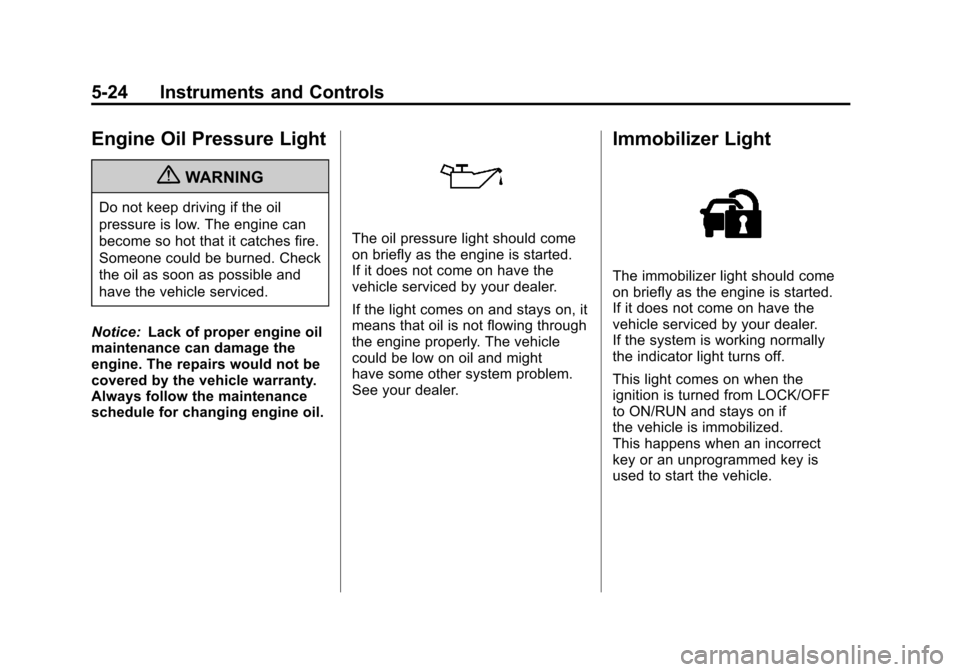
The oil pressure light should come
on briefly as the engine is started.
If it does not come on have the
vehicle serviced by your dealer.
If the light comes on and stays on, it
means that oil is not flowing through
the engine properly. The vehicle
could be low on oil and might
have some other system problem.
See your dealer.
Immobilizer Light
The immobilizer light should come
on briefly as the engine is started.
If it does not come on have the
vehicle serviced by your dealer.
If the system is working normally
the indicator light turns off.
This light comes on when the
ignition is turned from LOCK/OFF
to ON/RUN and stays on if
the vehicle is immobilized.
This happens when an incorrect
key or an unprogrammed key is
used to start the vehicle.