brakes CHEVROLET CAMARO 2013 5.G User Guide
[x] Cancel search | Manufacturer: CHEVROLET, Model Year: 2013, Model line: CAMARO, Model: CHEVROLET CAMARO 2013 5.GPages: 404, PDF Size: 5.45 MB
Page 226 of 404
Black plate (32,1)Chevrolet Camaro Owner Manual (Include Mex) - 2012
9-32 Driving and Operating
Brakes
Antilock Brake
System (ABS)
This vehicle has the Antilock Brake
System (ABS), an advanced
electronic braking system that helps
prevent a braking skid.
When the engine is started and the
vehicle begins to drive away, ABS
checks itself. A momentary motor or
clicking noise might be heard while
this test is going on, and it might
even be noticed that the brake
pedal moves a little. This is normal.
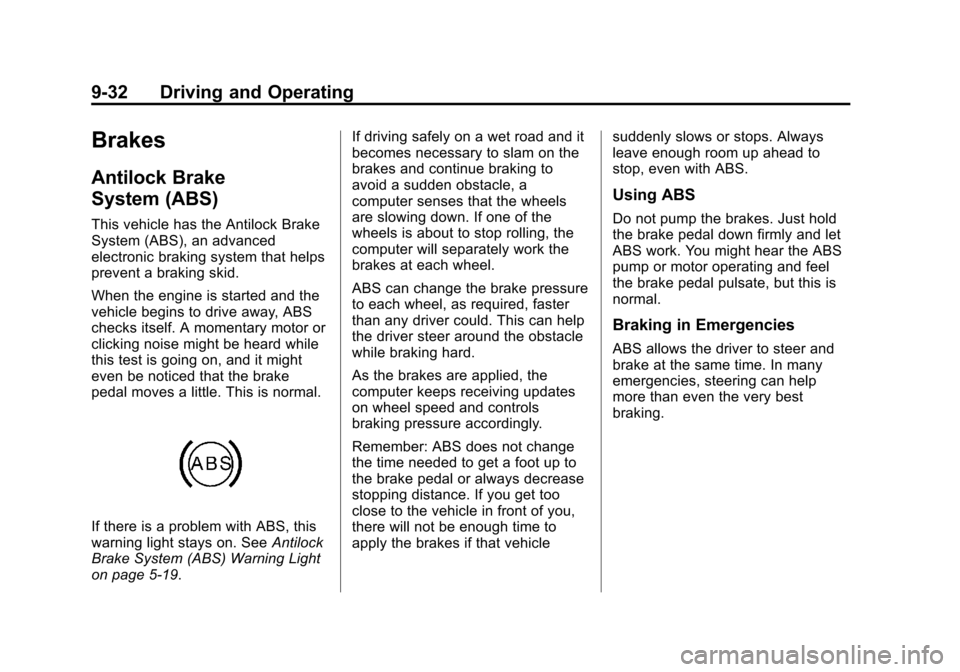
If there is a problem with ABS, this
warning light stays on. SeeAntilock
Brake System (ABS) Warning Light
on page 5‑19. If driving safely on a wet road and it
becomes necessary to slam on the
brakes and continue braking to
avoid a sudden obstacle, a
computer senses that the wheels
are slowing down. If one of the
wheels is about to stop rolling, the
computer will separately work the
brakes at each wheel.
ABS can change the brake pressure
to each wheel, as required, faster
than any driver could. This can help
the driver steer around the obstacle
while braking hard.
As the brakes are applied, the
computer keeps receiving updates
on wheel speed and controls
braking pressure accordingly.
Remember: ABS does not change
the time needed to get a foot up to
the brake pedal or always decrease
stopping distance. If you get too
close to the vehicle in front of you,
there will not be enough time to
apply the brakes if that vehicle
suddenly slows or stops. Always
leave enough room up ahead to
stop, even with ABS.
Using ABS
Do not pump the brakes. Just hold
the brake pedal down firmly and let
ABS work. You might hear the ABS
pump or motor operating and feel
the brake pedal pulsate, but this is
normal.
Braking in Emergencies
ABS allows the driver to steer and
brake at the same time. In many
emergencies, steering can help
more than even the very best
braking.
Page 228 of 404
Black plate (34,1)Chevrolet Camaro Owner Manual (Include Mex) - 2012
9-34 Driving and Operating
conditions where the driver has
quickly and forcefully applied the
brake pedal in an attempt to quickly
stop or slow down the vehicle. The
stability system hydraulic brake
control module increases brake
pressure at each corner of the
vehicle until the ABS activates.
Minor brake pedal pulsation or
pedal movement during this time
is normal and the driver should
continue to apply the brake pedal
as the driving situation dictates.
The brake assist feature will
automatically disengage when the
brake pedal is released or brake
pedal pressure is quickly
decreased.Ride Control Systems
Traction Control
System (TCS)
The vehicle has a Traction Control
System (TCS) that limits wheel spin.
The system utilizes engine and
braking controls to control wheel
spin during acceleration at all
driving speeds for maximum driver
control regardless of conditions.
When the system senses impending
wheel slip during acceleration, it
signals the throttle control to reduce
drive wheel torque. Under extreme
situations, such as going from
pavement to ice during acceleration,
the system will selectively apply the
brakes to maintain control. The
system may be heard or felt while it
is working, but this is normal.The TCS/StabiliTrak warning light
flashes when the traction control
system is limiting wheel spin.
The TCS/StabiliTrak warning light
comes on solid if there is a problem
with the traction control system. See
Traction Control System (TCS)/
StabiliTrak
®Light on page 5‑20for
more information. If the light stays
on, see your dealer for service.
When the TCS/StabiliTrak warning
light is on, the system will not limit
wheel spin. Adjust your driving
accordingly.
TCS automatically comes on
whenever the vehicle is started. To
limit wheel spin, especially in
slippery road conditions, the system
should always be left on, but it may
be necessary to turn the system off
if the vehicle is stuck in sand, mud,
Page 229 of 404
Black plate (35,1)Chevrolet Camaro Owner Manual (Include Mex) - 2012
Driving and Operating 9-35
or snow and rocking the vehicle is
required. Also, turn TCS off while in
deep snow or on loose gravel, to
assist vehicle motion at lower
speeds. SeeIf the Vehicle Is Stuck
on page 9‑11 for more information.
See also Winter Driving on page 9‑9
for information on using TCS when
driving in snowy or icy conditions.
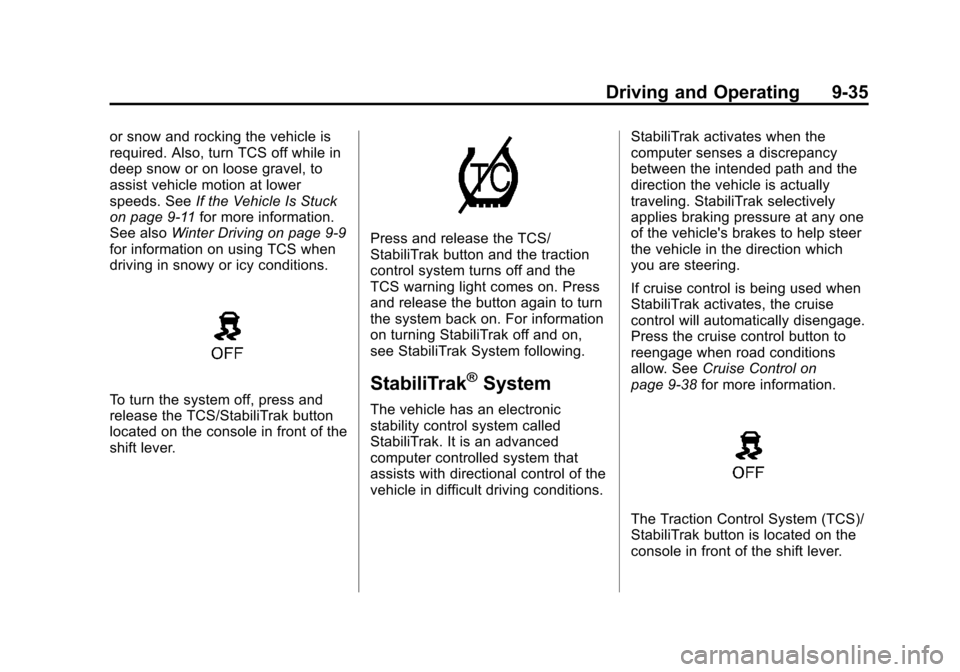
To turn the system off, press and
release the TCS/StabiliTrak button
located on the console in front of the
shift lever.
Press and release the TCS/
StabiliTrak button and the traction
control system turns off and the
TCS warning light comes on. Press
and release the button again to turn
the system back on. For information
on turning StabiliTrak off and on,
see StabiliTrak System following.
StabiliTrak®System
The vehicle has an electronic
stability control system called
StabiliTrak. It is an advanced
computer controlled system that
assists with directional control of the
vehicle in difficult driving conditions. StabiliTrak activates when the
computer senses a discrepancy
between the intended path and the
direction the vehicle is actually
traveling. StabiliTrak selectively
applies braking pressure at any one
of the vehicle's brakes to help steer
the vehicle in the direction which
you are steering.
If cruise control is being used when
StabiliTrak activates, the cruise
control will automatically disengage.
Press the cruise control button to
reengage when road conditions
allow. See
Cruise Control on
page 9‑38 for more information.
The Traction Control System (TCS)/
StabiliTrak button is located on the
console in front of the shift lever.
Page 233 of 404
Black plate (39,1)Chevrolet Camaro Owner Manual (Include Mex) - 2012
Driving and Operating 9-39
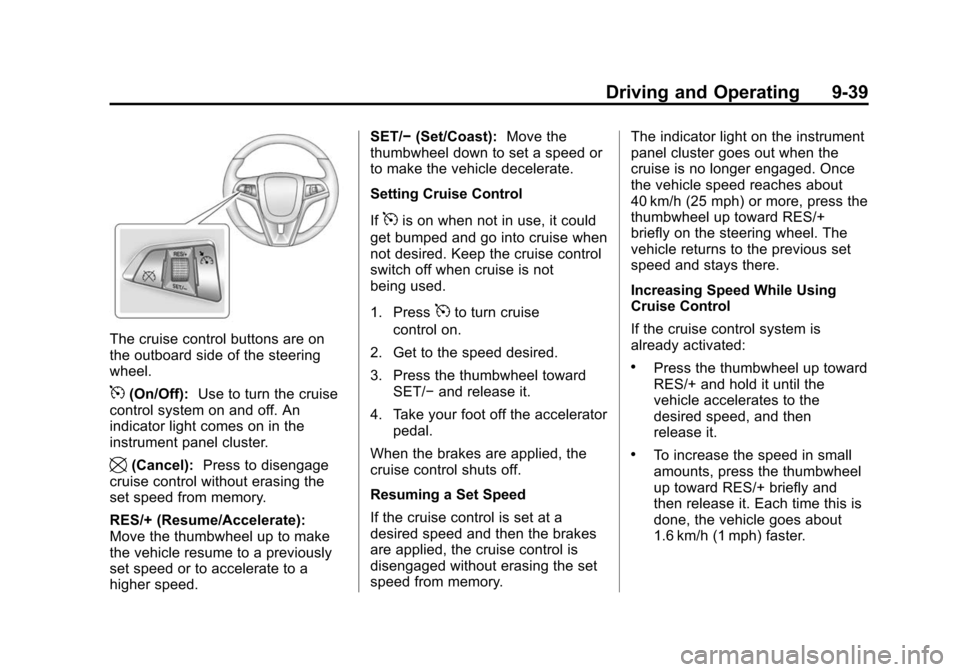
The cruise control buttons are on
the outboard side of the steering
wheel.
5(On/Off):Use to turn the cruise
control system on and off. An
indicator light comes on in the
instrument panel cluster.
\(Cancel): Press to disengage
cruise control without erasing the
set speed from memory.
RES/+ (Resume/Accelerate):
Move the thumbwheel up to make
the vehicle resume to a previously
set speed or to accelerate to a
higher speed. SET/−
(Set/Coast): Move the
thumbwheel down to set a speed or
to make the vehicle decelerate.
Setting Cruise Control
If
5is on when not in use, it could
get bumped and go into cruise when
not desired. Keep the cruise control
switch off when cruise is not
being used.
1. Press
5to turn cruise
control on.
2. Get to the speed desired.
3. Press the thumbwheel toward SET/− and release it.
4. Take your foot off the accelerator pedal.
When the brakes are applied, the
cruise control shuts off.
Resuming a Set Speed
If the cruise control is set at a
desired speed and then the brakes
are applied, the cruise control is
disengaged without erasing the set
speed from memory. The indicator light on the instrument
panel cluster goes out when the
cruise is no longer engaged. Once
the vehicle speed reaches about
40 km/h (25 mph) or more, press the
thumbwheel up toward RES/+
briefly on the steering wheel. The
vehicle returns to the previous set
speed and stays there.
Increasing Speed While Using
Cruise Control
If the cruise control system is
already activated:
.Press the thumbwheel up toward
RES/+ and hold it until the
vehicle accelerates to the
desired speed, and then
release it.
.To increase the speed in small
amounts, press the thumbwheel
up toward RES/+ briefly and
then release it. Each time this is
done, the vehicle goes about
1.6 km/h (1 mph) faster.
Page 234 of 404

Black plate (40,1)Chevrolet Camaro Owner Manual (Include Mex) - 2012
9-40 Driving and Operating
Reducing Speed While Using
Cruise Control
If the cruise control system is
already activated:
.Press the thumbwheel toward
SET/−and hold until the desired
lower speed is reached, then
release it.
.To slow down in small amounts,
press the thumbwheel toward
SET/− briefly. Each time this is
done, the vehicle goes about
1.6 km/h (1 mph) slower.
Passing Another Vehicle While
Using Cruise Control
Use the accelerator pedal to
increase the vehicle speed. When
you take your foot off the pedal, the
vehicle will slow down to the
previous set cruise control speed.
Using Cruise Control on Hills
How well the cruise control works
on hills depends upon the vehicle's
speed, load, and the steepness of
the hills. When going up steep hills, you might have to step on the
accelerator pedal to maintain the
vehicle speed. When going
downhill, you might have to brake or
shift to a lower gear to maintain the
vehicle speed. When the brakes are
applied the cruise control is
disengaged.
Ending Cruise Control
There are three ways to end the
cruise control:
.To disengage cruise control,
step lightly on the brake pedal or
clutch. The indicator light on the
instrument panel cluster
goes out.
.Press\on the steering wheel.
.To turn off cruise control, press5on the steering wheel.
Erasing Speed Memory
The cruise control set speed is
erased from memory if
5is pressed
or if the vehicle is turned off.
Object Detection
Systems
Ultrasonic Parking Assist
For vehicles with the Ultrasonic
Rear Parking Assist (URPA) system,
it assists the driver with parking
and avoiding objects while in
R (Reverse). URPA operates at
speeds less than 8 km/h (5 mph).
The sensors on the rear bumper
detect objects up to 2.5 m (8 ft)
behind the vehicle, and at least
20 cm (8 in) off the ground.
{WARNING
The URPA system does not
detect pedestrians, bicyclists,
animals, or any other objects
located below the bumper or that
are too close or too far from the
vehicle. To prevent injury, death,
or vehicle damage, even with
(Continued)
Page 236 of 404
Black plate (42,1)Chevrolet Camaro Owner Manual (Include Mex) - 2012
9-42 Driving and Operating
.The bumper is damaged. Take
the vehicle to your dealer to
repair the system.
.Other conditions, such as
vibrations from a jackhammer or
the compression of air brakes on
a very large truck, are affecting
system performance.
Rear Vision
Camera (RVC)
This vehicle may have an RVC
system. Read this entire section
before using it.
{WARNING
The RVC system does not display
pedestrians, bicyclists, animals,
or any other object located
outside the camera's field of view,
below the bumper, or under the
vehicle.(Continued)
WARNING (Continued)
Do not back the vehicle using
only the RVC screen or by using
the screen during longer, higher
speed backing maneuvers,
or where there could be
cross-traffic. Perceived distances
may be different from actual
distances.
Failure to use proper care before
backing may result in injury,
death, or vehicle damage. Always
check before backing by checking
behind and around the vehicle.
The rear vision camera system is
designed to help the driver when
backing up by displaying a view of
the area behind the vehicle. When
the key is in ON/RUN and the driver
shifts the vehicle into R (Reverse),
the video image automatically
appears on the inside rearview
mirror. Once the driver shifts out of R (Reverse), the video image
automatically disappears from the
inside rearview mirror.
Rear Vision Camera Errors
If the rear vision camera system
requires service, a flashing symbol
will appear in the inside rearview
mirror.
If any other problem occurs or if a
problem persists, see your dealer.
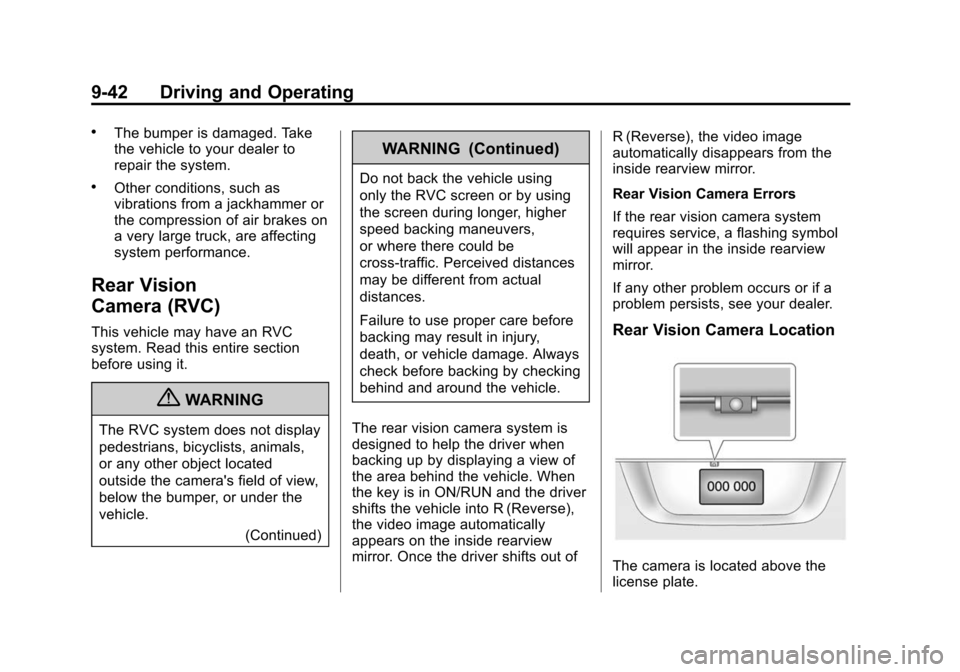
Rear Vision Camera Location
The camera is located above the
license plate.
Page 243 of 404
Black plate (49,1)Chevrolet Camaro Owner Manual (Include Mex) - 2012
Driving and Operating 9-49
vehicle such as a motor home, see
Recreational Vehicle Towing on
page 10‑87.
Driving Characteristics
and Towing Tips
{WARNING
The driver can lose control when
pulling a trailer if the correct
equipment is not used or the
vehicle is not driven properly. For
example, if the trailer is too
heavy, the brakes may not work
well—or even at all. The driver
and passengers could be
seriously injured. The vehicle may
also be damaged; the resulting
repairs would not be covered by
the vehicle warranty. Pull a trailer
only if all the steps in this section
have been followed. Ask your
dealer for advice and information
about towing a trailer with the
vehicle. The vehicle can tow a trailer if it is
equipped with the proper trailer
towing equipment. To identify the
trailering capacity of the vehicle,
see
Trailer Towing on page 9‑52.
Trailering changes handling,
acceleration, braking, durability, and
fuel economy. With the added
weight, the engine, transmission,
wheel assemblies, and tires are
forced to work harder and under
greater loads. The trailer also adds
wind resistance, increasing the
pulling requirements. For safe
trailering, correctly use the proper
trailering equipment.
The following information has
important trailering tips and rules for
your safety and that of your
passengers. Read this section
carefully before pulling a trailer.
Pulling a Trailer
Here are some important points:
.There are many laws, including
speed limit restrictions, that
apply to trailering. Check for
legal requirements with state or
provincial police.
.Do not tow a trailer at all during
the first 1 600 km (1,000 mi) the
new vehicle is driven. The
engine, axle or other parts could
be damaged.
.During the first 800 km (500 mi)
that a trailer is towed, do not
drive over 80 km/h (50 mph) and
do not make starts at full throttle.
This reduces wear on the
vehicle.
.Vehicles with automatic
transmissions can tow in
D (Drive), but M (Manual
Mode) is recommended. See
“Manual Mode” inAutomatic
Transmission on page 9‑26 for
more information. Use a lower
gear if the transmission shifts
Page 244 of 404
Black plate (50,1)Chevrolet Camaro Owner Manual (Include Mex) - 2012
9-50 Driving and Operating
too often. For vehicles with a
manual transmission, it is better
not to use the highest gear.
.Use the cruise control when
towing.
.Obey speed limit restrictions. Do
not drive faster than the
maximum posted speed for
trailers, or no more than 90 km/h
(55 mph), to reduce wear on the
vehicle.
Driving with a Trailer
Towing a trailer requires experience.
Get familiar with handling and
braking with the added trailer
weight. The vehicle is now longer
and not as responsive as the
vehicle is by itself.
Check all trailer hitch parts and
attachments, safety chains,
electrical connectors, lamps, tires,
and mirror adjustments. If the trailer
has electric brakes, start the vehicle
and trailer moving and then apply
the trailer brake controller by hand
to be sure the brakes are working.During the trip, check regularly to be
sure that the load is secure, and the
lamps and trailer brakes are working
properly.
Towing with a Stability Control
System
When towing, the sound of the
stability control system might be
heard. The system is reacting to the
vehicle movement caused by the
trailer, which mainly occurs during
cornering. This is normal when
towing heavier trailers.
Following Distance
Stay at least twice as far behind the
vehicle ahead as you would when
driving the vehicle without a trailer.
This can help to avoid situations
that require heavy braking and
sudden turns.
Passing
More passing distance is needed
when towing a trailer. Because the
rig is longer, it is necessary to go
much farther beyond the passed
vehicle before returning to the lane.
Backing Up
Hold the bottom of the steering
wheel with one hand. Then, to move
the trailer to the left, move that hand
to the left. To move the trailer to the
right, move your hand to the right.
Always back up slowly and,
if possible, have someone
guide you.
Making Turns
Notice:
Making very sharp turns
while trailering could cause the
trailer to come in contact with the
vehicle. The vehicle could be
damaged. Avoid making very
sharp turns while trailering.
When turning with a trailer, make
wider turns than normal. Do this so
the trailer won't strike soft
Page 245 of 404
Black plate (51,1)Chevrolet Camaro Owner Manual (Include Mex) - 2012
Driving and Operating 9-51
shoulders, curbs, road signs, trees
or other objects. Avoid jerky or
sudden maneuvers. Signal well in
advance.
Turn Signals when Towing a
Trailer
The arrows on the instrument panel
flash whenever signaling a turn or
lane change. Properly hooked up,
the trailer lamps also flash, telling
other drivers the vehicle is turning,
changing lanes, or stopping.
When towing a trailer, the arrows on
the instrument panel flash for turns
even if the bulbs on the trailer are
burned out. For this reason you may
think other drivers are seeing the
signal when they are not. It is
important to check occasionally to
be sure the trailer bulbs are still
working.
Driving on Grades
Reduce speed and shift to a lower
gear before starting down a long
or steep downgrade. If the
transmission is not shifted down, thebrakes might have to be used so
much that they would get hot and no
longer work well. Vehicles with
automatic transmissions can tow in
D (Drive), but M (Manual Mode) is
recommended. See
“Manual Mode”
in Automatic Transmission on
page 9‑26 for more information. Use
a lower gear if the transmission
shifts too often. For vehicles with a
manual transmission, it is better not
to use the highest gear.
When towing at high altitude on
steep uphill grades, consider the
following: Engine coolant will boil at
a lower temperature than at normal
altitudes. If the engine is turned off
immediately after towing at high
altitude on steep uphill grades, the
vehicle may show signs similar to
engine overheating. To avoid this,
let the engine run while parked,
preferably on level ground, with the
automatic transmission in P (Park)
for a few minutes before turning the
engine off. For vehicles with manual
transmissions, let the engine run
while parked, preferably on level ground, with the transmission out of
gear and the parking brake applied,
for a few minutes before turning the
engine off. If the overheat warning
comes on, see
Engine Overheating
on page 10‑24.
Parking on Hills
{WARNING
Parking the vehicle on a hill with
the trailer attached can be
dangerous. If something goes
wrong, the rig could start to move.
People can be injured, and both
the vehicle and the trailer can be
damaged. When possible, always
park the rig on a flat surface.
If parking the rig on a hill:
1. Press the brake pedal, but do not shift into P (Park) yet for
vehicles with an automatic
transmission, or into gear for
vehicles with a manual
Page 248 of 404
Black plate (54,1)Chevrolet Camaro Owner Manual (Include Mex) - 2012
9-54 Driving and Operating
Towing Equipment
Hitches
Use the correct hitch equipment.
See your dealer or a hitch dealer for
assistance.
.The rear bumper on the vehicle
is not intended for hitches. Do
not attach rental hitches or other
bumper-type hitches to it. Use
only a frame-mounted hitch that
does not attach to the bumper.
.Will any holes be made in the
body of the vehicle when the
trailer hitch is installed? If there
are, seal the holes when the
hitch is removed. If the holes are
not sealed, dirt, water, and
deadly carbon monoxide (CO)
from the exhaust can get into the
vehicle. SeeEngine Exhaust on
page 9‑25.
Safety Chains
Always attach chains between the
vehicle and the trailer. Cross the
safety chains under the tongue of
the trailer to help prevent the tongue
from contacting the road if it
becomes separated from the hitch.
Leave enough slack so the rig can
turn. Never allow safety chains to
drag on the ground.
Trailer Brakes
Does the trailer have its own
brakes? Be sure to read and follow
the instructions for the trailer brakes
so they are installed, adjusted, and
maintained properly.
Because the vehicle has antilock
brakes, do not tap into the vehicle's
brake system. If this is done, both
brake systems will not work well,
or at all.
Conversions and
Add-Ons
Add-On Electrical
Equipment
Notice: Do not add anything
electrical to the vehicle unless
you check with your dealer first.
Some electrical equipment can
damage the vehicle and the
damage would not be covered by
the vehicle's warranty. Some
add-on electrical equipment can
keep other components from
working as they should.
Add-on equipment can drain the
vehicle's 12‐volt battery, even if the
vehicle is not operating.
The vehicle has an airbag system.
Before attempting to add anything
electrical to the vehicle, see
Servicing the Airbag-Equipped
Vehicle on page 3‑28 andAdding
Equipment to the Airbag-Equipped
Vehicle on page 3‑28.