display CHEVROLET CAMARO 2014 5.G User Guide
[x] Cancel search | Manufacturer: CHEVROLET, Model Year: 2014, Model line: CAMARO, Model: CHEVROLET CAMARO 2014 5.GPages: 432, PDF Size: 6.2 MB
Page 109 of 432
Black plate (5,1)Chevrolet Camaro Owner Manual (GMNA-Localizing-U.S./Canada/Mexico-
6042601) - 2014 - CRC - 1/21/14
Instruments and Controls 5-5
Setting the Time and Date
1. Press the CONFIG button.
2. Select Time and Date.
3. Select Set Time or Set Date.
4. Turn the MENU/SELECT knob toadjust the highlighted value.
5. Press the MENU/SELECT knob to select the next value.
6. To save the time or date and return to the Time and Date
menu, press the
/BACK button
at any time or press the MENU/
SELECT knob after adjusting the
minutes or year.
If auto timing is set, the time
displayed on the clock may not
update immediately when driving
into a new time zone.
Setting the 12/24 Hour Format
1. Press the CONFIG button.
2. Select Time and Date.
3. Highlight 12 hr / 24 hr Format. 4. Press the MENU/SELECT knob
to select the 12 hour or 24 hour
display format.
Setting the Month & Day
Format
1. Press the CONFIG button.
2. Select Time and Date.
3. Highlight Month & Day Format.
4. Press the MENU/SELECT knobto select MM/DD (month/day) or
DD/MM (day/month).
Power Outlets
The vehicle has two accessory
power outlets; one is below the
climate control system and the other
is inside the center console storage.
They can be used to plug in
electrical equipment, such as a cell
phone or an MP3 player.
The accessory power outlets do not
work when the key is removed from
the ignition and the driver door is
opened. This helps to preserve the
battery life of the vehicle. Certain power accessory plugs may
not be compatible with the
accessory power outlet and could
overload vehicle and adapter fuses.
If a problem is experienced, see
your dealer.
When adding electrical equipment,
be sure to follow the proper
installation instructions included with
the equipment. See
Add-On
Electrical Equipment on page 9-62.
{Caution
Hanging heavy equipment from
the power outlet can cause
damage not covered by the
vehicle warranty. The power
outlets are designed for
accessory power plugs only, such
as cell phone charge cords.
Page 113 of 432
Black plate (9,1)Chevrolet Camaro Owner Manual (GMNA-Localizing-U.S./Canada/Mexico-
6042601) - 2014 - CRC - 1/21/14
Instruments and Controls 5-9
Speedometer
The speedometer shows the
vehicle's speed in either kilometers
per hour (km/h) or miles per
hour (mph).
Odometer
The odometer shows how far the
vehicle has been driven, in either
kilometers or miles.
This vehicle has a tamper-resistant
odometer. If the vehicle needs a
new odometer installed, the new
one is set to the mileage of the old
odometer. If this is not possible, it is
set at zero and a label is put on the
driver door to show the old mileage
reading.
Trip Odometer
The trip odometer can show how far
the vehicle has been driven since
the trip odometer was last reset.The trip odometer is accessed and
reset through the Driver Information
Center (DIC). See
Driver
Information Center (DIC) on
page 5-24.
Tachometer
The tachometer displays the engine
speed in revolutions per
minute (rpm).
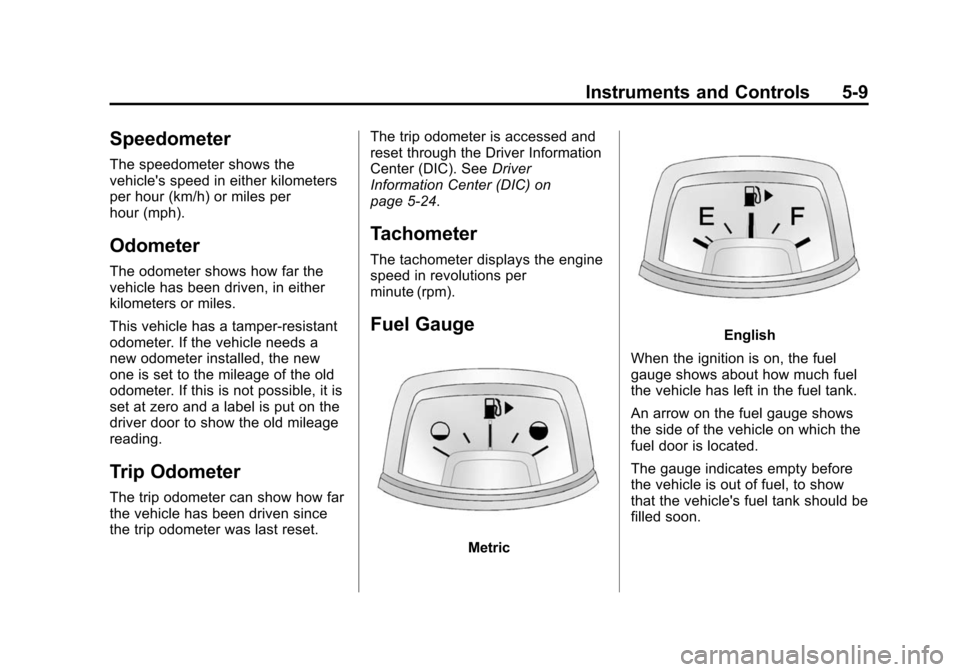
Fuel Gauge
Metric
English
When the ignition is on, the fuel
gauge shows about how much fuel
the vehicle has left in the fuel tank.
An arrow on the fuel gauge shows
the side of the vehicle on which the
fuel door is located.
The gauge indicates empty before
the vehicle is out of fuel, to show
that the vehicle's fuel tank should be
filled soon.
Page 115 of 432
Black plate (11,1)Chevrolet Camaro Owner Manual (GMNA-Localizing-U.S./Canada/Mexico-
6042601) - 2014 - CRC - 1/21/14
Instruments and Controls 5-11
Caution (Continued)
range and the oil pressure is still
low, have the vehicle serviced.
Always follow the maintenance
schedule for changing engine oil.
A reading in the low pressure zone
can be caused by a dangerously
low oil level or some other problem
causing low oil pressure. Check the
oil as soon as possible.
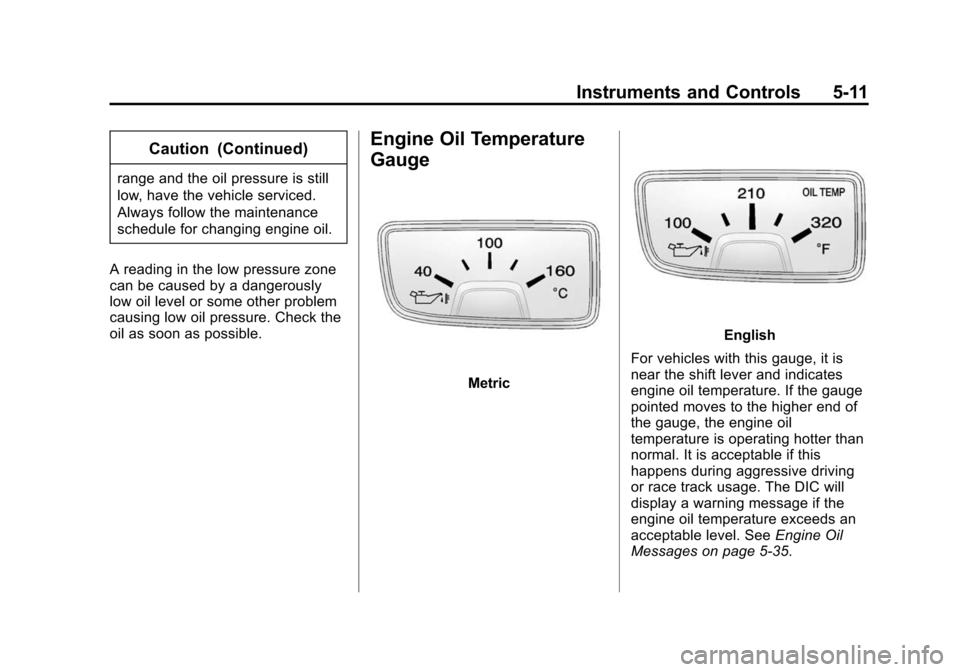
Engine Oil Temperature
Gauge
Metric
English
For vehicles with this gauge, it is
near the shift lever and indicates
engine oil temperature. If the gauge
pointed moves to the higher end of
the gauge, the engine oil
temperature is operating hotter than
normal. It is acceptable if this
happens during aggressive driving
or race track usage. The DIC will
display a warning message if the
engine oil temperature exceeds an
acceptable level. See Engine Oil
Messages on page 5-35.
Page 116 of 432
Black plate (12,1)Chevrolet Camaro Owner Manual (GMNA-Localizing-U.S./Canada/Mexico-
6042601) - 2014 - CRC - 1/21/14
5-12 Instruments and Controls
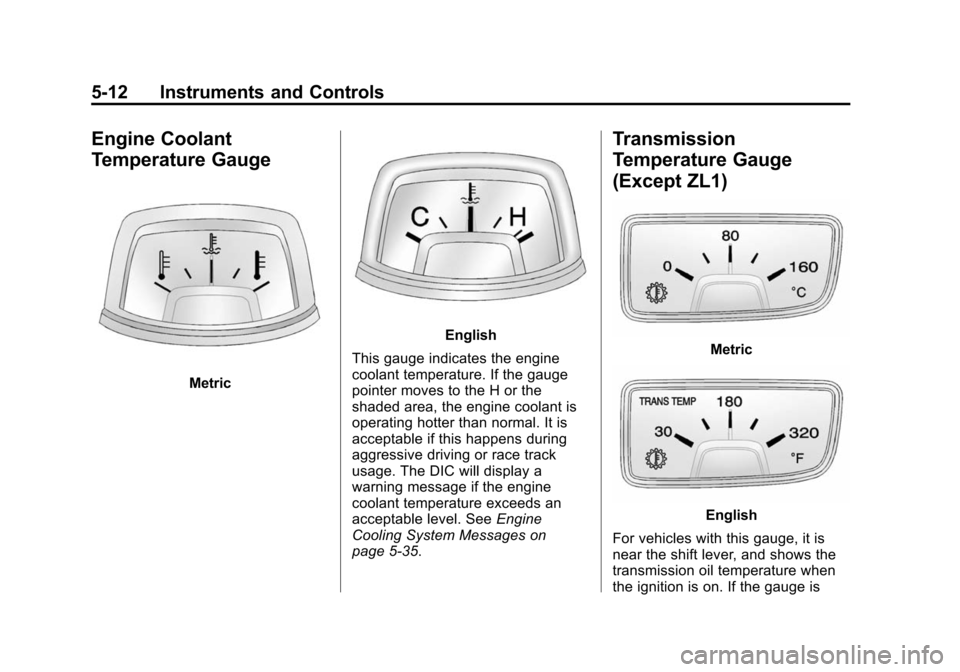
Engine Coolant
Temperature Gauge
Metric
English
This gauge indicates the engine
coolant temperature. If the gauge
pointer moves to the H or the
shaded area, the engine coolant is
operating hotter than normal. It is
acceptable if this happens during
aggressive driving or race track
usage. The DIC will display a
warning message if the engine
coolant temperature exceeds an
acceptable level. See Engine
Cooling System Messages on
page 5-35.
Transmission
Temperature Gauge
(Except ZL1)
Metric
English
For vehicles with this gauge, it is
near the shift lever, and shows the
transmission oil temperature when
the ignition is on. If the gauge is
Page 120 of 432
Black plate (16,1)Chevrolet Camaro Owner Manual (GMNA-Localizing-U.S./Canada/Mexico-
6042601) - 2014 - CRC - 1/21/14
5-16 Instruments and Controls
{Warning
If the airbag readiness light ever
comes on and stays on, it means
that something may be wrong
with the airbag system. To help
avoid injury to yourself or others,
have the vehicle serviced right
away. SeeAirbag Readiness
Light on page 5-14 for more
information, including important
safety information.
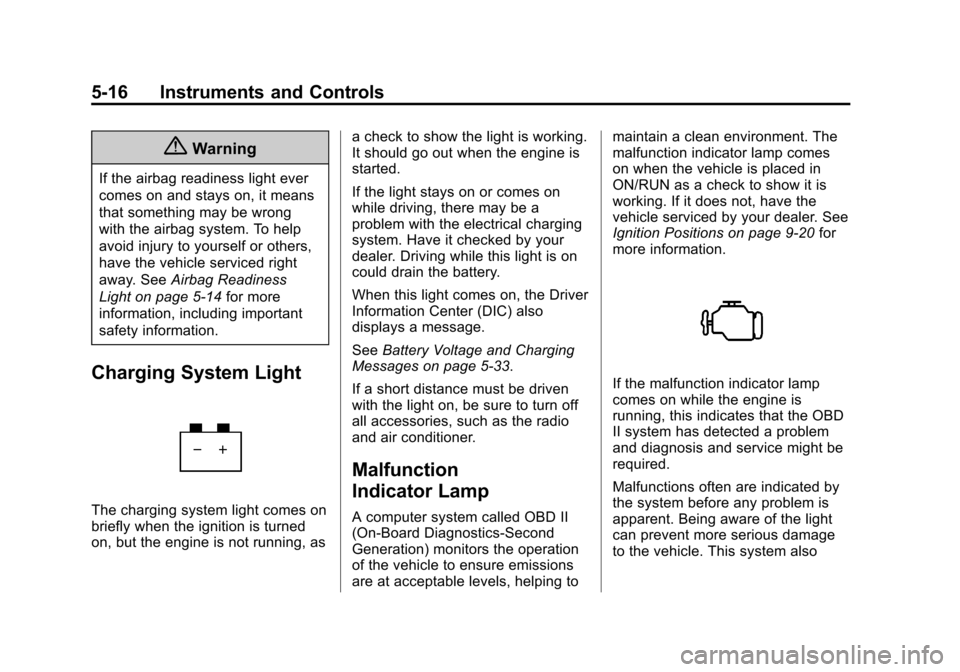
Charging System Light
The charging system light comes on
briefly when the ignition is turned
on, but the engine is not running, as a check to show the light is working.
It should go out when the engine is
started.
If the light stays on or comes on
while driving, there may be a
problem with the electrical charging
system. Have it checked by your
dealer. Driving while this light is on
could drain the battery.
When this light comes on, the Driver
Information Center (DIC) also
displays a message.
See
Battery Voltage and Charging
Messages on page 5-33.
If a short distance must be driven
with the light on, be sure to turn off
all accessories, such as the radio
and air conditioner.
Malfunction
Indicator Lamp
A computer system called OBD II
(On-Board Diagnostics-Second
Generation) monitors the operation
of the vehicle to ensure emissions
are at acceptable levels, helping to maintain a clean environment. The
malfunction indicator lamp comes
on when the vehicle is placed in
ON/RUN as a check to show it is
working. If it does not, have the
vehicle serviced by your dealer. See
Ignition Positions on page 9-20
for
more information.
If the malfunction indicator lamp
comes on while the engine is
running, this indicates that the OBD
II system has detected a problem
and diagnosis and service might be
required.
Malfunctions often are indicated by
the system before any problem is
apparent. Being aware of the light
can prevent more serious damage
to the vehicle. This system also
Page 125 of 432
Black plate (21,1)Chevrolet Camaro Owner Manual (GMNA-Localizing-U.S./Canada/Mexico-
6042601) - 2014 - CRC - 1/21/14
Instruments and Controls 5-21
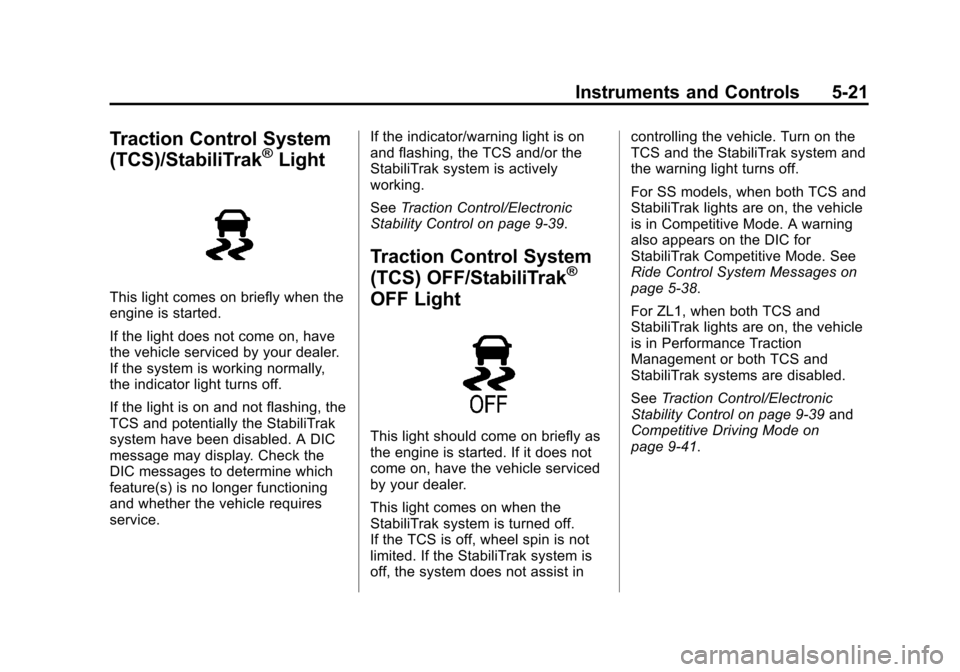
Traction Control System
(TCS)/StabiliTrak®Light
This light comes on briefly when the
engine is started.
If the light does not come on, have
the vehicle serviced by your dealer.
If the system is working normally,
the indicator light turns off.
If the light is on and not flashing, the
TCS and potentially the StabiliTrak
system have been disabled. A DIC
message may display. Check the
DIC messages to determine which
feature(s) is no longer functioning
and whether the vehicle requires
service.If the indicator/warning light is on
and flashing, the TCS and/or the
StabiliTrak system is actively
working.
See
Traction Control/Electronic
Stability Control on page 9-39.
Traction Control System
(TCS) OFF/StabiliTrak®
OFF Light
This light should come on briefly as
the engine is started. If it does not
come on, have the vehicle serviced
by your dealer.
This light comes on when the
StabiliTrak system is turned off.
If the TCS is off, wheel spin is not
limited. If the StabiliTrak system is
off, the system does not assist in controlling the vehicle. Turn on the
TCS and the StabiliTrak system and
the warning light turns off.
For SS models, when both TCS and
StabiliTrak lights are on, the vehicle
is in Competitive Mode. A warning
also appears on the DIC for
StabiliTrak Competitive Mode. See
Ride Control System Messages on
page 5-38.
For ZL1, when both TCS and
StabiliTrak lights are on, the vehicle
is in Performance Traction
Management or both TCS and
StabiliTrak systems are disabled.
See
Traction Control/Electronic
Stability Control on page 9-39 and
Competitive Driving Mode on
page 9-41.
Page 126 of 432
Black plate (22,1)Chevrolet Camaro Owner Manual (GMNA-Localizing-U.S./Canada/Mexico-
6042601) - 2014 - CRC - 1/21/14
5-22 Instruments and Controls
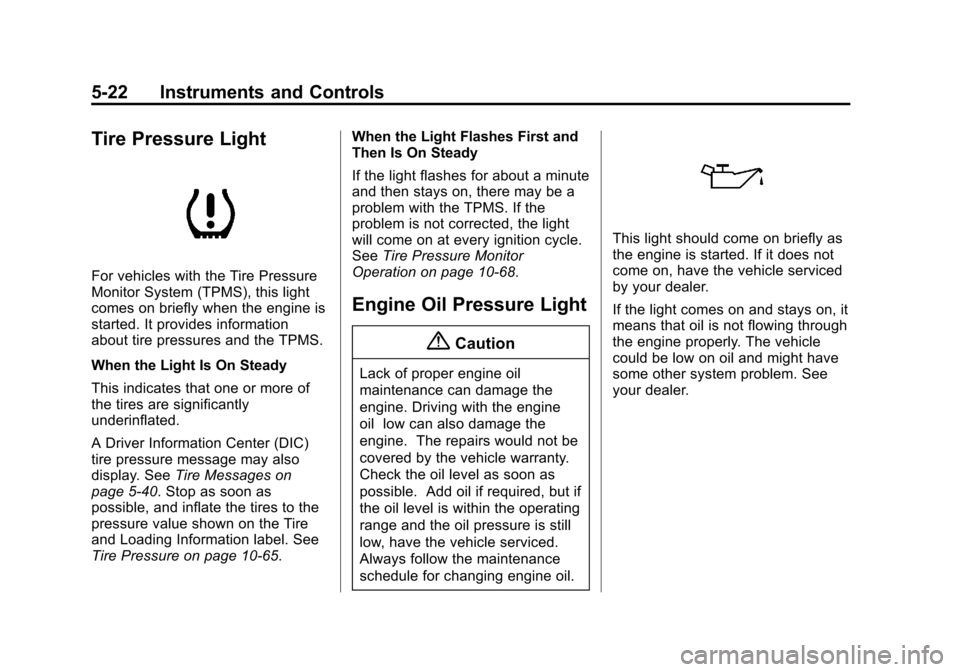
Tire Pressure Light
For vehicles with the Tire Pressure
Monitor System (TPMS), this light
comes on briefly when the engine is
started. It provides information
about tire pressures and the TPMS.
When the Light Is On Steady
This indicates that one or more of
the tires are significantly
underinflated.
A Driver Information Center (DIC)
tire pressure message may also
display. SeeTire Messages on
page 5-40. Stop as soon as
possible, and inflate the tires to the
pressure value shown on the Tire
and Loading Information label. See
Tire Pressure on page 10-65. When the Light Flashes First and
Then Is On Steady
If the light flashes for about a minute
and then stays on, there may be a
problem with the TPMS. If the
problem is not corrected, the light
will come on at every ignition cycle.
See
Tire Pressure Monitor
Operation on page 10-68.
Engine Oil Pressure Light
{Caution
Lack of proper engine oil
maintenance can damage the
engine. Driving with the engine
oil low can also damage the
engine. The repairs would not be
covered by the vehicle warranty.
Check the oil level as soon as
possible. Add oil if required, but if
the oil level is within the operating
range and the oil pressure is still
low, have the vehicle serviced.
Always follow the maintenance
schedule for changing engine oil.
This light should come on briefly as
the engine is started. If it does not
come on, have the vehicle serviced
by your dealer.
If the light comes on and stays on, it
means that oil is not flowing through
the engine properly. The vehicle
could be low on oil and might have
some other system problem. See
your dealer.
Page 128 of 432
Black plate (24,1)Chevrolet Camaro Owner Manual (GMNA-Localizing-U.S./Canada/Mexico-
6042601) - 2014 - CRC - 1/21/14
5-24 Instruments and Controls
Information Displays
Driver Information
Center (DIC)
The DIC displays information about
your vehicle. It also displays
warning messages if a system
problem is detected. SeeVehicle
Messages on page 5-32. All
messages appear in the DIC display
in the center of the instrument
cluster.
The vehicle may also have features
that can be customized through the
controls on the radio. See Vehicle
Personalization on page 5-43.
DIC Operation and Displays
The DIC has different displays
which can be accessed by using the
DIC buttons on the turn signal lever
on the left side of the steering
wheel. The DIC displays trip, fuel,
vehicle system information, and
warning messages if a system
problem is detected. The bottom of the DIC display
shows what position the shift lever
is in (automatic transmission only),
the odometer, and the direction the
vehicle is driving.
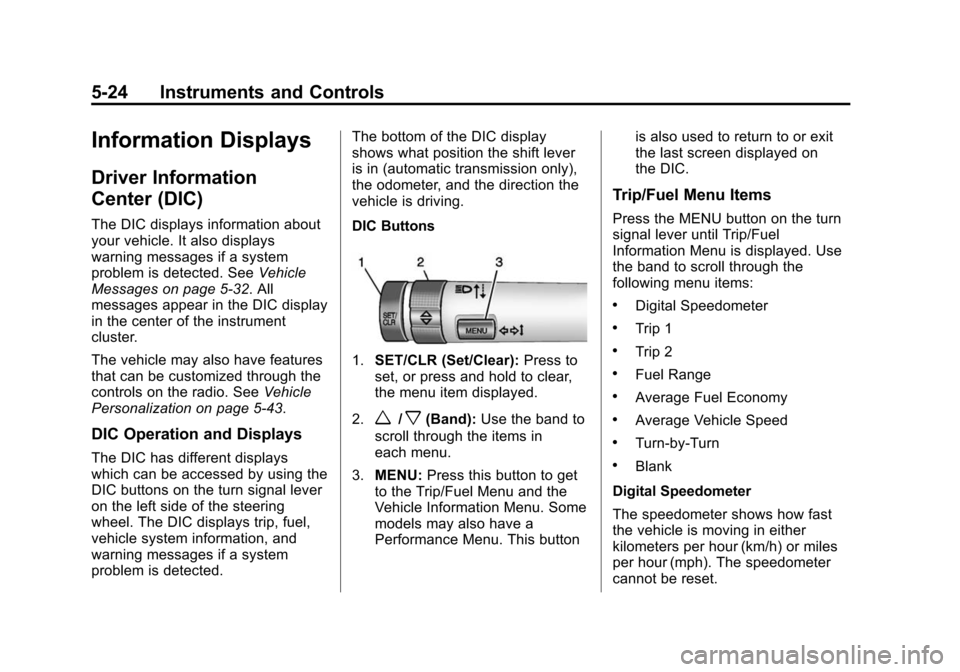
DIC Buttons
1.
SET/CLR (Set/Clear): Press to
set, or press and hold to clear,
the menu item displayed.
2.
w/x(Band): Use the band to
scroll through the items in
each menu.
3. MENU: Press this button to get
to the Trip/Fuel Menu and the
Vehicle Information Menu. Some
models may also have a
Performance Menu. This button is also used to return to or exit
the last screen displayed on
the DIC.
Trip/Fuel Menu Items
Press the MENU button on the turn
signal lever until Trip/Fuel
Information Menu is displayed. Use
the band to scroll through the
following menu items:
.Digital Speedometer
.Trip 1
.Trip 2
.Fuel Range
.Average Fuel Economy
.Average Vehicle Speed
.Turn-by-Turn
.Blank
Digital Speedometer
The speedometer shows how fast
the vehicle is moving in either
kilometers per hour (km/h) or miles
per hour (mph). The speedometer
cannot be reset.
Page 129 of 432
Black plate (25,1)Chevrolet Camaro Owner Manual (GMNA-Localizing-U.S./Canada/Mexico-
6042601) - 2014 - CRC - 1/21/14
Instruments and Controls 5-25
Trip 1 and Trip 2
The Trip display shows the current
distance traveled, in either
kilometers (km) or miles (mi), since
the last reset for the trip odometer.
The trip odometer can be reset to
zero by pressing the trip reset stem
or the SET/CLR button while the trip
odometer display is showing.
Fuel Range
The Fuel Range display shows the
approximate distance the vehicle
can be driven without refueling. The
fuel range estimate is based on an
average of the vehicle's fuel
economy over recent driving history
and the amount of fuel remaining in
the fuel tank. Fuel range cannot be
reset.
Average Fuel Economy
The Average Fuel Economy display
shows the approximate average
liters per 100 kilometers (L/100 km)
or miles per gallon (mpg). Thisnumber reflects only the
approximate average fuel economy
that the vehicle has right now,
and will change as driving
conditions change. This number is
calculated based on the number of
L/100 km (mpg) recorded since the
last time this menu item was reset.
The fuel economy can be reset by
pressing the SET/CLR button while
the Average Fuel Economy display
is showing.
Average Vehicle Speed
The Average Vehicle Speed display
shows the average speed of the
vehicle in kilometers per hour (km/h)
or miles per hour (mph). This
average is calculated based on the
various vehicle speeds recorded
since the last reset of this value.
The average speed can be reset by
pressing the SET/CLR button while
the Average Vehicle Speed display
is showing.
Turn-by-Turn
This display is used for the OnStar
Turn-by-Turn Navigation. See
OnStar Overview on page 14-1.
Blank
This display shows no information.
Vehicle Information Menu
Items
Press the MENU button on the turn
signal lever until Vehicle Information
Menu is displayed. Use the band to
scroll through the following menu
items:
.Unit
.Tire Pressure
.Remaining Oil Life
.Coolant Temperature
.Battery Voltage
.Speed Warning
Page 130 of 432
Black plate (26,1)Chevrolet Camaro Owner Manual (GMNA-Localizing-U.S./Canada/Mexico-
6042601) - 2014 - CRC - 1/21/14
5-26 Instruments and Controls
Unit
Move the band up or down to switch
between US or Metric when the Unit
display is active. Press SET/CLR to
confirm the setting. This will change
the displays on the cluster and DIC
to either English (US) or metric
measurements.
Tire Pressure
The display will show a vehicle with
the approximate pressures of all
four tires. Tire pressure is displayed
in either kilopascal (kPa) or in
pounds per square inch (psi). See
Tire Pressure Monitor System on
page 10-67andTire Pressure
Monitor Operation on page 10-68.
Remaining Oil Life
This display shows an estimate of
the oil's remaining useful life.
If REMAINING OIL LIFE 99% is
displayed, that means 99% of the
current oil life remains. When the remaining oil life is low,
the CHANGE ENGINE OIL SOON
message will appear on the display.
See
Engine Oil Messages on
page 5-35. The oil should be
changed as soon as possible. See
Engine Oil on page 10-15. In
addition to the engine oil life system
monitoring the oil life, additional
maintenance is recommended in the
Maintenance Schedule. See
Maintenance Schedule on
page 11-3.
Remember, the Oil Life display must
be reset after each oil change. It will
not reset itself. Also, be careful not
to reset the Oil Life display
accidentally at any time other than
when the oil has just been changed.
It cannot be reset accurately until
the next oil change. To reset the
engine oil life system press the
SET/CLR button while the Oil Life
display is active. See Engine Oil
Life System on page 10-20. Coolant Temperature
This display, available on some
vehicles, shows the temperature of
the engine cooling system fluid in
either degrees Celsius (°C) or
degrees Fahrenheit (°F).
Battery Voltage
This display, available on some
vehicles, shows the current battery
voltage. If the voltage is in the
normal range, the value will display.
For example, the display may read
Battery Voltage 15.0 Volts. The
vehicle's charging system regulates
voltage based on the state of the
battery. The battery voltage can
fluctuate while viewing this
information on the DIC. This is
normal. See
Charging System Light
on page 5-16. If there is a problem
with the battery charging system,
the DIC will display a message. See
Battery Voltage and Charging
Messages on page 5-33.