display CHEVROLET CAMARO 2014 5.G Service Manual
[x] Cancel search | Manufacturer: CHEVROLET, Model Year: 2014, Model line: CAMARO, Model: CHEVROLET CAMARO 2014 5.GPages: 432, PDF Size: 6.2 MB
Page 161 of 432
Black plate (7,1)Chevrolet Camaro Owner Manual (GMNA-Localizing-U.S./Canada/Mexico-
6042601) - 2014 - CRC - 1/21/14
Lighting 6-7
climate control fan at high speed,
heated seats, engine cooling fans,
trailer loads, and loads plugged into
accessory power outlets.
EPM works to prevent excessive
discharge of the battery. It does this
by balancing the generator's output
and the vehicle's electrical needs.
It can increase engine idle speed to
generate more power whenever
needed. It can temporarily reduce
the power demands of some
accessories.
Normally, these actions occur in
steps or levels, without being
noticeable. In rare cases at the
highest levels of corrective action,
this action may be noticeable to the
driver. If so, a DIC message might
be displayed, and it is
recommended that the driver reduce
the electrical loads as much as
possible. SeeBattery Voltage and
Charging Messages on page 5-33.Battery Power Protection
This feature shuts off the dome
lamp if it is left on for more than
10 minutes when the ignition is in
LOCK/OFF. This helps to prevent
the battery from running down.
Page 165 of 432
Black plate (3,1)Chevrolet Camaro Owner Manual (GMNA-Localizing-U.S./Canada/Mexico-
6042601) - 2014 - CRC - 1/21/14
Infotainment System 7-3
3. Buttons 1−6
.Radio: Saves and selects
favorite stations.
4. FAV
.Radio: Opens the
favorites list.
5. MENU/SELECT
.Press: Opens the menus
and selects menu items.
.Turn: Highlights menu items
or sets values while in a
menu. Manually selects
radio stations while
listening to the radio.
6. RADIO/BAND
.Changes the band while
listening to the radio.
.Selects the radio when
listening to a different audio
source.
7.
X(CD Eject)
.Removes the CD from
the slot. 8. CD/AUX
.Selects between the CD
player or a connected
external audio source.
9. PHONE
.Opens the phone
main menu.
.Mutes the audio system.
10. SEEK
7
.Radio: Seeks the previous
station.
.CD: Selects the previous
track or rewinds within a
track.
11. CD Slot
.Insert a CD.
12. SEEK
6
.Radio: Seeks the next
station.
.CD: Selects the next track
or fast forwards within a
track. 13. CONFIG
.Opens the Configuration
Settings menu.
14. TONE
.Opens the Tone
Settings menu.
15. BACK
/
.Menu: Moves one
level back.
.Character Input: Deletes
the last character.
Operation
Controls
The infotainment system is operated
by using the pushbuttons,
multifunction knobs, and menus that
are shown on the display, and
steering wheel controls, if equipped.
Page 169 of 432
Black plate (7,1)Chevrolet Camaro Owner Manual (GMNA-Localizing-U.S./Canada/Mexico-
6042601) - 2014 - CRC - 1/21/14
Infotainment System 7-7
3. Select Auto Volume.
4. Select the setting.
5. Press the BACK
/button to go
back to the System
Configuration menu.
Maximum Startup Volume
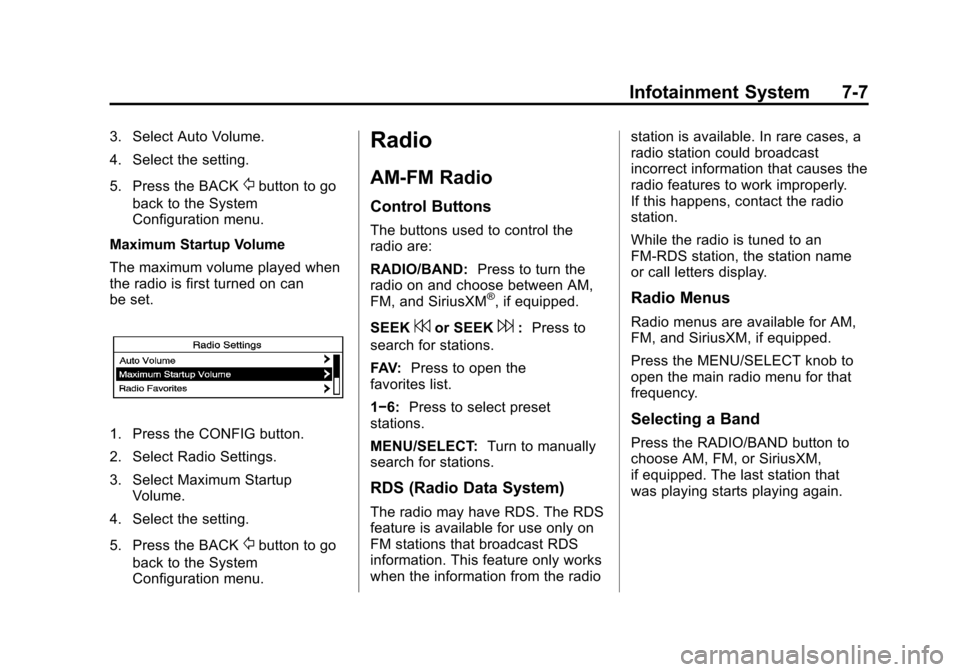
The maximum volume played when
the radio is first turned on can
be set.
1. Press the CONFIG button.
2. Select Radio Settings.
3. Select Maximum Startup Volume.
4. Select the setting.
5. Press the BACK
/button to go
back to the System
Configuration menu.
Radio
AM-FM Radio
Control Buttons
The buttons used to control the
radio are:
RADIO/BAND: Press to turn the
radio on and choose between AM,
FM, and SiriusXM
®, if equipped.
SEEK
7or SEEK6: Press to
search for stations.
FAV: Press to open the
favorites list.
1−6: Press to select preset
stations.
MENU/SELECT: Turn to manually
search for stations.
RDS (Radio Data System)
The radio may have RDS. The RDS
feature is available for use only on
FM stations that broadcast RDS
information. This feature only works
when the information from the radio station is available. In rare cases, a
radio station could broadcast
incorrect information that causes the
radio features to work improperly.
If this happens, contact the radio
station.
While the radio is tuned to an
FM-RDS station, the station name
or call letters display.
Radio Menus
Radio menus are available for AM,
FM, and SiriusXM, if equipped.
Press the MENU/SELECT knob to
open the main radio menu for that
frequency.
Selecting a Band
Press the RADIO/BAND button to
choose AM, FM, or SiriusXM,
if equipped. The last station that
was playing starts playing again.
Page 170 of 432
Black plate (8,1)Chevrolet Camaro Owner Manual (GMNA-Localizing-U.S./Canada/Mexico-
6042601) - 2014 - CRC - 1/21/14
7-8 Infotainment System
Selecting a Station
Seek Tuning
Briefly press SEEK
7or SEEK6
to automatically search for the next
available station. If a station is not
found, the radio switches to a more
sensitive search level. If a station
still is not found, the frequency that
was last active begins to play.
Press and hold SEEK
7or
SEEK
6until the station on the
display is reached, then release the
button.
Manual Tuning
Turn the MENU/SELECT knob to
select the frequency on the display.
Favorites List
1. Press the MENU/SELECT knob.
2. Select Favorites List.
3. Select the station. Station Lists
1. Press the MENU/SELECT knob.
2. Select AM or FM Station List. All
receivable stations in the current
reception area are displayed.
If no station list has been
created, an automatic station
search is done.
3. Select the station.
Updating Station and Category
Lists
If stations stored in the station list
can no longer be received:
1. Press the MENU/SELECT knob.
2. Select Update AM or FM Station List, if the stations stored in the
station list are no longer
received. A station search will be
completed and the first station in
the updated list will play.
To cancel the station search, press
the MENU/SELECT knob. Category Lists
Most stations that broadcast an
RDS program type (PTY) code
specify the type of programming
transmitted. Some stations change
the PTY code depending on the
content. The system stores the RDS
stations, sorted by program type, in
the FM category list.
To search for a programming type
determined by station:
1. Select FM category list. A list of
all programming types available
displays.
2. Select the programming type. A list of stations that transmit
programming of the selected
type displays.
3. Select the station.
The category lists are updated when
the corresponding station lists are
updated.
Page 171 of 432
Black plate (9,1)Chevrolet Camaro Owner Manual (GMNA-Localizing-U.S./Canada/Mexico-
6042601) - 2014 - CRC - 1/21/14
Infotainment System 7-9
Storing and Retrieving
Favorites
Stations from all bands can be
stored in the favorite lists in any
order.
Up to six stations can be stored in
each favorite page and the number
of available favorite pages can
be set.
Storing a Station as a Favorite
To store the station to a position in
the list, press the corresponding
numeric button 1−6 until the station
can be heard again.
Retrieving Stations
Press the FAV button to open a
favorite page or to switch to another
favorite page. Briefly press one of
the 1−6 buttons to retrieve the
station.
Satellite Radio
Vehicles with an XM Satellite Radio
tuner and a valid SiriusXM®Satellite
Radio subscription can receive
SiriusXM programming.
SiriusXM Satellite Radio
Service
SiriusXM is a satellite radio service
based in the 48 contiguous United
States and 10 Canadian provinces.
SiriusXM Satellite Radio has a wide
variety of programming and
commercial-free music, coast to
coast, and in digital-quality sound.
During your trial or when you
subscribe, you will get unlimited
access to SiriusXM Radio Online for
when you are not in the vehicle.
A service fee is required to receive
the SiriusXM service. If SiriusXM
service needs to be reactivated, the
radio will display "No Subscription
Please Renew" on channel XM1.
For more information, contact
SiriusXM at www.siriusxm.com or 1-866-635-2349 (U.S.), and
www.xmradio.ca or 1-877-209-0079
(Canada).
Control Buttons
The buttons used to control the
SiriusXM radio are:
RADIO/BAND:
Press to turn the
radio on and choose between AM,
FM, and SiriusXM.
SEEK
7or SEEK6: Press to
search for stations.
FAV: Press to open the
favorites list.
1−6: Press to select preset
stations.
MENU/SELECT: Turn to search for
stations.
Selecting the SiriusXM Band
Press the RADIO/BAND button to
choose between the AM, FM, and
SiriusXM bands. The last station
played in that band begins to play
when that band is selected.
Page 172 of 432
Black plate (10,1)Chevrolet Camaro Owner Manual (GMNA-Localizing-U.S./Canada/Mexico-
6042601) - 2014 - CRC - 1/21/14
7-10 Infotainment System
SiriusXM Categories
SiriusXM stations are organized in
categories.
Removing or Adding Categories
1. Press the CONFIG button.
2. Select XM Categories.
3. Turn the MENU/SELECT knob tohighlight the category.
4. Press the MENU/SELECT knob to remove or add the category.
Selecting a SiriusXM Station
SiriusXM stations can be selected
by using SEEK
7or SEEK6, the
MENU/SELECT knob, or the menu
system.
To select a SiriusXM station using
SEEK
7or SEEK6, do one of the
following:
.Press and release SEEK7or
SEEK
6to go to the previous or
next station.
.Press and hold SEEK7or
SEEK
6to scroll through the
previous or next stations until
the station is reached.
To select a SiriusXM station using
the MENU/SELECT knob:
1. Turn the MENU/SELECT knob to highlight a SiriusXM station.
2. Press the MENU/SELECT knob to select the station, or leave the
station highlighted.
To select a station using the menu:
1. Press the MENU/SELECT knob.
2. Select XM Stations List.
3. Select the station.
Selecting a Station by Category
1. Press the MENU/SELECT knob.
2. Select XM Category List. A list of all programming types available
displays.
3. Select the programming type.
4. Select the station.
Storing and Retrieving
Favorites
Stations from all bands can be
stored in any order in the favorite
pages.
Up to six stations can be stored in
each favorite page and the number
of available favorite pages can
be set.
Storing a Station as a Favorite
To store the station to a position in
the list, press and hold the
corresponding 1−6 button until the
station can be heard again.
Retrieving Stations
Press the FAV button to open a
favorite page or to switch to another
favorite page. Briefly press one of
the 1−6 buttons to retrieve the
station.
Page 175 of 432
Black plate (13,1)Chevrolet Camaro Owner Manual (GMNA-Localizing-U.S./Canada/Mexico-
6042601) - 2014 - CRC - 1/21/14
Infotainment System 7-13
If the bottom surface of a disc is
dirty, take a soft lint-free cloth,
or dampen a clean soft cloth in a
mild neutral detergent solution
mixed with water, and clean it. Wipe
the disc from the center to the
outer edge.
Care of the CD Player
Do not add a label to a disc, as it
could get caught in the CD player.
If a label is needed, label the top of
the recorded disc with a
marking pen.
Do not use disc lens cleaners
because they could contaminate the
lens of the disc optics and damage
the CD player.
{Caution
If a label is added to a CD, more
than one CD is inserted into the
slot at a time, or an attempt is
made to play scratched or
damaged CDs, the CD player(Continued)
Caution (Continued)
could be damaged. While using
the CD player, use only CDs in
good condition without any label,
load one CD at a time, and keep
the CD player and the loading slot
free of foreign materials, liquids,
and debris.
Control Buttons
The buttons used to control the CD
player are:
CD/AUX:Press to choose between
the CD and AUX player.
SEEK
7or SEEK6: Press to
select tracks or to fast forward or
rewind within a track.
MENU/SELECT: Turn to select
tracks.
INFO: Press to display additional
information about the CD that may
be available.
X(Eject): Press to remove
the CD.
Inserting a CD
With the printed side facing up,
insert a disc into the CD slot until it
is drawn in.
Removing a CD
PressX.
The disc is pushed out of the
CD slot.
If the disc is not removed after it is
ejected, it is pulled back in after a
few seconds.
Playing a CD or MP3 CD
Press the CD/AUX button if there is
a disc in the player; it begins
playing.
Information about the disc and
current track is shown on the
display depending on the data
stored.
Page 176 of 432
Black plate (14,1)Chevrolet Camaro Owner Manual (GMNA-Localizing-U.S./Canada/Mexico-
6042601) - 2014 - CRC - 1/21/14
7-14 Infotainment System
Selecting a CD Track
Using the control buttons:
Press SEEK
7or SEEK6to
select the previous or next track.
Turn the MENU/SELECT knob
counterclockwise or clockwise to
select the previous or next track.
Using the CD Menu:
1. Press the MENU/SELECT knob.
2. Select Tracks list.
3. Select the track.
Playing Tracks in Random Order
Press the MENU/SELECT knob and
then set Shuffle Songs to On.
Fast Forward and Rewind
Press and hold SEEK
7or
SEEK
6to fast forward or rewind
within the current track. Selecting an MP3 Track
Using the control buttons:
Press SEEK
7or SEEK6to
select the previous or next track.
Turn the MENU/SELECT knob
counterclockwise or clockwise to
select the previous or next track.
Using the CD Menu:
1. Press the MENU/SELECT knob.
2. Select Playlists/Folders.
3. Select the playlist or folder.
4. Select the track.
Searching for MP3 Tracks
It is normal for the search feature to
take some time to display the
information after reading the disc
due to the amount of information
stored on the disc. The infotainment
system automatically switches to
FM while the disc is being read.
Tracks can be searched by:
.Playlists
.Artists
.Albums
.Song Titles
.Genres
.Folder View
To search for tracks:
1. Press the MENU/SELECT knob.
2. Select Search.
3. Select: Playlists, Artists, Albums, Song Titles, Genres,
or Folder View.
4. Select the track.
Auxiliary Devices
If equipped, the AUX input allows
portable devices to connect to the
vehicle using the 3.5 mm (1/8 in)
input jack, the USB port,
if equipped, or Bluetooth
®wireless
technology, if equipped.
Portable devices are controlled by
using the menu system described in
Operation on page 7-3.
Page 179 of 432
Black plate (17,1)Chevrolet Camaro Owner Manual (GMNA-Localizing-U.S./Canada/Mexico-
6042601) - 2014 - CRC - 1/21/14
Infotainment System 7-17
When a device is not supported, the
message“No supported data found.
You can safely disconnect the
device” appears.
Connecting a USB Drive
Connect the USB drive to the USB
port using the cable that came with
the device.
Searching for a Track
It is normal for the search feature to
take some time to display the
information after reading the disc
due to the amount of information
stored on the disc.
Files that do not have any meta
data stored in the ID3 tag display as
Unknown.
Tracks can be searched for by:
.Playlists*
.Artists
.Albums
.Song Titles
.Genres
.Folder View
*This only displays if a playlist is
found on the device.
To search for tracks:
1. Press the MENU/SELECT knob.
2. Select Search.
3. Select: Playlists, Artists, Albums, Song Titles, Genres,
or Folder View.
4. Select the track.
Shuffle Functionality
Press the MENU/SELECT knob and
set Shuffle Songs (Random) to On
or Off.
On: Plays current tracks in random
order.
Off: Plays current tracks in
sequential order.
Repeat Functionality
Press the MENU/SELECT knob and
set Repeat to On or Off. Repeat On:
Repeats the current
track.
Repeat Off: Starts playback from
the beginning of the current track
after the last track finishes.
Connecting a Bluetooth®
Device
Before a Bluetooth device can be
connected to the infotainment
system, it must first be paired to the
system. Not all Bluetooth devices
can be paired to the infotainment
system. Before pairing the Bluetooth
device, become familiar with its user
guide for Bluetooth functions. The
system only connects to Bluetooth
devices that support A2DP
(Advanced Audio Distribution
Profile) version 1.2.
Pairing Information:
.Up to five devices can be paired
to the system.
.The pairing process is disabled
when the vehicle is moving.
Page 181 of 432
Black plate (19,1)Chevrolet Camaro Owner Manual (GMNA-Localizing-U.S./Canada/Mexico-
6042601) - 2014 - CRC - 1/21/14
Infotainment System 7-19
2. Select the new device.
To connect a paired device when
another device is connected to the
infotainment system:
1. Select the Select Device optionfrom the Bluetooth Music
Setup menu.
2. Select the new device.
3. The active device is disconnected from the system
and the new device is
connected.
Removing a Device
1. Select Remove Device from the Bluetooth Music Setup menu.
2. Select the device.
3. The device is removed from the system.
Before connecting to the removed
device again, it will need to paired
to the infotainment system. Changing the PIN
To change the default PIN:
1. Select Change Default PIN from
the Bluetooth Music
Setup menu.
2. Select a pre-defined PIN, or select Other to create a PIN.
To create a PIN:
1. Select the length of the PIN.
2. Enter the character sequence.
Messages
The following messages may
appear on the infotainment screen.
Poor Bluetooth Signal Quality:
This message displays when the
Bluetooth signal strength is low.
This Feature is Unavailable While
Vehicle is Moving: This message
displays when an action is not
allowed while the vehicle is moving.Controlling a Bluetooth®
Device
Bluetooth devices that support
AVRCP (Audio/Video Remote
Control Profile) version 1.4 may be
able to be controlled by the
infotainment system.
Press and release SEEK
7or
SEEK
6to skip tracks. Press and
hold SEEK
7or SEEK6to fast
forward or fast reverse within a
track.
Other Information
The Bluetooth®word mark and
logos are owned by the Bluetooth®
SIG, Inc. and any use of such marks
by General Motors is under license.
Other trademarks and trade names
are those of their respective owners.
See Radio Frequency Statement on
page 13-15 for Federal
Communications Commission and
Industry Canada information.