radio controls CHEVROLET CAMARO 2016 6.G Owner's Manual
[x] Cancel search | Manufacturer: CHEVROLET, Model Year: 2016, Model line: CAMARO, Model: CHEVROLET CAMARO 2016 6.GPages: 383, PDF Size: 6.46 MB
Page 152 of 383
Chevrolet Camaro Owner Manual-Convertible (GMNA-Localizing-U.S./Cana-
da/Mexico-9702260) - 2016 - CRC - 10/28/15
Instruments and Controls 151
3. Press and hold the newlyprogrammed Universal Remote
system button for five seconds
while watching the indicator
light and garage door
activation.
.If the indicator light stays on
continuously or the garage
door moves when the
button is pressed, then
programming is complete.
There is no need to
complete Steps 4–6.
. If the indicator light does
not come on or the garage
door does not move, a
second button press may
be required. For a second
time, press and hold the
newly programmed button
for five seconds. If the light
stays on or the garage door
moves, programming is
complete.
. If the indicator light blinks
rapidly for two seconds,
then changes to a solid light and the garage door does
not move, continue with
programming Steps 4–6.
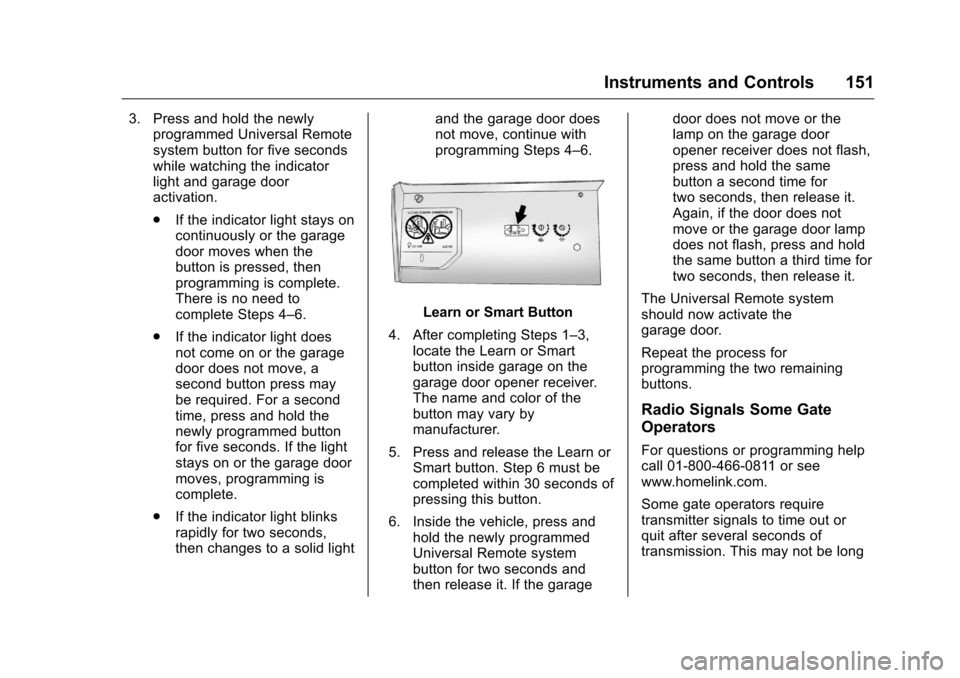
Learn or Smart Button
4. After completing Steps 1–3, locate the Learn or Smart
button inside garage on the
garage door opener receiver.
The name and color of the
button may vary by
manufacturer.
5. Press and release the Learn or Smart button. Step 6 must be
completed within 30 seconds of
pressing this button.
6. Inside the vehicle, press and hold the newly programmed
Universal Remote system
button for two seconds and
then release it. If the garage door does not move or the
lamp on the garage door
opener receiver does not flash,
press and hold the same
button a second time for
two seconds, then release it.
Again, if the door does not
move or the garage door lamp
does not flash, press and hold
the same button a third time for
two seconds, then release it.
The Universal Remote system
should now activate the
garage door.
Repeat the process for
programming the two remaining
buttons.
Radio Signals Some Gate
Operators
For questions or programming help
call 01-800-466-0811 or see
www.homelink.com.
Some gate operators require
transmitter signals to time out or
quit after several seconds of
transmission. This may not be long
Page 160 of 383
Chevrolet Camaro Owner Manual-Convertible (GMNA-Localizing-U.S./Cana-
da/Mexico-9702260) - 2016 - CRC - 10/28/15
Infotainment System 159
Infotainment
System
Introduction
Infotainment . . . . . . . . . . . . . . . . . . 159
Theft-Deterrent Feature . . . . . . 160
Overview . . . . . . . . . . . . . . . . . . . . . 161
Home Page . . . . . . . . . . . . . . . . . . 162
Operation . . . . . . . . . . . . . . . . . . . . . 162
Radio
AM-FM Radio . . . . . . . . . . . . . . . . 163
Satellite Radio . . . . . . . . . . . . . . . . 164
Radio Reception . . . . . . . . . . . . . . 166
Antenna . . . . . . . . . . . . . . . . . . . . . . 166
Backglass Antenna . . . . . . . . . . . 166
Multi-Band Antenna . . . . . . . . . . 167
Audio Players
Avoiding Untrusted MediaDevices . . . . . . . . . . . . . . . . . . . . . 167
USB Port . . . . . . . . . . . . . . . . . . . . . 167
Auxiliary Devices . . . . . . . . . . . . . 169
Phone
Bluetooth (Overview) . . . . . . . . . 169
Bluetooth (Infotainment
Controls) . . . . . . . . . . . . . . . . . . . . 171
Apple CarPlay and Android Auto . . . . . . . . . . . . . . . . 175
Hands-Free Phone . . . . . . . . . . . 175
Bluetooth Phone/Devices
Pictures and Movies (Audio System) . . . . . . . . . . . . . . . . . . . . . 178
Pictures and Movies (Picture System) . . . . . . . . . . . . . . . . . . . . . 182
Pictures and Movies (Movie System) . . . . . . . . . . . . . . . . . . . . . 183
Trademarks and License
Agreements
Trademarks and LicenseAgreements . . . . . . . . . . . . . . . . . 184
Introduction
Infotainment
Base radio information is included in
this manual. See the infotainment
manual for information on other
available infotainment systems.
Read the following pages to
become familiar with these features.
{Warning
Taking your eyes off the road for
too long or too often while using
any infotainment feature can
cause a crash. You or others
could be injured or killed. Do not
give extended attention to
infotainment tasks while driving.
Limit your glances at the vehicle
displays and focus your attention
on driving. Use voice commands
whenever possible.
Page 163 of 383
Chevrolet Camaro Owner Manual-Convertible (GMNA-Localizing-U.S./Cana-
da/Mexico-9702260) - 2016 - CRC - 10/28/15
162 Infotainment System
4.d
.Radio: Press and release to
fast seek the next strongest
station or channel.
. USB/Bluetooth Music/
Pictures: Press to go to the
next content. Press and
hold to fast forward.
5.
5
. Press and release to
access the phone screen,
answer an incoming call,
or access the device home
screen.
Home Page
Touchscreen Buttons
Touchscreen buttons show on the
screen when available. When a
function is unavailable, the button
may gray out. When a function is
selected, the button may highlight.
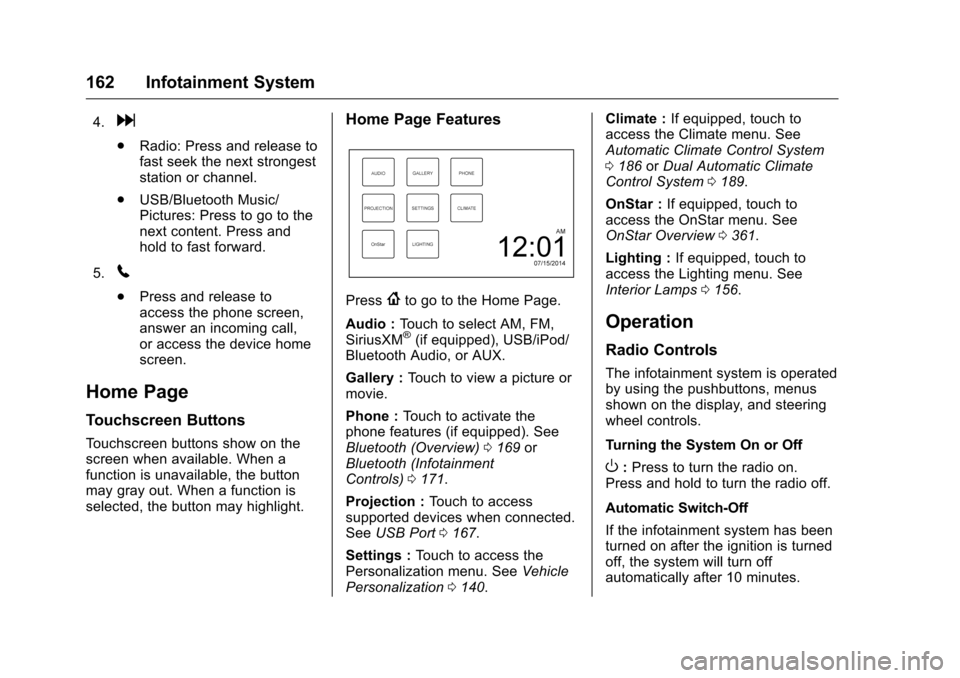
Home Page Features
Press{to go to the Home Page.
Audio : Touch to select AM, FM,
SiriusXM
®(if equipped), USB/iPod/
Bluetooth Audio, or AUX.
Gallery : Touch to view a picture or
movie.
Phone : Touch to activate the
phone features (if equipped). See
Bluetooth (Overview) 0169 or
Bluetooth (Infotainment
Controls) 0171.
Projection : Touch to access
supported devices when connected.
See USB Port 0167.
Settings : Touch to access the
Personalization menu. See Vehicle
Personalization 0140. Climate :
If equipped, touch to
access the Climate menu. See
Automatic Climate Control System
0 186 orDual Automatic Climate
Control System 0189.
OnStar : If equipped, touch to
access the OnStar menu. See
OnStar Overview 0361.
Lighting : If equipped, touch to
access the Lighting menu. See
Interior Lamps 0156.
Operation
Radio Controls
The infotainment system is operated
by using the pushbuttons, menus
shown on the display, and steering
wheel controls.
Turning the System On or Off
O:Press to turn the radio on.
Press and hold to turn the radio off.
Automatic Switch-Off
If the infotainment system has been
turned on after the ignition is turned
off, the system will turn off
automatically after 10 minutes.
Page 181 of 383
Chevrolet Camaro Owner Manual-Convertible (GMNA-Localizing-U.S./Cana-
da/Mexico-9702260) - 2016 - CRC - 10/28/15
180 Infotainment System
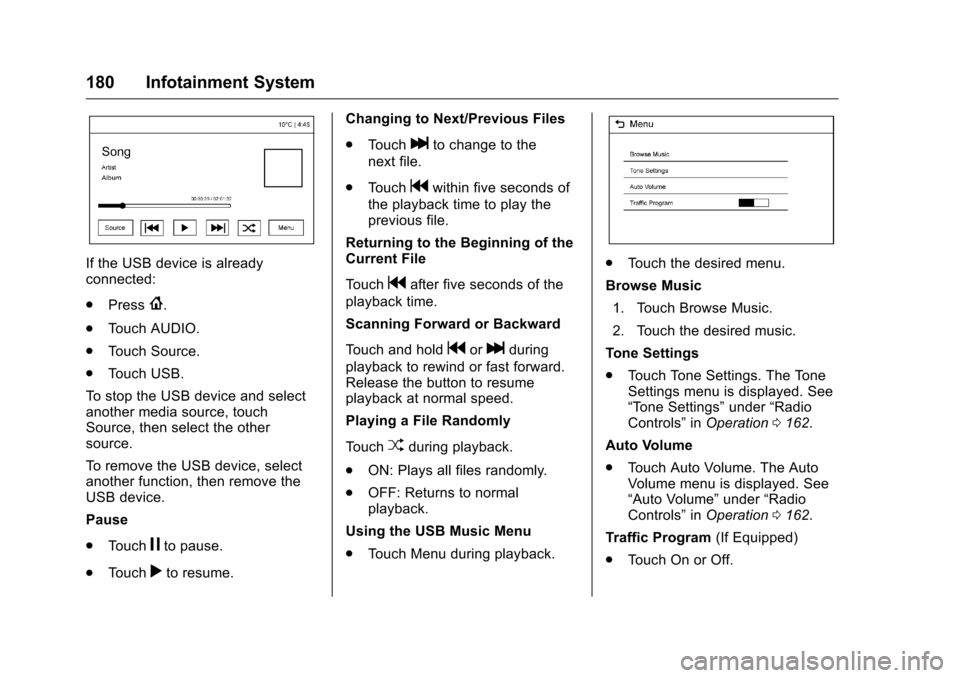
If the USB device is already
connected:
.Press
{.
. Touch AUDIO.
. Touch Source.
. Touch USB.
To stop the USB device and select
another media source, touch
Source, then select the other
source.
To remove the USB device, select
another function, then remove the
USB device.
Pause
. Touch
jto pause.
. Touch
rto resume. Changing to Next/Previous Files
.
Touch
lto change to the
next file.
. Touch
gwithin five seconds of
the playback time to play the
previous file.
Returning to the Beginning of the
Current File
Touch
gafter five seconds of the
playback time.
Scanning Forward or Backward
Touch and hold
gorlduring
playback to rewind or fast forward.
Release the button to resume
playback at normal speed.
Playing a File Randomly
Touch
Zduring playback.
. ON: Plays all files randomly.
. OFF: Returns to normal
playback.
Using the USB Music Menu
. Touch Menu during playback.
.Touch the desired menu.
Browse Music 1. Touch Browse Music.
2. Touch the desired music.
Tone Settings
. Touch Tone Settings. The Tone
Settings menu is displayed. See
“Tone Settings” under“Radio
Controls” inOperation 0162.
Auto Volume
. Touch Auto Volume. The Auto
Volume menu is displayed. See
“Auto Volume” under“Radio
Controls” inOperation 0162.
Traffic Program (If Equipped)
. Touch On or Off.
Page 183 of 383
Chevrolet Camaro Owner Manual-Convertible (GMNA-Localizing-U.S./Cana-
da/Mexico-9702260) - 2016 - CRC - 10/28/15
182 Infotainment System
Tone Settings
.Touch Tone Settings. The Tone
Settings menu is displayed. See
“Tone Settings” under“Radio
Controls” inOperation 0162.
Auto Volume
. Touch Auto Volume. The Auto
Volume menu is displayed. See
“Auto Volume” under“Radio
Controls” inOperation 0162.
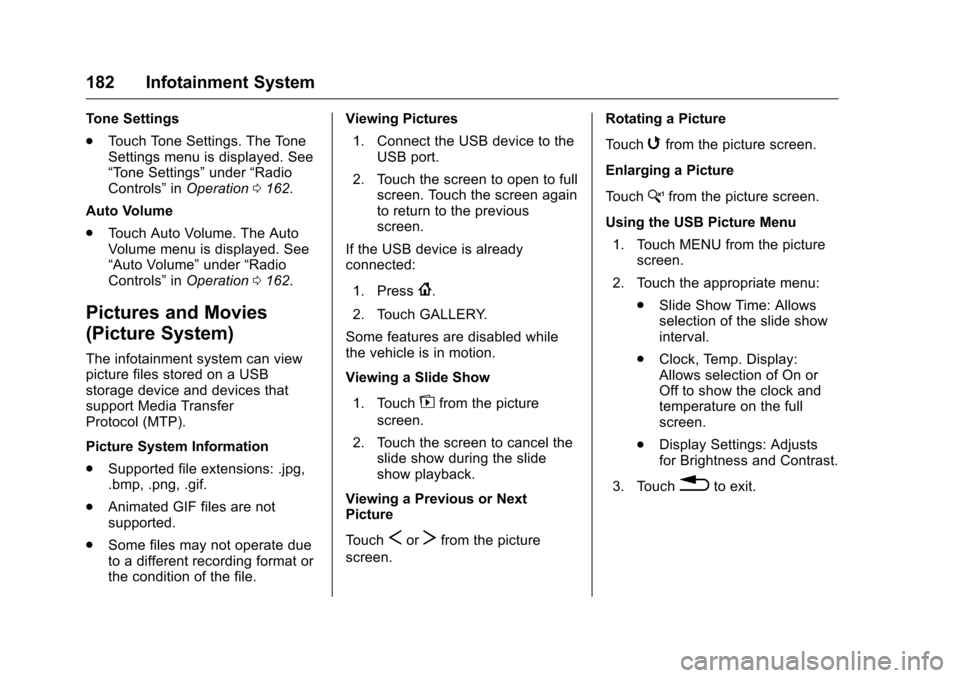
Pictures and Movies
(Picture System)
The infotainment system can view
picture files stored on a USB
storage device and devices that
support Media Transfer
Protocol (MTP).
Picture System Information
.
Supported file extensions: .jpg,
.bmp, .png, .gif.
. Animated GIF files are not
supported.
. Some files may not operate due
to a different recording format or
the condition of the file. Viewing Pictures
1. Connect the USB device to the USB port.
2. Touch the screen to open to full screen. Touch the screen again
to return to the previous
screen.
If the USB device is already
connected:
1. Press
{.
2. Touch GALLERY.
Some features are disabled while
the vehicle is in motion.
Viewing a Slide Show
1. Touch
zfrom the picture
screen.
2. Touch the screen to cancel the slide show during the slide
show playback.
Viewing a Previous or Next
Picture
Touch
SorTfrom the picture
screen. Rotating a Picture
Touch
wfrom the picture screen.
Enlarging a Picture
Touch
xfrom the picture screen.
Using the USB Picture Menu 1. Touch MENU from the picture screen.
2. Touch the appropriate menu: .Slide Show Time: Allows
selection of the slide show
interval.
. Clock, Temp. Display:
Allows selection of On or
Off to show the clock and
temperature on the full
screen.
. Display Settings: Adjusts
for Brightness and Contrast.
3. Touch
0to exit.
Page 285 of 383
Chevrolet Camaro Owner Manual-Convertible (GMNA-Localizing-U.S./Cana-
da/Mexico-9702260) - 2016 - CRC - 10/28/15
284 Vehicle Care
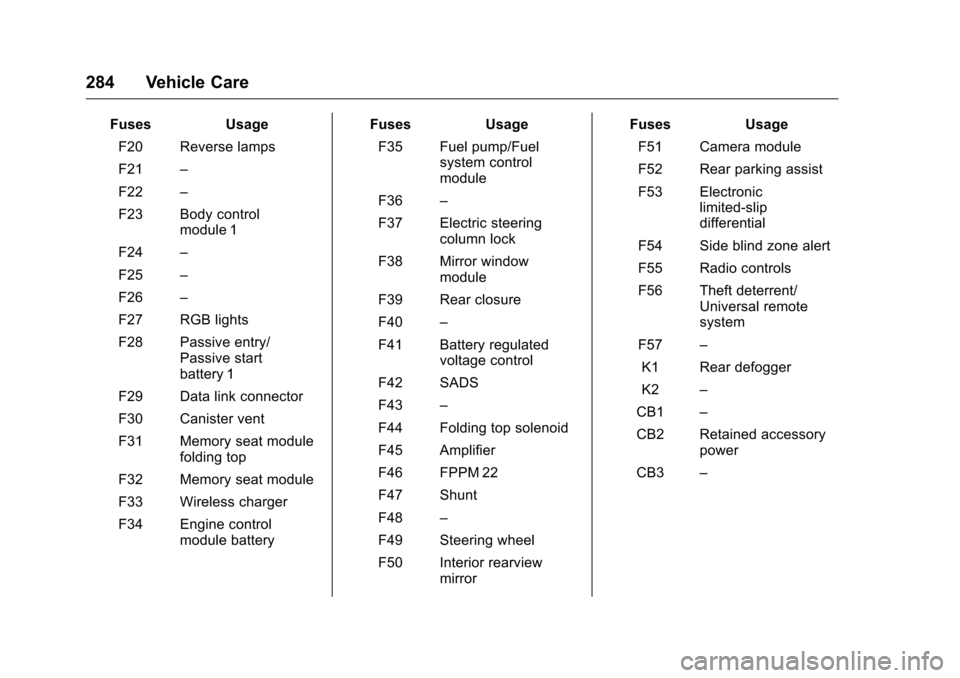
FusesUsage
F20 Reverse lamps
F21 –
F22 –
F23 Body control module 1
F24 –
F25 –
F26 –
F27 RGB lights
F28 Passive entry/ Passive start
battery 1
F29 Data link connector
F30 Canister vent
F31 Memory seat module folding top
F32 Memory seat module
F33 Wireless charger
F34 Engine control module battery Fuses
Usage
F35 Fuel pump/Fuel system control
module
F36 –
F37 Electric steering column lock
F38 Mirror window module
F39 Rear closure
F40 –
F41 Battery regulated voltage control
F42 SADS
F43 –
F44 Folding top solenoid
F45 Amplifier
F46 FPPM 22
F47 Shunt
F48 –
F49 Steering wheel
F50 Interior rearview mirror Fuses
Usage
F51 Camera module
F52 Rear parking assist
F53 Electronic limited-slip
differential
F54 Side blind zone alert
F55 Radio controls
F56 Theft deterrent/ Universal remote
system
F57 –
K1 Rear defogger
K2 –
CB1 –
CB2 Retained accessory power
CB3 –
Page 376 of 383
Chevrolet Camaro Owner Manual-Convertible (GMNA-Localizing-U.S./Cana-
da/Mexico-9702260) - 2016 - CRC - 10/28/15
Index 375
Driver Mode Control . . . . . . . . . . . . 228
DrivingCompetitive . . . . . . . . . . . . . . . . . . . 232
Defensive . . . . . . . . . . . . . . . . . . . . . 194
Drunk . . . . . . . . . . . . . . . . . . . . . . . . . 194
For Better Fuel Economy . . . . . . . 25
Hill and Mountain Roads . . . . . . 202
If the Vehicle is Stuck . . . . . . . . . 204
Loss of Control . . . . . . . . . . . . . . . 196
Off-Road Recovery . . . . . . . . . . . 196
Track Events andCompetitive . . . . . . . . . . . . . . . . . 197
Vehicle Load Limits . . . . . . . . . . . 204
Wet Roads . . . . . . . . . . . . . . . . . . . 201
Winter . . . . . . . . . . . . . . . . . . . . . . . . 202
Dual Automatic Climate
Control System . . . . . . . . . . . . . . . . 189
E
Electric Parking Brake . . . . . . . . . . 224
Electric Parking Brake Light . . . . 120
Electrical Equipment,Add-On . . . . . . . . . . . . . . . . . . . . . . . 246
Electrical System Engine Compartment FuseBlock . . . . . . . . . . . . . . . . . . . . . . . . 279
Fuses and Circuit Breakers . . . 279
Overload . . . . . . . . . . . . . . . . . . . . . 278 Electrical System (cont'd)
Rear Compartment Fuse
Block . . . . . . . . . . . . . . . . . . . . . . . . 282
Emergency
OnStar
®. . . . . . . . . . . . . . . . . . . . . . 363
Engine Air Cleaner/Filter . . . . . . . . . . . . . 261
Check and Service EngineSoon Light . . . . . . . . . . . . . . . . . . .118
Compartment Overview . . . . . . . 252
Coolant . . . . . . . . . . . . . . . . . . . . . . . 264
Coolant Temperature Gauge . . . . . . . . . . . . . . . . . . . . . . .114
Cooling System . . . . . . . . . . . . . . . 263
Cooling System Messages . . . 134
Drive Belt Routing . . . . . . . . . . . . 346
Exhaust . . . . . . . . . . . . . . . . . . . . . . 215
Heater . . . . . . . . . . . . . . . . . . . . . . . . 212
Oil Life System . . . . . . . . . . . . . . . 259
Oil Messages . . . . . . . . . . . . . . . . . 134
Oil Pressure Gauge . . . . . . . . . . .113
Oil Pressure Light . . . . . . . . . . . . 122
Overheating . . . . . . . . . . . . . . . . . . 267
Power Messages . . . . . . . . . . . . . 134
Running While Parked . . . . . . . . 216
Starting . . . . . . . . . . . . . . . . . . . . . . . 210
Entry Lighting . . . . . . . . . . . . . . . . . . . 157
Event Data Recorders . . . . . . . . . . 359 Exit Lighting . . . . . . . . . . . . . . . . . . . . 157
Extender, Safety Belt . . . . . . . . . . . . 64
Exterior Lamp Controls . . . . . . . . . 153
Exterior Lighting Battery
Saver . . . . . . . . . . . . . . . . . . . . . . . . . 158
F
FeaturesMemory . . . . . . . . . . . . . . . . . . . . . . . . . 11
Filter, Engine Air Cleaner . . . . . . . . . . . 261
Flash-to-Pass . . . . . . . . . . . . . . . . . . . 154
Flashers, Hazard Warning . . . . . . 155
Flat Tire . . . . . . . . . . . . . . . . . . . . . . . . 305
Floor Mats . . . . . . . . . . . . . . . . . . . . . . 326
Fluid Automatic Transmission . . . . . . 260
Brakes . . . . . . . . . . . . . . . . . . . . . . . . 270
Washer . . . . . . . . . . . . . . . . . . . . . . . 269
Frequency Statement Radio . . . . . . . . . . . . . . . . . . . . . . . . . 357
Front Seats Heated and Ventilated . . . . . . . . . . 57
Front Turn Signal Lamps . . . . . . . 276
Fuel . . . . . . . . . . . . . . . . . . . . . . . . . . . . 242 Additives . . . . . . . . . . . . . . . . . . . . . 243
Economy Driving . . . . . . . . . . . . . . . 25
Filling a Portable Fuel
Container . . . . . . . . . . . . . . . . . . . 245