windshield CHEVROLET CAMARO 2017 6.G User Guide
[x] Cancel search | Manufacturer: CHEVROLET, Model Year: 2017, Model line: CAMARO, Model: CHEVROLET CAMARO 2017 6.GPages: 391, PDF Size: 6.65 MB
Page 132 of 391
Chevrolet Camaro Owner Manual (GMNA-Localizing-U.S./Canada/Mexico-
9804281) - 2017 - crc - 4/25/16
Instruments and Controls 131
If equipped with HUD, some
information concerning the
operation of the vehicle is projected
onto the windshield.
The HUD information appears as an
image focused out toward the front
of the vehicle.
Caution
If you try to use the HUD image
as a parking aid, you may
misjudge the distance and
damage your vehicle. Do not use
the HUD image as a parking aid.
The HUD information can be
displayed in various languages. The
speedometer reading and other
numerical values can be displayed
in either English or metric units.
The language of the HUD
information displayed can be
changed. The speedometer reading
and other numerical values can be
displayed in either English or metric
units. The language selection is changed
through the radio and the units of
measurement is changed through
the instrument cluster. See
Vehicle
Personalization 0144 and“Options
or Settings” underInstrument
Cluster 0110.
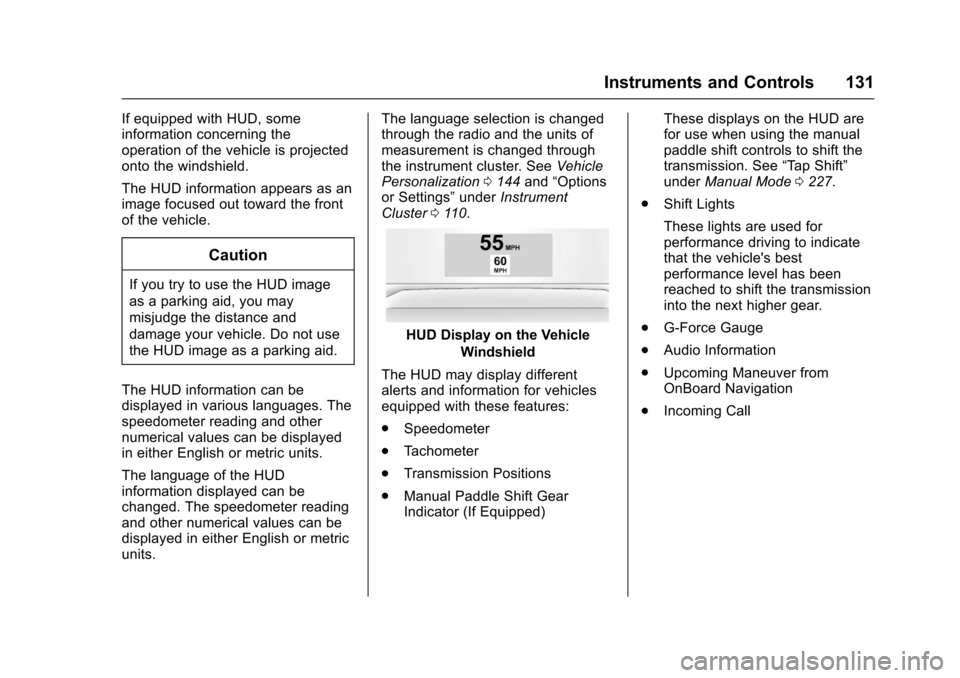
HUD Display on the Vehicle
Windshield
The HUD may display different
alerts and information for vehicles
equipped with these features:
. Speedometer
. Tachometer
. Transmission Positions
. Manual Paddle Shift Gear
Indicator (If Equipped) These displays on the HUD are
for use when using the manual
paddle shift controls to shift the
transmission. See
“Tap Shift”
under Manual Mode 0227.
. Shift Lights
These lights are used for
performance driving to indicate
that the vehicle's best
performance level has been
reached to shift the transmission
into the next higher gear.
. G-Force Gauge
. Audio Information
. Upcoming Maneuver from
OnBoard Navigation
. Incoming Call
Page 135 of 391
Chevrolet Camaro Owner Manual (GMNA-Localizing-U.S./Canada/Mexico-
9804281) - 2017 - crc - 4/25/16
134 Instruments and Controls
All formats, except the Performance
View, will show Turn-by-Turn
Navigation information and provide
details about the next driving
maneuver to be made.
Care of the HUD
Clean the inside of the windshield
as needed to remove any dirt or film
that could reduce the sharpness or
clarity of the HUD image.
Clean the HUD lens with a soft cloth
sprayed with glass cleaner. Wipe
the lens gently, then dry it.
HUD Troubleshooting
Check that:
.Nothing Is covering the
HUD lens.
. HUD brightness is not too dim or
too bright.
. HUD is adjusted to the proper
height.
. Polarized sunglasses are
not worn.
. Windshield and HUD lens are
clean.
If the HUD image is not correct,
contact your dealer.
The windshield is part of the HUD
system. See Windshield
Replacement 0282.
Vehicle Messages
Messages displayed on the DIC
indicate the status of the vehicle or
some action that may be needed to
correct a condition. Multiple
messages may display one after the
other.
The messages that do not require
immediate action can be
acknowledged and cleared by
pressing SEL. The messages that
require immediate action cannot be
cleared until that action is
performed. All messages should be
taken seriously and clearing the
messages does not correct the
problem.
The following are some of the
vehicle messages that may be
displayed depending on the vehicle
content.
See the High Performance
supplement for more information.
Page 144 of 391
Chevrolet Camaro Owner Manual (GMNA-Localizing-U.S./Canada/Mexico-
9804281) - 2017 - crc - 4/25/16
Instruments and Controls 143
SHIFT DENIED
This message displays when
attempting to shift to a gear not
appropriate for the vehicle speed
and engine revolutions per
minute (rpm).
SHIFT TO PARK
This message displays when the
transmission needs to be shifted to
P (Park). This may appear when
attempting to remove the key from
the vehicle if the vehicle is not in
P (Park).
TRANSMISSION HOT—IDLE
ENGINE
This message displays and a chime
sounds if the transmission fluid in
the vehicle gets hot. Driving with the
automatic transmission fluid
temperature high can cause
damage to the vehicle. Stop the
vehicle and let it idle to allow the
transmission to cool. This message
clears when the fluid temperature
reaches a safe level. If this message is displayed during
normal vehicle operation on flat
roads, the vehicle may need
service. See your dealer for an
inspection.
TRANSMISSION HOT
—
SLOW DOWN
This message displays and a chime
sounds if the manual transmission
fluid is hot and if the vehicle speed
is high. Driving with the manual
transmission fluid temperature high
can cause damage to the vehicle.
Drive at a slower speed to cool the
manual transmission fluid. This
message clears when the vehicle
has slowed sufficiently or if the
manual transmission fluid has
cooled sufficiently.
Vehicle Reminder
Messages
ICE POSSIBLE DRIVE
WITH CARE
This message is displayed when ice
conditions are possible.
TURN WIPER CONTROL TO
INTERMITTENT FIRST
This message is displayed when
attempting to adjust the intermittent
wiper speed without intermittent
selected on the wiper control. See
Windshield Wiper/Washer 0104.
Vehicle Speed Messages
SPEED LIMIT EXCEEDED
This message is displayed when the
vehicle speed is greater than the
speed warning speed. See "Speed
Warning" under Instrument
Cluster 0110.
SPEED LIMIT SET TO XXX
This message is displayed when the
speed warning is set. See "Speed
Warning" under Instrument
Cluster 0110.
Page 158 of 391
Chevrolet Camaro Owner Manual (GMNA-Localizing-U.S./Canada/Mexico-
9804281) - 2017 - crc - 4/25/16
Lighting 157
The vehicle has a light sensor on
the top of the instrument panel. Do
not cover this sensor, otherwise the
system will come on whenever the
ignition is on.
The system may also turn on the
headlamps when driving through a
parking garage, heavy overcast
weather, or a tunnel. This is normal.
There is a delay in the transition
between the daytime and nighttime
operation of the Daytime Running
Lamps (DRL) and the automatic
headlamp system so that driving
under bridges or bright overhead
street lights does not affect the
system. The DRL and automatic
headlamp system will only be
affected when the light sensor sees
a change in lighting lasting longer
than the delay.
If the vehicle is started in a dark
garage, the automatic headlamp
system comes on immediately. If it
is light outside when the vehicle
leaves the garage, there will be a
slight delay before the automatic
headlamp system changes to the
DRL. During that delay, theinstrument cluster may not be as
bright as usual. Make sure the
instrument panel brightness control
is in the full bright position. See
Instrument Panel Illumination
Control
0158.
Lights On with Wipers
If the windshield wipers are
activated in daylight with the engine
on, and the exterior lamp control is
in AUTO, the headlamps, parking
lamps, and other exterior lamps
come on. The transition time for the
lamps coming on varies based on
wiper speed. When the wipers are
not operating, these lamps turn off.
Move the exterior lamp control to
P
or;to disable this feature.
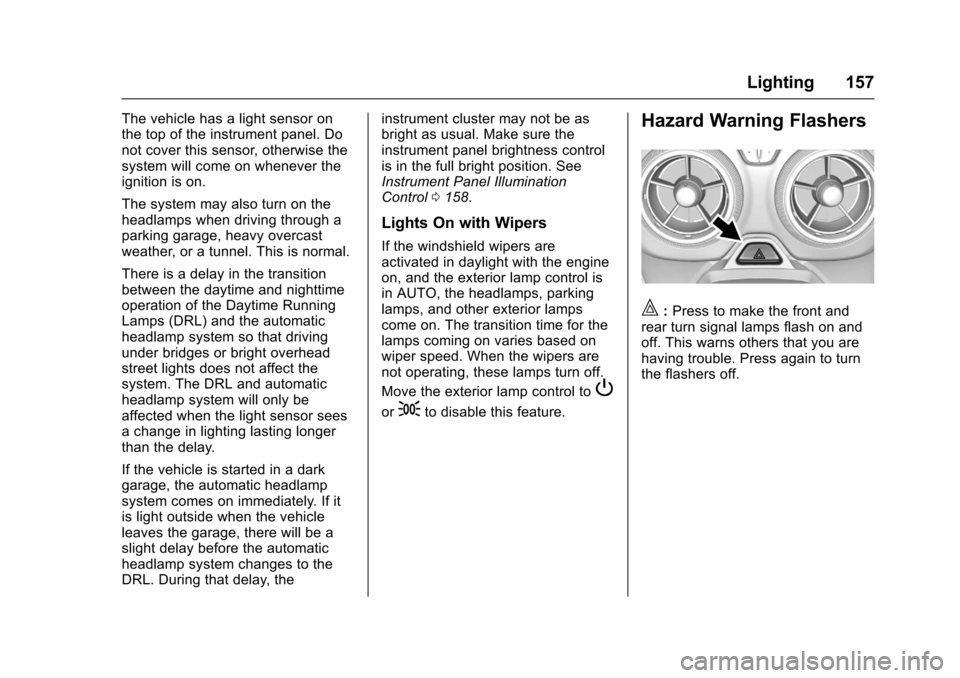
Hazard Warning Flashers
|:Press to make the front and
rear turn signal lamps flash on and
off. This warns others that you are
having trouble. Press again to turn
the flashers off.
Page 195 of 391
Chevrolet Camaro Owner Manual (GMNA-Localizing-U.S./Canada/Mexico-
9804281) - 2017 - crc - 4/25/16
194 Climate Controls
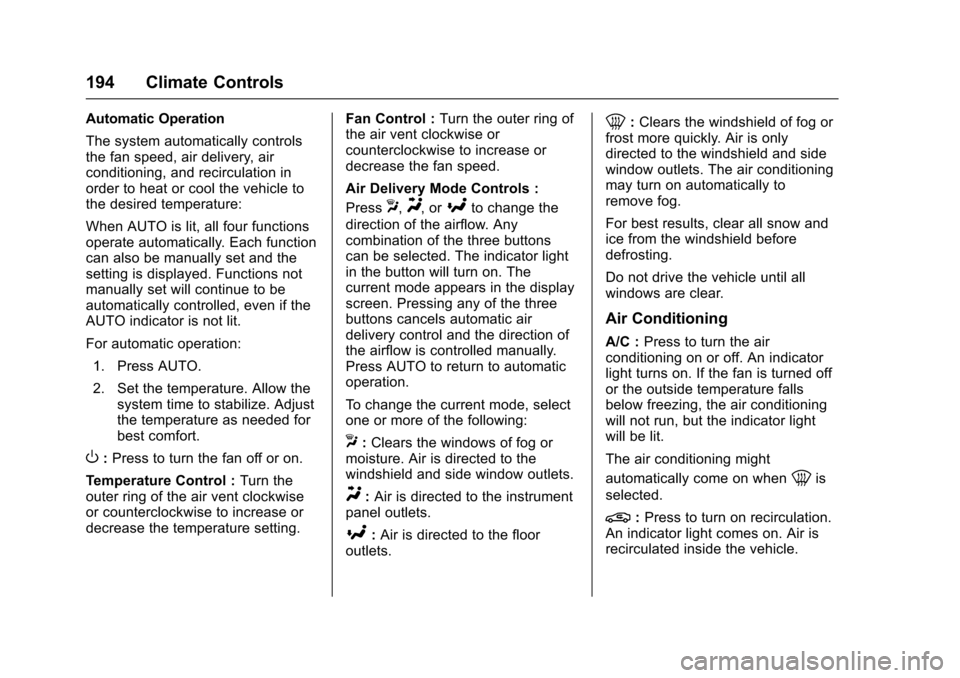
Automatic Operation
The system automatically controls
the fan speed, air delivery, air
conditioning, and recirculation in
order to heat or cool the vehicle to
the desired temperature:
When AUTO is lit, all four functions
operate automatically. Each function
can also be manually set and the
setting is displayed. Functions not
manually set will continue to be
automatically controlled, even if the
AUTO indicator is not lit.
For automatic operation:1. Press AUTO.
2. Set the temperature. Allow the system time to stabilize. Adjust
the temperature as needed for
best comfort.
O:Press to turn the fan off or on.
Temperature Control : Turn the
outer ring of the air vent clockwise
or counterclockwise to increase or
decrease the temperature setting. Fan Control :
Turn the outer ring of
the air vent clockwise or
counterclockwise to increase or
decrease the fan speed.
Air Delivery Mode Controls :
Press
X,Y, or[to change the
direction of the airflow. Any
combination of the three buttons
can be selected. The indicator light
in the button will turn on. The
current mode appears in the display
screen. Pressing any of the three
buttons cancels automatic air
delivery control and the direction of
the airflow is controlled manually.
Press AUTO to return to automatic
operation.
To change the current mode, select
one or more of the following:
X: Clears the windows of fog or
moisture. Air is directed to the
windshield and side window outlets.
Y: Air is directed to the instrument
panel outlets.
[: Air is directed to the floor
outlets.
0: Clears the windshield of fog or
frost more quickly. Air is only
directed to the windshield and side
window outlets. The air conditioning
may turn on automatically to
remove fog.
For best results, clear all snow and
ice from the windshield before
defrosting.
Do not drive the vehicle until all
windows are clear.
Air Conditioning
A/C : Press to turn the air
conditioning on or off. An indicator
light turns on. If the fan is turned off
or the outside temperature falls
below freezing, the air conditioning
will not run, but the indicator light
will be lit.
The air conditioning might
automatically come on when
0is
selected.
@: Press to turn on recirculation.
An indicator light comes on. Air is
recirculated inside the vehicle.
Page 198 of 391
Chevrolet Camaro Owner Manual (GMNA-Localizing-U.S./Canada/Mexico-
9804281) - 2017 - crc - 4/25/16
Climate Controls 197
decrease the driver or passenger
temperature setting. The setting will
appear on the temperature display.
SYNC :Press to link the passenger
climate temperature settings to the
driver setting. The SYNC indicator
light will turn on. When the
passenger settings are adjusted, the
SYNC indicator light turns off.
Manual Operation
O: Press to turn the fan off or on.
hori:Press to increase or
decrease the fan speed.
Air Delivery Mode Controls :
Press
X,Y, or[to change the
direction of the airflow. Any
combination of the three buttons
can be selected. The indicator light
in the button will turn on. The
current mode appears in the display
screen. Pressing any of the three
buttons cancels automatic air
delivery control and the direction of
the airflow is controlled manually.
Press AUTO to return to automatic
operation. To change the current mode, select
one or more of the following:
X:
Clears the windows of fog or
moisture. Air is directed to the
windshield and side window outlets.
Y: Air is directed to the instrument
panel outlets.
[: Air is directed to the floor
outlets.
0: Clears the windshield of fog or
frost more quickly. Air is only
directed to the windshield and side
window outlets. The air conditioning
may turn on automatically to
remove fog.
For best results, clear all snow and
ice from the windshield before
defrosting.
Do not drive the vehicle until all
windows are clear.
Air Conditioning
A/C : Press to turn the air
conditioning on or off. An indicator
light turns on. If the fan is turned off
or the outside temperature falls below freezing, the air conditioning
will not run, but the indicator light
will be lit.
The air conditioning might
automatically come on when
0is
selected.
@: Press to turn on recirculation.
An indicator light comes on. Air is
recirculated inside the vehicle.
It helps to quickly cool the air inside
the vehicle or reduce the outside air
and odors that may enter.
Operation in the recirculation mode
while the air conditioner is off
increases humidity and may cause
the windows to fog.
Recirculation is not available in the
defrost or defog modes.
To improve fuel efficiency and to
cool the vehicle faster, recirculation
may be automatically selected in
warm weather. The recirculation
light will not come on. Press
@to
select recirculation; press it again to
select outside air.
Page 200 of 391
Chevrolet Camaro Owner Manual (GMNA-Localizing-U.S./Canada/Mexico-
9804281) - 2017 - crc - 4/25/16
Climate Controls 199
Air Vents
Use the air outlets in the center and
on the side of the instrument panel
to direct the airflow. Use the center
knobs on the air outlets to open or
close off the airflow.
Operation Tips
.In defog or defrost mode, warm
air flows from side air outlets. To
improve side window defogging
or defrosting, direct side air
outlets toward the side windows.
. Clear away any ice, snow,
or leaves from air inlets at the
base of the windshield that could
block the flow of air into the
vehicle.
. Keep the path under the front
seats clear of objects to help
circulate the air inside of the
vehicle more effectively.
. Use of non-GM approved hood
deflectors can adversely affect
the performance of the system.
Check with your dealer before
adding equipment to the outside
of the vehicle.
Maintenance
Passenger Compartment
Air Filter
The passenger compartment air
filter reduces dust, pollen, and other
airborne irritants from outside air
that is pulled into the vehicle. The
filter will need to be replaced
periodically. See Maintenance
Schedule 0336.
Using the climate control system
without an air filter installed is not
recommended. Water or other
debris could enter the system and
result in leaks or noises. Always
install a new filter when removing
the old filter.
For more information on filter
replacement, see your dealer.
Service
All vehicles have a label underhood
that identifies the refrigerant used in
the vehicle. The refrigerant system
should only be serviced by trained
and certified technicians. The air
conditioning evaporator should never be repaired or replaced by
one from a salvage vehicle.
It should only be replaced by a new
evaporator to ensure proper and
safe operation.
During service, all refrigerants
should be reclaimed with proper
equipment. Venting refrigerants
directly to the atmosphere is harmful
to the environment and may also
create unsafe conditions based on
inhalation, combustion, frostbite,
or other health-based concerns.
Page 210 of 391
Chevrolet Camaro Owner Manual (GMNA-Localizing-U.S./Canada/Mexico-
9804281) - 2017 - crc - 4/25/16
Driving and Operating 209
{Warning
Wet brakes can cause crashes.
They might not work as well in a
quick stop and could cause
pulling to one side. You could
lose control of the vehicle.
After driving through a large
puddle of water or a car/vehicle
wash, lightly apply the brake
pedal until the brakes work
normally.
Flowing or rushing water creates
strong forces. Driving through
flowing water could cause the
vehicle to be carried away. If this
happens, you and other vehicle
occupants could drown. Do not
ignore police warnings and be
very cautious about trying to drive
through flowing water.
Hydroplaning
Hydroplaning is dangerous. Water
can build up under the vehicle's
tires so they actually ride on the
water. This can happen if the road is
wet enough and you are going fast
enough. When the vehicle is
hydroplaning, it has little or no
contact with the road.
There is no hard and fast rule about
hydroplaning. The best advice is to
slow down when the road is wet.
Other Rainy Weather Tips
Besides slowing down, other wet
weather driving tips include:
.Allow extra following distance.
. Pass with caution.
. Keep windshield wiping
equipment in good shape.
. Keep the windshield washer fluid
reservoir filled.
. Have good tires with proper
tread depth. See Tires0292.
. Turn off cruise control.
Hill and Mountain Roads
Driving on steep hills or through
mountains is different than driving
on flat or rolling terrain. Tips include:
.Keep the vehicle serviced and in
good shape.
. Check all fluid levels and brakes,
tires, cooling system, and
transmission.
. Shift to a lower gear when going
down steep or long hills.
{Warning
Using the brakes to slow the
vehicle on a long downhill slope
can cause brake overheating, can
reduce brake performance, and
could result in a loss of braking.
Shift the transmission to a lower
gear to let the engine assist the
brakes on a steep downhill slope.
Page 256 of 391
Chevrolet Camaro Owner Manual (GMNA-Localizing-U.S./Canada/Mexico-
9804281) - 2017 - crc - 4/25/16
Vehicle Care 255
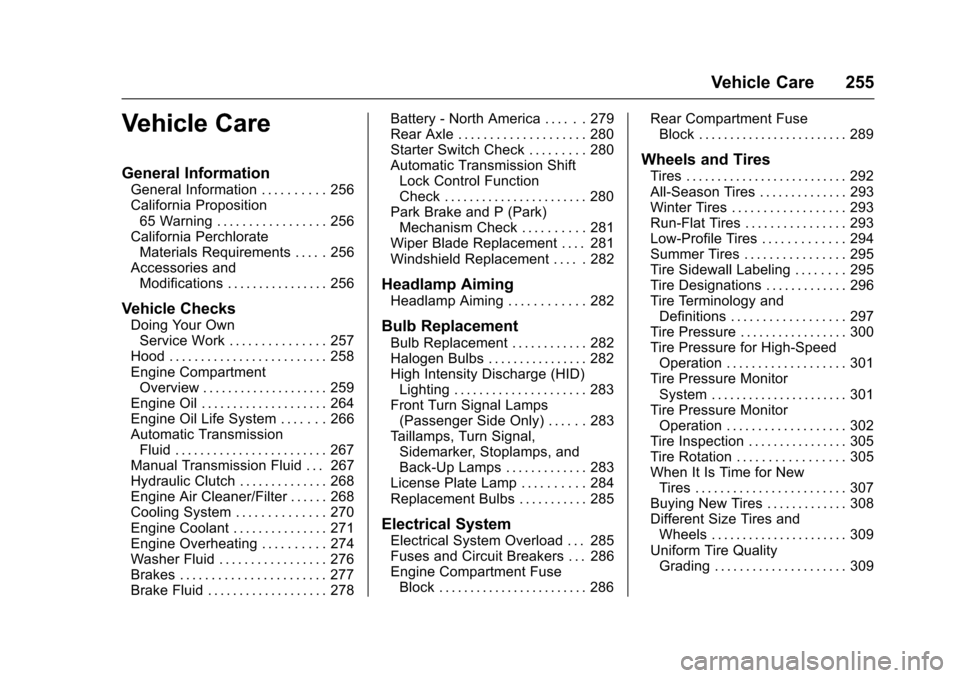
Vehicle Care
General Information
General Information . . . . . . . . . . 256
California Proposition65 Warning . . . . . . . . . . . . . . . . . 256
California Perchlorate Materials Requirements . . . . . 256
Accessories and Modifications . . . . . . . . . . . . . . . . 256
Vehicle Checks
Doing Your OwnService Work . . . . . . . . . . . . . . . 257
Hood . . . . . . . . . . . . . . . . . . . . . . . . . 258
Engine Compartment Overview . . . . . . . . . . . . . . . . . . . . 259
Engine Oil . . . . . . . . . . . . . . . . . . . . 264
Engine Oil Life System . . . . . . . 266
Automatic Transmission Fluid . . . . . . . . . . . . . . . . . . . . . . . . 267
Manual Transmission Fluid . . . 267
Hydraulic Clutch . . . . . . . . . . . . . . 268
Engine Air Cleaner/Filter . . . . . . 268
Cooling System . . . . . . . . . . . . . . 270
Engine Coolant . . . . . . . . . . . . . . . 271
Engine Overheating . . . . . . . . . . 274
Washer Fluid . . . . . . . . . . . . . . . . . 276
Brakes . . . . . . . . . . . . . . . . . . . . . . . 277
Brake Fluid . . . . . . . . . . . . . . . . . . . 278 Battery - North America . . . . . . 279
Rear Axle . . . . . . . . . . . . . . . . . . . . 280
Starter Switch Check . . . . . . . . . 280
Automatic Transmission Shift
Lock Control Function
Check . . . . . . . . . . . . . . . . . . . . . . . 280
Park Brake and P (Park) Mechanism Check . . . . . . . . . . 281
Wiper Blade Replacement . . . . 281
Windshield Replacement . . . . . 282
Headlamp Aiming
Headlamp Aiming . . . . . . . . . . . . 282
Bulb Replacement
Bulb Replacement . . . . . . . . . . . . 282
Halogen Bulbs . . . . . . . . . . . . . . . . 282
High Intensity Discharge (HID) Lighting . . . . . . . . . . . . . . . . . . . . . 283
Front Turn Signal Lamps (Passenger Side Only) . . . . . . 283
Taillamps, Turn Signal, Sidemarker, Stoplamps, and
Back-Up Lamps . . . . . . . . . . . . . 283
License Plate Lamp . . . . . . . . . . 284
Replacement Bulbs . . . . . . . . . . . 285
Electrical System
Electrical System Overload . . . 285
Fuses and Circuit Breakers . . . 286
Engine Compartment Fuse Block . . . . . . . . . . . . . . . . . . . . . . . . 286 Rear Compartment Fuse
Block . . . . . . . . . . . . . . . . . . . . . . . . 289
Wheels and Tires
Tires . . . . . . . . . . . . . . . . . . . . . . . . . . 292
All-Season Tires . . . . . . . . . . . . . . 293
Winter Tires . . . . . . . . . . . . . . . . . . 293
Run-Flat Tires . . . . . . . . . . . . . . . . 293
Low-Profile Tires . . . . . . . . . . . . . 294
Summer Tires . . . . . . . . . . . . . . . . 295
Tire Sidewall Labeling . . . . . . . . 295
Tire Designations . . . . . . . . . . . . . 296
Tire Terminology andDefinitions . . . . . . . . . . . . . . . . . . 297
Tire Pressure . . . . . . . . . . . . . . . . . 300
Tire Pressure for High-Speed Operation . . . . . . . . . . . . . . . . . . . 301
Tire Pressure Monitor System . . . . . . . . . . . . . . . . . . . . . . 301
Tire Pressure Monitor Operation . . . . . . . . . . . . . . . . . . . 302
Tire Inspection . . . . . . . . . . . . . . . . 305
Tire Rotation . . . . . . . . . . . . . . . . . 305
When It Is Time for New Tires . . . . . . . . . . . . . . . . . . . . . . . . 307
Buying New Tires . . . . . . . . . . . . . 308
Different Size Tires and Wheels . . . . . . . . . . . . . . . . . . . . . . 309
Uniform Tire Quality Grading . . . . . . . . . . . . . . . . . . . . . 309
Page 261 of 391

Chevrolet Camaro Owner Manual (GMNA-Localizing-U.S./Canada/Mexico-
9804281) - 2017 - crc - 4/25/16
260 Vehicle Care
1. Windshield Washer FluidReservoir. See Washer
Fluid 0276.
2. Engine Coolant Surge Tank and Pressure Cap. See
Cooling System 0270.
3. Engine Oil Fill Cap. See Engine Oil 0264.
4. Engine Oil Dipstick. See Engine Oil 0264.
5. Brake/Clutch Fluid Reservoir. See Brake Fluid 0278 and
Hydraulic Clutch 0268.
6. Engine Air Cleaner/Filter 0268.
7. Engine Cooling Fan (Out of View). See Cooling
System 0270.
8. Engine Compartment Fuse
Block 0286.
9. Negative (–) Battery Terminal. See Jump Starting - North
America 0320.
10. Positive (+) Battery Terminal. SeeJump Starting - North
America 0320.