wheel CHEVROLET CAMARO 2017 6.G Workshop Manual
[x] Cancel search | Manufacturer: CHEVROLET, Model Year: 2017, Model line: CAMARO, Model: CHEVROLET CAMARO 2017 6.GPages: 391, PDF Size: 6.65 MB
Page 232 of 391
Chevrolet Camaro Owner Manual (GMNA-Localizing-U.S./Canada/Mexico-
9804281) - 2017 - crc - 4/25/16
Driving and Operating 231
the lights come together in the
display. Shift immediately if the
lights are flashing.
SeeHead-Up Display (HUD) 0130.
Active Rev Match
Vehicles equipped with a V8 engine
and a manual transmission have
Active Rev Match (ARM). ARM aids
in smoother shifting by matching the
engine speed to the next selected
gear. By monitoring shift lever and
clutch operation, ARM adjusts
engine speed to match a calibrated
value based on gear selection. On
upshifts and downshifts, engine
speed will be decreased and
increased to match vehicle road
speed and transmission gear
position. ARM is maintained for a
few seconds between shifts, then
deactivates if the shift is not
completed.
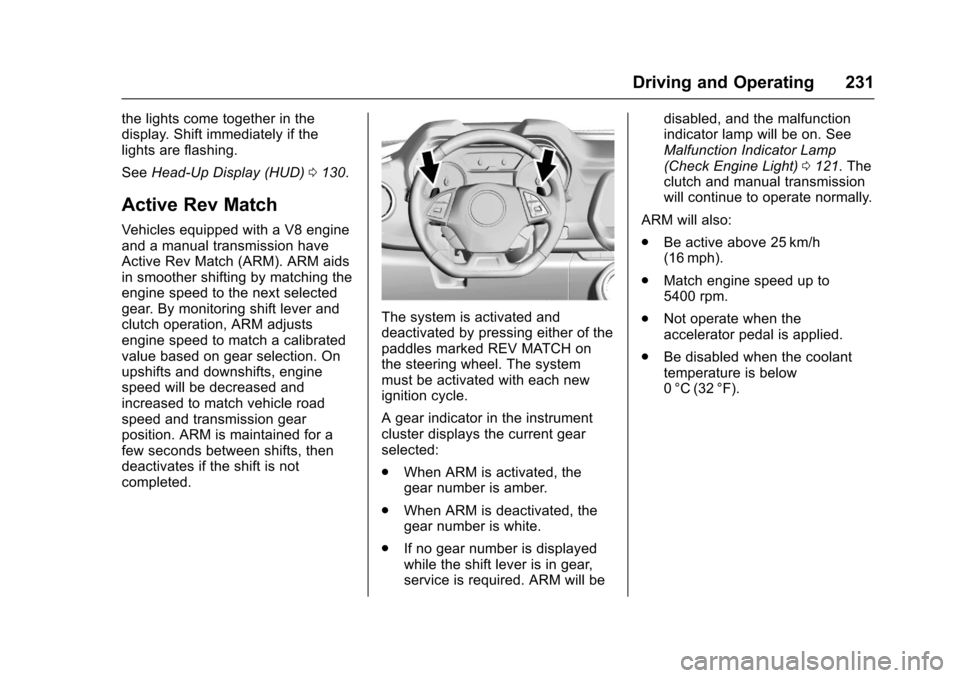
The system is activated and
deactivated by pressing either of the
paddles marked REV MATCH on
the steering wheel. The system
must be activated with each new
ignition cycle.
A gear indicator in the instrument
cluster displays the current gear
selected:
.
When ARM is activated, the
gear number is amber.
. When ARM is deactivated, the
gear number is white.
. If no gear number is displayed
while the shift lever is in gear,
service is required. ARM will be disabled, and the malfunction
indicator lamp will be on. See
Malfunction Indicator Lamp
(Check Engine Light)
0121. The
clutch and manual transmission
will continue to operate normally.
ARM will also:
. Be active above 25 km/h
(16 mph).
. Match engine speed up to
5400 rpm.
. Not operate when the
accelerator pedal is applied.
. Be disabled when the coolant
temperature is below
0 °C (32 °F).
Page 233 of 391
Chevrolet Camaro Owner Manual (GMNA-Localizing-U.S./Canada/Mexico-
9804281) - 2017 - crc - 4/25/16
232 Driving and Operating
Brakes
Antilock Brake
System (ABS)
This vehicle has an Antilock Brake
System (ABS), an advanced
electronic braking system that helps
prevent a braking skid.
When the vehicle begins to drive
away, ABS checks itself.
A momentary motor or clicking noise
may be heard while this test is going
on, and it may even be noticed that
the brake pedal moves a little. This
is normal.
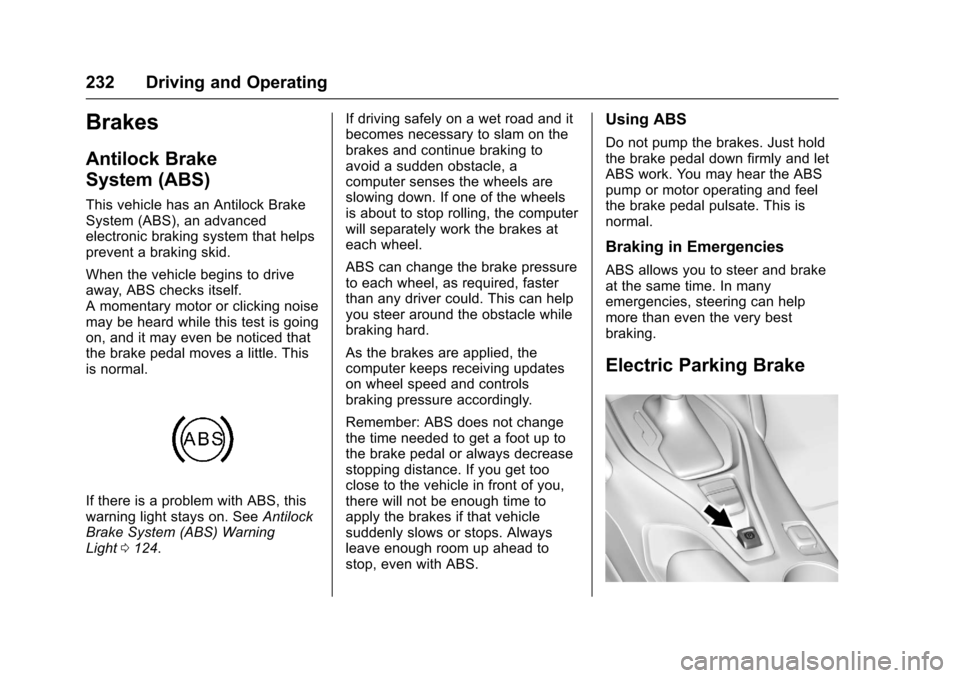
If there is a problem with ABS, this
warning light stays on. SeeAntilock
Brake System (ABS) Warning
Light 0124. If driving safely on a wet road and it
becomes necessary to slam on the
brakes and continue braking to
avoid a sudden obstacle, a
computer senses the wheels are
slowing down. If one of the wheels
is about to stop rolling, the computer
will separately work the brakes at
each wheel.
ABS can change the brake pressure
to each wheel, as required, faster
than any driver could. This can help
you steer around the obstacle while
braking hard.
As the brakes are applied, the
computer keeps receiving updates
on wheel speed and controls
braking pressure accordingly.
Remember: ABS does not change
the time needed to get a foot up to
the brake pedal or always decrease
stopping distance. If you get too
close to the vehicle in front of you,
there will not be enough time to
apply the brakes if that vehicle
suddenly slows or stops. Always
leave enough room up ahead to
stop, even with ABS.
Using ABS
Do not pump the brakes. Just hold
the brake pedal down firmly and let
ABS work. You may hear the ABS
pump or motor operating and feel
the brake pedal pulsate. This is
normal.
Braking in Emergencies
ABS allows you to steer and brake
at the same time. In many
emergencies, steering can help
more than even the very best
braking.
Electric Parking Brake
Page 234 of 391
Chevrolet Camaro Owner Manual (GMNA-Localizing-U.S./Canada/Mexico-
9804281) - 2017 - crc - 4/25/16
Driving and Operating 233
The vehicle has an Electric Parking
Brake (EPB). The switch is on the
center console. The EPB can
always be activated, even if the
ignition is off. To prevent draining
the battery, avoid repeated cycles of
the EPB when the engine is not
running.
The system has a red parking brake
status light and an amber parking
brake warning light. SeeElectric
Parking Brake Light 0123 and
Service Electric Parking Brake Light
0 124. There are also parking
brake-related Driver Information
Center (DIC) messages. See Brake
System Messages 0135. In case of
insufficient electrical power, the EPB
cannot be applied or released.
Before leaving the vehicle, check
the red parking brake status light to
ensure that the parking brake is
applied.
EPB Apply
To apply the EPB:
1. Be sure the vehicle is at a complete stop. 2. Lift up the EPB switch
momentarily.
The red parking brake status light
will flash and then stay on once the
EPB is fully applied. If the red
parking brake status light flashes
continuously, then the EPB is only
partially applied or there is a
problem with the EPB. A DIC
message will display. Release the
EPB and try to apply it again. If the
light does not come on, or keeps
flashing, have the vehicle serviced.
Do not drive the vehicle if the red
parking brake status light is flashing.
See your dealer. See Electric
Parking Brake Light 0123.
If the amber parking brake warning
light is on, lift up on the EPB switch
and hold it up. Continue to hold the
switch until the red parking brake
status light remains on. If the amber
parking brake warning light remains
on, see your dealer.
If the EPB is applied while the
vehicle is moving, the vehicle will
decelerate as long as the switch is held up. If the switch is held up until
the vehicle comes to a stop, the
EPB will remain applied.
The vehicle may automatically apply
the EPB in some situations when
the vehicle is not moving. This is
normal, and is done to periodically
check the correct operation of the
EPB system.
If the EPB fails to apply, the rear
wheels should be blocked to
prevent vehicle movement.
EPB Release
To release the EPB:
1. Place the ignition in the ACC/ ACCESSORY or ON/RUN
position.
2. Apply and hold the brake pedal.
3. Push down momentarily on the EPB switch.
The EPB is released when the red
parking brake status light is off.
Page 236 of 391
Chevrolet Camaro Owner Manual (GMNA-Localizing-U.S./Canada/Mexico-
9804281) - 2017 - crc - 4/25/16
Driving and Operating 235
Ride Control Systems
Traction Control/
Electronic Stability
Control
System Operation
The vehicle has a Traction Control
System (TCS) and StabiliTrak®, an
electronic stability control system.
These systems help limit wheel slip
and assist the driver in maintaining
control, especially on slippery road
conditions.
TCS activates if it senses that any
of the drive wheels are spinning or
beginning to lose traction. When this
happens, TCS applies the brakes to
the spinning wheels and reduces
engine power to limit wheel spin.
StabiliTrak activates when the
vehicle senses a difference between
the intended path and the direction
the vehicle is actually traveling.
StabiliTrak selectively applies
braking pressure to any one of the vehicle wheel brakes to assist the
driver in keeping the vehicle on the
intended path.
If cruise control is being used and
traction control or StabiliTrak begins
to limit wheel spin, cruise control will
disengage. Cruise control may be
turned back on when road
conditions allow.
Both systems come on
automatically when the vehicle is
started and begins to move. The
systems may be heard or felt while
they are operating or while
performing diagnostic checks. This
is normal and does not mean there
is a problem with the vehicle.
It is recommended to leave both
systems on for normal driving
conditions, but it may be necessary
to turn TCS off if the vehicle gets
stuck in sand, mud, ice, or snow.
See
If the Vehicle Is Stuck 0211
and “Turning the Systems Off and
On” later in this section.
The indicator light for both systems
is in the instrument cluster. This
light will:
.
Flash when TCS is limiting
wheel spin.
. Flash when StabiliTrak is
activated.
. Turn on and stay on when either
system is not working.
If either system fails to turn on or to
activate, a message displays in the
Driver Information Center (DIC),
and
dcomes on and stays on to
indicate that the system is inactive
and is not assisting the driver in
maintaining control. The vehicle is
safe to drive, but driving should be
adjusted accordingly.
If
dcomes on and stays on:
1. Stop the vehicle.
Page 237 of 391
Chevrolet Camaro Owner Manual (GMNA-Localizing-U.S./Canada/Mexico-
9804281) - 2017 - crc - 4/25/16
236 Driving and Operating
2. Turn the engine off and wait15 seconds.
3. Start the engine.
Drive the vehicle. If
dcomes on
and stays on, the vehicle may need
more time to diagnose the problem.
If the condition persists, see your
dealer.
Turning the Systems Off
and On
Caution
Do not repeatedly brake or
accelerate heavily when TCS is
off. The vehicle driveline could be
damaged.
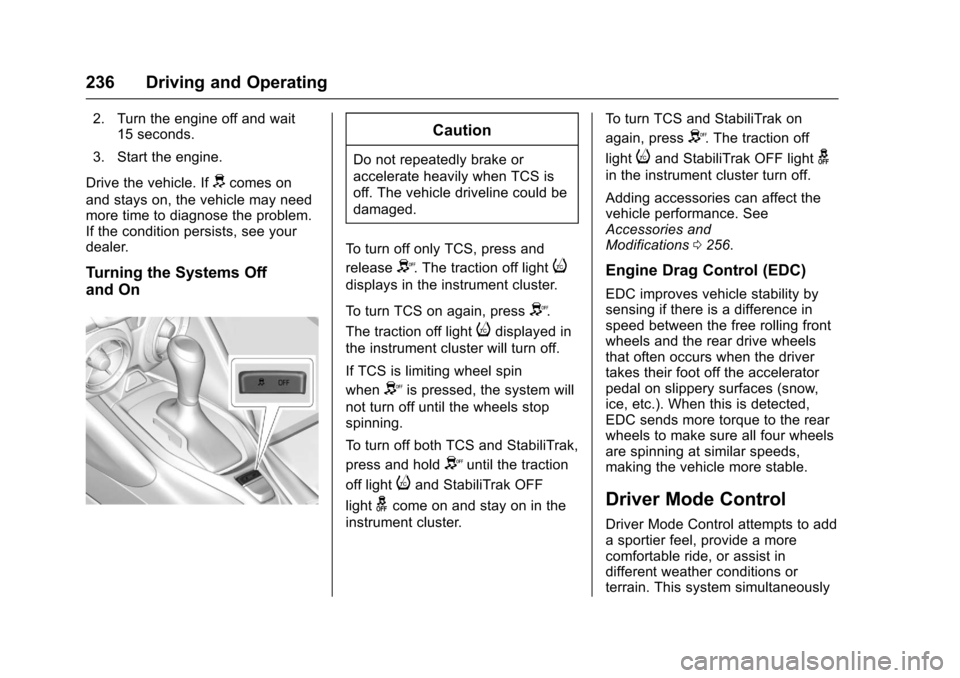
To turn off only TCS, press and
release
Y. The traction off lighti
displays in the instrument cluster.
To turn TCS on again, press
Y.
The traction off light
idisplayed in
the instrument cluster will turn off.
If TCS is limiting wheel spin
when
Yis pressed, the system will
not turn off until the wheels stop
spinning.
To turn off both TCS and StabiliTrak,
press and hold
Yuntil the traction
off light
iand StabiliTrak OFF
light
gcome on and stay on in the
instrument cluster. To turn TCS and StabiliTrak on
again, press
Y. The traction off
light
iand StabiliTrak OFF lightg
in the instrument cluster turn off.
Adding accessories can affect the
vehicle performance. See
Accessories and
Modifications 0256.
Engine Drag Control (EDC)
EDC improves vehicle stability by
sensing if there is a difference in
speed between the free rolling front
wheels and the rear drive wheels
that often occurs when the driver
takes their foot off the accelerator
pedal on slippery surfaces (snow,
ice, etc.). When this is detected,
EDC sends more torque to the rear
wheels to make sure all four wheels
are spinning at similar speeds,
making the vehicle more stable.
Driver Mode Control
Driver Mode Control attempts to add
a sportier feel, provide a more
comfortable ride, or assist in
different weather conditions or
terrain. This system simultaneously
Page 241 of 391
Chevrolet Camaro Owner Manual (GMNA-Localizing-U.S./Canada/Mexico-
9804281) - 2017 - crc - 4/25/16
240 Driving and Operating
Magnetic Ride Control (if
equipped)
Adjusts the shock damping firmness
based on driving conditions to
improve comfort and performance.
Launch Control (when in
Competitive Driving Mode)
Available only in Sport and Track
Modes for maximum“off-the-line”
acceleration when in Competitive
Driving Mode.
Competitive Driving Mode
Competitive Driving Mode and
Launch Control are systems
designed to allow increased
performance while accelerating and/
or cornering. This is accomplished
by regulating and optimizing the
engine, brakes, and suspension
performance. These modes are for
use at a closed course race track
and are not intended for use on
public roads. They will not
compensate for a driver ’s
inexperience or lack of familiarity
with the race track. Drivers who
prefer to allow the system to have
more control of the engine, brakes, and suspension are advised to turn
the normal TCS and StabiliTrak
systems on.
Caution
Attempting to shift when the drive
wheels are spinning and do not
have traction may cause damage
to the transmission. Damage
caused by misuse of the vehicle
is not covered by the vehicle
warranty. Do not attempt to shift
when the drive wheels do not
have traction.
Competitive Driving Mode allows full
engine power while the StabiliTrak
system helps maintain directional
control of the vehicle by selective
brake application. In this mode, TCS
is off and Launch Control is
available. Adjust your driving style
to account for the available engine
power. See “Launch Control” later in
this section.
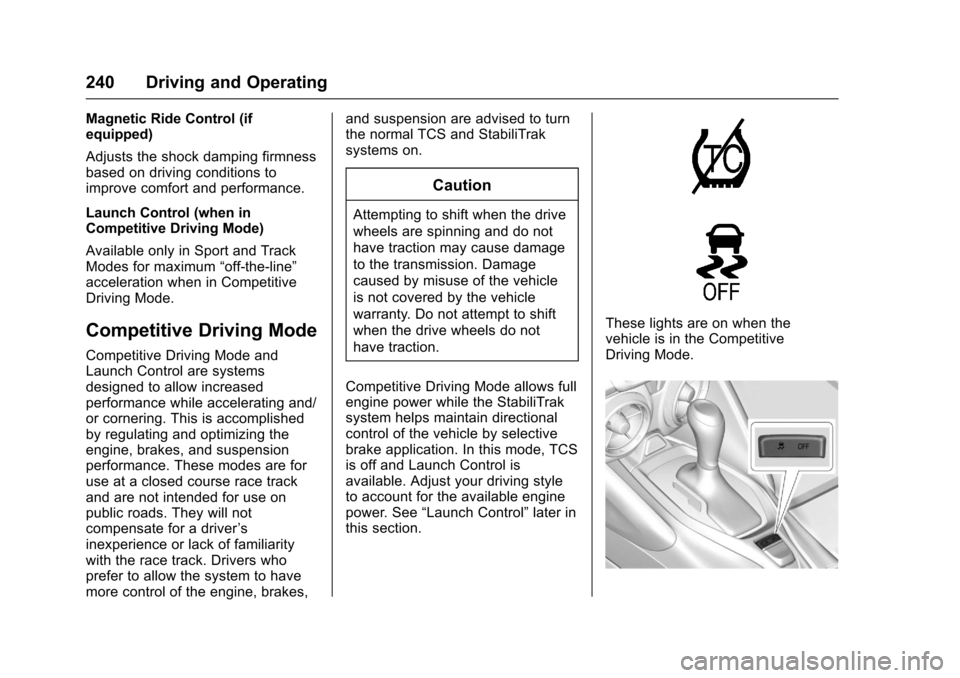
These lights are on when the
vehicle is in the Competitive
Driving Mode.
Page 242 of 391
Chevrolet Camaro Owner Manual (GMNA-Localizing-U.S./Canada/Mexico-
9804281) - 2017 - crc - 4/25/16
Driving and Operating 241
This optional handling mode can be
selected by pressing the TCS/
StabiliTrak button on the console
two times. The appropriate message
displays in the Driver Information
Center (DIC). SeeRide Control
System Messages 0140.
When the TCS/StabiliTrak button is
pressed again, the TCS and
StabiliTrak systems are on. The
appropriate message displays
briefly in the DIC.
Launch Control
A Launch Control feature is
available, within Competitive Driving
Mode, to allow the driver to achieve
high levels of vehicle acceleration in
a straight line. Launch Control is a
form of traction control that
manages tire spin while launching
the vehicle. This feature is intended
for use during closed course race
events where consistent zero to
sixty and quarter mile times are
desirable. Launch Control is only available
when the following criteria are met:
.
Competitive Driving Mode is
selected.
. The vehicle is not moving.
. The steering wheel is pointing
straight.
Manual Transmissions
. The clutch is pressed and the
vehicle is in 1 (First) gear.
. The accelerator pedal is rapidly
applied to wide open throttle.
The Launch Control feature will
initially limit engine speed as the
driver rapidly applies the accelerator
pedal to wide open throttle. Allow
the engine rpm to stabilize.
A smooth, quick release of the
clutch, while maintaining the fully
pressed accelerator pedal, will
manage wheel slip. Complete shifts
are described in Manual
Transmission 0229. Automatic Transmissions
.
The brake pedal must be firmly
pressed to the floor, equivalent
to a panic brake event.
. The accelerator pedal is rapidly
applied to wide open throttle. (If
the vehicle rolls due to wide
open throttle, release the
throttle, press the brake pedal
more firmly, and re-apply the
accelerator to wide open
throttle.)
After the vehicle is launched, the
system continues in Competitive
Driving Mode.
Competitive Driving Mode and
Launch Control are systems
designed for a closed course race
track and not intended for use on
public roads. The systems are not
intended to compensate for lack of
driver experience or familiarity with
the race track.
Page 243 of 391
Chevrolet Camaro Owner Manual (GMNA-Localizing-U.S./Canada/Mexico-
9804281) - 2017 - crc - 4/25/16
242 Driving and Operating
Limited-Slip Rear Axle
Vehicles with a limited-slip rear axle
can give more traction on snow,
mud, ice, sand, or gravel. When
traction is low, this feature allows
the drive wheel with the most
traction to move the vehicle. The
limited-slip rear axle also gives the
driver enhanced control when
cornering hard or completing a
maneuver, such as a lane change.
For vehicles with limited-slip
differential, driven under severe
conditions, the rear axle fluid should
be changed. SeeCompetitive
Driving Mode 0240 and
Maintenance Schedule 0336.
Cruise Control
If equipped with cruise control, the
vehicle can maintain a speed of
about 40 km/h (25 mph) or more
without keeping your foot on the
accelerator. Cruise control does not
work at speeds below 40 km/h
(25 mph).
{Warning
Cruise control can be dangerous
where you cannot drive safely at
a steady speed. Do not use
cruise control on winding roads or
in heavy traffic.
Cruise control can be dangerous
on slippery roads. On such roads,
fast changes in tire traction can
cause excessive wheel slip, and
you could lose control. Do not use
cruise control on slippery roads.
If equipped with a manual
transmission, the cruise control will
remain active when the gears are shifted. The cruise is disengaged if
the clutch is pressed for several
seconds.
If the StabiliTrak
®system begins to
limit wheel spin while using cruise
control, the cruise control
automatically disengages. See
Traction Control/Electronic Stability
Control 0235. When road
conditions allow you to safely use it
again, cruise control can be turned
back on.
If the brakes are applied, cruise
control disengages.
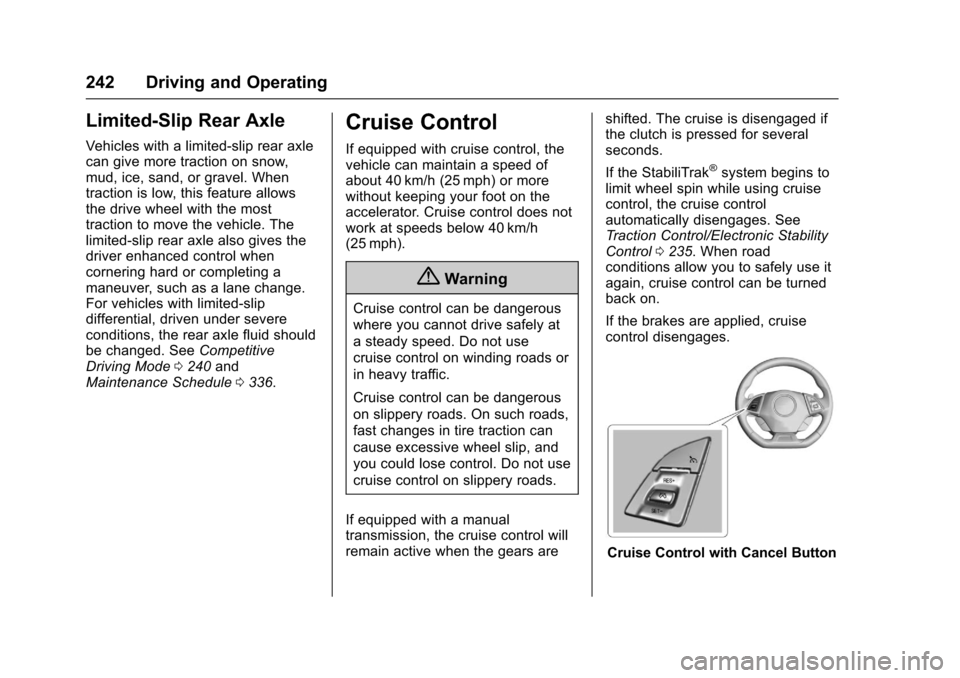
Cruise Control with Cancel Button
Page 256 of 391
Chevrolet Camaro Owner Manual (GMNA-Localizing-U.S./Canada/Mexico-
9804281) - 2017 - crc - 4/25/16
Vehicle Care 255
Vehicle Care
General Information
General Information . . . . . . . . . . 256
California Proposition65 Warning . . . . . . . . . . . . . . . . . 256
California Perchlorate Materials Requirements . . . . . 256
Accessories and Modifications . . . . . . . . . . . . . . . . 256
Vehicle Checks
Doing Your OwnService Work . . . . . . . . . . . . . . . 257
Hood . . . . . . . . . . . . . . . . . . . . . . . . . 258
Engine Compartment Overview . . . . . . . . . . . . . . . . . . . . 259
Engine Oil . . . . . . . . . . . . . . . . . . . . 264
Engine Oil Life System . . . . . . . 266
Automatic Transmission Fluid . . . . . . . . . . . . . . . . . . . . . . . . 267
Manual Transmission Fluid . . . 267
Hydraulic Clutch . . . . . . . . . . . . . . 268
Engine Air Cleaner/Filter . . . . . . 268
Cooling System . . . . . . . . . . . . . . 270
Engine Coolant . . . . . . . . . . . . . . . 271
Engine Overheating . . . . . . . . . . 274
Washer Fluid . . . . . . . . . . . . . . . . . 276
Brakes . . . . . . . . . . . . . . . . . . . . . . . 277
Brake Fluid . . . . . . . . . . . . . . . . . . . 278 Battery - North America . . . . . . 279
Rear Axle . . . . . . . . . . . . . . . . . . . . 280
Starter Switch Check . . . . . . . . . 280
Automatic Transmission Shift
Lock Control Function
Check . . . . . . . . . . . . . . . . . . . . . . . 280
Park Brake and P (Park) Mechanism Check . . . . . . . . . . 281
Wiper Blade Replacement . . . . 281
Windshield Replacement . . . . . 282
Headlamp Aiming
Headlamp Aiming . . . . . . . . . . . . 282
Bulb Replacement
Bulb Replacement . . . . . . . . . . . . 282
Halogen Bulbs . . . . . . . . . . . . . . . . 282
High Intensity Discharge (HID) Lighting . . . . . . . . . . . . . . . . . . . . . 283
Front Turn Signal Lamps (Passenger Side Only) . . . . . . 283
Taillamps, Turn Signal, Sidemarker, Stoplamps, and
Back-Up Lamps . . . . . . . . . . . . . 283
License Plate Lamp . . . . . . . . . . 284
Replacement Bulbs . . . . . . . . . . . 285
Electrical System
Electrical System Overload . . . 285
Fuses and Circuit Breakers . . . 286
Engine Compartment Fuse Block . . . . . . . . . . . . . . . . . . . . . . . . 286 Rear Compartment Fuse
Block . . . . . . . . . . . . . . . . . . . . . . . . 289
Wheels and Tires
Tires . . . . . . . . . . . . . . . . . . . . . . . . . . 292
All-Season Tires . . . . . . . . . . . . . . 293
Winter Tires . . . . . . . . . . . . . . . . . . 293
Run-Flat Tires . . . . . . . . . . . . . . . . 293
Low-Profile Tires . . . . . . . . . . . . . 294
Summer Tires . . . . . . . . . . . . . . . . 295
Tire Sidewall Labeling . . . . . . . . 295
Tire Designations . . . . . . . . . . . . . 296
Tire Terminology andDefinitions . . . . . . . . . . . . . . . . . . 297
Tire Pressure . . . . . . . . . . . . . . . . . 300
Tire Pressure for High-Speed Operation . . . . . . . . . . . . . . . . . . . 301
Tire Pressure Monitor System . . . . . . . . . . . . . . . . . . . . . . 301
Tire Pressure Monitor Operation . . . . . . . . . . . . . . . . . . . 302
Tire Inspection . . . . . . . . . . . . . . . . 305
Tire Rotation . . . . . . . . . . . . . . . . . 305
When It Is Time for New Tires . . . . . . . . . . . . . . . . . . . . . . . . 307
Buying New Tires . . . . . . . . . . . . . 308
Different Size Tires and Wheels . . . . . . . . . . . . . . . . . . . . . . 309
Uniform Tire Quality Grading . . . . . . . . . . . . . . . . . . . . . 309
Page 257 of 391
Chevrolet Camaro Owner Manual (GMNA-Localizing-U.S./Canada/Mexico-
9804281) - 2017 - crc - 4/25/16
256 Vehicle Care
Wheel Alignment and TireBalance . . . . . . . . . . . . . . . . . . . . . 311
Wheel Replacement . . . . . . . . . . 311
Tire Chains . . . . . . . . . . . . . . . . . . . 312
If a Tire Goes Flat . . . . . . . . . . . . 312
Tire Sealant and Compressor Kit . . . . . . . . . . . . . 314
Storing the Tire Sealant and Compressor Kit . . . . . . . . . . . . . 320
Jump Starting
Jump Starting - NorthAmerica . . . . . . . . . . . . . . . . . . . . . 320
Towing the Vehicle
Towing the Vehicle . . . . . . . . . . . 323
Recreational VehicleTowing . . . . . . . . . . . . . . . . . . . . . . 325
Appearance Care
Exterior Care . . . . . . . . . . . . . . . . . 325
Interior Care . . . . . . . . . . . . . . . . . . 330
Floor Mats . . . . . . . . . . . . . . . . . . . . 333
General Information
For service and parts needs, visit
your dealer. You will receive
genuine GM parts and GM-trained
and supported service people.
Genuine GM parts have one of
these marks:
California Proposition
65 Warning
WARNING: Most motor vehicles,
including this one, as well as many
of its service parts and fluids,
contain and/or emit chemicals
known to the State of California to cause cancer and birth defects or
other reproductive harm. Engine
exhaust, many parts and systems,
many fluids, and some component
wear by-products contain and/or
emit these chemicals.
See
Battery - North America 0279
and Jump Starting - North
America 0320.
California Perchlorate
Materials Requirements
Certain types of automotive
applications, such as airbag
initiators, safety belt pretensioners,
and lithium batteries contained in
Remote Keyless Entry transmitters,
may contain perchlorate materials.
Special handling may be necessary.
For additional information, see
www.dtsc.ca.gov/hazardouswaste/
perchlorate.
Accessories and
Modifications
Adding non-dealer accessories or
making modifications to the vehicle
can affect vehicle performance and