tow CHEVROLET CAMARO 2018 User Guide
[x] Cancel search | Manufacturer: CHEVROLET, Model Year: 2018, Model line: CAMARO, Model: CHEVROLET CAMARO 2018Pages: 393, PDF Size: 5.77 MB
Page 127 of 393
Chevrolet Camaro Owner Manual (GMNA-Localizing-U.S./Canada/Mexico-
11348325) - 2018 - CRC - 10/23/17
126 Instruments and Controls
not used to perform an Emissions
Inspection/Maintenance test or to
service the vehicle may affect
vehicle operation. SeeAdd-On
Electrical Equipment 0251. See
your dealer if assistance is needed.
The vehicle may not pass
inspection if:
. The light is on when the engine
is running.
. The light does not come on
when the ignition is in
Service Mode.
. Critical emission control systems
have not been completely
diagnosed. If this happens, the
vehicle would not be ready for
inspection and might require
several days of routine driving
before the system is ready for
inspection. This can happen if
the 12-volt battery has recently
been replaced or run down, or if
the vehicle has been recently
serviced.
See your dealer if the vehicle will
not pass or cannot be made ready
for the test.Brake System Warning
Light
The vehicle brake system consists
of two hydraulic circuits. If one
circuit is not working, the remaining
circuit can still work to stop the
vehicle. For normal braking
performance, both circuits need to
be working.
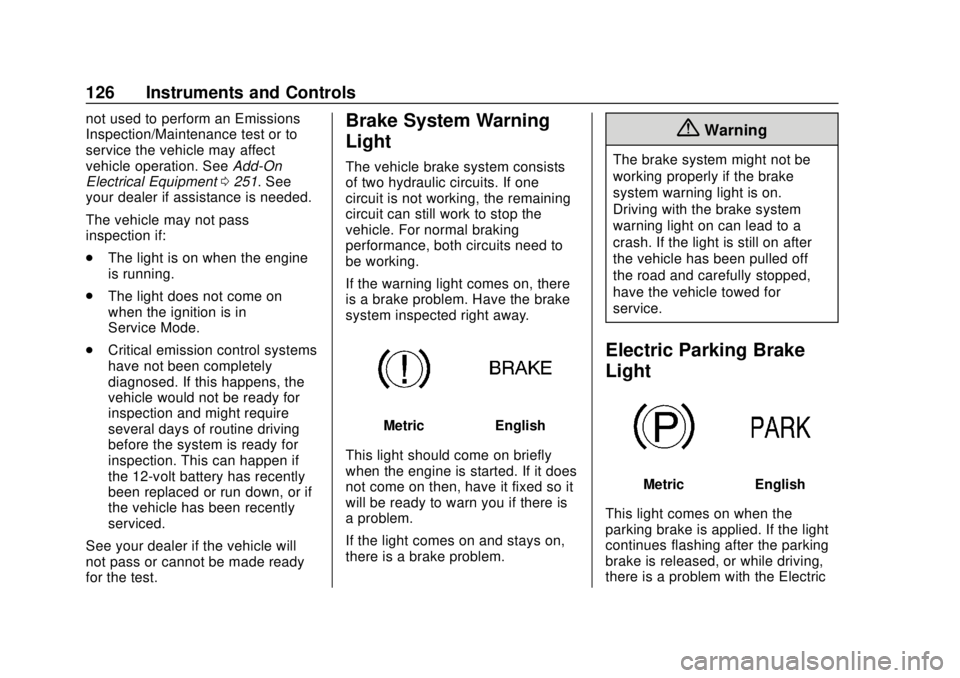
If the warning light comes on, there
is a brake problem. Have the brake
system inspected right away.
MetricEnglish
This light should come on briefly
when the engine is started. If it does
not come on then, have it fixed so it
will be ready to warn you if there is
a problem.
If the light comes on and stays on,
there is a brake problem.
{Warning
The brake system might not be
working properly if the brake
system warning light is on.
Driving with the brake system
warning light on can lead to a
crash. If the light is still on after
the vehicle has been pulled off
the road and carefully stopped,
have the vehicle towed for
service.
Electric Parking Brake
Light
MetricEnglish
This light comes on when the
parking brake is applied. If the light
continues flashing after the parking
brake is released, or while driving,
there is a problem with the Electric
Page 135 of 393
Chevrolet Camaro Owner Manual (GMNA-Localizing-U.S./Canada/Mexico-
11348325) - 2018 - CRC - 10/23/17
134 Instruments and Controls
Blank :Shows no information.
Head-Up Display (HUD)
{Warning
If the HUD image is too bright or
too high in your field of view, it
may take you more time to see
things you need to see when it is
dark outside. Be sure to keep the
HUD image dim and placed low in
your field of view.
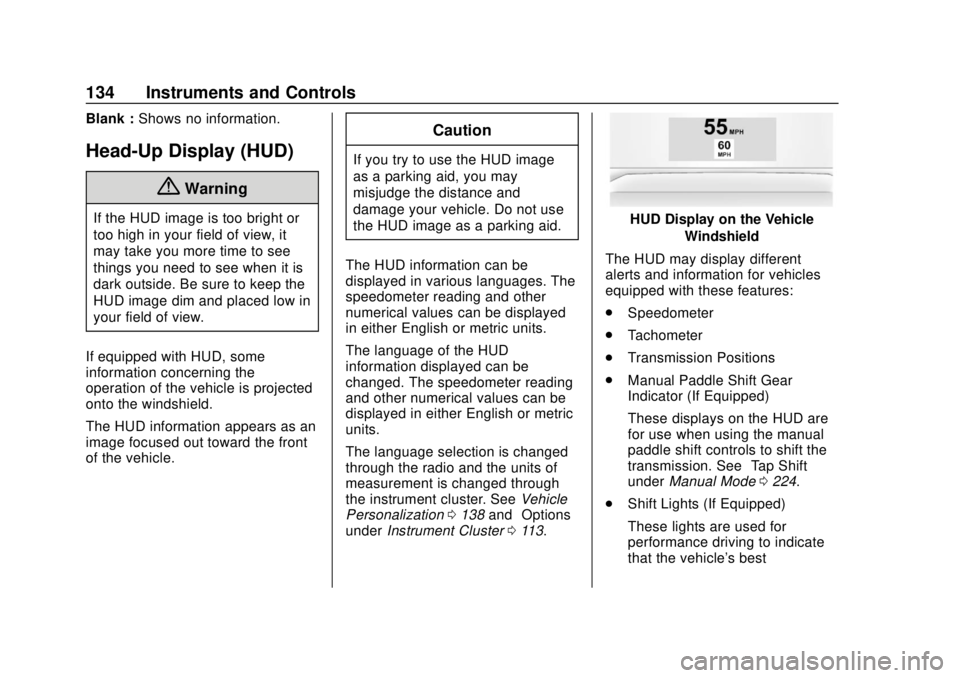
If equipped with HUD, some
information concerning the
operation of the vehicle is projected
onto the windshield.
The HUD information appears as an
image focused out toward the front
of the vehicle.
Caution
If you try to use the HUD image
as a parking aid, you may
misjudge the distance and
damage your vehicle. Do not use
the HUD image as a parking aid.
The HUD information can be
displayed in various languages. The
speedometer reading and other
numerical values can be displayed
in either English or metric units.
The language of the HUD
information displayed can be
changed. The speedometer reading
and other numerical values can be
displayed in either English or metric
units.
The language selection is changed
through the radio and the units of
measurement is changed through
the instrument cluster. See Vehicle
Personalization 0138 and“Options”
under Instrument Cluster 0113.
HUD Display on the Vehicle
Windshield
The HUD may display different
alerts and information for vehicles
equipped with these features:
. Speedometer
. Tachometer
. Transmission Positions
. Manual Paddle Shift Gear
Indicator (If Equipped)
These displays on the HUD are
for use when using the manual
paddle shift controls to shift the
transmission. See “Tap Shift”
under Manual Mode 0224.
. Shift Lights (If Equipped)
These lights are used for
performance driving to indicate
that the vehicle's best
Page 151 of 393
Chevrolet Camaro Owner Manual (GMNA-Localizing-U.S./Canada/Mexico-
11348325) - 2018 - CRC - 10/23/17
150 Lighting
Lighting
Exterior Lighting
Exterior Lamp Controls . . . . . . . 150
Headlamp High/Low-BeamChanger . . . . . . . . . . . . . . . . . . . . 150
Flash-to-Pass . . . . . . . . . . . . . . . . 151
Daytime Running Lamps (DRL) . . . . . . . . . . . . . . . 151
Automatic Headlamp System . . . . . . . . . . . . . . . . . . . . . . 151
Hazard Warning Flashers . . . . . 152
Turn and Lane-Change Signals . . . . . . . . . . . . . . . . . . . . . . 153
Interior Lighting
Instrument Panel IlluminationControl . . . . . . . . . . . . . . . . . . . . . . 153
Interior Lamps . . . . . . . . . . . . . . . . 154
Reading Lamps . . . . . . . . . . . . . . 154
Lighting Features
Entry Lighting . . . . . . . . . . . . . . . . 154
Exit Lighting . . . . . . . . . . . . . . . . . . 154
Theater Dimming . . . . . . . . . . . . . 155
Battery Load Management . . . 155
Battery Power Protection . . . . . 155
Exterior Lighting Battery Saver . . . . . . . . . . . . . . . . . . . . . . . 155
Exterior Lighting
Exterior Lamp Controls
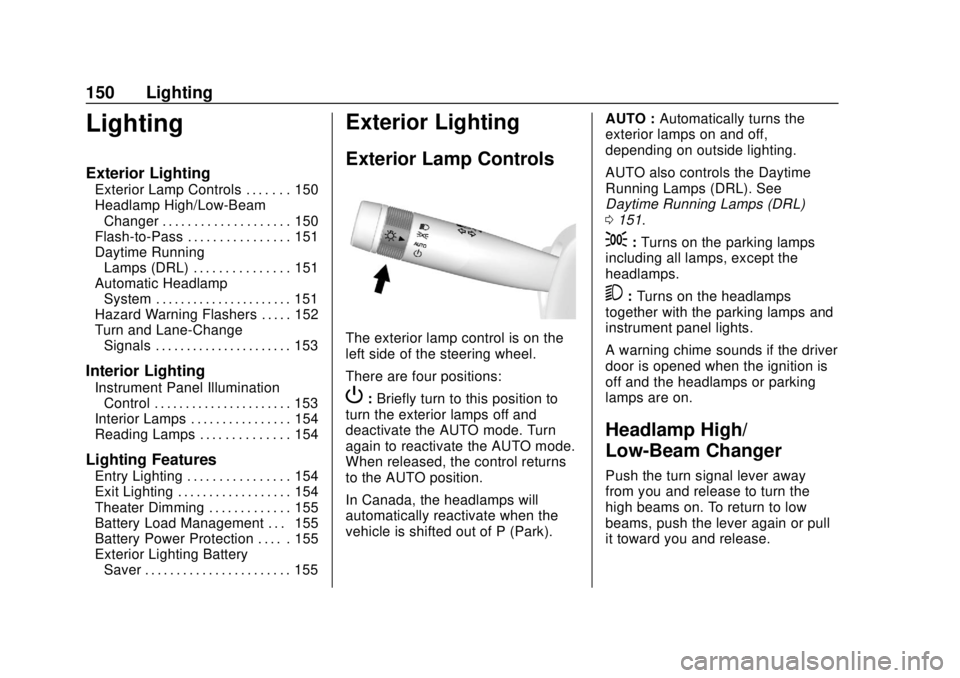
The exterior lamp control is on the
left side of the steering wheel.
There are four positions:
P: Briefly turn to this position to
turn the exterior lamps off and
deactivate the AUTO mode. Turn
again to reactivate the AUTO mode.
When released, the control returns
to the AUTO position.
In Canada, the headlamps will
automatically reactivate when the
vehicle is shifted out of P (Park). AUTO :
Automatically turns the
exterior lamps on and off,
depending on outside lighting.
AUTO also controls the Daytime
Running Lamps (DRL). See
Daytime Running Lamps (DRL)
0 151.
;:Turns on the parking lamps
including all lamps, except the
headlamps.
5: Turns on the headlamps
together with the parking lamps and
instrument panel lights.
A warning chime sounds if the driver
door is opened when the ignition is
off and the headlamps or parking
lamps are on.
Headlamp High/
Low-Beam Changer
Push the turn signal lever away
from you and release to turn the
high beams on. To return to low
beams, push the lever again or pull
it toward you and release.
Page 152 of 393
Chevrolet Camaro Owner Manual (GMNA-Localizing-U.S./Canada/Mexico-
11348325) - 2018 - CRC - 10/23/17
Lighting 151
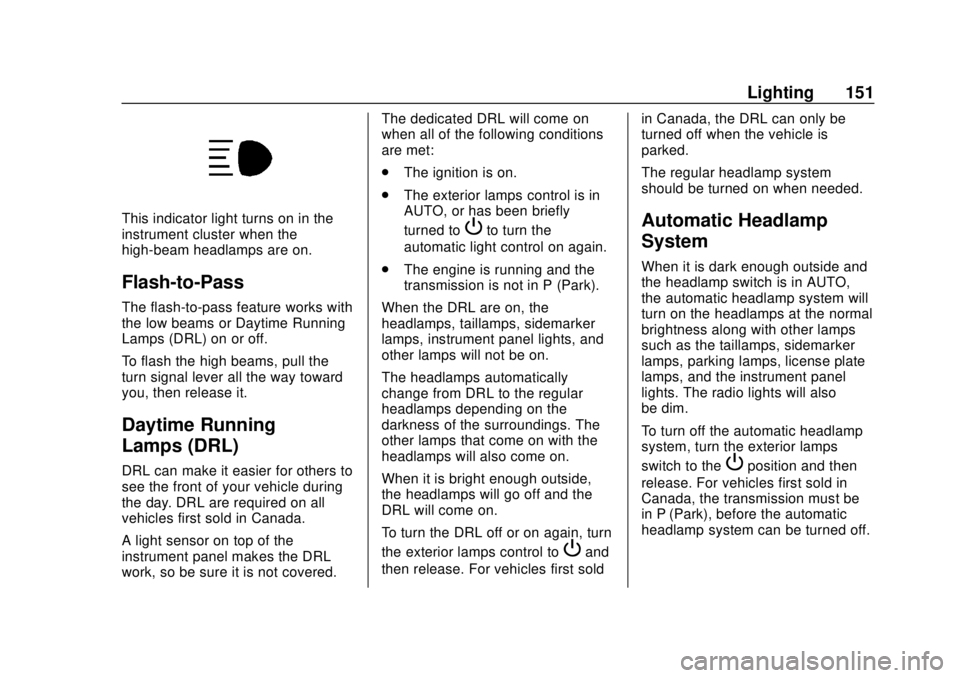
This indicator light turns on in the
instrument cluster when the
high-beam headlamps are on.
Flash-to-Pass
The flash-to-pass feature works with
the low beams or Daytime Running
Lamps (DRL) on or off.
To flash the high beams, pull the
turn signal lever all the way toward
you, then release it.
Daytime Running
Lamps (DRL)
DRL can make it easier for others to
see the front of your vehicle during
the day. DRL are required on all
vehicles first sold in Canada.
A light sensor on top of the
instrument panel makes the DRL
work, so be sure it is not covered.The dedicated DRL will come on
when all of the following conditions
are met:
.
The ignition is on.
. The exterior lamps control is in
AUTO, or has been briefly
turned to
Pto turn the
automatic light control on again.
. The engine is running and the
transmission is not in P (Park).
When the DRL are on, the
headlamps, taillamps, sidemarker
lamps, instrument panel lights, and
other lamps will not be on.
The headlamps automatically
change from DRL to the regular
headlamps depending on the
darkness of the surroundings. The
other lamps that come on with the
headlamps will also come on.
When it is bright enough outside,
the headlamps will go off and the
DRL will come on.
To turn the DRL off or on again, turn
the exterior lamps control to
Pand
then release. For vehicles first sold in Canada, the DRL can only be
turned off when the vehicle is
parked.
The regular headlamp system
should be turned on when needed.
Automatic Headlamp
System
When it is dark enough outside and
the headlamp switch is in AUTO,
the automatic headlamp system will
turn on the headlamps at the normal
brightness along with other lamps
such as the taillamps, sidemarker
lamps, parking lamps, license plate
lamps, and the instrument panel
lights. The radio lights will also
be dim.
To turn off the automatic headlamp
system, turn the exterior lamps
switch to the
Pposition and then
release. For vehicles first sold in
Canada, the transmission must be
in P (Park), before the automatic
headlamp system can be turned off.
Page 167 of 393
Chevrolet Camaro Owner Manual (GMNA-Localizing-U.S./Canada/Mexico-
11348325) - 2018 - CRC - 10/23/17
166 Infotainment System
Caution (Continued)
distort the incoming radio
reception. Any damage caused to
the backglass antenna due to
metallic tinting materials will not
be covered by the vehicle
warranty.
Multi-Band Antenna
The multi-band antenna is on the
roof of the vehicle. The antenna is
used for OnStar, the SiriusXM
Satellite Radio Service System, and
GPS (Global Positioning System),
if the vehicle has these features.
Keep the antenna clear of
obstructions for clear reception.
If the vehicle has a sunroof, and it is
open, reception can also be
affected.
Audio Players
Avoiding Untrusted Media
Devices
When using media devices such as
CDs, DVDs, Blu-ray Discs, SD
cards, USB devices, and mobile
devices, consider the source.
Untrusted media devices could
contain files that affect system
operation or performance. Avoid use
if the content or origin cannot be
trusted.
USB Port
Using the USB Port
The infotainment system can play
music by connecting an auxiliary
device to the USB port.
USB Support
The USB ports are in the center
console, and use the USB 2.0
standard.
USB Supported Devices
.USB Flash Drives .
iPods/iPhones
. Portable USB Hard Drives
Not all iPods and USB drives are
compatible with the USB port.
Make sure the iPod has the latest
firmware from Apple for proper
operation. iPod firmware can be
updated using the latest iTunes
application. See www.apple.com/
itunes.
For help with identifying your iPod,
go to www.apple.com/support.
The USB port can play both lower
and upper case .mp3, .wma, .ogg,
and .wav files stored on a USB
storage device.
Supported Apple Devices
To view supported devices in the
U.S., see www.my.chevrolet.com/
learn.
To view supported devices in
Canada, see
www.chevroletowner.ca.
To view supported devices in
Mexico, see your dealer.
Page 195 of 393
Chevrolet Camaro Owner Manual (GMNA-Localizing-U.S./Canada/Mexico-
11348325) - 2018 - CRC - 10/23/17
194 Climate Controls
Air Vents
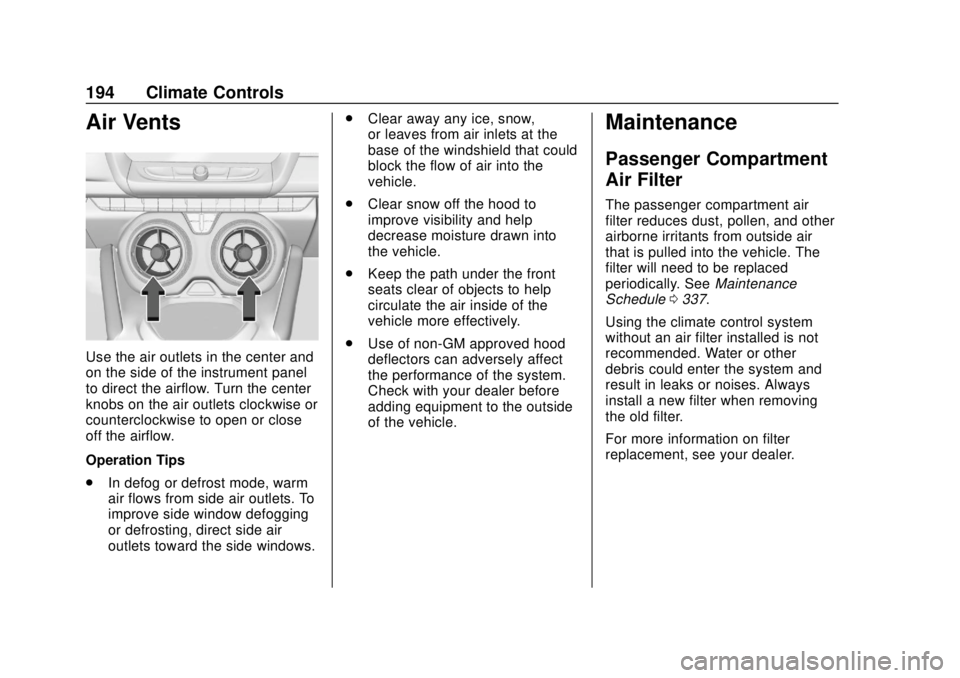
Use the air outlets in the center and
on the side of the instrument panel
to direct the airflow. Turn the center
knobs on the air outlets clockwise or
counterclockwise to open or close
off the airflow.
Operation Tips
.In defog or defrost mode, warm
air flows from side air outlets. To
improve side window defogging
or defrosting, direct side air
outlets toward the side windows. .
Clear away any ice, snow,
or leaves from air inlets at the
base of the windshield that could
block the flow of air into the
vehicle.
. Clear snow off the hood to
improve visibility and help
decrease moisture drawn into
the vehicle.
. Keep the path under the front
seats clear of objects to help
circulate the air inside of the
vehicle more effectively.
. Use of non-GM approved hood
deflectors can adversely affect
the performance of the system.
Check with your dealer before
adding equipment to the outside
of the vehicle.
Maintenance
Passenger Compartment
Air Filter
The passenger compartment air
filter reduces dust, pollen, and other
airborne irritants from outside air
that is pulled into the vehicle. The
filter will need to be replaced
periodically. See Maintenance
Schedule 0337.
Using the climate control system
without an air filter installed is not
recommended. Water or other
debris could enter the system and
result in leaks or noises. Always
install a new filter when removing
the old filter.
For more information on filter
replacement, see your dealer.
Page 197 of 393
Chevrolet Camaro Owner Manual (GMNA-Localizing-U.S./Canada/Mexico-
11348325) - 2018 - CRC - 10/23/17
196 Driving and Operating
Driving and
Operating
Driving Information
Distracted Driving . . . . . . . . . . . . 197
Defensive Driving . . . . . . . . . . . . . 197
Drunk Driving . . . . . . . . . . . . . . . . . 198
Control of a Vehicle . . . . . . . . . . . 198
Braking . . . . . . . . . . . . . . . . . . . . . . . 198
Steering . . . . . . . . . . . . . . . . . . . . . . 198
Off-Road Recovery . . . . . . . . . . . 199
Loss of Control . . . . . . . . . . . . . . . 199
Track Events and CompetitiveDriving . . . . . . . . . . . . . . . . . . . . . . 200
Driving on Wet Roads . . . . . . . . 205
Hill and Mountain Roads . . . . . 205
Winter Driving . . . . . . . . . . . . . . . . 206
If the Vehicle Is Stuck . . . . . . . . 207
Vehicle Load Limits . . . . . . . . . . . 208
Starting and Operating
New Vehicle Break-In . . . . . . . . . 212
Ignition Positions . . . . . . . . . . . . . 213
Starting the Engine . . . . . . . . . . . 214
Engine Heater . . . . . . . . . . . . . . . . 216
Retained Accessory Power (RAP) . . . . . . . . . . . . . . . . 218
Shifting Into Park . . . . . . . . . . . . . 218 Shifting out of Park . . . . . . . . . . . 219
Parking . . . . . . . . . . . . . . . . . . . . . . . 219
Parking over Things
That Burn . . . . . . . . . . . . . . . . . . . 219
Active Fuel Management . . . . . 219
Extended Parking . . . . . . . . . . . . 220
Engine Exhaust
Engine Exhaust . . . . . . . . . . . . . . 220
Running the Vehicle While
Parked . . . . . . . . . . . . . . . . . . . . . . 221
Automatic Transmission
Automatic Transmission . . . . . . 221
Manual Mode . . . . . . . . . . . . . . . . . 224
Manual Transmission
Manual Transmission . . . . . . . . . 226
Active Rev Match . . . . . . . . . . . . . 228
Brakes
Antilock BrakeSystem (ABS) . . . . . . . . . . . . . . . 229
Electric Parking Brake . . . . . . . . 229
Brake Assist . . . . . . . . . . . . . . . . . . 231
Hill Start Assist (HSA) . . . . . . . . 231
Ride Control Systems
Traction Control/Electronic Stability Control . . . . . . . . . . . . . 232
Driver Mode Control . . . . . . . . . . 234
Competitive Driving Mode . . . . 237 Limited-Slip Rear Axle . . . . . . . . 239
Cruise Control
Cruise Control . . . . . . . . . . . . . . . . 239
Driver Assistance Systems
Driver Assistance Systems . . . 242
Assistance Systems for
Parking or Backing . . . . . . . . . . 242
Side Blind Zone Alert (SBZA) . . . . . . . . . . . . . . . . 245
Lane Change Alert (LCA) . . . . . 245
Fuel
Fuel . . . . . . . . . . . . . . . . . . . . . . . . . . 247
California Fuel Requirements . . . . . . . . . . . . . . . 248
Fuels in Foreign Countries . . . 248
Fuel Additives . . . . . . . . . . . . . . . . 248
Filling the Tank . . . . . . . . . . . . . . . 249
Filling a Portable Fuel Container . . . . . . . . . . . . . . . . . . . 250
Trailer Towing
General TowingInformation . . . . . . . . . . . . . . . . . . 251
Conversions and Add-Ons
Add-On ElectricalEquipment . . . . . . . . . . . . . . . . . . 251
Page 209 of 393
Chevrolet Camaro Owner Manual (GMNA-Localizing-U.S./Canada/Mexico-
11348325) - 2018 - CRC - 10/23/17
208 Driving and Operating
system. Shift back and forth
between R (Reverse) and a low
forward gear, spinning the wheels
as little as possible. To prevent
transmission wear, wait until the
wheels stop spinning before shifting
gears. Release the accelerator
pedal while shifting, and press
lightly on the accelerator pedal
when the transmission is in gear.
Slowly spinning the wheels in the
forward and reverse directions
causes a rocking motion that could
free the vehicle. If that does not get
the vehicle out after a few tries, it
might need to be towed out. If the
vehicle does need to be towed out,
seeTowing the Vehicle 0323.
Vehicle Load Limits
It is very important to know how
much weight the vehicle can
carry. This weight is called the
vehicle capacity weight and
includes the weight of all
occupants, cargo, and all
nonfactory-installed options.
Two labels on the vehicle may show how much weight it may
properly carry: the Tire and
Loading Information label and
the Certification label.
{Warning
Do not load the vehicle any
heavier than the Gross
Vehicle Weight Rating
(GVWR), or either the
maximum front or rear Gross
Axle Weight Rating (GAWR).
This can cause systems to
break and change the way the
vehicle handles. This could
cause loss of control and a
crash. Overloading can also
reduce stopping distance,
damage the tires, and shorten
the life of the vehicle. Tire and Loading Information
Label
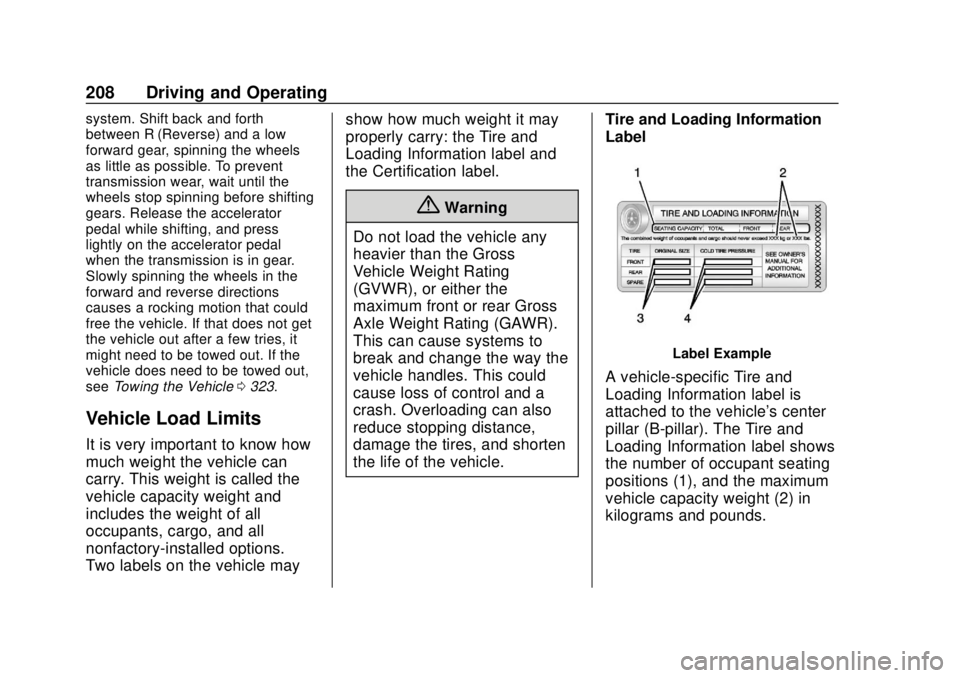
Label Example
A vehicle-specific Tire and
Loading Information label is
attached to the vehicle's center
pillar (B-pillar). The Tire and
Loading Information label shows
the number of occupant seating
positions (1), and the maximum
vehicle capacity weight (2) in
kilograms and pounds.
Page 210 of 393
Chevrolet Camaro Owner Manual (GMNA-Localizing-U.S./Canada/Mexico-
11348325) - 2018 - CRC - 10/23/17
Driving and Operating 209
The Tire and Loading
Information label also shows the
tire size of the original
equipment tires (3) and the
recommended cold tire inflation
pressures (4). For more
information on tires and inflation
seeTires 0291 andTire
Pressure 0299.
There is also important loading
information on the Certification
label. It may show the Gross
Vehicle Weight Rating (GVWR)
and the Gross Axle Weight
Rating (GAWR) for the front and
rear axle. See “Certification
Label” later in this section.
“Steps for Determining Correct
Load Limit–
1.Locate the statement "The
combined weight of
occupants and cargo should
never exceed XXX kg or
XXX lbs." on your vehicle’s
placard.
2.Determine the combined
weight of the driver and
passengers that will be
riding in your vehicle.
3.Subtract the combined
weight of the driver and
passengers from XXX kg or
XXX lbs.
4.The resulting figure equals
the available amount of
cargo and luggage load
capacity. For example, if the
"XXX" amount equals
1400 lbs. and there will be
five 150 lb passengers in
your vehicle, the amount of
available cargo and luggage
load capacity is 650 lbs.
(1400-750 (5 x 150) =
650 lbs.)
5.Determine the combined
weight of luggage and cargo
being loaded on the vehicle.
That weight may not safely
exceed the available cargo
and luggage load capacity
calculated in Step 4.
6.If your vehicle will be towing
a trailer, load from your
trailer will be transferred to
your vehicle. Consult this
manual to determine how
this reduces the available
cargo and luggage load
capacity of your vehicle.”
This vehicle is neither designed
nor intended to tow a trailer.
Page 219 of 393
Chevrolet Camaro Owner Manual (GMNA-Localizing-U.S./Canada/Mexico-
11348325) - 2018 - CRC - 10/23/17
218 Driving and Operating
Retained Accessory
Power (RAP)
Some vehicle accessories may be
used after the ignition is turned off.
The power windows and sunroof,
if equipped, will continue to work for
up to 10 minutes or until any door is
opened.
The infotainment system will
continue to work for 10 minutes,
until the driver door is opened,
or until the ignition is turned on or
placed in ACC/ACCESSORY.
Shifting Into Park
To shift into P (Park):1. Hold the brake pedal down and set the parking brake.
See Electric Parking Brake
0 229.
2. Hold the button on the shift lever and push the shift lever
toward the front of the vehicle
into P (Park).
3. Turn the ignition off.
Leaving the Vehicle with the
Engine Running
{Warning
It can be dangerous to leave the
vehicle with the engine running.
It could overheat and catch fire.
It is dangerous to get out of the
vehicle if the shift lever is not fully
in P (Park) with the parking brake
firmly set. The vehicle can roll.
Do not leave the vehicle when the
engine is running. If you have left
the engine running, the vehicle
can move suddenly. You or others
could be injured. To be sure the
vehicle will not move, even when
you are on fairly level ground,
always set the parking brake and
move the shift lever to P (Park).
See Shifting Into Park 0218. If you have to leave the vehicle with
the engine running, the vehicle must
be in P (Park) and the parking
brake set.
Release the button and check that
the shift lever cannot be moved out
of P (Park).
Torque Lock
Torque lock is when the weight of
the vehicle puts too much force on
the parking pawl in the
transmission. This happens when
parking on a hill and shifting the
transmission into P (Park) is not
done properly and then it is difficult
to shift out of P (Park). To prevent
torque lock, set the parking brake
and then shift into P (Park). To find
out how, see
“Shifting Into Park”
previously in this section.
If torque lock does occur, the
vehicle may need to be pushed
uphill by another vehicle to relieve
the parking pawl pressure, so you
can shift out of P (Park).