seats CHEVROLET CAMARO 2022 Owners Manual
[x] Cancel search | Manufacturer: CHEVROLET, Model Year: 2022, Model line: CAMARO, Model: CHEVROLET CAMARO 2022Pages: 357, PDF Size: 7.99 MB
Page 2 of 357
Chevrolet Camaro Owner Manual (GMNA-Localizing-U.S./Canada/Mexico-
14583589) - 2021 - CRC - 3/24/20
Contents
Introduction . . . . . . . . . . . . . . . . . . . . . . . . . . . . . . 1
Keys, Doors, and Windows . . . . . . . . . . . . . . . 6
Seats and Restraints . . . . . . . . . . . . . . . . . . . . . 35
Storage . . . . . . . . . . . . . . . . . . . . . . . . . . . . . . . . . . 75
Instruments and Controls . . . . . . . . . . . . . . . . 77
Lighting . . . . . . . . . . . . . . . . . . . . . . . . . . . . . . . . 110
Infotainment System . . . . . . . . . . . . . . . . . . . 116
Climate Controls . . . . . . . . . . . . . . . . . . . . . . . . 176
Driving and Operating . . . . . . . . . . . . . . . . . . 184
Vehicle Care . . . . . . . . . . . . . . . . . . . . . . . . . . . . 238
Service and Maintenance . . . . . . . . . . . . . . 309
Technical Data . . . . . . . . . . . . . . . . . . . . . . . . . . 322
Customer Information . . . . . . . . . . . . . . . . . . 326
Reporting Safety Defects . . . . . . . . . . . . . . . 334
OnStar . . . . . . . . . . . . . . . . . . . . . . . . . . . . . . . . . 337
Connected Services . . . . . . . . . . . . . . . . . . . . . 342
Index . . . . . . . . . . . . . . . . . . . . . . . . . . 345
Introduction
The names, logos, emblems, slogans, vehicle
model names, and vehicle body designs
appearing in this manual including, but not
limited to, GM, the GM logo, CHEVROLET,
the CHEVROLET Emblem, CAMARO, and the
CAMARO Emblem are trademarks and/or
service marks of General Motors LLC, its
subsidiaries, affiliates, or licensors.
For vehicles first sold in Canada, substitute
the name“General Motors of Canada
Company” for Chevrolet Motor Division
wherever it appears in this manual.
This manual describes features that may or
may not be on the vehicle because of
optional equipment that was not purchased
on the vehicle, model variants, country
specifications, features/applications that may not be available in your region, or changes
subsequent to the printing of this owner’s
manual.
Refer to the purchase documentation
relating to your specific vehicle to confirm
the features.
Keep this manual in the vehicle for quick
reference.Canadian Vehicle Owners
A French language manual can be obtained
from your dealer, at www.helminc.com,
or from:
Propriétaires Canadiens
On peut obtenir un exemplaire de ce guide
en français auprès du concessionnaire ou à
l'adresse suivante:
Helm, Incorporated
Attention: Customer Service
47911 Halyard Drive
Plymouth, MI 48170
USA
Litho in U.S.A.
Part No. 84512283 A First Printing©2020 General Motors LLC. All Rights Reserved.
Page 6 of 357
Chevrolet Camaro Owner Manual (GMNA-Localizing-U.S./Canada/Mexico-
14583589) - 2021 - CRC - 3/24/20
Introduction 5
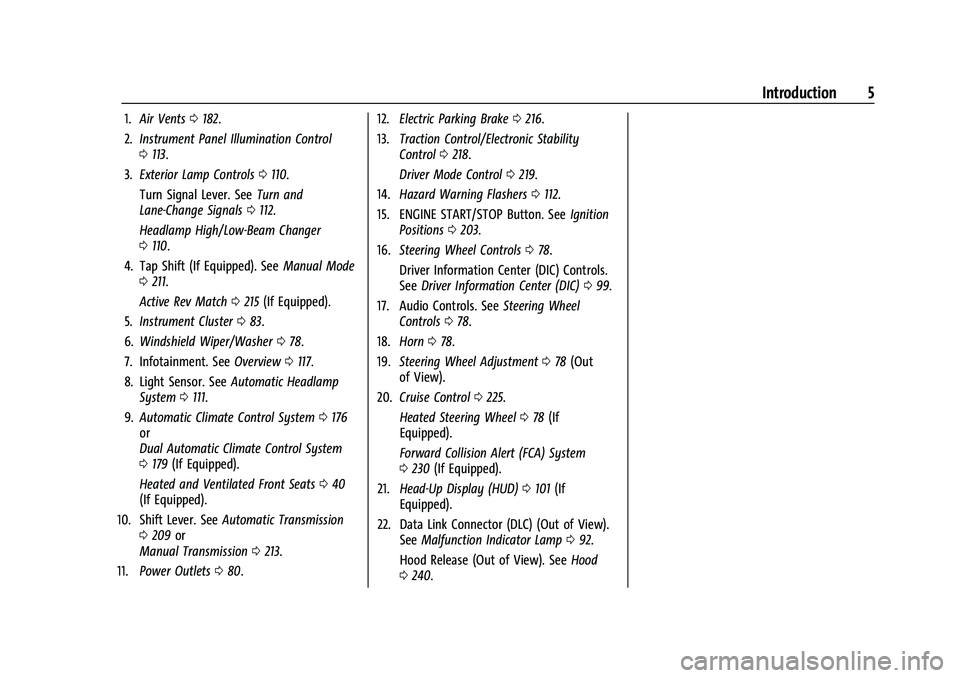
1.Air Vents 0182.
2. Instrument Panel Illumination Control
0113.
3. Exterior Lamp Controls 0110.
Turn Signal Lever. See Turn and
Lane-Change Signals 0112.
Headlamp High/Low-Beam Changer
0 110.
4. Tap Shift (If Equipped). See Manual Mode
0 211.
Active Rev Match 0215 (If Equipped).
5. Instrument Cluster 083.
6. Windshield Wiper/Washer 078.
7. Infotainment. See Overview0117.
8. Light Sensor. See Automatic Headlamp
System 0111.
9. Automatic Climate Control System 0176
or
Dual Automatic Climate Control System
0 179 (If Equipped).
Heated and Ventilated Front Seats 040
(If Equipped).
10. Shift Lever. See Automatic Transmission
0 209 or
Manual Transmission 0213.
11. Power Outlets 080. 12.
Electric Parking Brake 0216.
13. Traction Control/Electronic Stability
Control 0218.
Driver Mode Control 0219.
14. Hazard Warning Flashers 0112.
15. ENGINE START/STOP Button. See Ignition
Positions 0203.
16. Steering Wheel Controls 078.
Driver Information Center (DIC) Controls.
See Driver Information Center (DIC) 099.
17. Audio Controls. See Steering Wheel
Controls 078.
18. Horn 078.
19. Steering Wheel Adjustment 078 (Out
of View).
20. Cruise Control 0225.
Heated Steering Wheel 078 (If
Equipped).
Forward Collision Alert (FCA) System
0 230 (If Equipped).
21. Head-Up Display (HUD) 0101 (If
Equipped).
22. Data Link Connector (DLC) (Out of View). SeeMalfunction Indicator Lamp 092.
Hood Release (Out of View). See Hood
0 240.
Page 10 of 357
Chevrolet Camaro Owner Manual (GMNA-Localizing-U.S./Canada/Mexico-
14583589) - 2021 - CRC - 3/24/20
Keys, Doors, and Windows 9
Keyless Access can be programmed to
unlock all doors on the first lock/unlock
press from the driver door. Keyless Access
can also be turned Off. SeeVehicle
Personalization 0105.
If equipped with memory seats, RKE
transmitters 1 and 2 are linked to the
seating positions of memory 1 or 2. See
Memory Seats 037.
Keyless Unlocking/Locking from the
Driver Door
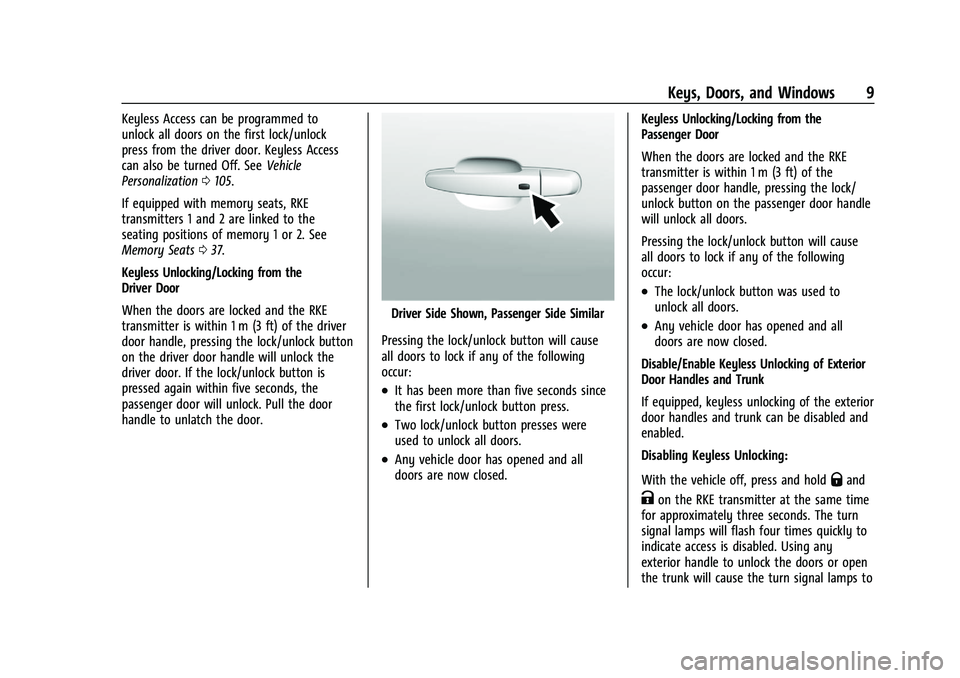
When the doors are locked and the RKE
transmitter is within 1 m (3 ft) of the driver
door handle, pressing the lock/unlock button
on the driver door handle will unlock the
driver door. If the lock/unlock button is
pressed again within five seconds, the
passenger door will unlock. Pull the door
handle to unlatch the door.
Driver Side Shown, Passenger Side Similar
Pressing the lock/unlock button will cause
all doors to lock if any of the following
occur:
.It has been more than five seconds since
the first lock/unlock button press.
.Two lock/unlock button presses were
used to unlock all doors.
.Any vehicle door has opened and all
doors are now closed. Keyless Unlocking/Locking from the
Passenger Door
When the doors are locked and the RKE
transmitter is within 1 m (3 ft) of the
passenger door handle, pressing the lock/
unlock button on the passenger door handle
will unlock all doors.
Pressing the lock/unlock button will cause
all doors to lock if any of the following
occur:
.The lock/unlock button was used to
unlock all doors.
.Any vehicle door has opened and all
doors are now closed.
Disable/Enable Keyless Unlocking of Exterior
Door Handles and Trunk
If equipped, keyless unlocking of the exterior
door handles and trunk can be disabled and
enabled.
Disabling Keyless Unlocking:
With the vehicle off, press and hold
Qand
Kon the RKE transmitter at the same time
for approximately three seconds. The turn
signal lamps will flash four times quickly to
indicate access is disabled. Using any
exterior handle to unlock the doors or open
the trunk will cause the turn signal lamps to
Page 15 of 357

Chevrolet Camaro Owner Manual (GMNA-Localizing-U.S./Canada/Mexico-
14583589) - 2021 - CRC - 3/24/20
14 Keys, Doors, and Windows
2. Separate the two halves of thetransmitter using a flat tool inserted into
the area near the key slot.
3. Remove the battery by pushing on thebattery and sliding it toward the bottom
of the transmitter.
4. Insert the new battery, positive side facing the back cover. Push the battery
down until it is held in place. Replace
with a CR2032 or equivalent battery.
5. Snap the battery cover back on to the transmitter.
6. Reinsert the key.
Remote Vehicle Start
If equipped, this feature allows the engine
to be started from outside the vehicle.
/: This button will be on the RKE
transmitter if equipped with remote start.
The climate control system will use the
previous settings during a remote start. The
rear window defogger and heated and
ventilated seats, if equipped, may also come
on. See "Remote Start Heated and Ventilated
Seats" in Heated and Ventilated Front Seats
0 40 and "Remote Start Auto Heat Seats" or
"Remote Start Auto Cool Seats" in Vehicle
Personalization 0105.
Laws in some local communities may restrict
the use of remote starters. For example,
some laws may require a person using remote start to have the vehicle in view.
Check local regulations for any
requirements.
Other conditions can affect the performance
of the transmitter. See
Remote Keyless Entry
(RKE) System 07.
Starting the Engine Using Remote Start
To start the engine using the remote start
feature:
1. Press and release
Q.
2. Immediately after completing Step 1, press and hold
/for at least
four seconds or until the turn signal
lamps flash. The turn signal lamps
flashing confirms the request to remote
start the vehicle has been received.
When the engine starts, the parking
lamps will turn on and remain on as
long as the engine is running. The
vehicle's doors will be locked and the
climate control system may come on.
The engine will continue to run for
15 minutes. After 30 seconds, repeat the
steps for a 15-minute time extension.
Remote start can be extended only once.
Start the vehicle before driving.
Page 24 of 357
Chevrolet Camaro Owner Manual (GMNA-Localizing-U.S./Canada/Mexico-
14583589) - 2021 - CRC - 3/24/20
Keys, Doors, and Windows 23
If the RKE transmitter appears to be
undamaged, try another transmitter. Or, you
may try placing the transmitter in the rear
cupholder in the center console. See
“Starting the Vehicle with a Low Transmitter
Battery”underRemote Keyless Entry (RKE)
System Operation 07.
If the engine does not start with the other
transmitter or when the transmitter is in the
rear cupholder in the center console, your
vehicle needs service. See your dealer who
can service the theft-deterrent system and
have a new transmitter programmed to the
vehicle.
Do not leave the transmitter or device that
disarms or deactivates the theft-deterrent
system in the vehicle.
Exterior Mirrors
Convex Mirrors
{Warning
A convex mirror can make things, like
other vehicles, look farther away than
they really are. If you cut too sharply
into the right lane, you could hit a (Continued)
Warning (Continued)
vehicle on the right. Check the inside
mirror or glance over your shoulder
before changing lanes.
The passenger side mirror is convex shaped.
A convex mirror's surface is curved so more
can be seen from the driver seat.
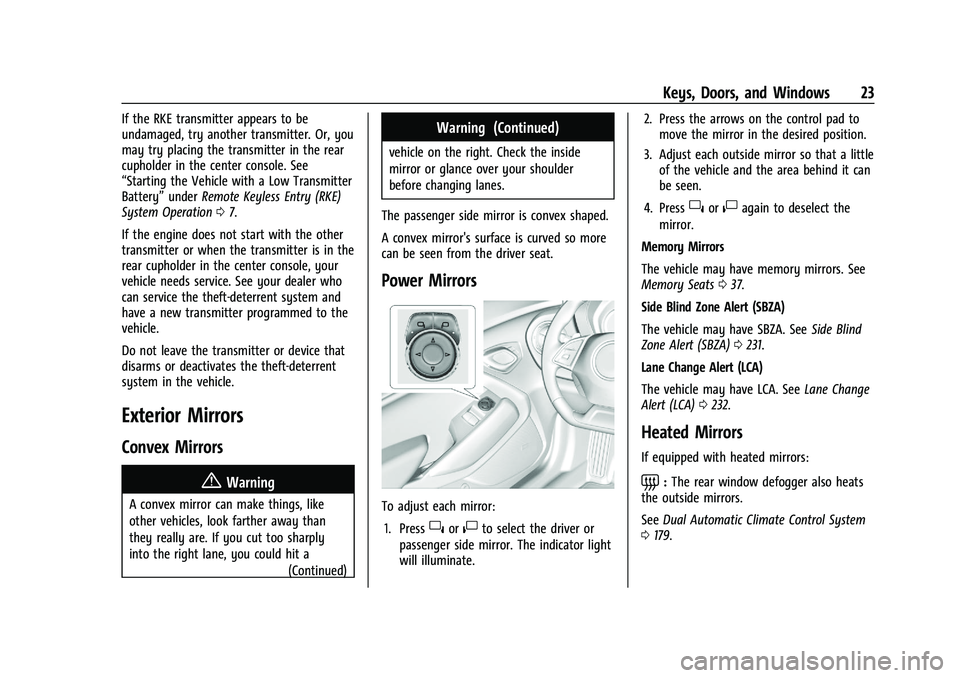
Power Mirrors
To adjust each mirror: 1. Press
}or|to select the driver or
passenger side mirror. The indicator light
will illuminate. 2. Press the arrows on the control pad to
move the mirror in the desired position.
3. Adjust each outside mirror so that a little of the vehicle and the area behind it can
be seen.
4. Press
}or|again to deselect the
mirror.
Memory Mirrors
The vehicle may have memory mirrors. See
Memory Seats 037.
Side Blind Zone Alert (SBZA)
The vehicle may have SBZA. See Side Blind
Zone Alert (SBZA) 0231.
Lane Change Alert (LCA)
The vehicle may have LCA. See Lane Change
Alert (LCA) 0232.
Heated Mirrors
If equipped with heated mirrors:
=:The rear window defogger also heats
the outside mirrors.
See Dual Automatic Climate Control System
0 179.
Page 25 of 357

Chevrolet Camaro Owner Manual (GMNA-Localizing-U.S./Canada/Mexico-
14583589) - 2021 - CRC - 3/24/20
24 Keys, Doors, and Windows
Automatic Dimming Mirror
If the vehicle is equipped with an automatic
dimming outside mirror on the driver side,
the mirror will adjust for the glare of
headlamps behind you.
Reverse Tilt Mirrors
If equipped with reverse tilt mirrors and
memory seats, the passenger and/or driver
mirror tilts to a preselected position when
the vehicle is in R (Reverse). This allows the
curb to be seen when parallel parking.
The mirror(s) may move from their tilted
position when:
.The vehicle is shifted out of R (Reverse),
or remains in R (Reverse) for about
30 seconds.
.The vehicle is turned off.
.The vehicle is driven in R (Reverse) above
a set speed.
To turn this feature on or off, see Vehicle
Personalization 0105.
Interior Mirrors
Interior Rearview Mirrors
Adjust the rearview mirror for a clear view
of the area behind the vehicle.
Do not spray glass cleaner directly on the
mirror. Use a soft towel dampened with
water.
Manual Rearview Mirror
If equipped, push the tab forward for
daytime use and pull it for nighttime use to
avoid glare from the headlamps from
behind.
Automatic Dimming Rearview
Mirror
If equipped, automatic dimming reduces the
glare of headlamps from behind. The
dimming feature comes on when the vehicle
is started.
Rear Camera Mirror
If equipped, the automatic dimming mirror
provides a wide angle camera view of the
area behind the vehicle.
Pull the tab to turn on the display. Push the
tab to turn it off. When off the mirror is
automatic dimming. Adjust the mirror for a
clear view of the area behind the vehicle
while the display is off.
Page 36 of 357
Chevrolet Camaro Owner Manual (GMNA-Localizing-U.S./Canada/Mexico-
14583589) - 2021 - CRC - 3/24/20
Seats and Restraints 35
Seats and Restraints
Head Restraints
Head Restraints . . . . . . . . . . . . . . . . . . . . . . . . . 35
Front Seats
Seat Adjustment . . . . . . . . . . . . . . . . . . . . . . . 36
Power Seat Adjustment . . . . . . . . . . . . . . . . 36
Reclining Seatbacks . . . . . . . . . . . . . . . . . . . . . 37
Memory Seats . . . . . . . . . . . . . . . . . . . . . . . . . . 37
Seatback Latches . . . . . . . . . . . . . . . . . . . . . . . 40
Heated and Ventilated Front Seats . . . . . 40
Rear Seats
Rear Seats . . . . . . . . . . . . . . . . . . . . . . . . . . . . . . 41
Seat Belts
Seat Belts . . . . . . . . . . . . . . . . . . . . . . . . . . . . . . 42
How to Wear Seat Belts Properly . . . . . . 43
Lap-Shoulder Belt . . . . . . . . . . . . . . . . . . . . . . . 45
Seat Belt Use During Pregnancy . . . . . . . . 47
Seat Belt Extender . . . . . . . . . . . . . . . . . . . . . . 47
Safety System Check . . . . . . . . . . . . . . . . . . . 47
Seat Belt Care . . . . . . . . . . . . . . . . . . . . . . . . . . 47
Replacing Seat Belt System Parts after aCrash . . . . . . . . . . . . . . . . . . . . . . . . . . . . . . . . . 48
Airbag System
Airbag System . . . . . . . . . . . . . . . . . . . . . . . . . 48
Where Are the Airbags? . . . . . . . . . . . . . . . . 50
When Should an Airbag Inflate? . . . . . . . . 51 What Makes an Airbag Inflate? . . . . . . . . . 52
How Does an Airbag Restrain? . . . . . . . . . . 52
What Will You See after an Airbag
Inflates? . . . . . . . . . . . . . . . . . . . . . . . . . . . . . . 53
Passenger Sensing System . . . . . . . . . . . . . . 54
Servicing the Airbag-Equipped
Vehicle . . . . . . . . . . . . . . . . . . . . . . . . . . . . . . . . 57
Adding Equipment to the Airbag-Equipped Vehicle . . . . . . . . . . . . . . 58
Airbag System Check . . . . . . . . . . . . . . . . . . . 58
Replacing Airbag System Parts after a Crash . . . . . . . . . . . . . . . . . . . . . . . . . . . . . . . . . 59
Child Restraints
Older Children . . . . . . . . . . . . . . . . . . . . . . . . . . 59
Infants and Young Children . . . . . . . . . . . . 60
Child Restraint Systems . . . . . . . . . . . . . . . . 62
Where to Put the Restraint . . . . . . . . . . . . 64
Lower Anchors and Tethers for Children(LATCH System) . . . . . . . . . . . . . . . . . . . . . . 65
Replacing LATCH System Parts After a Crash . . . . . . . . . . . . . . . . . . . . . . . . . . . . . . . . . 70
Securing Child Restraints (With the Seat Belt in the Rear Seat) . . . . . . . . . . . . . . . . . 71
Securing Child Restraints (With the Seat Belt in the Front Seat) . . . . . . . . . . . . . . . . 72
Head Restraints
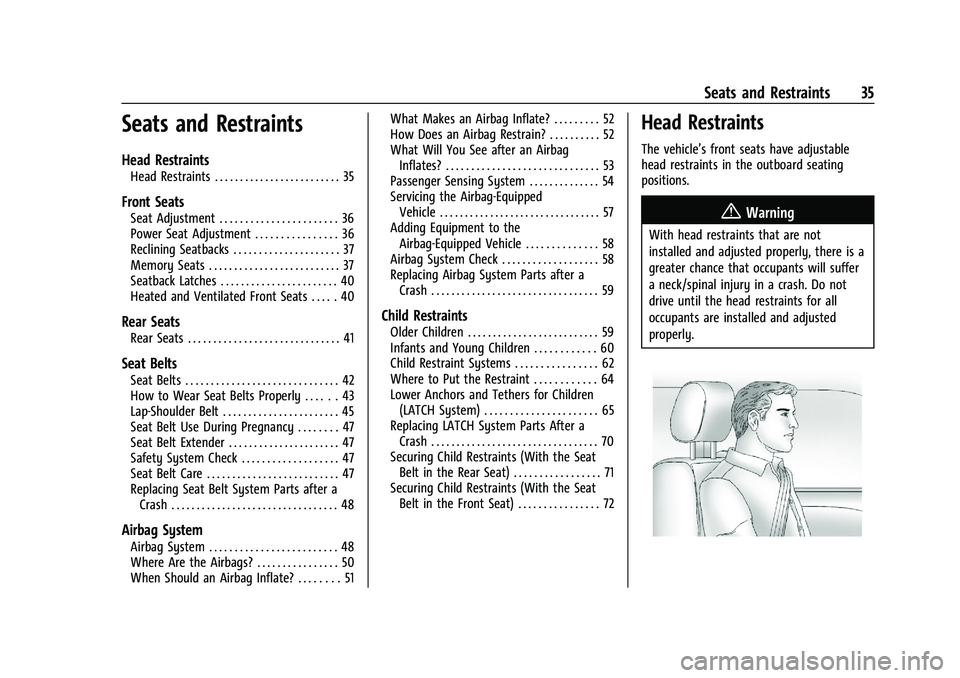
The vehicle’s front seats have adjustable
head restraints in the outboard seating
positions.
{Warning
With head restraints that are not
installed and adjusted properly, there is a
greater chance that occupants will suffer
a neck/spinal injury in a crash. Do not
drive until the head restraints for all
occupants are installed and adjusted
properly.
Page 37 of 357
Chevrolet Camaro Owner Manual (GMNA-Localizing-U.S./Canada/Mexico-
14583589) - 2021 - CRC - 3/24/20
36 Seats and Restraints
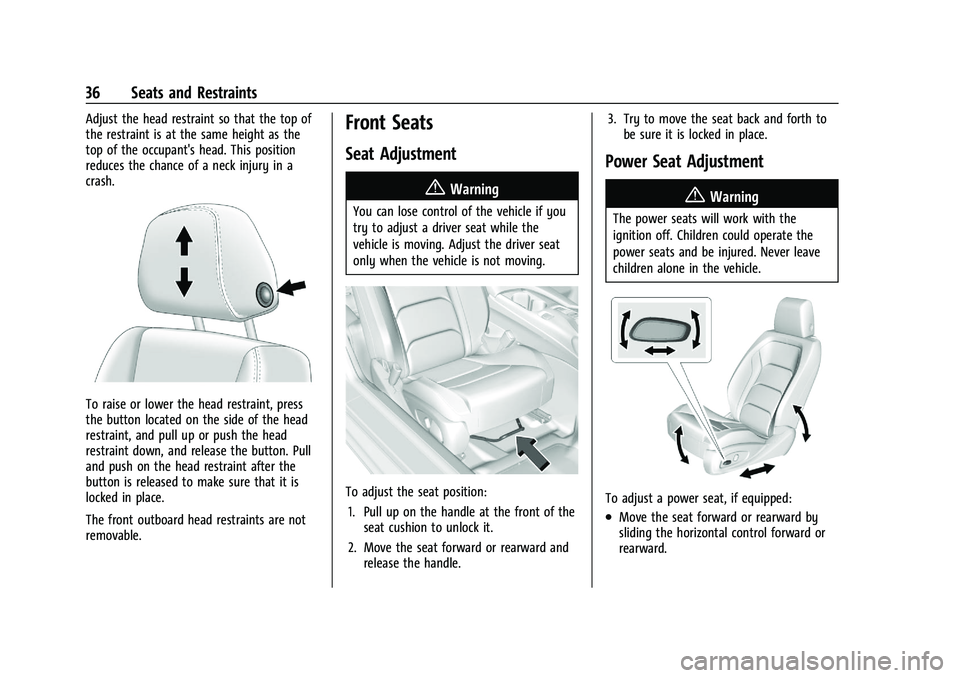
Adjust the head restraint so that the top of
the restraint is at the same height as the
top of the occupant's head. This position
reduces the chance of a neck injury in a
crash.
To raise or lower the head restraint, press
the button located on the side of the head
restraint, and pull up or push the head
restraint down, and release the button. Pull
and push on the head restraint after the
button is released to make sure that it is
locked in place.
The front outboard head restraints are not
removable.
Front Seats
Seat Adjustment
{Warning
You can lose control of the vehicle if you
try to adjust a driver seat while the
vehicle is moving. Adjust the driver seat
only when the vehicle is not moving.
To adjust the seat position:1. Pull up on the handle at the front of the seat cushion to unlock it.
2. Move the seat forward or rearward and release the handle. 3. Try to move the seat back and forth to
be sure it is locked in place.
Power Seat Adjustment
{Warning
The power seats will work with the
ignition off. Children could operate the
power seats and be injured. Never leave
children alone in the vehicle.
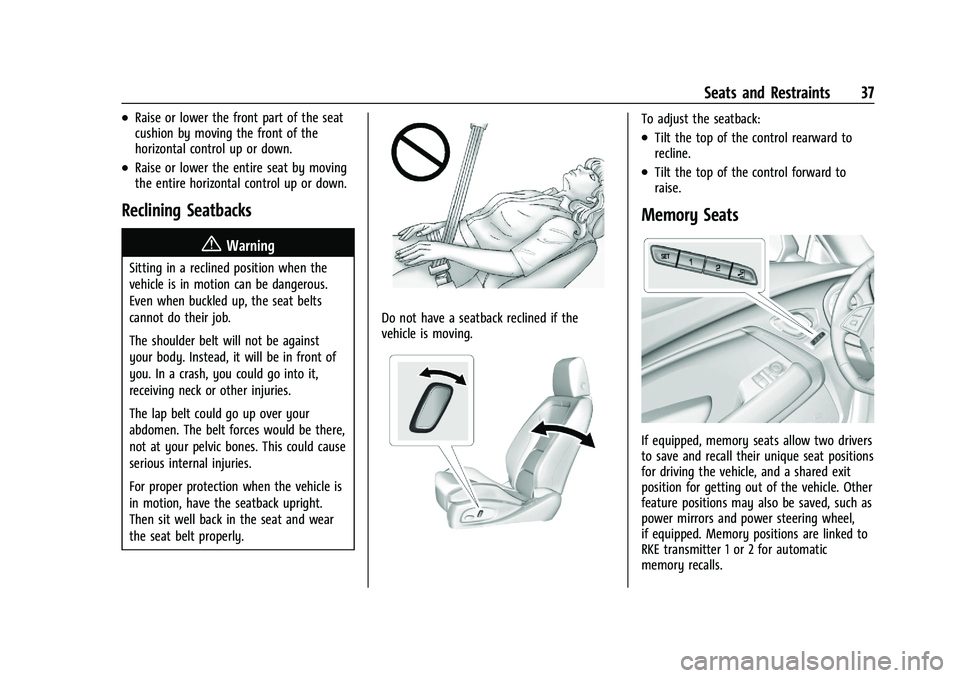
To adjust a power seat, if equipped:
.Move the seat forward or rearward by
sliding the horizontal control forward or
rearward.
Page 38 of 357
Chevrolet Camaro Owner Manual (GMNA-Localizing-U.S./Canada/Mexico-
14583589) - 2021 - CRC - 3/24/20
Seats and Restraints 37
.Raise or lower the front part of the seat
cushion by moving the front of the
horizontal control up or down.
.Raise or lower the entire seat by moving
the entire horizontal control up or down.
Reclining Seatbacks
{Warning
Sitting in a reclined position when the
vehicle is in motion can be dangerous.
Even when buckled up, the seat belts
cannot do their job.
The shoulder belt will not be against
your body. Instead, it will be in front of
you. In a crash, you could go into it,
receiving neck or other injuries.
The lap belt could go up over your
abdomen. The belt forces would be there,
not at your pelvic bones. This could cause
serious internal injuries.
For proper protection when the vehicle is
in motion, have the seatback upright.
Then sit well back in the seat and wear
the seat belt properly.
Do not have a seatback reclined if the
vehicle is moving.
To adjust the seatback:
.Tilt the top of the control rearward to
recline.
.Tilt the top of the control forward to
raise.
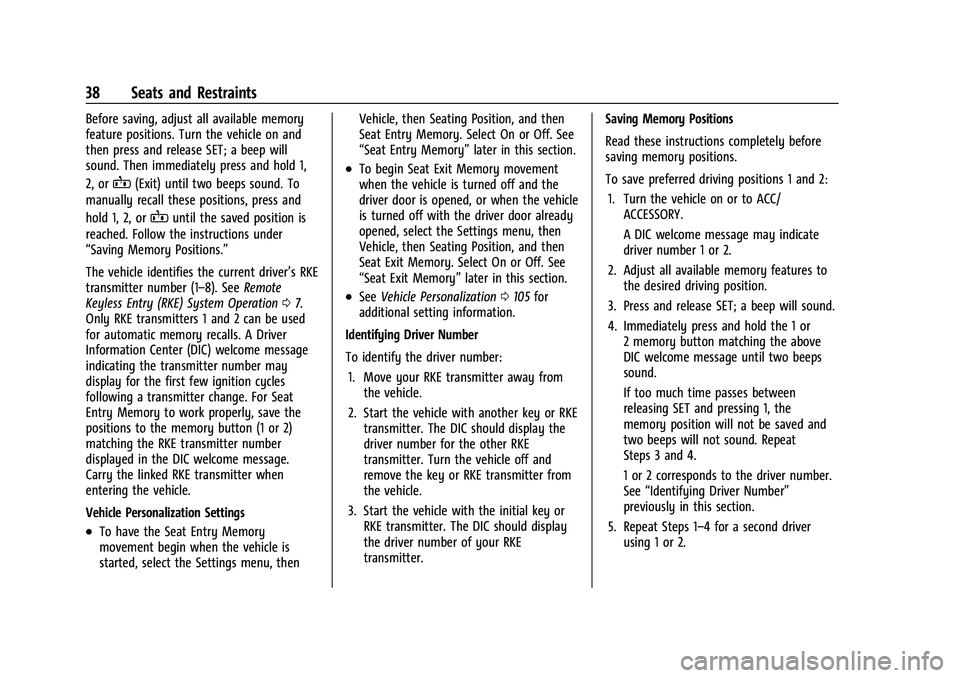
Memory Seats
If equipped, memory seats allow two drivers
to save and recall their unique seat positions
for driving the vehicle, and a shared exit
position for getting out of the vehicle. Other
feature positions may also be saved, such as
power mirrors and power steering wheel,
if equipped. Memory positions are linked to
RKE transmitter 1 or 2 for automatic
memory recalls.
Page 39 of 357
Chevrolet Camaro Owner Manual (GMNA-Localizing-U.S./Canada/Mexico-
14583589) - 2021 - CRC - 3/24/20
38 Seats and Restraints
Before saving, adjust all available memory
feature positions. Turn the vehicle on and
then press and release SET; a beep will
sound. Then immediately press and hold 1,
2, or
B(Exit) until two beeps sound. To
manually recall these positions, press and
hold 1, 2, or
Buntil the saved position is
reached. Follow the instructions under
“Saving Memory Positions.”
The vehicle identifies the current driver’s RKE
transmitter number (1–8). See Remote
Keyless Entry (RKE) System Operation 07.
Only RKE transmitters 1 and 2 can be used
for automatic memory recalls. A Driver
Information Center (DIC) welcome message
indicating the transmitter number may
display for the first few ignition cycles
following a transmitter change. For Seat
Entry Memory to work properly, save the
positions to the memory button (1 or 2)
matching the RKE transmitter number
displayed in the DIC welcome message.
Carry the linked RKE transmitter when
entering the vehicle.
Vehicle Personalization Settings
.To have the Seat Entry Memory
movement begin when the vehicle is
started, select the Settings menu, then Vehicle, then Seating Position, and then
Seat Entry Memory. Select On or Off. See
“Seat Entry Memory”
later in this section.
.To begin Seat Exit Memory movement
when the vehicle is turned off and the
driver door is opened, or when the vehicle
is turned off with the driver door already
opened, select the Settings menu, then
Vehicle, then Seating Position, and then
Seat Exit Memory. Select On or Off. See
“Seat Exit Memory”later in this section.
.SeeVehicle Personalization 0105 for
additional setting information.
Identifying Driver Number
To identify the driver number: 1. Move your RKE transmitter away from the vehicle.
2. Start the vehicle with another key or RKE transmitter. The DIC should display the
driver number for the other RKE
transmitter. Turn the vehicle off and
remove the key or RKE transmitter from
the vehicle.
3. Start the vehicle with the initial key or RKE transmitter. The DIC should display
the driver number of your RKE
transmitter. Saving Memory Positions
Read these instructions completely before
saving memory positions.
To save preferred driving positions 1 and 2:
1. Turn the vehicle on or to ACC/ ACCESSORY.
A DIC welcome message may indicate
driver number 1 or 2.
2. Adjust all available memory features to the desired driving position.
3. Press and release SET; a beep will sound.
4. Immediately press and hold the 1 or 2 memory button matching the above
DIC welcome message until two beeps
sound.
If too much time passes between
releasing SET and pressing 1, the
memory position will not be saved and
two beeps will not sound. Repeat
Steps 3 and 4.
1 or 2 corresponds to the driver number.
See “Identifying Driver Number”
previously in this section.
5. Repeat Steps 1–4 for a second driver using 1 or 2.