trunk CHEVROLET CAMARO 2023 User Guide
[x] Cancel search | Manufacturer: CHEVROLET, Model Year: 2023, Model line: CAMARO, Model: CHEVROLET CAMARO 2023Pages: 345, PDF Size: 16.19 MB
Page 32 of 345
Chevrolet Camaro Owner Manual (GMNA-Localizing-U.S./Canada/Mexico-
16408685) - 2023 - CRC - 3/28/22
Keys, Doors, and Windows 31
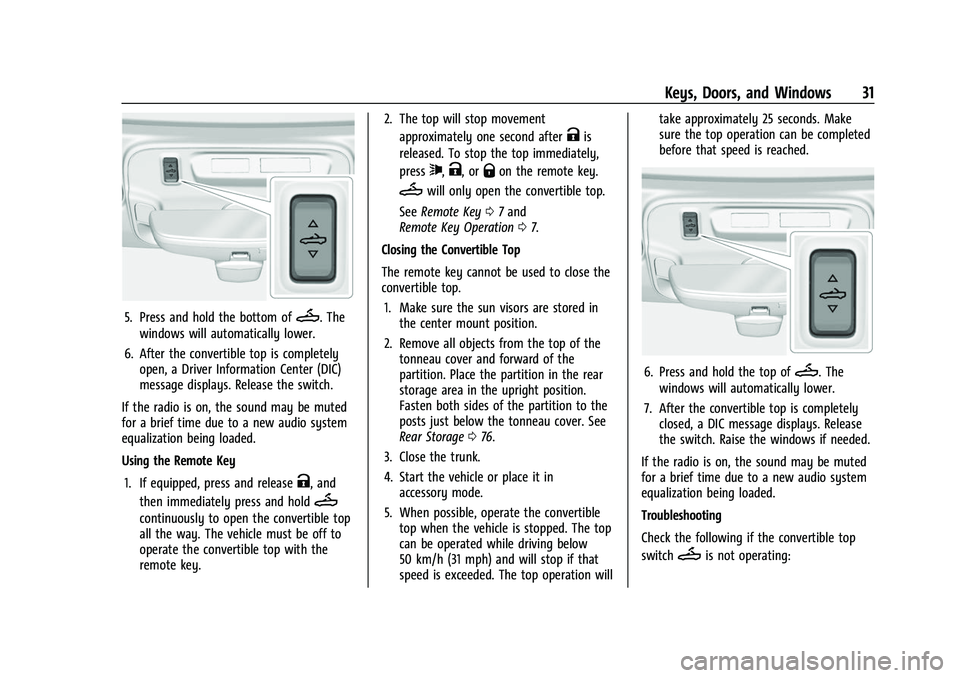
5. Press and hold the bottom ofM. The
windows will automatically lower.
6. After the convertible top is completely open, a Driver Information Center (DIC)
message displays. Release the switch.
If the radio is on, the sound may be muted
for a brief time due to a new audio system
equalization being loaded.
Using the Remote Key
1. If equipped, press and release
K, and
then immediately press and hold
M
continuously to open the convertible top
all the way. The vehicle must be off to
operate the convertible top with the
remote key. 2. The top will stop movement
approximately one second after
Kis
released. To stop the top immediately,
press
7,K, orQon the remote key.
Mwill only open the convertible top.
See Remote Key 07and
Remote Key Operation 07.
Closing the Convertible Top
The remote key cannot be used to close the
convertible top. 1. Make sure the sun visors are stored in the center mount position.
2. Remove all objects from the top of the tonneau cover and forward of the
partition. Place the partition in the rear
storage area in the upright position.
Fasten both sides of the partition to the
posts just below the tonneau cover. See
Rear Storage 076.
3. Close the trunk.
4. Start the vehicle or place it in accessory mode.
5. When possible, operate the convertible top when the vehicle is stopped. The top
can be operated while driving below
50 km/h (31 mph) and will stop if that
speed is exceeded. The top operation will take approximately 25 seconds. Make
sure the top operation can be completed
before that speed is reached.
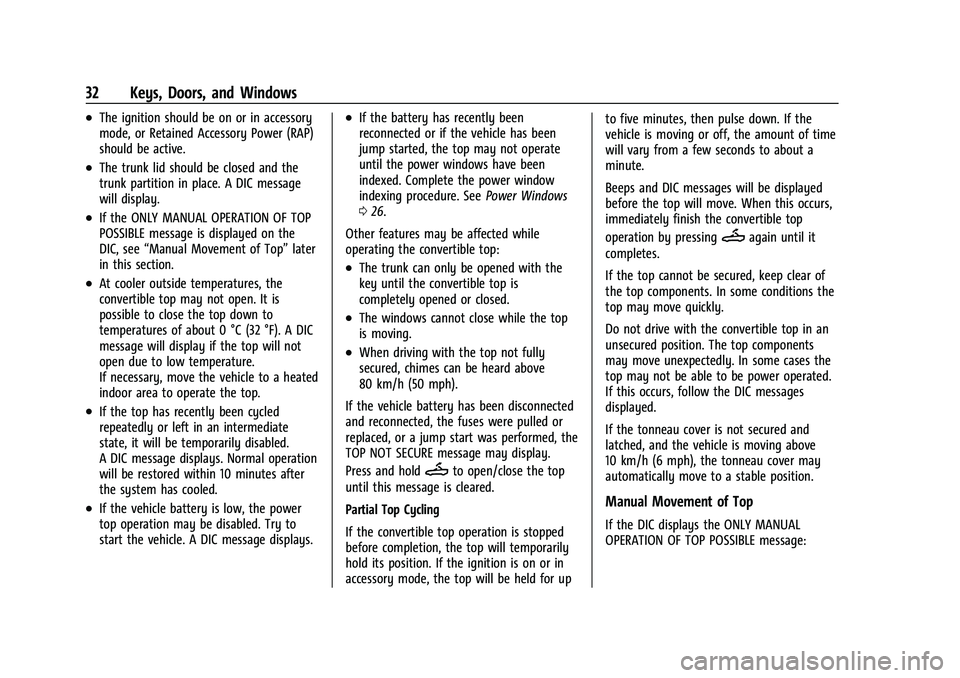
6. Press and hold the top ofM. The
windows will automatically lower.
7. After the convertible top is completely closed, a DIC message displays. Release
the switch. Raise the windows if needed.
If the radio is on, the sound may be muted
for a brief time due to a new audio system
equalization being loaded.
Troubleshooting
Check the following if the convertible top
switch
Mis not operating:
Page 33 of 345
Chevrolet Camaro Owner Manual (GMNA-Localizing-U.S./Canada/Mexico-
16408685) - 2023 - CRC - 3/28/22
32 Keys, Doors, and Windows
.The ignition should be on or in accessory
mode, or Retained Accessory Power (RAP)
should be active.
.The trunk lid should be closed and the
trunk partition in place. A DIC message
will display.
.If the ONLY MANUAL OPERATION OF TOP
POSSIBLE message is displayed on the
DIC, see“Manual Movement of Top” later
in this section.
.At cooler outside temperatures, the
convertible top may not open. It is
possible to close the top down to
temperatures of about 0 °C (32 °F). A DIC
message will display if the top will not
open due to low temperature.
If necessary, move the vehicle to a heated
indoor area to operate the top.
.If the top has recently been cycled
repeatedly or left in an intermediate
state, it will be temporarily disabled.
A DIC message displays. Normal operation
will be restored within 10 minutes after
the system has cooled.
.If the vehicle battery is low, the power
top operation may be disabled. Try to
start the vehicle. A DIC message displays.
.If the battery has recently been
reconnected or if the vehicle has been
jump started, the top may not operate
until the power windows have been
indexed. Complete the power window
indexing procedure. See Power Windows
0 26.
Other features may be affected while
operating the convertible top:
.The trunk can only be opened with the
key until the convertible top is
completely opened or closed.
.The windows cannot close while the top
is moving.
.When driving with the top not fully
secured, chimes can be heard above
80 km/h (50 mph).
If the vehicle battery has been disconnected
and reconnected, the fuses were pulled or
replaced, or a jump start was performed, the
TOP NOT SECURE message may display.
Press and hold
Mto open/close the top
until this message is cleared.
Partial Top Cycling
If the convertible top operation is stopped
before completion, the top will temporarily
hold its position. If the ignition is on or in
accessory mode, the top will be held for up to five minutes, then pulse down. If the
vehicle is moving or off, the amount of time
will vary from a few seconds to about a
minute.
Beeps and DIC messages will be displayed
before the top will move. When this occurs,
immediately finish the convertible top
operation by pressing
Magain until it
completes.
If the top cannot be secured, keep clear of
the top components. In some conditions the
top may move quickly.
Do not drive with the convertible top in an
unsecured position. The top components
may move unexpectedly. In some cases the
top may not be able to be power operated.
If this occurs, follow the DIC messages
displayed.
If the tonneau cover is not secured and
latched, and the vehicle is moving above
10 km/h (6 mph), the tonneau cover may
automatically move to a stable position.
Manual Movement of Top
If the DIC displays the ONLY MANUAL
OPERATION OF TOP POSSIBLE message:
Page 77 of 345
Chevrolet Camaro Owner Manual (GMNA-Localizing-U.S./Canada/Mexico-
16408685) - 2023 - CRC - 3/28/22
76 Storage
Storage
Storage Compartments
Storage Compartments . . . . . . . . . . . . . . . . . 76
Glove Box . . . . . . . . . . . . . . . . . . . . . . . . . . . . . . 76
Rear Storage . . . . . . . . . . . . . . . . . . . . . . . . . . . 76
Center Console Storage . . . . . . . . . . . . . . . . . 77
Additional Storage Features
Convenience Net . . . . . . . . . . . . . . . . . . . . . . . . 77
Storage Compartments{
Warning
Do not store heavy or sharp objects in
storage compartments. In a crash, these
objects may cause the cover to open and
could result in injury.
Glove Box
Open the glove box by lifting up on the
lever. Use the key to lock and unlock the
glove box.
Rear Storage
Rear Seat Trunk Access (Coupe)
If equipped, there is access to the trunk
from inside of the vehicle.
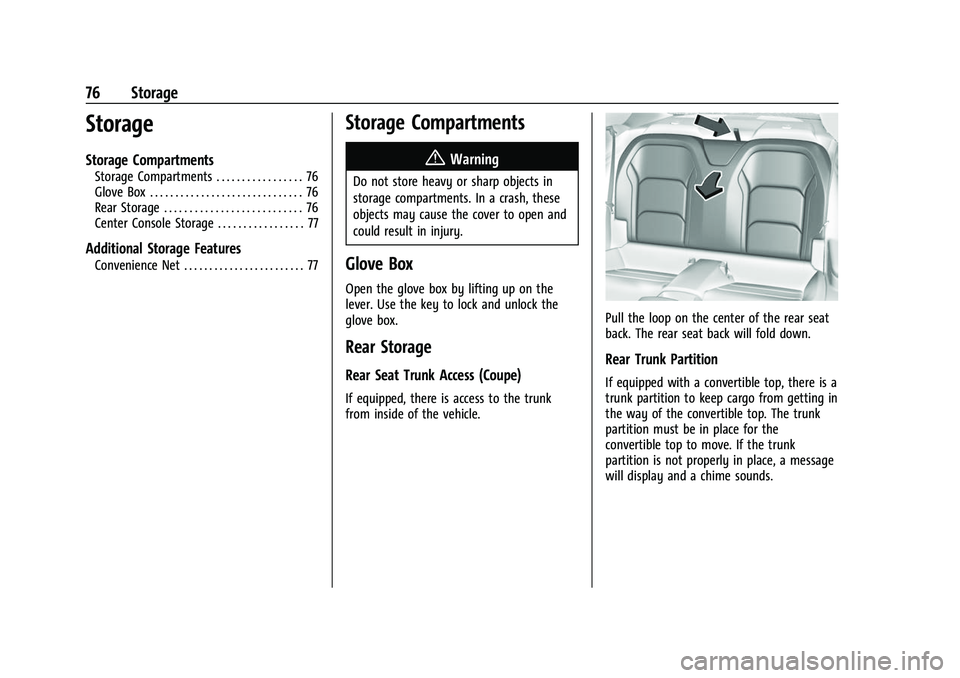
Pull the loop on the center of the rear seat
back. The rear seat back will fold down.
Rear Trunk Partition
If equipped with a convertible top, there is a
trunk partition to keep cargo from getting in
the way of the convertible top. The trunk
partition must be in place for the
convertible top to move. If the trunk
partition is not properly in place, a message
will display and a chime sounds.
Page 78 of 345
Chevrolet Camaro Owner Manual (GMNA-Localizing-U.S./Canada/Mexico-
16408685) - 2023 - CRC - 3/28/22
Storage 77
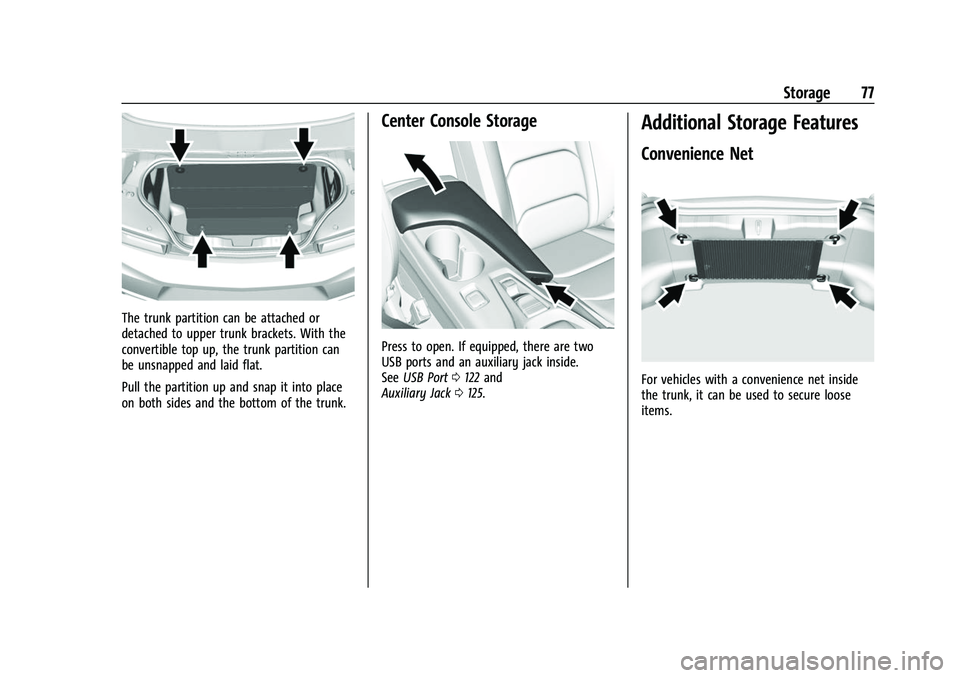
The trunk partition can be attached or
detached to upper trunk brackets. With the
convertible top up, the trunk partition can
be unsnapped and laid flat.
Pull the partition up and snap it into place
on both sides and the bottom of the trunk.
Center Console Storage
Press to open. If equipped, there are two
USB ports and an auxiliary jack inside.
SeeUSB Port 0122 and
Auxiliary Jack 0125.
Additional Storage Features
Convenience Net
For vehicles with a convenience net inside
the trunk, it can be used to secure loose
items.
Page 226 of 345
Chevrolet Camaro Owner Manual (GMNA-Localizing-U.S./Canada/Mexico-
16408685) - 2023 - CRC - 3/28/22
Driving and Operating 225
Warning (Continued)
.Fuel can spray out if the fill nozzle is
inserted too quickly. This spray can
happen if the tank is nearly full, and is
more likely in hot weather. Insert the
fill nozzle slowly and wait for any hiss
noise to stop before beginning to
flow fuel.
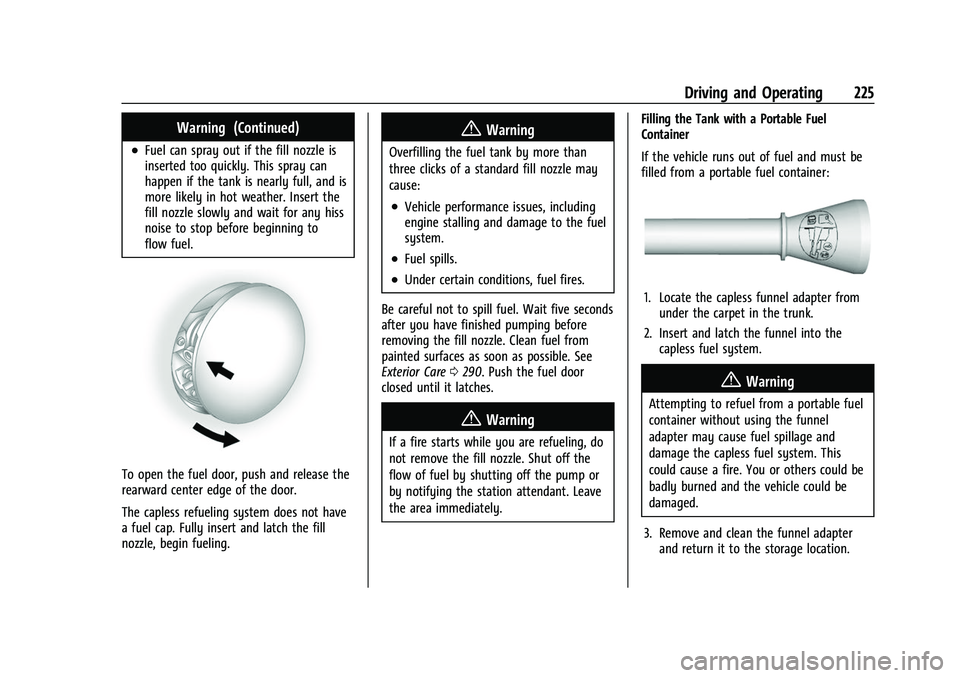
To open the fuel door, push and release the
rearward center edge of the door.
The capless refueling system does not have
a fuel cap. Fully insert and latch the fill
nozzle, begin fueling.
{Warning
Overfilling the fuel tank by more than
three clicks of a standard fill nozzle may
cause:
.Vehicle performance issues, including
engine stalling and damage to the fuel
system.
.Fuel spills.
.Under certain conditions, fuel fires.
Be careful not to spill fuel. Wait five seconds
after you have finished pumping before
removing the fill nozzle. Clean fuel from
painted surfaces as soon as possible. See
Exterior Care 0290. Push the fuel door
closed until it latches.
{Warning
If a fire starts while you are refueling, do
not remove the fill nozzle. Shut off the
flow of fuel by shutting off the pump or
by notifying the station attendant. Leave
the area immediately. Filling the Tank with a Portable Fuel
Container
If the vehicle runs out of fuel and must be
filled from a portable fuel container:
1. Locate the capless funnel adapter from
under the carpet in the trunk.
2. Insert and latch the funnel into the capless fuel system.
{Warning
Attempting to refuel from a portable fuel
container without using the funnel
adapter may cause fuel spillage and
damage the capless fuel system. This
could cause a fire. You or others could be
badly burned and the vehicle could be
damaged.
3. Remove and clean the funnel adapter and return it to the storage location.
Page 227 of 345

Chevrolet Camaro Owner Manual (GMNA-Localizing-U.S./Canada/Mexico-
16408685) - 2023 - CRC - 3/28/22
226 Driving and Operating
Filling a Portable Fuel Container
{Warning
Never fill a portable fuel container while
it is in the vehicle. Static electricity
discharge from the container can ignite
the fuel vapor. You or others could be
badly burned and the vehicle could be
damaged. To help avoid injury to you
and others:
.Dispense fuel only into approved
containers.
.Do not fill a container while it is
inside a vehicle, in a vehicle's trunk, in
a pickup bed, or on any surface other
than the ground.
.Bring the fill nozzle in contact with
the inside of the fill opening before
operating the nozzle. Maintain contact
until filling is complete.
.Keep sparks, flames, and smoking
materials away from fuel.
.Avoid using electronic devices while
pumping fuel.
Trailer Towing
General Towing Information
{Warning
Never tow a trailer with your vehicle.
It was not designed or intended to tow a
trailer.
Conversions and Add-Ons
Add-On Electrical Equipment
{Warning
The Data Link Connector (DLC) is used for
vehicle service and Emission Inspection/
Maintenance testing. SeeMalfunction
Indicator Lamp 093. A device connected
to the DLC —such as an aftermarket
fleet or driver-behavior tracking device —
may interfere with vehicle systems. This
could affect vehicle operation and cause a
crash. Such devices may also access
information stored in the vehicle’s
systems.
Caution
Some electrical equipment can damage
the vehicle or cause components to not
work and would not be covered by the
vehicle warranty. Always check with your
dealer before adding electrical equipment.
Add-on equipment can drain the vehicle's
12-volt battery, even if the vehicle is not
operating.
The vehicle has an airbag system. Before
attempting to add anything electrical to the
vehicle, see Servicing the Airbag-Equipped
Vehicle 058 and
Adding Equipment to the Airbag-Equipped
Vehicle 058.
Page 250 of 345
Chevrolet Camaro Owner Manual (GMNA-Localizing-U.S./Canada/Mexico-
16408685) - 2023 - CRC - 3/28/22
Vehicle Care 249
Battery - North America
The original equipment battery is
maintenance free. Do not remove the cap
and do not add fluid.
The battery is in the trunk, behind the trim
panel, on the passenger side of the vehicle.
Refer to the replacement number shown on
the original battery label when a new
battery is needed.
The vehicle has an Absorbed Glass Mat
(AGM) 12-volt battery. Installation of a
standard 12-volt battery will result in
reduced 12-volt battery life.
Some chargers have an AGM battery setting
on the 12–volt charger. If available, use the
AGM setting on the charger, to limit charge
voltage to 14.8 volts.
{Warning
WARNING:Battery posts, terminals and
related accessories can expose you to
chemicals including lead and lead
compounds, which are known to the
State of California to cause cancer and
birth defects or other reproductive harm.
(Continued)
Warning (Continued)
Wash hands after handling. For more
information go to
www.P65Warnings.ca.gov.
See California Proposition 65 Warning 01.
Vehicle Storage
{Warning
Batteries have acid that can burn you and
gas that can explode. You can be badly
hurt if you are not careful. See Jump
Starting - North America 0286 for tips
on working around a battery without
getting hurt.
Infrequent Usage: Remove the black,
negative (−) cable from the battery to keep
the battery from running down.
Extended Storage: Remove the black,
negative (−) cable from the battery or use a
battery trickle charger.
Rear Axle
When to Check Lubricant
It is not necessary to regularly check the
rear axle fluid, unless a leak is suspected or
an unusual noise is heard. A fluid loss could
indicate a problem. Have it inspected and
repaired by your dealer.
Automatic Transmission Shift Lock
Control Function Check
{Warning
When you are doing this inspection, the
vehicle could move suddenly. If the
vehicle moves, you or others could be
injured.
1. Before starting this check, be sure there is enough room around the vehicle.
It should be parked on a level surface.
2. Apply the parking brake. Be ready to apply the regular brake immediately if
the vehicle begins to move.
3. With the engine off, turn the ignition on, but do not start the engine. Without
applying the regular brake, try to move
the shift lever out of P (Park) with
Page 252 of 345
Chevrolet Camaro Owner Manual (GMNA-Localizing-U.S./Canada/Mexico-
16408685) - 2023 - CRC - 3/28/22
Vehicle Care 251
Caution (Continued)
covered by the vehicle warranty. Do not
allow the wiper arm to touch the
windshield.
5. Reverse Steps 1–3 for wiper blade replacement.
Windshield Replacement
HUD System
The windshield is part of the HUD system.
If the windshield must be replaced, a GM
replacement windshield is recommended.
The replacement windshield must be
installed according to GM specifications for
proper alignment. If it is not, the HUD
image may look out of focus.
Driver Assistance Systems
If the windshield needs to be replaced and
the vehicle is equipped with a front camera
sensor for the Driver Assistance Systems, a
GM replacement windshield is
recommended. The replacement windshield
must be installed according to GM
specifications for proper alignment. If it is
not, these systems may not work properly, they may display messages, or they may
not work at all. See your dealer for proper
windshield replacement.
Gas Strut(s)
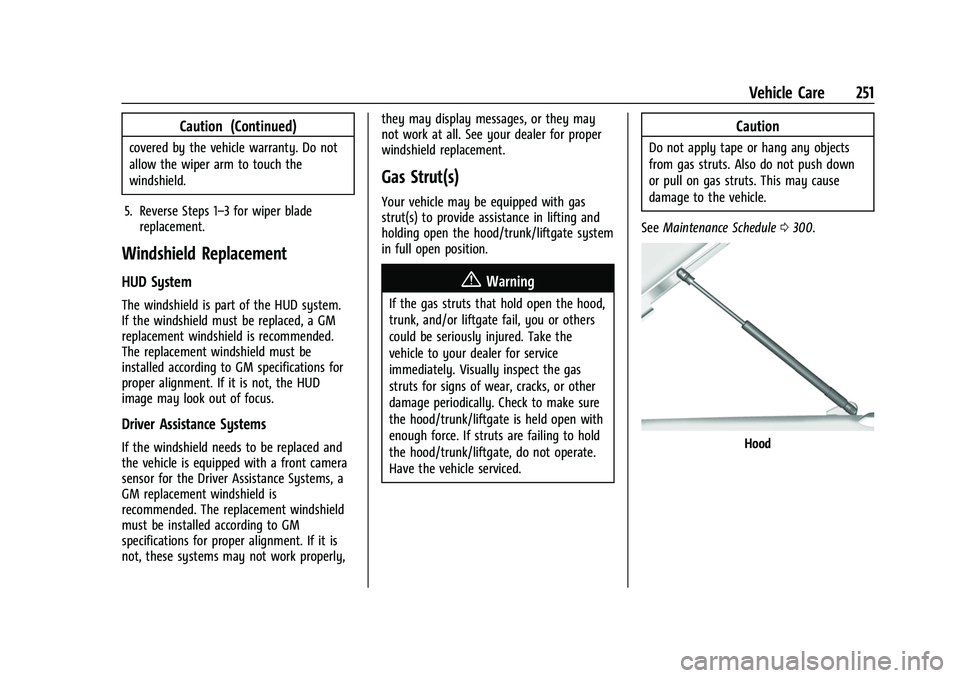
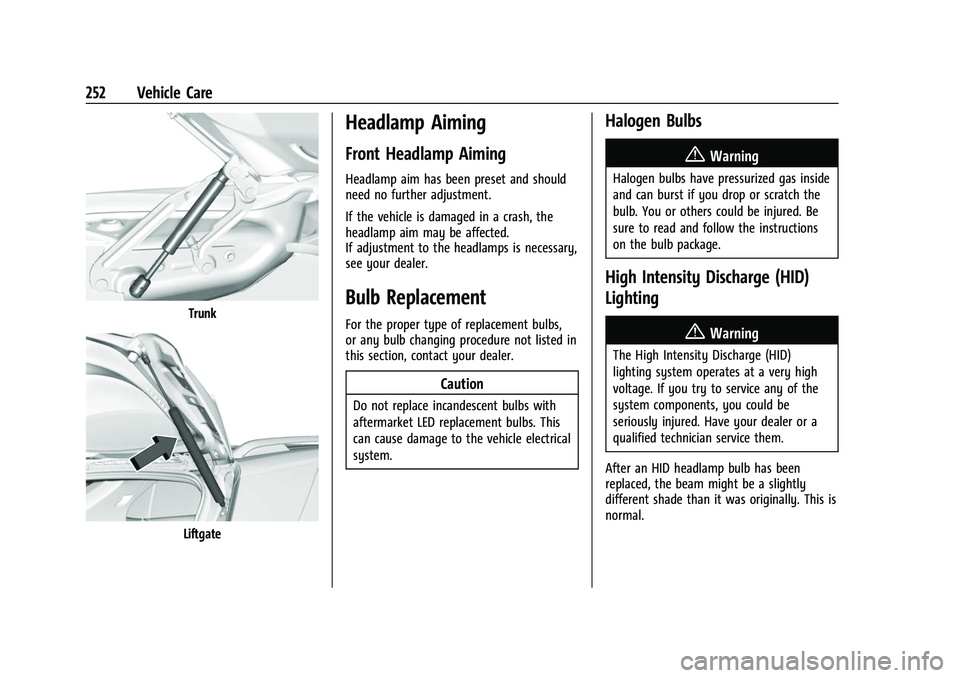
Your vehicle may be equipped with gas
strut(s) to provide assistance in lifting and
holding open the hood/trunk/liftgate system
in full open position.
{Warning
If the gas struts that hold open the hood,
trunk, and/or liftgate fail, you or others
could be seriously injured. Take the
vehicle to your dealer for service
immediately. Visually inspect the gas
struts for signs of wear, cracks, or other
damage periodically. Check to make sure
the hood/trunk/liftgate is held open with
enough force. If struts are failing to hold
the hood/trunk/liftgate, do not operate.
Have the vehicle serviced.
Caution
Do not apply tape or hang any objects
from gas struts. Also do not push down
or pull on gas struts. This may cause
damage to the vehicle.
See Maintenance Schedule 0300.
Hood
Page 253 of 345
Chevrolet Camaro Owner Manual (GMNA-Localizing-U.S./Canada/Mexico-
16408685) - 2023 - CRC - 3/28/22
252 Vehicle Care
Trunk
Liftgate
Headlamp Aiming
Front Headlamp Aiming
Headlamp aim has been preset and should
need no further adjustment.
If the vehicle is damaged in a crash, the
headlamp aim may be affected.
If adjustment to the headlamps is necessary,
see your dealer.
Bulb Replacement
For the proper type of replacement bulbs,
or any bulb changing procedure not listed in
this section, contact your dealer.
Caution
Do not replace incandescent bulbs with
aftermarket LED replacement bulbs. This
can cause damage to the vehicle electrical
system.
Halogen Bulbs
{Warning
Halogen bulbs have pressurized gas inside
and can burst if you drop or scratch the
bulb. You or others could be injured. Be
sure to read and follow the instructions
on the bulb package.
High Intensity Discharge (HID)
Lighting
{Warning
The High Intensity Discharge (HID)
lighting system operates at a very high
voltage. If you try to service any of the
system components, you could be
seriously injured. Have your dealer or a
qualified technician service them.
After an HID headlamp bulb has been
replaced, the beam might be a slightly
different shade than it was originally. This is
normal.
Page 254 of 345
Chevrolet Camaro Owner Manual (GMNA-Localizing-U.S./Canada/Mexico-
16408685) - 2023 - CRC - 3/28/22
Vehicle Care 253
LED Lighting
This vehicle has several LED lamps. For
replacement of any LED lighting assembly,
contact your dealer.
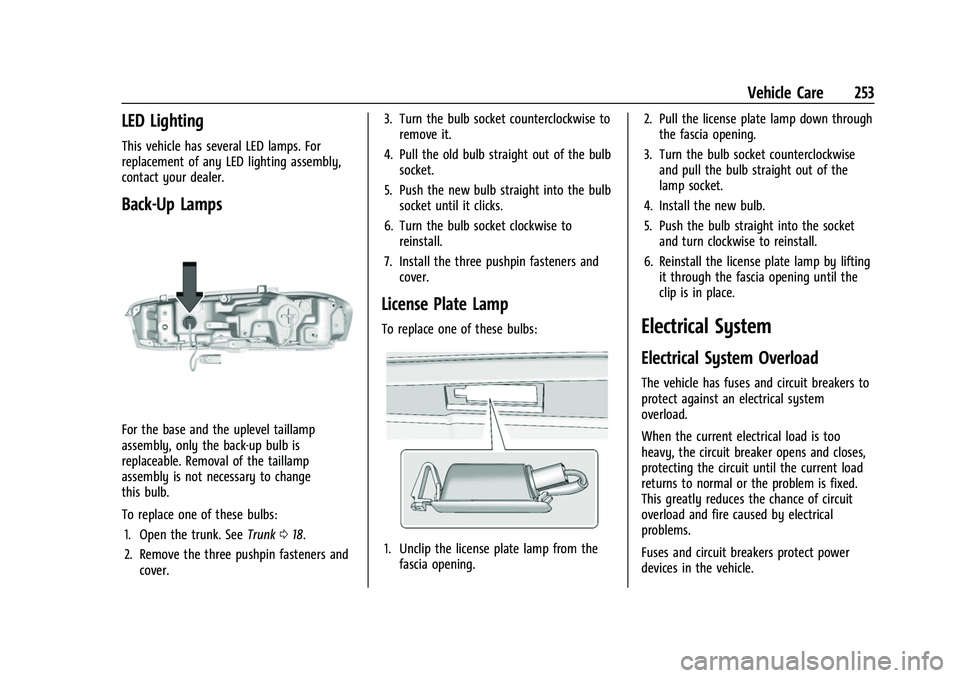
Back-Up Lamps
For the base and the uplevel taillamp
assembly, only the back-up bulb is
replaceable. Removal of the taillamp
assembly is not necessary to change
this bulb.
To replace one of these bulbs:1. Open the trunk. See Trunk018.
2. Remove the three pushpin fasteners and cover. 3. Turn the bulb socket counterclockwise to
remove it.
4. Pull the old bulb straight out of the bulb socket.
5. Push the new bulb straight into the bulb socket until it clicks.
6. Turn the bulb socket clockwise to reinstall.
7. Install the three pushpin fasteners and cover.
License Plate Lamp
To replace one of these bulbs:
1. Unclip the license plate lamp from thefascia opening. 2. Pull the license plate lamp down through
the fascia opening.
3. Turn the bulb socket counterclockwise and pull the bulb straight out of the
lamp socket.
4. Install the new bulb.
5. Push the bulb straight into the socket and turn clockwise to reinstall.
6. Reinstall the license plate lamp by lifting it through the fascia opening until the
clip is in place.
Electrical System
Electrical System Overload
The vehicle has fuses and circuit breakers to
protect against an electrical system
overload.
When the current electrical load is too
heavy, the circuit breaker opens and closes,
protecting the circuit until the current load
returns to normal or the problem is fixed.
This greatly reduces the chance of circuit
overload and fire caused by electrical
problems.
Fuses and circuit breakers protect power
devices in the vehicle.