remote control CHEVROLET CAMARO 2023 Owners Manual
[x] Cancel search | Manufacturer: CHEVROLET, Model Year: 2023, Model line: CAMARO, Model: CHEVROLET CAMARO 2023Pages: 345, PDF Size: 16.19 MB
Page 4 of 345
Chevrolet Camaro Owner Manual (GMNA-Localizing-U.S./Canada/Mexico-
16408685) - 2023 - CRC - 3/28/22
Introduction 3
A circle with a slash through it is a safety
symbol which means“Do not,” “Do not do
this,” or“Do not let this happen.”
Symbols
The vehicle has components and labels that
use symbols instead of text. Symbols are
shown along with the text describing the
operation or information relating to a
specific component, control, message, gauge,
or indicator.
M:Shown when the owner’s manual has
additional instructions or information.
*: Shown when the service manual has
additional instructions or information.
0: Shown when there is more information
on another page — “see page.”
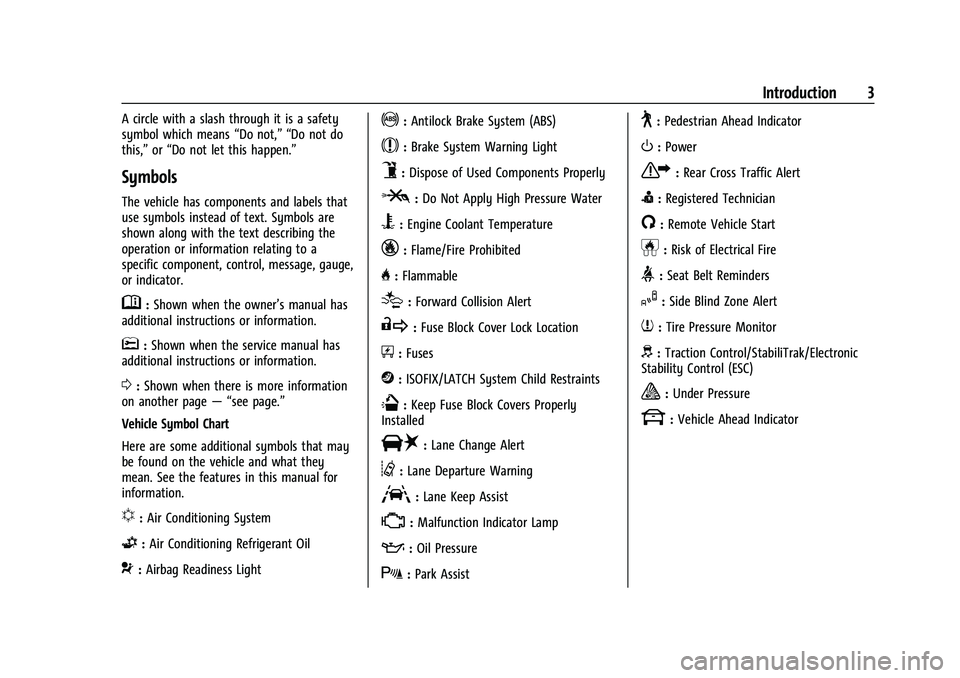
Vehicle Symbol Chart
Here are some additional symbols that may
be found on the vehicle and what they
mean. See the features in this manual for
information.
u: Air Conditioning System
G:Air Conditioning Refrigerant Oil
9:Airbag Readiness Light
!:Antilock Brake System (ABS)
$:Brake System Warning Light
9:Dispose of Used Components Properly
P:Do Not Apply High Pressure Water
B:Engine Coolant Temperature
_:Flame/Fire Prohibited
H: Flammable
[:Forward Collision Alert
R:Fuse Block Cover Lock Location
+:Fuses
j:ISOFIX/LATCH System Child Restraints
Q:Keep Fuse Block Covers Properly
Installed
|: Lane Change Alert
@:Lane Departure Warning
A:Lane Keep Assist
*: Malfunction Indicator Lamp
::Oil Pressure
X:Park Assist
~:Pedestrian Ahead Indicator
O:Power
7:Rear Cross Traffic Alert
I:Registered Technician
/:Remote Vehicle Start
h:Risk of Electrical Fire
>:Seat Belt Reminders
I:Side Blind Zone Alert
7:Tire Pressure Monitor
d:Traction Control/StabiliTrak/Electronic
Stability Control (ESC)
a: Under Pressure
k: Vehicle Ahead Indicator
Page 7 of 345
Chevrolet Camaro Owner Manual (GMNA-Localizing-U.S./Canada/Mexico-
16408685) - 2023 - CRC - 3/28/22
6 Keys, Doors, and Windows
Keys, Doors, and
Windows
Keys and Locks
Keys . . . . . . . . . . . . . . . . . . . . . . . . . . . . . . . . . . . . . 6
Remote Key . . . . . . . . . . . . . . . . . . . . . . . . . . . . . 7
Remote Key Operation . . . . . . . . . . . . . . . . . . . 7
Remote Vehicle Start . . . . . . . . . . . . . . . . . . . 14
Door Locks . . . . . . . . . . . . . . . . . . . . . . . . . . . . . . 15
Power Door Locks . . . . . . . . . . . . . . . . . . . . . . . 17
Delayed Locking . . . . . . . . . . . . . . . . . . . . . . . . 17
Automatic Door Locks . . . . . . . . . . . . . . . . . . . 17
Lockout Protection . . . . . . . . . . . . . . . . . . . . . . 18
Doors
Trunk . . . . . . . . . . . . . . . . . . . . . . . . . . . . . . . . . . . 18
Vehicle Security
Vehicle Security . . . . . . . . . . . . . . . . . . . . . . . . 20
Vehicle Alarm System . . . . . . . . . . . . . . . . . . 20
Immobilizer . . . . . . . . . . . . . . . . . . . . . . . . . . . . . 21
Immobilizer Operation . . . . . . . . . . . . . . . . . . 22
Exterior Mirrors
Convex Mirrors . . . . . . . . . . . . . . . . . . . . . . . . . 22
Power Mirrors . . . . . . . . . . . . . . . . . . . . . . . . . . 23
Heated Mirrors . . . . . . . . . . . . . . . . . . . . . . . . . 23
Automatic Dimming Mirror . . . . . . . . . . . . . 23
Reverse Tilt Mirrors . . . . . . . . . . . . . . . . . . . . . 23
Interior Mirrors
Interior Rearview Mirrors . . . . . . . . . . . . . . . 23
Manual Rearview Mirror . . . . . . . . . . . . . . . . 24
Automatic Dimming Rearview Mirror . . . 24
Rear Camera Mirror . . . . . . . . . . . . . . . . . . . . 24
Windows
Windows . . . . . . . . . . . . . . . . . . . . . . . . . . . . . . . 26
Power Windows . . . . . . . . . . . . . . . . . . . . . . . . 26
Sun Visors . . . . . . . . . . . . . . . . . . . . . . . . . . . . . . 28
Roof
Sunroof . . . . . . . . . . . . . . . . . . . . . . . . . . . . . . . . 29
Convertible Top . . . . . . . . . . . . . . . . . . . . . . . . 29
Keys and Locks
Keys
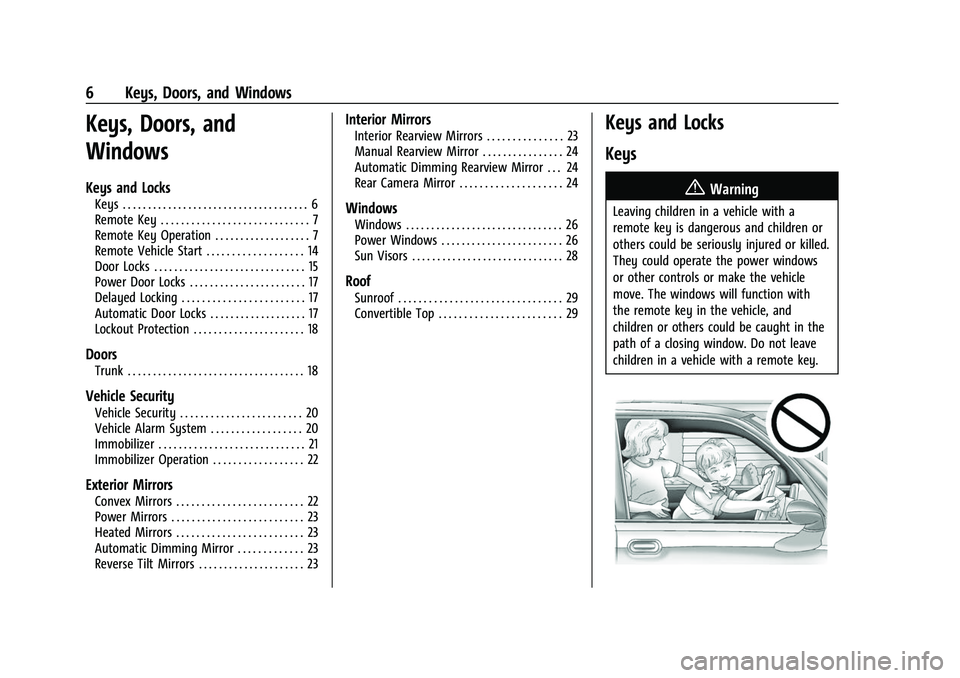
{Warning
Leaving children in a vehicle with a
remote key is dangerous and children or
others could be seriously injured or killed.
They could operate the power windows
or other controls or make the vehicle
move. The windows will function with
the remote key in the vehicle, and
children or others could be caught in the
path of a closing window. Do not leave
children in a vehicle with a remote key.
Page 15 of 345
Chevrolet Camaro Owner Manual (GMNA-Localizing-U.S./Canada/Mexico-
16408685) - 2023 - CRC - 3/28/22
14 Keys, Doors, and Windows
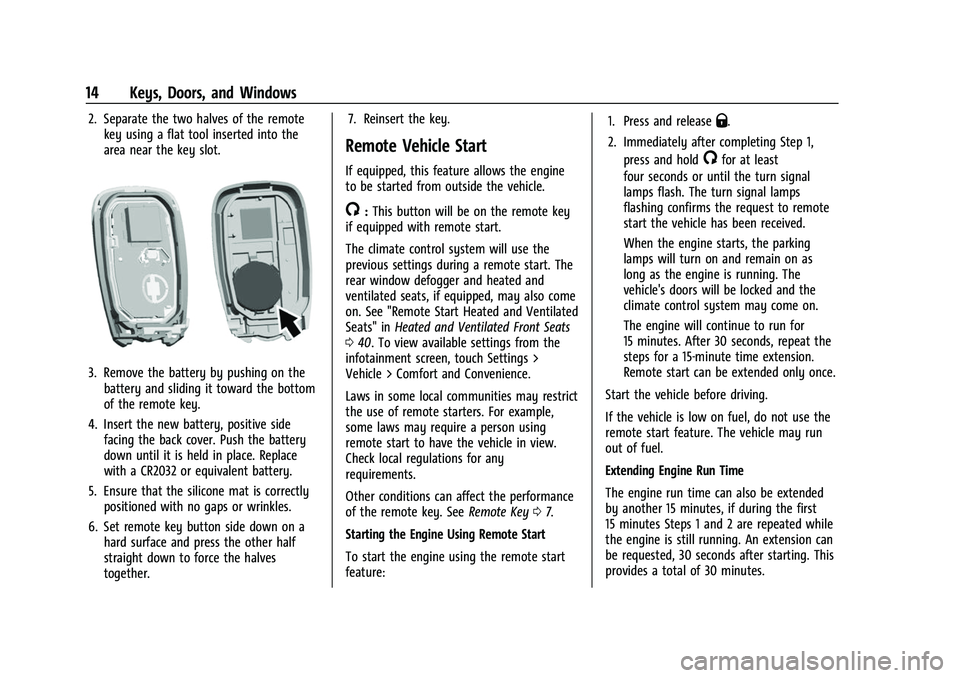
2. Separate the two halves of the remotekey using a flat tool inserted into the
area near the key slot.
3. Remove the battery by pushing on thebattery and sliding it toward the bottom
of the remote key.
4. Insert the new battery, positive side facing the back cover. Push the battery
down until it is held in place. Replace
with a CR2032 or equivalent battery.
5. Ensure that the silicone mat is correctly positioned with no gaps or wrinkles.
6. Set remote key button side down on a hard surface and press the other half
straight down to force the halves
together. 7. Reinsert the key.
Remote Vehicle Start
If equipped, this feature allows the engine
to be started from outside the vehicle.
/:
This button will be on the remote key
if equipped with remote start.
The climate control system will use the
previous settings during a remote start. The
rear window defogger and heated and
ventilated seats, if equipped, may also come
on. See "Remote Start Heated and Ventilated
Seats" in Heated and Ventilated Front Seats
0 40. To view available settings from the
infotainment screen, touch Settings >
Vehicle > Comfort and Convenience.
Laws in some local communities may restrict
the use of remote starters. For example,
some laws may require a person using
remote start to have the vehicle in view.
Check local regulations for any
requirements.
Other conditions can affect the performance
of the remote key. See Remote Key07.
Starting the Engine Using Remote Start
To start the engine using the remote start
feature: 1. Press and release
Q.
2. Immediately after completing Step 1, press and hold
/for at least
four seconds or until the turn signal
lamps flash. The turn signal lamps
flashing confirms the request to remote
start the vehicle has been received.
When the engine starts, the parking
lamps will turn on and remain on as
long as the engine is running. The
vehicle's doors will be locked and the
climate control system may come on.
The engine will continue to run for
15 minutes. After 30 seconds, repeat the
steps for a 15-minute time extension.
Remote start can be extended only once.
Start the vehicle before driving.
If the vehicle is low on fuel, do not use the
remote start feature. The vehicle may run
out of fuel.
Extending Engine Run Time
The engine run time can also be extended
by another 15 minutes, if during the first
15 minutes Steps 1 and 2 are repeated while
the engine is still running. An extension can
be requested, 30 seconds after starting. This
provides a total of 30 minutes.
Page 16 of 345
Chevrolet Camaro Owner Manual (GMNA-Localizing-U.S./Canada/Mexico-
16408685) - 2023 - CRC - 3/28/22
Keys, Doors, and Windows 15
The remote start can only be extended once.
When the remote start is extended, the
second 15-minute period is added on to the
first 15 minutes for a total of 30 minutes.
A maximum of two remote starts, or a
remote start with an extension, are allowed
between ignition cycles.
The ignition must be turned on and then off
before the remote start procedure can be
used again.
Canceling a Remote Start
To cancel a remote start, do one of the
following:
.Press and hold/until the parking lamps
turn off.
.Turn on the hazard warning flashers.
.Turn the vehicle on and then off.
Conditions in Which Remote Start Will
Not Work
The remote start will not operate if:
.The remote key is in the vehicle.
.The vehicle is not off.
.The hood is not closed.
.The hazard warning flashers are on.
.There is an emission control system
malfunction.
.The engine coolant temperature is
too high.
.The oil pressure is low.
.Two remote vehicle starts, or a single
remote start with an extension, have
already been used.
.The vehicle is not in P (Park).
Door Locks
{Warning
Unlocked doors can be dangerous.
.Passengers, especially children, can
easily open the doors and fall out of a
moving vehicle. The doors can be
unlocked and opened while the vehicle
is moving. The chance of being thrown
out of the vehicle in a crash is
increased if the doors are not locked.
So, all passengers should wear seat
belts properly and the doors should be
locked whenever the vehicle is driven.
.Young children who get into unlocked
vehicles may be unable to get out.
A child can be overcome by extreme
heat and can suffer permanent injuries (Continued)
Warning (Continued)
or even death from heat stroke.
Always lock the vehicle whenever
leaving it.
.Outsiders can easily enter through an
unlocked door when you slow down
or stop the vehicle. Locking the doors
can help prevent this from happening.
To lock or unlock the doors from outside the
vehicle:
.PressQorKon the remote key.
.Use Keyless Access. See Remote Key
Operation 07.
.Use the key in the driver door. The key
cylinder is covered with a cap.
To lock or unlock the doors from inside the
vehicle:
.PressQorKon the power door lock
switch.
.Pulling an interior door handle will unlock
the door. Pulling the door handle again
unlatches it.
Page 19 of 345
Chevrolet Camaro Owner Manual (GMNA-Localizing-U.S./Canada/Mexico-
16408685) - 2023 - CRC - 3/28/22
18 Keys, Doors, and Windows
.If equipped with an automatic
transmission, shift the transmission into
P (Park).
.If equipped with a manual transmission,
turn the vehicle off when parked.
Automatic door locking cannot be disabled.
Automatic door unlocking can be enabled
through vehicle personalization. To view
available settings for this feature, touch the
Settings icon on the infotainment home
page. Select “Vehicle”to display the list of
available options and select “Power Door
Locks”.
Lockout Protection
If the vehicle is on or in accessory mode and
the power door lock switch is pressed with
the driver door open, all the doors will lock
and only the driver door will unlock.
If the vehicle is off and locking is requested
while a door is open, when all doors are
closed the vehicle will check for remote keys
inside. If an remote key is detected and the
number of remote keys inside has not
reduced, the driver door will unlock and the
horn will chirp three times. Lockout Protection can be manually
overridden with the driver door open by
pressing and holding
Qon the power door
lock switch.
Open Door Anti-Lockout
If Open Door Anti-Lockout has been turned
on and the vehicle is off, the driver door is
open, and locking is requested, all the doors
will lock and the driver door will remain
unlocked. The Open Door Anti-Lockout
feature can be turned on or off. To view
available settings from the infotainment
screen, touch Settings > Vehicle > Power
Door Locks.
Doors
Trunk
{Warning
Exhaust gases can enter the vehicle if it
is driven with the liftgate, trunk/hatch
open, or with any objects that pass
through the seal between the body and
the trunk/hatch or liftgate. Engine
(Continued)
Warning (Continued)
exhaust contains carbon monoxide (CO)
which cannot be seen or smelled. It can
cause unconsciousness and even death.
If the vehicle must be driven with the
liftgate, or trunk/hatch open:
.Close all of the windows.
.Fully open the air outlets on or under
the instrument panel.
.Adjust the climate control system to a
setting that brings in only outside air
and set the fan speed to the highest
setting. See“Climate Control Systems”
in the Index.
.If the vehicle has a power liftgate,
disable the power liftgate function.
For more information about carbon
monoxide, see Engine Exhaust 0198.
Trunk Release
To open the trunk from outside of the
vehicle:
.PressXtwice quickly on the
remote key.
Page 23 of 345
Chevrolet Camaro Owner Manual (GMNA-Localizing-U.S./Canada/Mexico-
16408685) - 2023 - CRC - 3/28/22
22 Keys, Doors, and Windows
Immobilizer Operation
This vehicle has a passive theft-deterrent
system.
The system does not have to be manually
armed or disarmed.
The vehicle is automatically immobilized
when the remote key leaves the vehicle.
The immobilization system is disarmed
when the ignition button is pressed and a
valid remote key is found in the vehicle.
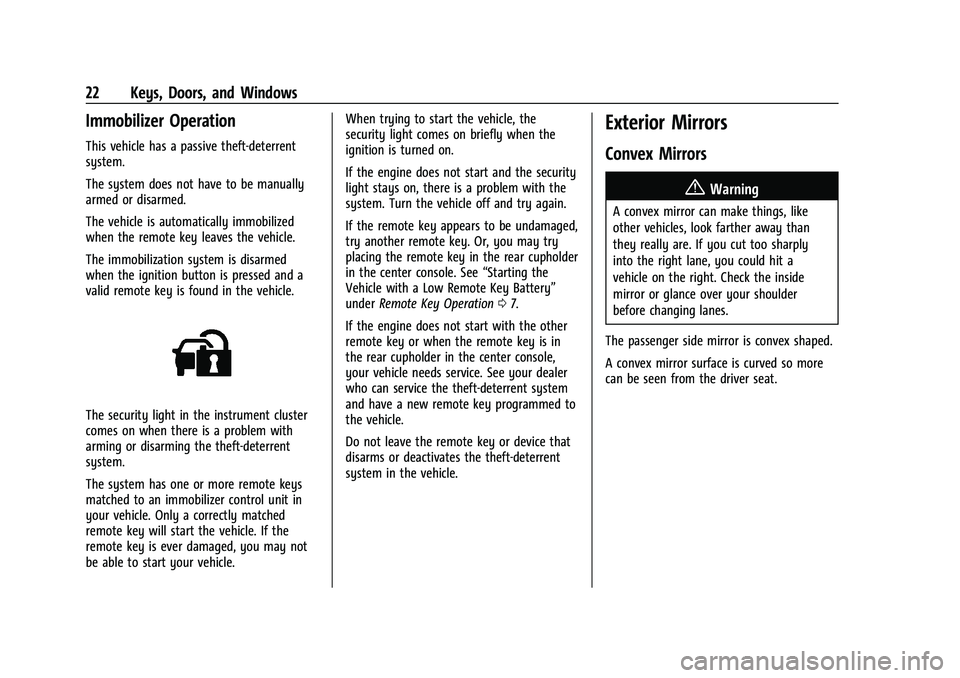
The security light in the instrument cluster
comes on when there is a problem with
arming or disarming the theft-deterrent
system.
The system has one or more remote keys
matched to an immobilizer control unit in
your vehicle. Only a correctly matched
remote key will start the vehicle. If the
remote key is ever damaged, you may not
be able to start your vehicle.When trying to start the vehicle, the
security light comes on briefly when the
ignition is turned on.
If the engine does not start and the security
light stays on, there is a problem with the
system. Turn the vehicle off and try again.
If the remote key appears to be undamaged,
try another remote key. Or, you may try
placing the remote key in the rear cupholder
in the center console. See
“Starting the
Vehicle with a Low Remote Key Battery”
under Remote Key Operation 07.
If the engine does not start with the other
remote key or when the remote key is in
the rear cupholder in the center console,
your vehicle needs service. See your dealer
who can service the theft-deterrent system
and have a new remote key programmed to
the vehicle.
Do not leave the remote key or device that
disarms or deactivates the theft-deterrent
system in the vehicle.
Exterior Mirrors
Convex Mirrors
{Warning
A convex mirror can make things, like
other vehicles, look farther away than
they really are. If you cut too sharply
into the right lane, you could hit a
vehicle on the right. Check the inside
mirror or glance over your shoulder
before changing lanes.
The passenger side mirror is convex shaped.
A convex mirror surface is curved so more
can be seen from the driver seat.
Page 38 of 345
Chevrolet Camaro Owner Manual (GMNA-Localizing-U.S./Canada/Mexico-
16408685) - 2023 - CRC - 3/28/22
Seats and Restraints 37
.Raise or lower the front part of the seat
cushion by moving the front of the
horizontal control up or down.
.Raise or lower the entire seat by moving
the entire horizontal control up or down.
Reclining Seatbacks
{Warning
Sitting in a reclined position when the
vehicle is in motion can be dangerous.
Even when buckled up, the seat belts
cannot do their job.
The shoulder belt will not be against
your body. Instead, it will be in front of
you. In a crash, you could go into it,
receiving neck or other injuries.
The lap belt could go up over your
abdomen. The belt forces would be there,
not at your pelvic bones. This could cause
serious internal injuries.
For proper protection when the vehicle is
in motion, have the seatback upright.
Then sit well back in the seat and wear
the seat belt properly.
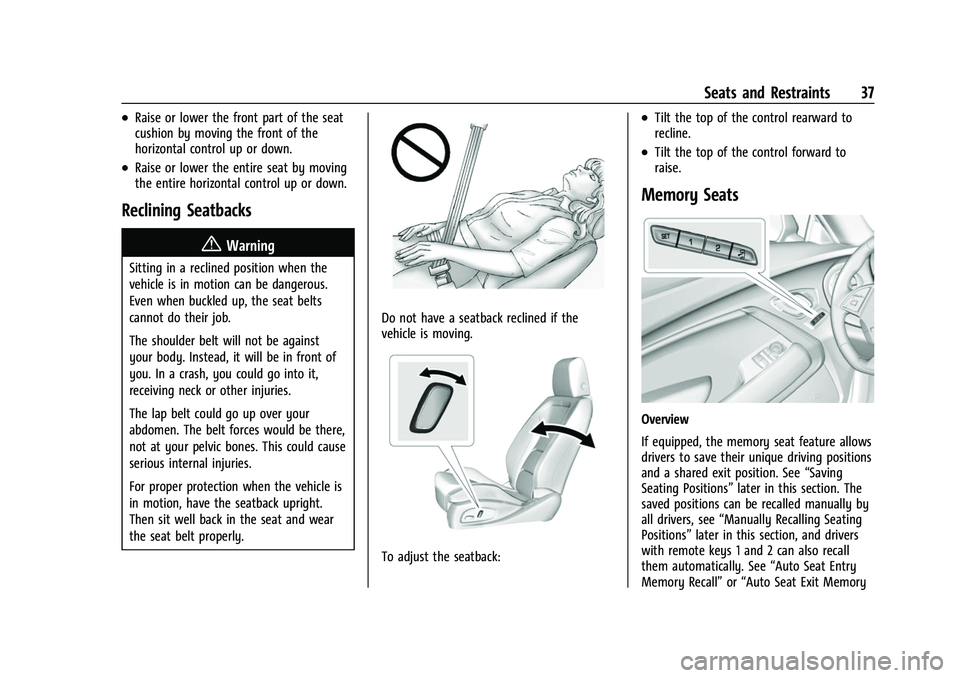
Do not have a seatback reclined if the
vehicle is moving.
To adjust the seatback:
.Tilt the top of the control rearward to
recline.
.Tilt the top of the control forward to
raise.
Memory Seats
Overview
If equipped, the memory seat feature allows
drivers to save their unique driving positions
and a shared exit position. See“Saving
Seating Positions” later in this section. The
saved positions can be recalled manually by
all drivers, see “Manually Recalling Seating
Positions” later in this section, and drivers
with remote keys 1 and 2 can also recall
them automatically. See “Auto Seat Entry
Memory Recall” or“Auto Seat Exit Memory
Page 41 of 345
Chevrolet Camaro Owner Manual (GMNA-Localizing-U.S./Canada/Mexico-
16408685) - 2023 - CRC - 3/28/22
40 Seats and Restraints
If manual transmission equipped, Seat Exit
Memory will continue if the parking brake is
released prior to reaching the save memory
position.
Seat Exit Memory is not linked to the
driver’s remote key. The seating position
saved to
Bis used for all drivers.
Cancel Memory Seating Recalls
.During any memory recall:
Press a power seat control
Press SET memory button
.During Manual memory recall:
Release 1, 2, or
Bmemory button
.During Auto Seat Entry Memory Recall:
Turn vehicle off
Press SET, 1, 2, or
Bmemory buttons
.During Auto Seat Exit Memory Recall:
Press SET, 1, 2, or
Bmemory buttons
Obstructions
If something has blocked the seat while
recalling a memory position, the recall may
stop. Remove the obstruction and try the
recall again. If the memory position still
does not recall, see your dealer.
Seatback Latches
To access the rear seats, pull up on the latch
on the top of the driver or front passenger
seatback. Fold the seatback forward.
{Warning
If either seatback is not locked, it could
move forward in a sudden stop or crash.
That could cause injury to the person
sitting there. Always push and pull on
the seatbacks to be sure they are locked. To return the seatback to the upright
position, lift the seatback and manually
push it rearward until it locks in place. Push
and pull on the seatback to make sure it is
locked.
Do not use the power recline control on the
outboard side of the seat to raise the
seatback. See
Reclining Seatbacks 037.
Heated and Ventilated Front
Seats
{Warning
If temperature change or pain to the skin
cannot be felt, the seat heater may cause
burns. To reduce the risk of burns, use
care when using the seat heater,
especially for long periods of time. Do
not place anything on the seat that
insulates against heat, such as a blanket,
cushion, cover, or similar item. This may
cause the seat heater to overheat. An
overheated seat heater may cause a burn
or may damage the seat.
Page 110 of 345
Chevrolet Camaro Owner Manual (GMNA-Localizing-U.S./Canada/Mexico-
16408685) - 2023 - CRC - 3/28/22
Lighting 109
Interior Lighting
Instrument Panel Illumination
Control
This feature adjusts the brightness of all
illuminated controls. The knob for this
feature is on the left side of the instrument
panel.
Turn the knob clockwise or counterclockwise
to brighten or dim the instrument panel
lights at night. Turn the knob completely
clockwise to turn on the interior lamps.
The knob is functional at night, or when the
headlamps or parking lamps are ON.
Interior Lamps
Interior Spectrum Lighting
If equipped, this feature allows you to
choose the color of the interior lighting in
the vehicle.
On the infotainment home screen, select
Settings
TVehicleTAmbient Lighting.
Touch to select from the following options:
OFF : Turns the feature off.
LIGHT STRIPS : Turns on standard mode.
Touch the light strip color to select a color
for the interior lighting.
DEMO MODE : Provides a demo of the
available colors. When the shift lever is not
in P (Park), the interior color will default to
the last active color selected in light
strips mode.
LINK TO DRIVE MODE : The light color is
matched to the color being used for the
drive mode.
Reading Lamps
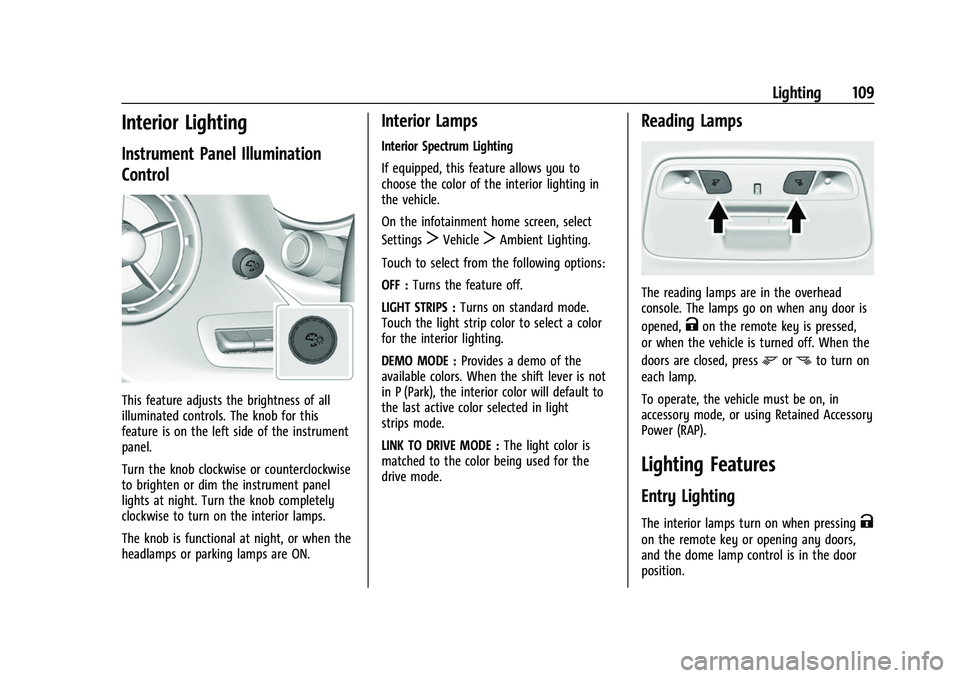
The reading lamps are in the overhead
console. The lamps go on when any door is
opened,
Kon the remote key is pressed,
or when the vehicle is turned off. When the
doors are closed, press
mornto turn on
each lamp.
To operate, the vehicle must be on, in
accessory mode, or using Retained Accessory
Power (RAP).
Lighting Features
Entry Lighting
The interior lamps turn on when pressingK
on the remote key or opening any doors,
and the dome lamp control is in the door
position.
Page 111 of 345

Chevrolet Camaro Owner Manual (GMNA-Localizing-U.S./Canada/Mexico-
16408685) - 2023 - CRC - 3/28/22
110 Lighting
Some exterior lamps also turn on when
pressing
Kon the remote key or opening
any doors. Low-Beam lamps will only turn
on briefly at night, or in areas with limited
lighting.
All lamps will gradually fade out after about
30 seconds.
Entry lighting can be disabled manually by
closing all doors, pressing
Qon the remote
key, or starting the vehicle.
This feature can be changed. On the
infotainment home page, select the Settings
icon
TVehicleTVehicle Locator Lights.
Exit Lighting
Some exterior lamps and interior lamps turn
on when the driver door is opened after the
vehicle is turned off.
The exterior and interior lamps remain on
for a set amount of time, then automatically
turn off.
The interior lights turn on when the vehicle
is turned off.
The exterior lamps turn off immediately by
turning the exterior lamp control off. This feature can be changed. On the
infotainment home screen, select the
Settings icon
TVehicleTExit Lighting.
Battery Load Management
The vehicle has Electric Power Management
(EPM) that estimates the battery's
temperature and state of charge. It then
adjusts the voltage for best performance
and extended life of the battery.
When the battery's state of charge is low,
the voltage is raised slightly to quickly bring
the charge back up. When the state of
charge is high, the voltage is lowered
slightly to prevent overcharging. If the
vehicle has a voltmeter gauge or a voltage
display on the Driver Information Center
(DIC), you may see the voltage move up or
down. This is normal. If there is a problem,
an alert will be displayed.
The battery can be discharged at idle if the
electrical loads are very high. This is true for
all vehicles. This is because the generator
(alternator) may not be spinning fast
enough at idle to produce all of the power
needed for very high electrical loads.
A high electrical load occurs when several of
the following are on, such as: headlamps,
high beams, rear window defogger, climate
control fan at high speed, heated seats,
engine cooling fans, trailer loads, and loads
plugged into accessory power outlets.
EPM works to prevent excessive discharge
of the battery. It does this by balancing the
generator's output and the vehicle's
electrical needs. It can increase engine idle
speed to generate more power whenever
needed. It can temporarily reduce the power
demands of some accessories.
Normally, these actions occur in steps or
levels, without being noticeable. In rare
cases at the highest levels of corrective
action, this action may be noticeable to the
driver. If so, a DIC message might be
displayed and it is recommended that the
driver reduce the electrical loads as much as
possible.
Battery Power Protection
This feature helps prevent the battery from
being drained, if the interior courtesy lamps
or reading lamps are accidentally left on.
If any of these lamps are left on, they
automatically turn off after 10 minutes,